Learning to draw a helicopter — really draw one, not just an oval with a stick — that took longer than I expected. My first attempt looked like a flying potato with toothpicks stuck in it. The problem wasn’t skill. It was proportion: I was treating the fuselage like a blob instead of what it actually is — a cockpit-and-cabin shape that has to read as both solid and weightless at the same time. That’s the same trick your eye plays with any vehicle design, whether it’s a helicopter or a Jaguar F-Pace parked at an angle.
- How to Draw a Helicopter Step by Step
- Helicopter Anatomy: Why the Proportions Actually Matter
- Taking Your Helicopter from Easy to Realistic
- Drawing a Military Helicopter (Apache/Chinook Style)
- Coloring and Finishing Touches
- Common Mistakes Beginners Make
- Conclusion
- FAQ
- What's the easiest way to draw a helicopter?
- How do you draw helicopter rotor blades so they look right?
- What's the difference between drawing a military and civilian helicopter?
- What pencils are best for a realistic helicopter drawing?
- How do you shade a helicopter to make it look 3D?
- Should beginners start easy or go straight to realistic?
Most tutorials online stop at the kid-friendly version: two ovals, a stick tail, done. That’s a fine starting point, but it caps out fast — you end up with a shape that reads “helicopter-ish” rather than an actual machine.
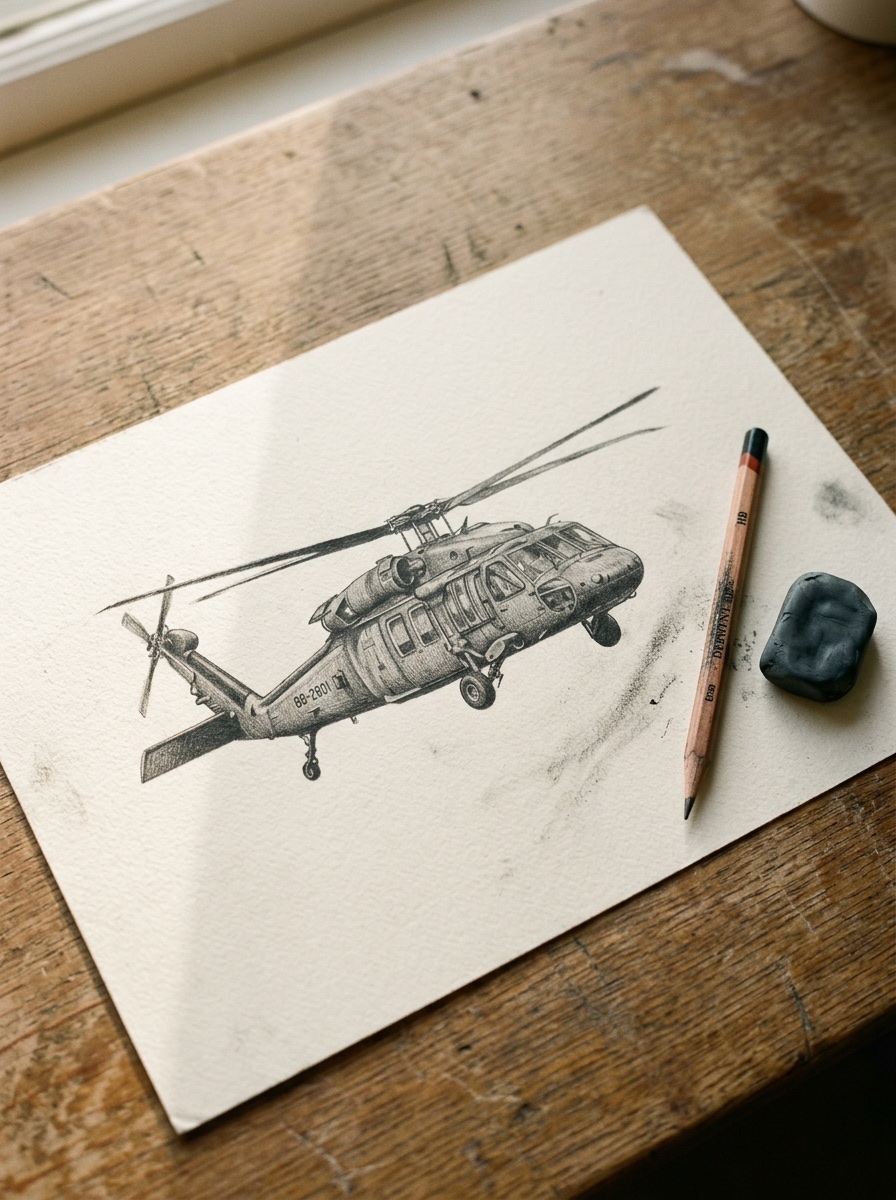
This guide starts with that same easy base shape, then walks it forward. You’ll get the step-by-step construction, the proportion logic behind it, a push toward realistic shading, and a military variant most tutorials skip entirely. Same bones throughout — just built up in layers.
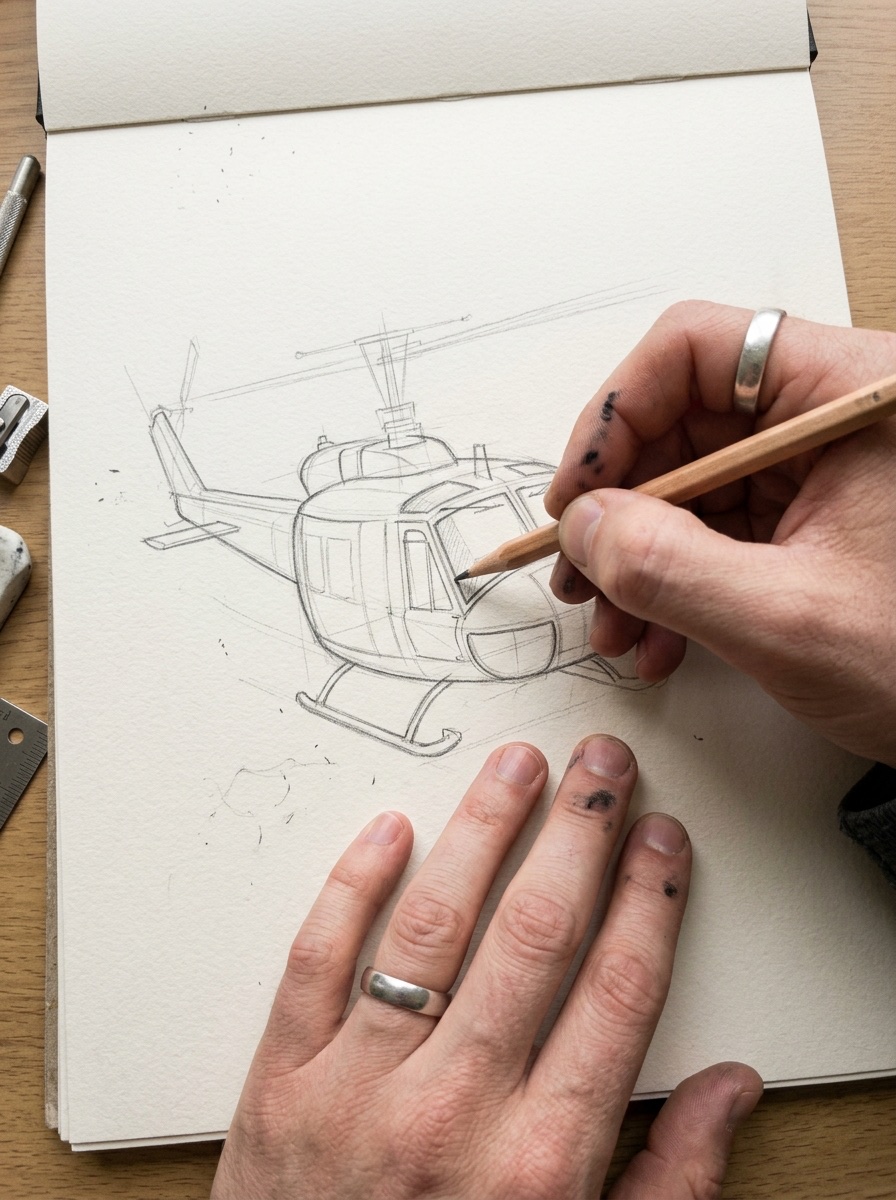
How to Draw a Helicopter Step by Step
Grab an HB pencil for construction lines and keep an eraser close — you’ll need it more than you think in the first two steps.
Step 1–2: Block in the Fuselage and Cockpit
Start with a rounded, boxy shape — not a perfect oval, more like a rectangle that got soft at the corners. This is your fuselage, and its size decides everything else, so don’t rush it. I usually make it about a third of the total drawing width; go bigger and the tail looks stubby, go smaller and the whole thing feels top-heavy.
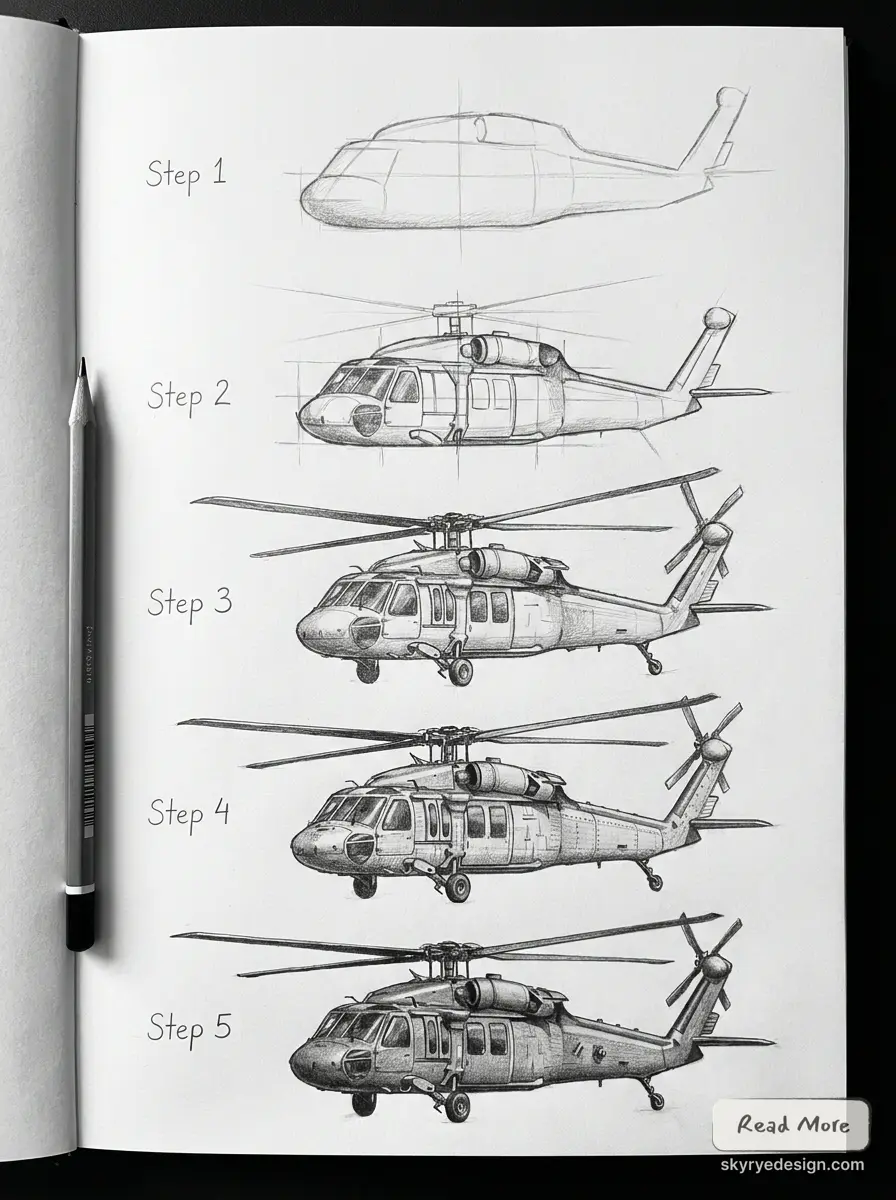
Add the cockpit window next: a curved rectangle sitting on the front-lower third of the fuselage. Angle it slightly downward. That small tilt is what makes a helicopter look like it’s built to see the ground, not just float in it — small detail, but it’s the difference between a generic pod and an actual cockpit.
Step 3–4: Tail Boom and Rotors
From the back of the fuselage, draw two lines tapering inward — this is the tail boom, and it should narrow gradually, not snap to a point. A ruler helps here if your hand isn’t steady; I use one for this specific step even on quick sketches, since a wobbly tail boom throws off the whole silhouette.
At the tip of the boom, add a small vertical fin and the tail rotor: two thin blades in a cross shape, tiny compared to the main rotor. Then go back to the fuselage roof and add the rotor mast — a short cylinder sticking straight up — with the main rotor blades extending from it as long, thin ellipses. Real helicopters usually run two, three, or four main blades; two is the cleanest to draw and reads fine at sketch scale.
Step 5: Landing Skids and Windows
Underneath the fuselage, drop two curved parallel lines connected by short vertical struts — that’s your landing skid. Keep the skid width close to the fuselage width; too narrow and the helicopter looks like it’ll tip over.
Finish with the side window — a smaller curved rectangle behind the cockpit glass — and any door seams you want to suggest with light single lines. Don’t overdo the seams. Two or three lines read as a detailed machine; ten lines read as a confused sketch.
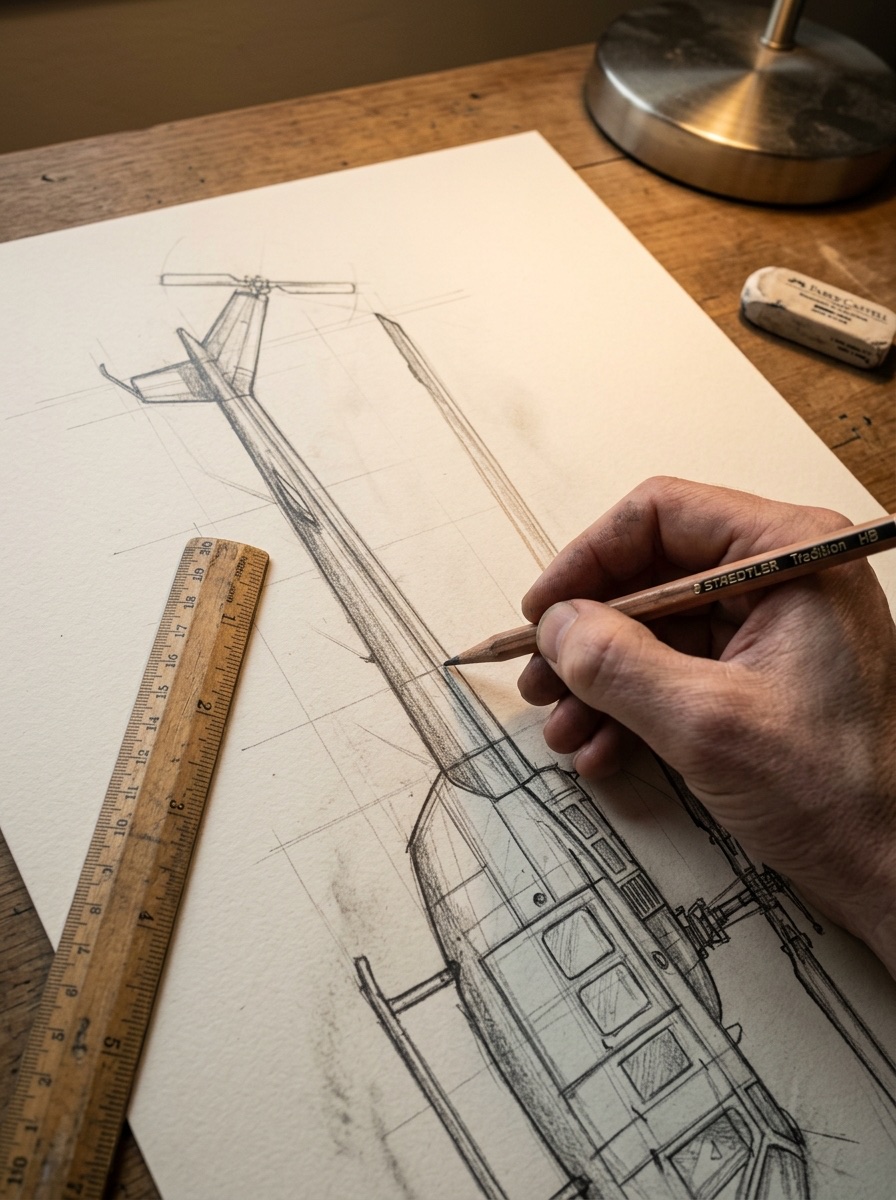
Note: Common fix at this stage: if the whole thing looks off but you can’t tell why, check the tail boom angle first. It’s either too straight (looks stiff and toy-like) or curves too much (looks cartoonish).
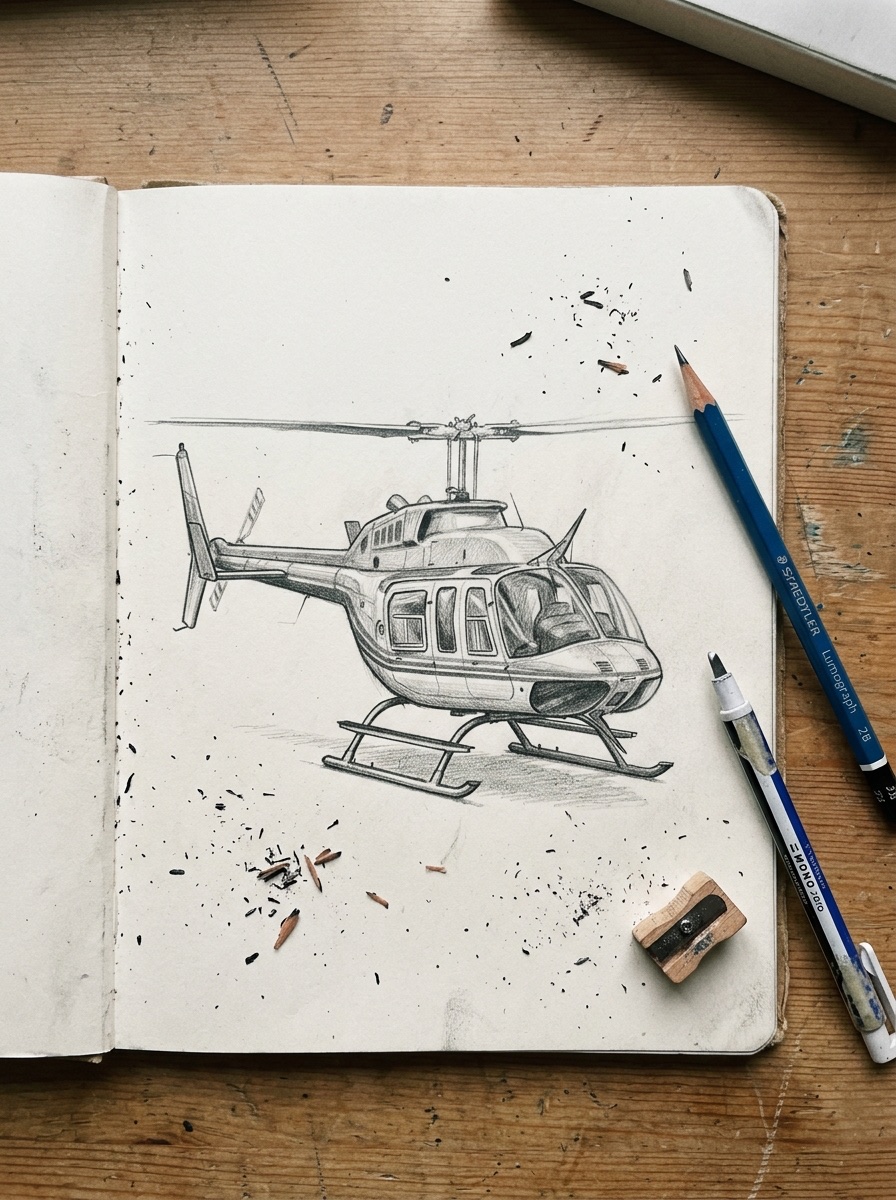
Helicopter Anatomy: Why the Proportions Actually Matter
Here’s the thing nobody tells you in the oval-and-stick tutorials: a helicopter isn’t a random collection of shapes. Every part is there because it does a job, and once you see the why, the proportions stop feeling arbitrary — you start drawing the function, not just copying an outline. That’s the same shift that happens when you move from sketching a car’s silhouette to actually understanding wheelbase and cabin proportion.
Main Body Parts and Their Function
The fuselage is the structural core — engine, cabin, everything lives in there, which is why it needs to look solid, not hollow. The cockpit window sits low and forward because pilots need a clear sightline to the ground, not just the horizon (that’s the downward tilt from Step 1–2). The tail boom exists purely to put distance between the main rotor and the tail rotor — without it, the two rotor systems would fight each other. And the main rotor mast sits dead-center on the roof, because an off-center mast would make the whole aircraft twist instead of lift.
None of this is decoration. It’s mechanical logic wearing the shape of a drawing.
Common Proportion Mistakes
The two errors I see most, including in my own early attempts: rotor too small, and tail boom too straight.
A tiny main rotor on a big fuselage looks like a toy, not a machine. The rotor diameter should roughly match or exceed the fuselage length — real helicopters are mostly rotor when you look at the full silhouette from above.
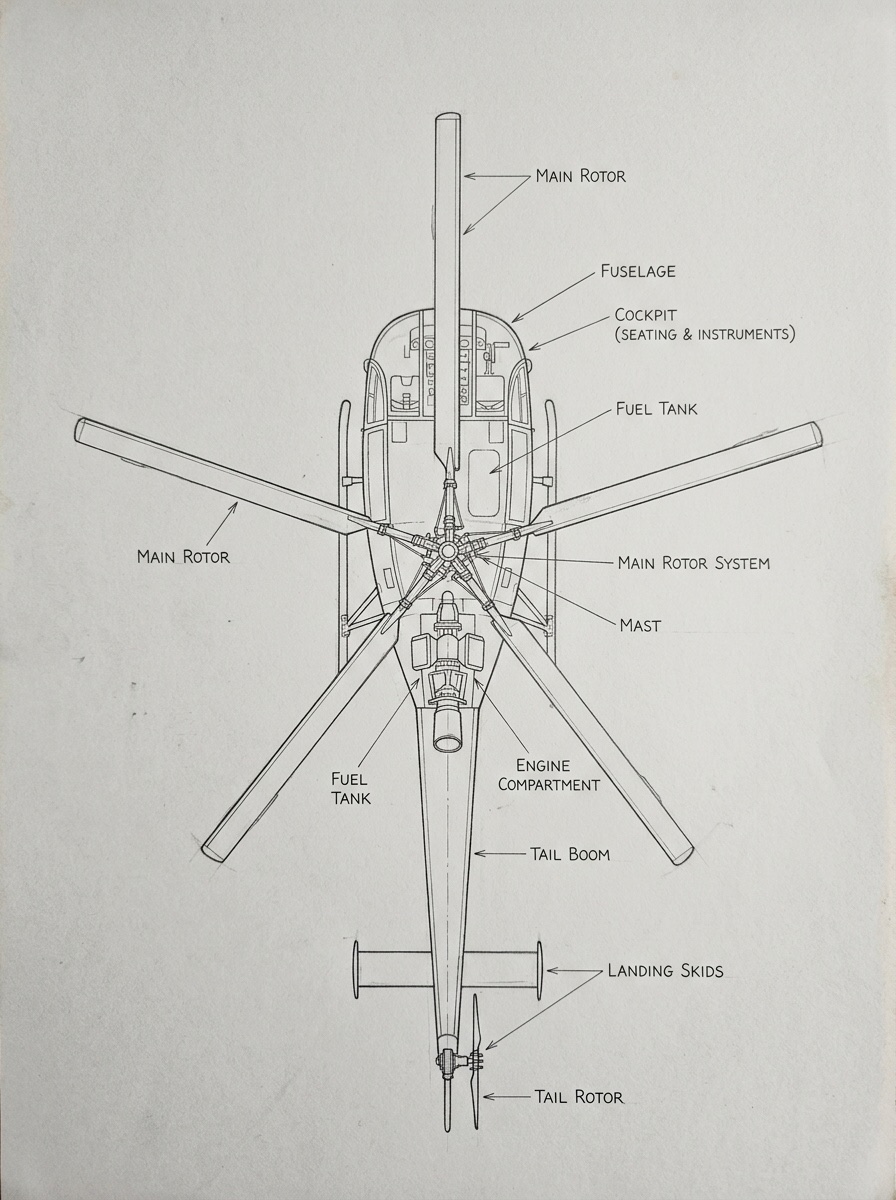
A tail boom that’s perfectly parallel top and bottom looks stiff and plastic. Let it taper — even a subtle taper toward the tail rotor sells the sense of engineering instead of a stick glued on.
Taking Your Helicopter from Easy to Realistic
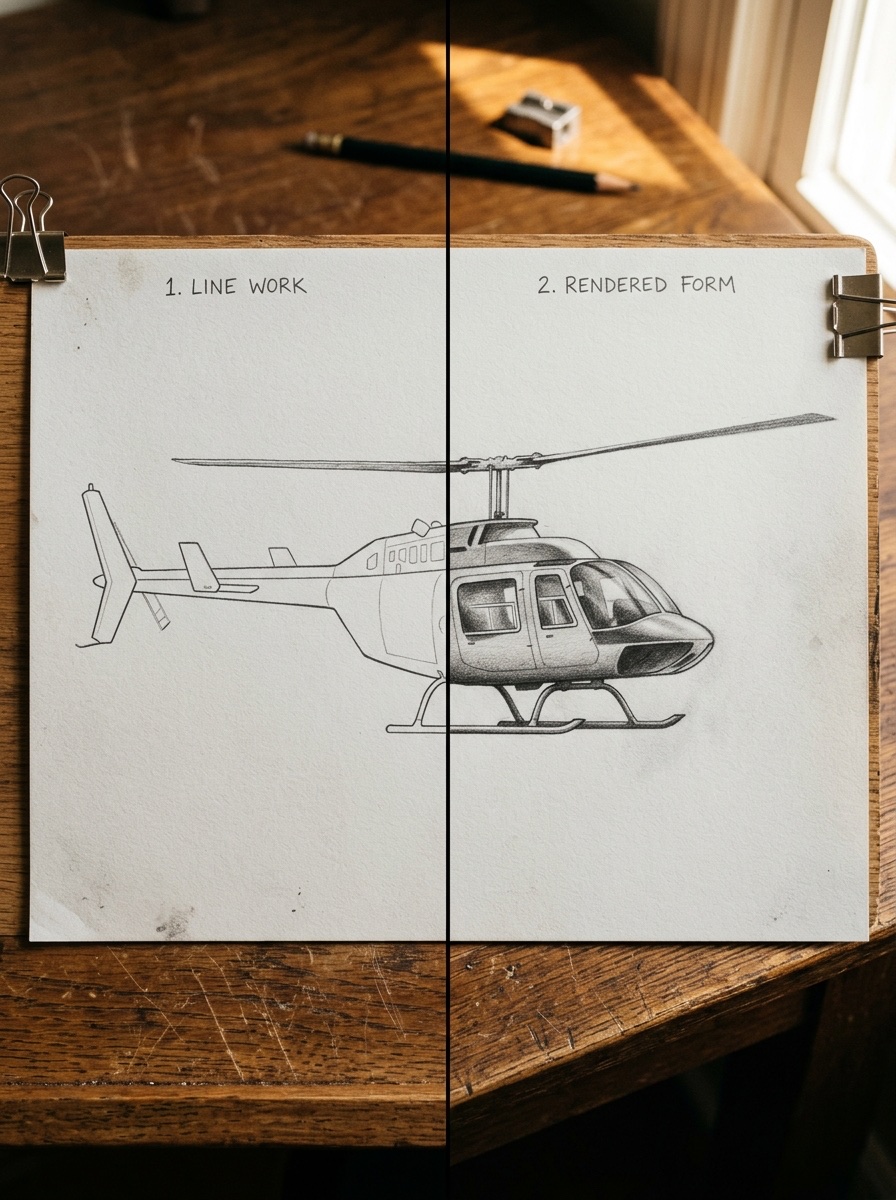
The easy version from Step 1–2 through 5 is a solid helicopter — but it still reads as a diagram. Realistic comes from three things: light logic, texture, and motion. None of them require redrawing your base shape.
Light Source and Shadow on a Curved Fuselage
Pick one light source — top-left is the most forgiving — and stick with it everywhere. On the fuselage, that means a highlight band along the upper curve and a soft core shadow underneath, where the surface turns away from the light. I learned this the hard way doing automotive renders: a curved metal surface without a consistent shadow gradient just looks flat, no matter how clean your linework is. Same rule applies whether you’re shading a Jaguar F-Pace’s hood or a helicopter’s belly.
Don’t outline the shadow with a hard line. Blend it — even a rough thumb-smudge with graphite looks far more convincing than a crisp edge.
Glass and Metal Texture for the Cockpit
Cockpit glass isn’t solid black or flat gray — it’s a mix of reflection and see-through. Leave two or three small white highlight shapes untouched by pencil (these read as reflected sky), then fill the rest with a mid-gray tone. For the metal fuselage panels, add faint horizontal seam lines every inch or so — real aircraft skin is riveted panels, not one continuous shell, and even a hint of that breaks up the toy look.
Rotor Blade Motion Blur
A static, sharp-edged rotor is the single biggest tell that a helicopter drawing is beginner-level. Real rotors spin fast enough that the eye never catches them fully still. Fake this by drawing the blades as a soft, slightly transparent ellipse instead of solid shapes — light pencil pressure, maybe a quick circular smudge with your finger along the blade path. It takes ten extra seconds and it’s the difference between a parked toy and a helicopter that looks like it’s about to lift off.
Drawing a Military Helicopter (Apache/Chinook Style)
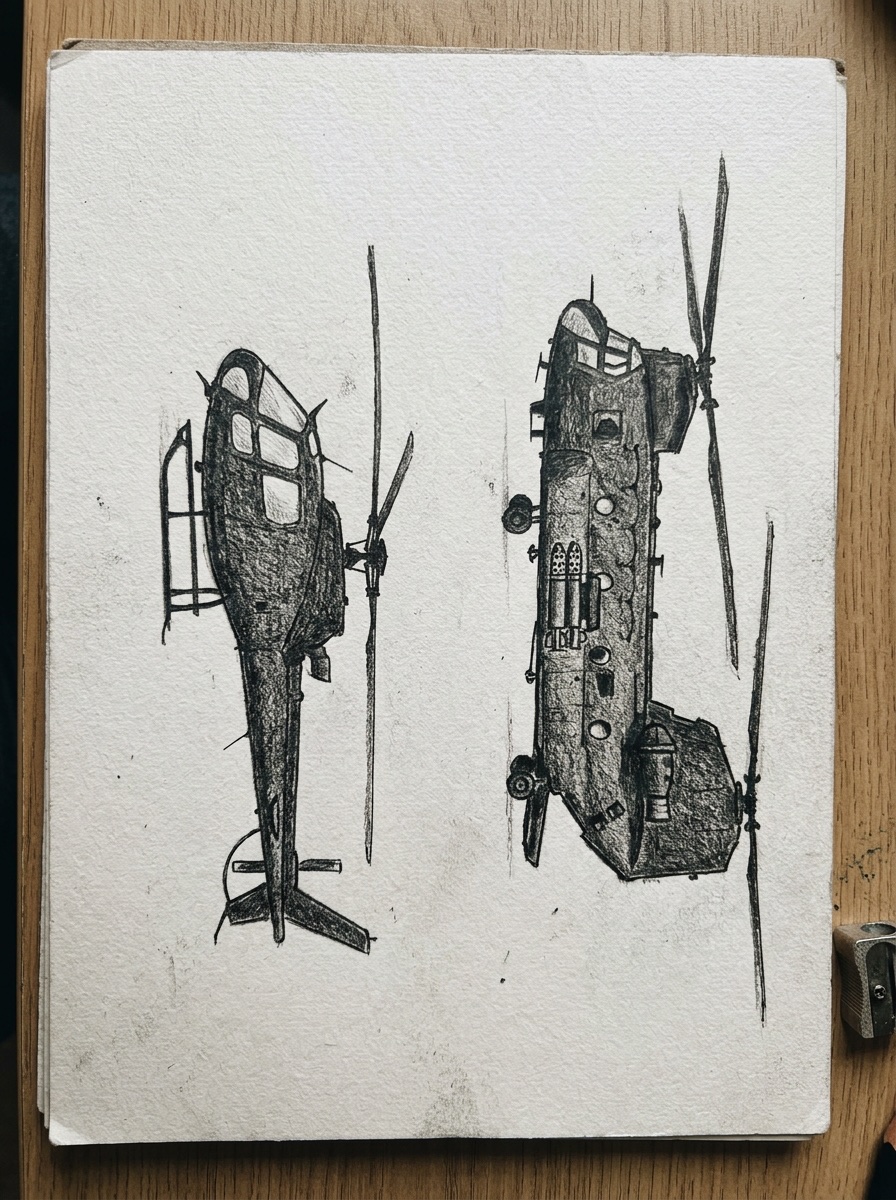
Swap a few shapes on your base helicopter and it stops looking like a rescue chopper and starts looking like it’s on a mission. The core construction from the steps above doesn’t change — what changes is what you bolt onto it.
What Changes from the Civilian Shape
Armor plating first: instead of a smooth fuselage curve, add angular panel breaks along the lower body — two or three straight-edged facets where the civilian version had one continuous curve. Real attack helicopters like the Apache are built this way for radar deflection, not looks, but visually it instantly says military even in a rough sketch.
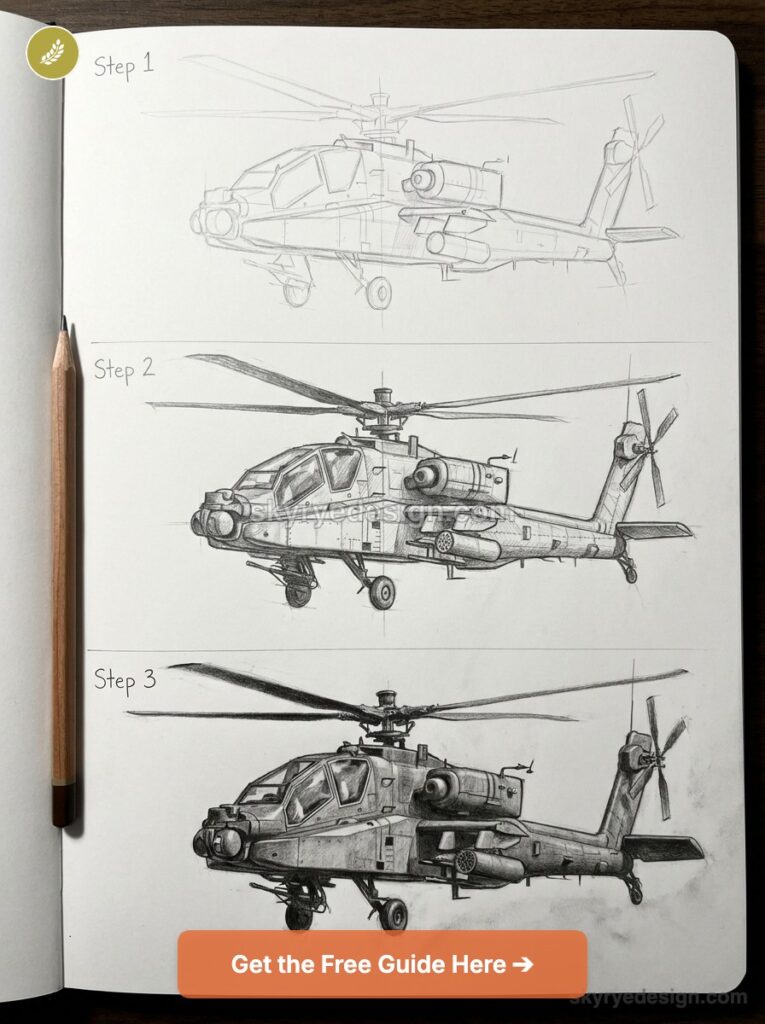
Weapons mounts go under the fuselage sides — short rectangular stubs (wing stubs, or pylons) with small cylindrical shapes hanging off them. You don’t need to detail actual missiles; two or three simple tube shapes per side sells it.
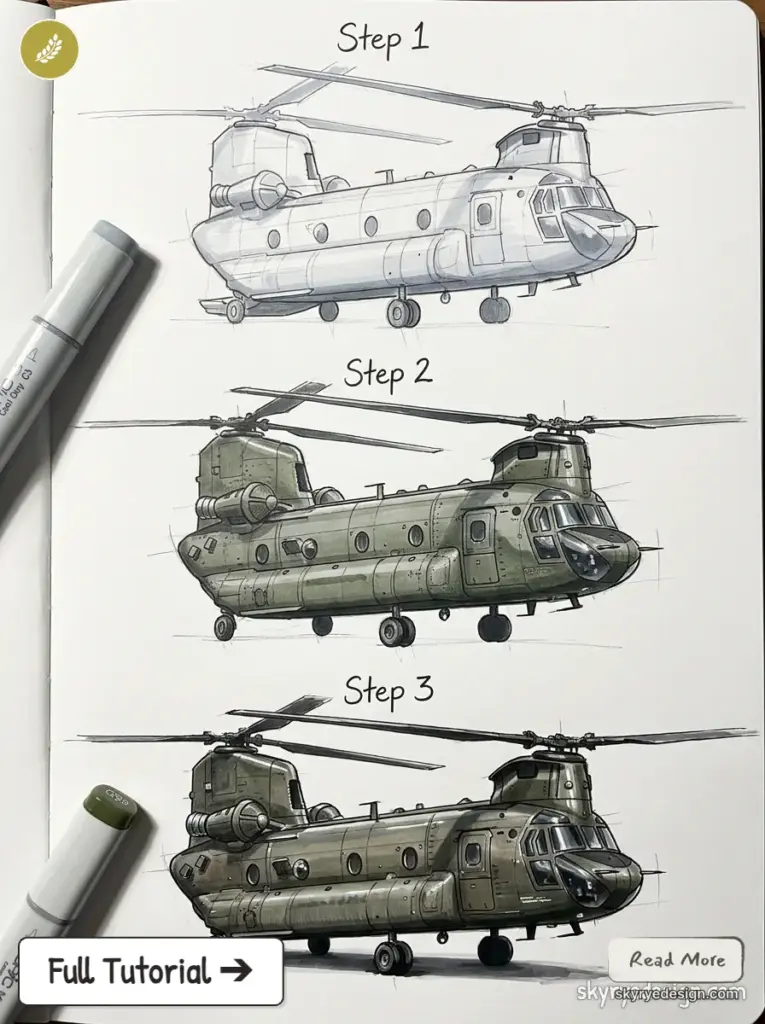
Twin rotors matter if you’re going Chinook-style rather than Apache-style. A Chinook has two main rotors — one forward, one aft — and no tail rotor at all, since the two main rotors counter-rotate to cancel each other’s spin. That’s a completely different silhouette from everything you’ve drawn so far, and it’s the one variant most tutorials skip entirely because it breaks their single-rotor template.
Camouflage Pattern Basics
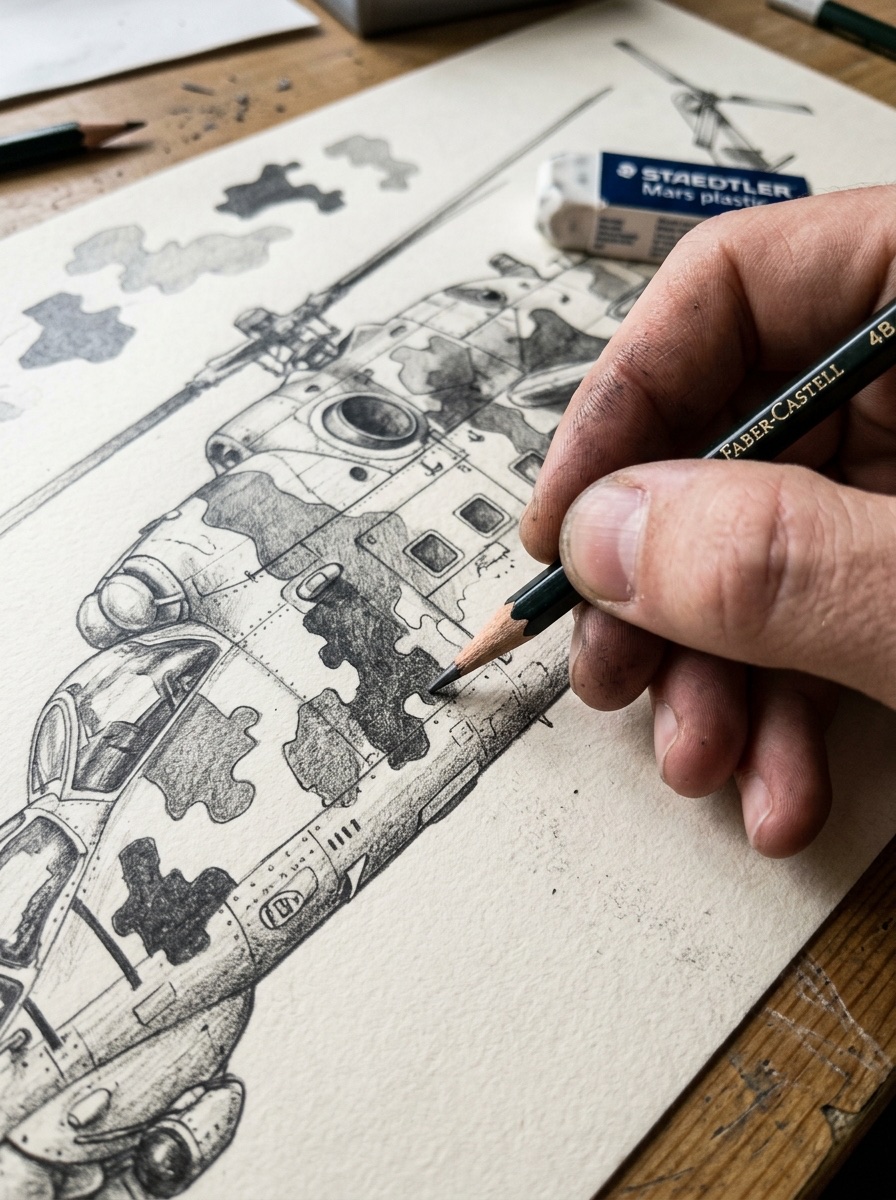
Skip photorealistic camo — it’s overkill for a pencil sketch and it’ll fight your shading work. Instead, break the fuselage into three or four irregular blob shapes (think puzzle pieces, not stripes), then shade each one a slightly different gray tone. That contrast alone sells the camouflage from a normal viewing distance. I use this same trick sketching automotive concept liveries — the eye fills in detail your pencil doesn’t have to provide.
Coloring and Finishing Touches
Color is where a lot of otherwise solid helicopter drawings fall apart — people either grab whatever’s closest or default to gray because “helicopters are gray, right?” Not really. The color says what the helicopter does before anyone reads a caption.
Color Choices by Type
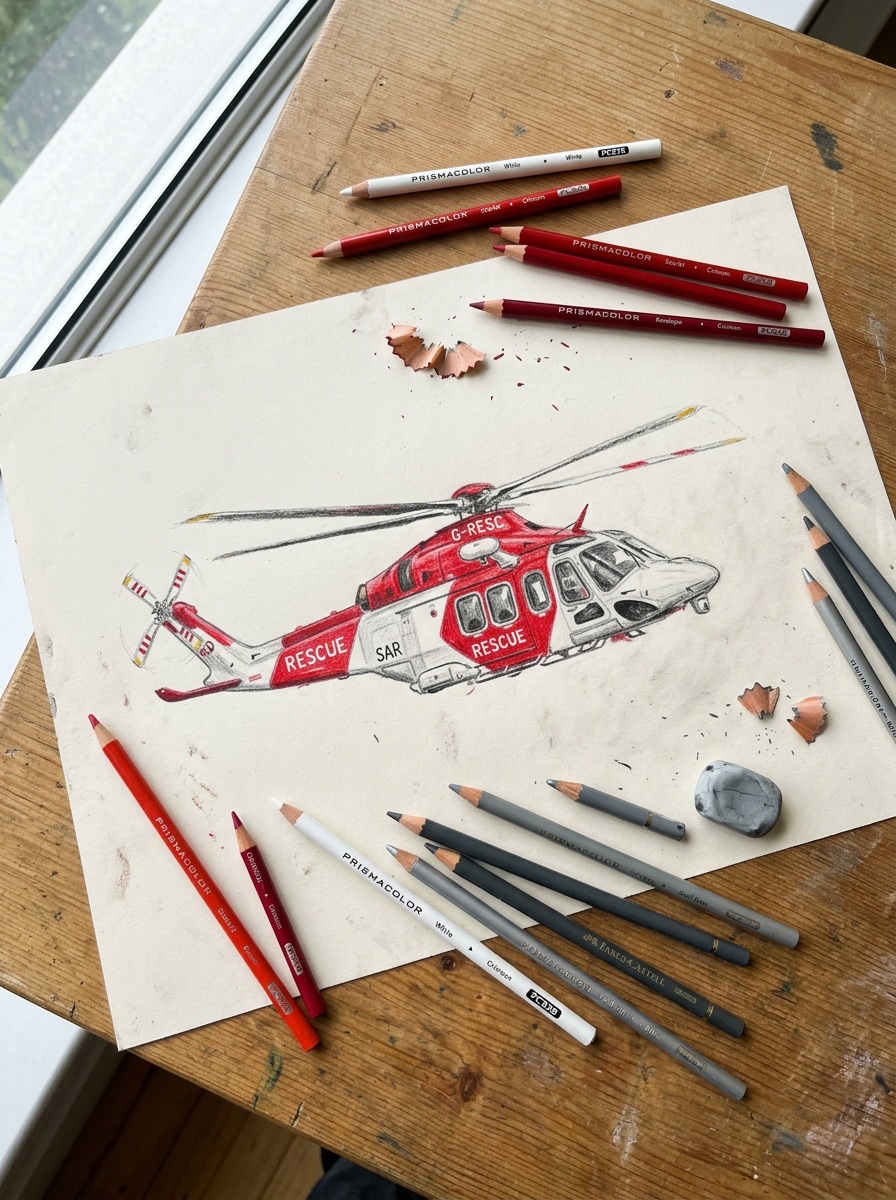
Rescue helicopters run white-and-red or white-and-orange — high visibility is the whole point, so keep the base coat bright and add just one or two bold color blocks rather than patterning the whole body. Military helicopters stay in the olive-green-to-gray range, sometimes with the puzzle-piece camo blocking covered above. Civilian and corporate helicopters are the most fun to color, honestly — you can go with a livery style, like the deep blue-and-silver combos you see on executive transport helicopters, or even take a cue from automotive paint jobs. I’ve used the same pearl-white-with-metallic-flake approach I’d pick for a Mazda CX-5 render on a civilian helicopter sketch, and it reads just as well.
Keep the cockpit glass a cool blue-gray regardless of body color — warm glass tones almost always look wrong, like the helicopter is lit from inside.
Final Line-Weight Pass
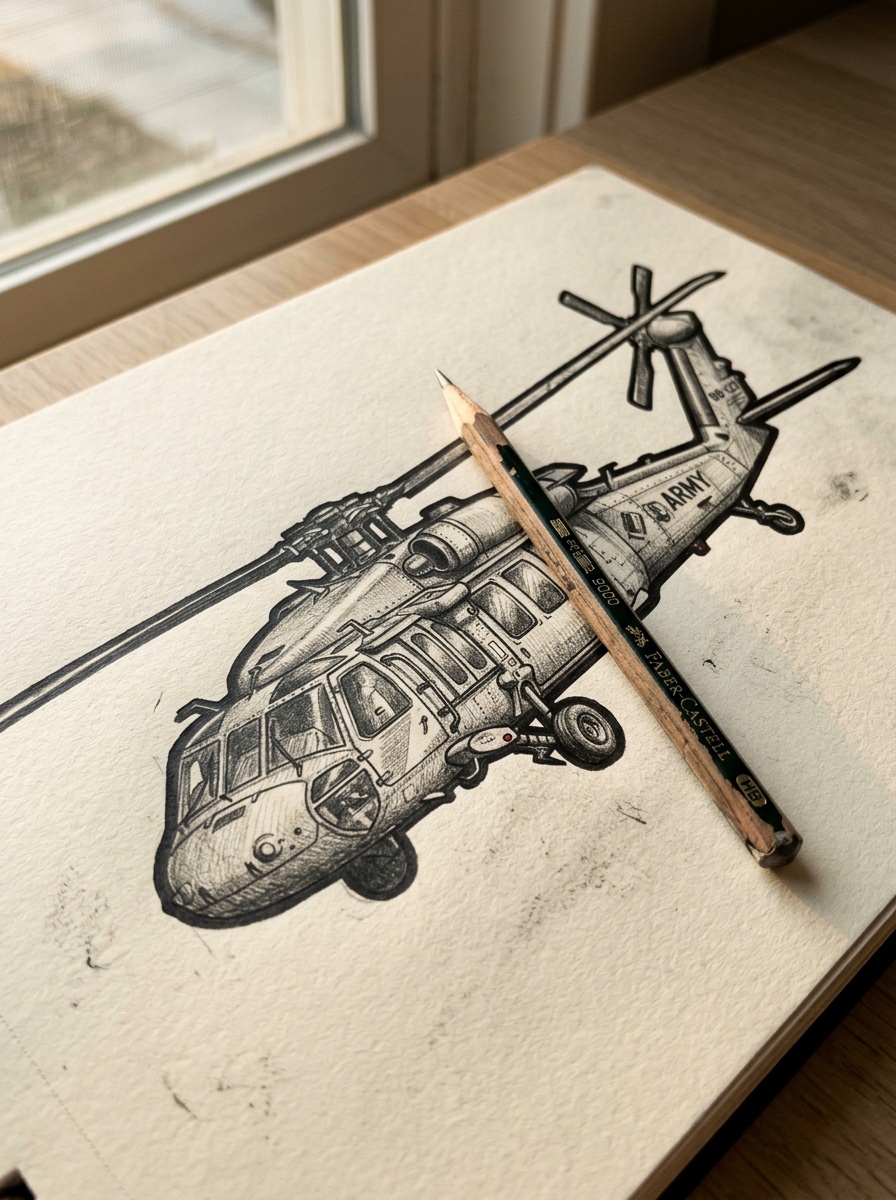
This is the step most people skip, and it’s the fastest way to make a finished drawing look finished. Go back over your outer silhouette — fuselage edge, rotor tips, tail boom — with a slightly heavier, darker line than everything inside. Keep interior details (seam lines, window frames) thinner and lighter by comparison.
That contrast between a bold outer edge and lighter inner detail is basically a free depth cue. It’s the same principle that makes a car’s silhouette pop in a side-profile render — the eye reads the shape as the subject the instant the outline gets weight.
Common Mistakes Beginners Make
Most helicopter drawings that feel off trace back to one of two problems, and both are fixable in seconds once you know what to look for.
Symmetry Errors on the Rotor
The main rotor blades need to be mirror images of each other, and eyeballing it rarely works — I still catch myself drawing one blade a hair longer than the other, even after years of doing this. The fix is simple: draw one blade, then flip your paper (or trace it if you’re working digitally) to copy the exact shape for the opposite side instead of freehanding a second one. A lopsided rotor is the fastest way to make an otherwise solid drawing look amateur, because it’s the first thing the eye catches — even people who can’t say why something looks wrong will spot an uneven rotor.
Tail Boom Angle Issues
We touched on this back in the anatomy section, but it’s worth flagging again because it’s the single most common fix I’d suggest if I were reviewing someone’s sketch. A tail boom that runs perfectly parallel, top and bottom, looks stiff and toy-like. One that curves too aggressively looks cartoonish. The sweet spot is a gentle, consistent taper — narrower at the tail rotor than at the fuselage — with no sudden bends partway down.
Note: If your finished drawing still feels wrong and you can’t pinpoint why, check these two things first. In my experience, that’s almost always where the problem lives.
More vehicle drawing practice
Once the helicopter shape feels stable, keep building the same transport drawing skills with perspective drawing, a SUV car sketch, and a broader how to draw cars workflow. For more vehicle-specific practice, try BMW M3 drawing, Volkswagen Beetle drawing, Lamborghini drawing, and sports cars to sketch. If you want simpler warm-ups before another aircraft sketch, use coloring pages for kids, simple drawing ideas for kids, and art drawing ideas.
Conclusion
Same shapes, different layers — that’s the whole trick to this build. The construction you started with in Step 1–2 never actually changes. What changes is how much weight you put behind the shading, the texture, and the details you bolt onto it, whether that’s a rescue-red paint job or an Apache’s armor plating.
If you take one thing from this, let it be the proportion checks from the anatomy and mistakes sections — rotor size and tail boom angle fix 90% of what makes a helicopter drawing look off. Everything else is finishing work.
Pick your favorite variant — easy, realistic, or military — and draw it today. Then try the other two. You’ll notice the second and third attempts go faster, because you’re not solving the shape anymore, just adjusting the layers on top of it.
FAQ
What’s the easiest way to draw a helicopter?
Start with two simple shapes: a rounded, boxy fuselage and a tapering tail boom. Add the rotors last. Keep the main rotor blades roughly equal to the fuselage length — that single proportion does more for a convincing look than any amount of extra detail. Once that base shape feels solid, everything else layers on top.
How do you draw helicopter rotor blades so they look right?
Draw one blade first, then flip your paper to trace its mirror image instead of freehanding the second one — eyeballing symmetry almost always ends in one blade slightly longer than the other. For a realistic finish, keep the blade edges soft rather than sharp; a light pencil pressure with a quick smudge along the blade path fakes motion blur and instantly says “spinning” instead of “parked.”
What’s the difference between drawing a military and civilian helicopter?
Military helicopters get angular armor panels instead of one smooth fuselage curve, plus weapons mounts (small rectangular pylons under the sides) and often camouflage blocking. Civilian helicopters keep the smooth curve and get a bold livery instead — think white-and-red for rescue, or a two-tone paint job for corporate transport. The base construction stays identical either way.
What pencils are best for a realistic helicopter drawing?
An HB for construction lines keeps your base shape light and easy to erase, then 2B to 4B pencils handle the shading — 2B for soft gradients on the fuselage curve, 4B for deep shadows under the cockpit glass and rotor mast. You don’t need more than three pencils to get a convincing result.
How do you shade a helicopter to make it look 3D?
Pick one light source (top-left is the most forgiving) and stay consistent with it across the whole drawing. Add a highlight band where the fuselage curves toward the light, a soft core shadow where it turns away, and blend the edges rather than leaving hard lines. That highlight-to-shadow gradient is what separates a flat outline from something that looks rounded and solid.
Should beginners start easy or go straight to realistic?
Start easy. The realistic techniques — shading, texture, motion blur on the rotors — all sit on top of the same base construction, so there’s no reason to fight proportion and shading at the same time. Nail the easy version first; the jump to realistic takes minutes once the shape underneath is solid.
To fast-track your understanding of proportions and line control, nothing beats a structured routine of creative drawing exercises. Spending just a few minutes warm-up in your sketchbook will keep your pencil movements fluid and precise.
For fixed-wing practice after rotor shapes, this airplane drawing guide helps you compare fuselage, wings, tail, and cockpit proportions.
- 816shares
- Facebook0
- Pinterest810
- Twitter6
- Reddit0