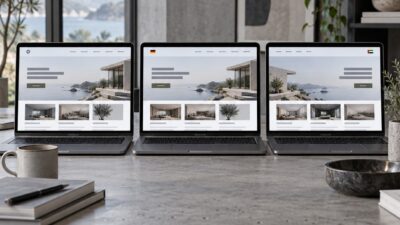
We switched our agency’s default build platform from WordPress to Webflow in early 2023, and it was the most argued decision we’d had as a team in three years. The WordPress camp had legitimate points: seventeen years of ecosystem maturity, 60,000-plus plugins, clients who already knew where everything lived in the dashboard.
Platform choice matters, but the layout still has to obey basic design principles in graphic design. Webflow can make spacing, hierarchy, and motion easier to control visually, while WordPress often needs a tighter design system to keep pages consistent over time.
- The Core Difference: Design Control vs. Ecosystem Depth
- Design Workflow: Where Webflow Has a Genuine Advantage
- Client Handover: The Part Agencies Underestimate
- CMS and Content Management: Where WordPress Still Leads
- Performance and SEO: Closer Than You'd Think
- Pricing for Agencies: The Full Cost Calculation
- When to Choose Webflow: Five Specific Scenarios
- When to Choose WordPress: Five Specific Scenarios
- Side-by-Side: The Full Comparison
- The Hybrid Approach: Running Both Platforms
- Frequently Asked Questions
- The Bottom Line: Platform Fit Over Platform Loyalty
The Webflow people had a different kind of legitimate point: the last WordPress site we’d shipped had needed four rounds of plugin conflicts, a full performance audit, and two separate security patches before it was ready to go live. At some point the tooling stops feeling like infrastructure and starts feeling like the actual project.
Two years later we run a mixed stack. Some clients are on Webflow, some are on WordPress, a few are on both — WordPress backend, headless Webflow front end, which is its own article.
The question of which platform is better for design agencies is the wrong question. The right one is which client situations each platform handles well, and whether you can tell the difference early enough to matter. This comparison is based on production work across branding, editorial, e-commerce, and marketing sites. No affiliate relationships, no preferred outcome.
The Core Difference: Design Control vs. Ecosystem Depth
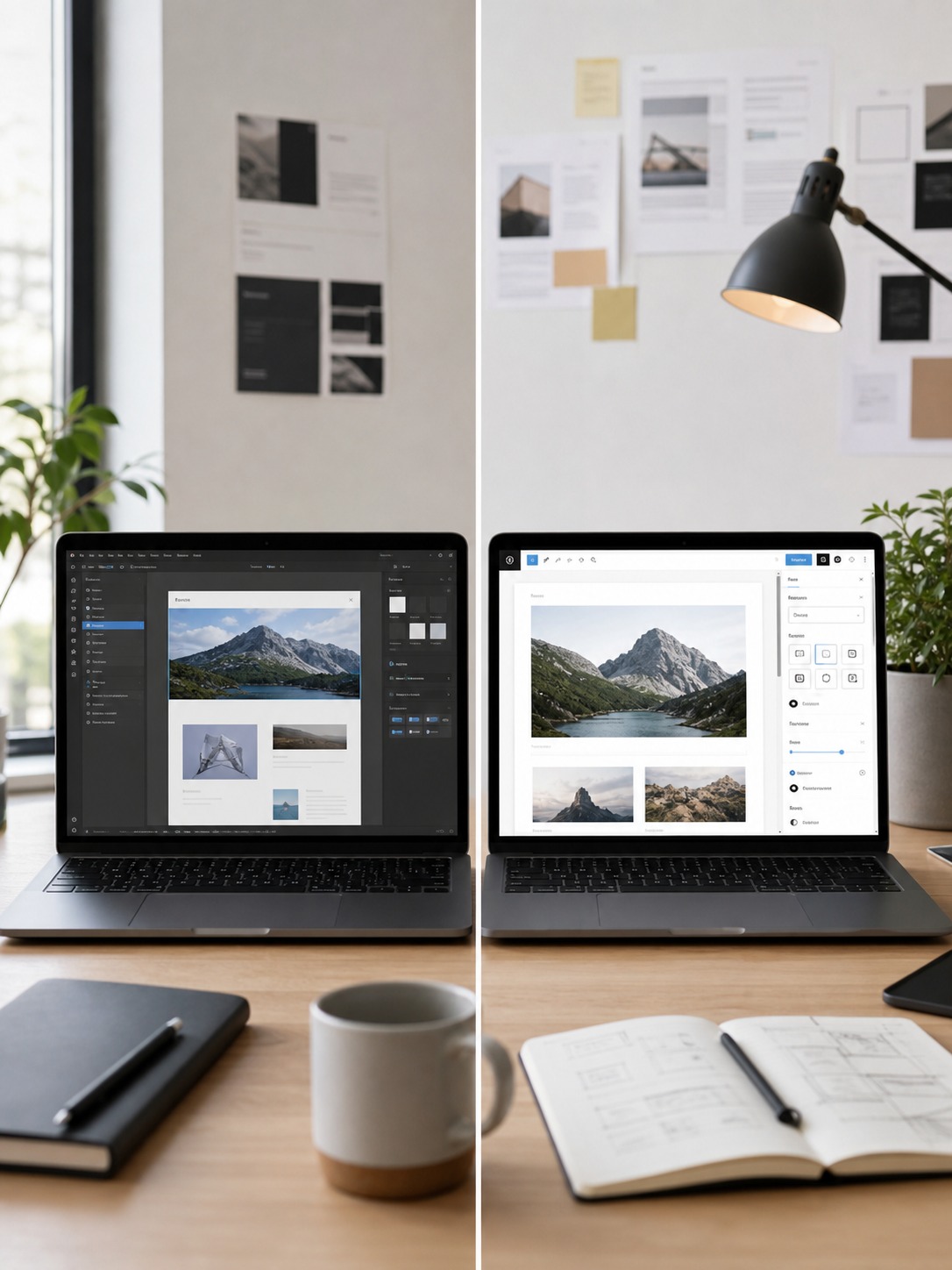
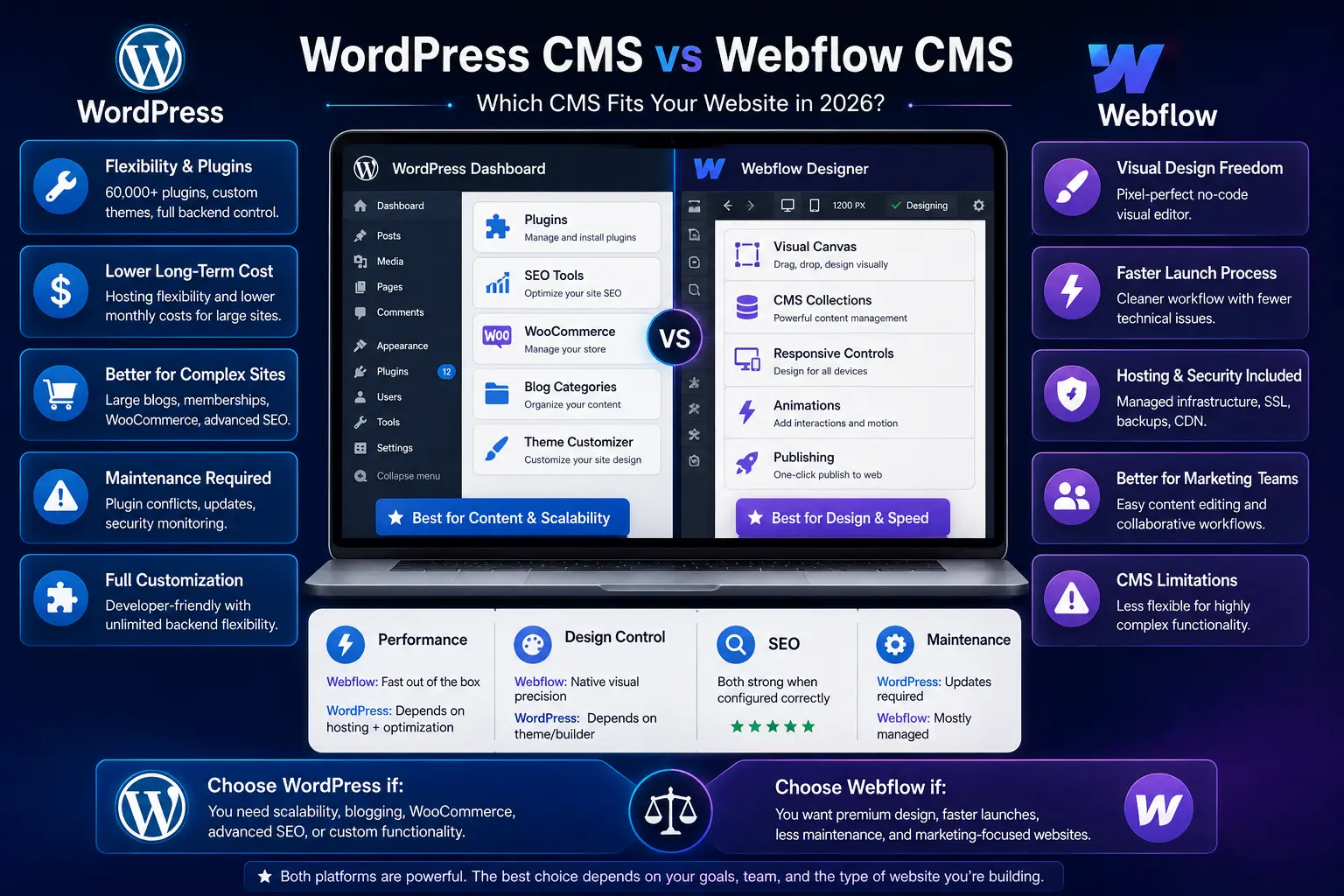
Webflow and WordPress aren’t competing on features — they were built on different assumptions. Webflow starts from the idea that the designer should control every visual decision directly, without writing CSS or managing a theme. WordPress starts from the idea that the CMS is the foundation and the design layer sits on top of it. That’s why themes exist, and why the relationship between the two has been uncomfortable ever since.
The practical difference for agencies: Webflow is a design tool that happens to have a CMS. WordPress is a CMS that happens to have design tools. Which one you want depends on what your clients are actually buying from you.
If your agency’s edge is visual — animation, layout precision, interaction design — Webflow is where that’s easiest to execute and show. If your clients need deep content management, complex integrations, a specific plugin that only lives in the WordPress ecosystem, or a platform their in-house team already knows, WordPress wins. Not because it’s better. Because the ecosystem is already there.
💡 Quick Take
The fastest way to identify which platform fits a brief: ask the client three questions. How much will they update content after launch? How complex is the content structure? Do they have specific software integrations that need to connect to the CMS? The answers usually make the platform decision obvious.
Design Workflow: Where Webflow Has a Genuine Advantage
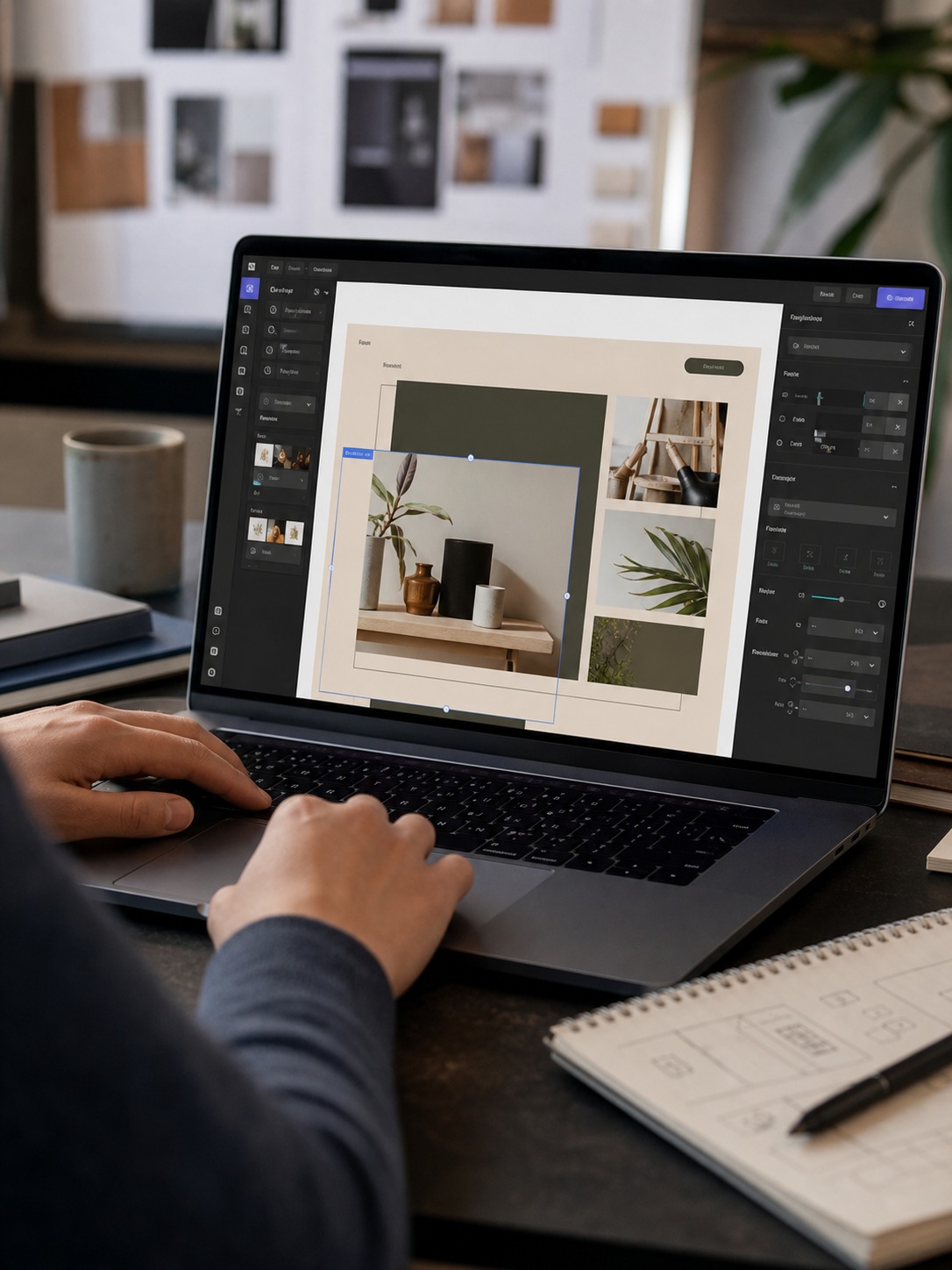
For design agencies, the Webflow workflow advantage is real and significant. In Webflow, what you see while building is what the client receives—there’s no translation layer between the design and the live site. Padding, typography, animation timing, hover states, responsive breakpoints—all of these are controlled visually, with immediate preview, in the same environment where they’re published.
In WordPress, even with the best page builders (Elementor Pro, Divi, Bricks Builder), the design-to-live gap is larger. You’re working within a theme structure that has its own opinions. The page builder has its own CSS that can conflict with the theme’s CSS. The design decisions you make in the builder may look different when the client’s content goes in. Most WordPress designers have a story about discovering a layout problem three days before launch because the client added content that broke an assumption baked into the design.
Interactions and Animation
Webflow’s interaction system is where the platform earns its price for certain clients. Scroll-triggered animations, hover states, parallax, page transitions — you build all of it directly in the canvas. No JavaScript, no plugin, no handoff to a developer to implement what you just designed.
WordPress animation is a different workflow. You’re picking a plugin — WP Animation Library, Motion.page, a custom GSAP setup — and then figuring out how far it gets you before you hit the ceiling. Sometimes the plugin does what you need. More often you’re either accepting its limitations or writing custom code to get around them, which is exactly the kind of scope creep that turns a four-week project into six.
The speed gap is real. I’ve built the same interaction concept in both environments. Webflow is faster, and the output is cleaner. That doesn’t make it the right choice for every project — but if animation is central to what the client is buying, the production difference is hard to argue with.
Responsive Design
Webflow’s responsive design approach is breakpoint-by-breakpoint and entirely visual. You set styles at desktop, then adjust at tablet and mobile. Every element can be independently controlled at each breakpoint. WordPress page builders handle responsiveness with varying success—Elementor and Bricks are strong, but the experience is still less unified than Webflow’s implementation.
Client Handover: The Part Agencies Underestimate

Client handover is where platform choice has the most direct impact on agency-client relationships—and it’s consistently the factor most agencies underweight when making the build platform decision.
Webflow’s Editor mode is, from a client usability standpoint, genuinely good. It presents only the content elements the client should be touching—text blocks, images, CMS collection items—without exposing the underlying design structure. A client who has never used a CMS before can learn to update page content in Webflow Editor in about twenty minutes. We’ve validated this repeatedly across different client types.
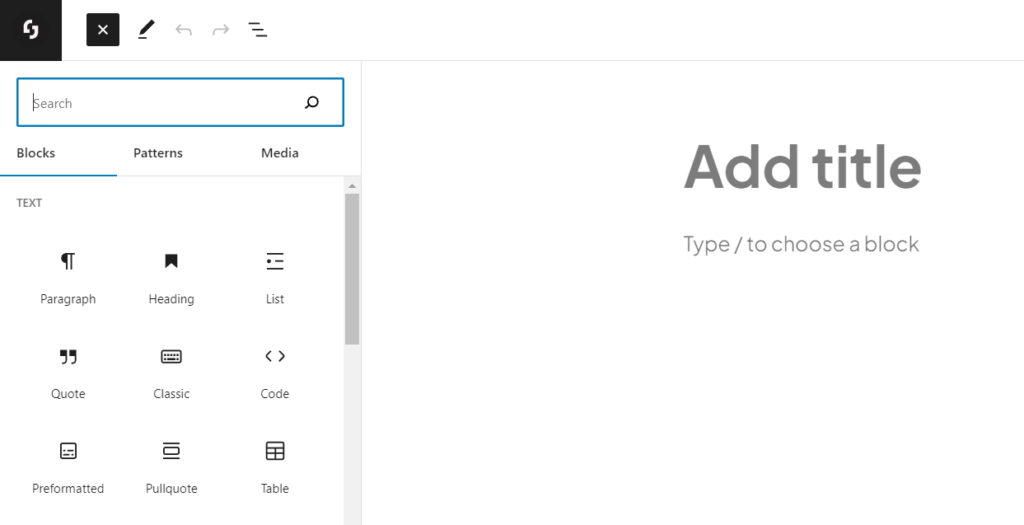
WordPress admin is more powerful and more complex. The block editor (Gutenberg) has improved substantially since its 2018 launch, but it still exposes more structural choices to the client than most non-technical users need or want. The risk in WordPress is clients accidentally breaking the design by adding blocks incorrectly, removing essential elements, or updating a plugin that creates a conflict. These problems are manageable with proper client training and editor role restrictions, but they require active maintenance.
Training and Support Costs
When calculating the true cost of a build, agencies often forget to factor in the time spent training clients and handling post-launch support queries. A Webflow site with a clean Editor setup typically generates fewer post-launch support calls than a comparable WordPress site—not because WordPress is bad, but because the Editor mode’s reduced surface area means fewer opportunities for client-side errors.
Over a twelve-month period, an agency managing ten WordPress sites might spend 15–20 hours on post-launch content support across those sites. The same number of Webflow sites typically generates 8–12 hours. The difference compounds as your client portfolio grows.
✦ Sponsored Webflow for Agencies
Design, build, and launch client sites without leaving your browser. Webflow gives design agencies a professional CMS, pixel-perfect control, and white-label client handover — no developer required for most projects.
→ Free plan available. Start building at webflow.com/agency
Agency perks: Workspace seats for your whole team • Client billing tools • White-label Editor mode • Priority support
CMS and Content Management: Where WordPress Still Leads

Webflow’s CMS is good. It’s genuinely well-designed, the Collection system is intuitive, and the relationship between CMS content and visual design is tighter than anything WordPress achieves natively. For marketing sites, portfolios, editorial sites, and most agency content types, Webflow CMS handles the job well.
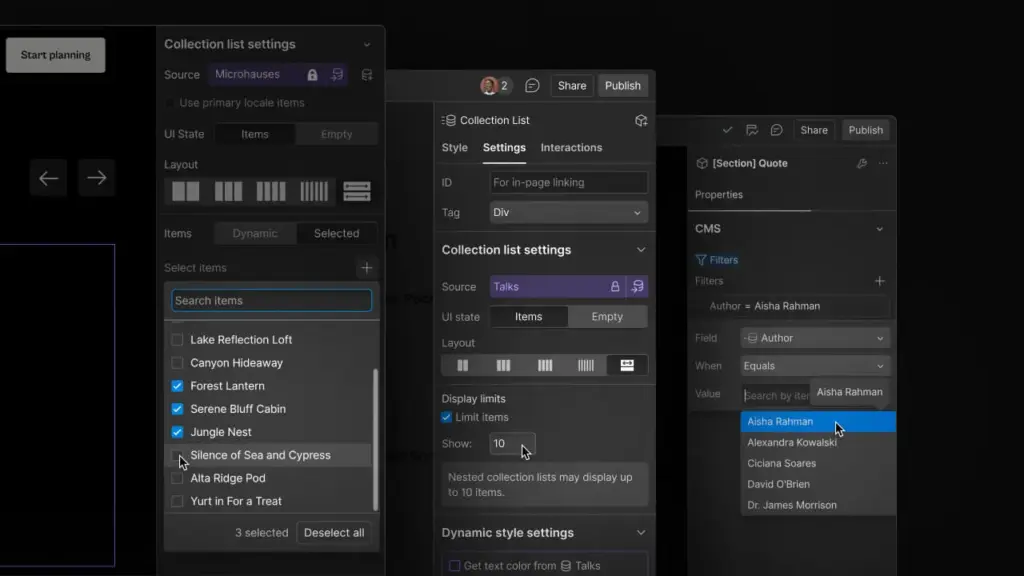
But WordPress’s content management capabilities at the upper end are significantly more extensive. Advanced Custom Fields (ACF) combined with Custom Post Types allows content architects to build data structures of essentially arbitrary complexity. Repeater fields, flexible content blocks, relationship fields, conditional logic—ACF Pro covers these in ways that Webflow Collections don’t currently reach.
When Webflow CMS Is Enough
Portfolio sites, agency websites, marketing sites, editorial publications with standard article structures, product landing pages, restaurant sites, professional service firms—for most of these, Webflow CMS handles the content requirement comfortably. The limitation tends to show up when clients need complex relational content structures: a database of products with multiple taxonomy layers, an events system with venue relationships, a directory with filterable attributes across many fields.
When WordPress CMS Wins
Large editorial operations (news sites, content-heavy magazines), complex e-commerce with custom product attributes, membership sites with gated content tiers, multi-site networks, applications that require complex user roles and permissions—these are contexts where WordPress’s content management maturity pulls ahead.
The practical test: if you can describe your client’s content structure in five fields per collection item or fewer, Webflow probably handles it. If the content structure requires a whiteboard session to map out, WordPress’s extensibility is likely worth the trade-offs.
Performance and SEO: Closer Than You’d Think
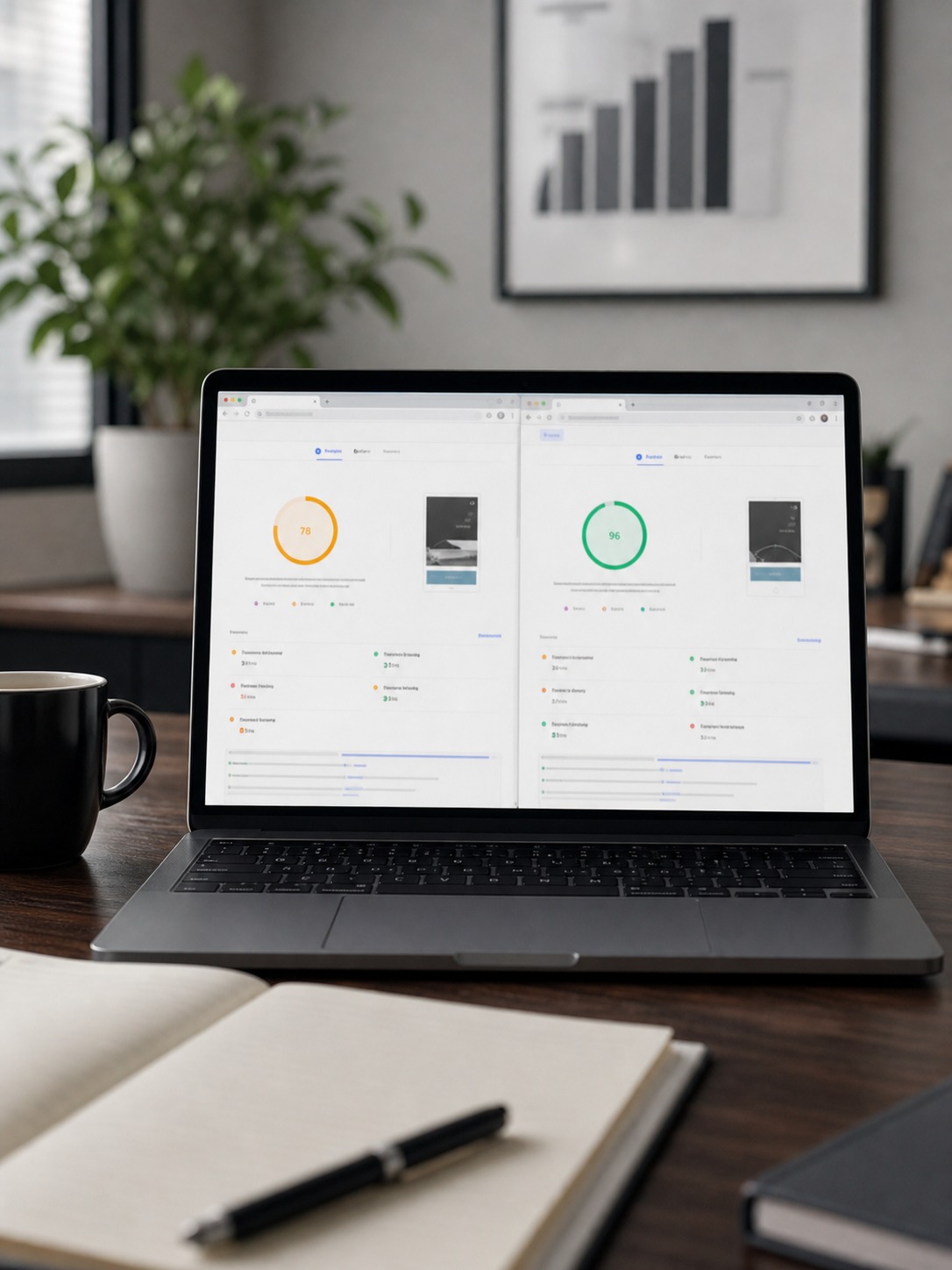
Webflow has a structural performance advantage: it’s a managed hosting platform with a global CDN (Fastly), automatic image optimisation, and clean code output by default. A basic Webflow site with no particular performance optimisation effort typically scores 90+ on Google PageSpeed Insights for both mobile and desktop. That baseline is genuinely difficult to match with a self-hosted WordPress installation without deliberate performance work.
WordPress performance is highly variable and directly dependent on: the hosting quality, the number and quality of plugins, the theme’s code quality, and whether caching has been properly configured. A well-optimised WordPress site on quality hosting (WP Engine, Kinsta, Flywheel) with a lean plugin stack and a performance-focused theme can absolutely match or exceed Webflow’s performance scores. But it requires effort that Webflow delivers automatically.
SEO Capabilities
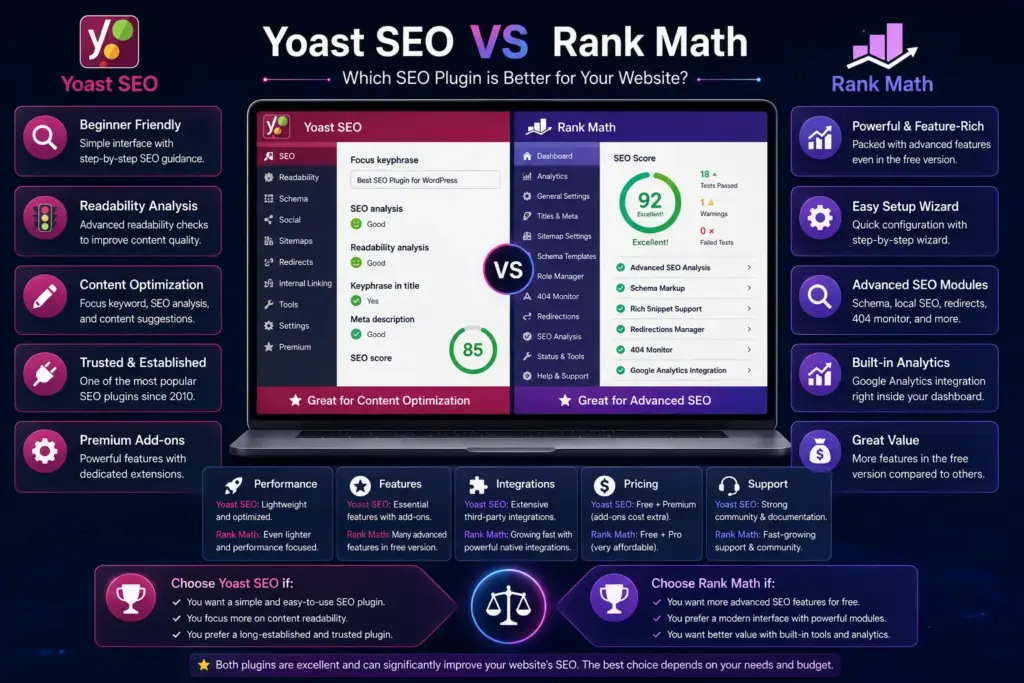
Both platforms handle technical SEO competently. Webflow gives you meta title and description control, open graph settings, structured data via custom code, canonical tags, and clean semantic HTML output at the design level. WordPress with Yoast SEO or RankMath is equally capable and adds some features Webflow doesn’t have natively—XML sitemap customisation, breadcrumb schema, local business schema, advanced redirect management.
The SEO difference that matters most in practice is code cleanliness. WordPress sites can accumulate technical SEO problems as plugins add render-blocking scripts, as themes add unnecessary CSS, as the database grows. Webflow’s managed environment prevents most of these accumulation issues by default.
Pricing for Agencies: The Full Cost Calculation

The pricing comparison between Webflow and WordPress is more nuanced than the headline numbers suggest, because the relevant comparison isn’t Webflow’s published plan cost versus ‘WordPress is free’—it’s the total cost of building, hosting, maintaining, and supporting a site on each platform over a twelve to twenty-four month period.
Webflow Agency Costs
Webflow’s agency-relevant plans in 2026: the Workspace plan (for building sites) starts at $19/month for the Core plan and scales to $49/month for the Growth plan with advanced features and more client seats. Each client site requires its own hosting plan—CMS plan at $23/month per site is the typical choice for most agency client sites. Webflow offers client billing, where the client pays Webflow directly and the agency takes a revenue share, which can improve the agency’s economics.
For an agency managing ten active client sites on CMS plans: approximately $230/month in site hosting costs plus the workspace subscription. Annual total: roughly $3,000–$3,500. This is predictable, includes hosting and security, and scales linearly with site count.
WordPress Total Cost of Ownership
WordPress itself is free, but the total stack isn’t. Quality managed WordPress hosting (WP Engine Business plan) runs $49–$99/month per site or $99–$400/month for multi-site agency plans. Premium plugins used across multiple sites (Gravity Forms, ACF Pro, a premium page builder, a backup plugin, a security plugin) add $500–$1,500/year across the stack. Developer time for security updates, plugin conflicts, and performance maintenance adds hours that have real cost even if they’re absorbed internally.
The honest comparison: for straightforward marketing sites, Webflow and WordPress are within $500–$1,000/year of each other when all costs are counted. For complex sites requiring premium plugins and quality hosting, WordPress can cost more. For very simple sites, WordPress shared hosting is cheaper. The cost argument isn’t cleanly won by either platform—it depends on project complexity and the agency’s existing infrastructure.
When to Choose Webflow: Five Specific Scenarios

Choose Webflow When:
- Design is the primary deliverable — the client is buying visual craft, not just a content system
- Animation and interaction design are part of the brief — scroll effects, hover states, page transitions
- The client’s content structure is straightforward — standard fields, no complex relational data
- Client team is non-technical — Editor mode will be their CMS, and simplicity matters for adoption
- You want predictable hosting and zero infrastructure management — all included in one platform cost
The client profile where Webflow consistently produces the best agency outcomes: a mid-size professional services firm, a startup with a strong brand identity, a creative studio, a boutique hospitality brand, or a SaaS company building a marketing site. These clients want something that looks and performs distinctively, have modest content management needs, and will appreciate the simplicity of the Editor when they take over post-launch.
When to Choose WordPress: Five Specific Scenarios

Choose WordPress When:
- The client needs complex custom content architecture — many fields, relational data, custom taxonomies
- E-commerce is central to the project — WooCommerce’s ecosystem is still unmatched at this scale
- Specific integrations are required — a plugin that only exists in WordPress, an ERP connection, legacy system
- The client’s team is already trained on WordPress — switching has real onboarding cost and resistance
- The project requires a headless approach — WordPress as API backend with a separate front-end layer
The client profile where WordPress is the correct choice: a large publisher or editorial team, a retailer needing WooCommerce, a membership organisation, a client with an existing WordPress ecosystem they’ve invested in, or a project requiring complex integration with third-party business systems. Trying to force these use cases into Webflow creates workarounds that cost more in the long run than the platform switch would have.
Side-by-Side: The Full Comparison
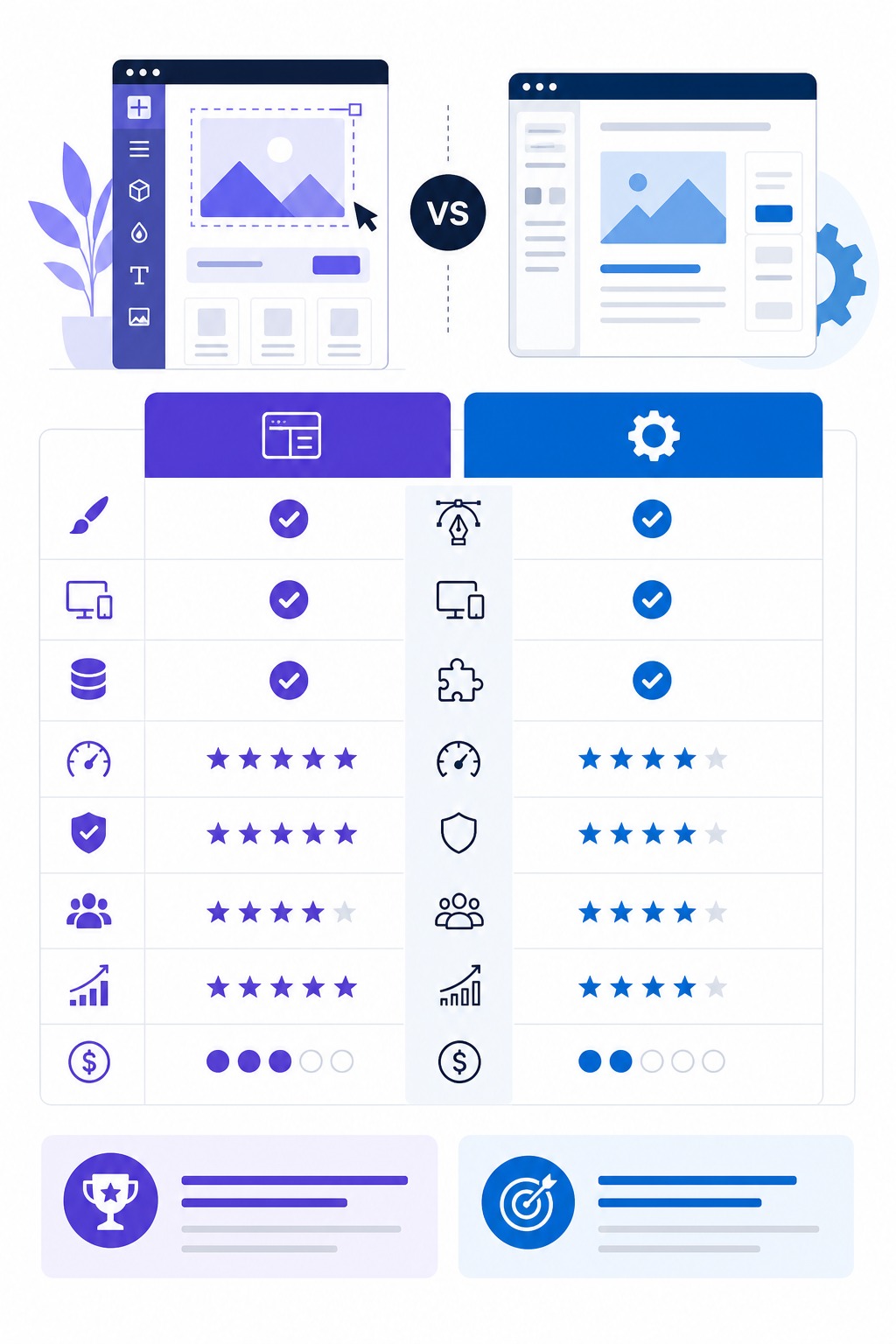
Here’s how the two platforms compare across the factors that matter most to design agencies:
| Factor | Webflow | WordPress |
|---|---|---|
| Visual design control | ★★★★★ Pixel-precise, no CSS needed | ★★★☆☆ Theme-dependent, CSS often required |
| Client handover | ★★★★☆ Editor mode is genuinely usable | ★★★☆☆ Varies wildly by theme and plugins |
| Plugin ecosystem | ★★☆☆☆ Limited; built-in tools cover most needs | ★★★★★ 60,000+ plugins for anything |
| E-commerce | ★★★☆☆ Webflow Commerce — capable but pricier | ★★★★★ WooCommerce is the global standard |
| SEO capabilities | ★★★★☆ Clean code, good meta control | ★★★★☆ Yoast/RankMath add comprehensive tools |
| Hosting | Included — managed, fast CDN | Self-managed or third-party required |
| Monthly cost (agency) | $23–$49/site on CMS plan | $5–$30 hosting + plugin costs vary widely |
| Learning curve | Medium — visual but deep | Low start, high mastery ceiling |
| CMS flexibility | ★★★☆☆ Custom collections but structured | ★★★★★ Virtually unlimited with ACF/CPT |
| Performance (out of box) | ★★★★★ Fast by default, optimised CDN | ★★★☆☆ Depends heavily on hosting and plugins |
The Hybrid Approach: Running Both Platforms

The most experienced agencies I’ve spoken to don’t have a single platform stance—they’ve developed clear decision criteria that direct different client types to different platforms. This isn’t indecision; it’s specialisation at the project level rather than the agency level.
Running a mixed Webflow/WordPress agency has real operational costs: your team needs to maintain expertise in both platforms, your documentation and processes need to account for two different systems, and onboarding new designers or developers means training on both. These are genuine trade-offs worth acknowledging rather than minimising.
The payoff is client fit. An agency that defaults every client to one platform will inevitably push some clients into a platform that doesn’t serve their actual needs—and those mismatches produce difficult projects. An agency that matches platform to client brief produces projects where the tools are working with the work rather than against it.
Building the Decision Framework
The decision framework we use is a brief-stage checklist: content complexity, integration requirements, design ambition, client technical capacity, and post-launch maintenance model. Running any new project brief through these five questions typically produces a platform answer within five minutes. That early clarity prevents the much more expensive mid-project realisation that you’re on the wrong platform.
When choosing between site platforms, the real test is how well each one supports portfolio case study structure: large images, clear project pages, readable captions, and fast contact paths.
Frequently Asked Questions

Can I migrate a WordPress site to Webflow?
Yes, though the process is less automated than you might hope. Content can be exported from WordPress as XML and imported into Webflow via its CMS import tool, but images, custom fields, and complex content structures require manual work. The design doesn’t transfer at all—you’re rebuilding the front end in Webflow from scratch. For large sites with extensive content, plan a significant migration budget. For sites under 50 pages with standard content, migration is manageable in one to two weeks.
Does Webflow have enough e-commerce capability for agency clients?
Webflow Commerce is capable for small to mid-size e-commerce: product catalogues, variant management, order processing, discount codes, and Stripe/PayPal integration. For clients selling under 1,000 SKUs with straightforward product structures, it’s a viable option. Above that threshold, or for clients needing advanced inventory management, complex shipping rules, wholesale pricing tiers, or subscription commerce, WooCommerce (or Shopify) is a more appropriate recommendation.
Which platform is better for agency SEO performance?
Webflow has the edge for out-of-box SEO performance due to clean code output and managed CDN. WordPress matches or exceeds it with proper configuration (quality hosting, Yoast or RankMath, performance optimisation). The gap matters most for clients who won’t maintain their WordPress installation well—a neglected WordPress site accumulates technical SEO problems that a Webflow site doesn’t. If your agency will be doing ongoing maintenance, the SEO performance gap narrows significantly.
Is Webflow suitable for enterprise clients?
Webflow has enterprise clients across industries—the platform’s Enterprise plan handles SSO, advanced permissions, SLA guarantees, and dedicated support. That said, the enterprise suitability depends heavily on the specific requirements. Enterprise clients needing complex backend systems, extensive API integrations, or content governance across large teams with complex approval workflows often find WordPress (or a headless architecture) more accommodating. Webflow Enterprise is a strong fit for enterprise marketing sites; less so for enterprise applications.
What’s the learning curve for a team switching from WordPress to Webflow?
For designers: typically 2–4 weeks to become productive and 2–3 months to reach full proficiency. Webflow’s visual approach maps well to designers who think spatially. For developers: the learning curve can be steeper or shallower depending on background. Frontend developers who think in CSS find Webflow’s abstractions intuitive. WordPress PHP developers may find the shift more jarring. Budget a dedicated 20–30 hour learning period per team member before expecting production-speed output.
The Bottom Line: Platform Fit Over Platform Loyalty

Two years into running a mixed Webflow/WordPress stack, the decision that seemed contentious in early 2023 now feels straightforward. It was never about which platform is better in the abstract—it was about building the judgment to know which platform is better for which client brief.
Webflow wins for design agencies when the brief is design-led, the client’s content structure is manageable, and the agency’s competitive advantage is in visual craft. The interaction system, the Editor mode, the performance baseline, and the absence of plugin maintenance overhead are genuine advantages that compound over a project’s lifetime.
WordPress wins when the client needs content management depth, complex integrations, e-commerce at scale, or is part of an existing WordPress ecosystem that has real switching costs. Trying to deliver those outcomes in Webflow produces workarounds that cost more in time and client satisfaction than a platform switch would have.
The agencies that navigate this most successfully aren’t the ones with the strongest platform opinions—they’re the ones with the clearest brief-reading process. If you can identify the platform mismatch at discovery rather than at launch, you’ve avoided the most expensive mistake in agency project delivery.
If you are comparing builders, this breakdown of modular web design explains why blocks, components, and reusable sections change the workflow.
- 45shares
- Facebook0
- Pinterest45
- Twitter0
- Reddit0