A render queue stalls overnight on a corrupted cache, and nobody catches it until the next shift logs in expecting finished frames that don’t exist. That gap, between when something breaks and when someone capable of fixing it actually notices, is the real cost of distributed creative work.
I’ve run projects spanning studios in Kyiv, dashboard teams on the US East Coast, and automotive clients on entirely different clocks, and the pattern repeats every time: the design work itself rarely fails. The infrastructure underneath it does, quietly, usually overnight, usually right before something was due.
- Why distributed creative teams need a different support model
- What remote IT support means for designers
- The most common IT problems that stop creative work
- Build a help desk workflow around creative deadlines
- 24/7 help desk coverage for time-zone spread
- Remote support for creative software and devices
- Connectivity and performance troubleshooting
- Security handoffs without slowing designers down
- Onboarding and offboarding as support work
- Remote IT support checklist for creative teams
- FAQ
- What is remote IT support?
- Why do distributed creative teams need remote IT support?
- What should an IT help desk support for designers?
- Is 24/7 help desk support necessary for remote design teams?
- How can IT support reduce downtime for designers?
- How is remote IT support different from managed IT support?
Most guidance on this subject reads like it was written for a general office with predictable hours and light software demands. Distributed creative teams need something built around a messier reality: designers working genuinely odd shifts, files too heavy for casual troubleshooting, and deadlines that stay fixed no matter how inconvenient the timing of a technical failure happens to be.
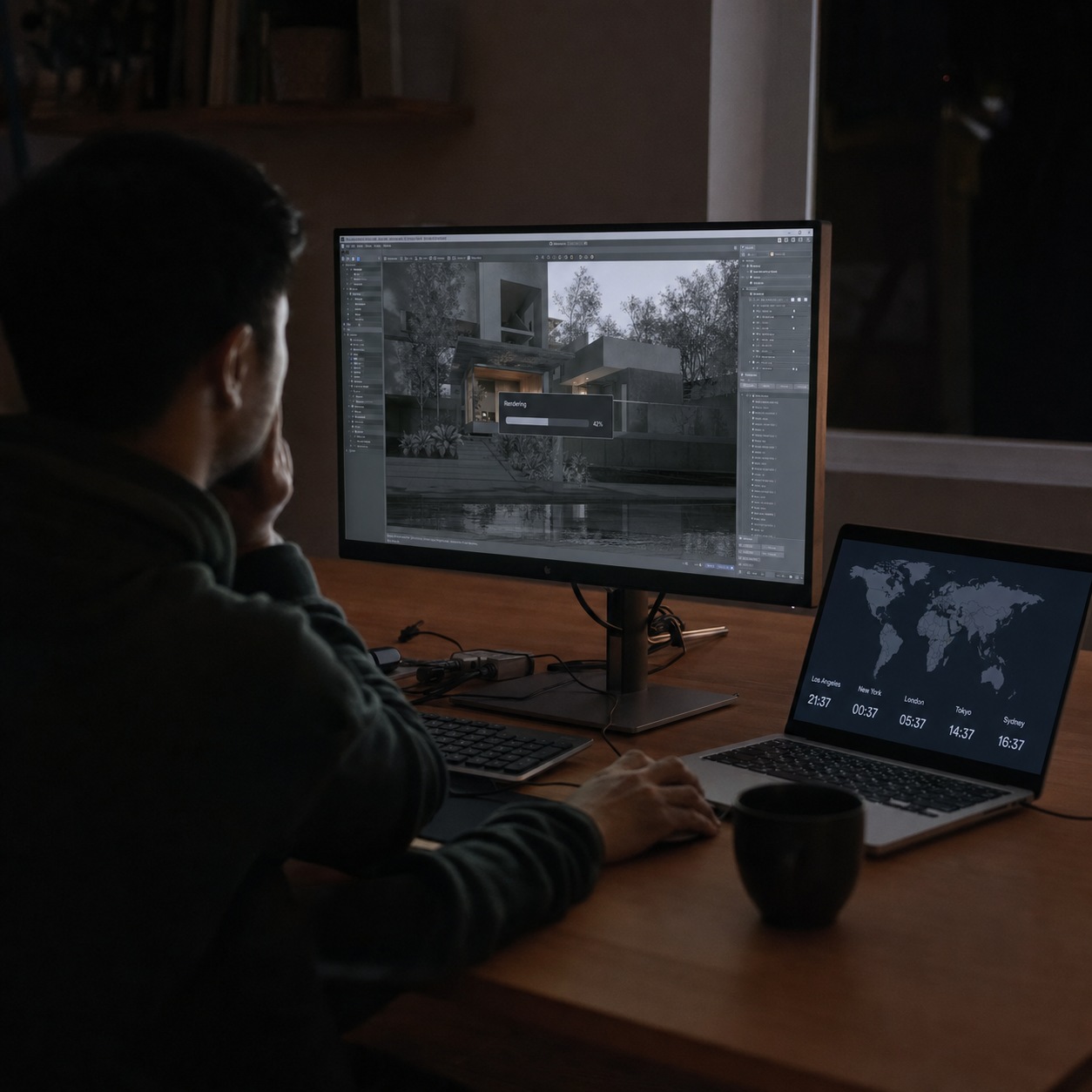
Why distributed creative teams need a different support model
Design deadlines, client reviews, large files, and software-dependent work
Creative deadlines don’t bend the way a routine office task might. A client review scheduled for 9am doesn’t move because a font failed to sync or a license seat got stuck mid-handoff.
Design software also breaks in ways that generic office tools rarely do: enormous file sizes, GPU-hungry rendering, plugin ecosystems that shift under a team’s feet with every update. A support model built for spreadsheets and email doesn’t transfer cleanly to a workflow built on 40GB project files and color-critical displays.
I once watched a dashboard project lose most of a morning to a color-management issue nobody had flagged as urgent, because on paper it looked like a minor visual inconsistency rather than the actual root cause it turned out to be. By the time someone traced it back to a drifted monitor profile, the client call meant to review final screens had already started, with mismatched colors nobody could explain in real time.
Why office-style IT support breaks when designers work across locations
Office-style support assumes proximity: someone walks to a desk, plugs something in, problem solved within the hour. Distributed teams don’t get that shortcut.
A designer blocked at 2am their time, mid-shift on a global project, needs a fix that doesn’t depend on anyone being physically nearby. I’ve watched otherwise capable support teams struggle here, not from lack of skill but because their entire process assumed a hallway conversation that a distributed team simply can’t have.
The fix isn’t just extending business hours further. It means designing the whole troubleshooting process around remote-first diagnosis from day one, rather than layering a remote option on top of a workflow that still quietly assumes someone’s usually just down the hall.

What remote IT support means for designers
Help desk, remote troubleshooting, device support, access management, monitoring, and escalation
Remote IT support is a specific bundle of capabilities: a help desk that responds without requiring anyone on-site, troubleshooting that works entirely through remote access, device support across whatever hardware a scattered team happens to be running, access management that stays current as people rotate on and off projects, monitoring that flags problems before a designer has to report them, and a clear escalation path when the first fix doesn’t hold.
If your studio is starting to outgrow informal, ad-hoc troubleshooting, it’s worth reaching out to connect with Endurance IT’s team, since building this stack properly the first time saves a studio from rebuilding it later under actual deadline pressure, once the informal version has already broken down somewhere that mattered.
The gap between informal and structured support tends to reveal itself at the worst possible moment. A studio that’s run on goodwill and a shared Slack channel for years discovers the limits of that approach exactly when a genuinely urgent issue lands outside anyone’s normal availability, and by then the fix costs far more than building the structure would have earlier.
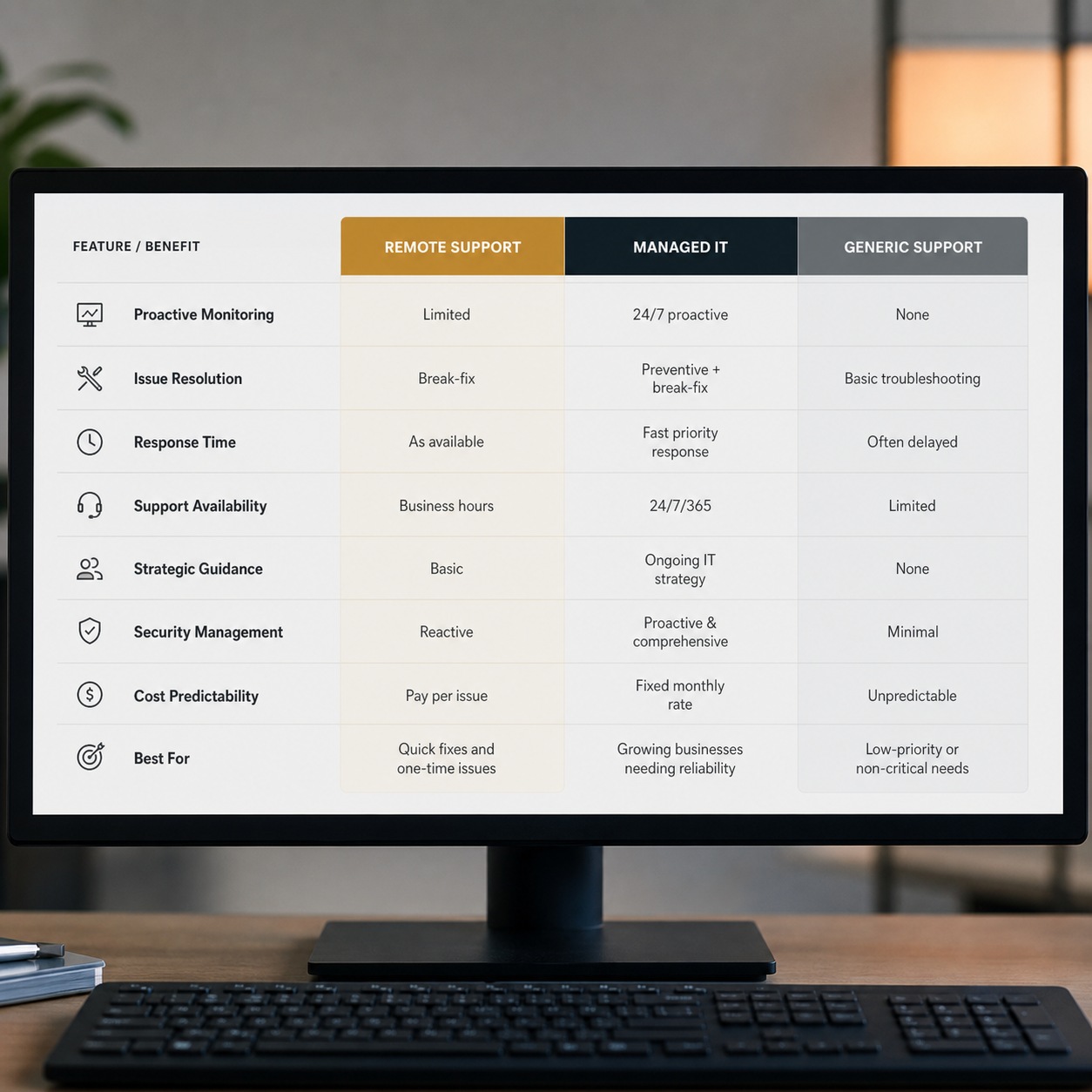
The difference between remote IT support, managed IT support, and generic IT support services
Remote IT support solves the immediate problem: something’s broken, fix it fast, without anyone needing to be in the same room. Managed IT support is the wider relationship, remote support plus ongoing monitoring, planning, and infrastructure decisions made over months rather than in the moment. Generic IT support services is the umbrella term underneath both, and it promises neither the speed nor the creative-software fluency that a distributed design team actually needs day to day.
The distinction is worth knowing before signing anything. A provider advertising broad IT support services might handle general troubleshooting competently and still have never dealt with a color-managed workflow or a GPU driver conflict, which becomes obvious only after the contract is already in place and the first real issue lands on their desk.
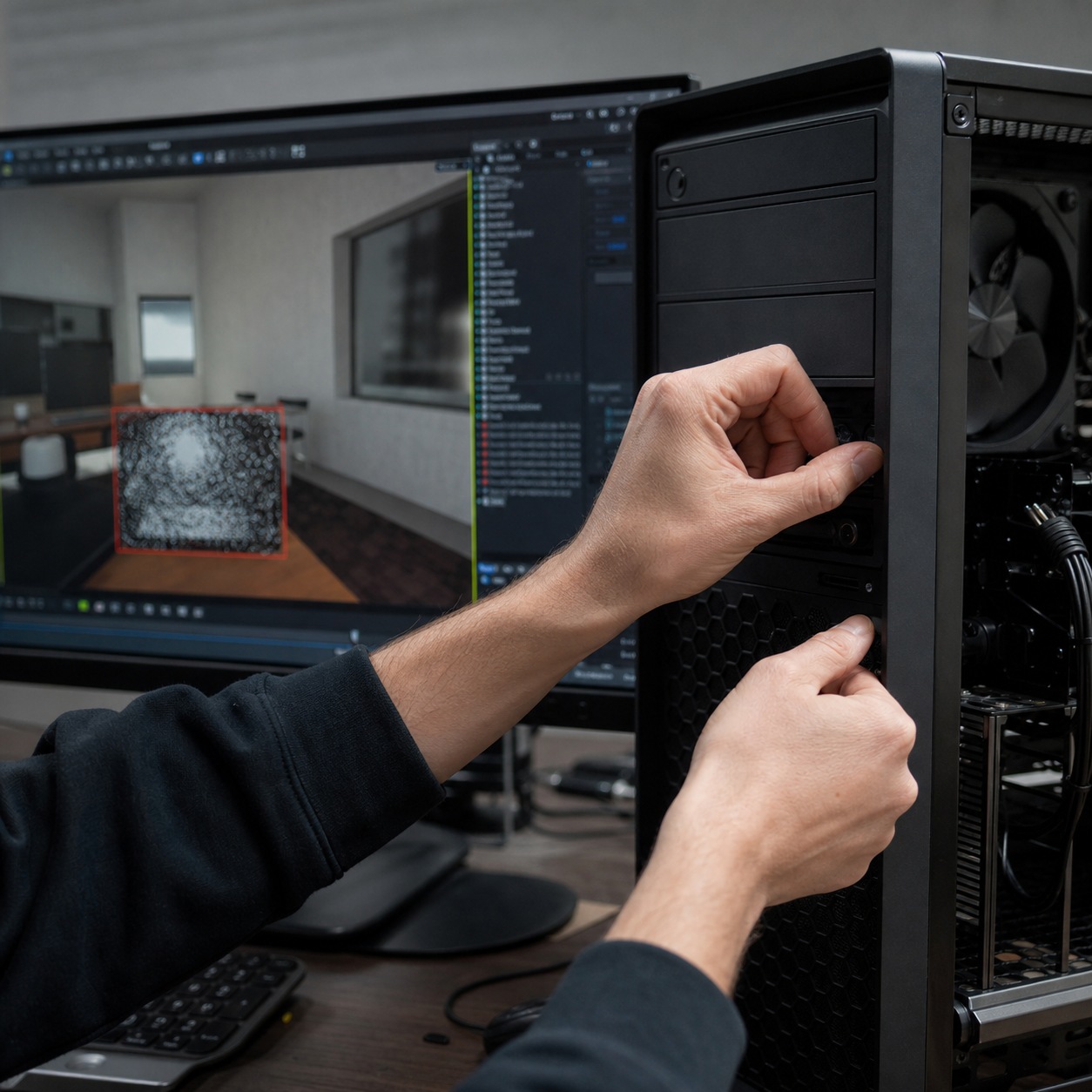
The most common IT problems that stop creative work
Adobe, Figma, CAD, 3D, video, font, plugin, and license issues
Every creative tool has its own failure signature. Adobe’s license activation occasionally loses track of a seat that should clearly still be active. Figma libraries desync in ways that look fine until someone opens a component that’s quietly outdated. CAD and 3D software add driver conflicts on top of everything else, and video tools bring codec mismatches that turn a routine export into an hour of guessing. None of these show up in a typical office IT training manual.
On an automotive dashboard project, a routine driver update quietly broke viewport rendering for one modeler and nobody else, which made the problem genuinely hard to reproduce until someone thought to compare driver versions across the team instead of assuming it was a project file issue. Support staff unfamiliar with 3D pipelines tend to check the file first. The ones who’ve seen this before check the driver.
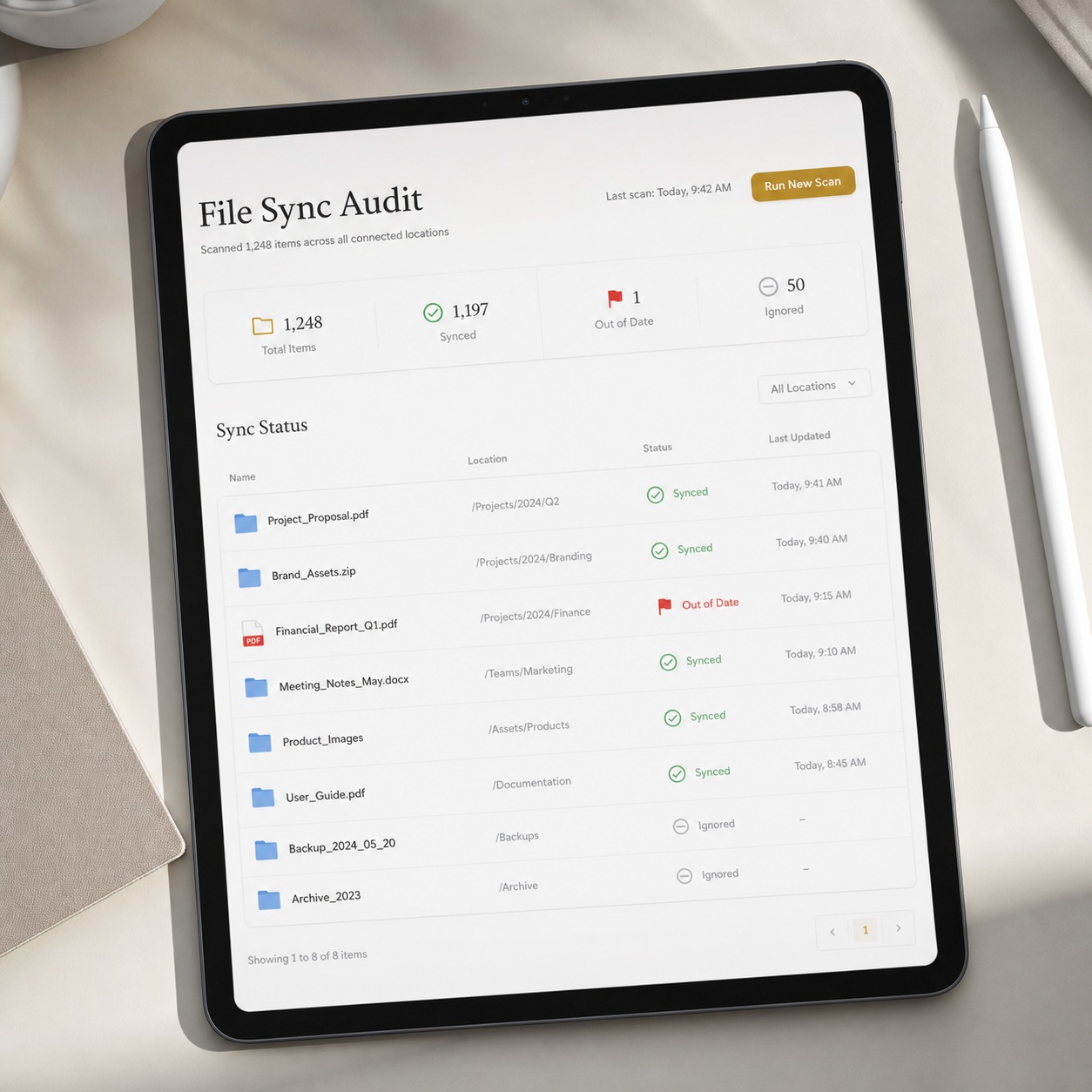
Cloud storage sync, missing permissions, broken asset links, and file-version confusion
Sync issues are the sneakiest category, because nothing throws an error. A file simply looks current on one machine and isn’t, and the mistake only surfaces once a client points out something that should have been fixed two revisions ago. Broken asset links compound this on any project where a shared library gets referenced across many files at once, since one moved or renamed asset can quietly break references nobody thinks to check until output looks wrong.
This category costs more in trust than in raw time, in my experience. A client who catches an outdated detail that was supposedly fixed weeks earlier starts wondering what else might be slipping through, even if the underlying cause was a sync glitch rather than anyone’s actual oversight.
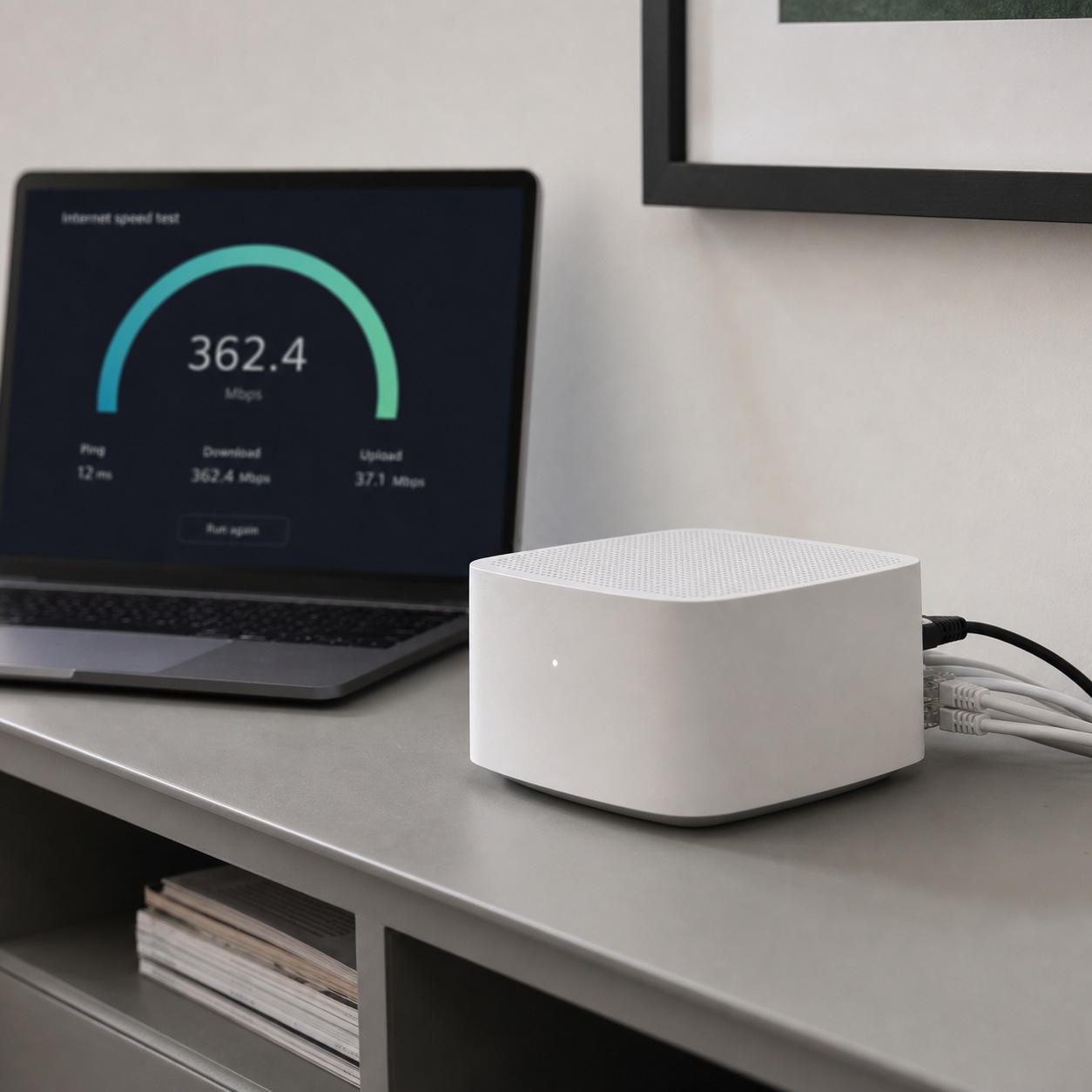
Home Wi-Fi, VPN/ZTNA, latency, and large file transfers
Network problems rarely announce themselves clearly. A designer blames their own laptop for a slow export when the actual bottleneck is a saturated home connection three other devices are also fighting over. A VPN dropping mid-transfer can silently corrupt a large file, and by the time anyone notices, the corrupted version has already been shared forward.
I’ve learned to check the network path first on almost any performance complaint now, purely because it’s caught the actual cause often enough to become the default first step rather than the last resort. Starting with hardware assumptions instead wastes far more time than a two-minute connection check ever costs.
Build a help desk workflow around creative deadlines
Triage by project impact, not just ticket order
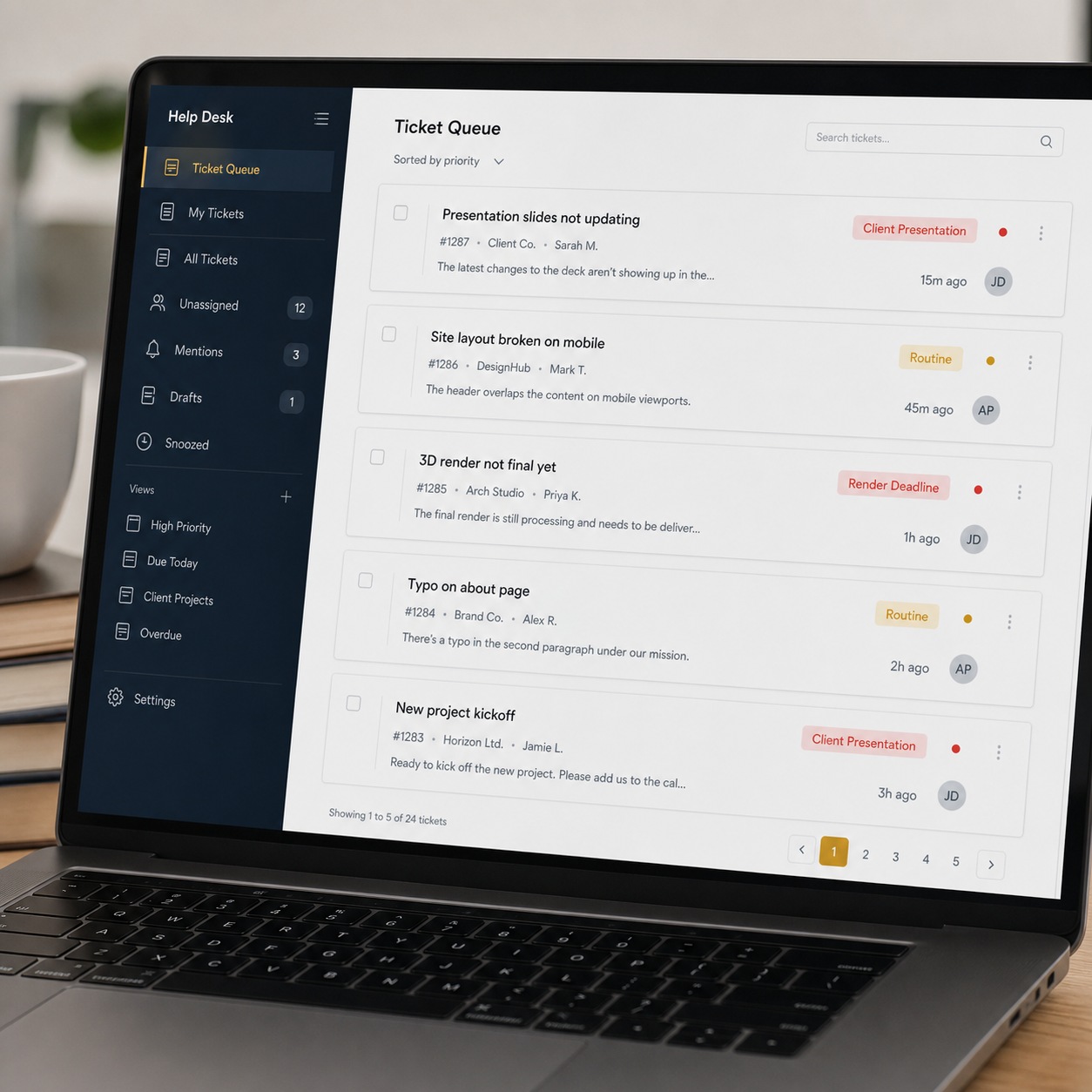
Handling tickets strictly in arrival order treats a minor font question exactly like a blocked client presentation, which is precisely backwards. Real triage sorts by what’s actually at stake in the next few hours, not by who happened to submit first.
I’ve seen this go wrong in a way that’s easy to miss until it costs something real: a routine ticket submitted five minutes before an urgent one gets worked first purely by default, and nobody notices the ordering problem until the urgent issue has already blown past its own deadline.
Priority levels for client presentation day, render deadline, production handoff, and routine issues
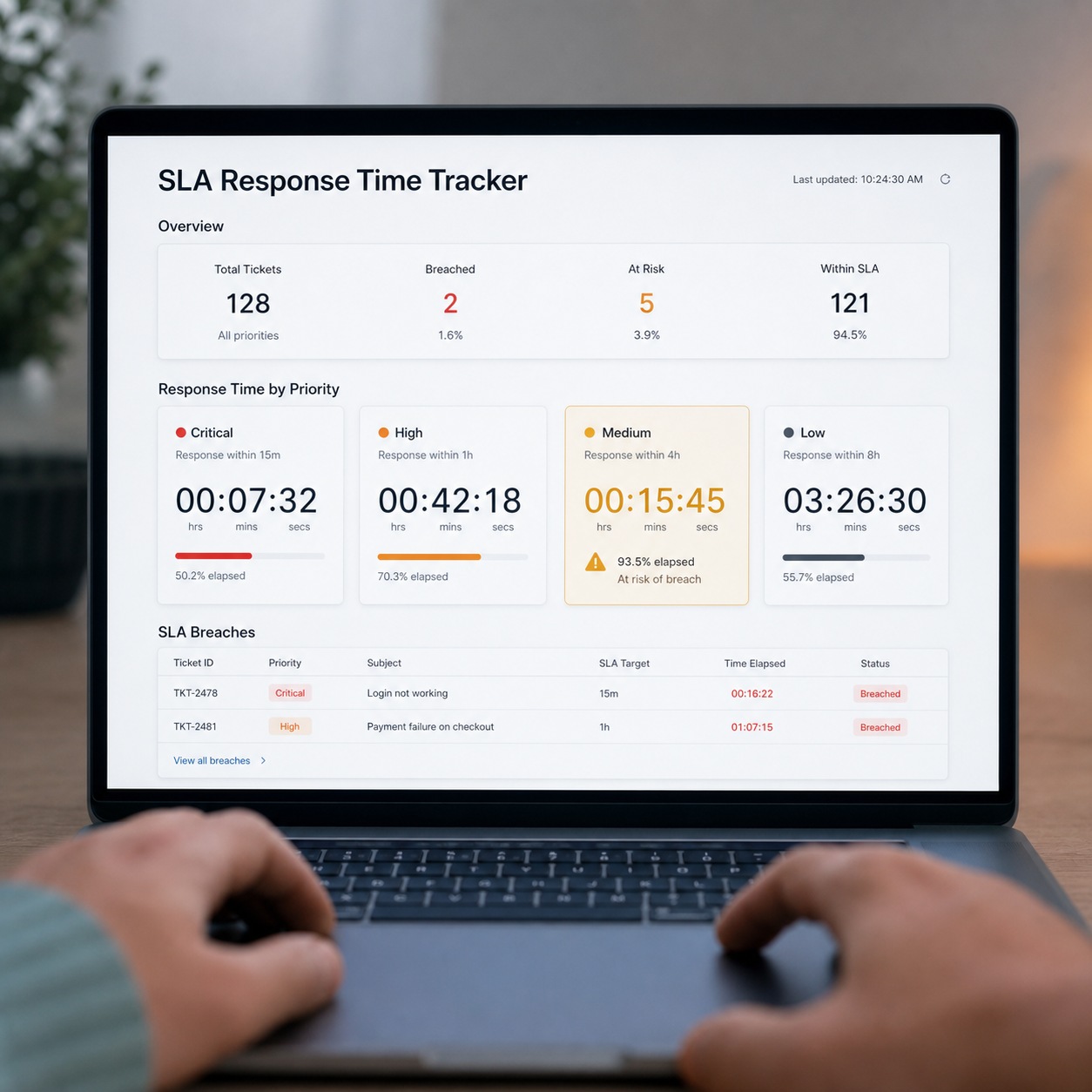
A workable system needs only a few tiers: anything touching a same-day client presentation or an active render deadline goes first, production handoffs land just behind that, and everything else fills in around them. The tiers matter less than the discipline of actually following them every time, rather than only when someone remembers to flag urgency loudly enough.
Writing the tiers down explicitly, rather than trusting everyone to share the same intuitive sense of “urgent,” matters more as a support team grows. What counts as urgent to one technician might read as routine to another, and that gap widens fast once more than one or two people are handling tickets.
What a useful support SLA looks like for a remote design team
A support agreement worth signing spells out real response windows tied to those priority tiers, not a soft promise to “get back to you soon.” Push for specifics: a defined window for presentation-day emergencies, a separate one for routine tickets, and a documented path for escalating anything the first responder can’t resolve alone. Vague SLAs tend to reveal themselves as vague exactly when a studio can least afford it.
Get those numbers in writing before a provider starts handling live tickets, not after. A support partner who hedges on committing to a specific response time for urgent issues is quietly telling you what to expect the first time an actual deadline is riding on their answer.
24/7 help desk coverage for time-zone spread
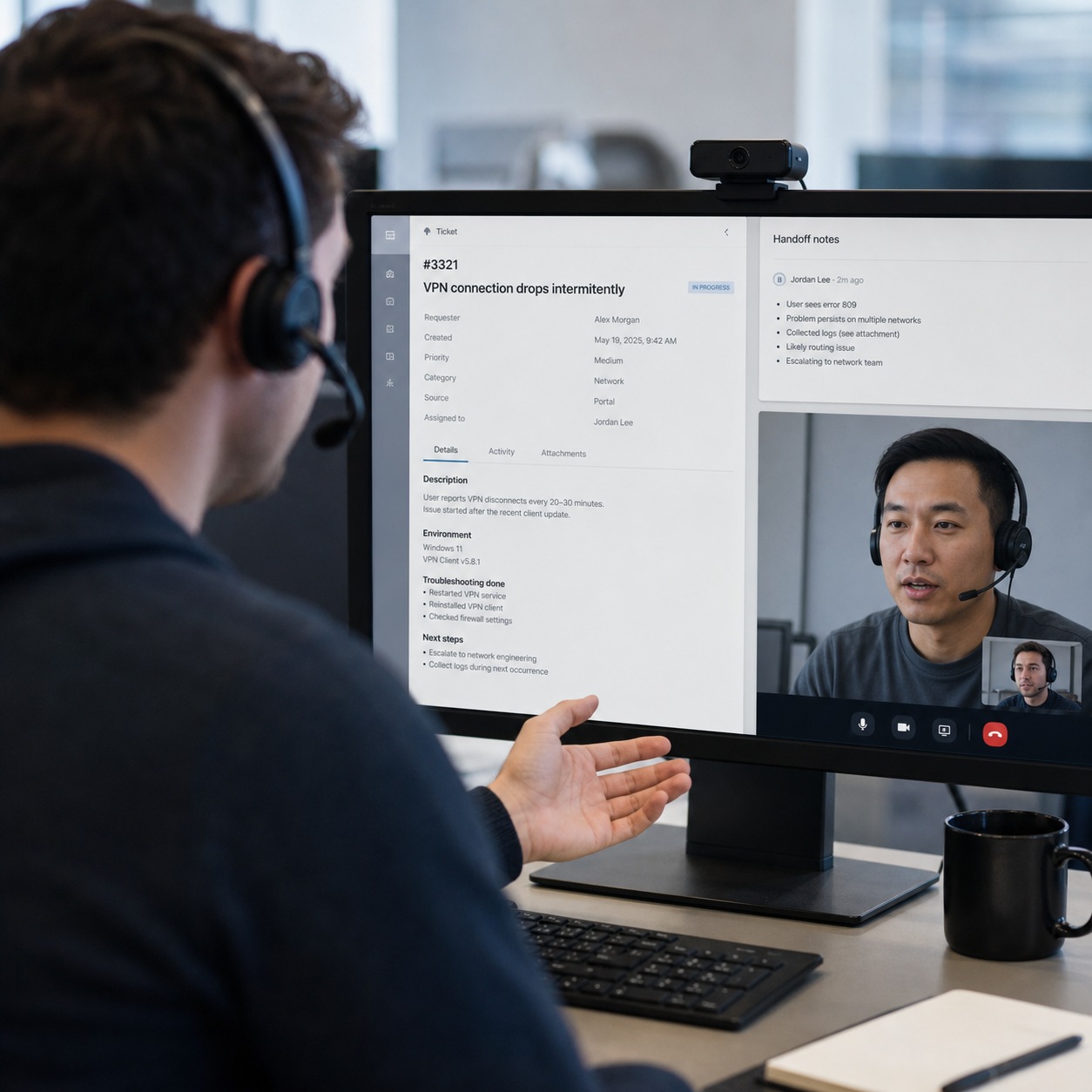
Round-the-clock coverage earns its cost when a team is genuinely spread across enough time zones that someone’s always mid-shift somewhere. A tighter team clustered within two or three zones often gets more value from clearly defined coverage windows paired with a real after-hours escalation path, rather than paying for full 24/7 support that sits idle most days. Whatever the model, handoff notes between shifts are where a lot of quality quietly leaks out: a problem that loses its context between one support window and the next effectively gets diagnosed twice, at half the speed.
I’ve watched a designer explain the same issue to a second technician from scratch, purely because nothing from the first conversation carried over. That’s a frustration a two-minute handoff note prevents entirely, and it’s one of the cheapest fixes available in the whole support relationship.
Remote support for creative software and devices
A standardized set of workstations, tablets, monitors, and plugins turns remote troubleshooting from guesswork into pattern recognition, since a technician who’s seen the exact configuration before can move in minutes instead of starting cold. Color accuracy deserves specific attention on any distributed team doing serious visual work, because a drifted monitor calibration can quietly shift how a whole project looks without anyone realizing the display itself is lying to them. Freelancers need support scoped tightly enough that helping them doesn’t mean handing over more system access than the actual engagement requires.
Standardization doesn’t mean forcing identical hardware on everyone. It means keeping the variation inside a known, documented range, so a support technician isn’t reverse-engineering an unfamiliar setup from scratch on every single call.

Connectivity and performance troubleshooting
Bandwidth checks, sync audits, and latency tests belong in a support team’s everyday toolkit, not held back as a last resort after everything else has been ruled out. Separating a local hardware problem from a network or platform issue quickly matters enormously, because the wrong diagnosis sends a designer down an hour-long dead end chasing a fix for a problem that was never actually theirs. For teams working with cloud-based rendering or workstations, checking the network path first, before assuming the hardware itself is at fault, saves real time on a regular basis.
The teams that troubleshoot well share a habit: they check the boring, obvious thing first, every time, instead of jumping straight to the more interesting diagnosis. It’s rarely glamorous, and it’s almost always faster.
Security handoffs without slowing designers down
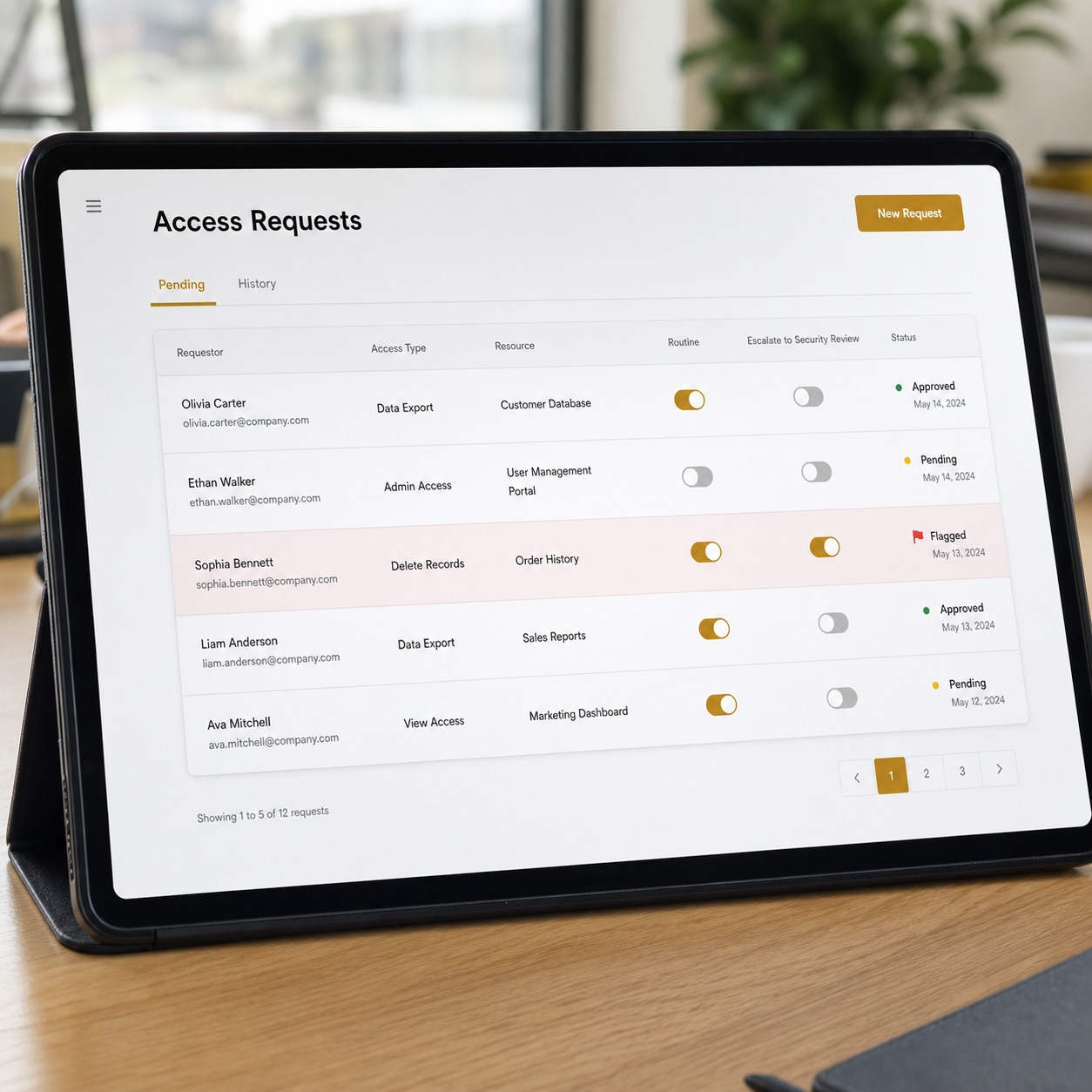
MFA, scoped access, endpoint protection, and secure file handling all belong inside the everyday support relationship, not roped off as a separate concern that only gets involved once something’s already gone wrong. Most access requests are routine enough for a help desk to handle directly and immediately. The line worth drawing sharply is what escalates to an actual security review: an unfamiliar login location, a lost device, account activity that doesn’t match a person’s usual pattern. Support staff who recognize that line instantly protect a studio far better than staff who escalate everything reflexively, or nothing at all.
Getting that line wrong costs a studio in either direction. Draw it too cautiously, and every minor access request turns into a multi-day review that frustrates designers without adding real protection. Draw it too loosely, and a genuine incident gets handled like a routine ticket, losing exactly the urgency it actually needed.

Onboarding and offboarding as support work
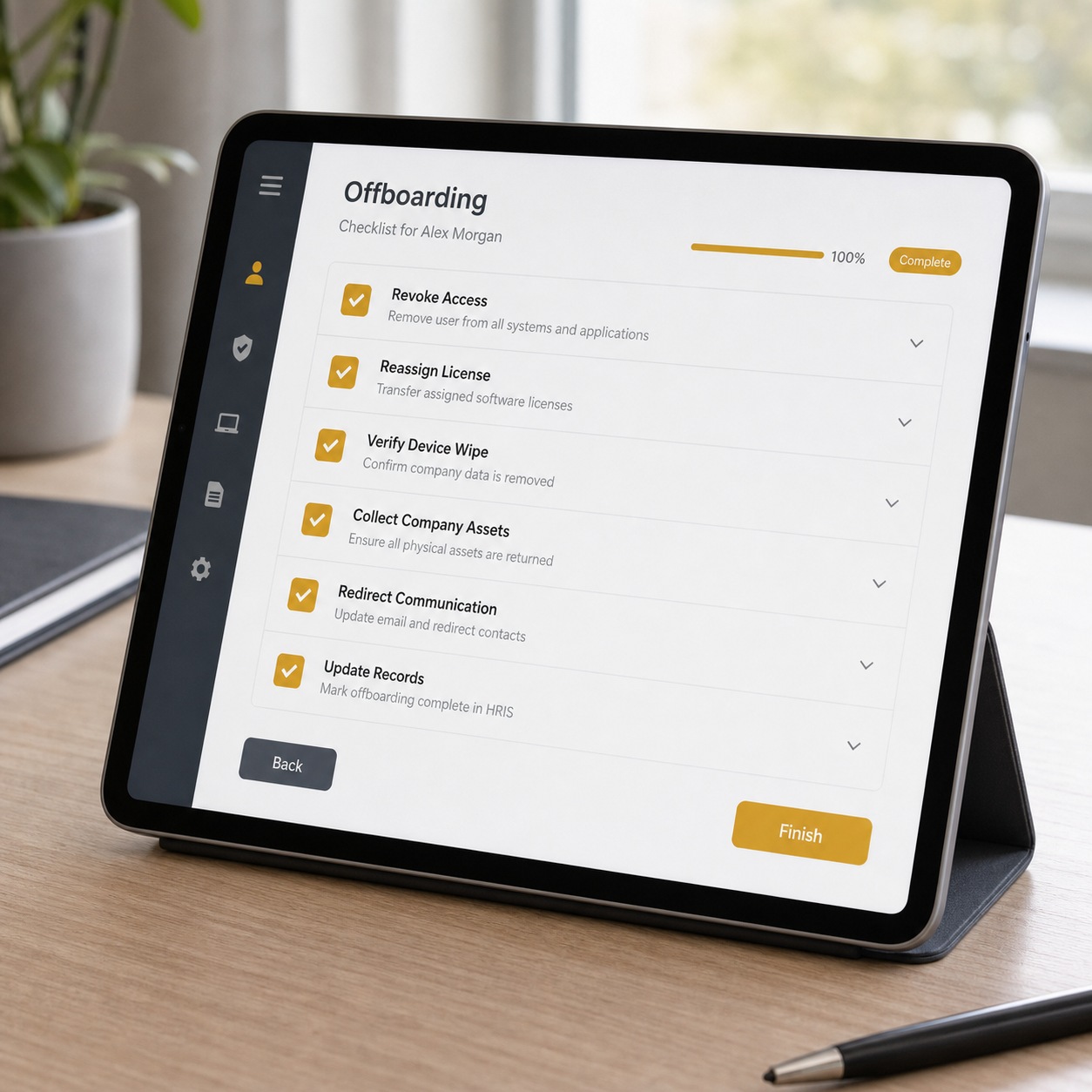
A new collaborator’s first day should mean working software and correct file access already waiting, not a morning lost to setup that eats into a short engagement. Offboarding matters just as much in reverse: access revoked and licenses freed the moment someone’s work wraps, rather than left to linger for months because nobody owned the cleanup. I’ve seen offboarding slip more often than onboarding, mostly because unused access doesn’t announce itself as a problem the way a broken login does on day one.
Treating both as genuine support responsibilities, not administrative afterthoughts squeezed in around real work, changes how consistently they actually happen. A support desk that owns this checklist end to end gets a new freelancer productive by lunch instead of by the second day, and closes out a finished engagement cleanly instead of leaving a stray permission for someone to stumble on months later.

Remote IT support checklist for creative teams
Work through this when building or auditing a support setup:
- Tools: Every creative application has a known troubleshooting path support staff actually understand.
- Access: Permissions get reviewed on a schedule, not left to accumulate indefinitely.
- Files: Sync failures and broken links have a documented diagnostic process.
- Devices: Workstations and monitors follow a known, standardized baseline.
- Communication: One clear channel exists for reporting issues, tagged by priority.
- Escalation: A defined path runs from first response through specialist through security review.
- Backups: Recovery actually gets tested, not just assumed to work when needed.
- Security: MFA and endpoint protection are standard practice, not optional extras.
- Reporting: Recurring problems get tracked so patterns surface instead of repeating quietly.
If your studio serves clients around Pittsburgh or works with teams based there, providers like Pittsburgh’s top IT companies bring exactly this kind of specialized, creative-aware support to a regional client base, rather than treating a design studio’s needs as identical to any other small business down the street.
FAQ
What is remote IT support?
Remote IT support is technical help delivered to a team without requiring anyone on-site, covering help desk response, troubleshooting, device support, and access management for people working across different locations and time zones. For creative teams specifically, it also means genuine familiarity with why the software actually broke, not just how to restart it.
Why do distributed creative teams need remote IT support?
Because creative software fails in specific, disruptive ways that generic office IT training doesn’t cover, and a distributed team has no option to simply walk a problem over to someone’s desk. The cost of a slow fix compounds across a whole team, not just the one person who reported it.
What should an IT help desk support for designers?
Creative software issues across Adobe, Figma, CAD, and video tools, file sync and permission problems, device troubleshooting, and network issues affecting large transfers, all triaged by actual project stakes rather than the order tickets arrive. A help desk unfamiliar with any of these categories diagnoses them far slower than one that’s seen the pattern before.
Is 24/7 help desk support necessary for remote design teams?
Only for teams genuinely spread across enough zones that someone’s always working. Smaller, tighter teams usually do better with clear coverage windows and a solid after-hours escalation path for real emergencies, rather than paying for coverage that mostly sits unused.
How can IT support reduce downtime for designers?
By triaging around deadline impact, standardizing hardware and software so diagnosis moves faster, and quickly separating local-device problems from network or platform issues instead of guessing at the wrong fix first. None of these alone solves everything. Together, they add up to real hours saved every week.
How is remote IT support different from managed IT support?
Remote IT support is the fast, reactive layer. Managed IT support is the broader ongoing relationship, remote support plus monitoring, planning, and infrastructure decisions made over time, not just in the moment something breaks. A smaller studio might need only the first for a while, then grow into needing both.
A blocked designer isn’t losing time in some vague, abstract sense. They’re losing the exact hours a deadline needed from them, and those hours rarely come back. Remote IT support built around that reality, fast triage, honest SLAs, real fluency in creative software, and a clean line to security when something’s genuinely wrong, is what lets distributed creative work move at the pace its deadlines actually demand, regardless of which time zone the fix has to reach.
I think about this the same way I think about any other piece of studio infrastructure: it should disappear into the background when it’s working and only become visible on the rare day something breaks, and even then, only long enough to get fixed. The teams that get this right aren’t chasing the flashiest support technology available. They’re the ones where a blocked designer already knows exactly who to contact, roughly how long the fix will take, and that whoever answers actually understands what a stalled render queue costs the day ahead.
- 20shares
- Facebook0
- Pinterest20
- Twitter0
- Reddit0