Disclosure: This post contains affiliate links. If you sign up or purchase through these links, we may earn a small commission at no extra cost to you. This helps support our work.
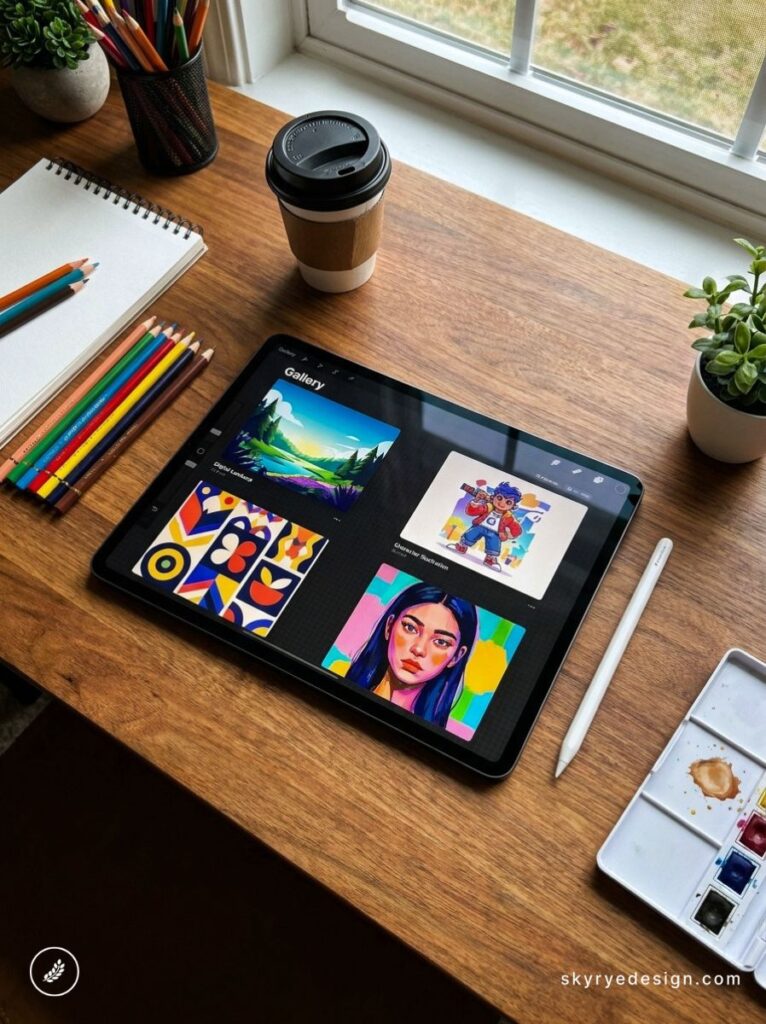
I’ve spent more time staring at a blank Procreate canvas than I’d like to admit. The app is open, the Apple Pencil Pro is charged, and the question what should I draw? sits there like a wall.
- Animals (1–15)
- 1. A Fox Sitting in Autumn Leaves
- 2. An Octopus in the Deep Ocean
- 3. A Sleeping Cat Curled into a Circle
- 4. A Hummingbird Mid-Flight
- 5. A Brown Bear Reflected in a River
- 6. An Owl Perched in a Lantern-Lit Tree
- 7. A Wolf Howling at the Moon
- 8. Koi Fish in a Pond from Above
- 9. A Deer in a Misty Forest
- 10. A Jellyfish in Dark Water
- 11. A Butterfly with Geometric Wing Patterns
- 12. A Horse Galloping in Slow Motion
- 13. A Raven Perched on a Skull
- 14. A Snail in a Rainstorm
- 15. A Whale Breaching at Sunset
- 🎨 MASTER THIS TECHNIQUE FOR FREE
- Nature & Botanicals (16–28)
- 16. A Succulent from Bird's-Eye View
- 17. Cherry Blossoms on a Dark Background
- 18. A Mushroom in a Misty Forest Floor
- 19. A Tropical Monstera Leaf
- 20. A Cactus in a Terracotta Pot
- 21. A Dandelion Going to Seed
- 22. Pine Cones and Autumn Berries
- 23. A Single Rose in Full Bloom
- 24. Wisteria Hanging from an Arch
- 25. A Pumpkin Patch at Harvest
- 26. Lotus Flowers on a Misty Lake
- 27. A Bouquet of Wildflowers in a Jar
- 28. A Single Leaf with Detailed Veining
- Food & Still Life (29–40)
- 29. A Stack of Pancakes with Syrup
- 30. A Bowl of Ramen
- 31. A Sliced Lemon on Marble
- 32. A Coffee Setup on a Morning Table
- 33. Macarons in a Paper Box
- 34. A Croissant with Butter
- 35. A Glass of Iced Matcha Latte
- 36. A Strawberry Cut in Half
- 37. A Lit Candle with Wax Drips
- 38. A Wooden Cutting Board with Fruit
- 39. A Honey Jar with a Wooden Dipper
- 40. A Vintage Bakery Window Display
- Portraits & Figures (41–52)
- 41. A Woman with Flowers Woven into Her Hair
- 42. A Figure from Behind at the Edge of Something
- 43. Hands Holding a Mug
- 44. A Profile Portrait with Geometric Overlay
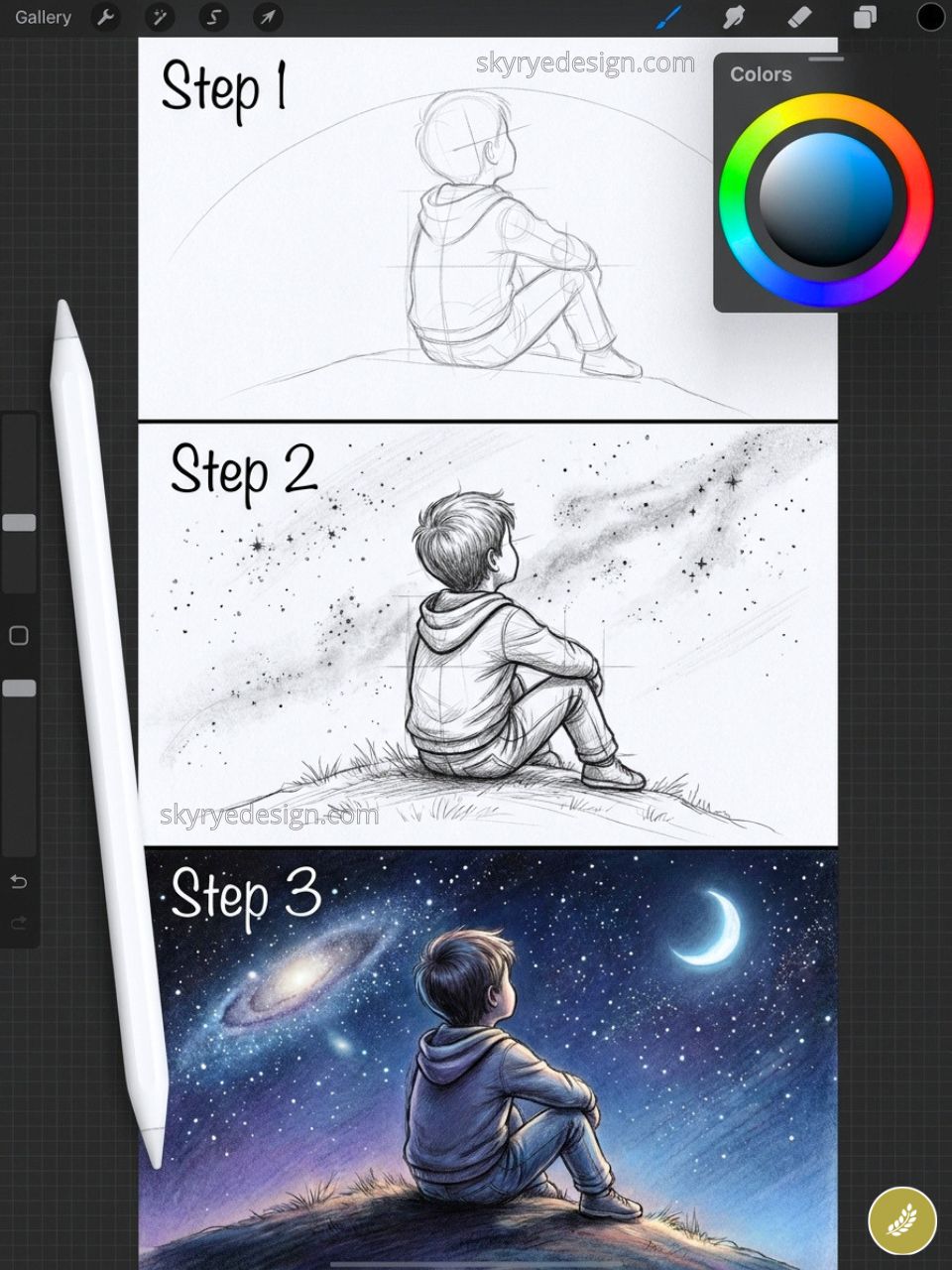
- 45. A Child Looking Up at Stars
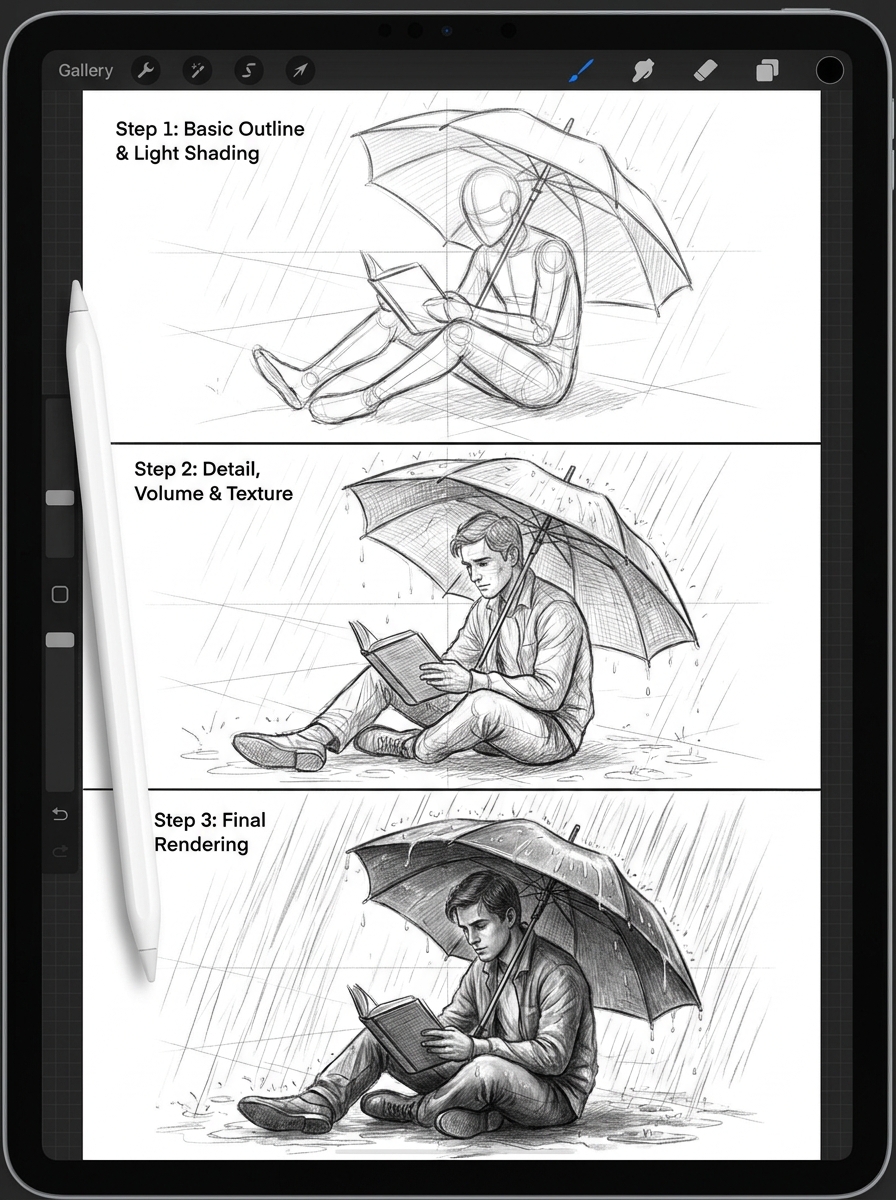
- 46. A Figure Reading Under an Umbrella in Rain
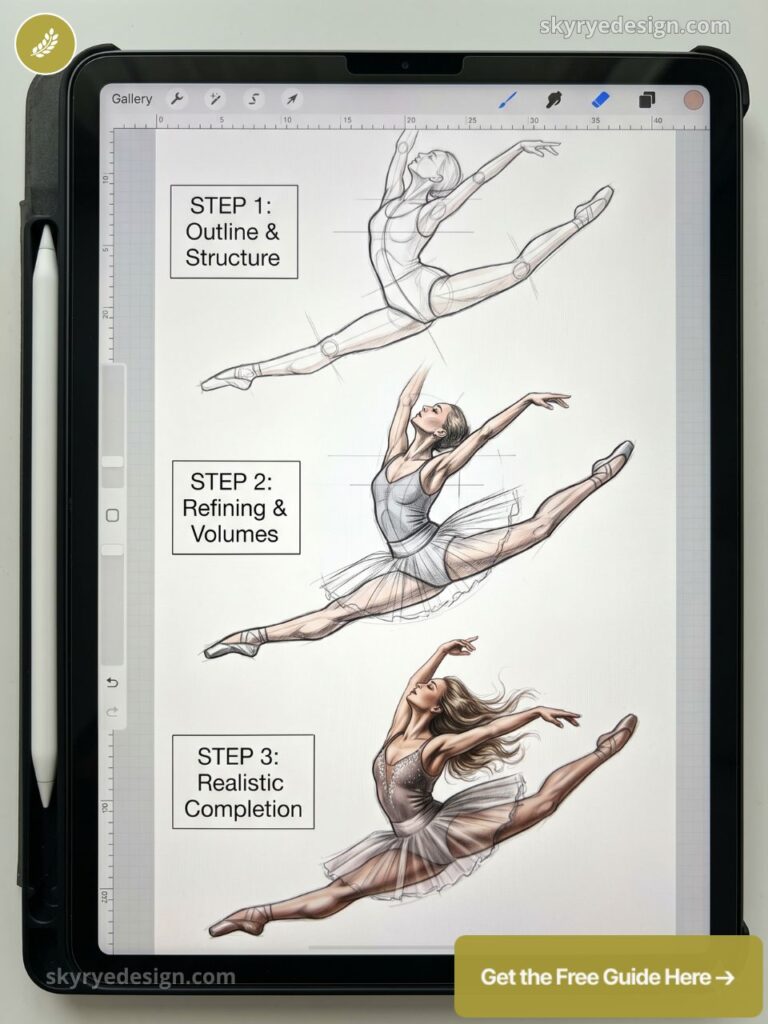
- 47. A Dancer Mid-Movement
- 48. A Self-Portrait in a Specific Mood
- 49. Grandmother's Hands at Work
- 50. Two Figures Sharing One Umbrella
- 51. A Portrait with Watercolor Wash Background
- 52. A Figure Emerging from Darkness
- Fantasy & Imagination (53–65)
- 53. A Dragon Sleeping on a Pile of Books
- 54. A Floating Island with a Waterfall
- 55. A Forest with Bioluminescent Mushrooms
- 56. A Mermaid in an Underwater Cave
- 57. A Tiny Fairy Perched on a Mushroom
- 58. A Castle in the Clouds at Sunset
- 59. A Clockwork Mechanical Bird
- 60. A Portal in a Forest Opening to Another World
- 61. A Witch's Cottage at Night
- 62. A Phoenix Rising from Ash and Embers
- 63. A Mage's Study Filled with Books and Artifacts
- 64. A Selkie Emerging from the Ocean
- 65. A Dragon Egg Hatching
- Architecture & Places (66–76)
- 66. A Cozy Bookshop Interior
- 67. A Japanese Temple at Cherry Blossom Season
- 68. Rooftops of a European City at Dusk
- 69. An Abandoned Greenhouse Overgrown with Vines
- 70. A New York Fire Escape in Rain
- 71. A Lighthouse at Night in a Storm
- 72. A Hidden Library Behind a Bookcase Door
- 73. A Treehouse at Golden Hour
- 74. A Flooded Abandoned Street
- 75. A Studio Apartment Interior
- 76. A Parisian Cafe in Morning Light
- Abstract & Pattern (77–85)
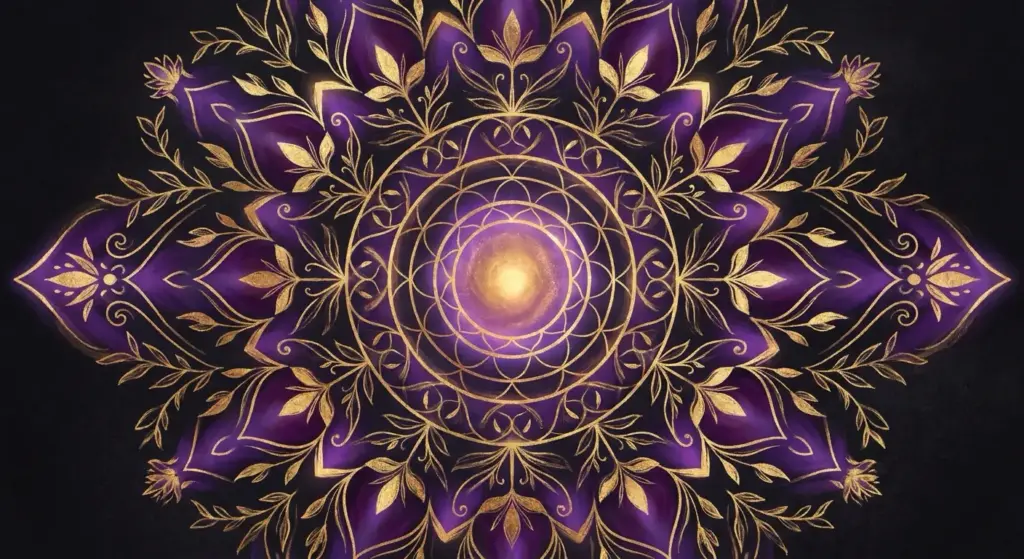
- 77. A Mandala with Nature Motifs
- 78. A Color Study in Analogous Tones
- 79. A Galaxy Pour: Abstract Fluid Art
- 80. A Geometric Animal Portrait
- 81. A Watercolor Wash with Ink Linework
- 82. A Repeating Floral Pattern Tile
- 83. An Abstract Portrait Using Only Color Shapes
- 84. A Zentangle-Inspired Dark Page
- 85. A Stained Glass Window Design
- Characters & Creatures (86–95)
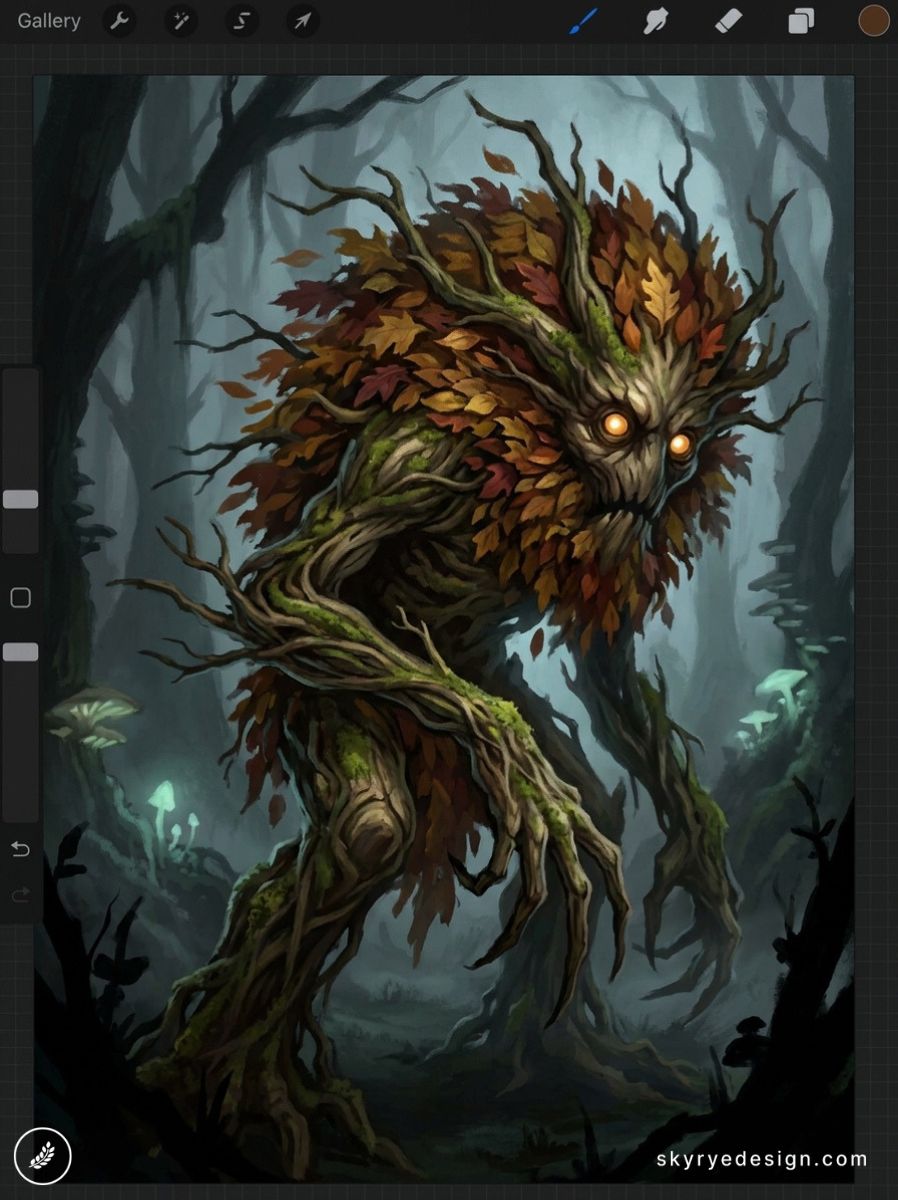
- 86. A Forest Spirit Made of Leaves and Branches
- 87. A Street Character with a Specific Story
- 88. A Kitsune: The Japanese Fox Spirit
- 89. A Chibi Version of a Historical Figure
- 90. A Deep-Sea Anglerfish Reimagined as a Lantern
- 91. A Guardian Spirit of a Specific Place
- 92. A Cyberpunk Character with Botanical Tattoos
- 93. A Cloud Being with a Storm Personality
- 94. A Tarot Card Design (Original)
- 95. A Child's Imaginary Friend Made Visible
- Landscapes & Environments (96–100)
- Frequently Asked Questions
- Q: What should I draw in Procreate when I have no ideas?
- Q: What are the easiest Procreate drawing ideas for beginners?
- Q: How do I make my Procreate drawings look more interesting?
- Q: What Procreate drawing ideas are good for skill practice?
- Q: How many Procreate drawings should I make per week to improve?
- Q: What Procreate ideas work well for building a portfolio?
- Q: Do these drawing ideas work for all skill levels?
This is not a tutorial list. It is not about technique — it is about subjects. One hundred specific, visually interesting, Procreate-ready ideas are organized by theme so you can find exactly what you are in the mood to make. If you are still setting up the basics, start with this guide on how to draw on iPad, then come back here for prompts. Some ideas take twenty minutes on a quick 1080×1080px canvas. Some will absorb an entire afternoon at full 2732×2048px on the iPad Pro. All of them are worth starting.
The ideas in each section move roughly from approachable to ambitious. Don’t treat this as a curriculum. Jump around. Pick whatever catches your eye. The only rule is to open a canvas and begin.
Animals (1–15)
Animals are the most-searched illustration subjects on Pinterest and Google Images — and in Procreate, they let you explore everything: fur texture, scale rendering, dynamic poses, and making a subject feel alive with just light and shape. These 15 ideas cover the full spectrum from quick 20-minute sketches to serious portfolio pieces.
Whether you’re searching for easy Procreate drawing ideas or a genuine challenge, this section works for every skill level.
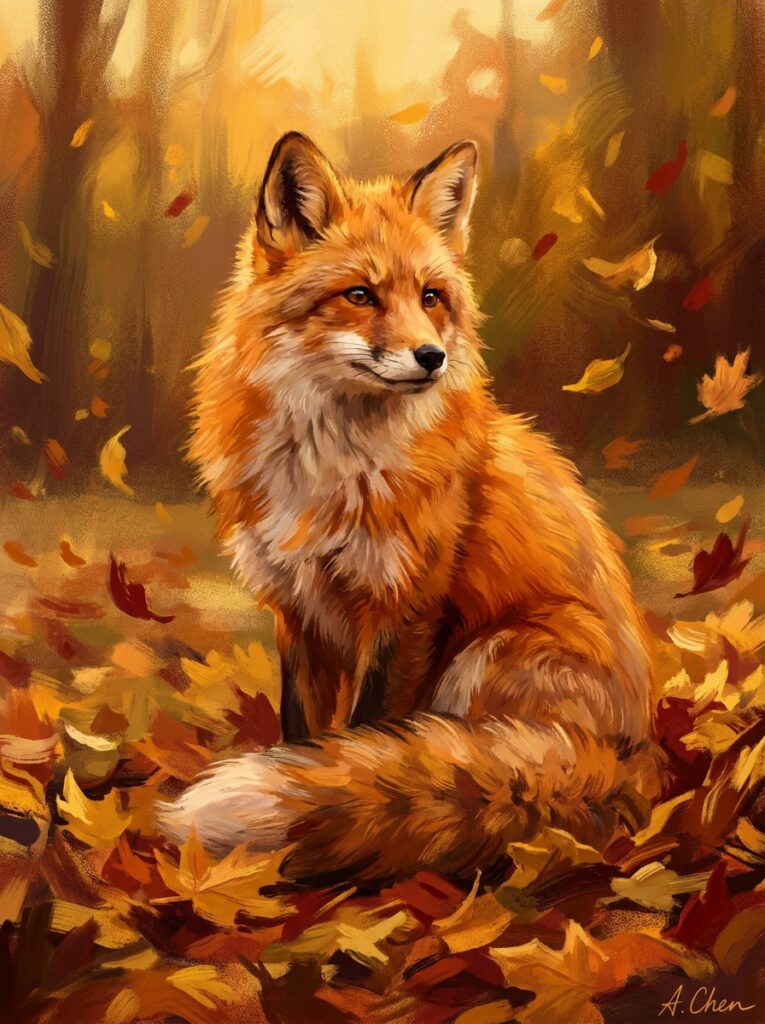
1. A Fox Sitting in Autumn Leaves
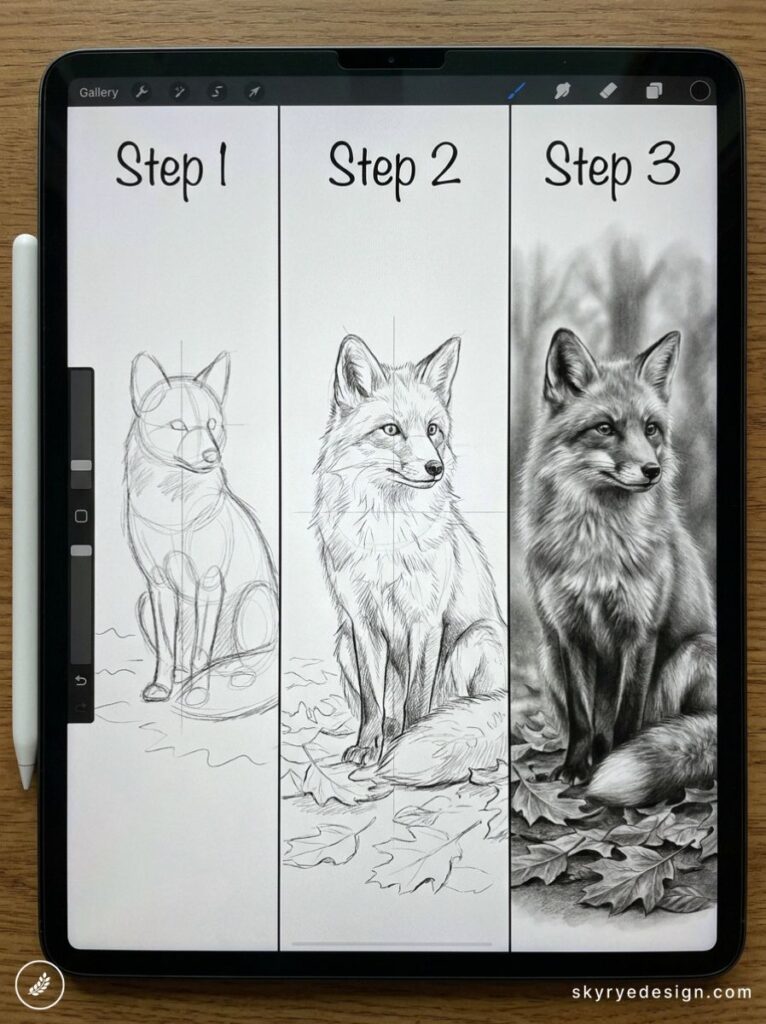
Few subjects reward Procreate’s textured brushes more than fur. Build the fur direction with a custom hair brush — try the Bonobo Chalk brush from the Procreate default library — on a Multiply layer. Warm oranges, deep reds, and a single golden rim light on one ear transform a simple sitting pose into something portfolio-ready.
2. An Octopus in the Deep Ocean
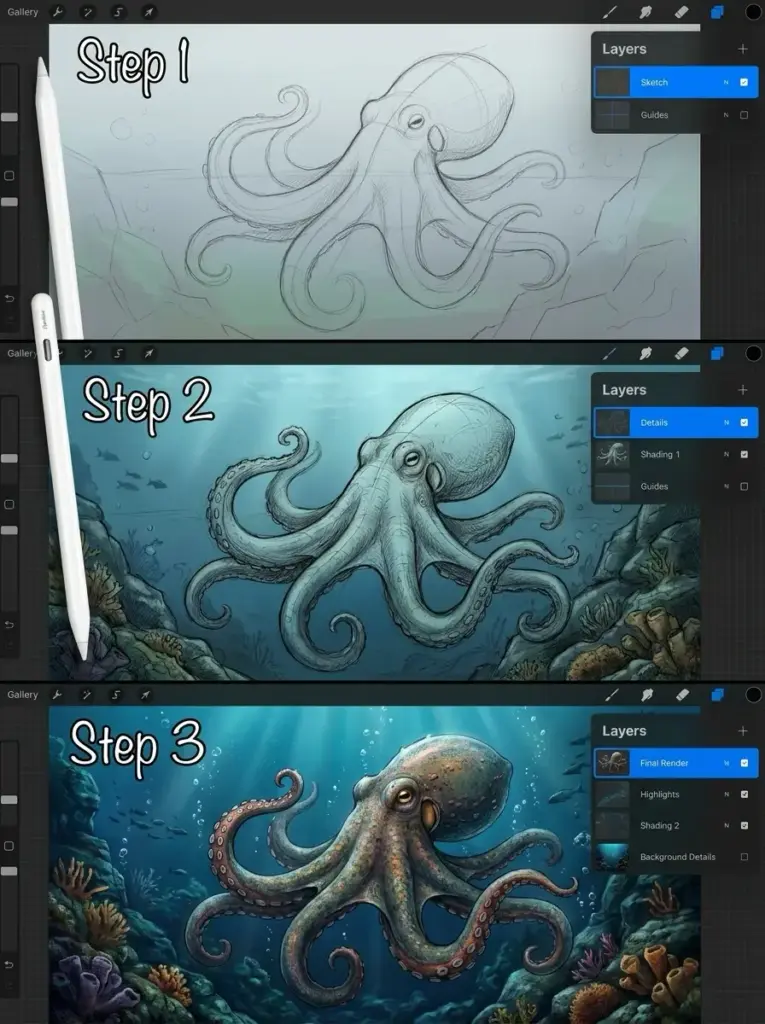
An octopus gives you eight natural compositional lines. Draw the mantle as an oval, then flow tentacles outward in different curl directions. Use the Liquify tool (push setting, 30% size, 15% distortion) on the sucker layer to give them a soft, organic wobble that no static brush can produce.
3. A Sleeping Cat Curled into a Circle
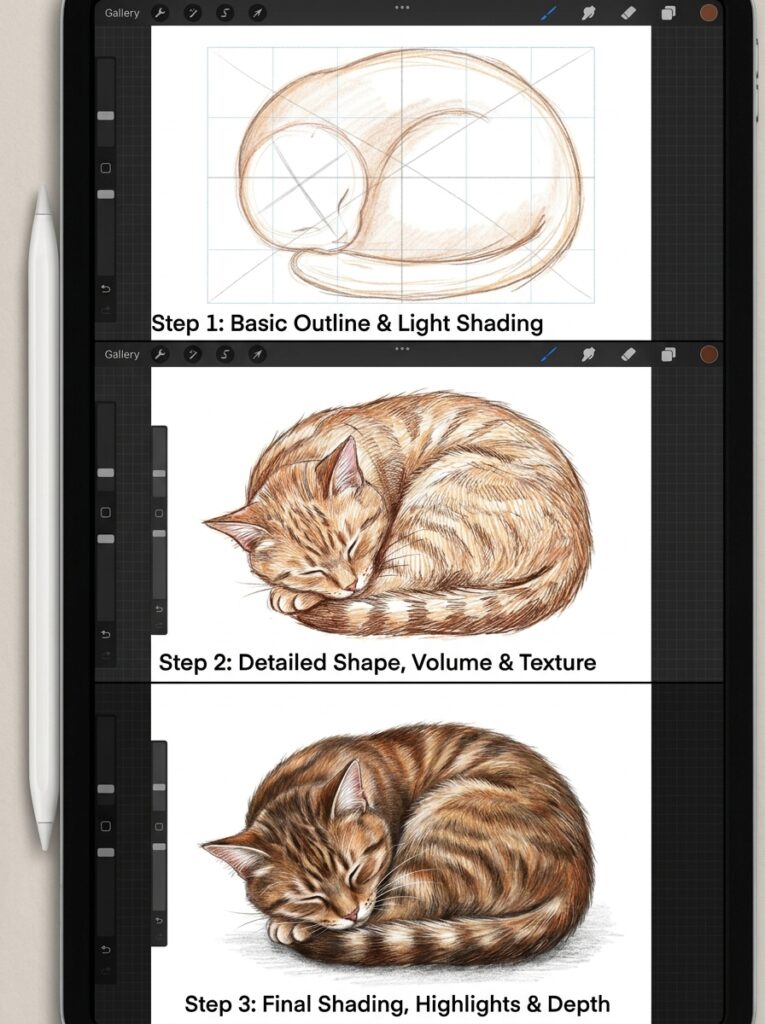
Cats at rest collapse into near-abstract shapes. Work with just three values: base fur color, one shadow tone, one rim highlight. The challenge is resisting the urge to over-detail — a sleeping cat reads better when simplified, and it’s one of the most forgiving easy Procreate drawing ideas in this list.
4. A Hummingbird Mid-Flight
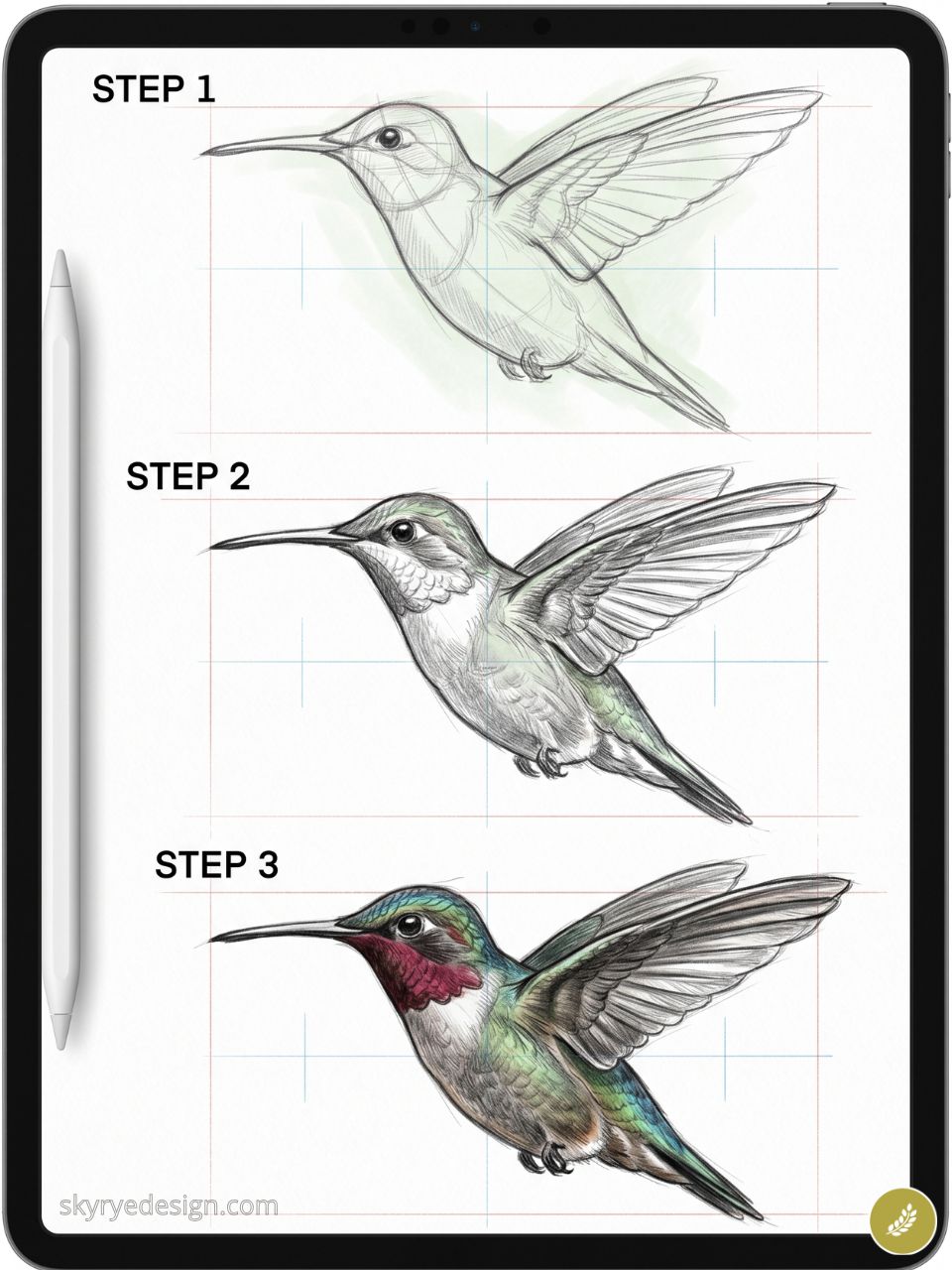
The wings are a blur, the body jewel-bright. Draw the body sharp on its own layer, then apply Motion Blur (Adjustments > Motion Blur) to a duplicate wing layer at 15–20% to capture that impossible stillness-in-motion. This is a worthy two-hour study.
5. A Brown Bear Reflected in a River
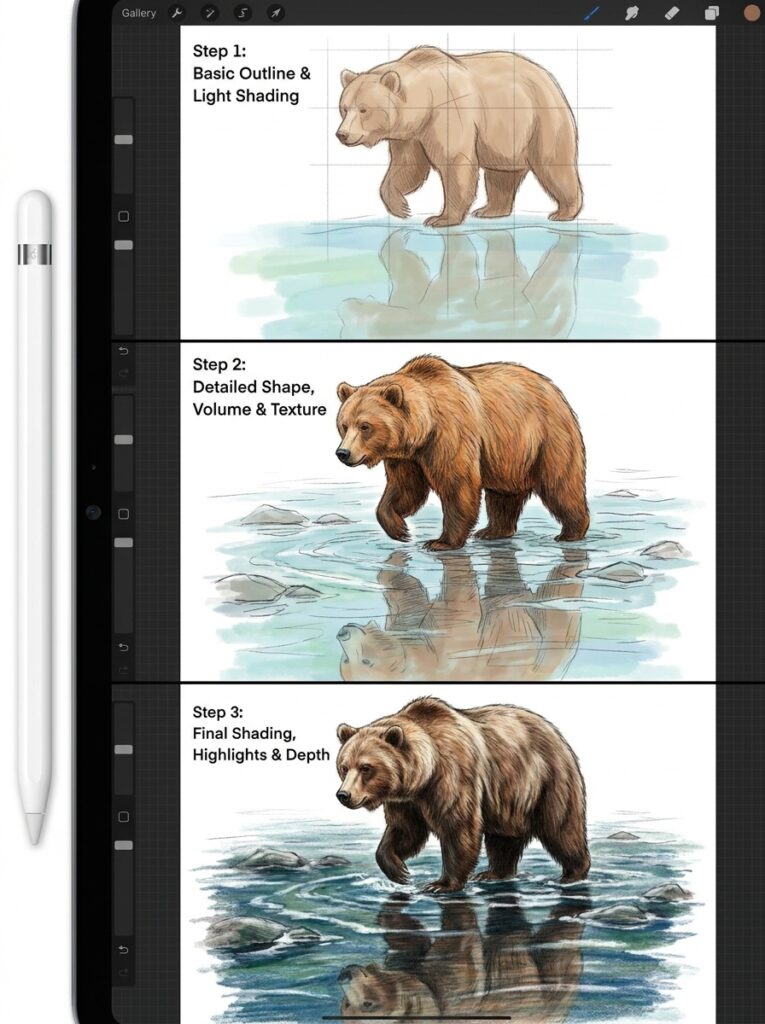
Two drawings in one: the bear on the bank above, its rippled reflection below on a separate Multiply-blended layer. Use the Smudge tool horizontally at 40% strength to break the reflection into believable water movement.
6. An Owl Perched in a Lantern-Lit Tree
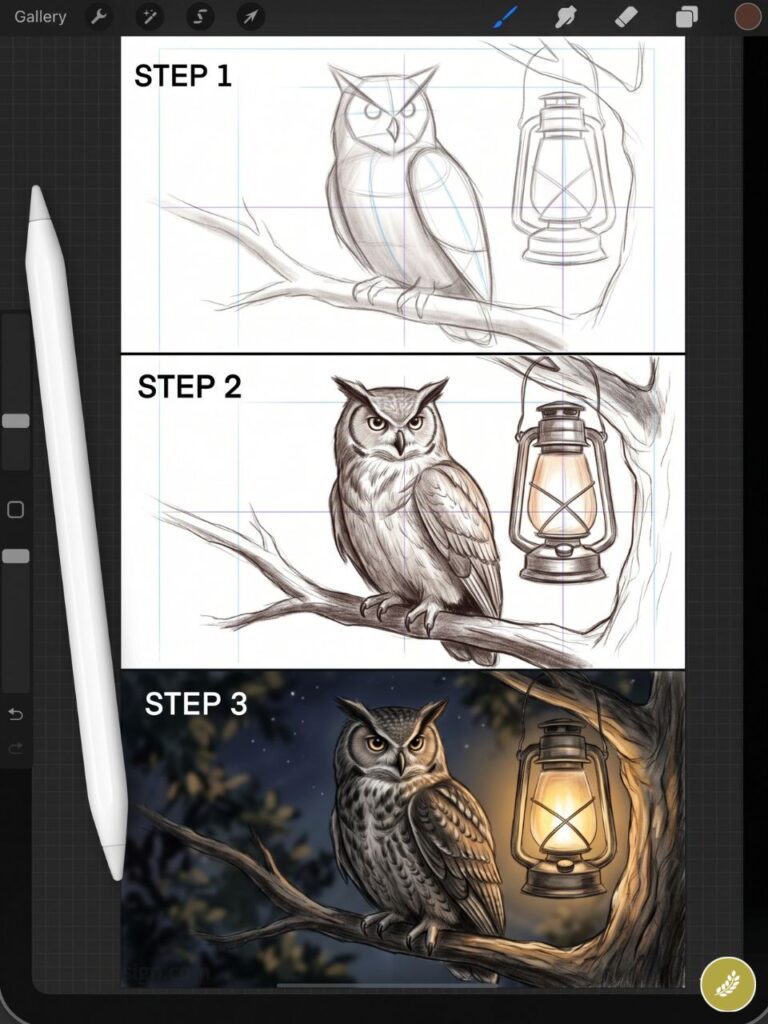
Night scenes in Procreate start with a dark base, then paint light sources on top. A single lantern creates warm yellow halos that contrast perfectly against a moonlit owl’s pale feathers. Use the Glow brush from the Luminance set — one of the most underused tools in the default brush library.
7. A Wolf Howling at the Moon
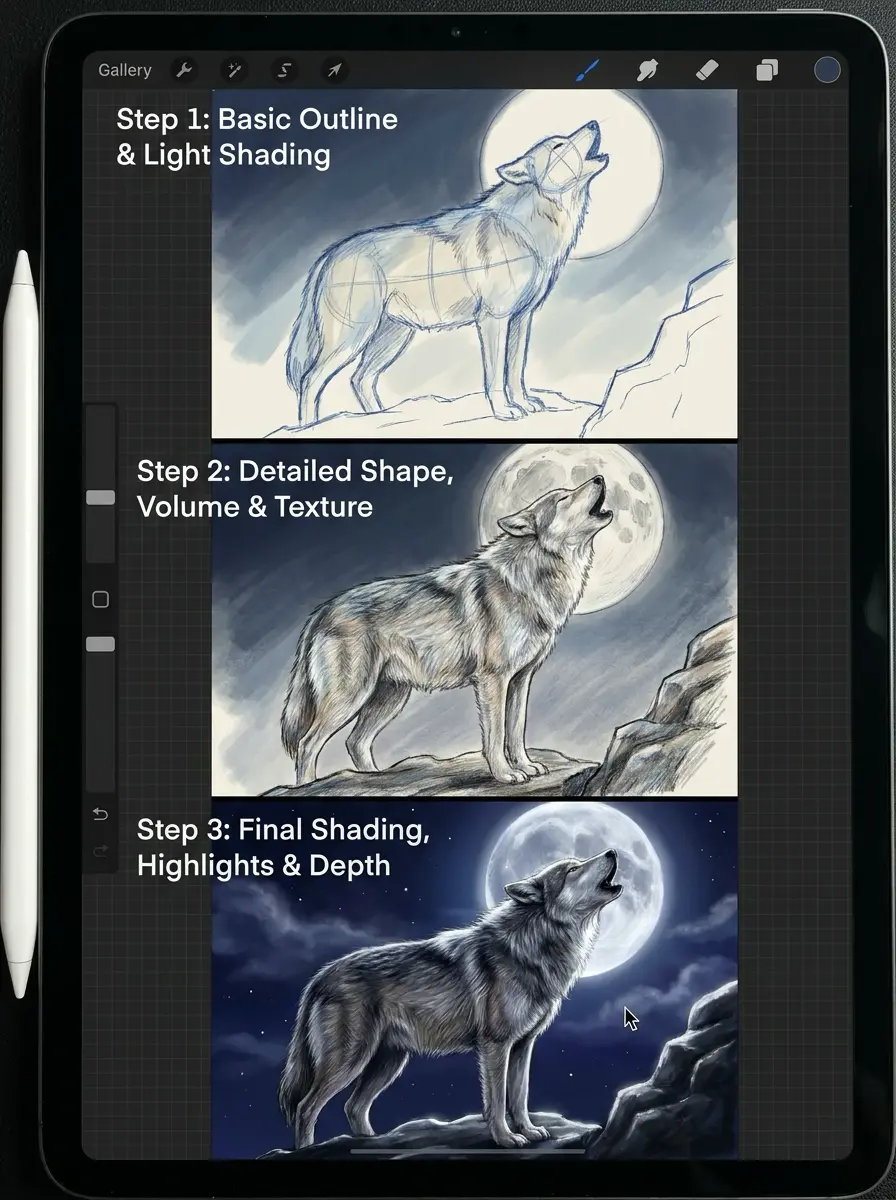
This works because the silhouette reads from a thumbnail, which matters for Pinterest performance. Draw the wolf as a solid dark shape on a gradient sky, the moon directly behind it creating a halo. Add pine tree silhouettes at the canvas edges to anchor the composition.
8. Koi Fish in a Pond from Above
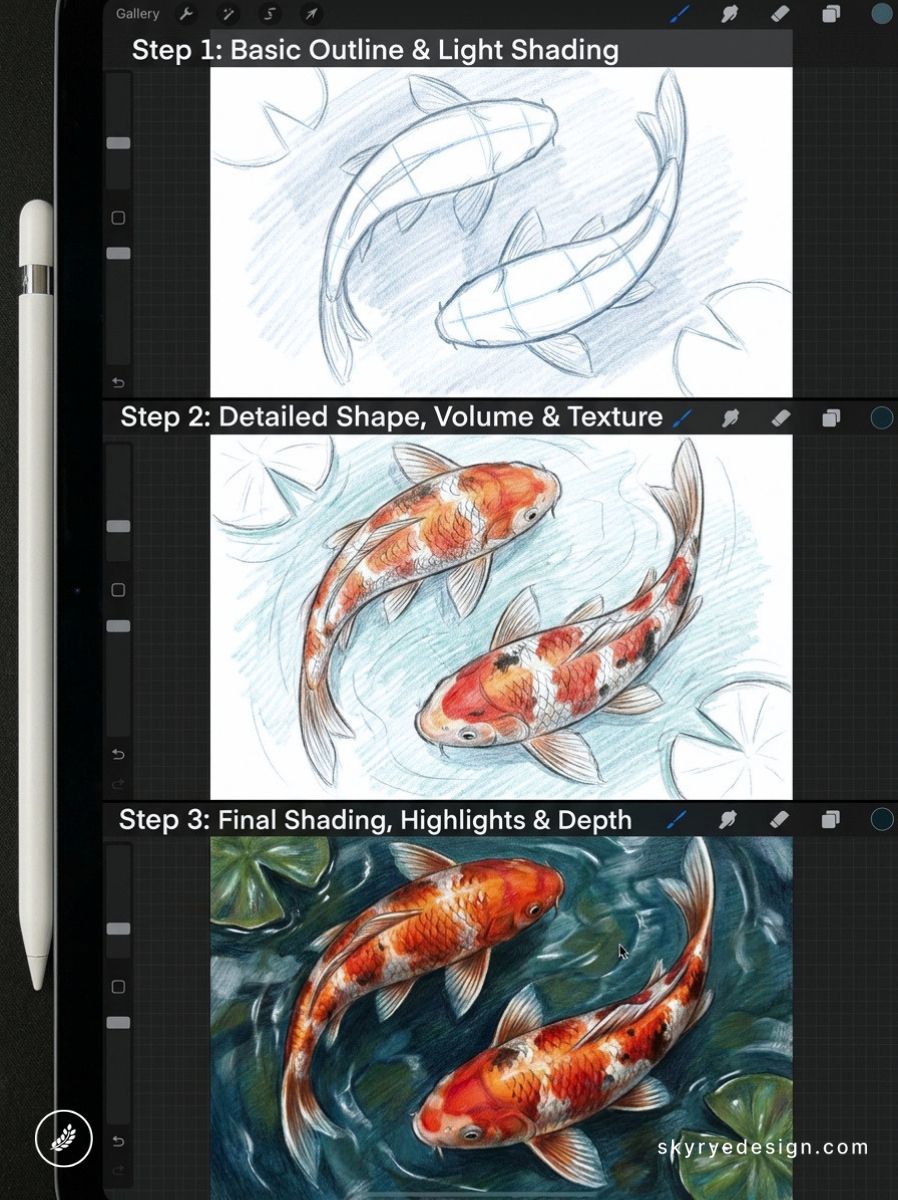
Viewed from directly above, koi become colored brushstrokes against dark green water. Overlapping fish create natural depth. Add lily pad shapes for geometry. Shoot for a square canvas — 2000×2000px — for Instagram format optimization.
9. A Deer in a Misty Forest
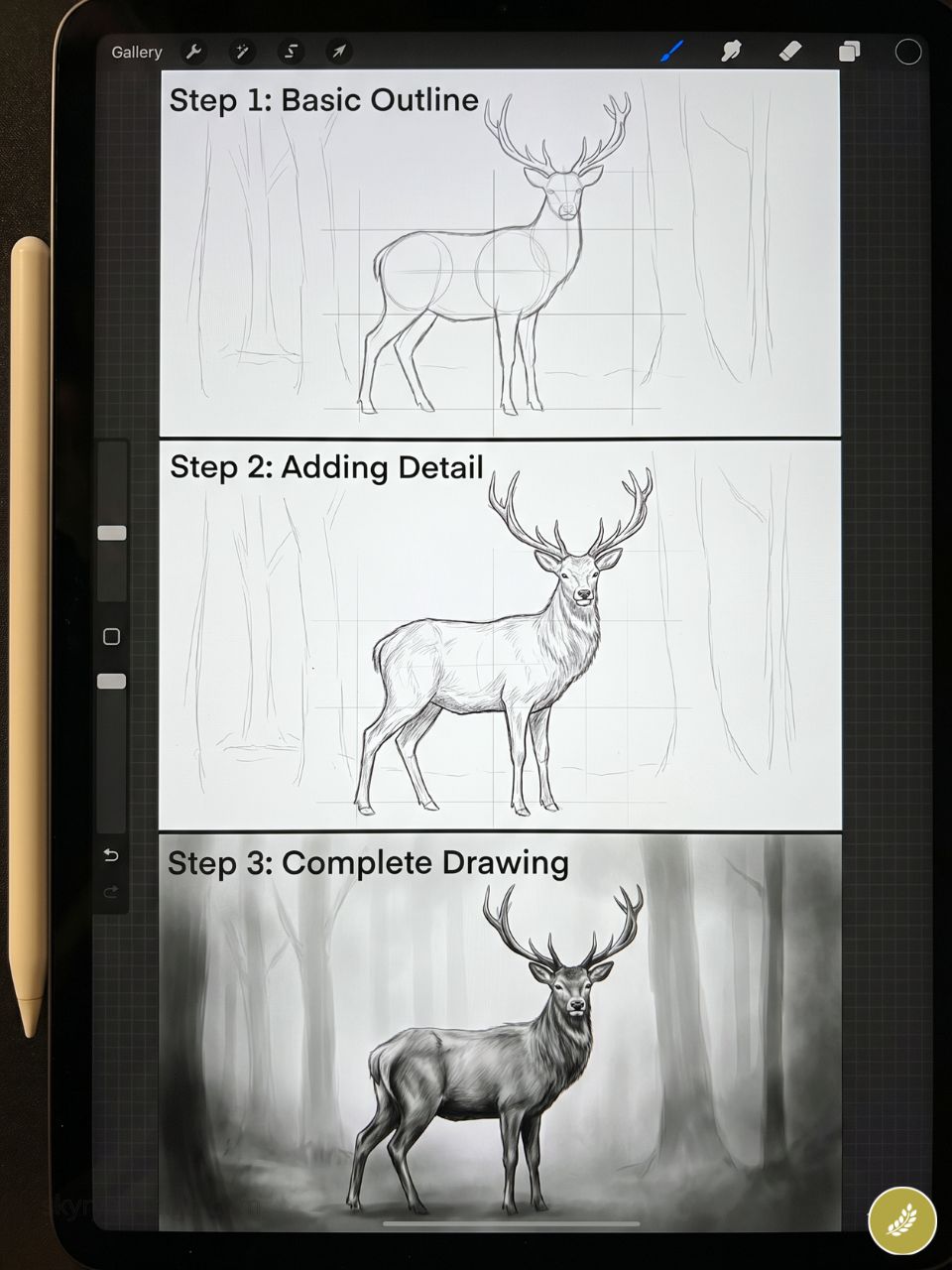
Build the foggy background first using soft grey-green washes at low opacity with the Soft Airbrush, then add mid-ground trees, then the deer as the sharpest element. The depth hierarchy reads immediately and rewards careful atmospheric brushwork.
10. A Jellyfish in Dark Water
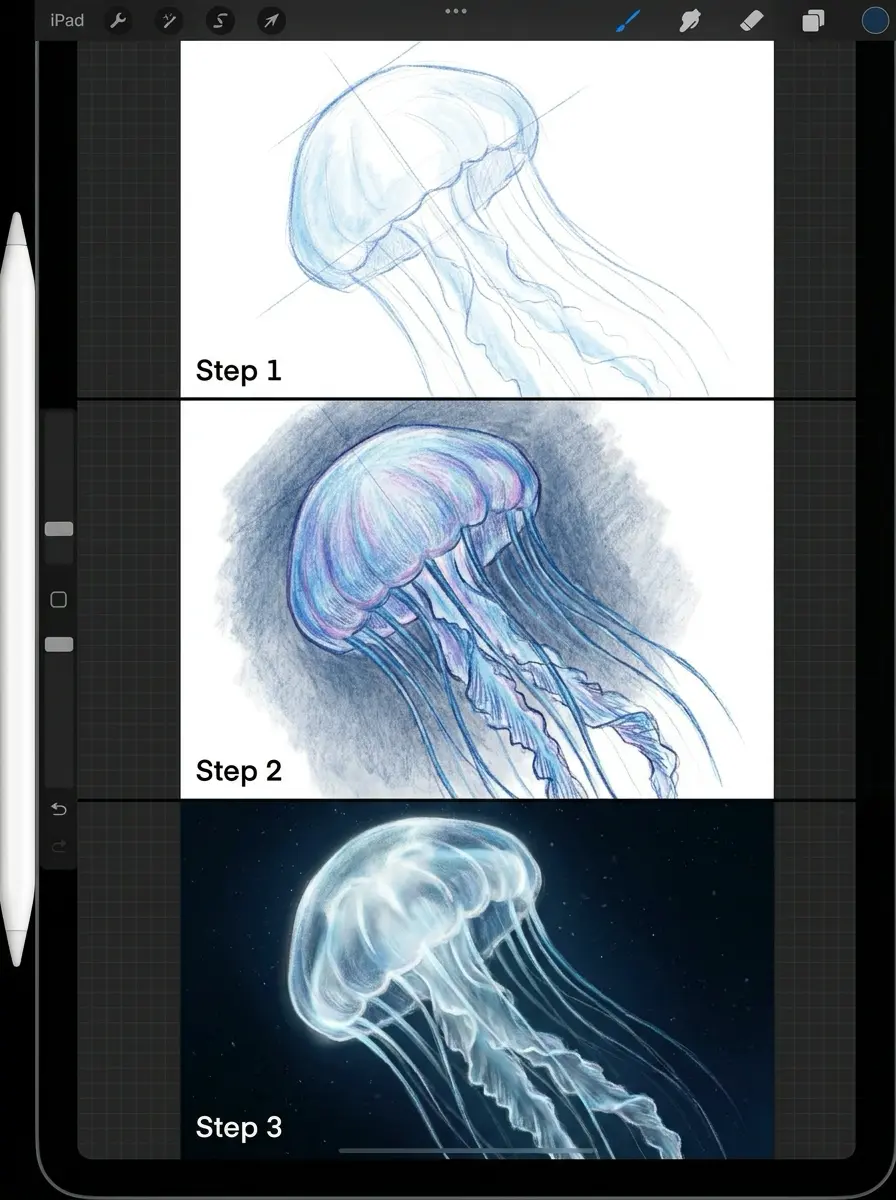
Jellyfish are essentially lights in darkness. Start with a black canvas, then build the translucent bell with Luminance brushes at low opacity, layering up slowly. Add trailing tendrils as thin, glowing strokes. Few Procreate drawing ideas look more professional with less effort.
11. A Butterfly with Geometric Wing Patterns
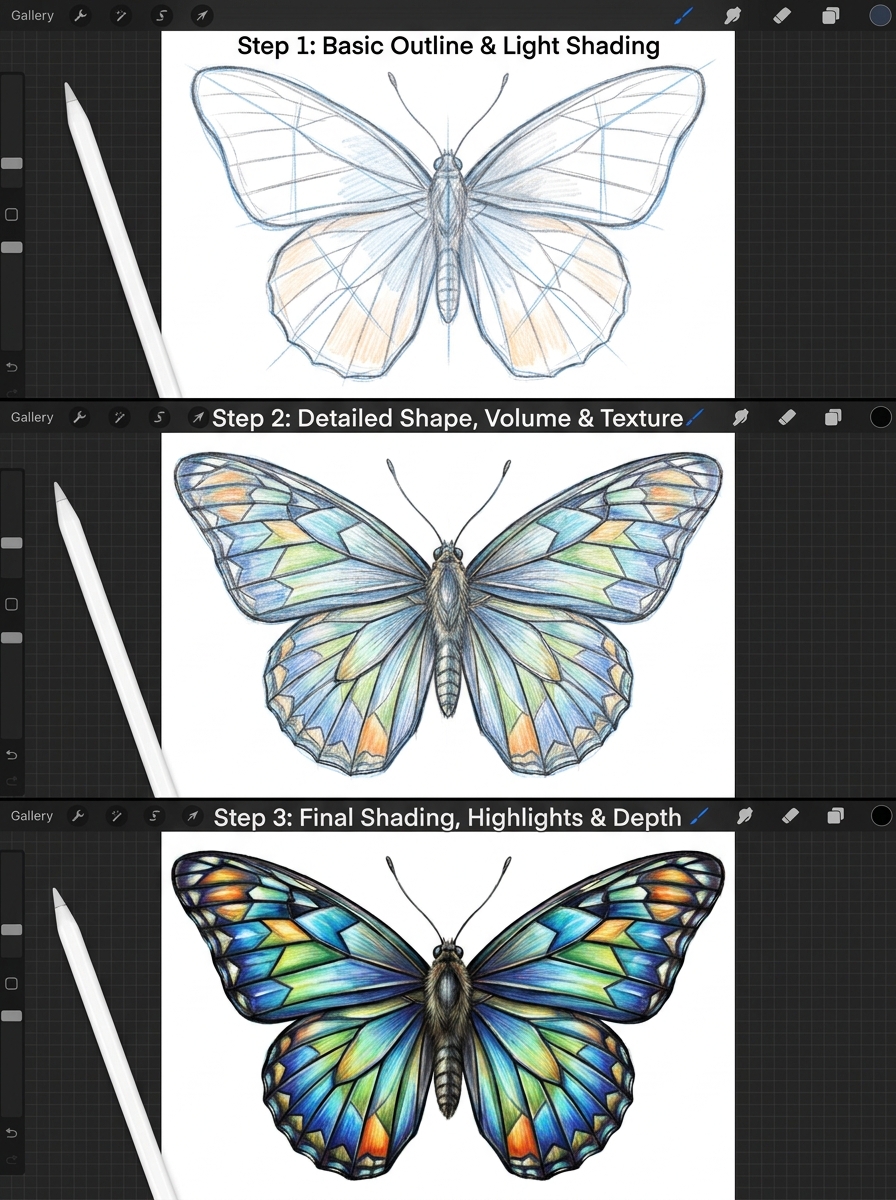
Take a butterfly’s natural symmetry and push it graphic. Use Procreate’s Symmetry Guide (Canvas > Drawing Guide > Symmetry) to draw both wings simultaneously, then fill them with tessellating triangles or concentric shapes in contrasting colors.
12. A Horse Galloping in Slow Motion
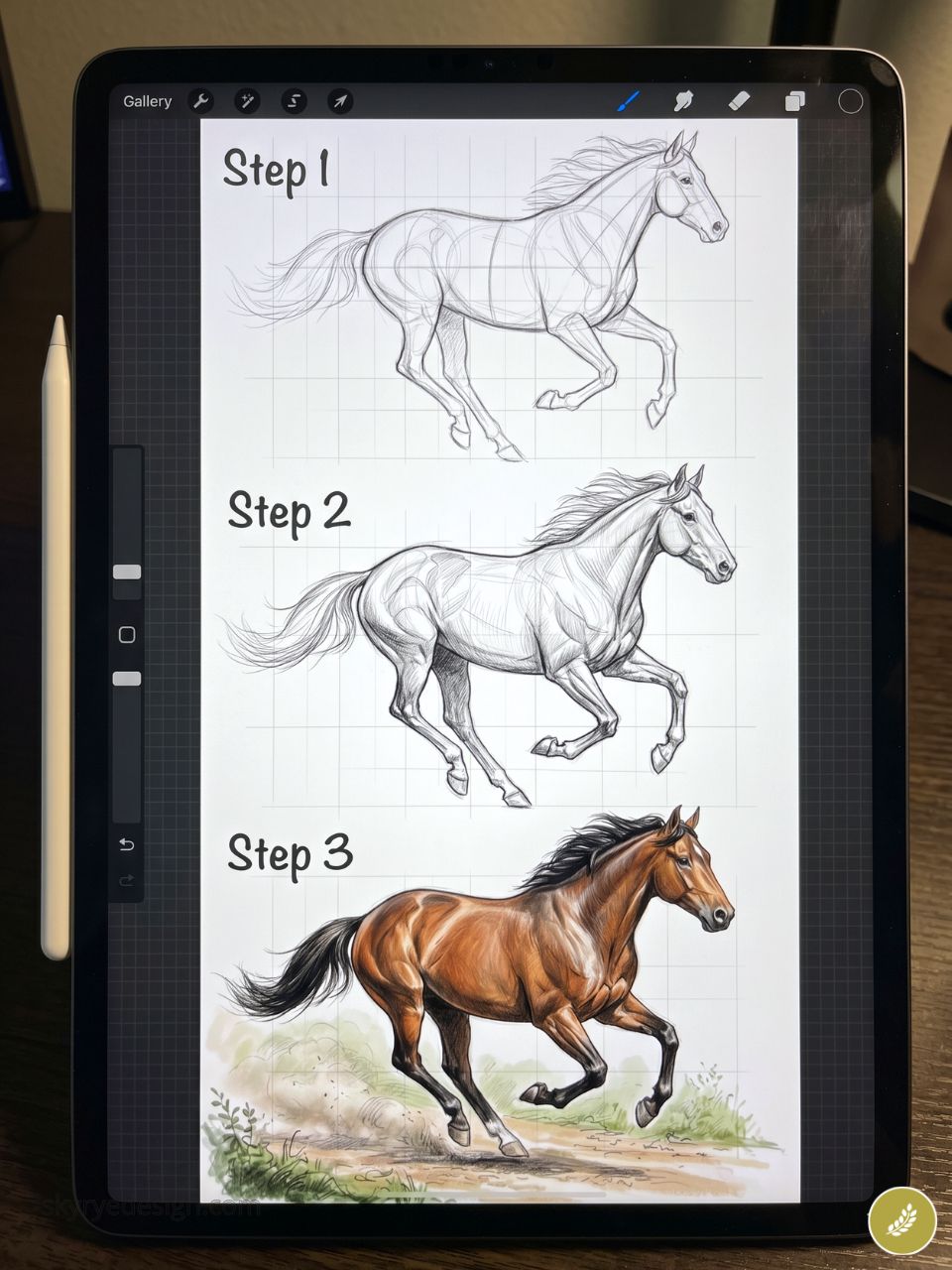
All four hooves off the ground, mane streaming, dust kicked up below. Use the Reference window (Canvas > Reference) with a high-speed photography image open. The challenge is making a static image feel kinetic — line direction and implied ground blur carry most of the visual energy.
13. A Raven Perched on a Skull
A classic high-contrast pairing. Keep the palette to three colors maximum: black, bone white, and one deep accent. Graphic and readable at small sizes — ideal for print-on-demand merchandise design, stickers, or apparel.
14. A Snail in a Rainstorm
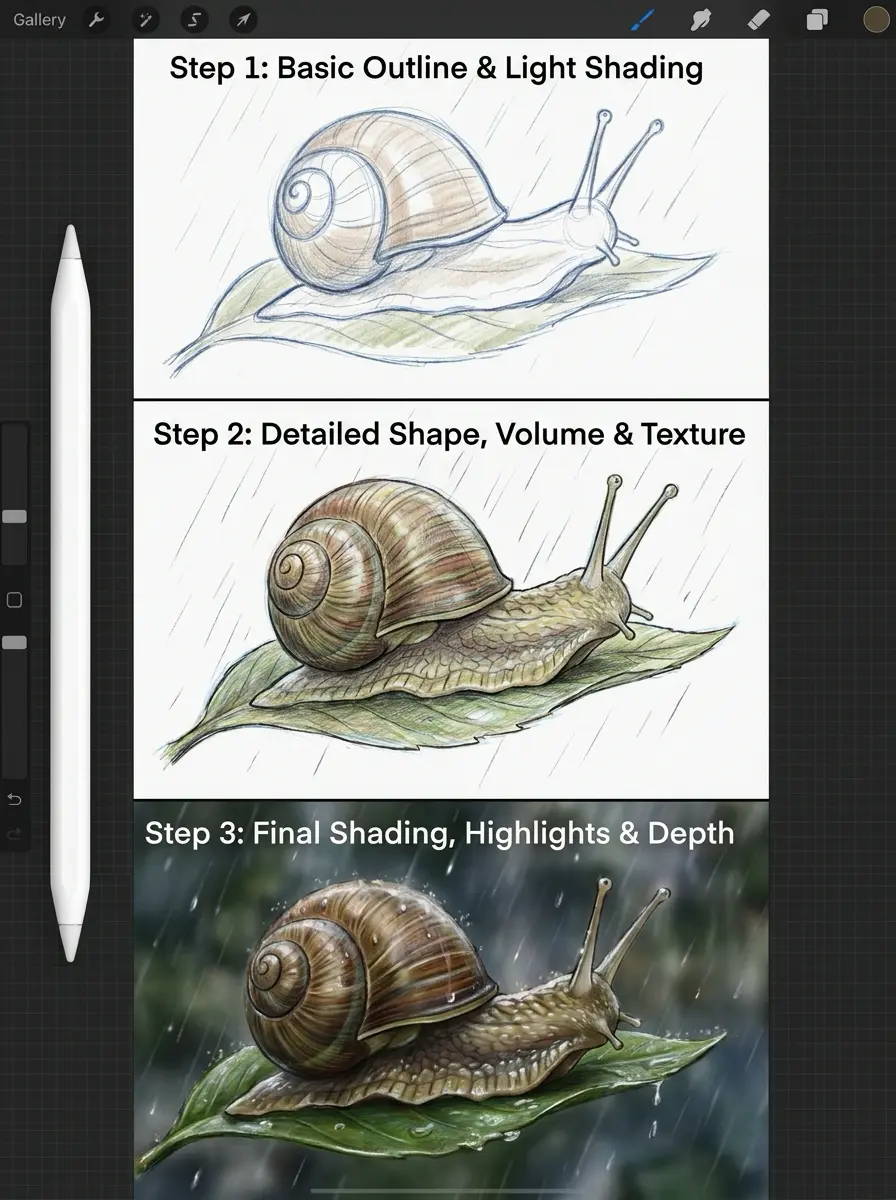
Scale mismatch is the concept: a tiny snail with a raindrop the size of its shell about to land beside it, or its leaf as a makeshift umbrella. Procreate’s Wet Watercolor brush handles the wet-look surfaces with exactly the right translucency.
15. A Whale Breaching at Sunset
Work with a limited palette: burnt orange, salmon, and deep blue-purple. The whale silhouette in the foreground should sit one full value darker than the sky to read clearly at any size.
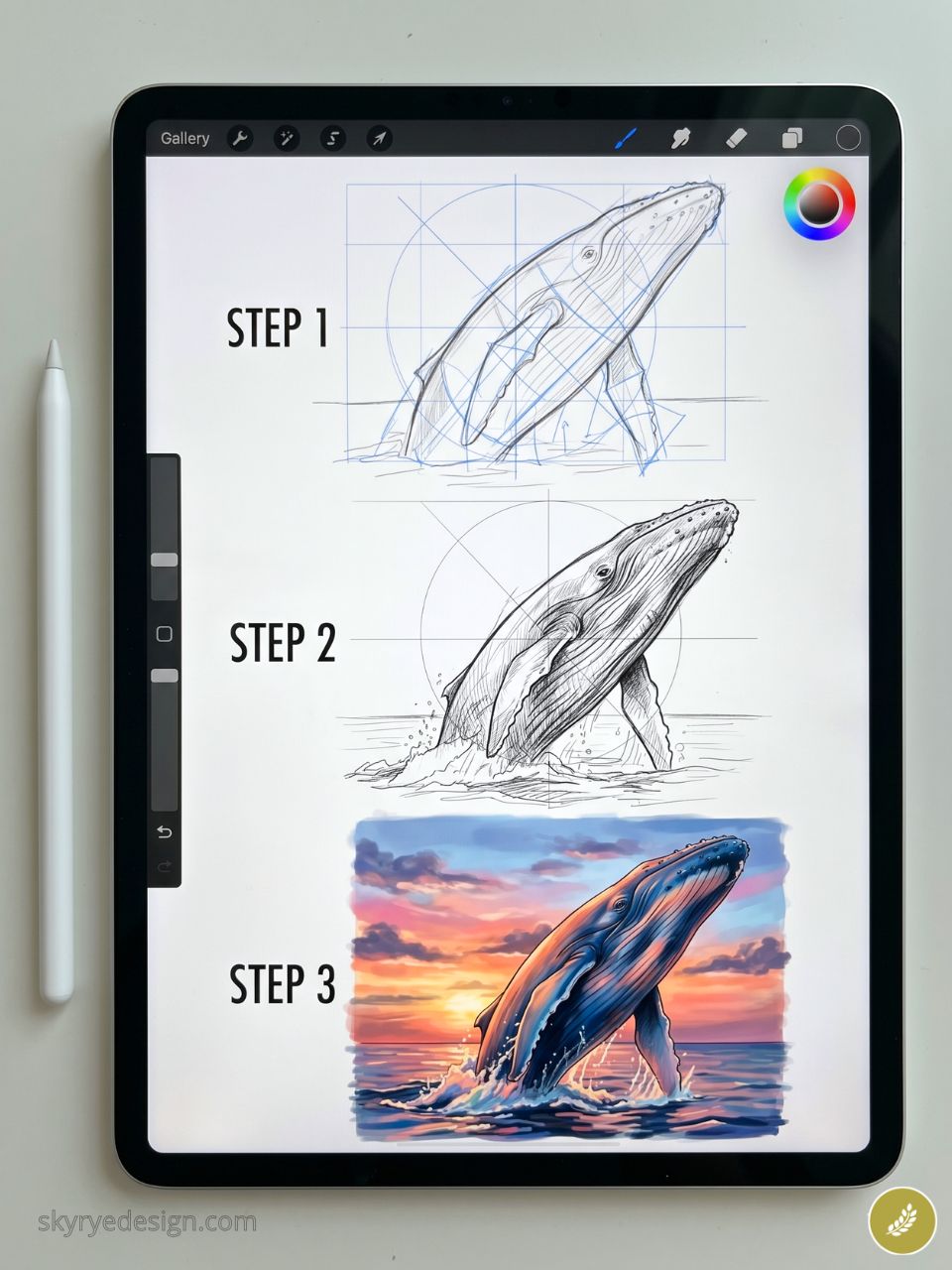
Mist and water spray from the impact point extend the composition into the corners.
🎨 MASTER THIS TECHNIQUE FOR FREE
Reading about drawing ideas is one thing. Watching a professional render them in Procreate in real time is another. Sky Rye Design readers get a 1-Month Free Trial of Skillshare Premium through our exclusive link.
Use promo code AFF30D25 at checkout. Once inside, search for:
- “Procreate illustration ideas for beginners”
- “Character design Procreate from scratch”
👉 [1-Month Free Trial of Skillshare Premium]
Nature & Botanicals (16–28)
Botanical illustration has driven consistent search growth since 2023, fueled by a broader appetite for natural, slow aesthetics — and for Procreate artists, plants are ideal subjects. They hold still, reward close observation, and look finished at any level of rendering. These ideas work equally well as 30-minute color studies or detailed portfolio-grade pieces.
If you’re building a Procreate sketchbook practice around nature, start here.
16. A Succulent from Bird’s-Eye View
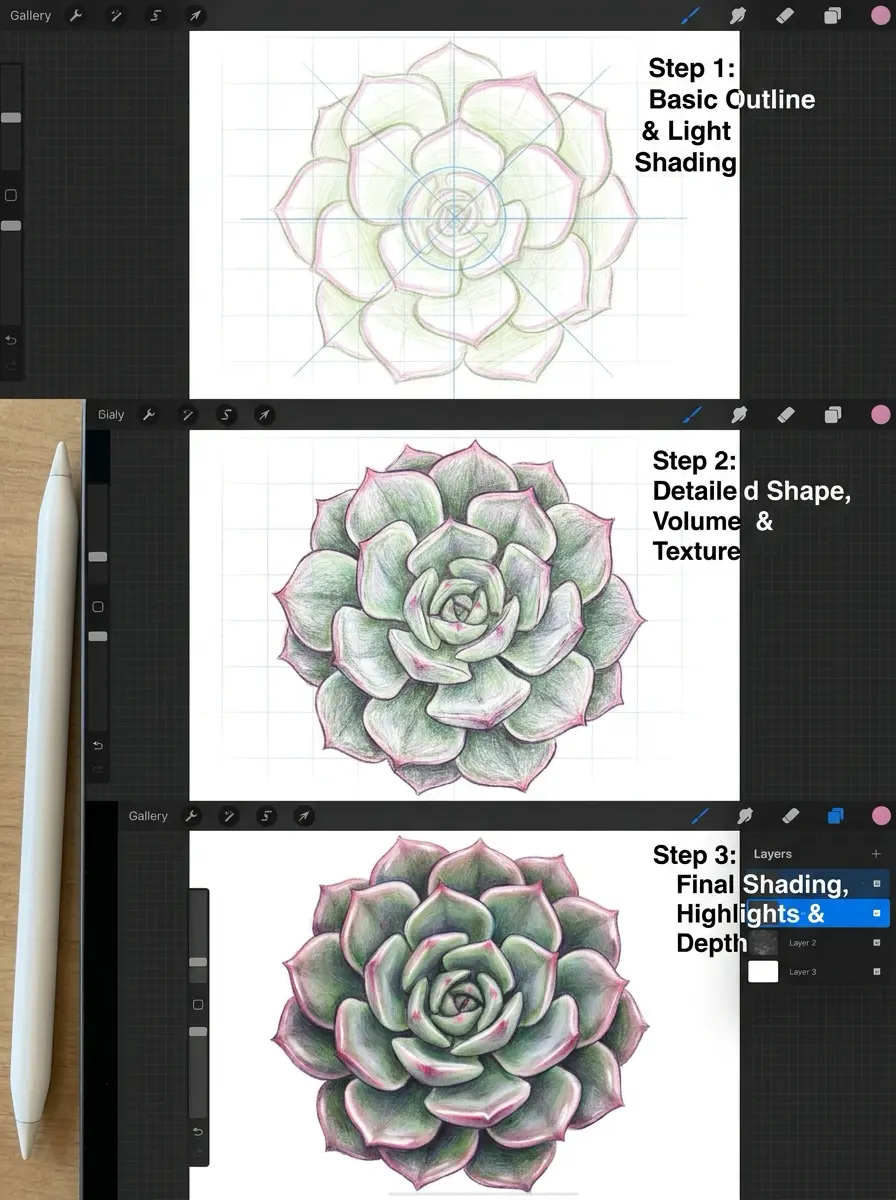
Viewed directly from above, succulents are geometric spirals — a natural mandala. Start with a small central circle, then work outward with overlapping teardrop shapes in each ring. Use Color Drop fill for flat base tones, then apply gradient overlays on clipped layers.
17. Cherry Blossoms on a Dark Background
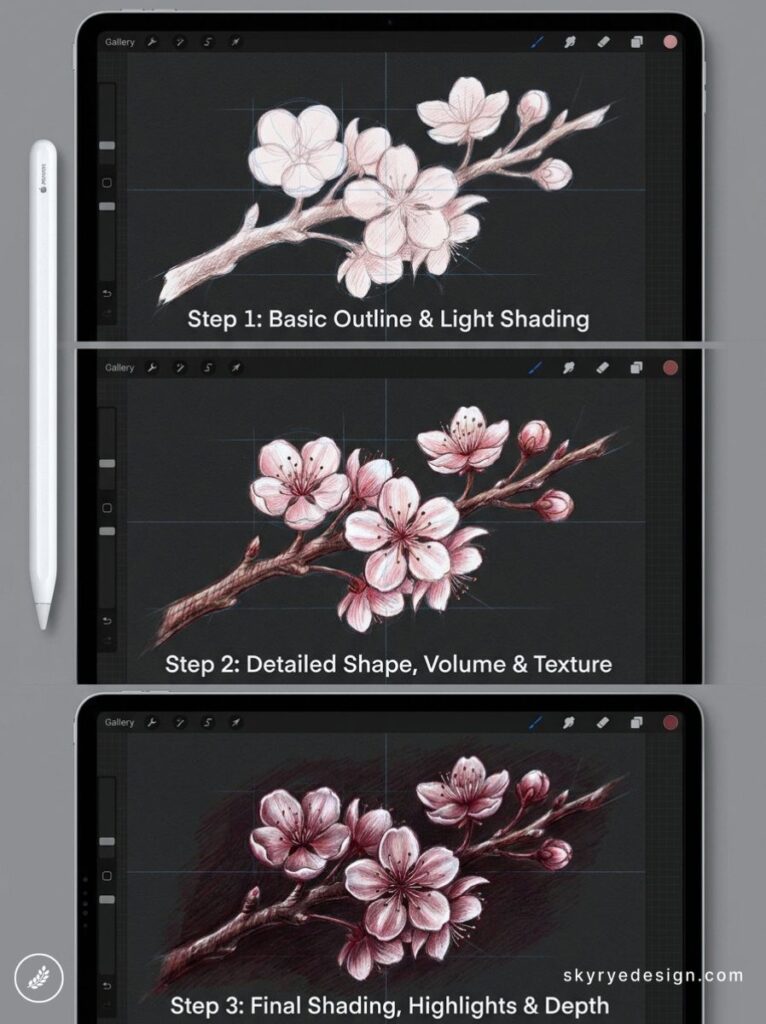
Reverse the expected: dark canvas, pale pink blooms. Start black, paint the branch in warm brown with the Inking > Studio Pen brush, then add flower clusters using a custom petal stamp brush. Petals falling across the composition break the symmetry and add movement.
18. A Mushroom in a Misty Forest Floor
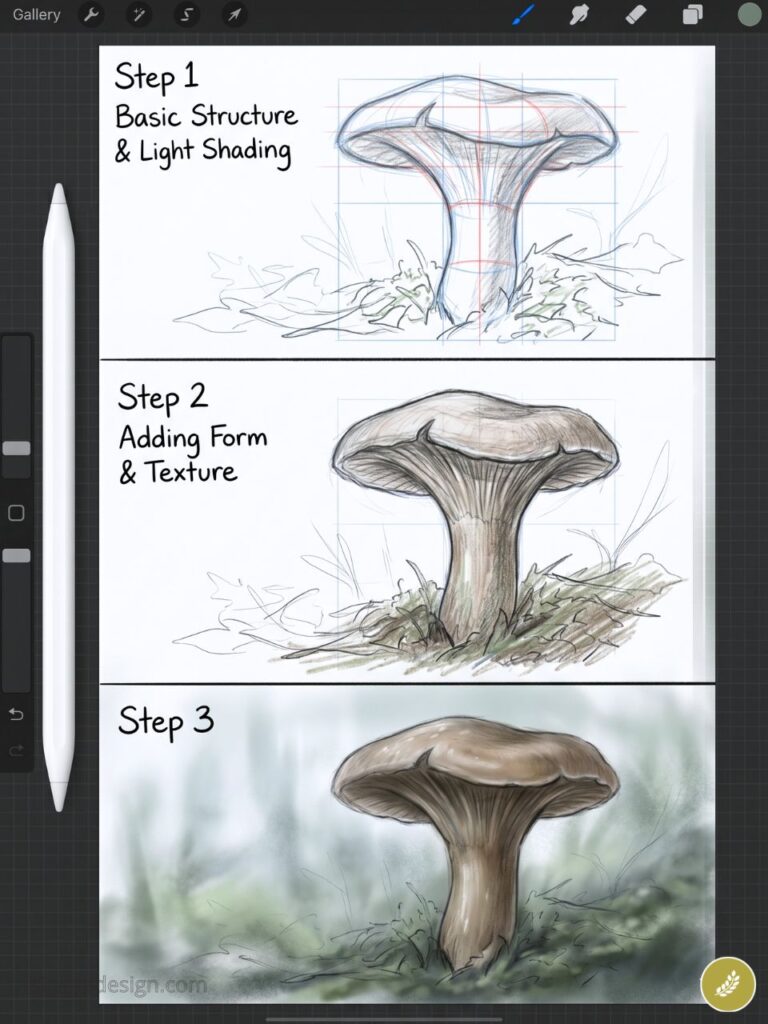
The forest floor is a texture exercise: fallen leaves, visible roots, patches of moss rendered with the Bonobo Chalk brush at low opacity. Sit the mushroom at the center as the sharp focal point, with everything around it softening into atmospheric blur.
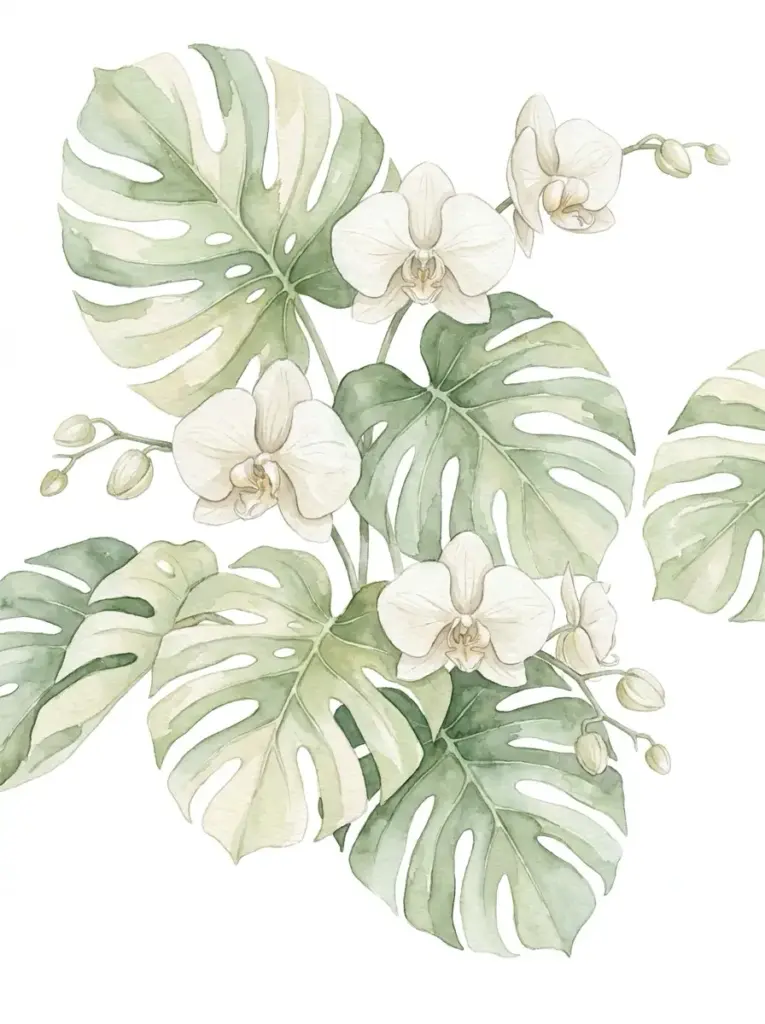
19. A Tropical Monstera Leaf
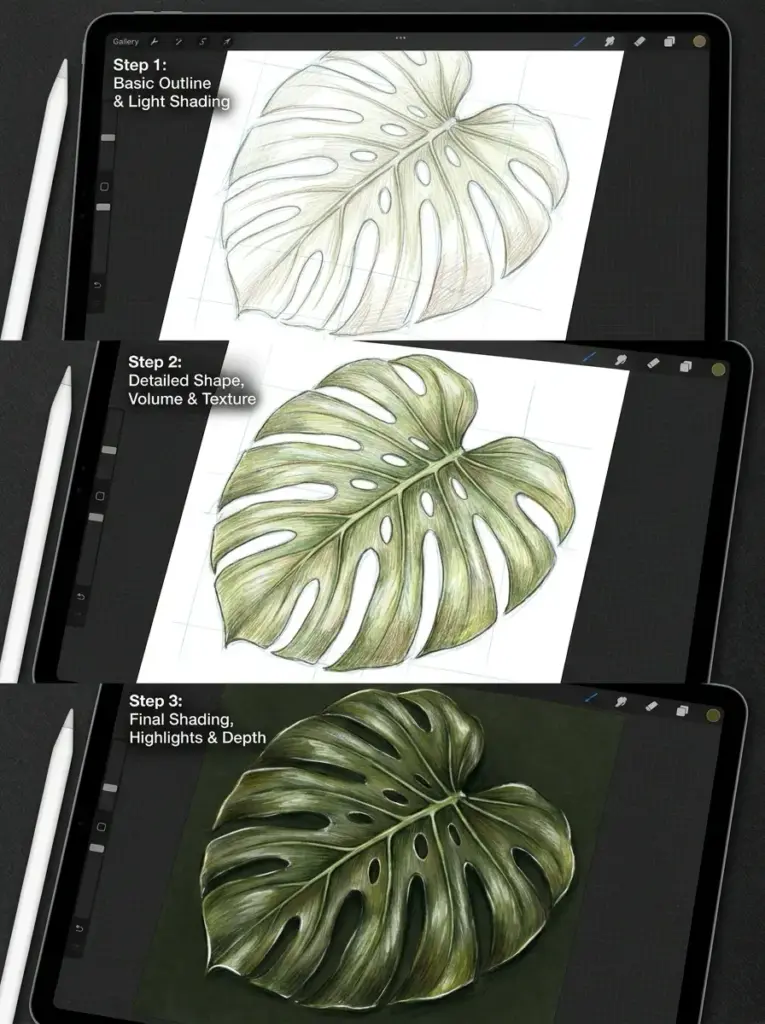
The split and hole patterns are naturally graphic — the contrast between solid leaf and white negative space works at any canvas size. Draw the outer shape first, then cut the characteristic splits using a hard eraser on a locked layer. Clean and commercially strong.
20. A Cactus in a Terracotta Pot
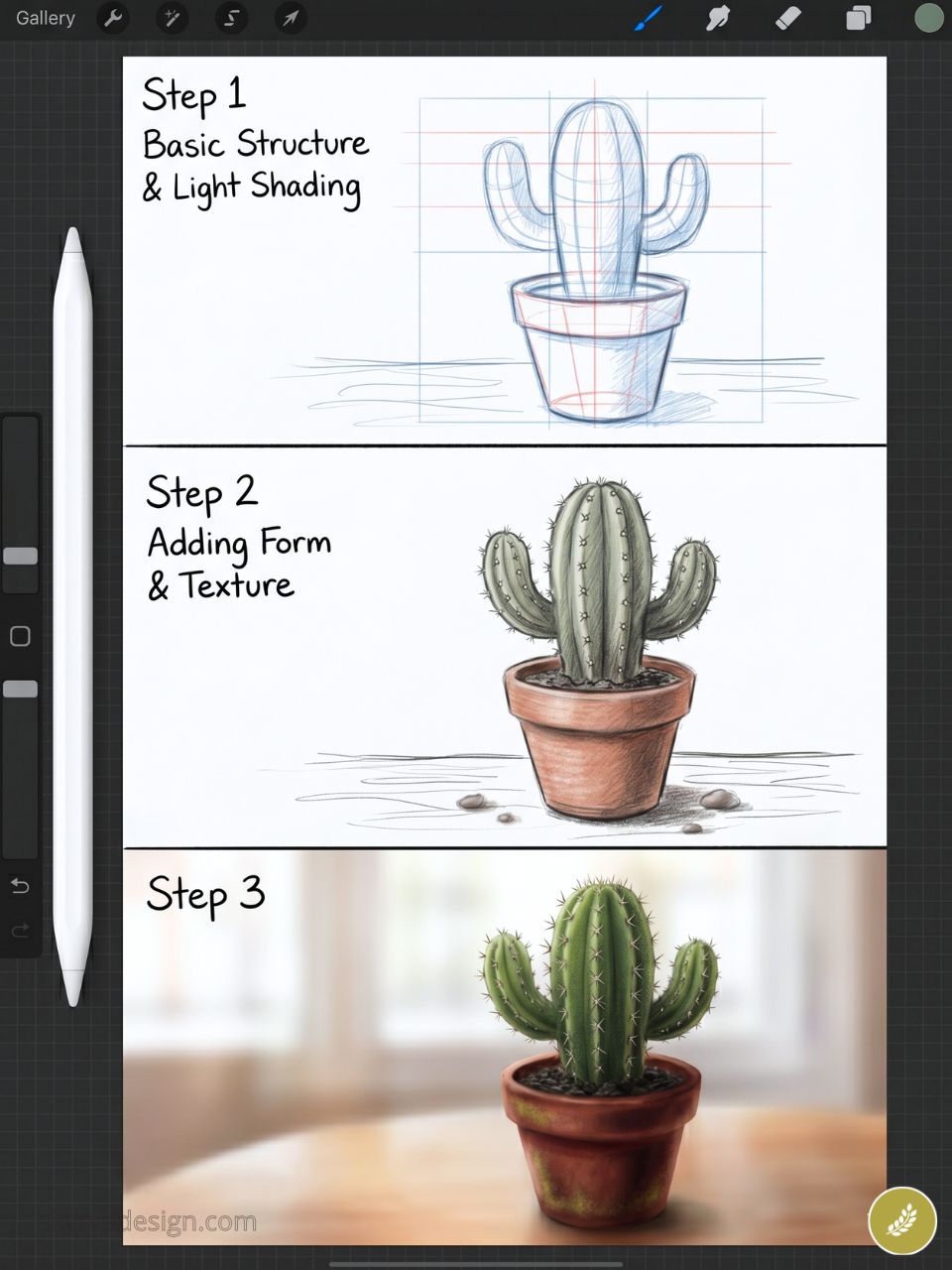
Textures in contrast: the rough ribbed cactus surface against smooth matte terracotta. Light from one side as a tabletop still life. Add a single flower blooming from the top — one accent color transforms the whole read.
21. A Dandelion Going to Seed
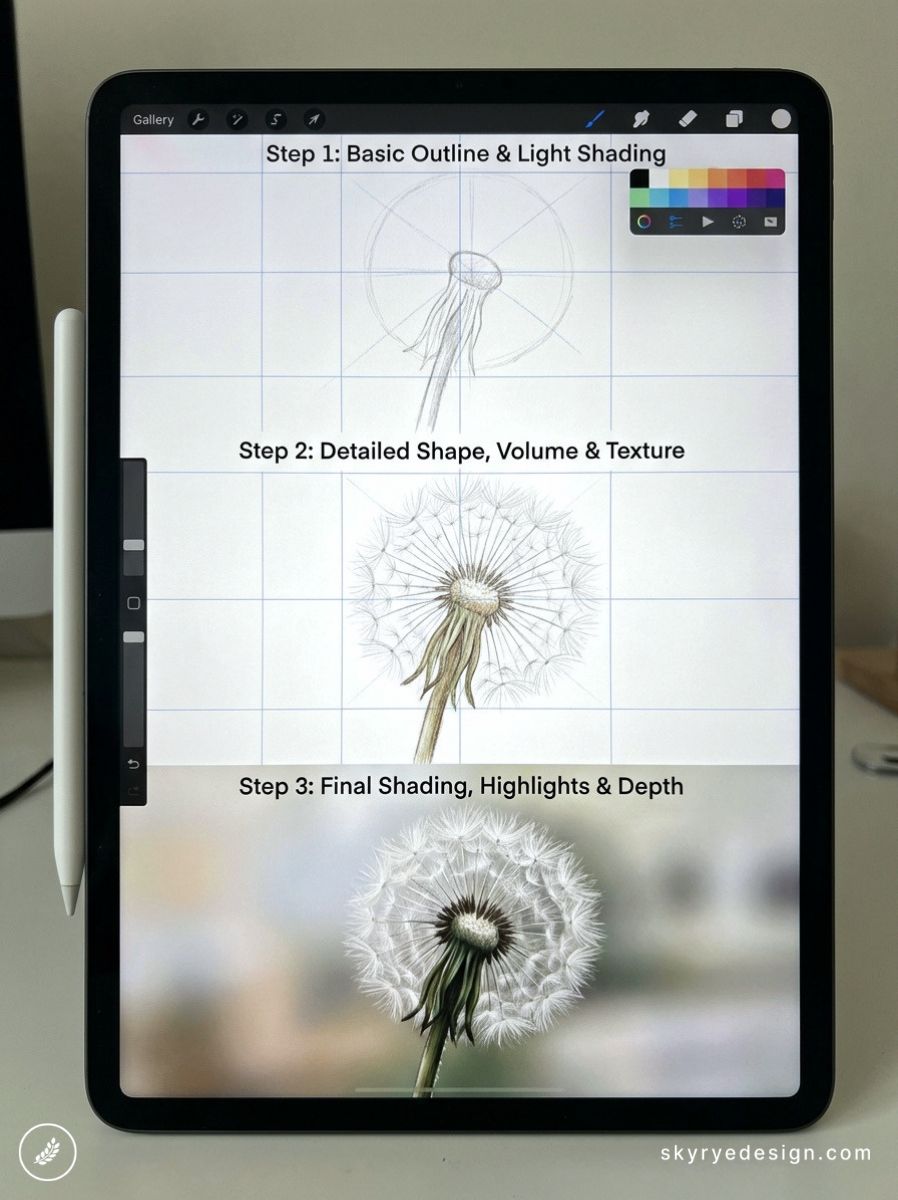
Each seed head is a sphere of radiating feathery lines built with a thin Calligraphy brush. Draw a few seeds lifted away by an implied breeze. The circular composition with radiating outward lines creates the eye movement that makes this format perform so reliably on Pinterest.
22. Pine Cones and Autumn Berries
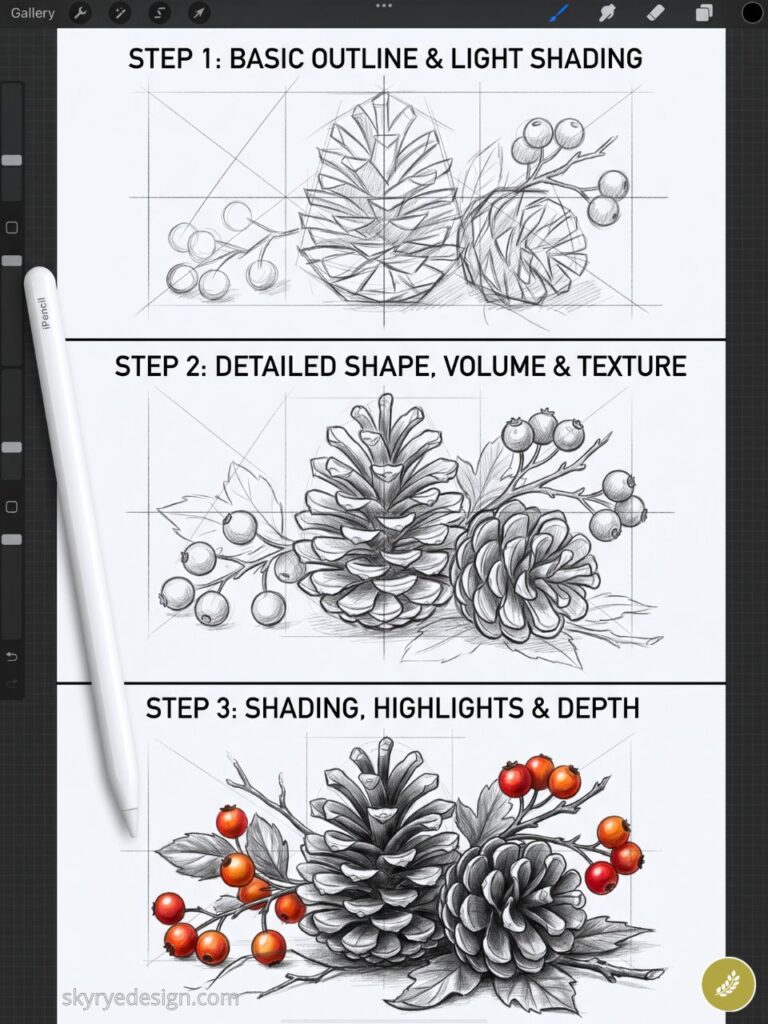
A seasonal still life combining opposing textures: geometric pine cone scales, smooth berry spheres, and dried connecting stems. Warm browns and deep reds photograph well for seasonal content calendars — a practical reason to have it in your portfolio.
23. A Single Rose in Full Bloom
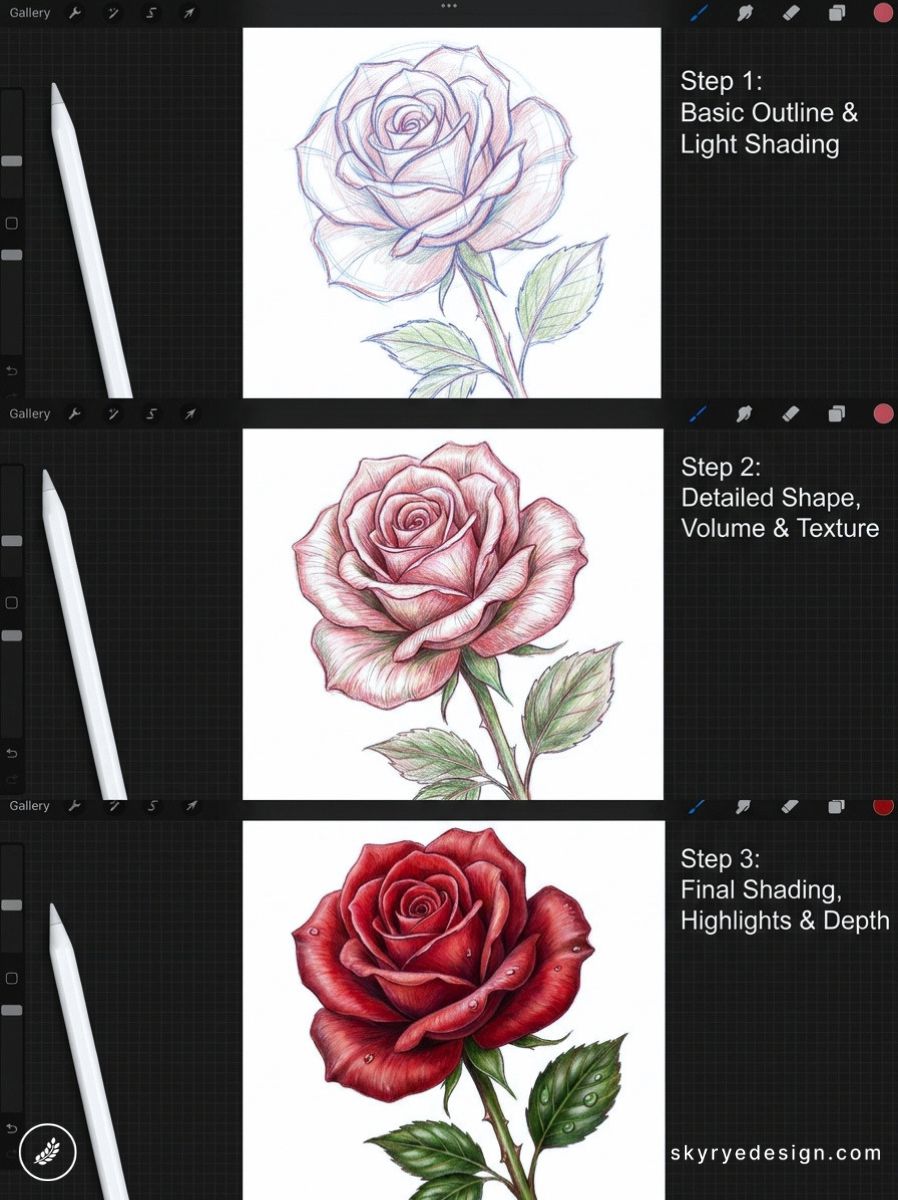
Start with the innermost petals curling tightly, then work outward as they open fully. Use Clipping Masks to shade each petal independently without affecting neighboring layers. Budget 2–3 hours. This teaches more about light and form than most dedicated tutorials will.
24. Wisteria Hanging from an Arch
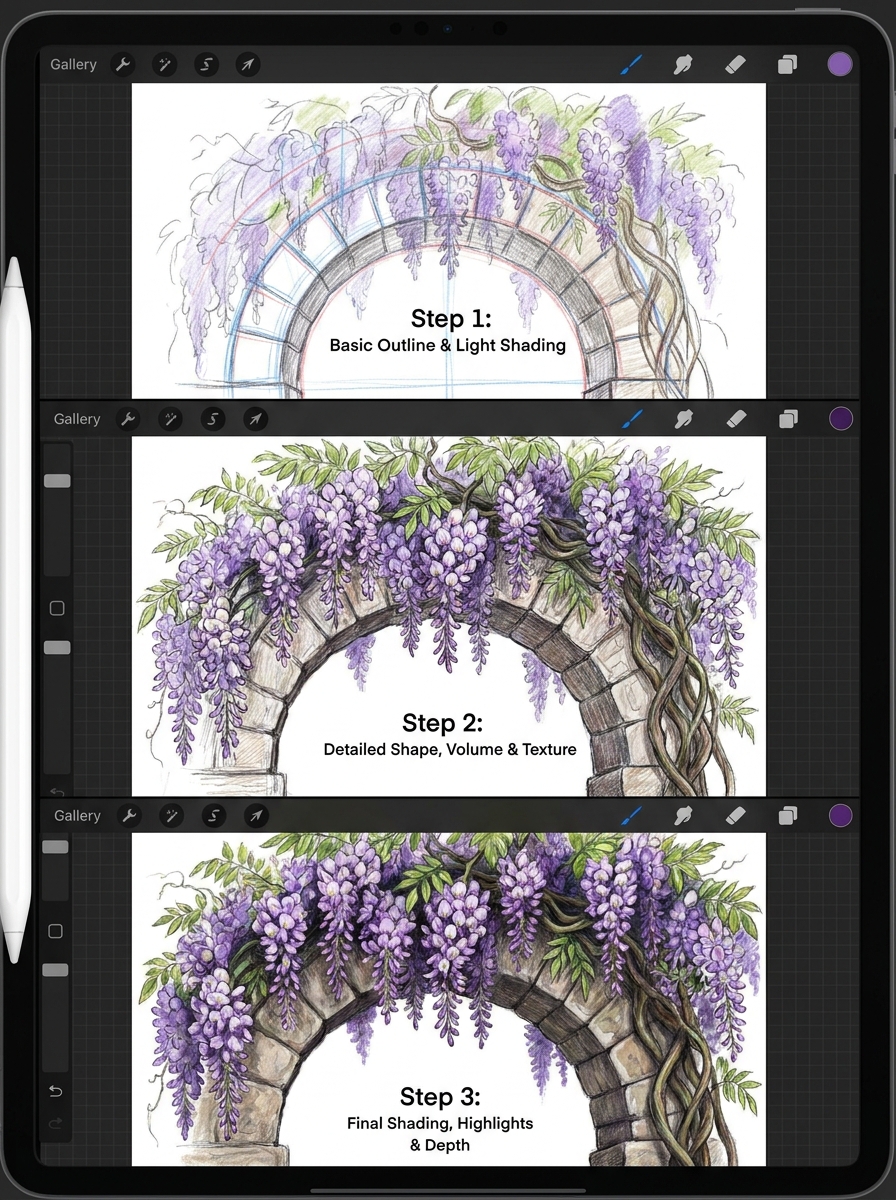
Long cascading clusters of purple-blue flowers create natural vertical compositions. Apply the Smudge tool to blur background flower clusters while foreground ones stay crisp — effective depth with minimal layer complexity.
25. A Pumpkin Patch at Harvest
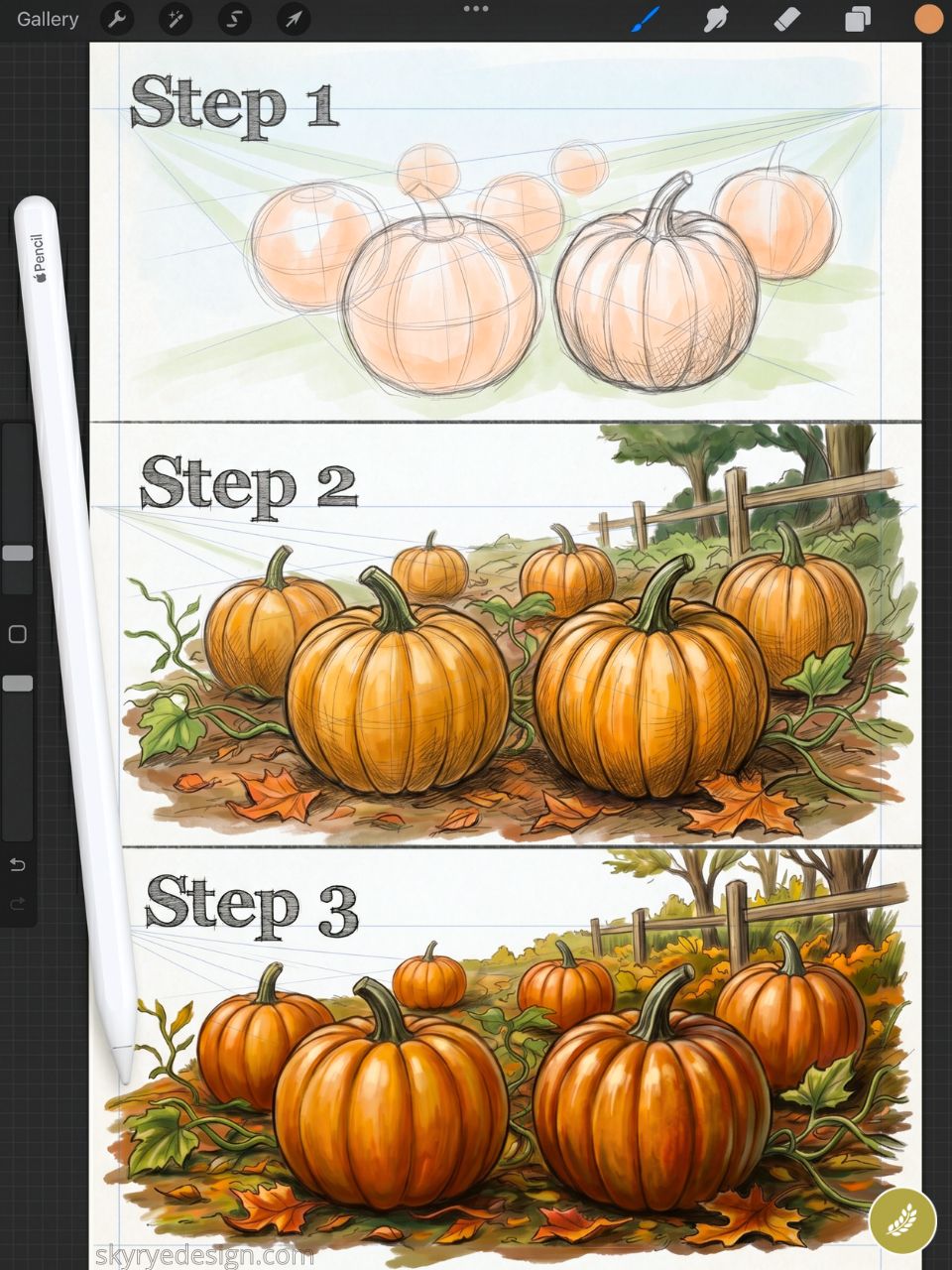
Multiple pumpkins of different sizes and angles, some vines connecting them, dry leaves scattered around. Warm oranges and deep greens. A seasonal Procreate drawing idea that performs consistently well on Pinterest from September through November.
26. Lotus Flowers on a Misty Lake
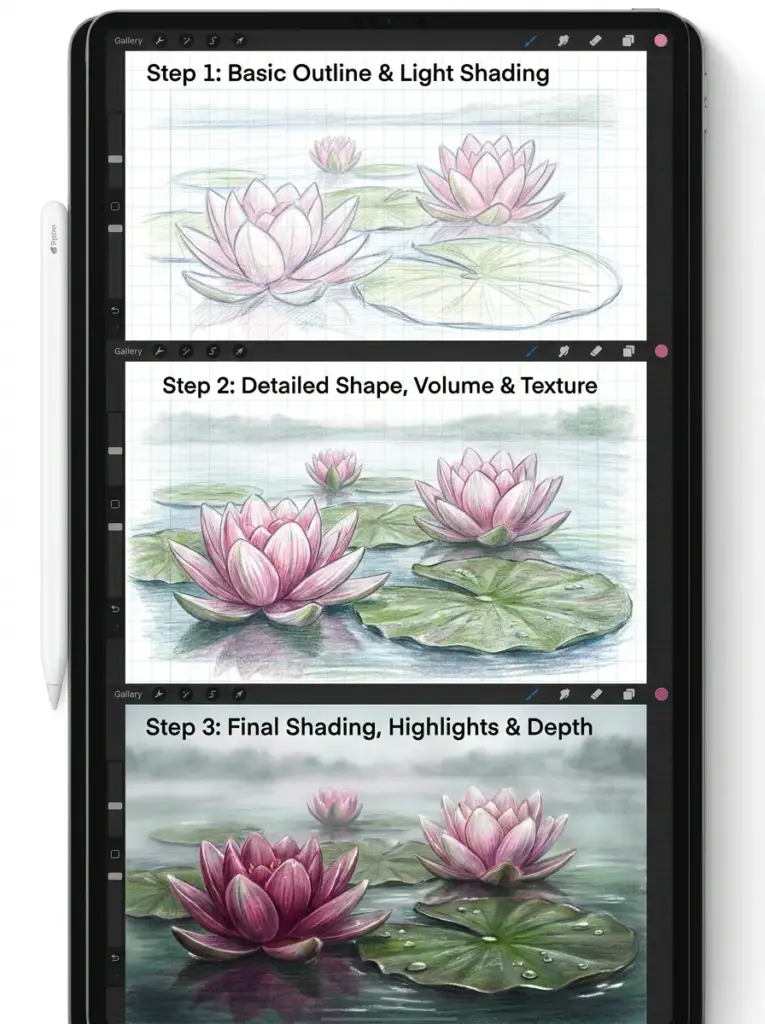
The lotus on calm water with low morning fog creates a meditative composition that resonates across multiple audience demographics. Mirror the reflection below on a new layer, apply Gaussian blur at 8–10px, then smudge horizontally for water movement.
27. A Bouquet of Wildflowers in a Jar
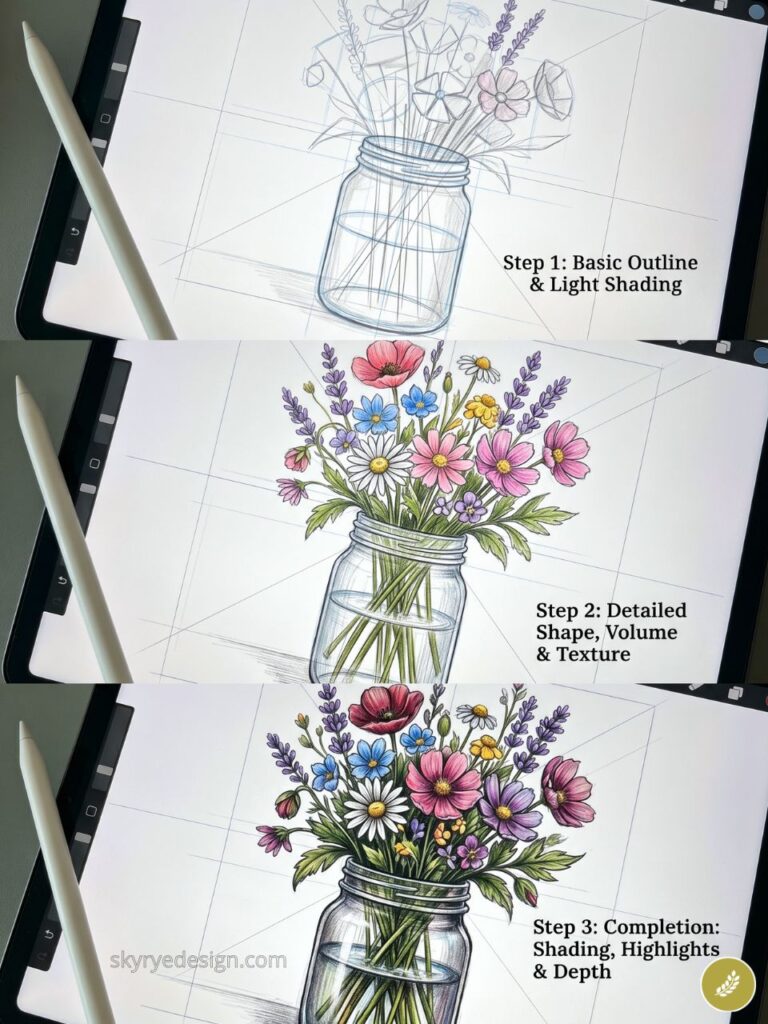
A mason jar with loose wildflowers — daisies, lavender, poppies, wheat stalks — keeps it informal and approachable. The key is overlapping stems at varying depths and making the glass convincingly transparent with Multiply-blended cool shadow tones.
28. A Single Leaf with Detailed Veining
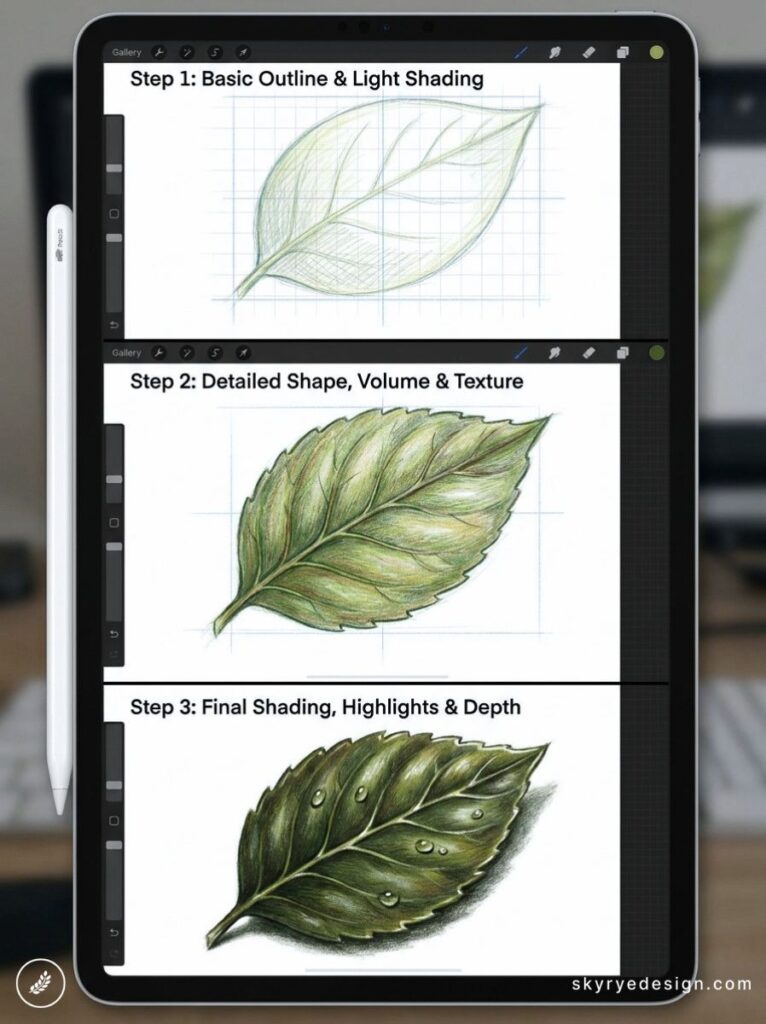
Fill the entire canvas with one leaf from any plant near you. Map the main vein, the secondary veins, the finer tertiary network using the Technical Pen at 2–3px. Add spots, torn edges, insect damage. Imperfection makes it honest.
Food & Still Life (29–40)
Food illustration is one of the most commercially durable niches in digital art. Prints, stickers, menu design, packaging — rendered food travels far commercially. The subjects are close, familiar, and loaded with textural variety. A well-executed ramen bowl teaches more about light and transparency than a month of generic technique tutorials.
29. A Stack of Pancakes with Syrup
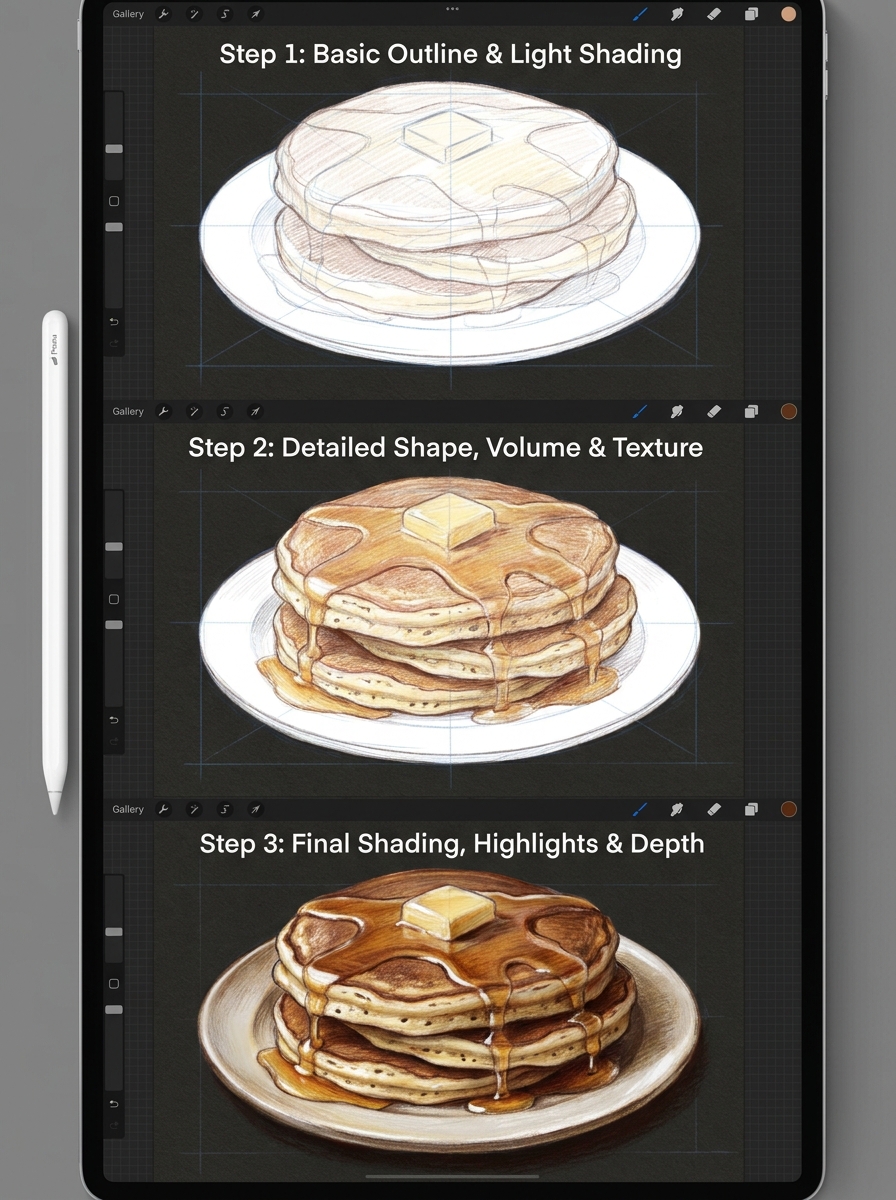
The drip is everything. Build the stack bottom to top, then add the syrup on a separate layer in warm amber using the Gouache brush for its semi-opaque, paint-like quality. The drip physics — faster at the source, pooling at the base — separates a strong food illustration from a forgettable one.
30. A Bowl of Ramen
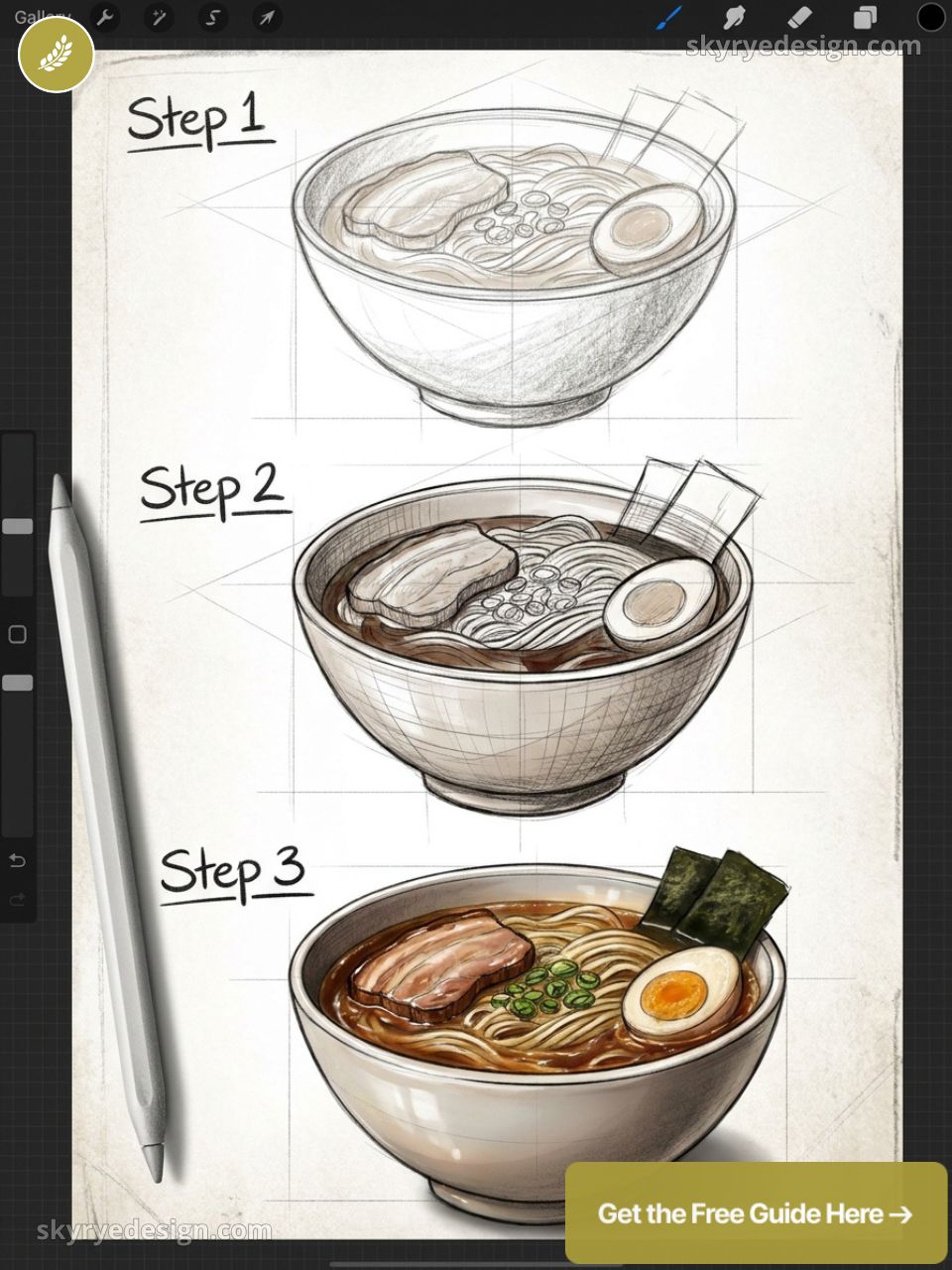
The challenge is the broth surface: glistening, reflecting the toppings above it, with oil droplets breaking the surface tension. Add steam as soft light grey wisps on a top layer in Screen blend mode, fading upward at 10–20% opacity.
31. A Sliced Lemon on Marble
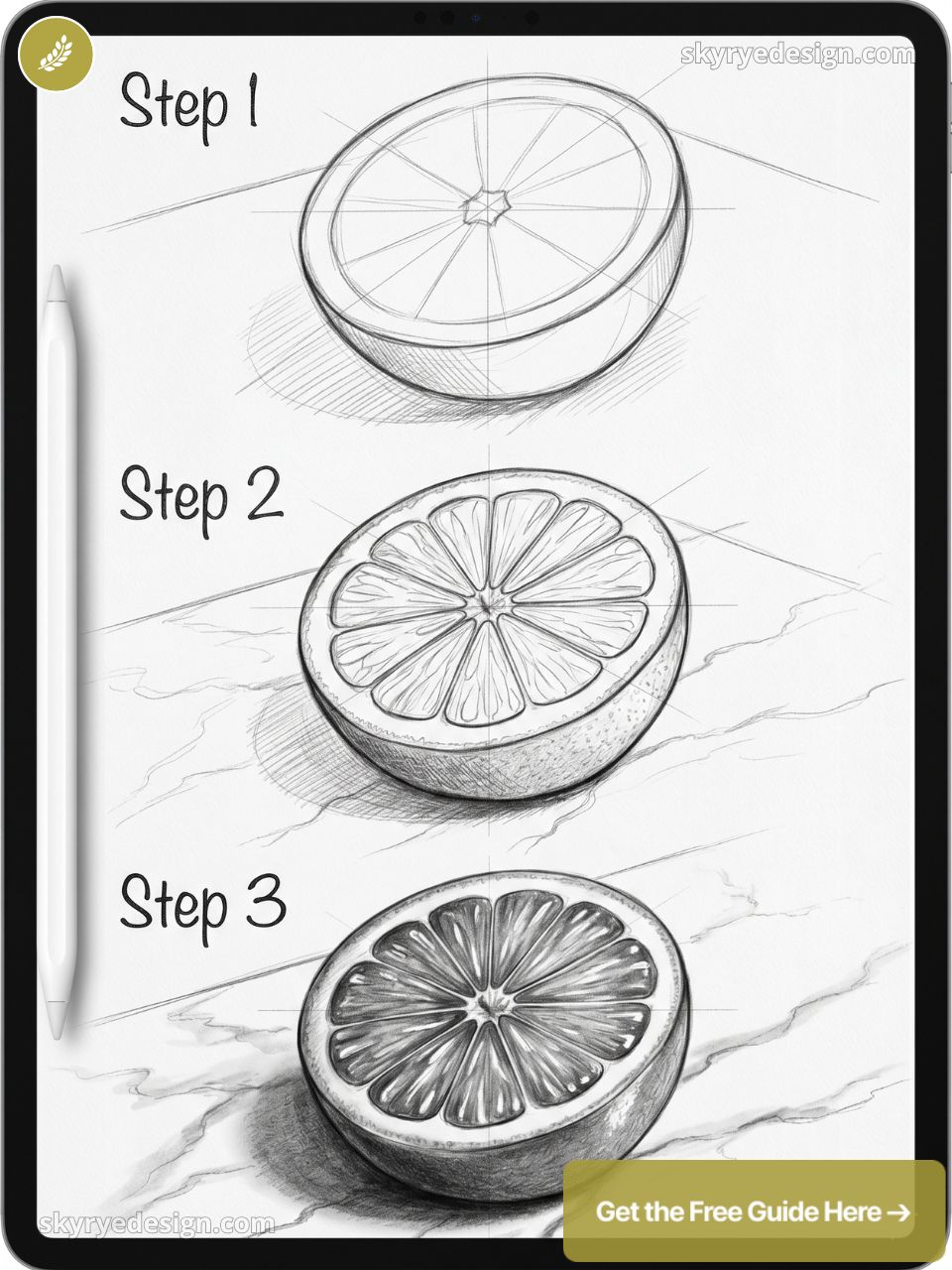
The cross-section of a lemon is a joy of radial symmetry: segments fanning from a white center, pith outlining the whole. On cool grey marble, the yellow pops with no supporting color needed. One of the best quick Procreate drawing ideas on this list — executable in under an hour.
32. A Coffee Setup on a Morning Table
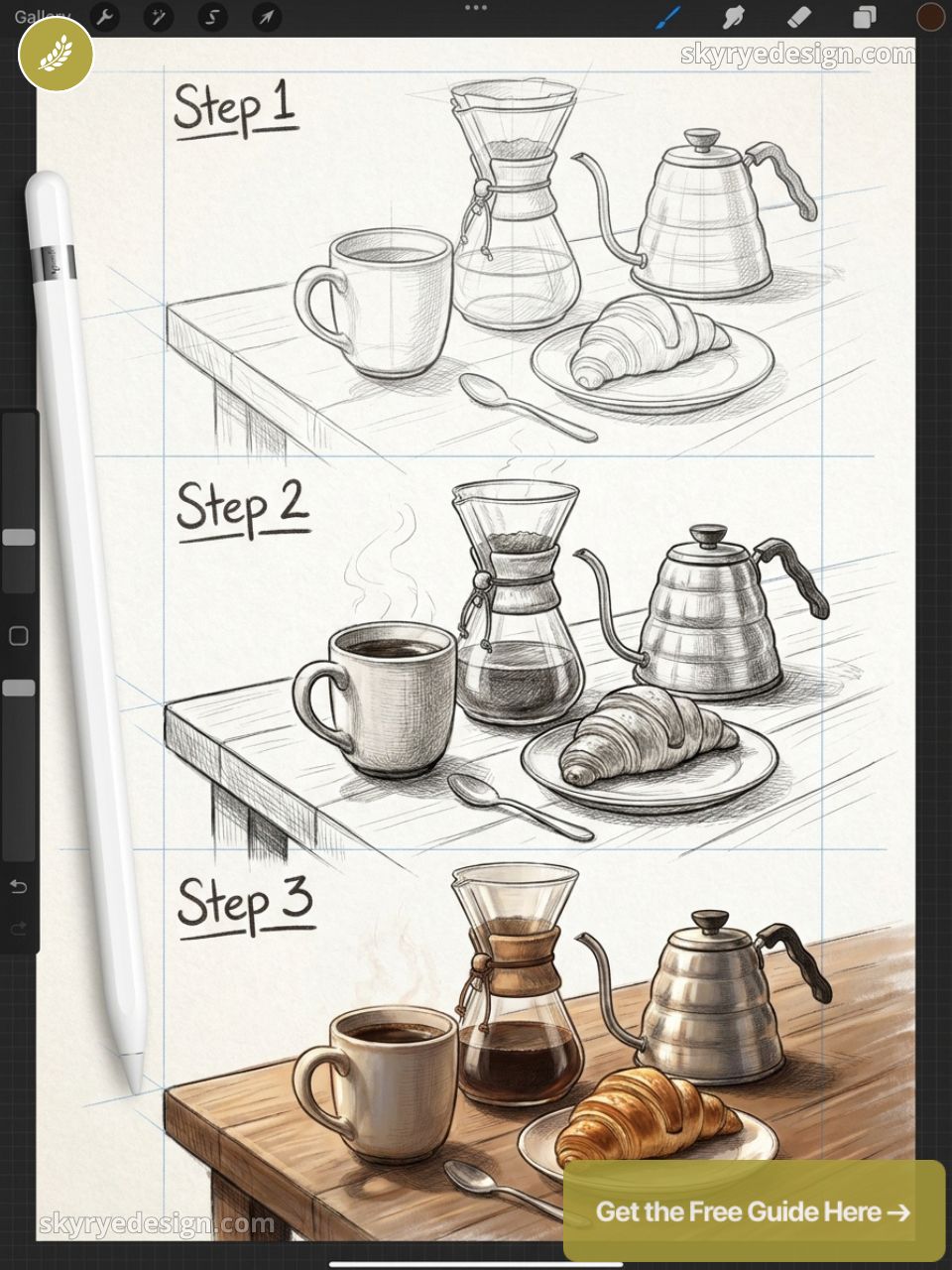
A flat lay: mug, saucer, small plant, book, morning light raking in from the side. The shadows are the composition. Long warm shadows at 45 degrees cross the table surface and connect every object into a cohesive visual.
33. Macarons in a Paper Box
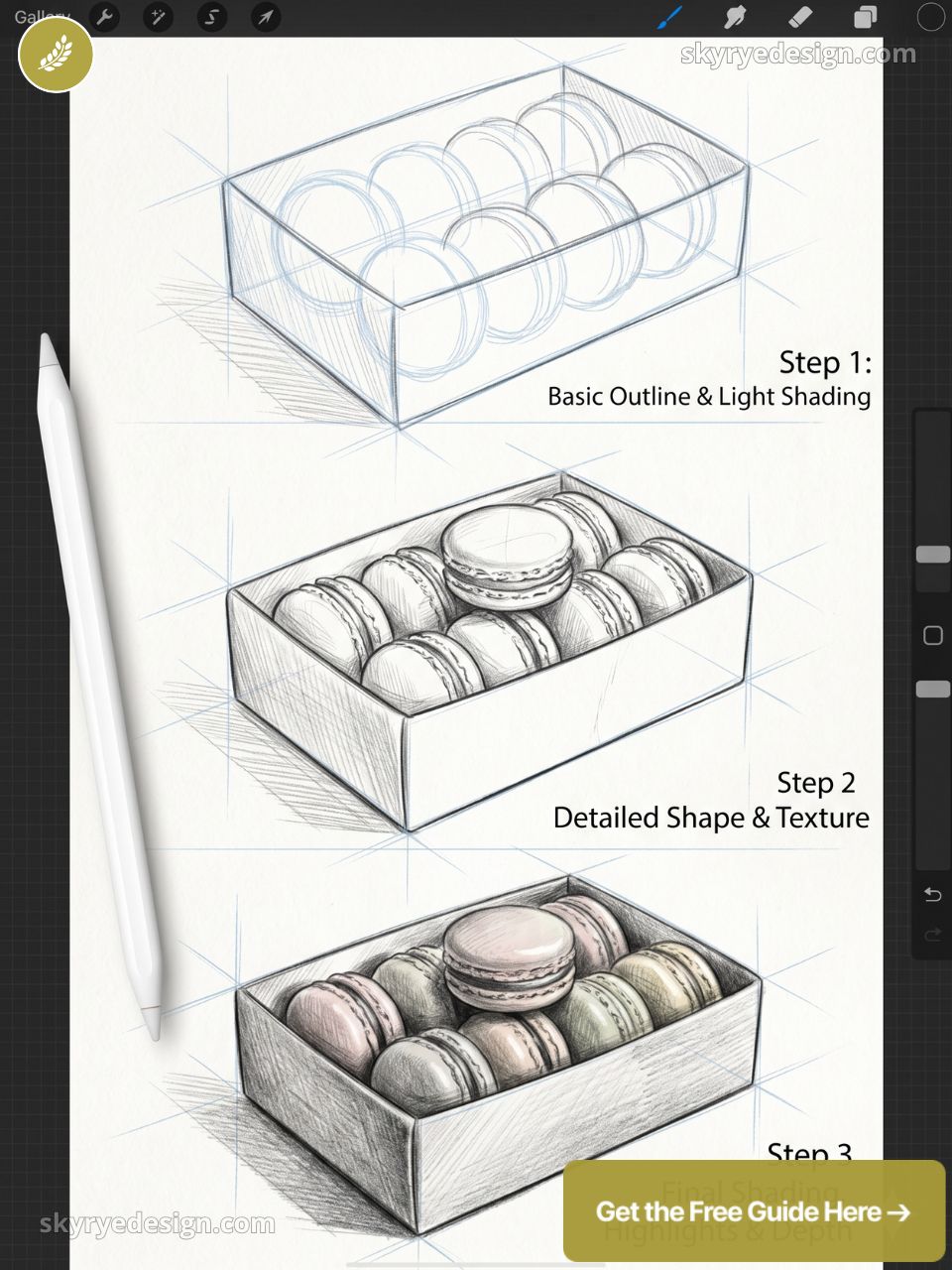
Pastel colors, soft shadows, and the subtle shell texture of a macaron. Draw the box first in one-point perspective, then arrange the macarons inside with a slight tilt. French confectionery illustration has a devoted and commercially active audience.
34. A Croissant with Butter
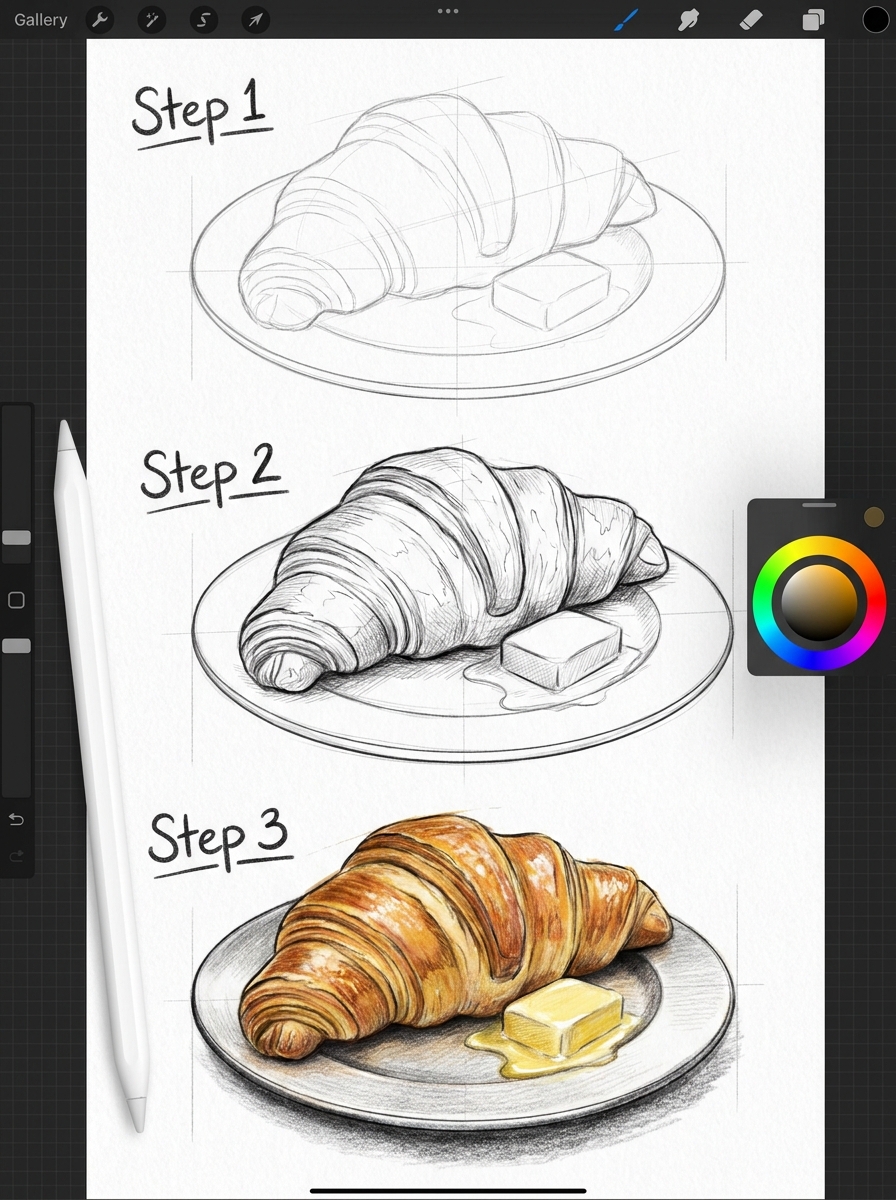
The laminated, flaky layers of a croissant are a texture masterclass — each layer catches light differently at the top and recedes into shadow at the base. Add a butter knife with a curl of melting butter on the cut surface.
35. A Glass of Iced Matcha Latte
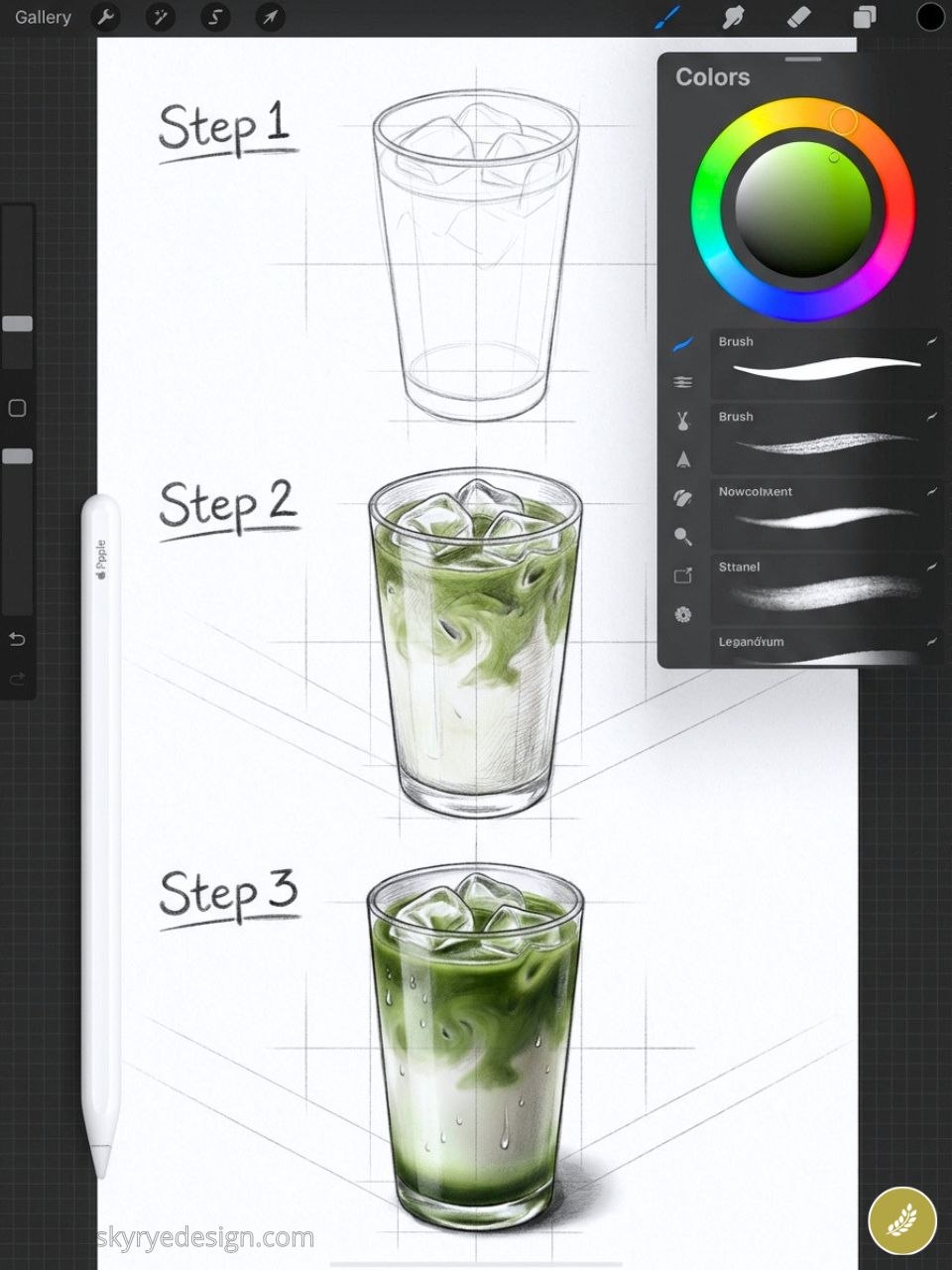
The layered green and white of a matcha latte through clear glass, condensation droplets on the outside, ice visible inside. A transparency exercise that teaches genuinely transferable skills for drawing any glass vessel.
36. A Strawberry Cut in Half
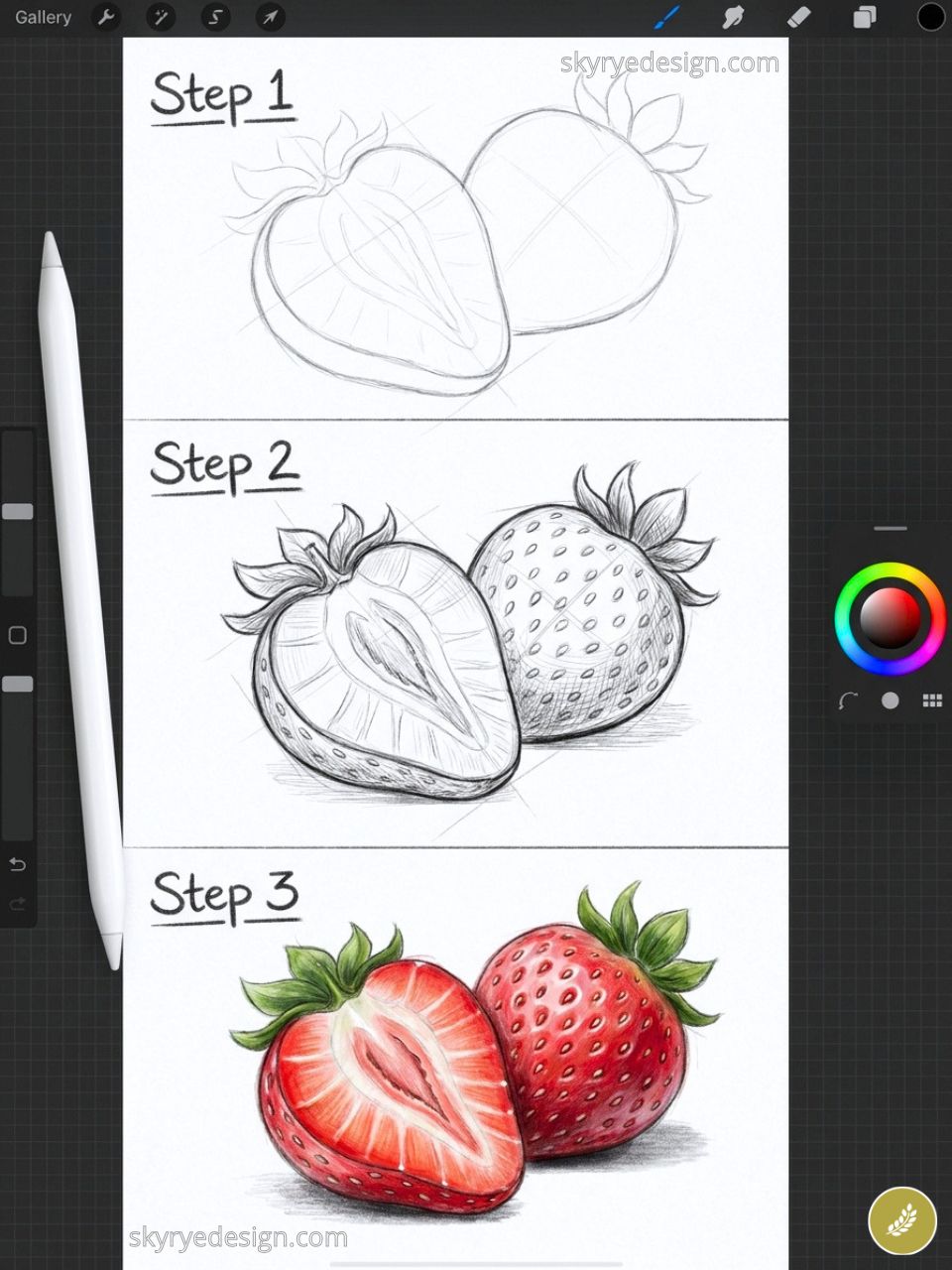
The interior shows a white center surrounded by red flesh with seed pockets radiating outward. The seeds are the detail that makes this convincing. Draw the outer silhouette last — the cut face is the entire subject.
37. A Lit Candle with Wax Drips
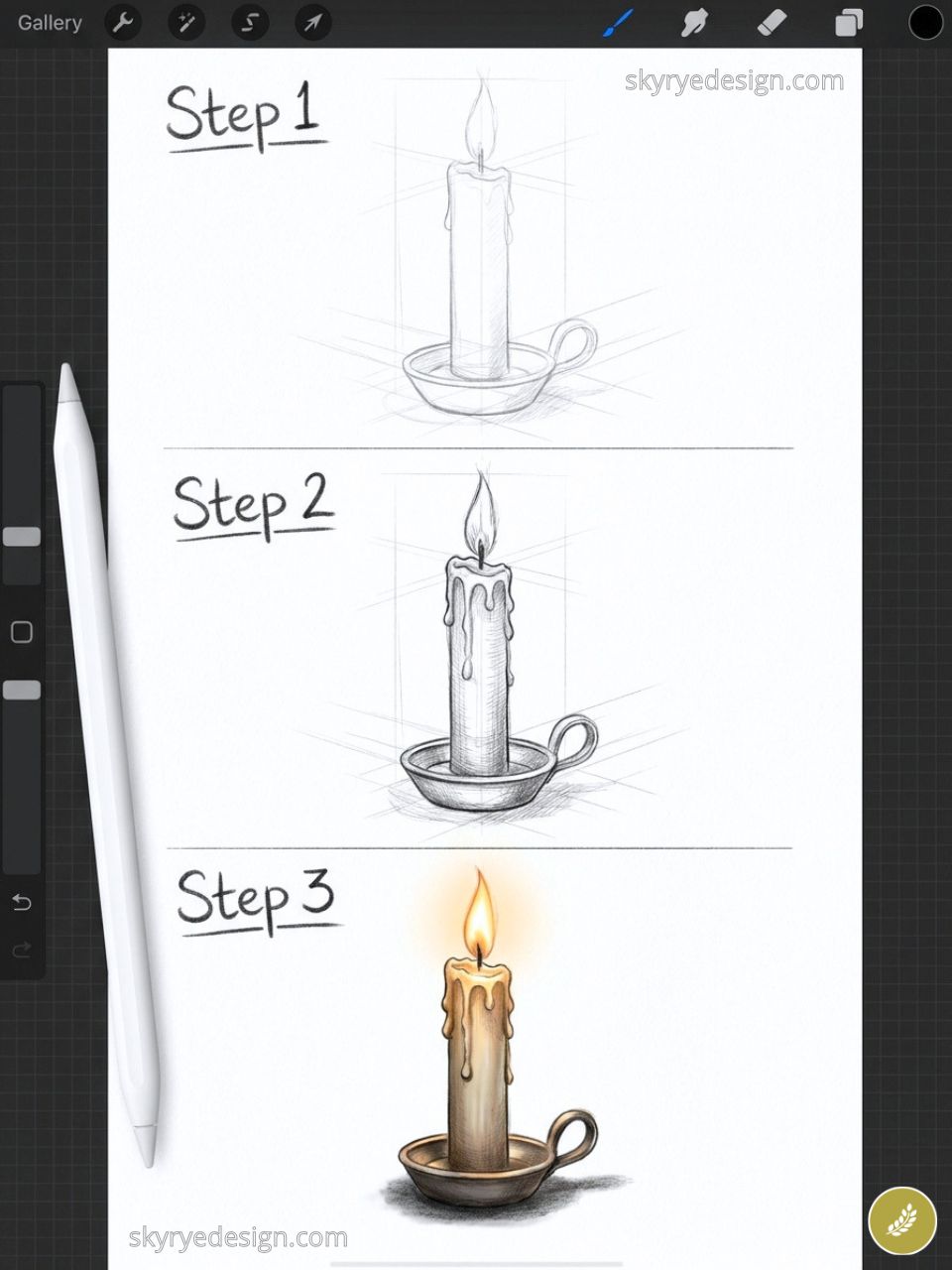
The asymmetry of a well-used candle: uneven wax pool, hardened drips down one side, flame tilted by air movement. The warm orange-yellow glow on surrounding surfaces rewards a black canvas and Luminance brush layering.
38. A Wooden Cutting Board with Fruit
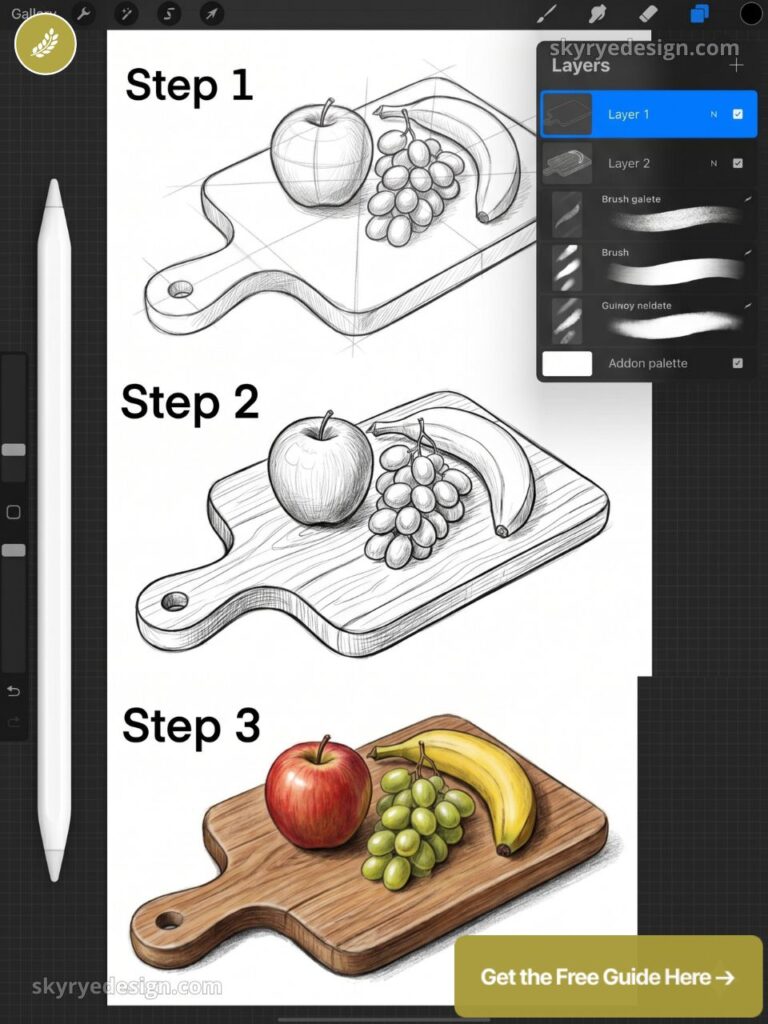
Irregular shapes on a regular rectangular surface creates natural visual balance. Half a watermelon, two figs, a sprig of fresh herbs, all lit from above with one strong cast shadow below each object.
39. A Honey Jar with a Wooden Dipper
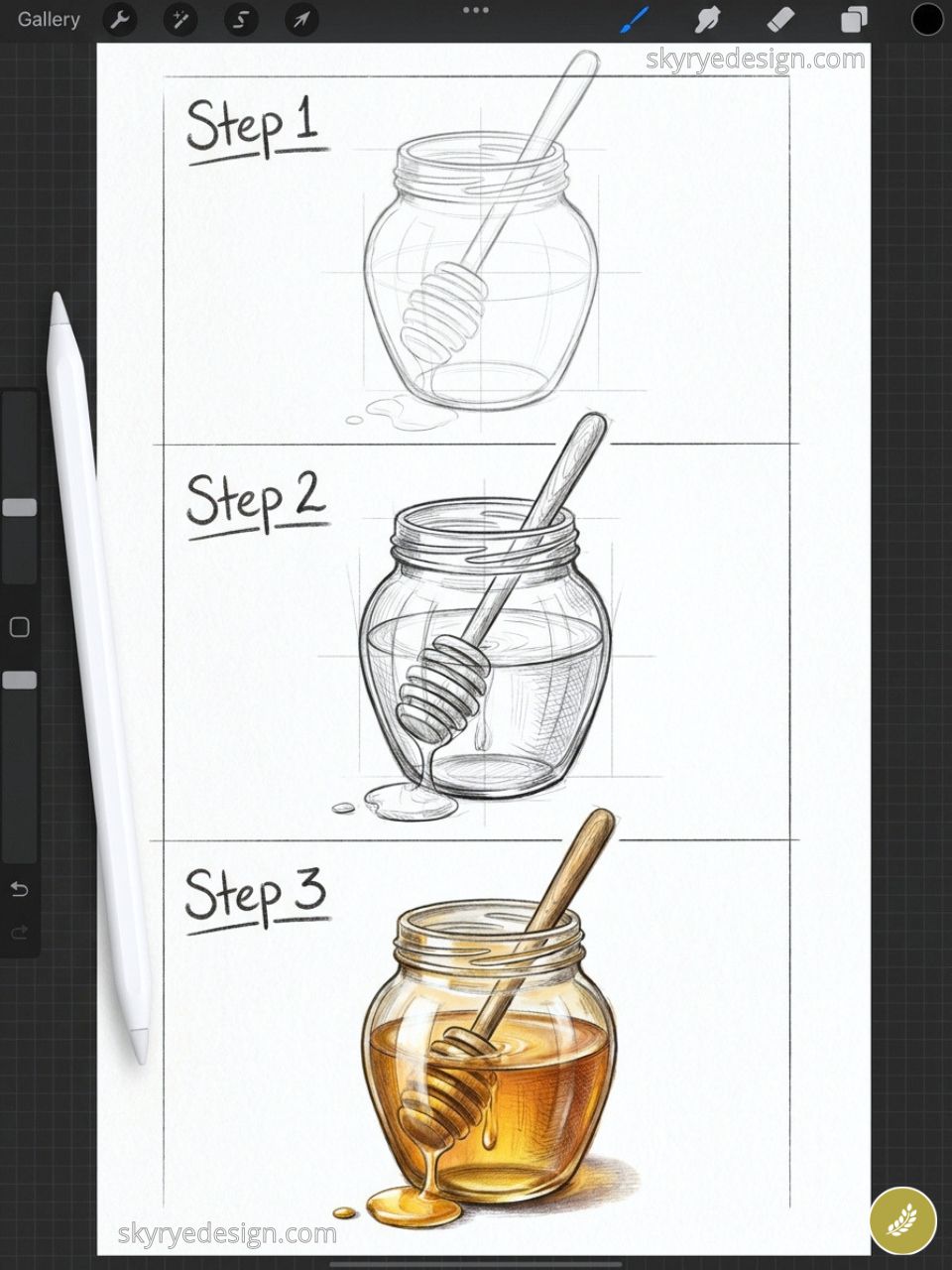
Glass, liquid, and wood grain in one composition. The honey’s translucent amber quality challenges your understanding of how light passes through dense liquid. The drip on the dipper tip is the focal detail that makes or breaks the piece.
40. A Vintage Bakery Window Display
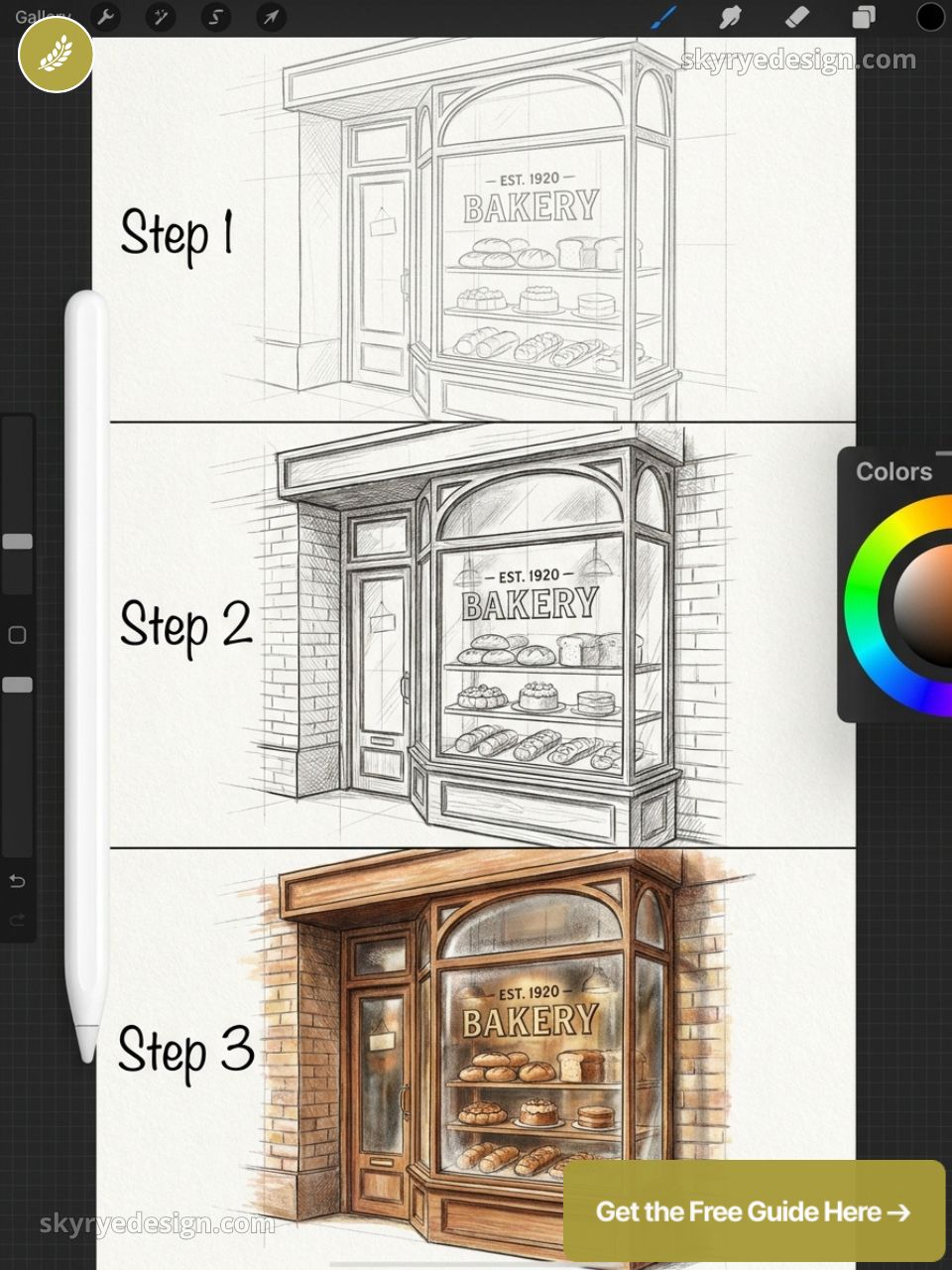
Tiered cake stands, baguettes in paper wrapping, small pastries under glass — seen through window panes with warm interior glow. The window frame becomes the composition’s structural grid.
Portraits & Figures (41–52)
People are the hardest thing to draw and the most rewarding to finish. These ideas reduce the barrier by giving each portrait a specific visual problem to solve beyond simply draw a face. The constraint becomes the technique.
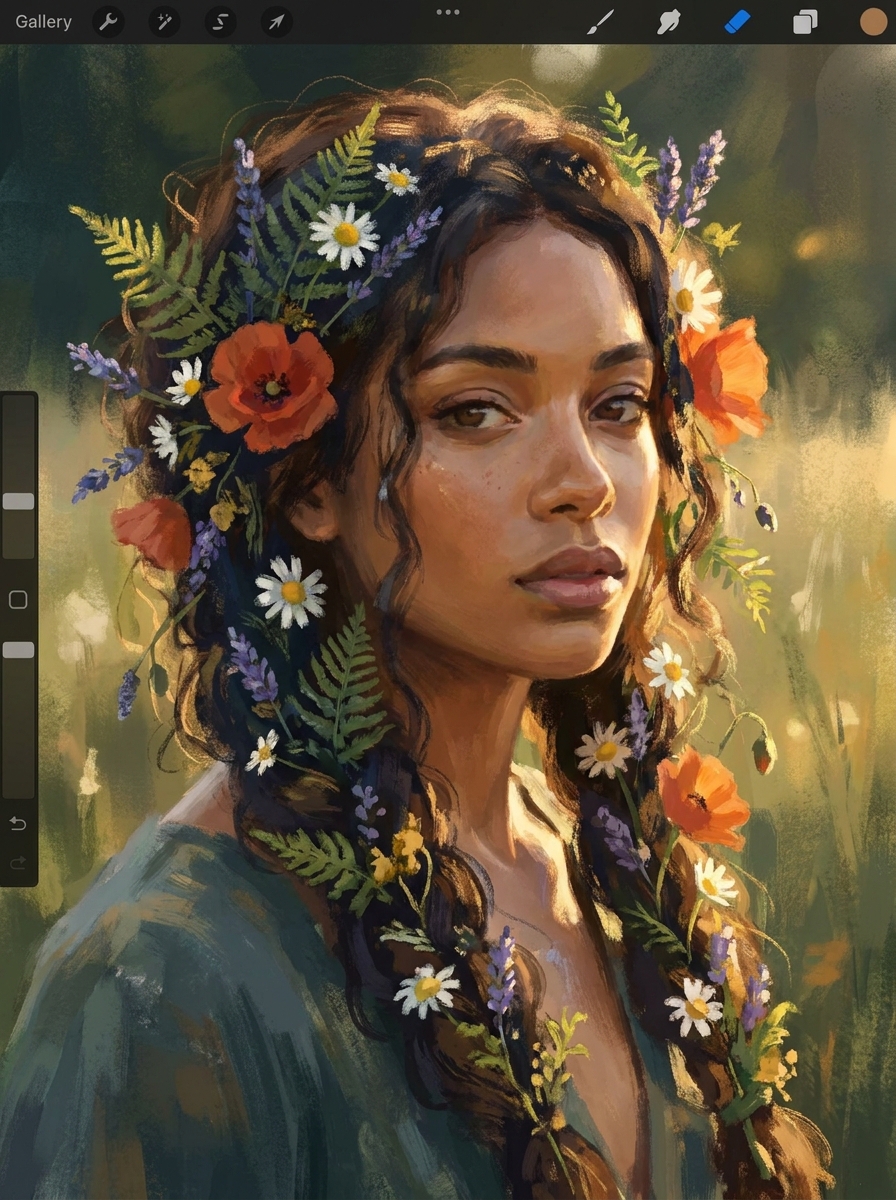
41. A Woman with Flowers Woven into Her Hair
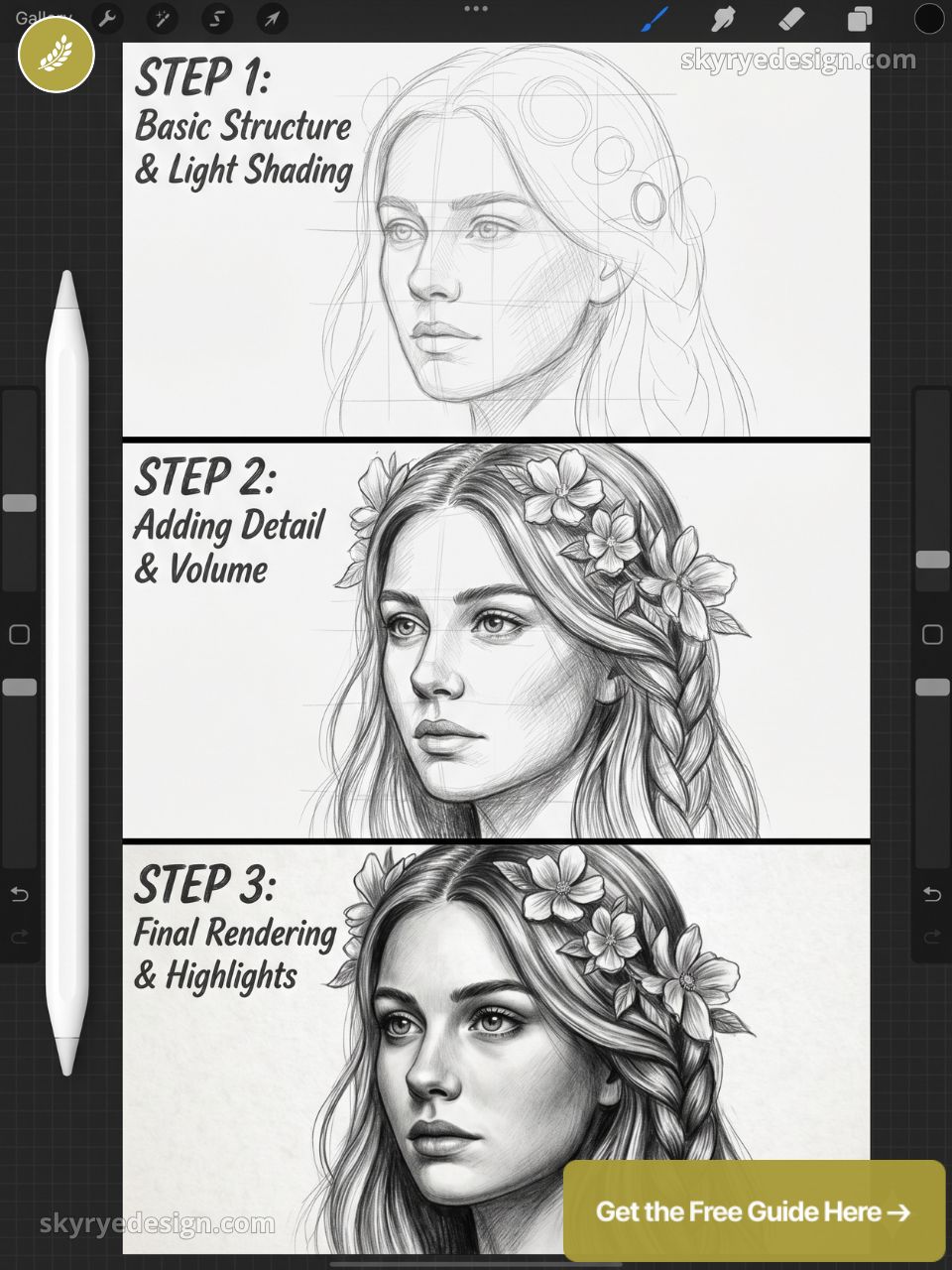
Portraiture combined with botanical illustration. Work the portrait first at full resolution, then add flowers on separate layers with the Nikko Rull brush so they weave naturally through the hair on their own layer group.
42. A Figure from Behind at the Edge of Something
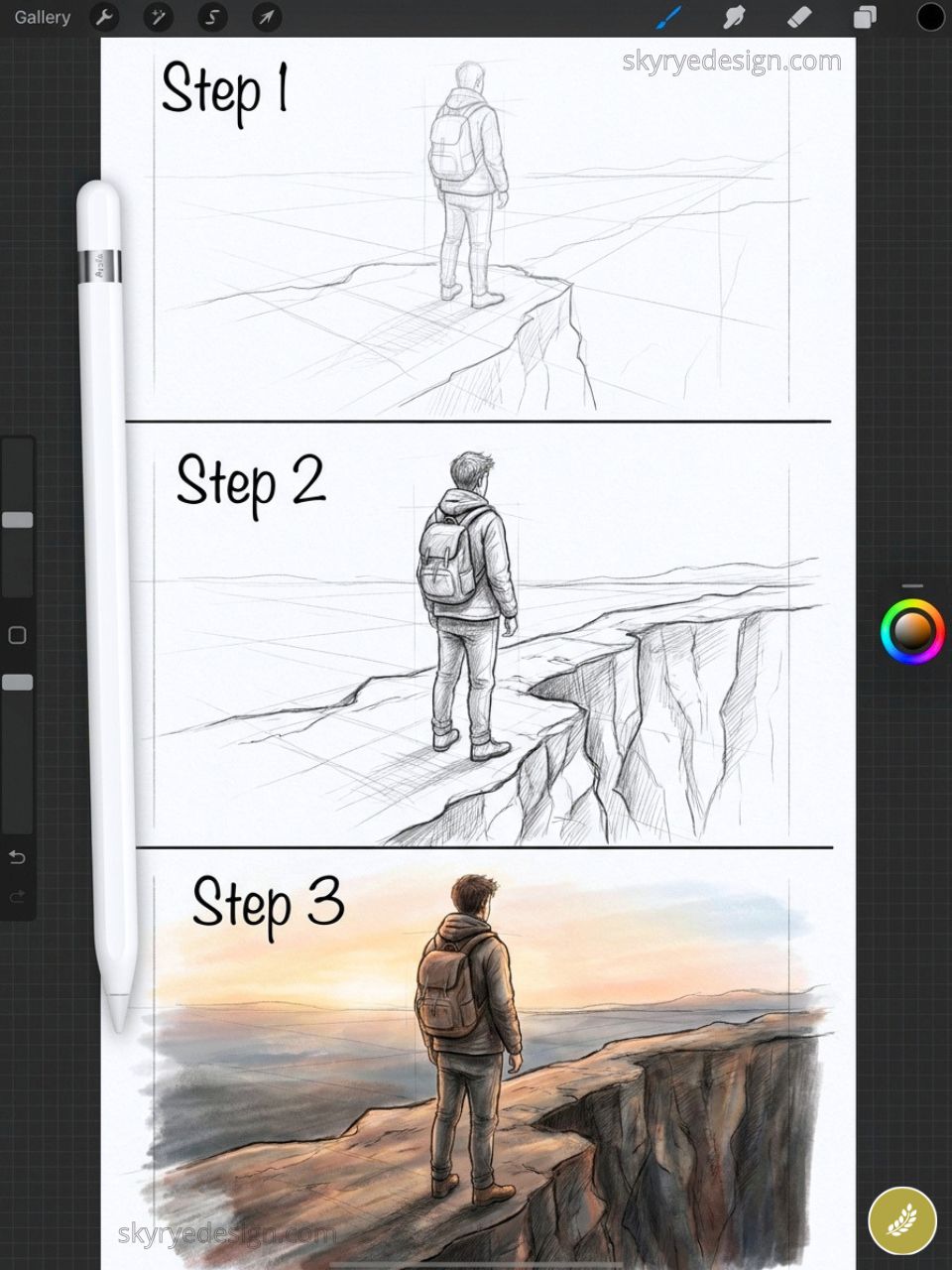
Remove the face and the challenge shifts entirely to posture and silhouette. A person at a cliff edge, a forest boundary, an open door. What they’re looking at is implied, not shown. This restraint creates narrative tension that a fully rendered portrait often loses.
43. Hands Holding a Mug
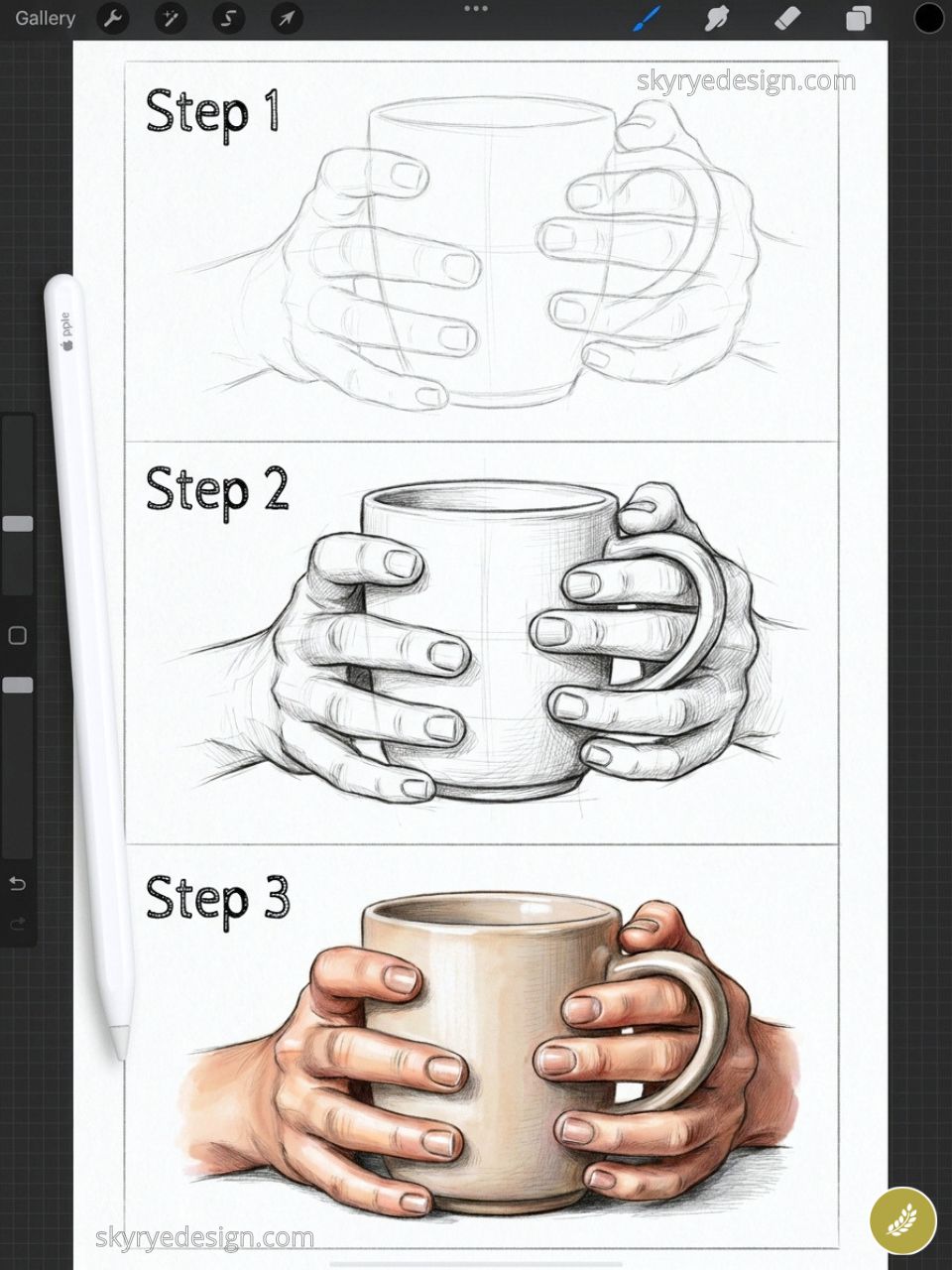
Hands wrapped around a warm ceramic mug. The foreshortening of fingers curling around a cylindrical object is a useful anatomy challenge. Open Procreate’s Reference window with a photo reference while you draw — it eliminates guesswork on finger foreshortening.
44. A Profile Portrait with Geometric Overlay
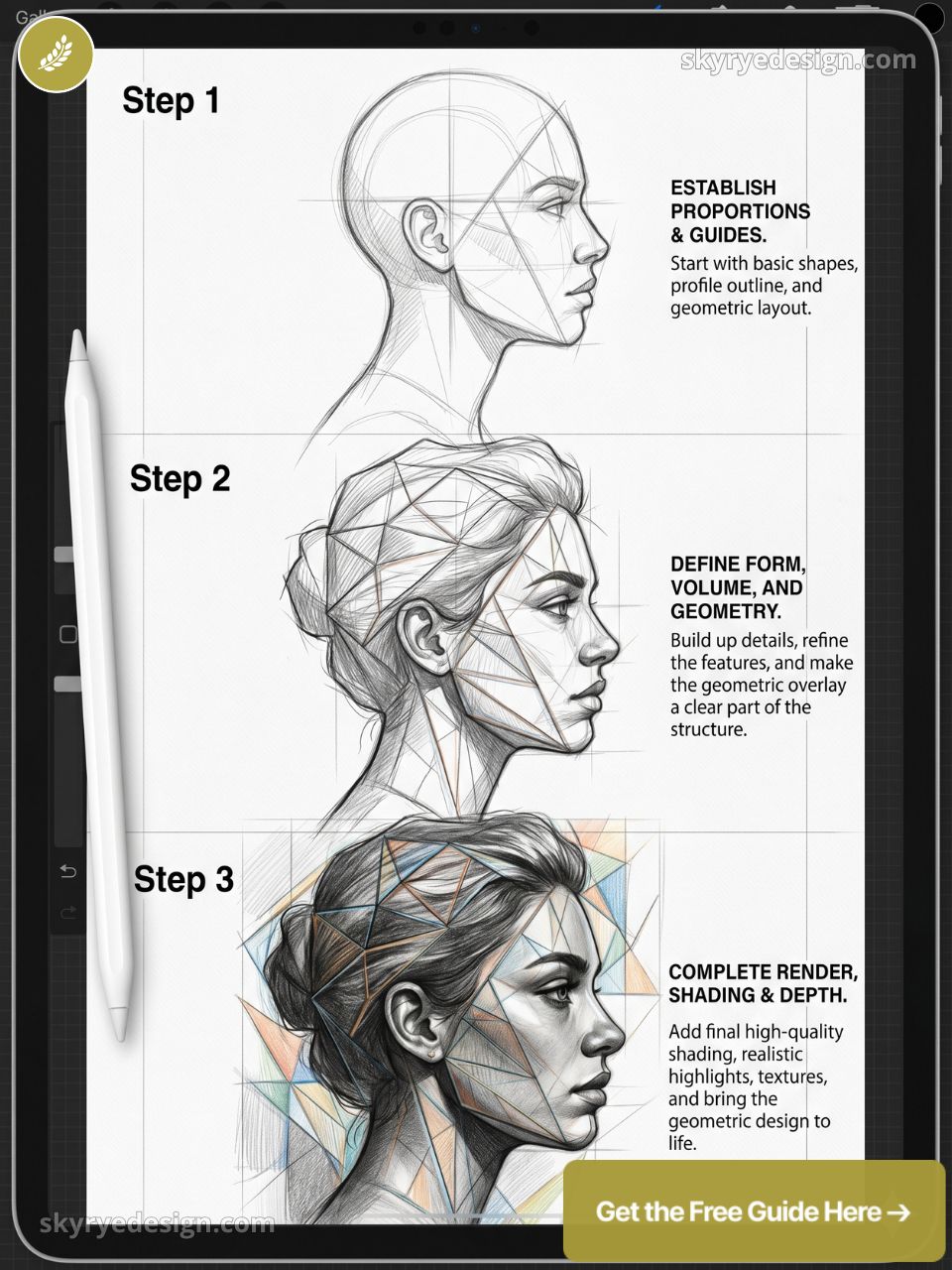
A realistic profile silhouette with geometric structure — triangles, hexagons, a grid — overlaid in a contrasting color on a separate layer set to Overlay blend mode. Where the geometry and portrait intersect creates the visual tension. Reliable Pinterest performer.
45. A Child Looking Up at Stars
Scale contrast: a small figure from behind against an enormous detailed star field. Build the star field using a fine Spray Paint brush at 3–5px with three slightly different white-to-blue tones for depth.
46. A Figure Reading Under an Umbrella in Rain
Weather creates atmosphere without requiring a detailed environment. The umbrella is a strong compositional anchor. Rain is short, angled strokes at 15–20% opacity on a dedicated top layer in Screen blend mode.
47. A Dancer Mid-Movement
Movement in a still image lives in the pose. Arms reaching in opposite directions, one foot off the ground, fabric in motion. Use Procreate’s Animation Assist to sketch a quick gesture pass before committing to the final linework layer.
48. A Self-Portrait in a Specific Mood
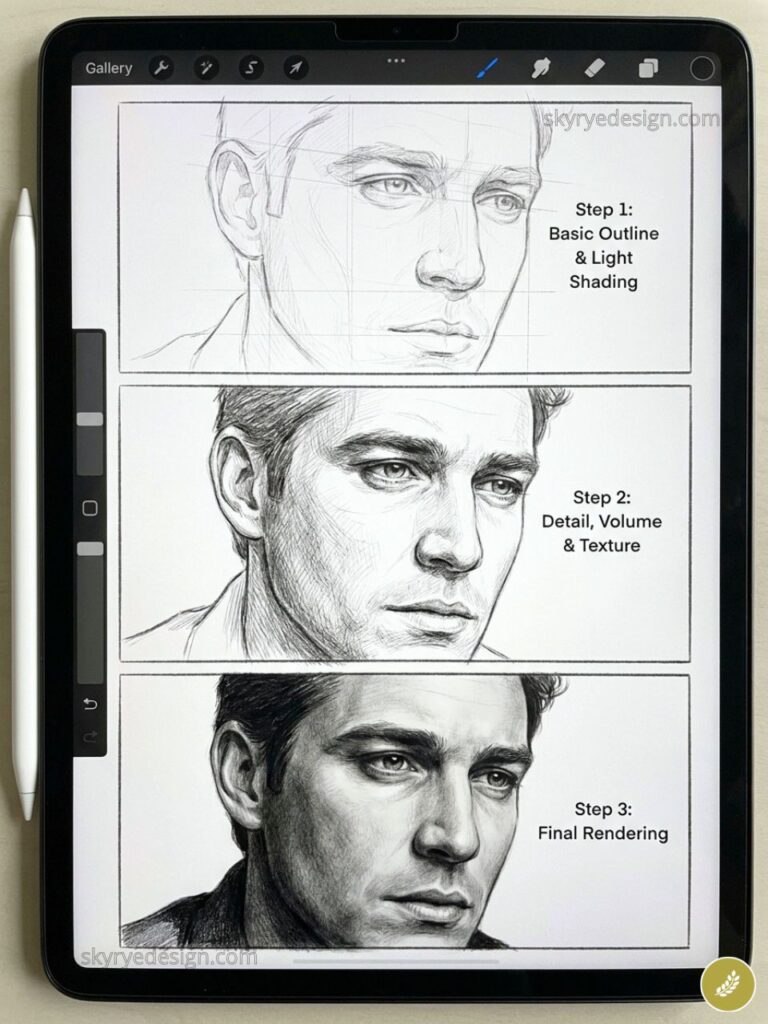
Capture one emotion precisely: not sad but the specific exhausted that arrives at 11pm when you still have work unfinished. The mood lives in lighting angle, eye direction, and color temperature — not facial expression alone.
49. Grandmother’s Hands at Work
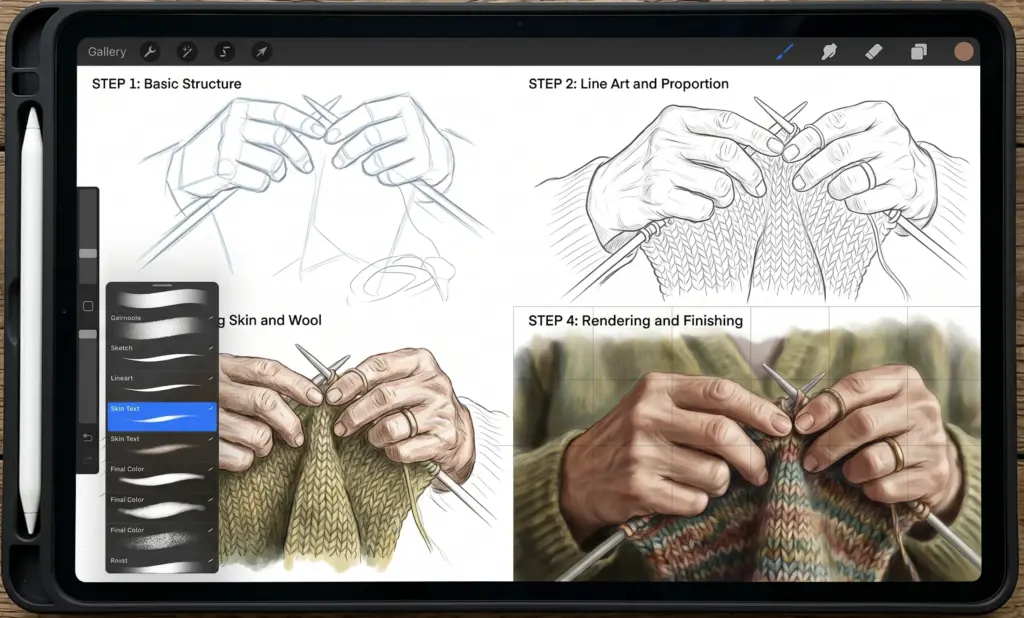
Aged hands making bread, knitting, holding a book — among the most expressive portrait subjects available. The wrinkles, veins, and asymmetry of lived-in hands read as deeply human. No face required.
50. Two Figures Sharing One Umbrella
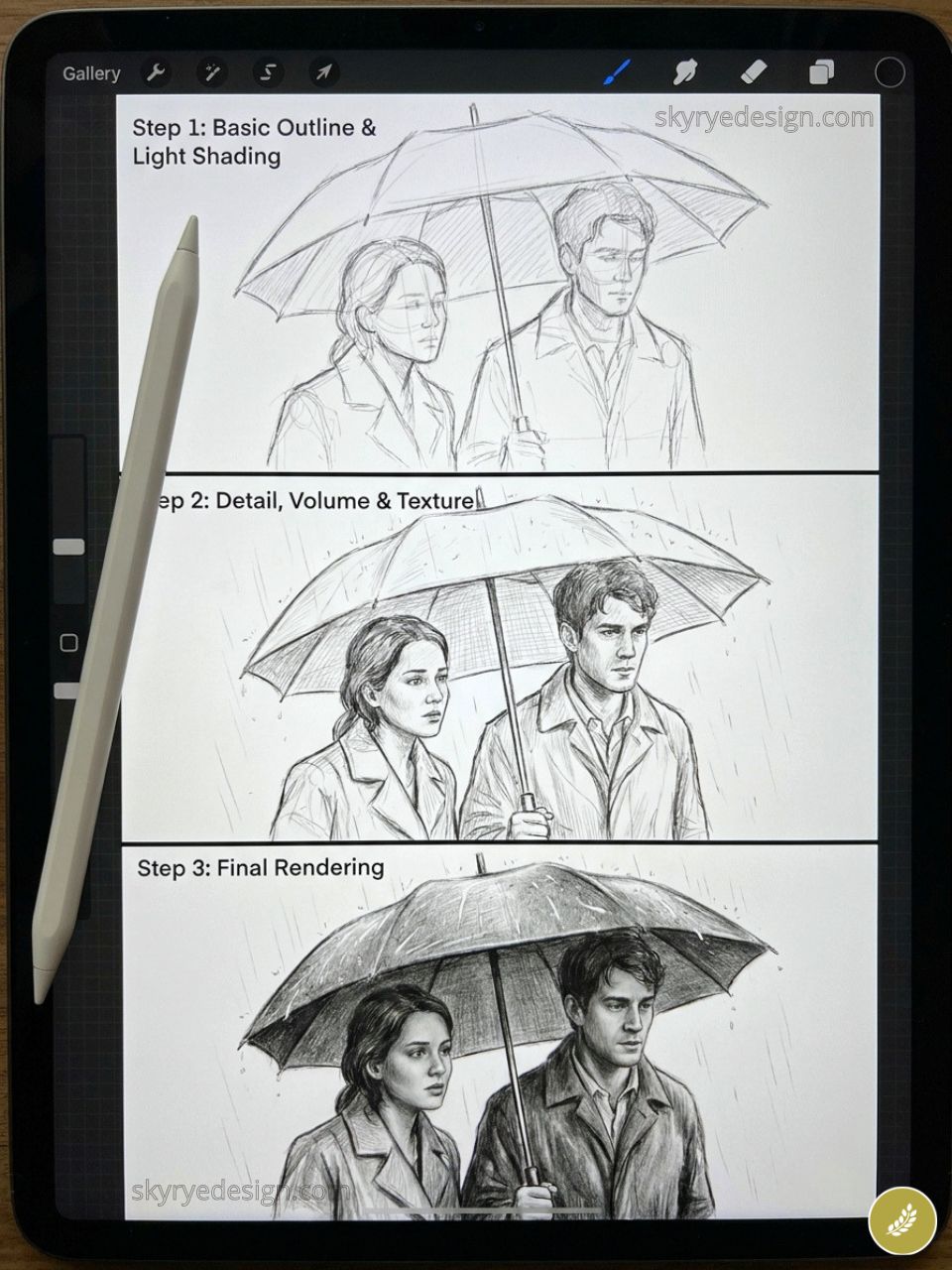
Relationship without faces. The tilt of two heads together, the gap between them or the absence of it, who holds the umbrella — all of this tells a complete story before you add a single rendered detail.
51. A Portrait with Watercolor Wash Background
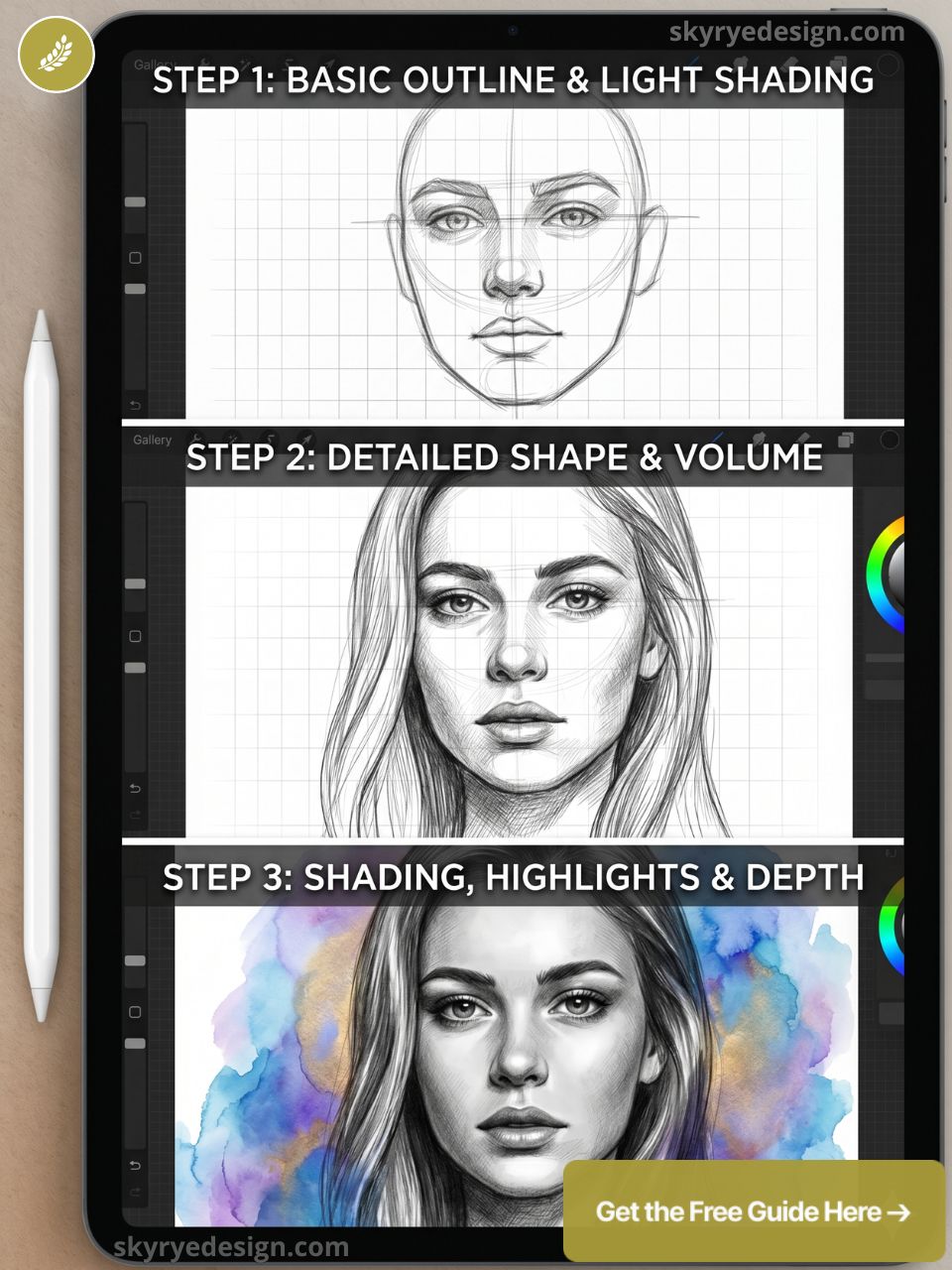
A realistic face rendered in careful detail, set against a loose wet watercolor wash in complementary colors. Procreate’s Wet Watercolor brush on a white background layer handles this with exactly the right edge bloom.
52. A Figure Emerging from Darkness
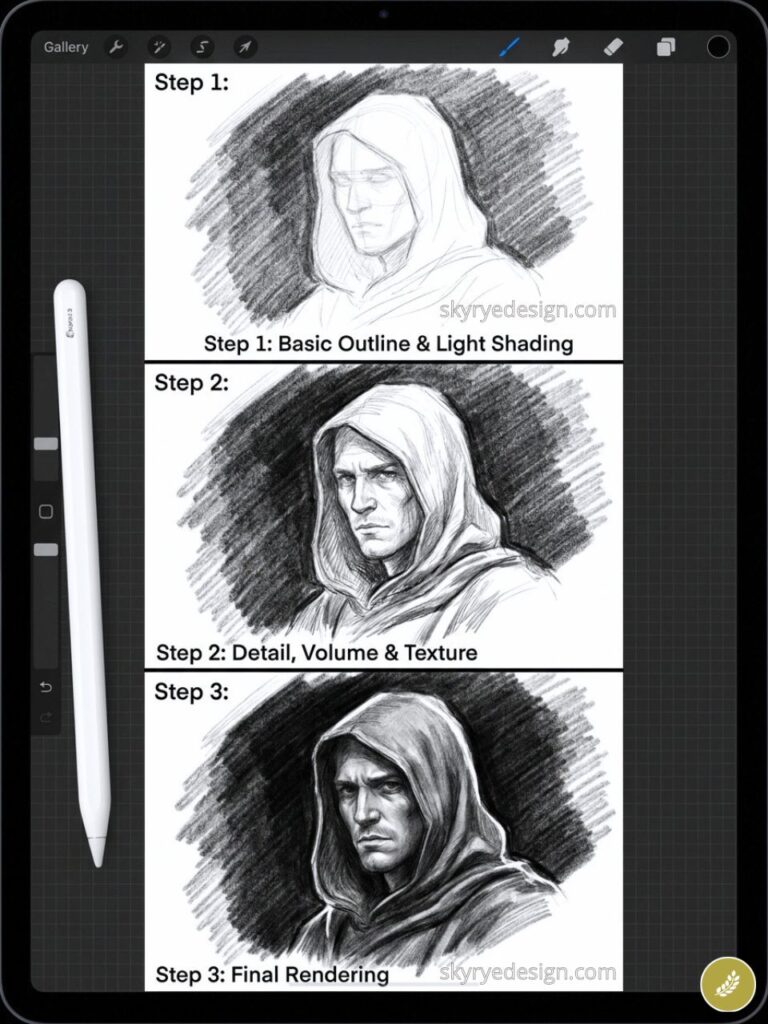
Light the figure from the front, let the background fall to pure black. Edges of the form dissolve into shadow. A chiaroscuro exercise in digital form — one of the most compositionally powerful Procreate drawing ideas in this entire list.
Fantasy & Imagination (53–65)
Fantasy illustration has a massive, engaged audience and consistently strong performance on Pinterest and Instagram. These ideas range from quick concept sketches to complex environment paintings. The ones with the most restraint — the dragon egg, the portal — frequently outperform the most technically complex.
53. A Dragon Sleeping on a Pile of Books
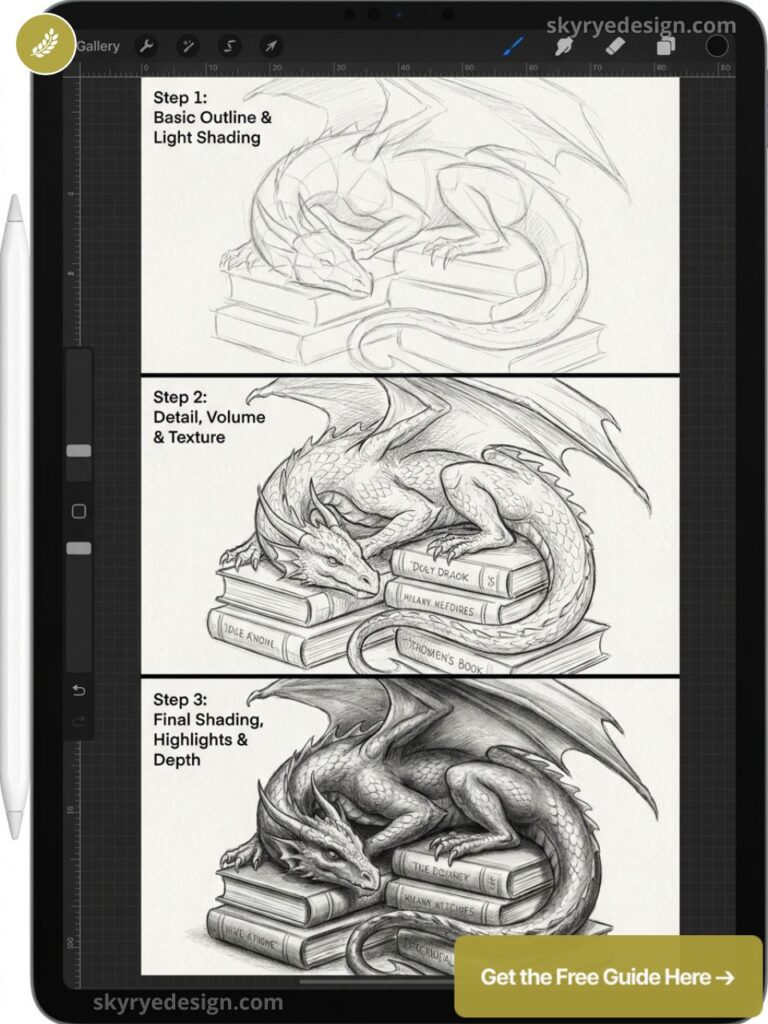
Dragon scales against rectangular book spines creates strong texture contrast. Make the dragon enormous relative to the books. Warm candlelight from below gives the scene intimacy rather than epic scale — which makes it shareable.
54. A Floating Island with a Waterfall
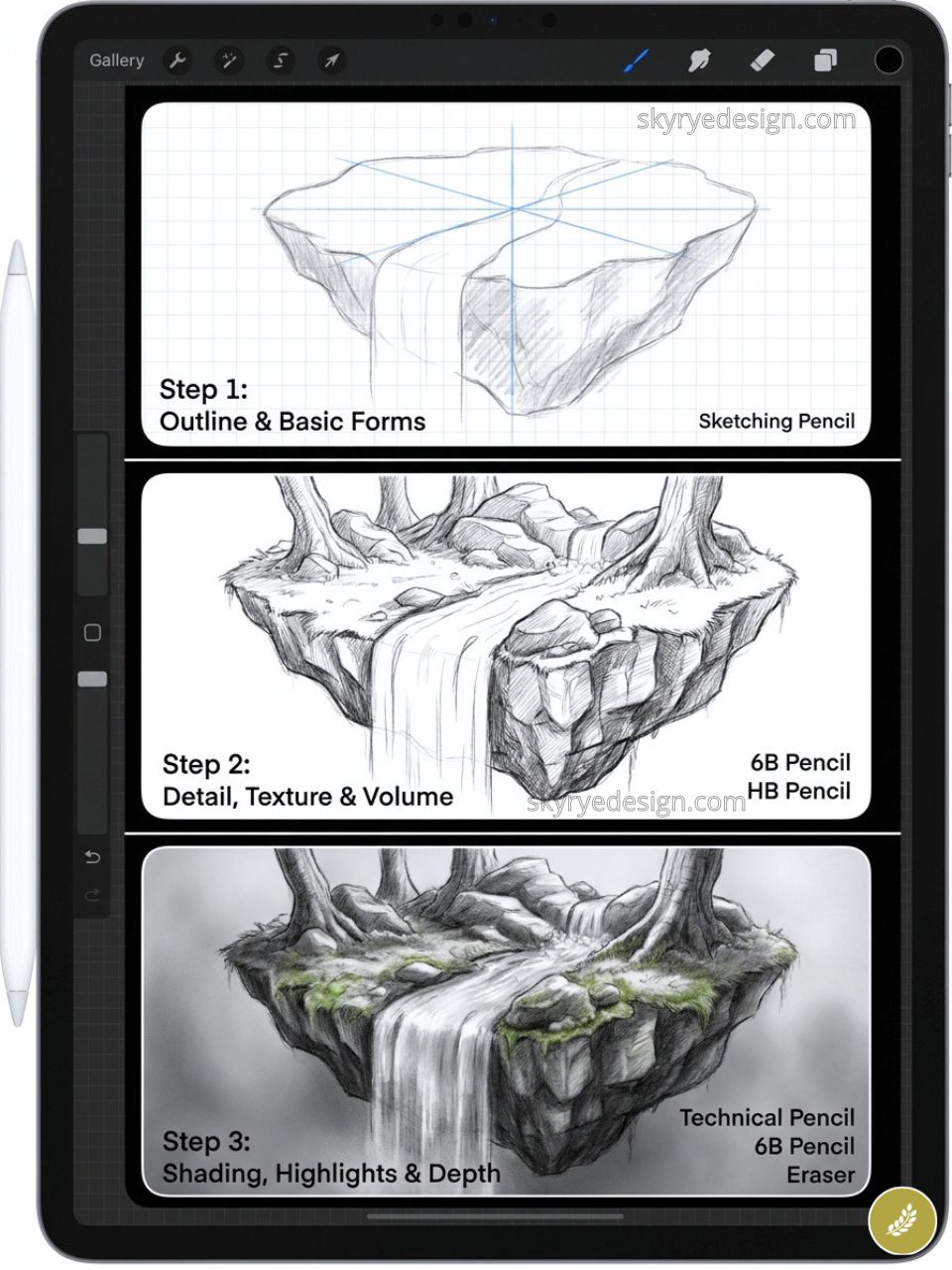
An island suspended in sky with a waterfall falling off the edge and dispersing into mist below. Strong top-down light, dark shadows on the rock underside. The waterfall is the dynamic element that makes the static composition feel alive.
55. A Forest with Bioluminescent Mushrooms
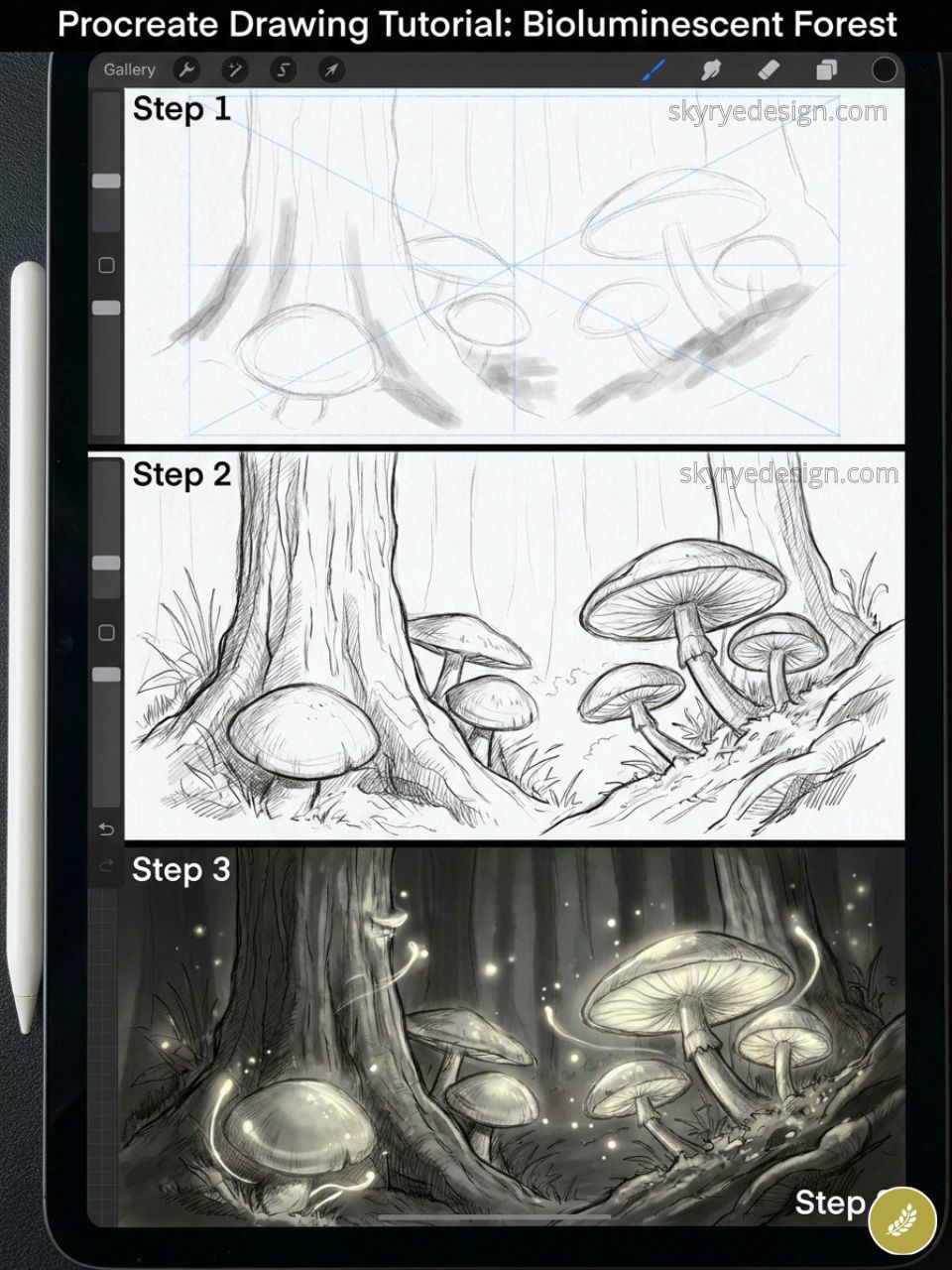
Dark forest floor, glowing mushrooms in teal, blue, and soft purple. Start with a black canvas. Build light sources first using Luminance brushes — the Flare brush handles glowing organic forms better than any other Procreate brush category for this effect.
56. A Mermaid in an Underwater Cave
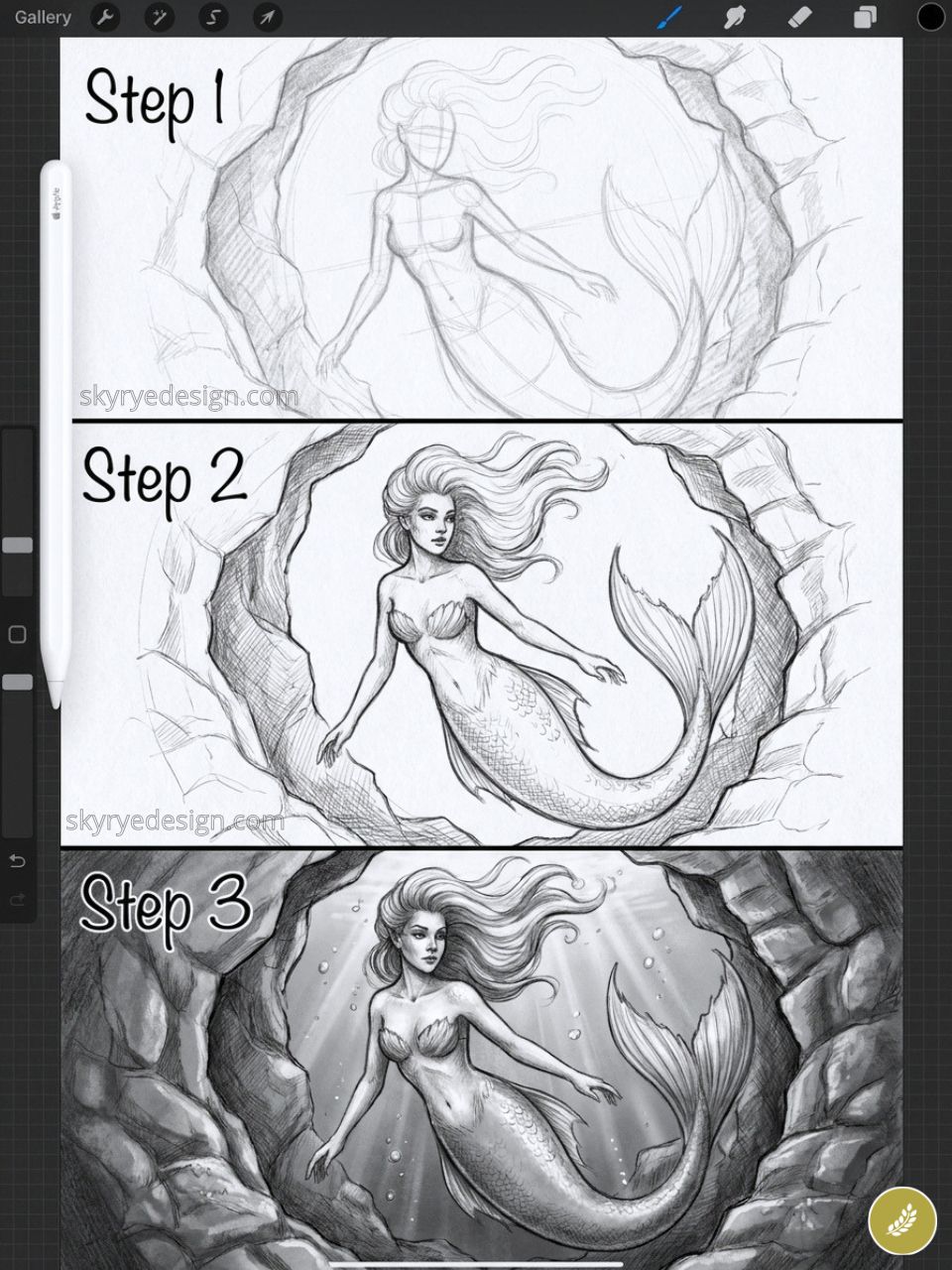
Backlighting from a cave entrance creates a natural silhouette around the figure while tail scales and surrounding water catch the light. The composition balances a dark foreground figure against bright open water behind — high contrast, immediate read.
57. A Tiny Fairy Perched on a Mushroom
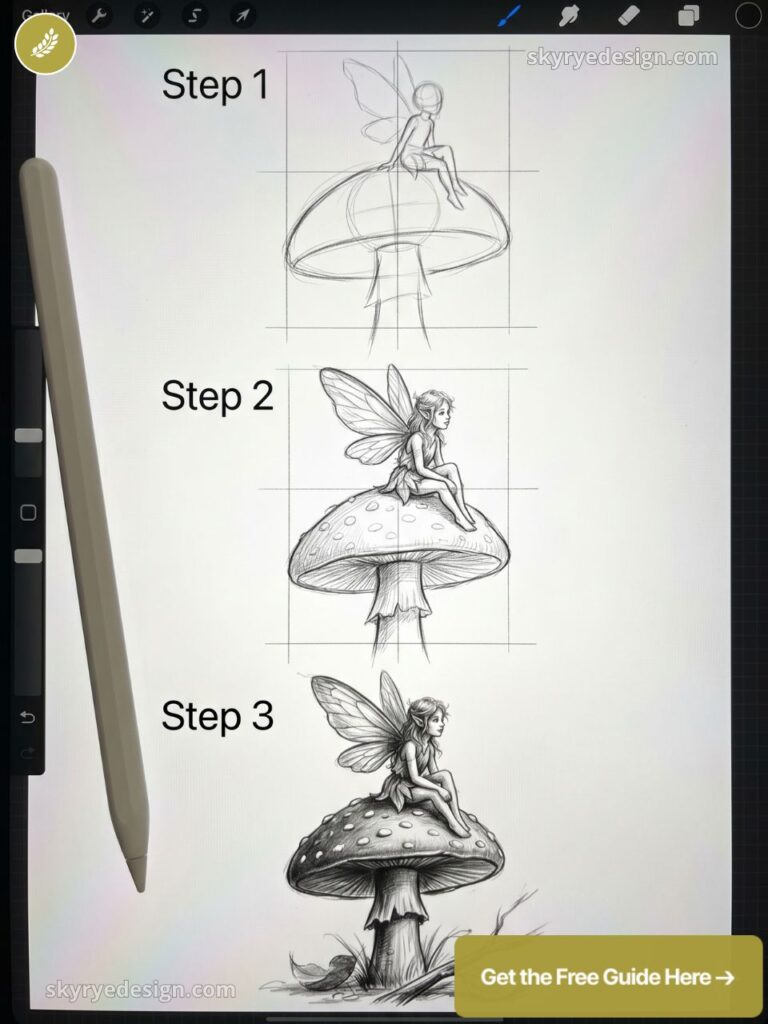
Make the mushroom fill 80% of the canvas so the fairy becomes a small intricate detail at the top. This avoids drawing a highly realistic face at large scale while keeping the figure as the undeniable focal point.
58. A Castle in the Clouds at Sunset
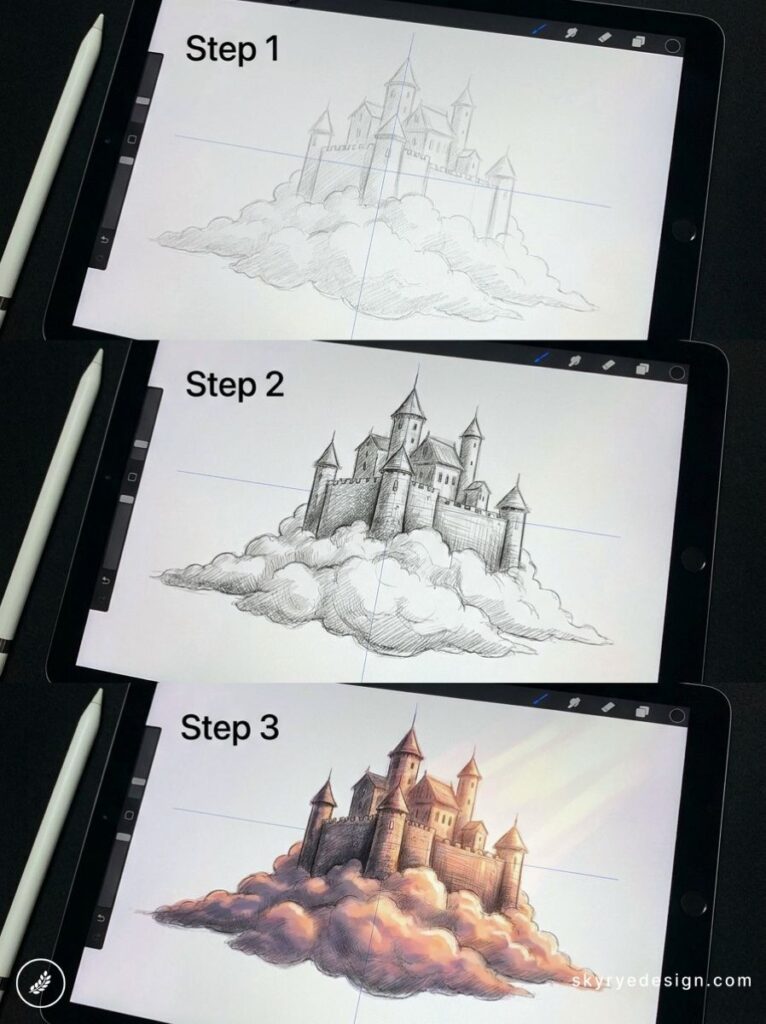
The castle architecture above a thick cloud band, a sunset palette of pink, orange, and deep blue above. Keep the castle as a dark silhouette for maximum impact with minimum rendering time, or commit to warm stone with lit windows for the full portfolio version.
59. A Clockwork Mechanical Bird
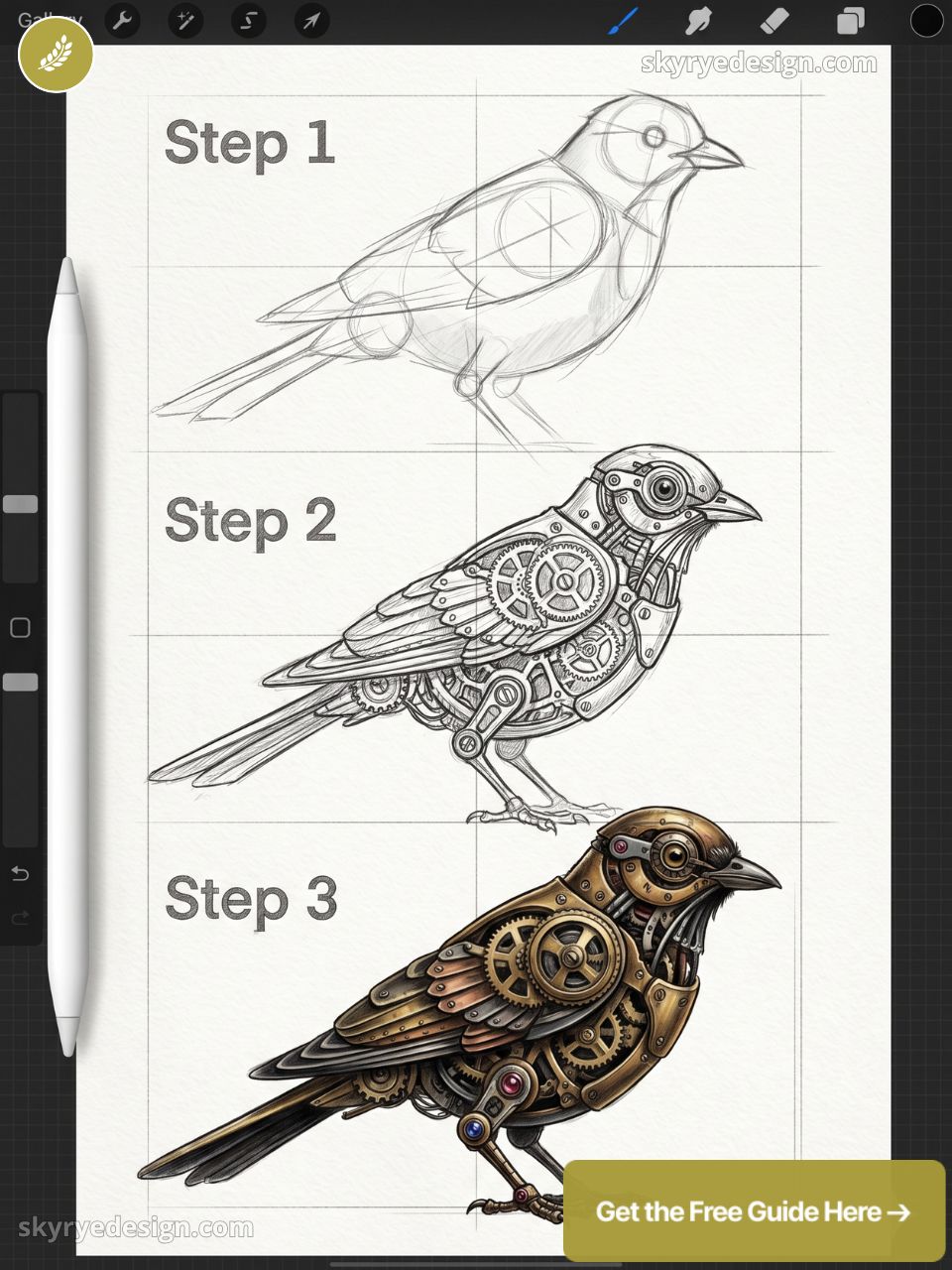
Feathers replaced with copper plates, gears visible at the wing joint, one eye replaced with a lens. The hybrid of organic and industrial creates immediate visual tension. Work in warm brass, copper, and silver — three tones that read as a cohesive palette.
60. A Portal in a Forest Opening to Another World
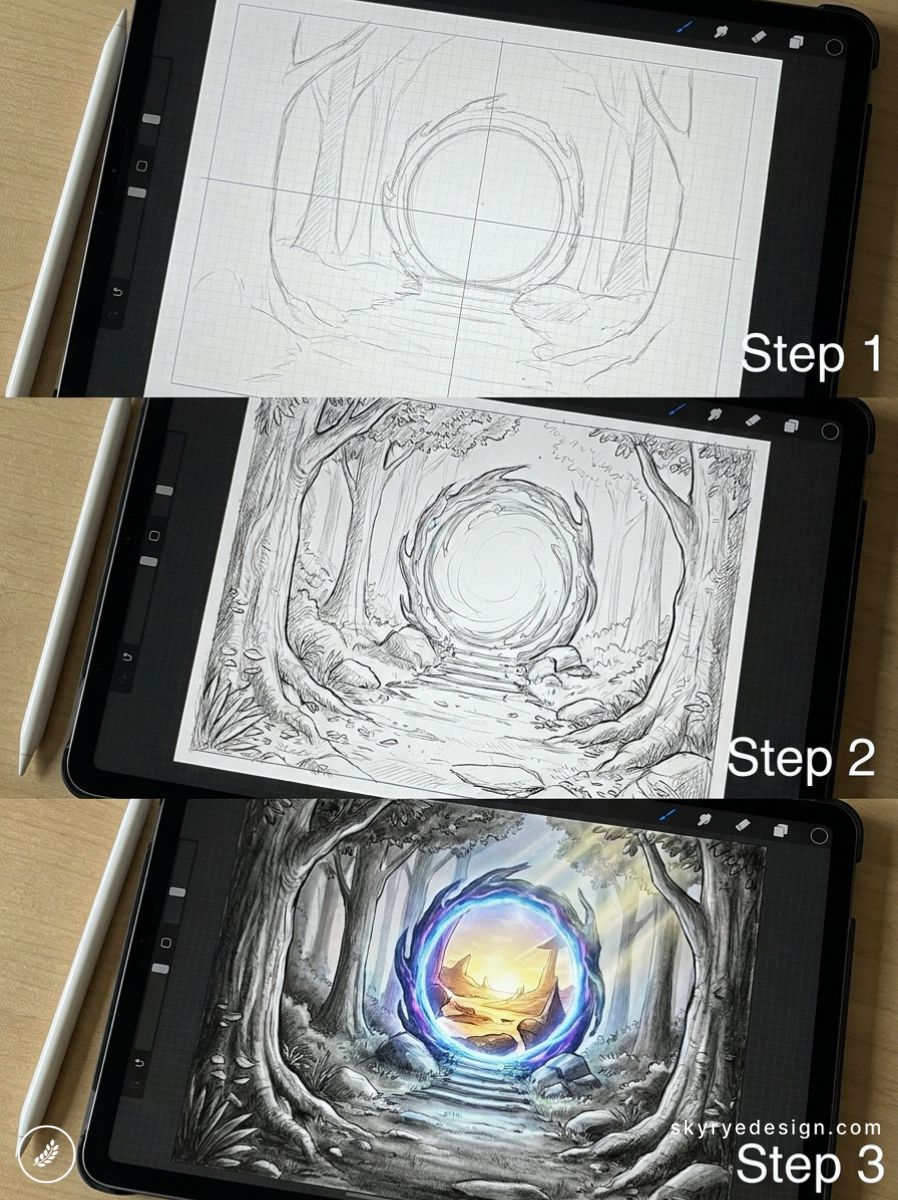
Trees framing a circular doorway through which a different environment is visible: a desert, a city skyline, an alien surface. The contrast between the familiar and the alien is the entire composition.
61. A Witch’s Cottage at Night
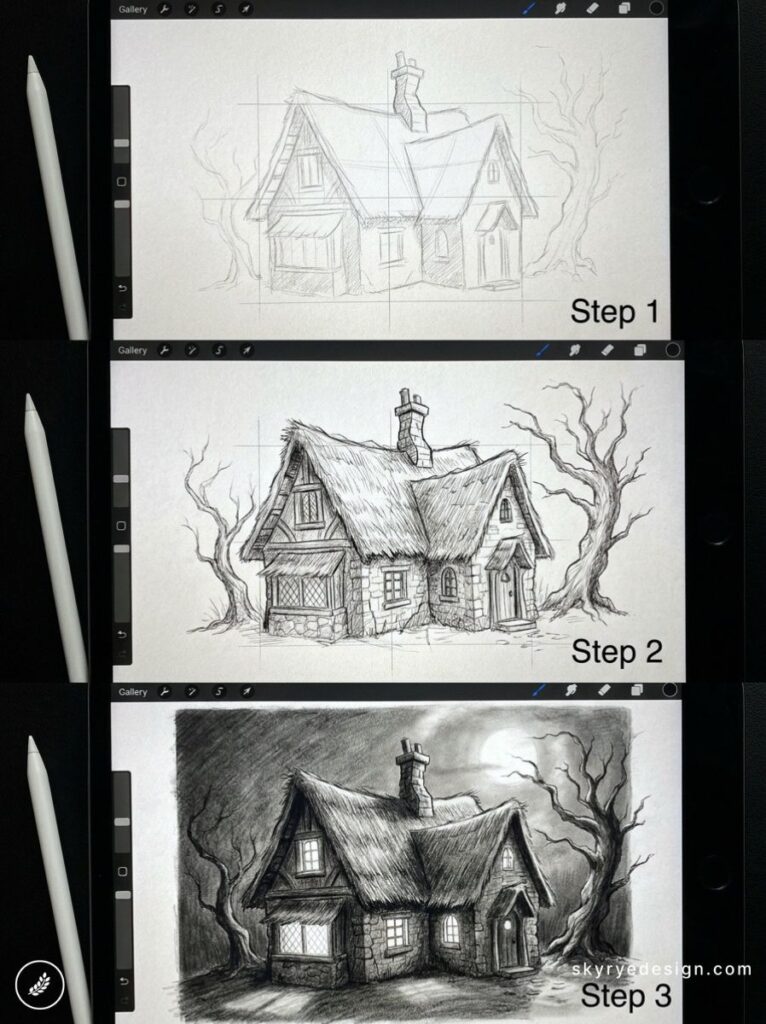
Warm light from small windows, a crooked chimney with smoke, herbs at the doorway, a cat on the step. Storytelling through environmental detail rather than any focal character — every object placed deliberately.
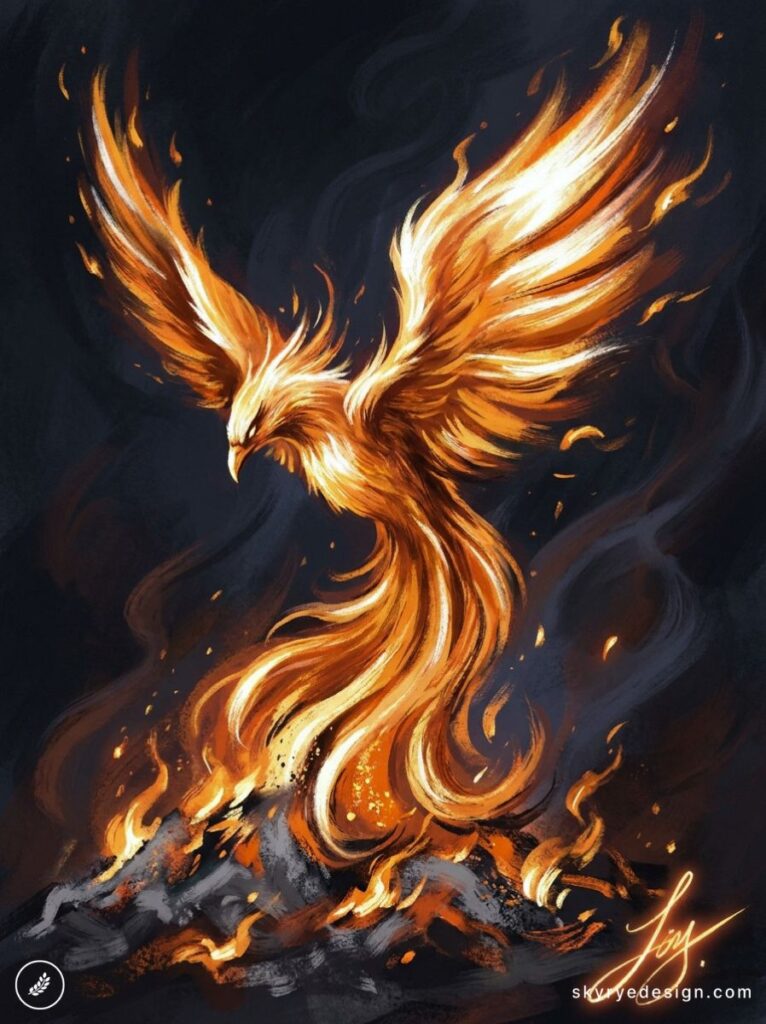
62. A Phoenix Rising from Ash and Embers
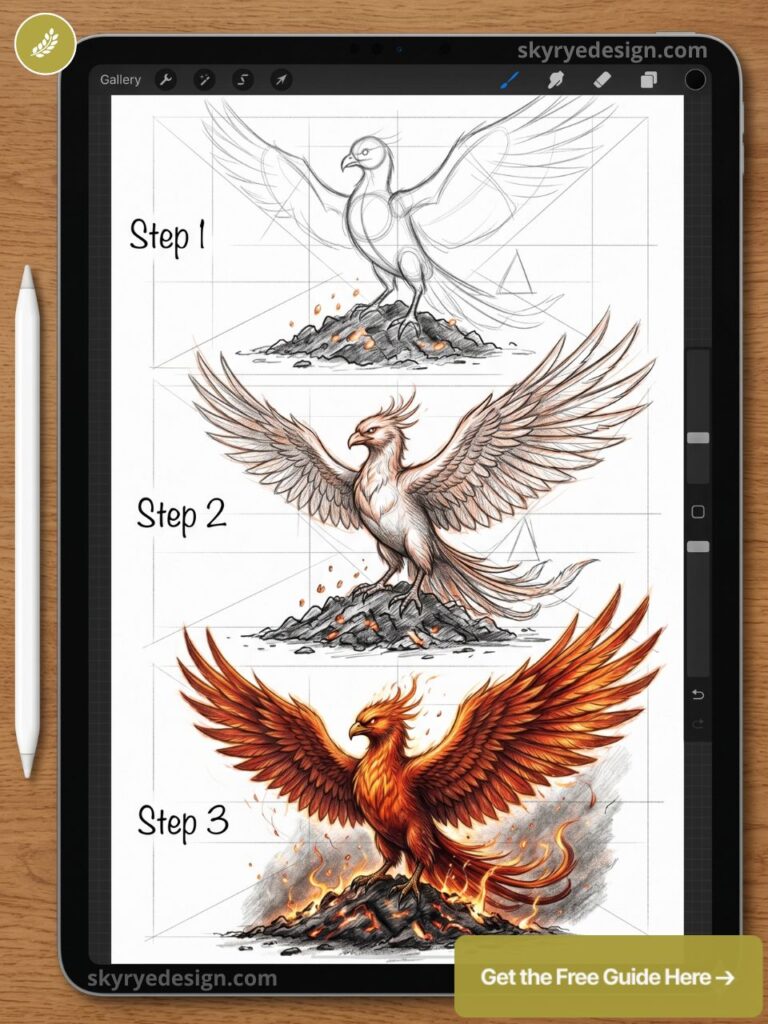
The transition from dark ash at the bottom to blazing orange and white heat at the top is a natural gradient composition. Wing tips dissolve into individual embers floating upward. Procreate’s Fire brush set makes the ember work fast.
63. A Mage’s Study Filled with Books and Artifacts
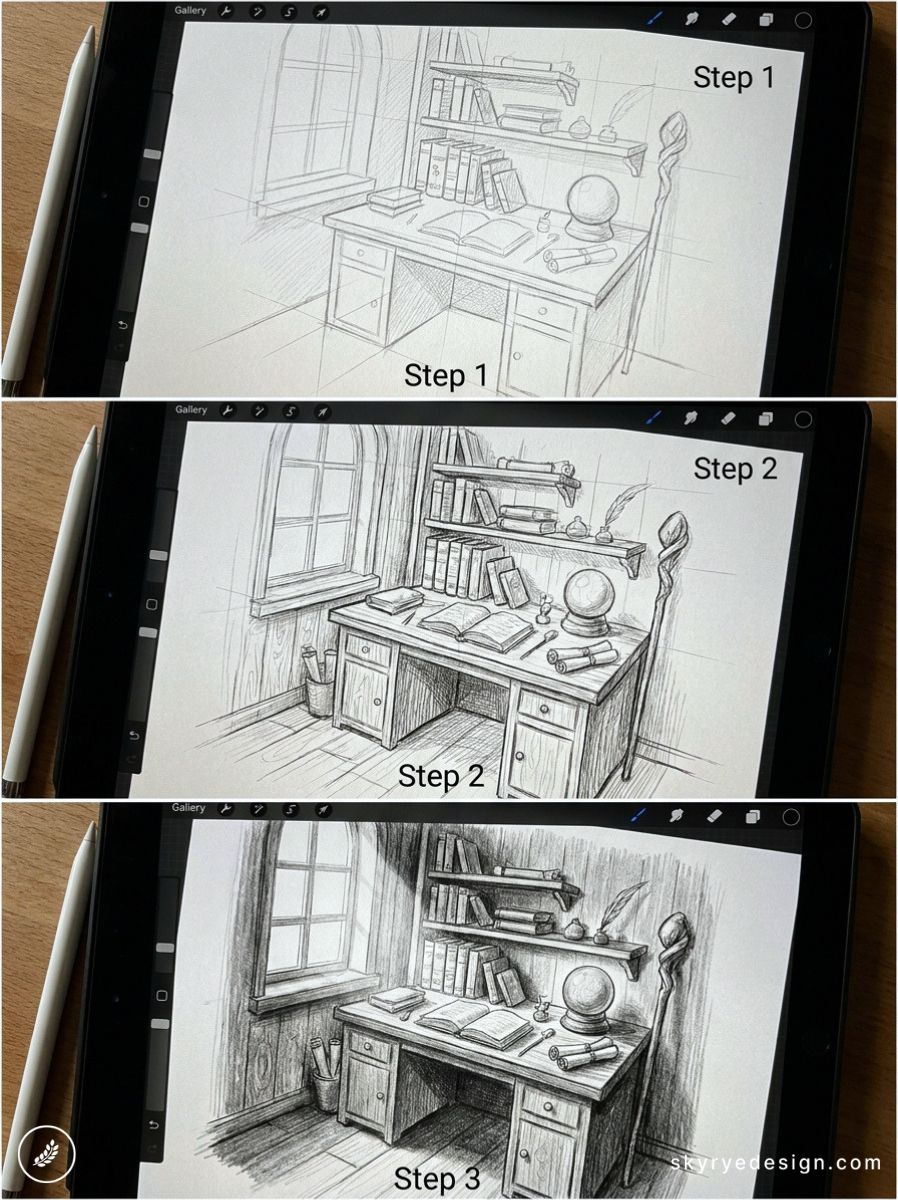
A bird’s-eye view of a cluttered desk: open books, a glowing orb, an hourglass, star charts, a quill. Isometric perspective keeps every object readable. Use Procreate’s Drawing Guide > Isometric grid for structural accuracy.
64. A Selkie Emerging from the Ocean
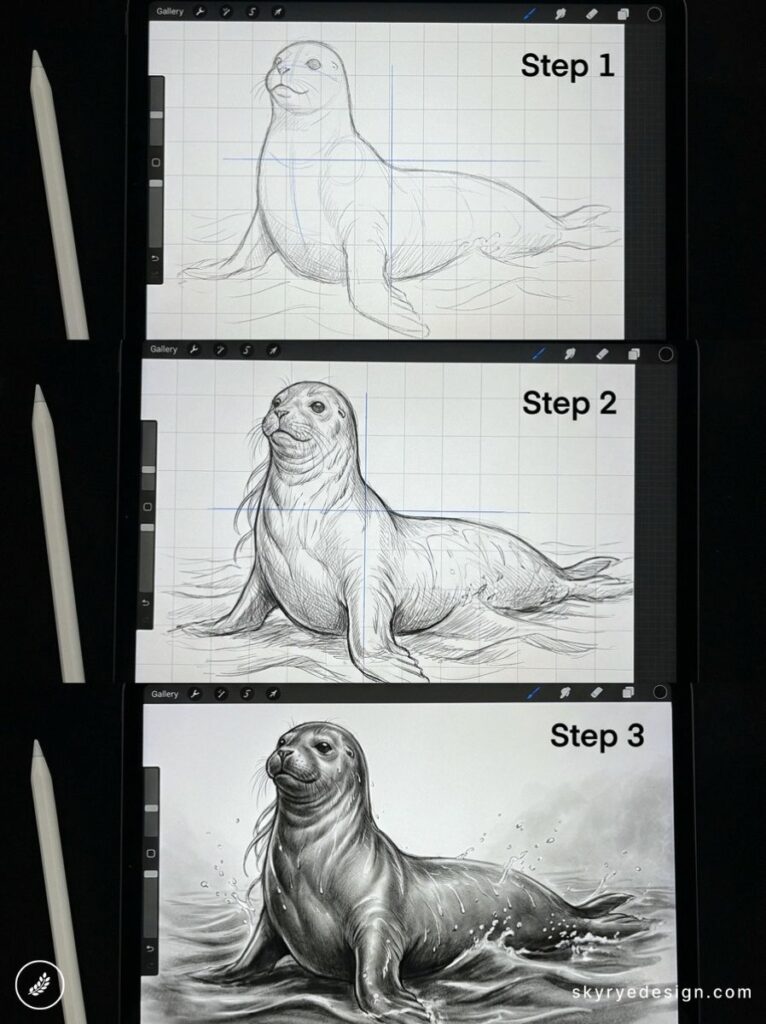
Half in water, half above it. The ocean surface is the dividing line between two worlds. The human form above is sharply detailed; below the surface, the seal form blurs through water distortion using the Liquify tool on a low-strength setting.
65. A Dragon Egg Hatching
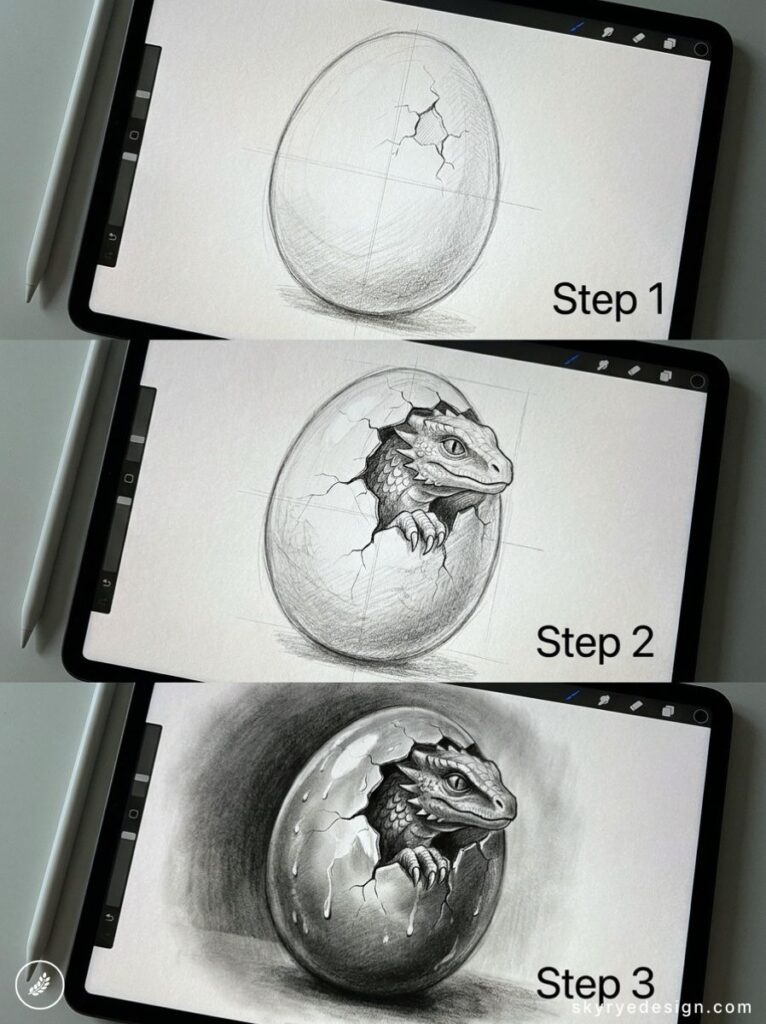
A single cracked egg with light spilling through the cracks — the dragon inside implied, never shown. The drama is in what you don’t reveal. Technically simple, emotionally potent — and among the Procreate drawing ideas here most likely to outperform on shares.
Architecture & Places (66–76)
Buildings and interiors teach perspective, light, and the accumulation of meaningful detail. The best architectural illustrations feel inhabited — like someone just left. These ideas prioritize atmosphere over technical precision. Use Procreate’s Drawing Guide > 2-Point Perspective grid to anchor any exterior scene before you draw a single wall.
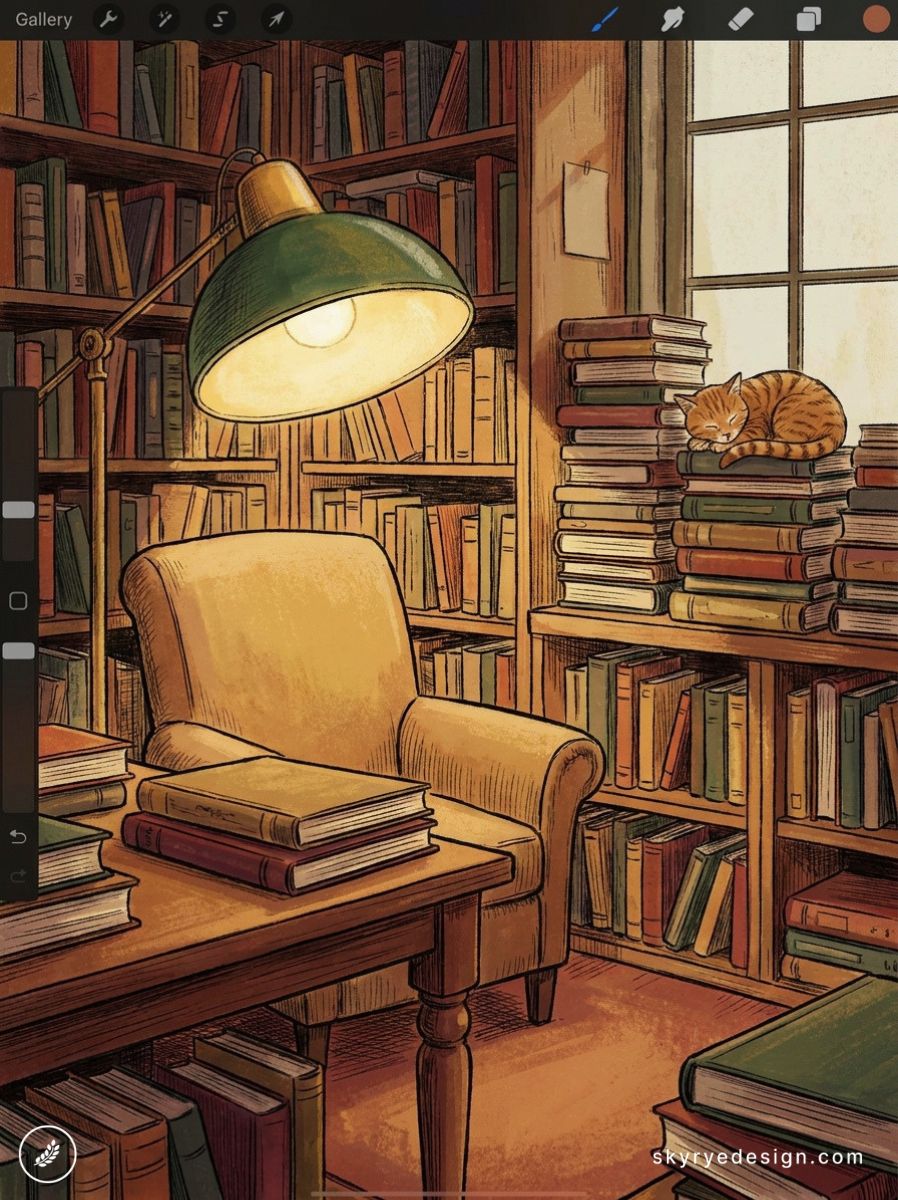
66. A Cozy Bookshop Interior
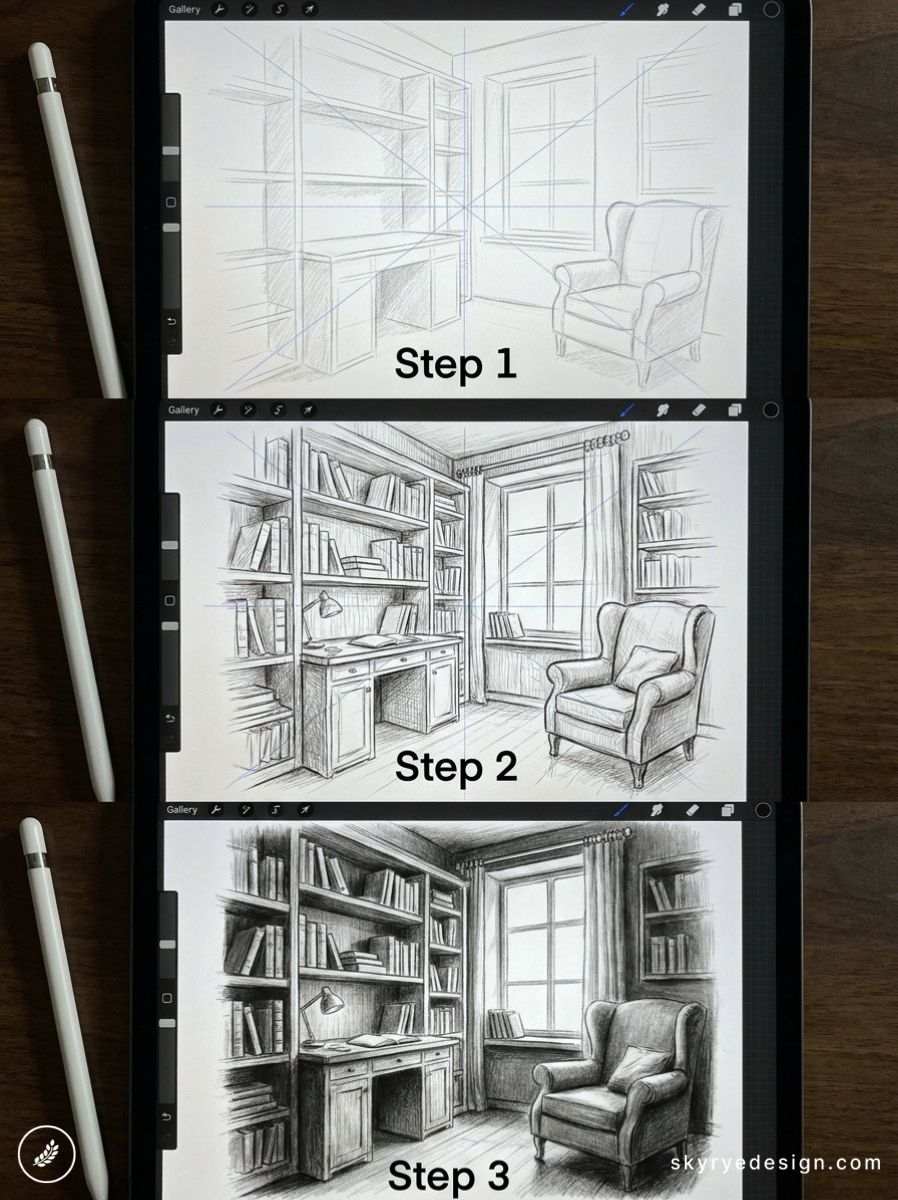
Crowded shelves, a ladder on rails, warm lamp light, a cat on a pile of returns. Interior environments reward the accumulated detail that Procreate layers handle particularly well: each shelf, each book spine, each shadow on its own layer group.
67. A Japanese Temple at Cherry Blossom Season
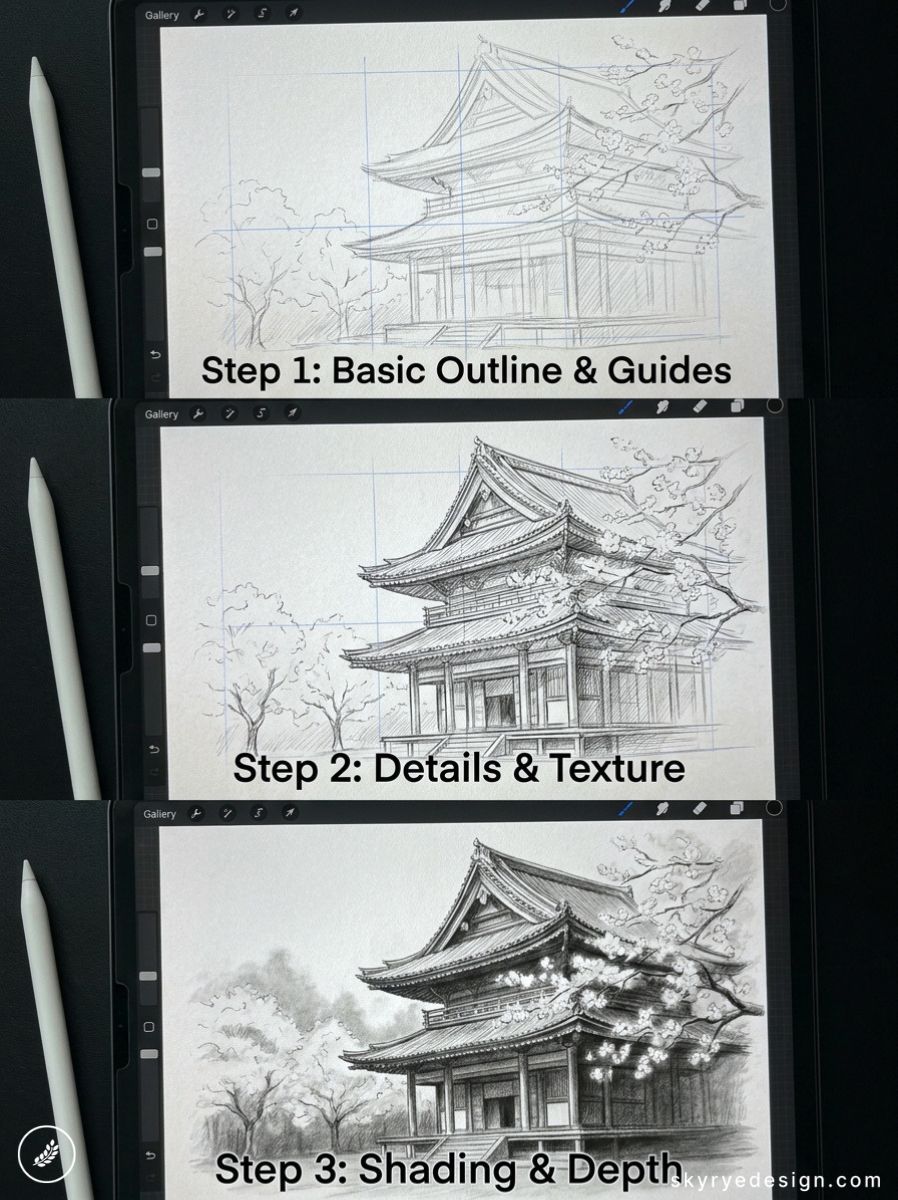
The architectural precision of a temple gate contrasted with soft blossomed branches framing it. The stone path leading to the gate uses one-point perspective to pull the eye directly into the composition.
68. Rooftops of a European City at Dusk
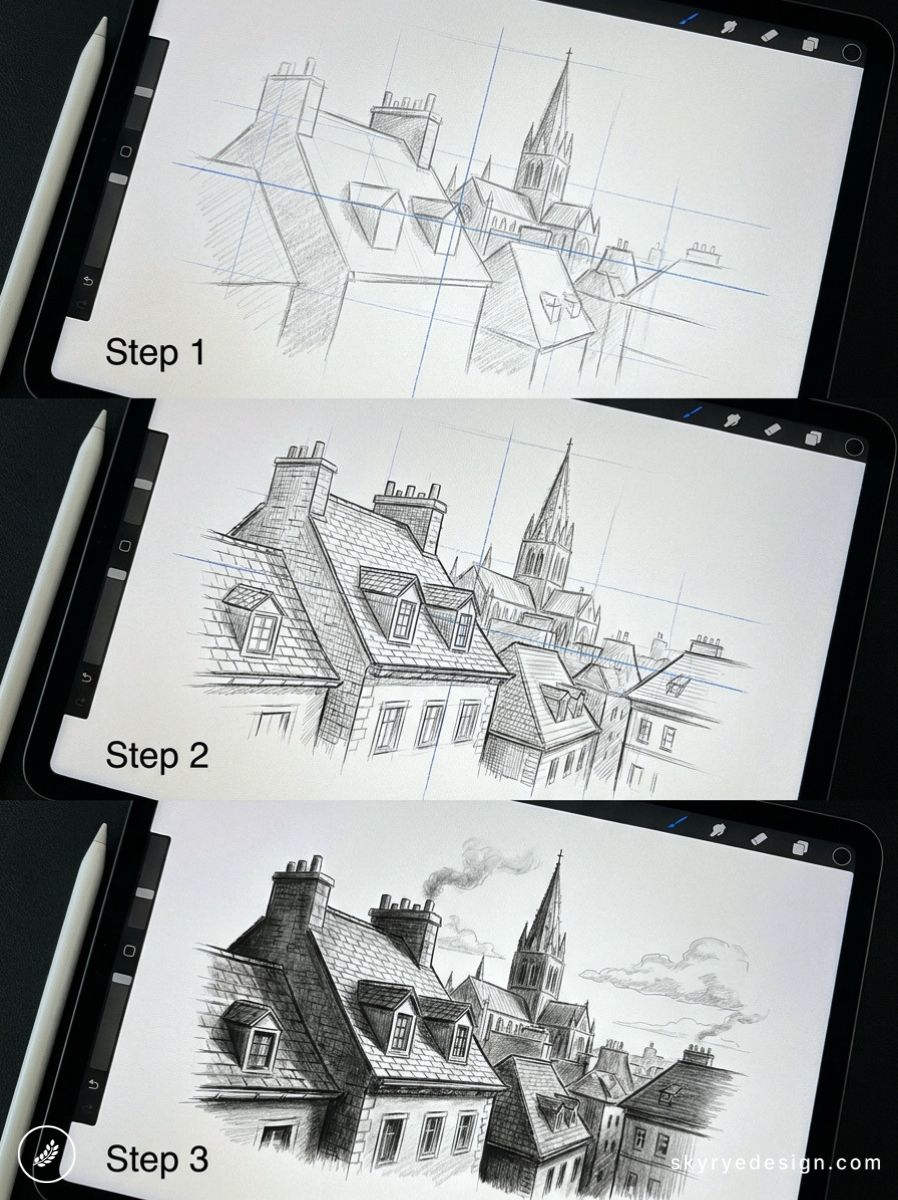
Varied rooflines: pitched terracotta tiles, dormer windows, chimney pots, a distant spire. A dusk palette of amber, rose, and deep blue above. Urban compositions like this perform consistently for both digital art and travel content categories.
69. An Abandoned Greenhouse Overgrown with Vines
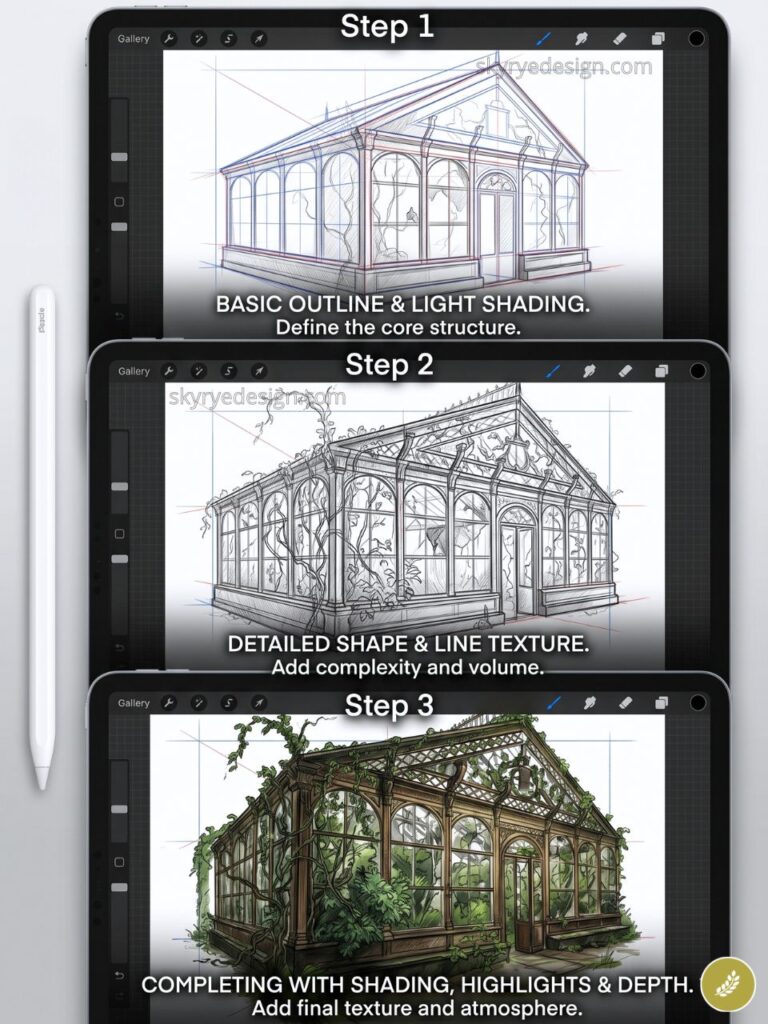
Nature reclaiming a structure: broken glass panes, vines threading through the metal frame, light falling in shafts. Hard straight structural lines against soft organic plant curves — the visual tension carries the piece.
70. A New York Fire Escape in Rain
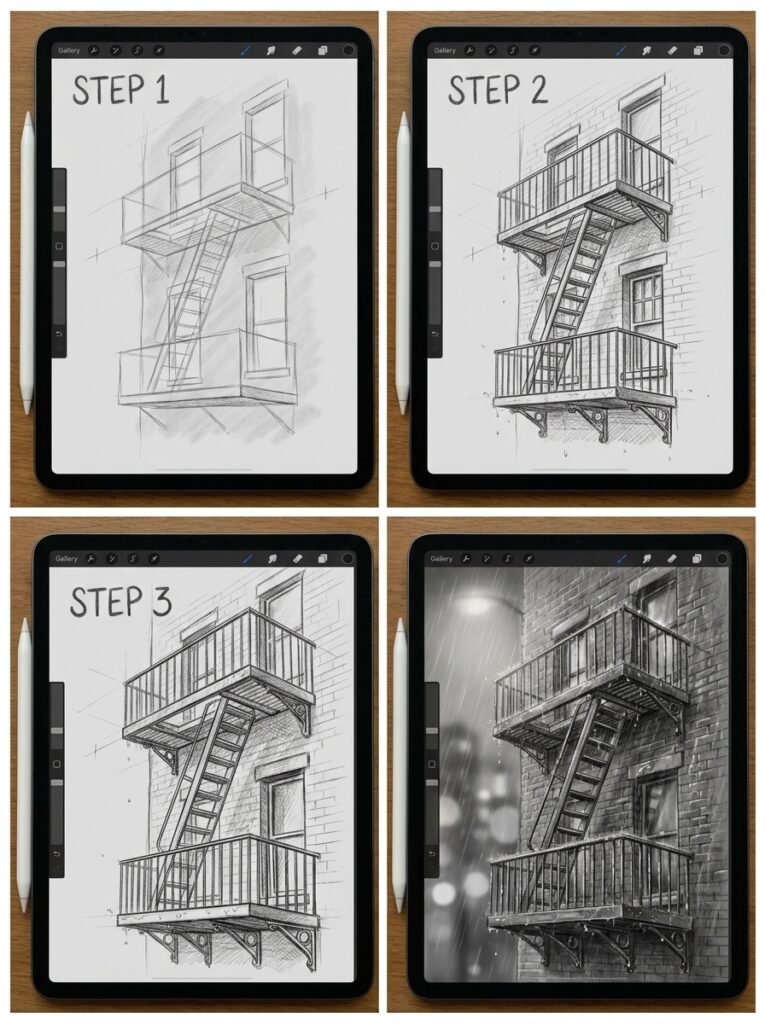
The graphic geometry of fire escape platforms and diagonal ladders against rain-wet brick. Add a plant on one landing, a warm light in one window. Urban vignette rather than full architectural drawing — more mood than measurement.
71. A Lighthouse at Night in a Storm
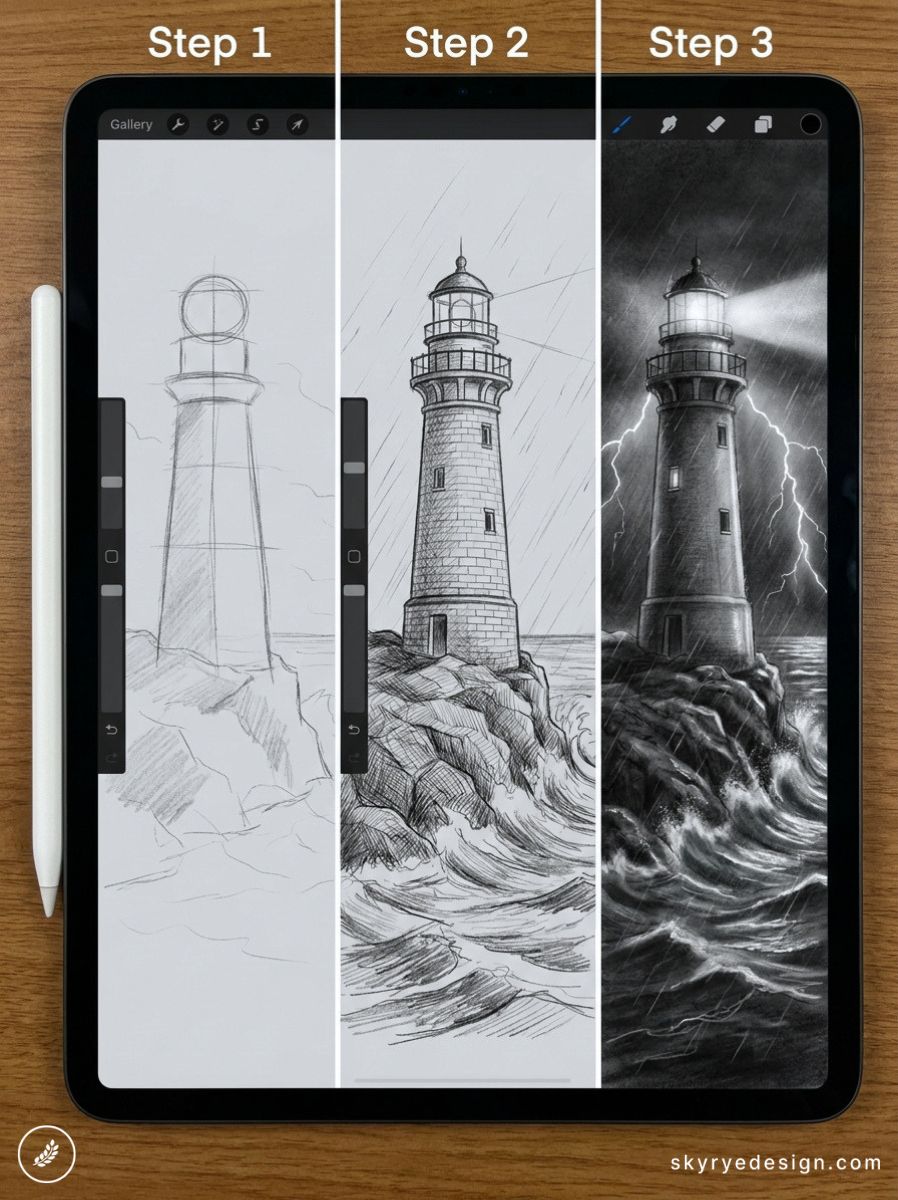
Dark storm clouds, white foam on crashing waves, and the beam cutting through the darkness. The lighthouse is the smallest element in the composition and the most important. High contrast and kinetic energy — strong Pinterest format.
72. A Hidden Library Behind a Bookcase Door
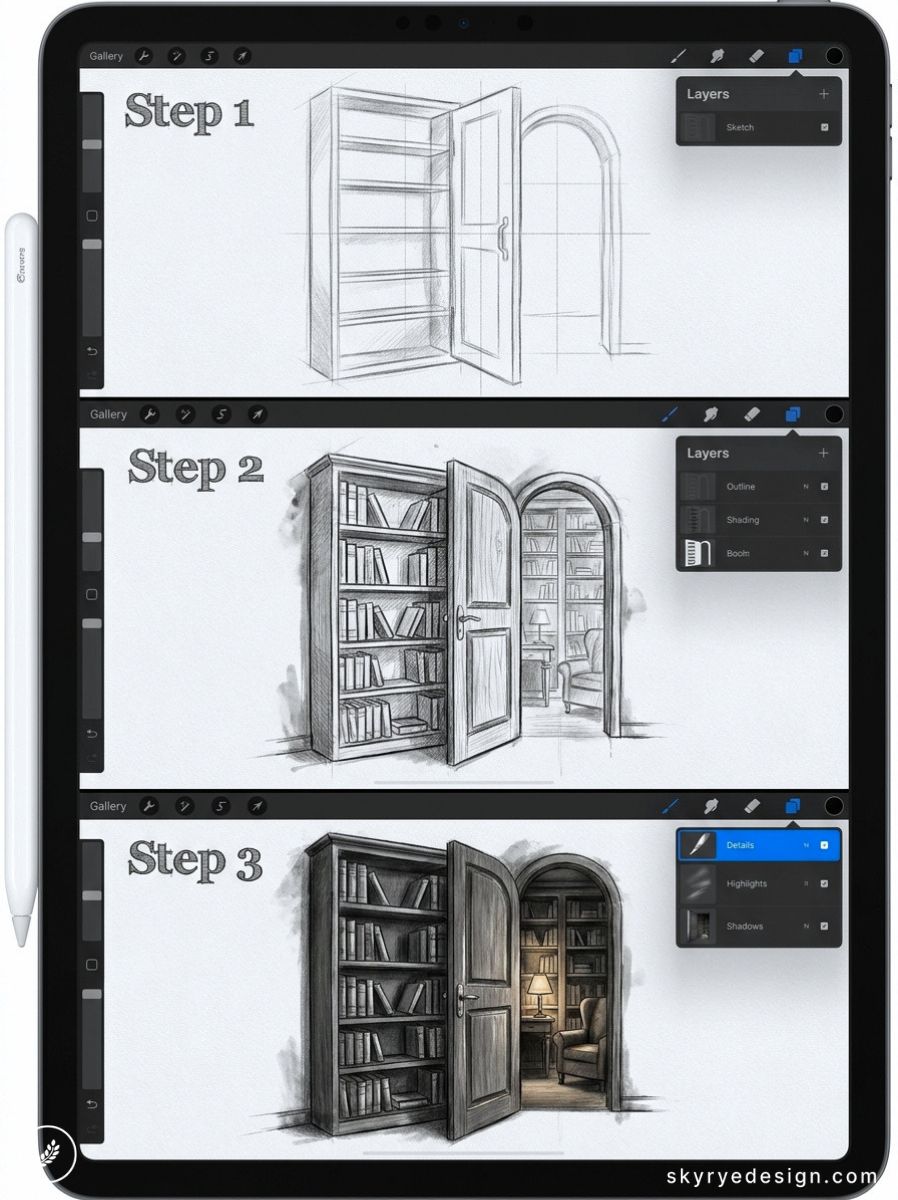
One bookcase slightly ajar, warm light visible in the gap, books on the visible shelves rendered in enough detail to suggest what’s hidden. The mystery is the subject. No reveal required.
73. A Treehouse at Golden Hour
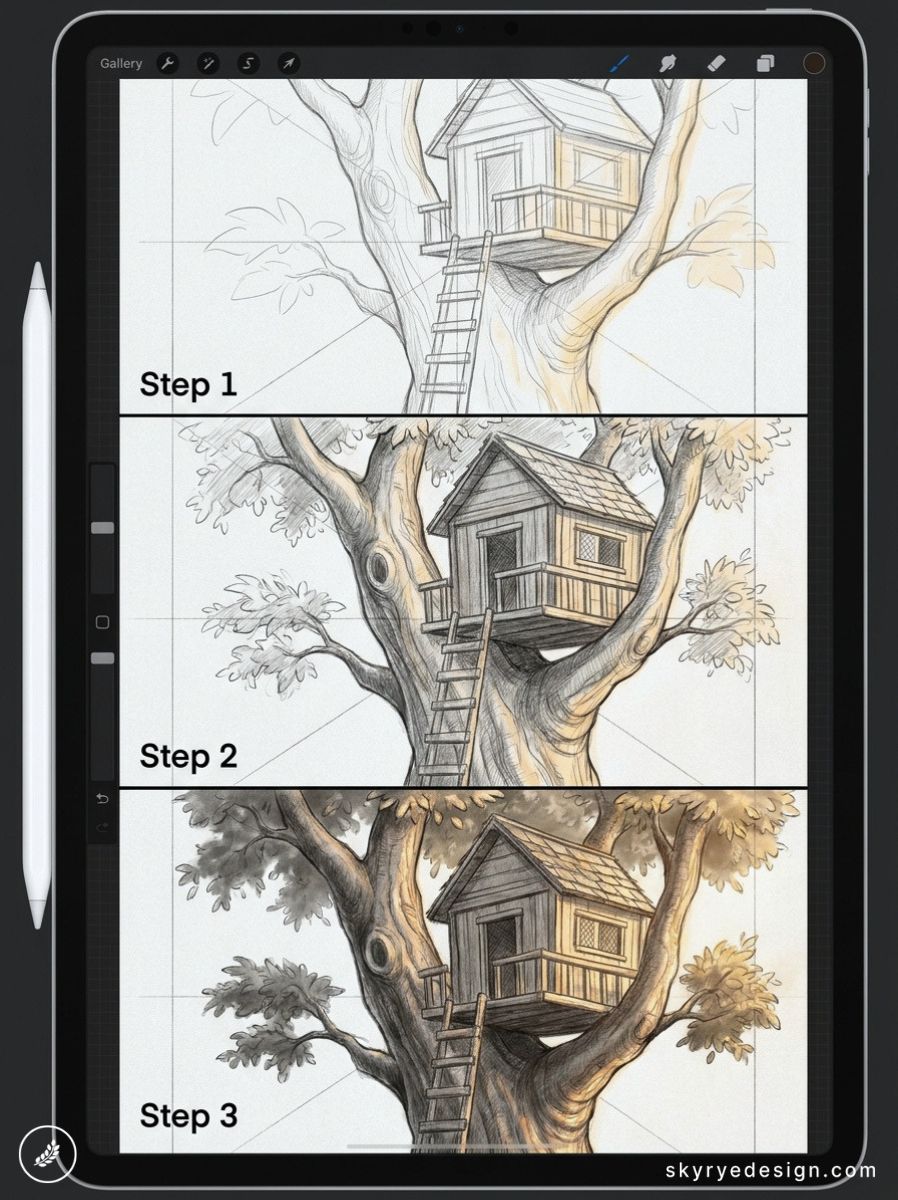
Warm amber light, long shadows, the treehouse platform sitting in a massive oak. A rope ladder hanging below. The silhouette of surrounding leaves creates a natural frame that works in both summer and autumn palettes.
74. A Flooded Abandoned Street
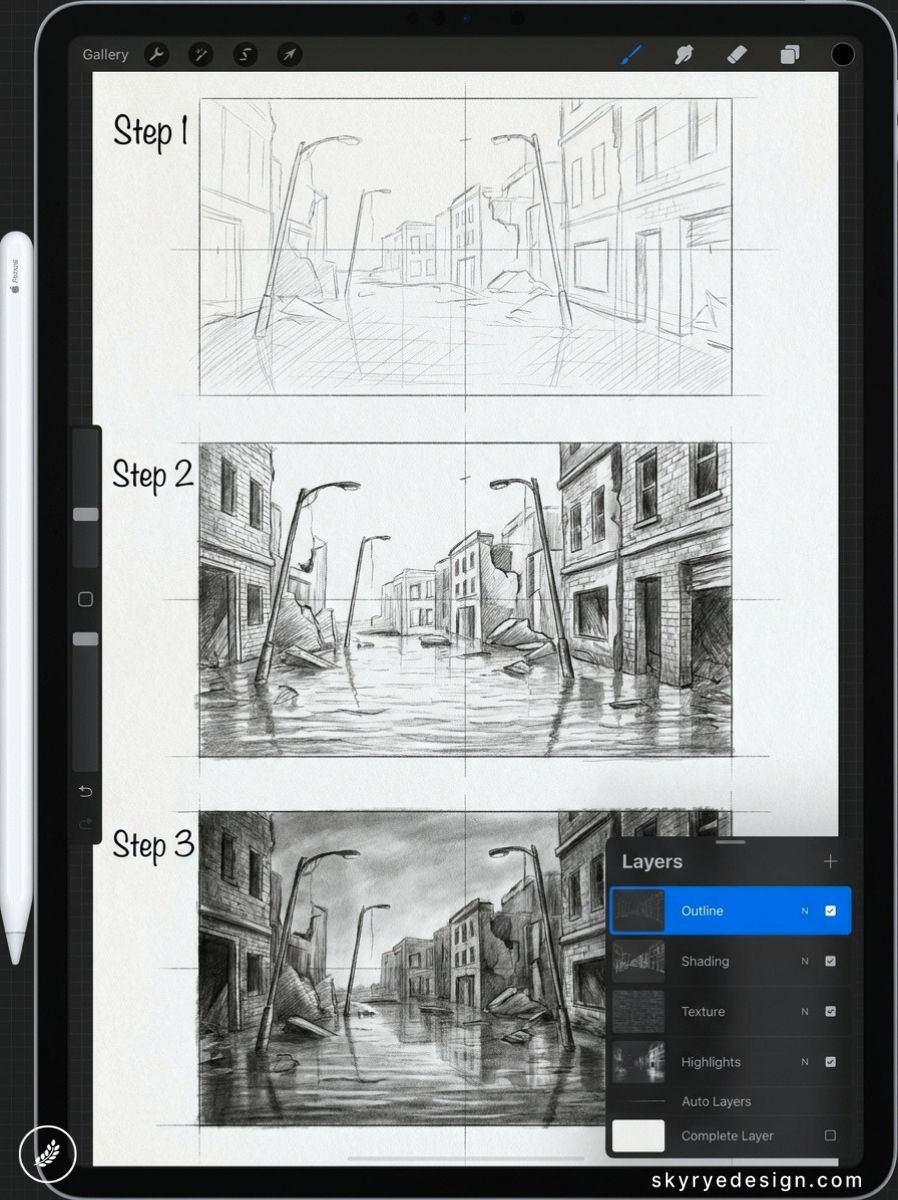
Still water reflecting a ruined building, plants growing through cracked pavement. Mirror the building below the waterline on a new layer, apply Gaussian blur at 6–8px, then smudge horizontally for water movement at 30% Smudge strength.
75. A Studio Apartment Interior
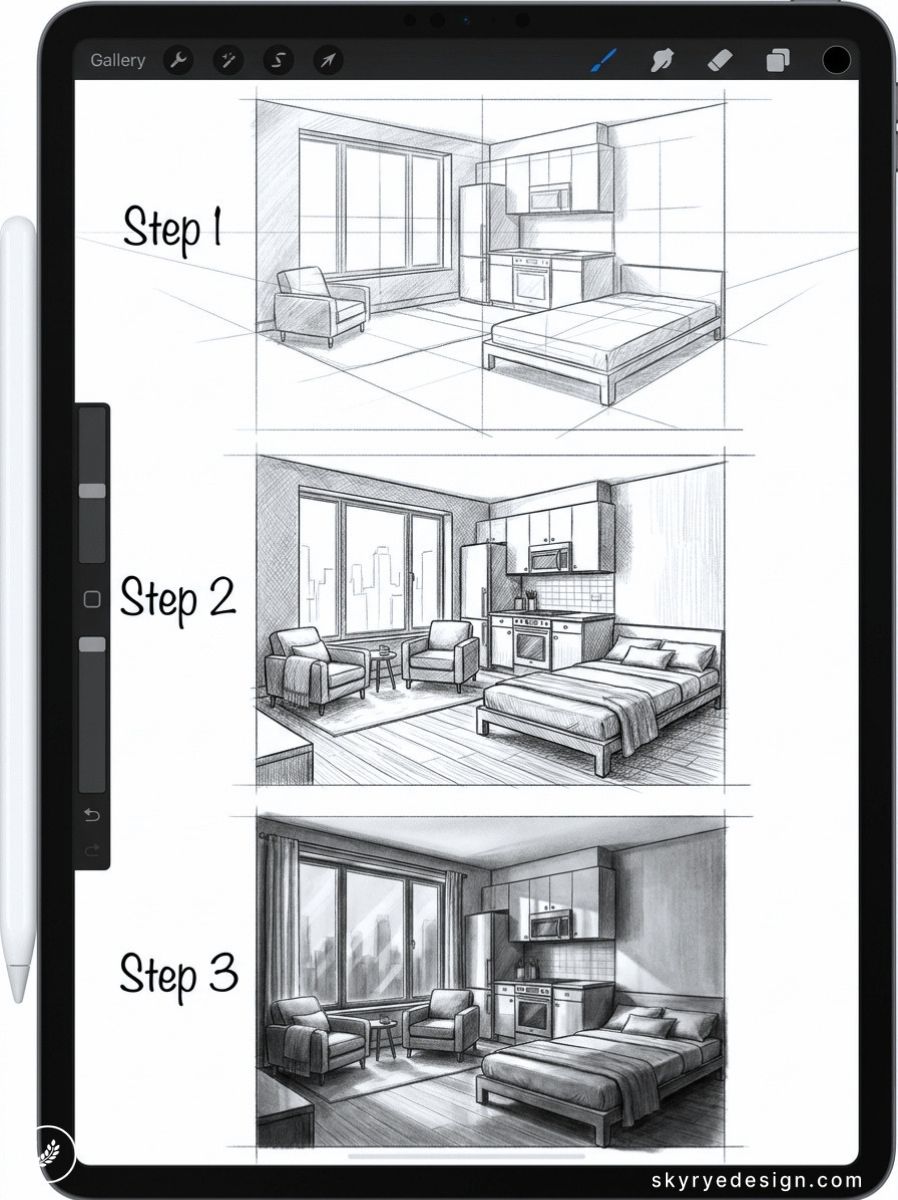
One room that contains a whole life: the bed, the drafting table, the small kitchen, the window with the good light. Interior illustrations work best when they imply the person who lives there through the objects chosen.
76. A Parisian Cafe in Morning Light
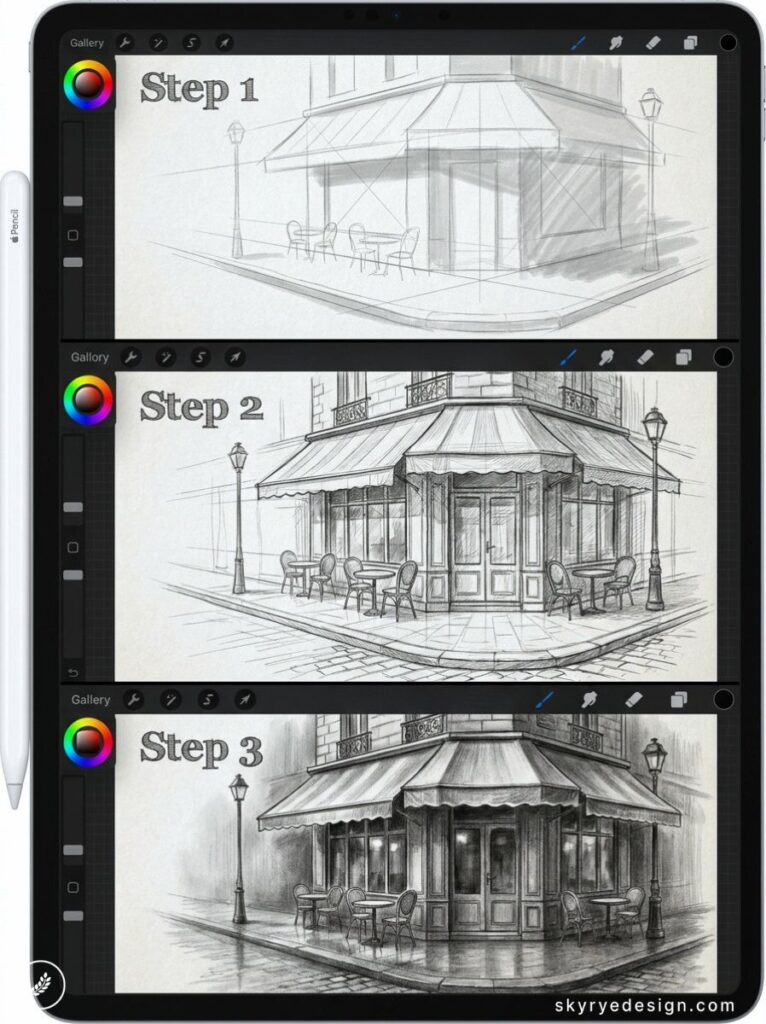
Small round tables on a sidewalk, wrought iron chairs, a striped awning. Morning light at a low angle casts long narrow shadows across the pavement. A coffee cup on one table, a folded newspaper on another — the warmest Procreate drawing idea in this section.
Abstract & Pattern (77–85)
Abstract work removes the safety net of a recognizable subject and forces you to rely entirely on color, shape, and composition. Each idea here sets a specific constraint to work within — which paradoxically makes them easier to start than open-ended prompts.
77. A Mandala with Nature Motifs
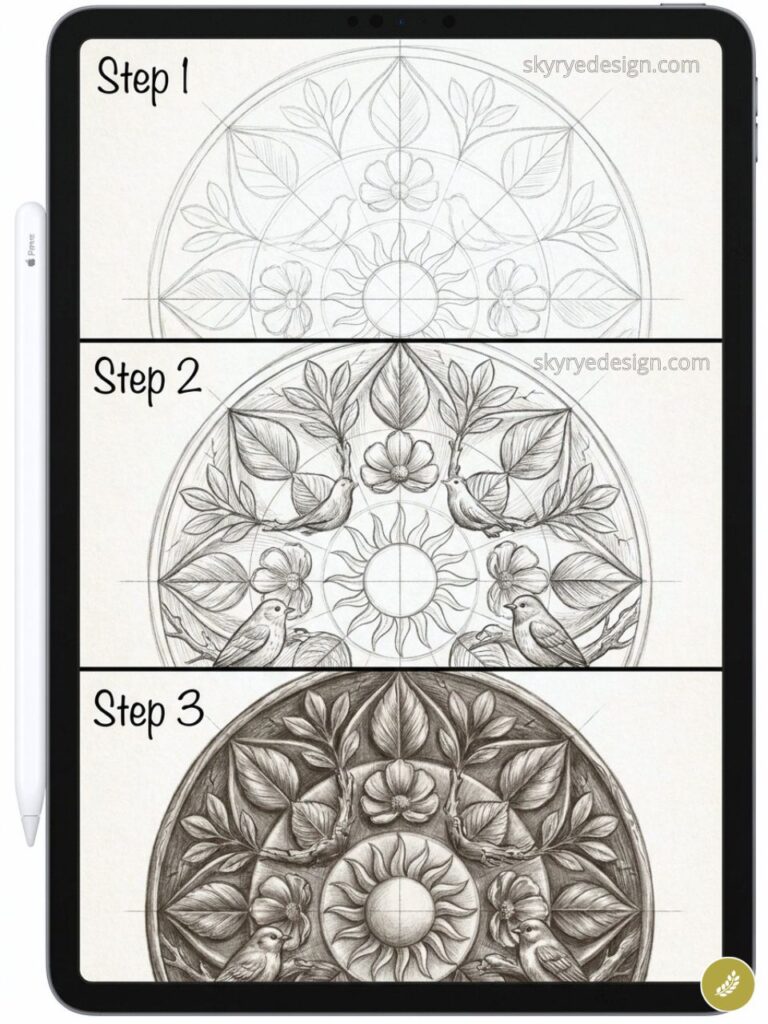
Instead of purely geometric elements, build the repeating units from natural forms: petals, leaves, feathers, seeds. Use Procreate’s Symmetry Guide (Canvas > Drawing Guide > Symmetry > Radial, 8 points) so each mark you make replicates instantly around the center axis.
78. A Color Study in Analogous Tones
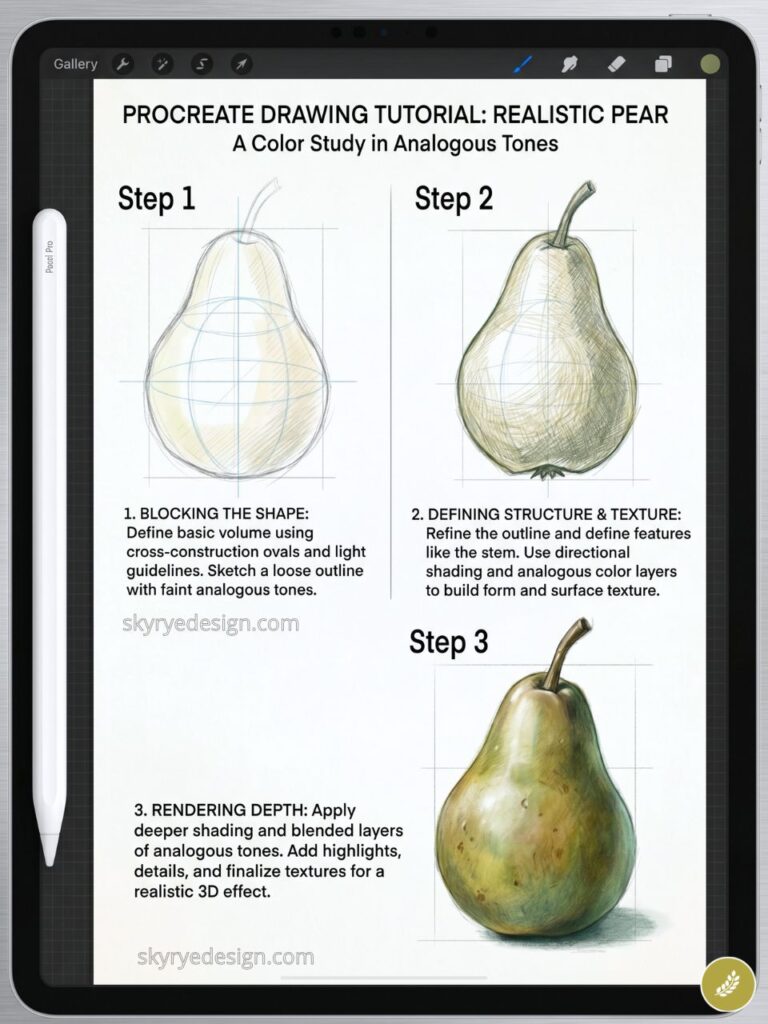
Pick three adjacent colors on Procreate’s Color Harmony panel and fill the canvas with abstract shapes using only those colors plus black and white. A composition and color harmony exercise disguised as abstract painting.
79. A Galaxy Pour: Abstract Fluid Art
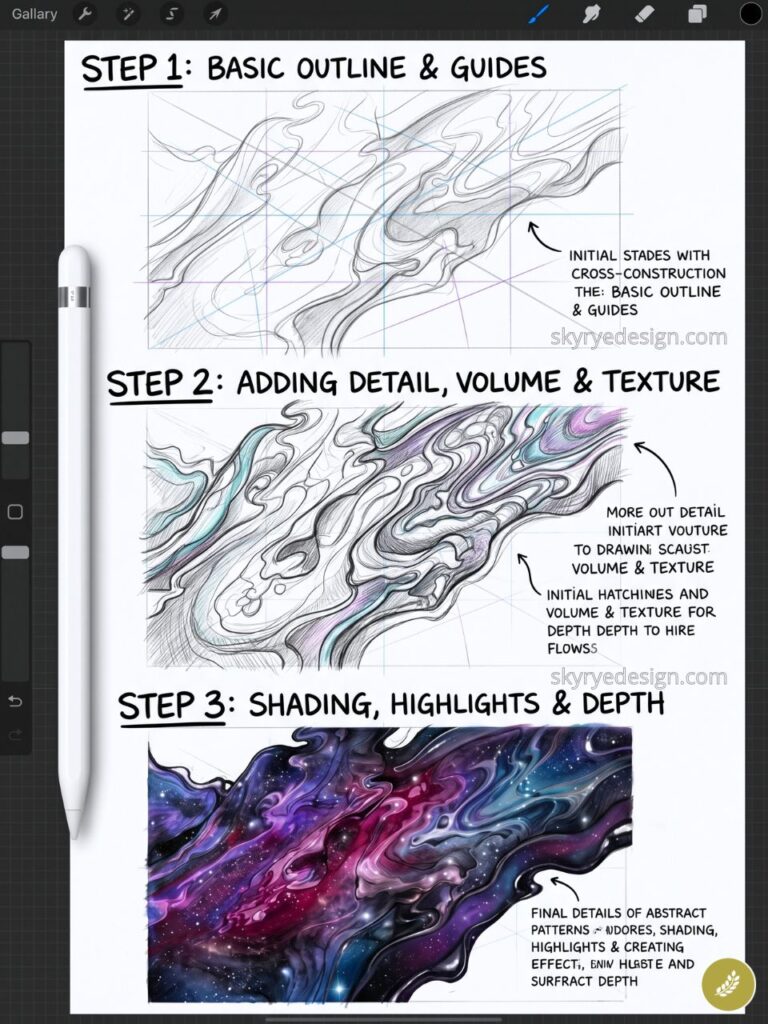
Dark background, then swirling pours of nebula color: deep purple, electric blue, rose pink, flashes of white for star clusters. The Liquify tool — push, swirl, and pinch settings in sequence — is built for this. One of the most requested Procreate digital art ideas from beginner communities.
80. A Geometric Animal Portrait
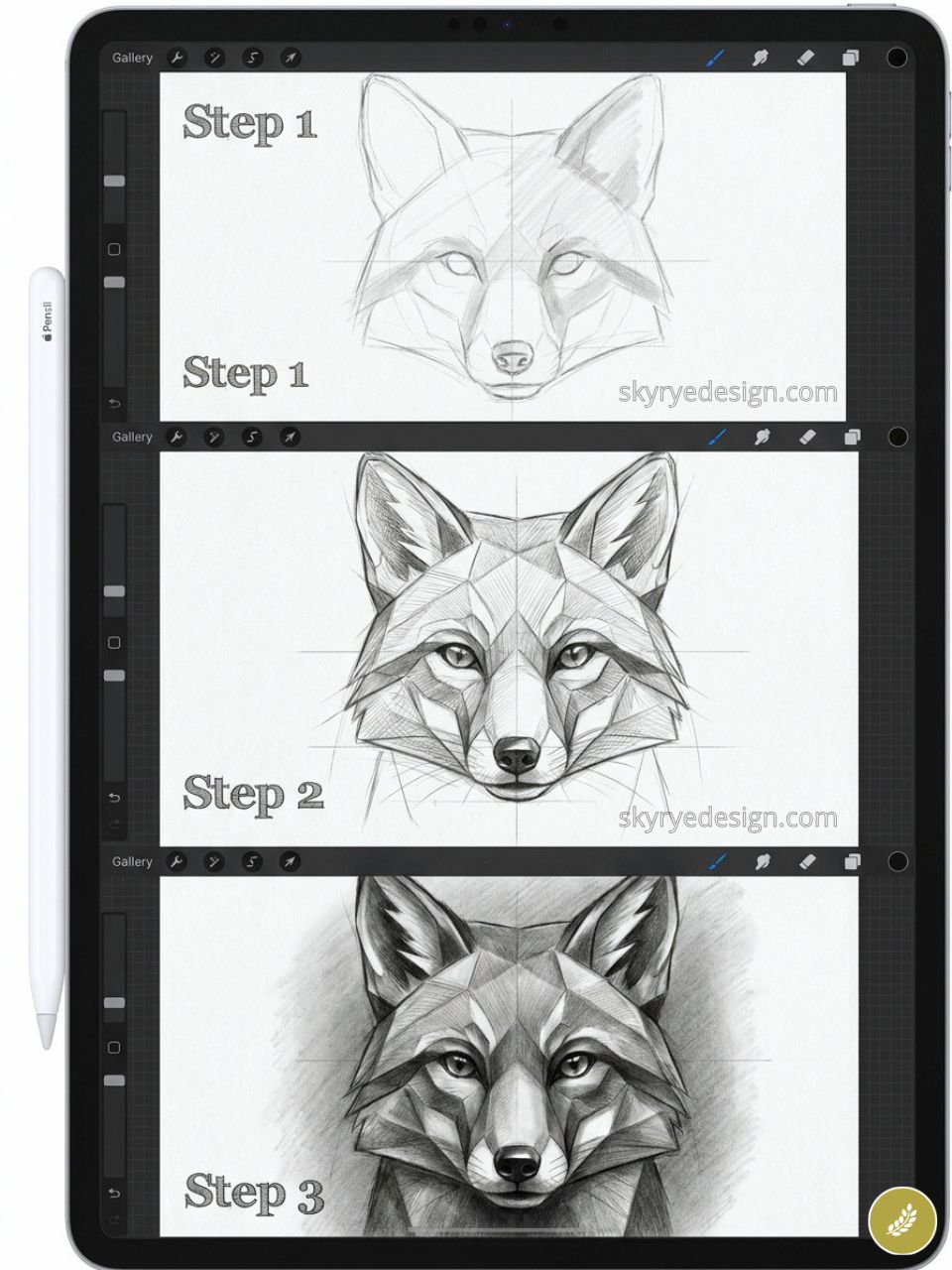
Render any animal in triangulated, low-polygon style: the fox face becomes a collection of triangles in graduated color. A graphic design skill embedded in an illustration exercise — and the results photograph extremely well for print-on-demand.
81. A Watercolor Wash with Ink Linework
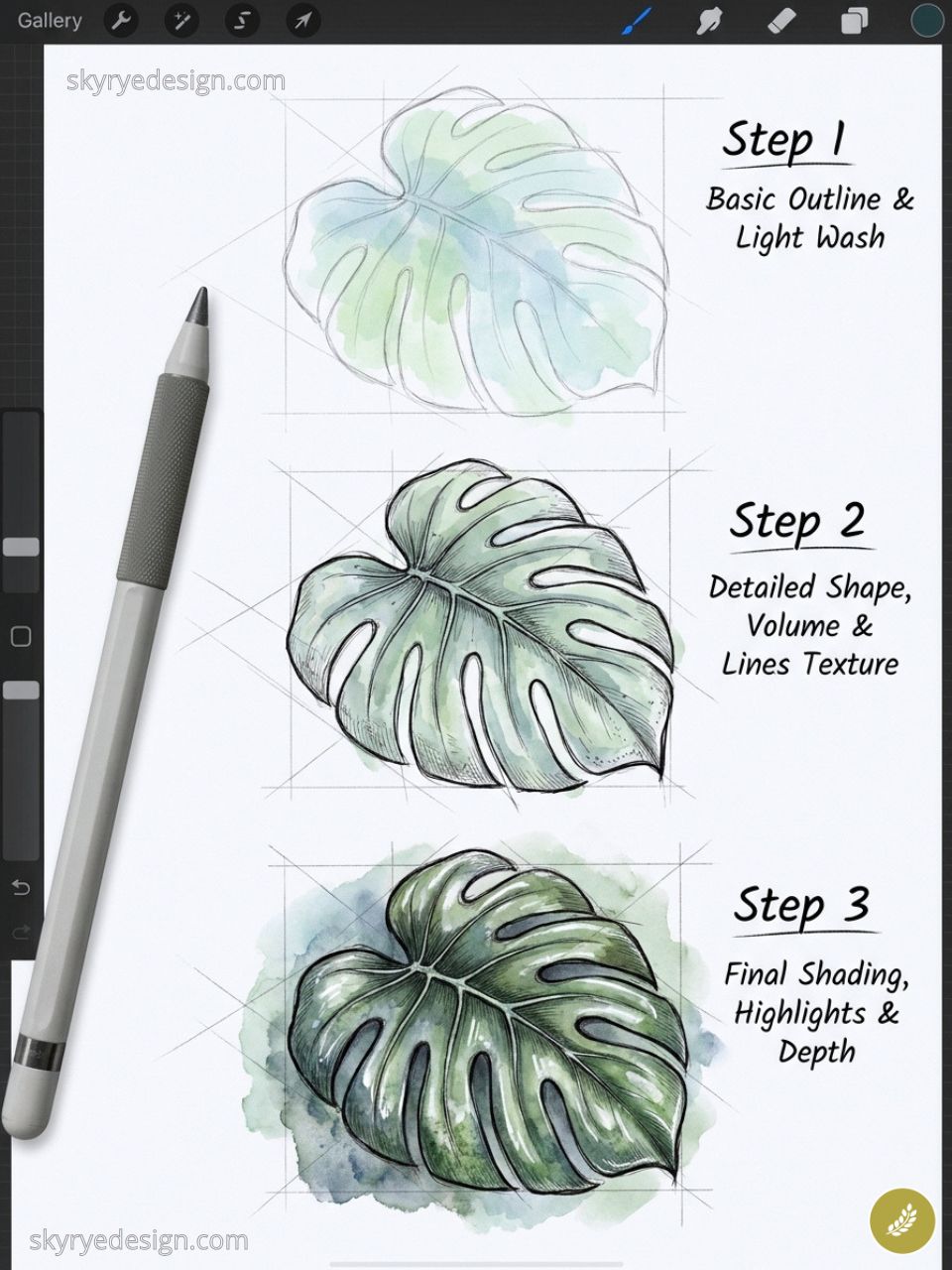
Build the loose watercolor washes first on lower layers with the Wet Watercolor brush, then add precise ink linework on top using the Technical Pen at 3–4px. The combination of loose and controlled is what makes this style consistently popular.
82. A Repeating Floral Pattern Tile
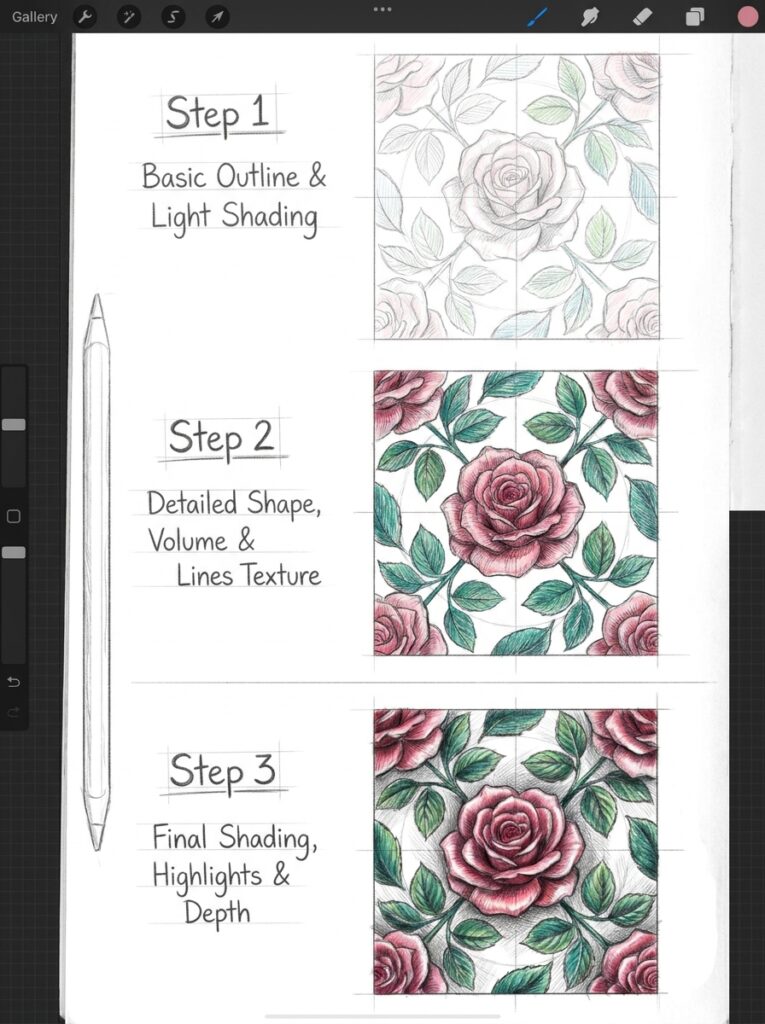
Design a single tile unit with botanical elements — a stem, two leaves, one flower — then repeat it in a grid using Procreate’s Canvas > Reference window to check tile-to-tile alignment. Pattern design requires seeing the tile as a module in a larger system.
83. An Abstract Portrait Using Only Color Shapes
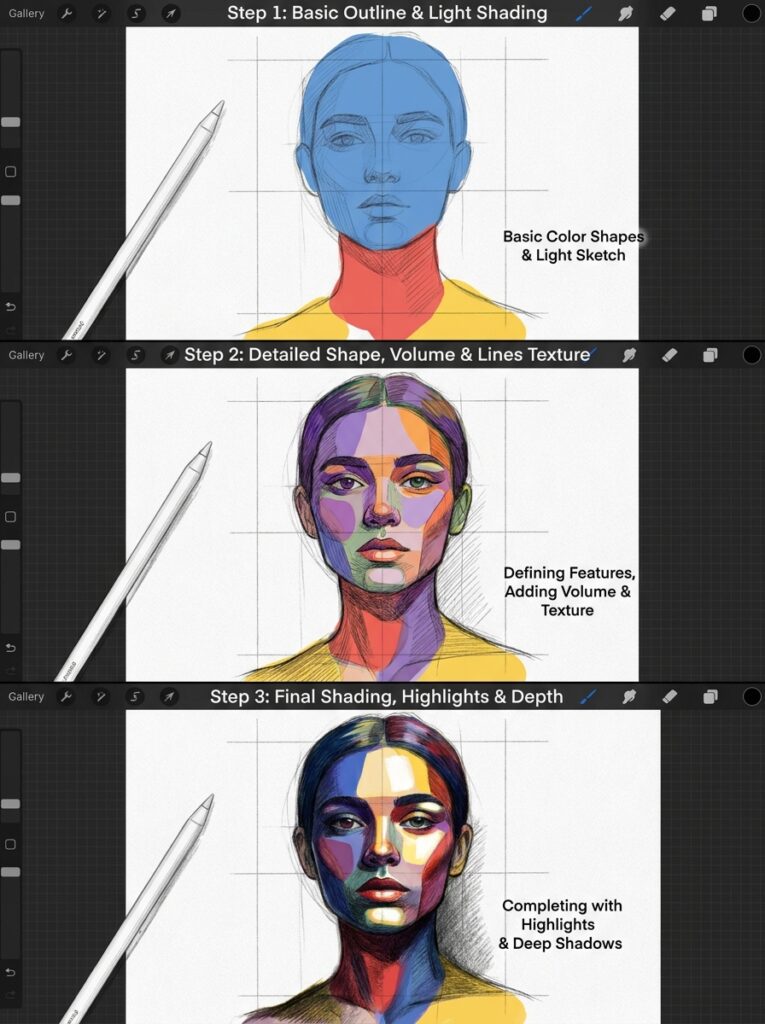
No outlines. Build a face using only flat color shapes on separate layers: a light shape for the lit side, a medium tone for the shadow side, a darker oval for the eye socket area. Forces you to see in values and planes.
84. A Zentangle-Inspired Dark Page
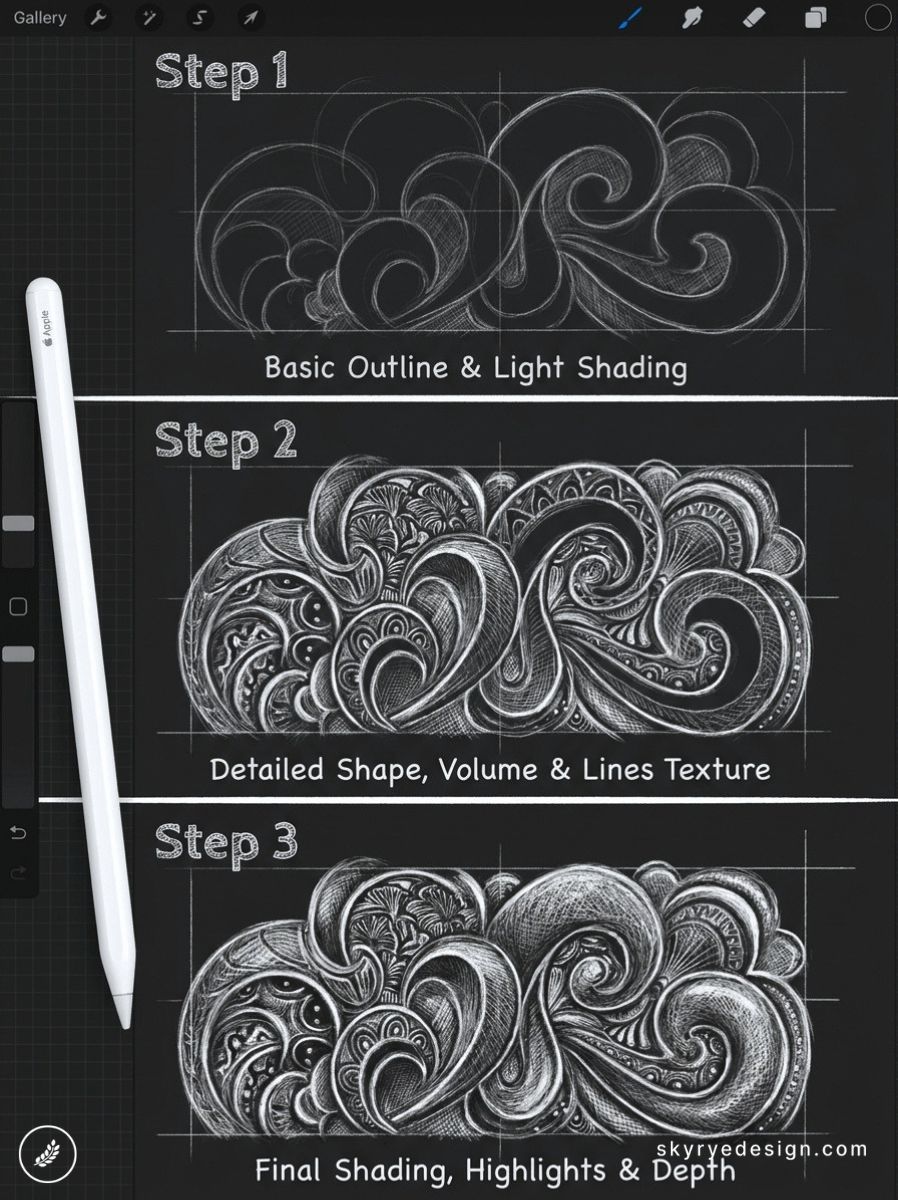
Black canvas, white and gold marks from the Calligraphy > Monoline brush. Fill sections with repeating patterns: crosshatch, dots, spirals, scales, waves. Each section is contained by organic freehand boundaries. Reads as complex even though each element is simple.
85. A Stained Glass Window Design
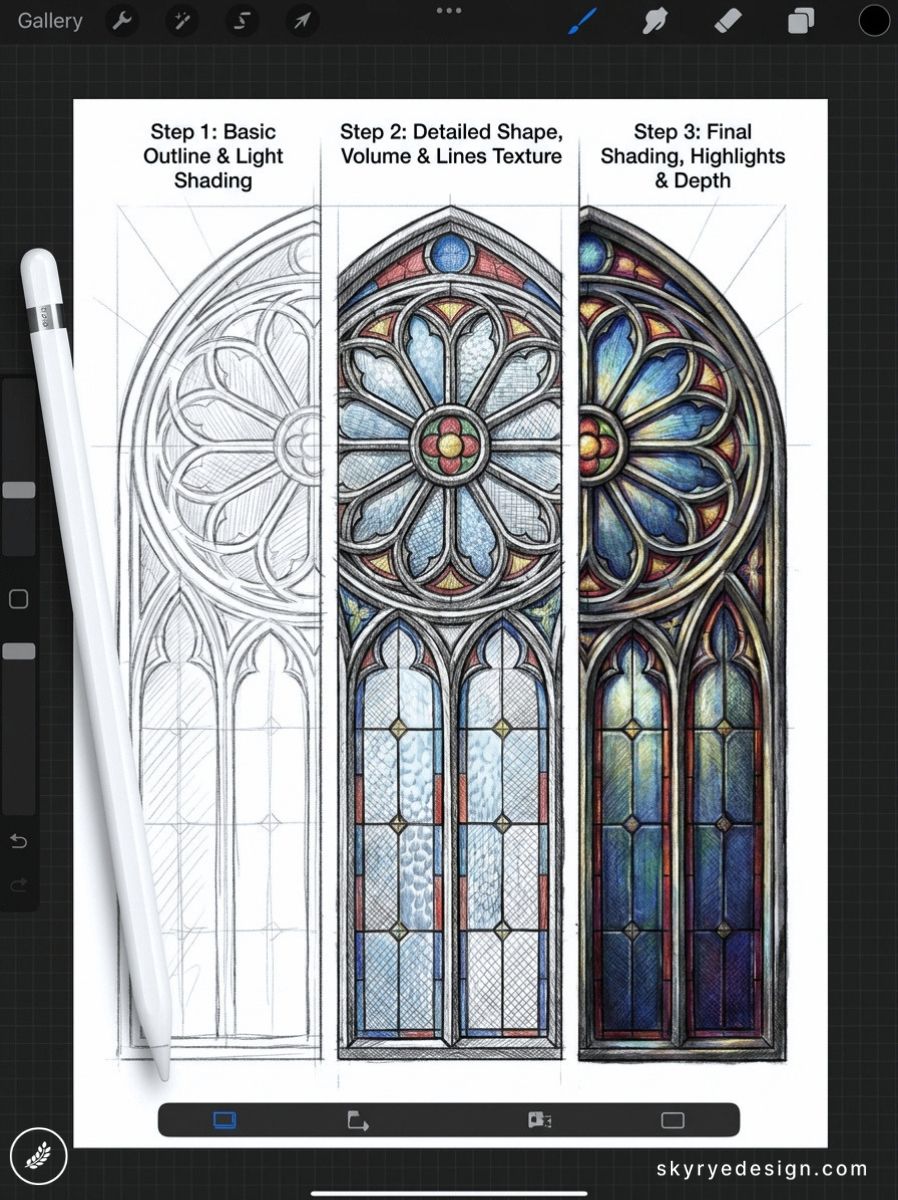
Draw the lead lines (thick, dark, organic) first using Inking > Syrup brush, then fill each cell with a single saturated color. Add a subtle radial gradient to each cell to simulate light passing through. The lines do all the structural work.
Characters & Creatures (86–95)
Character design sits at the intersection of illustration, storytelling, and graphic design. These ideas push beyond generic prompts by giving each character a specific conceptual angle: a hybrid form, a design tension, a narrative that the design itself must communicate.
86. A Forest Spirit Made of Leaves and Branches
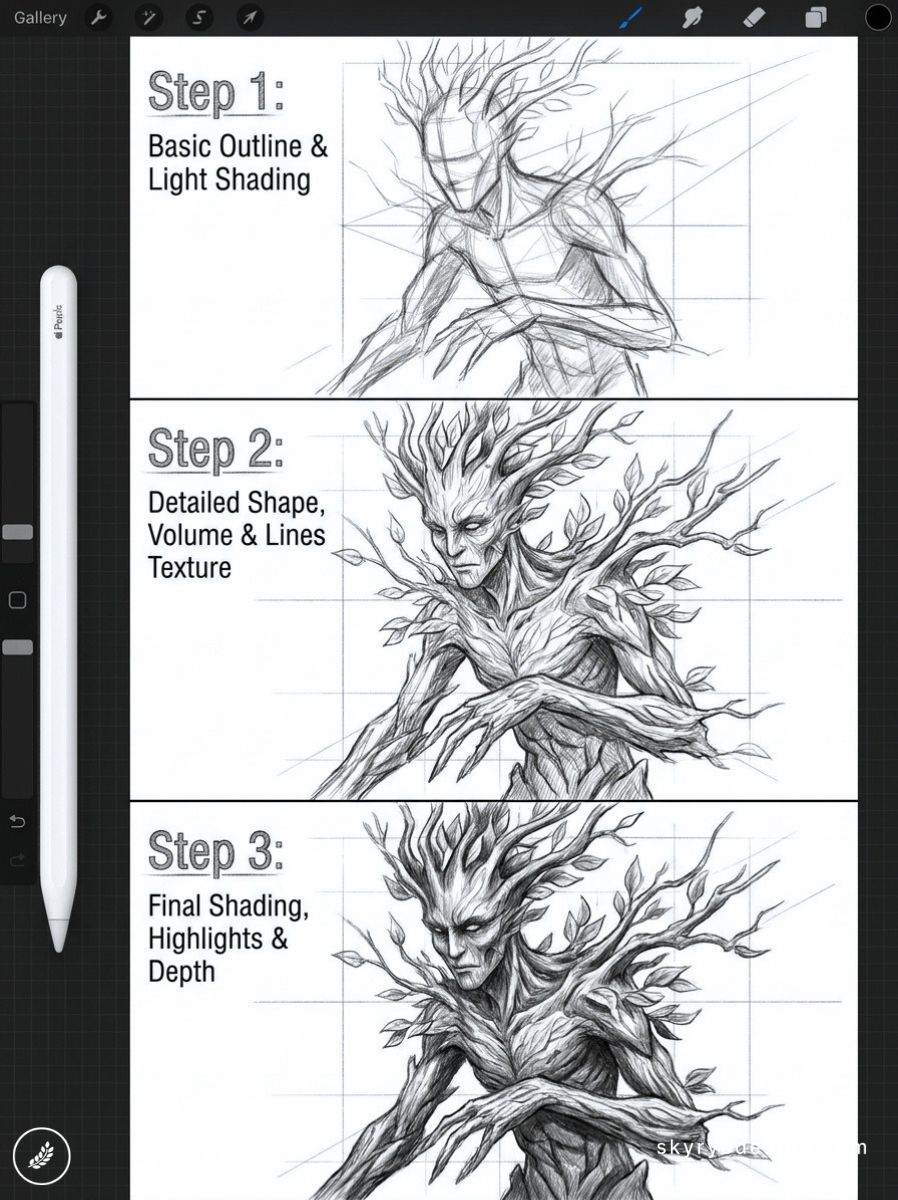
The body is formed from twisted branches, the hair from autumn leaves, the eyes glowing softly from within. This concept blends figure drawing with botanical illustration — two skill areas reinforcing each other in one composition.
87. A Street Character with a Specific Story
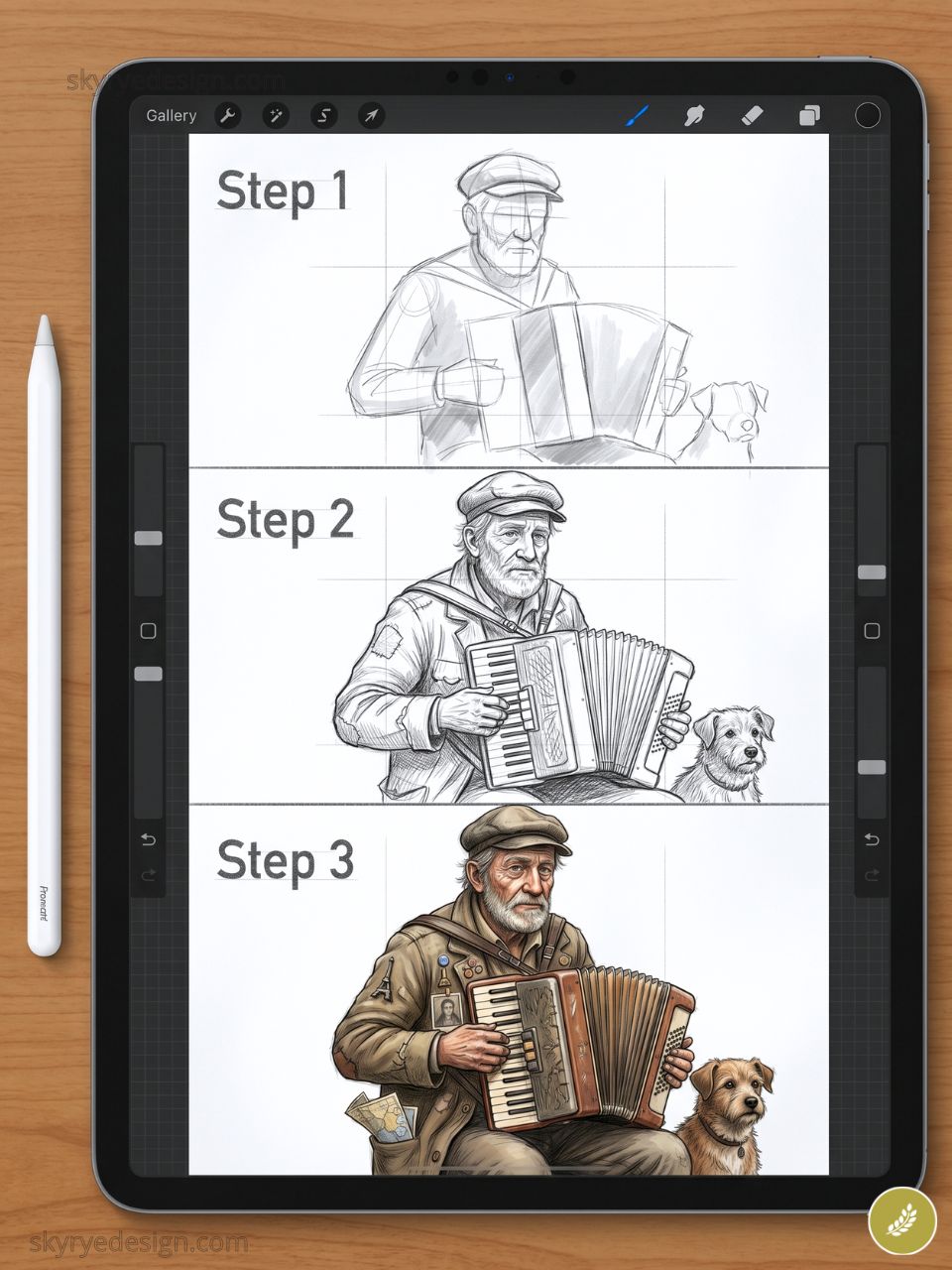
Not a generalized person, but one specific character: a delivery driver who writes poetry on receipts, a retired dancer now working in a flower shop. The objects they carry and their posture carry the biography. The specificity is the whole point.
88. A Kitsune: The Japanese Fox Spirit
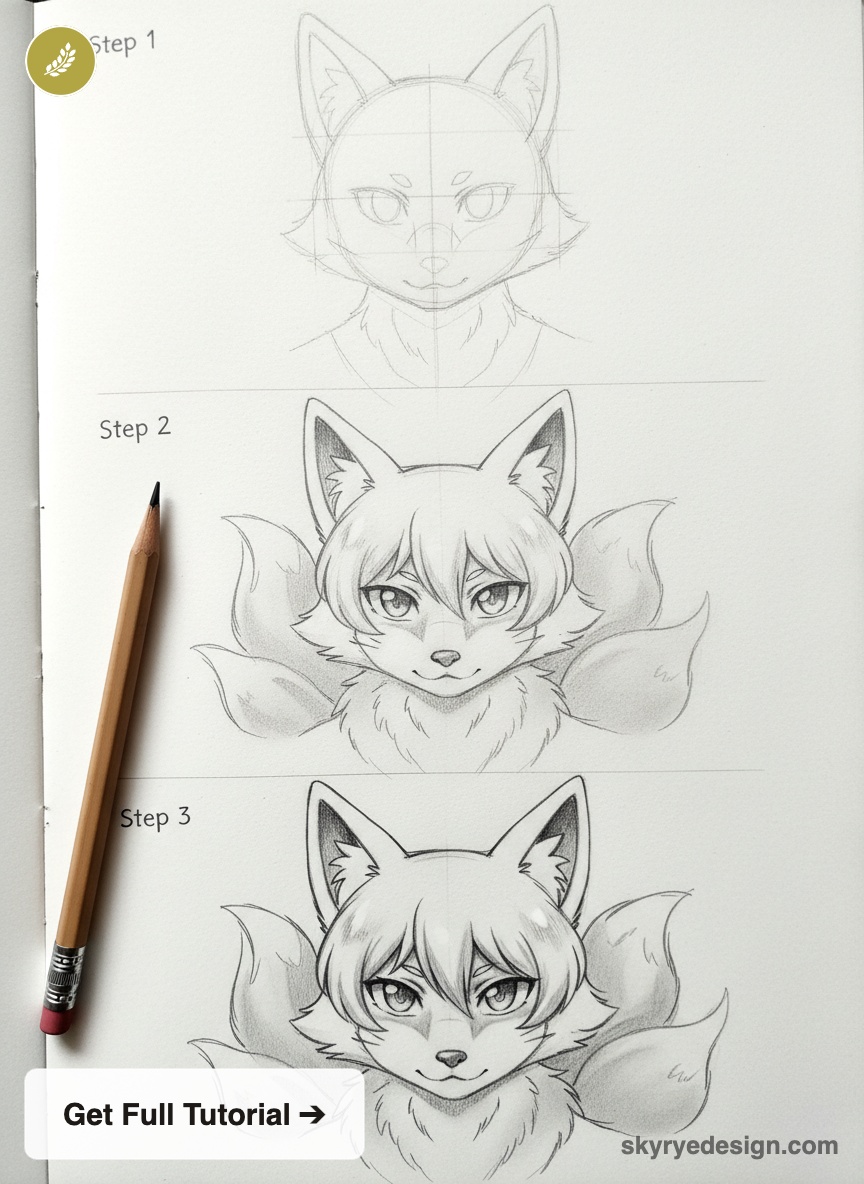
White or gold fox with multiple tails drawn with realistic fox anatomy, smoke-like elements at the tail tips rendered using the Soft Airbrush on a Screen blend layer. Japanese mythology characters have a devoted illustration community with measurable Pinterest search volume.
89. A Chibi Version of a Historical Figure
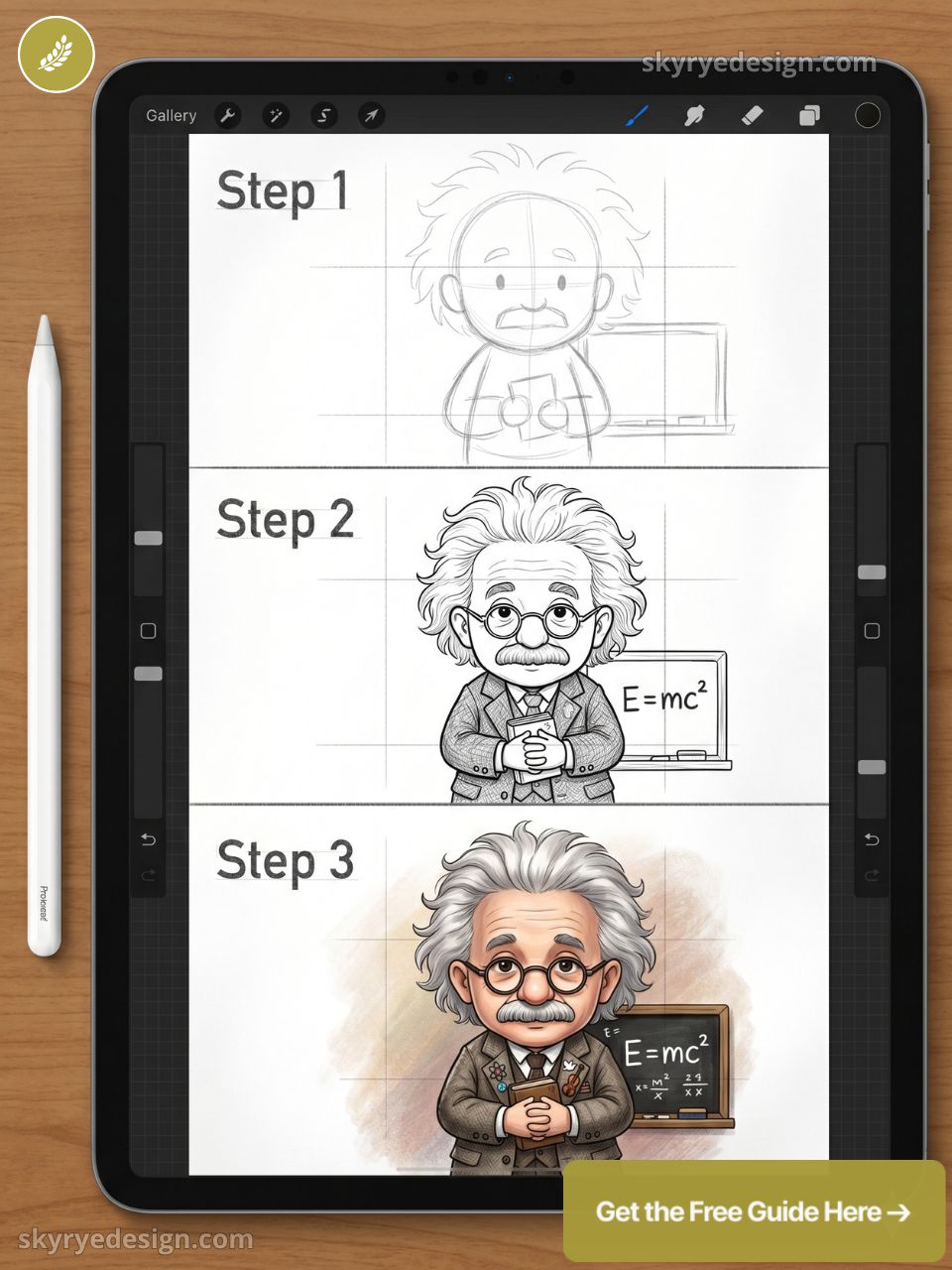
Take any historical figure and render them in chibi style: large head, small body, exaggerated expression. The contrast between serious subject and playful execution is the joke and the appeal simultaneously.
90. A Deep-Sea Anglerfish Reimagined as a Lantern
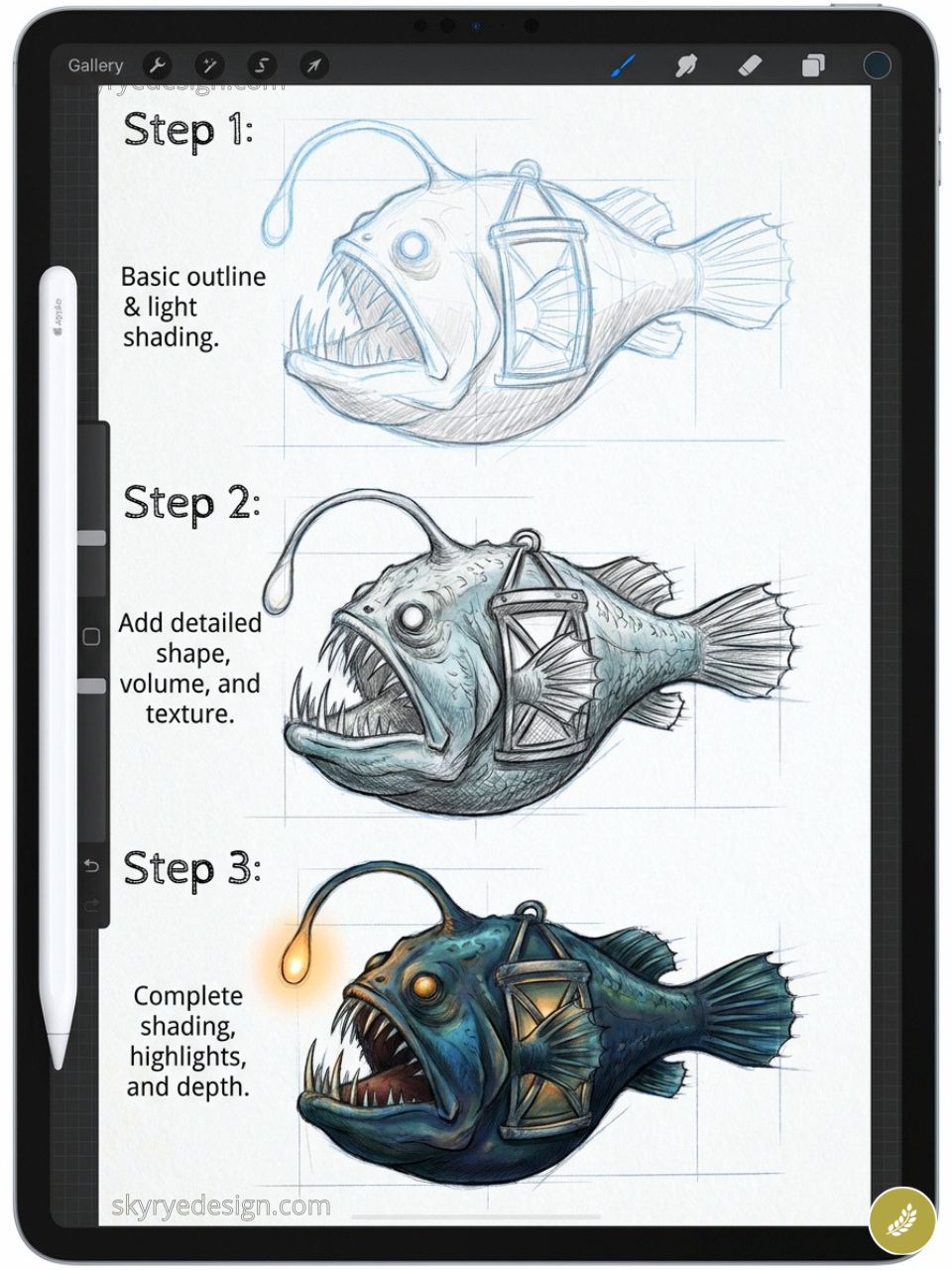
What if the anglerfish’s bioluminescent lure was a literal ornate lantern? Creature design that borrows from nature and transforms it through a design lens. Creature-plus-object mashup is a highly original character design category with strong discoverability.
91. A Guardian Spirit of a Specific Place
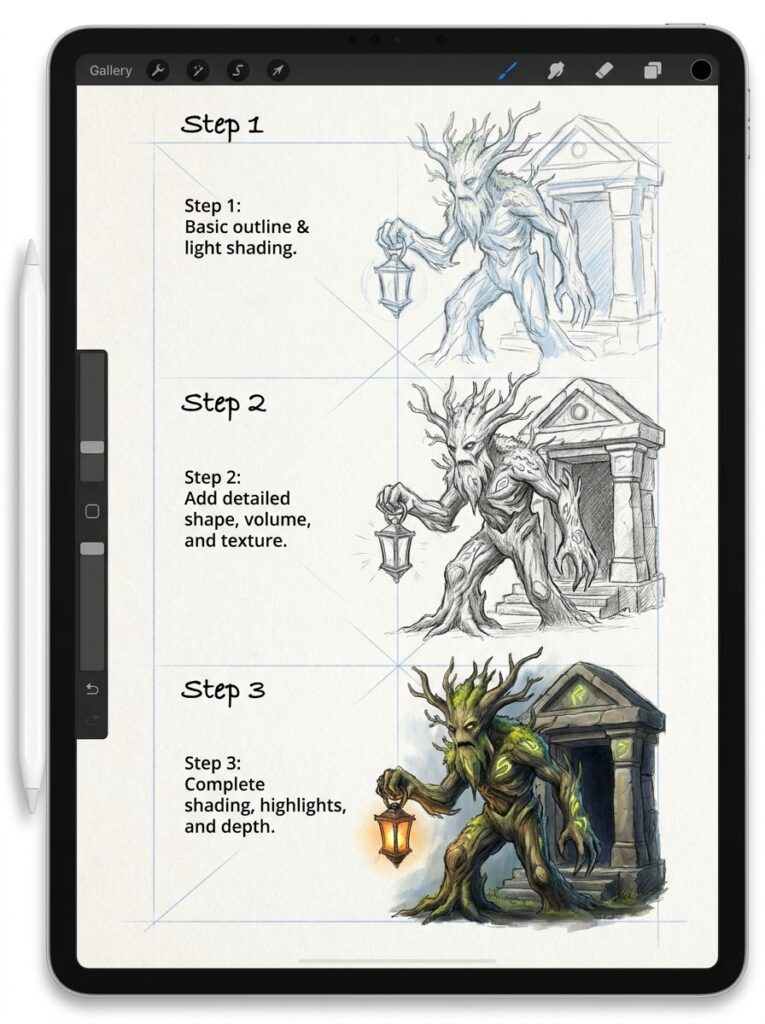
Design a spirit entity for a real or imagined location: the guardian of a specific forest, mountain, or river. What does the environment look like in creature form? What plants grow from it? What materials compose it?
92. A Cyberpunk Character with Botanical Tattoos
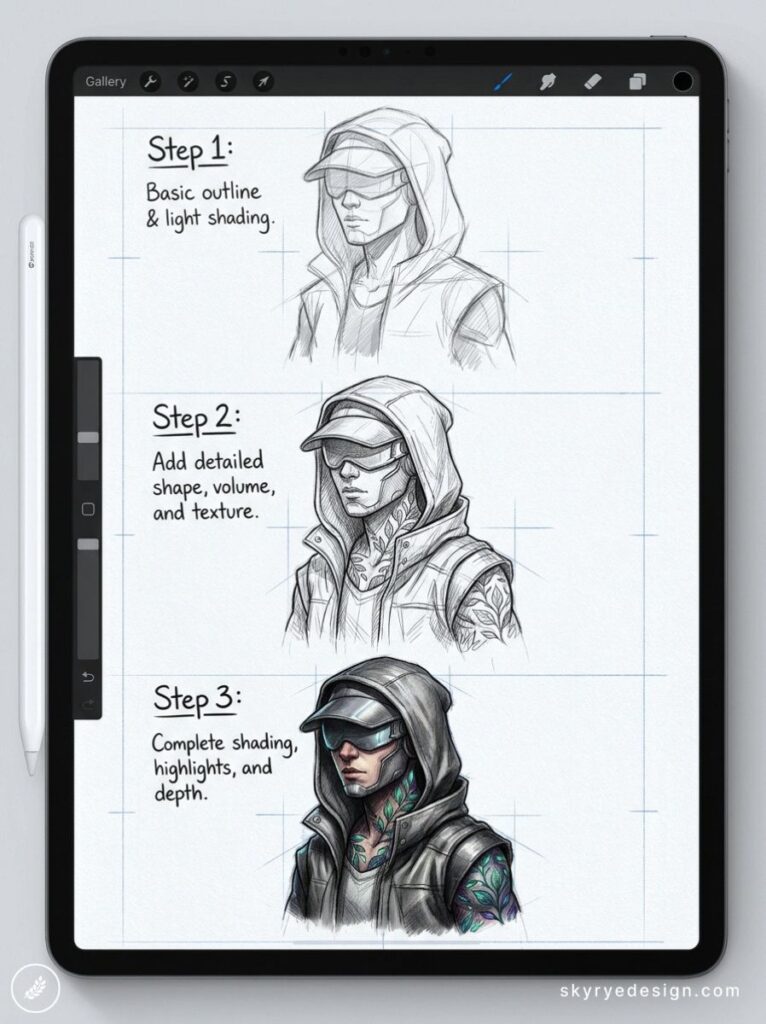
Neon-lit cyberpunk aesthetic, but the character’s skin is covered in detailed botanical tattoo work. The contrast between mechanical and organic is one of the most reliably engaging visual tensions in character design — and this version is underrepresented in search results.
93. A Cloud Being with a Storm Personality
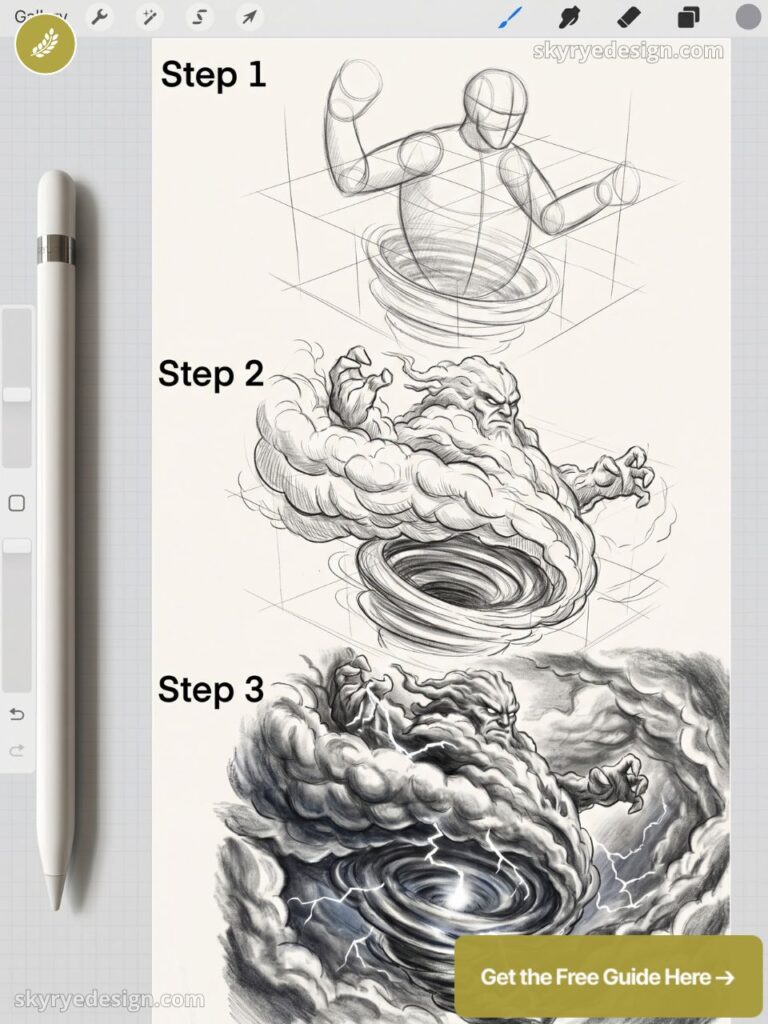
A figure literally made of storm cloud: body like cumulus, lightning visible inside, rain falling from its feet. The challenge is drawing something that reads simultaneously as atmospheric phenomenon and as a character with personality.
94. A Tarot Card Design (Original)
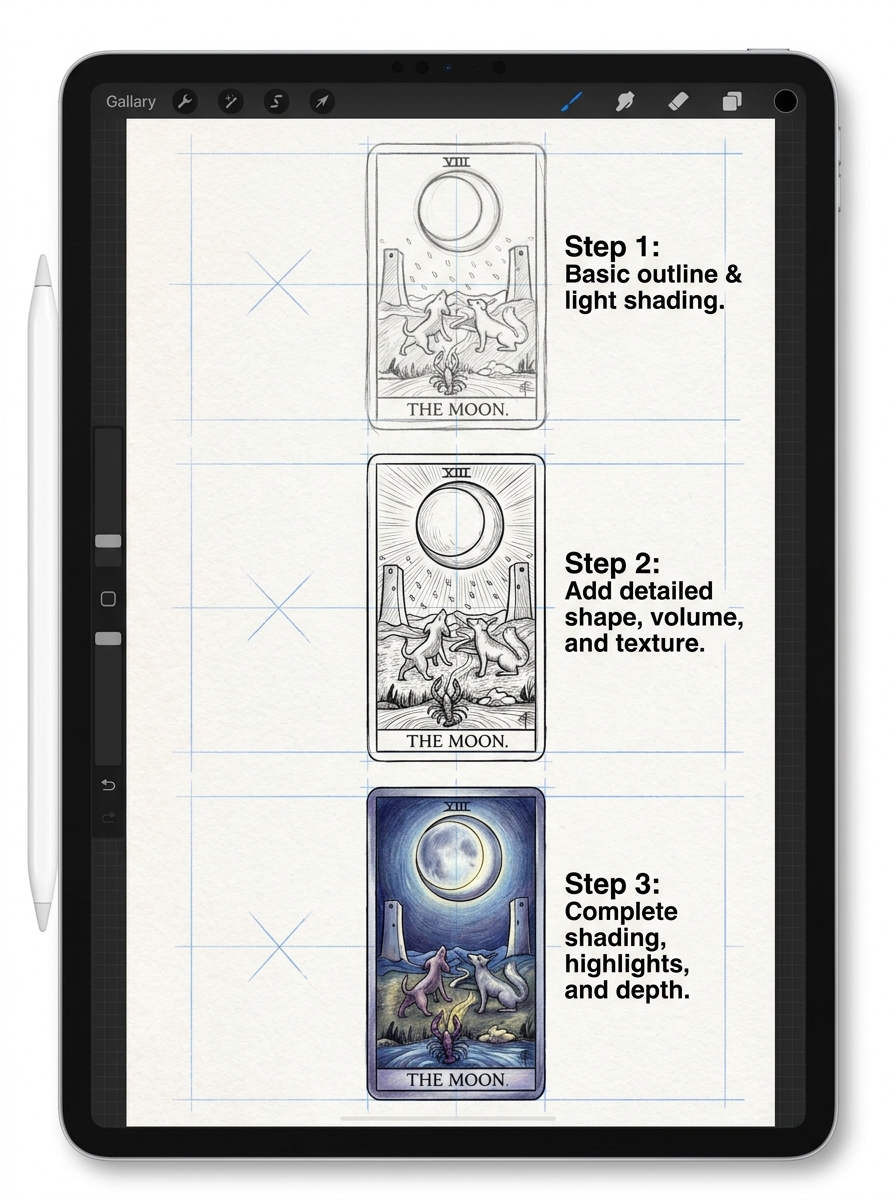
Pick any archetype — The Tower, The Star, The Hermit — and design your own visual interpretation. Tarot card illustrations combine character design, symbolic object placement, and decorative border work in one compact, highly shareable format.
95. A Child’s Imaginary Friend Made Visible
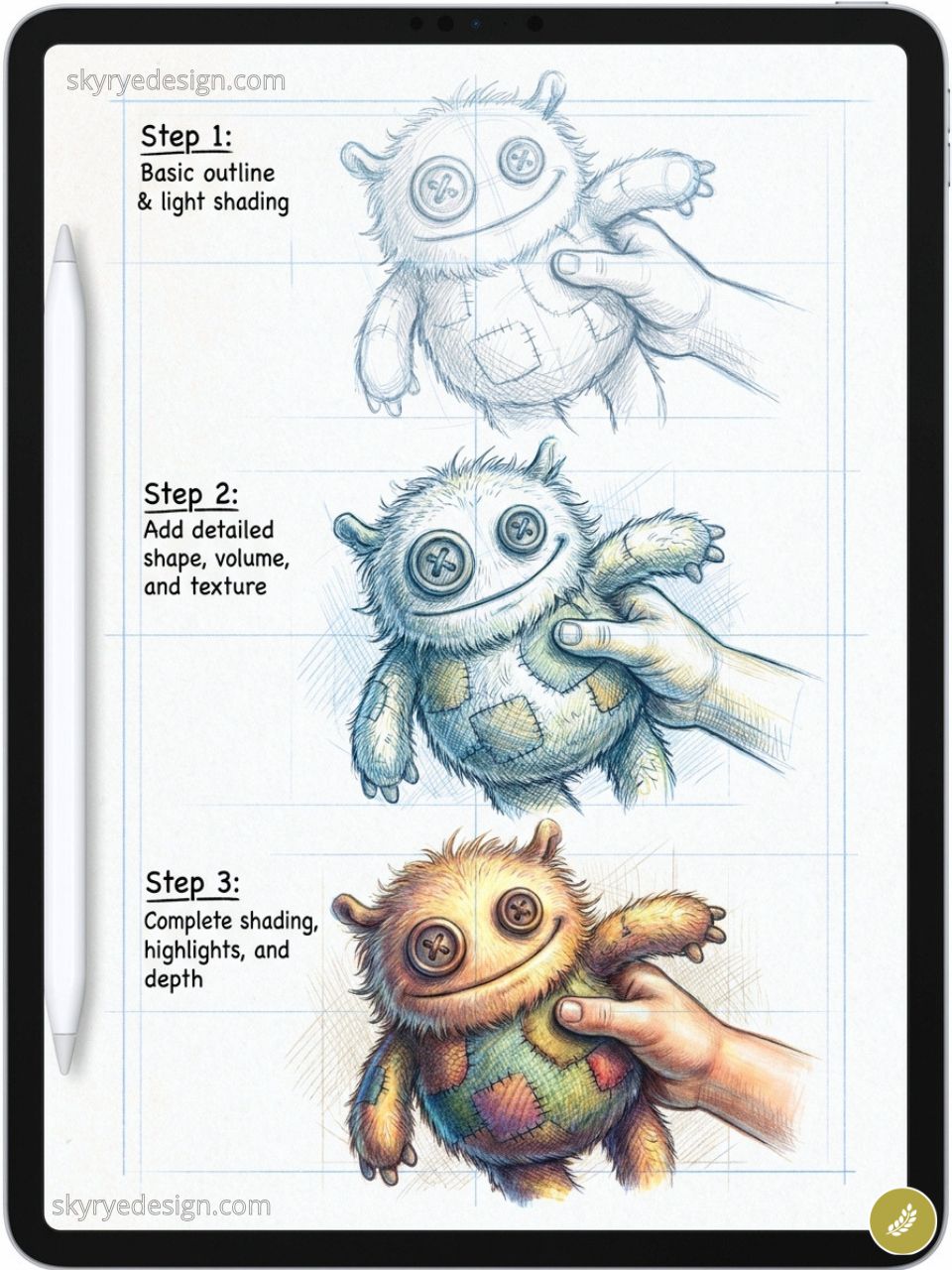
Part animal, part abstract, part wish fulfillment. Complete visual freedom, with the implied relationship between child and creature adding emotional weight to the design without a single word of explanation.
Landscapes & Environments (96–100)
Landscapes are mood pieces. The subject is rarely the mountain or the field — it’s the specific quality of light at a specific hour. These final five ideas are each built around a lighting condition or compositional strategy that does the emotional work for you. Set your canvas to 4K (4096×2732px) if you plan to print any of these.
96. A Lavender Field at Dusk
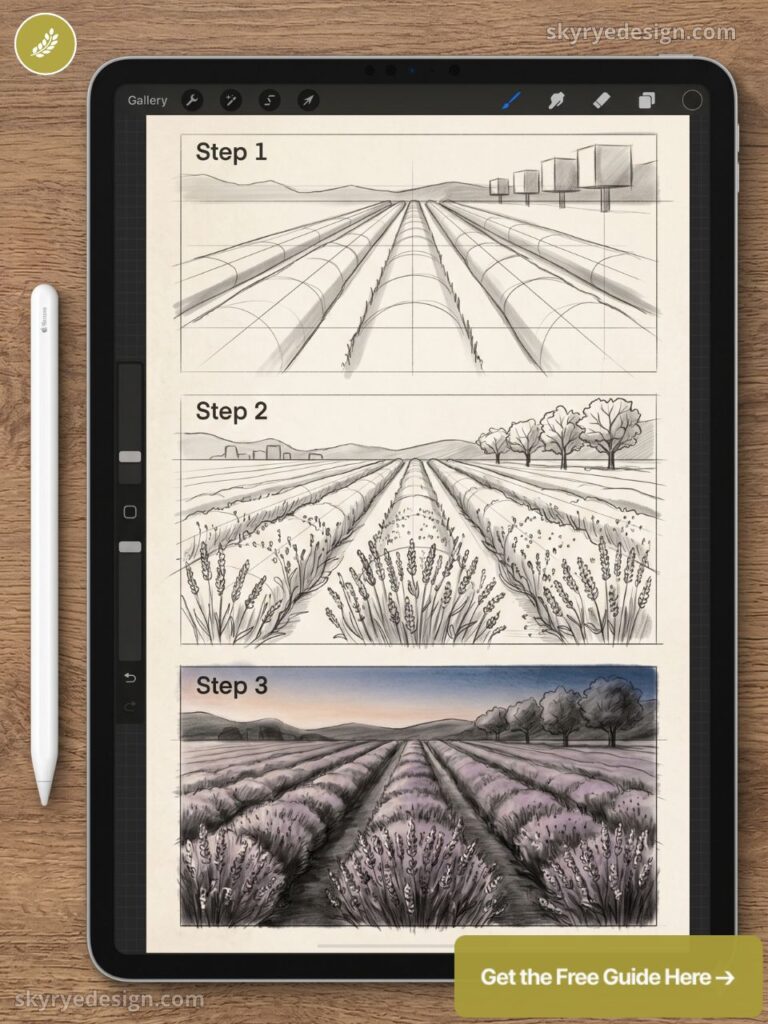
Rows of purple-blue converging to a vanishing point, a single farmhouse in the distance, the sky shifting from warm orange at the horizon to deep blue above. Set a one-point perspective guide before drawing the first row — the rows themselves are the perspective exercise.
97. A Thunderstorm Over Open Plains
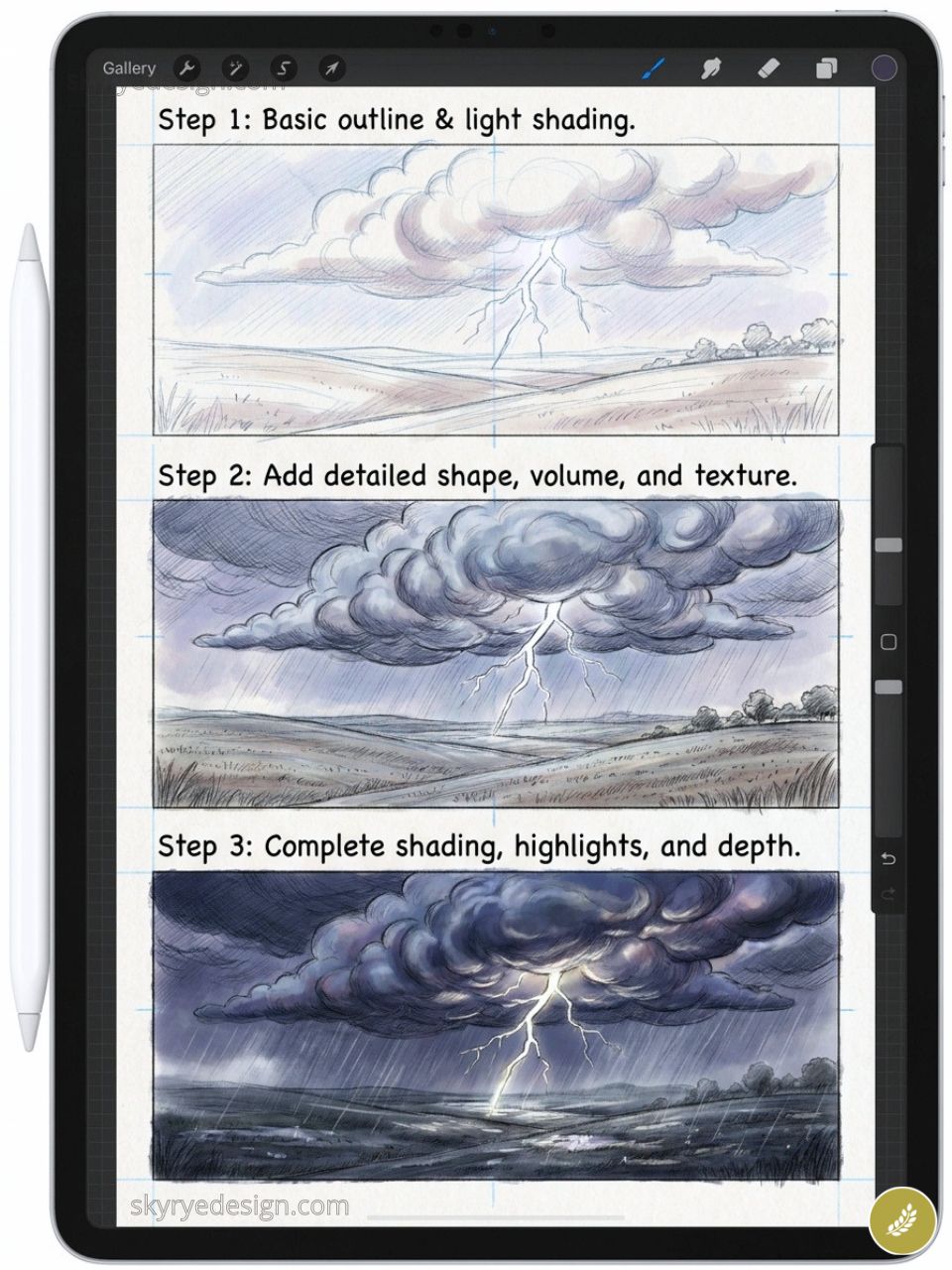
Massive cumulonimbus formations filling the upper three-quarters of the canvas, lightning branching downward, the flat plain below lit by the flash. The scale of weather against landscape is one of the most compositionally powerful Procreate drawing ideas in this list.
98. A Mountain Reflected in an Alpine Lake
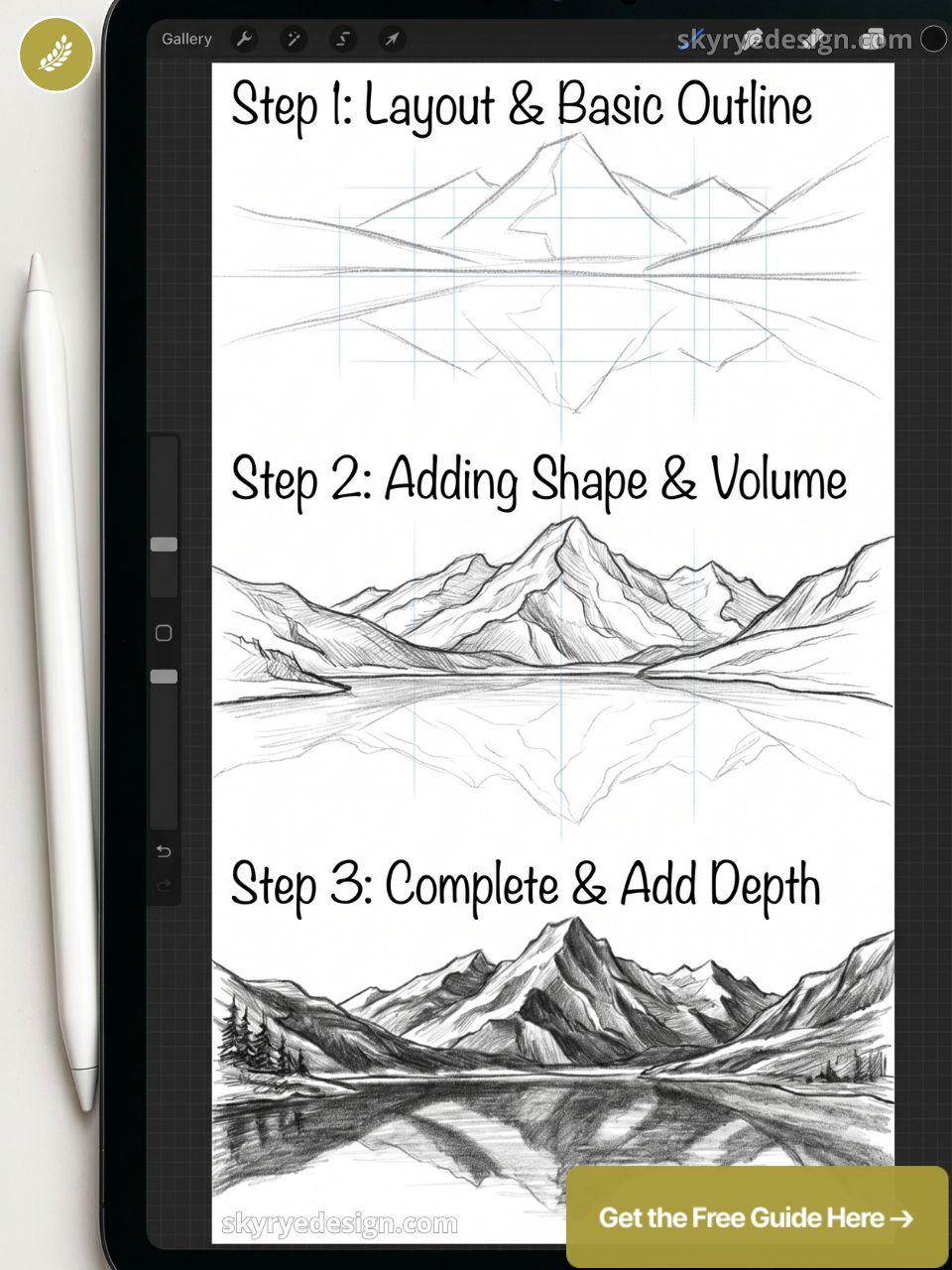
Perfect mirror reflection, the boundary between mountain and reflection at the horizontal canvas center. Add a single small boat breaking the reflection to introduce human scale and destroy the perfect symmetry deliberately.
99. A Sunset Through Autumn Forest
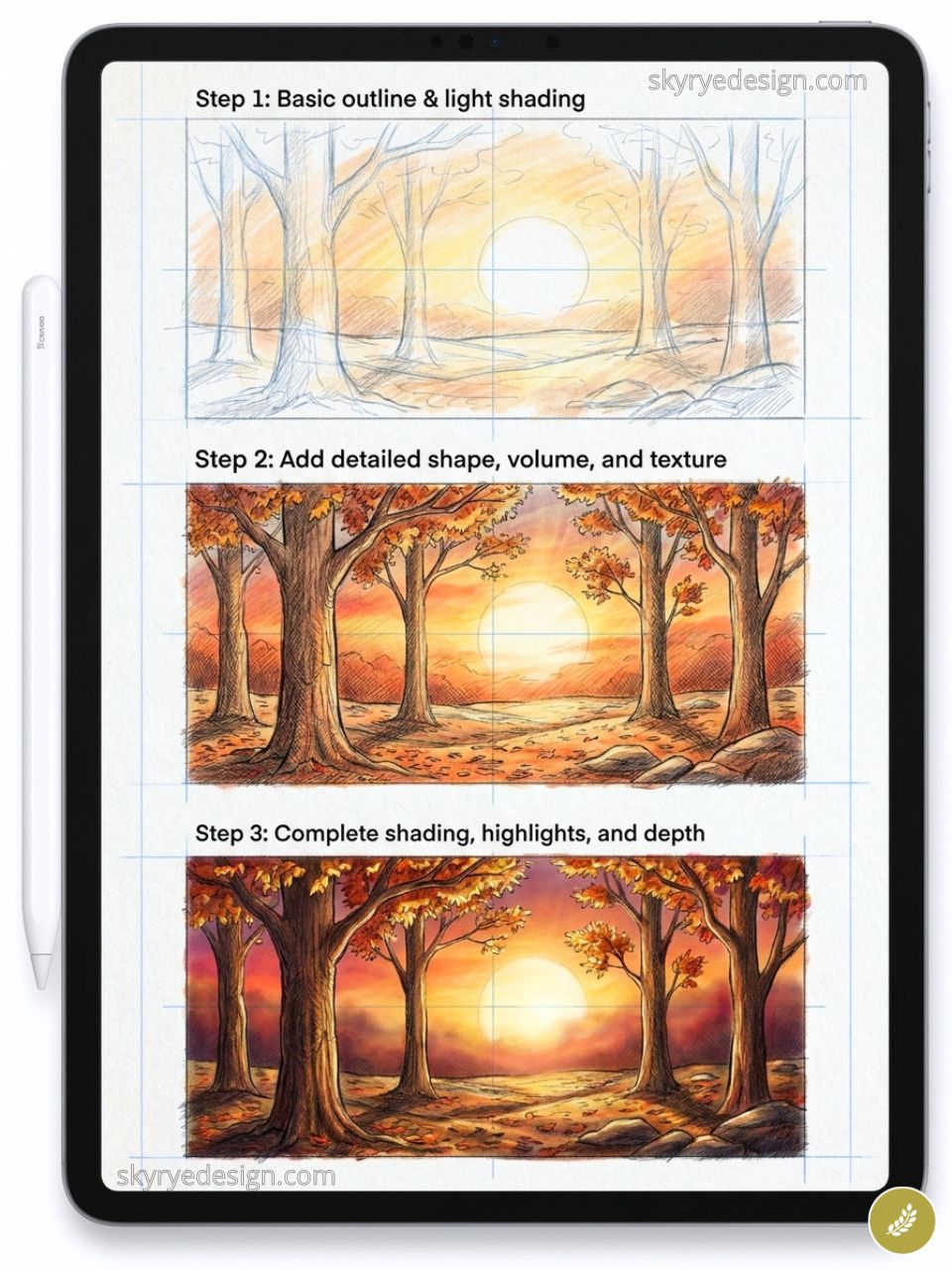
Backlit trees: trunks as dark silhouettes, leaves translucent orange and red with the sun directly behind. Working from darkness outward toward a blinding center light source creates instant atmosphere at any skill level.
100. The View from a Tent Opening at Dawn
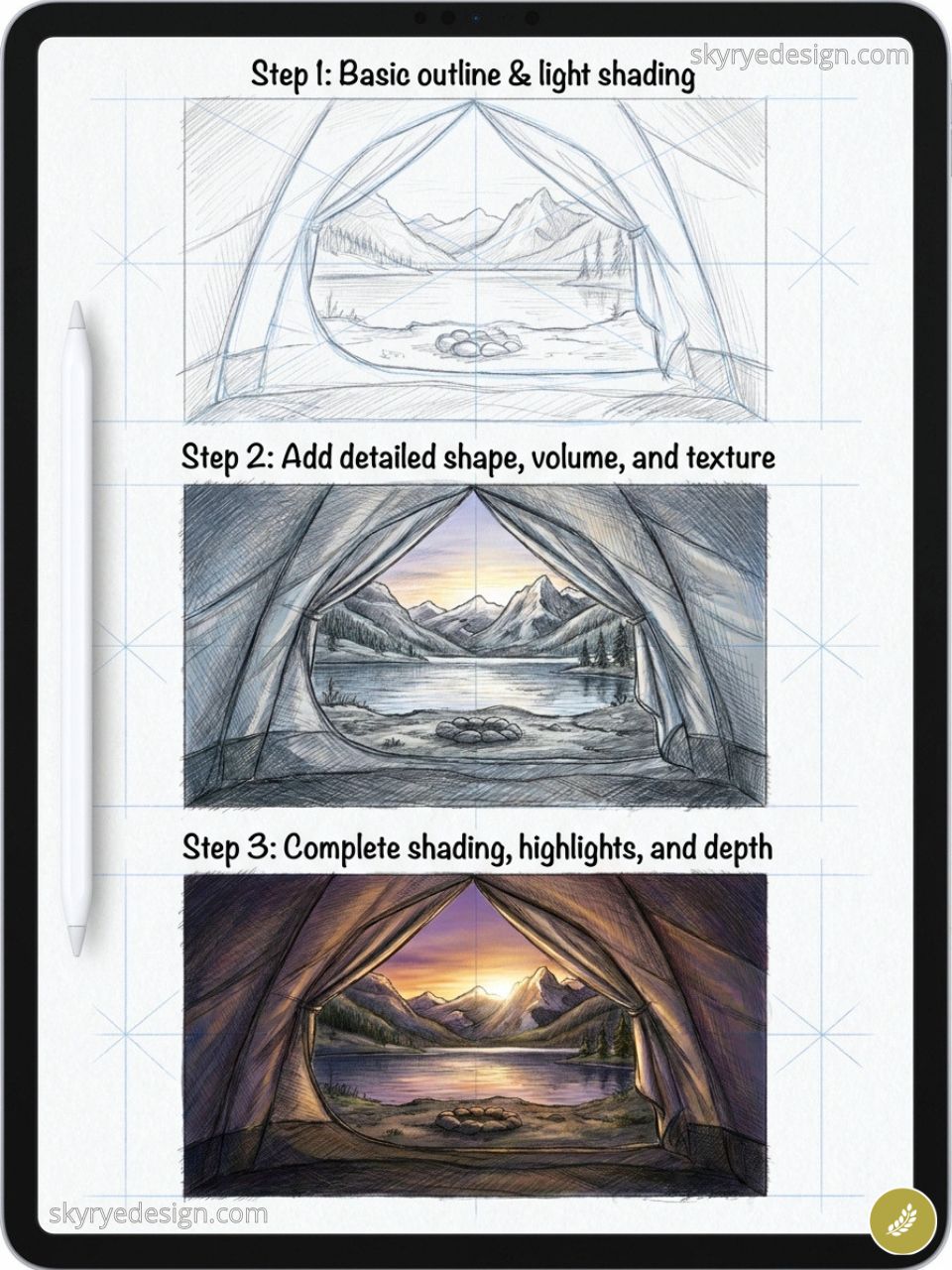
Looking out through a triangular tent opening onto a mountain dawn: the tent fabric frames the composition, the mountain and sky fill the middle distance, a coffee mug and folded map on the tent floor create foreground depth. The framing device does the compositional work.
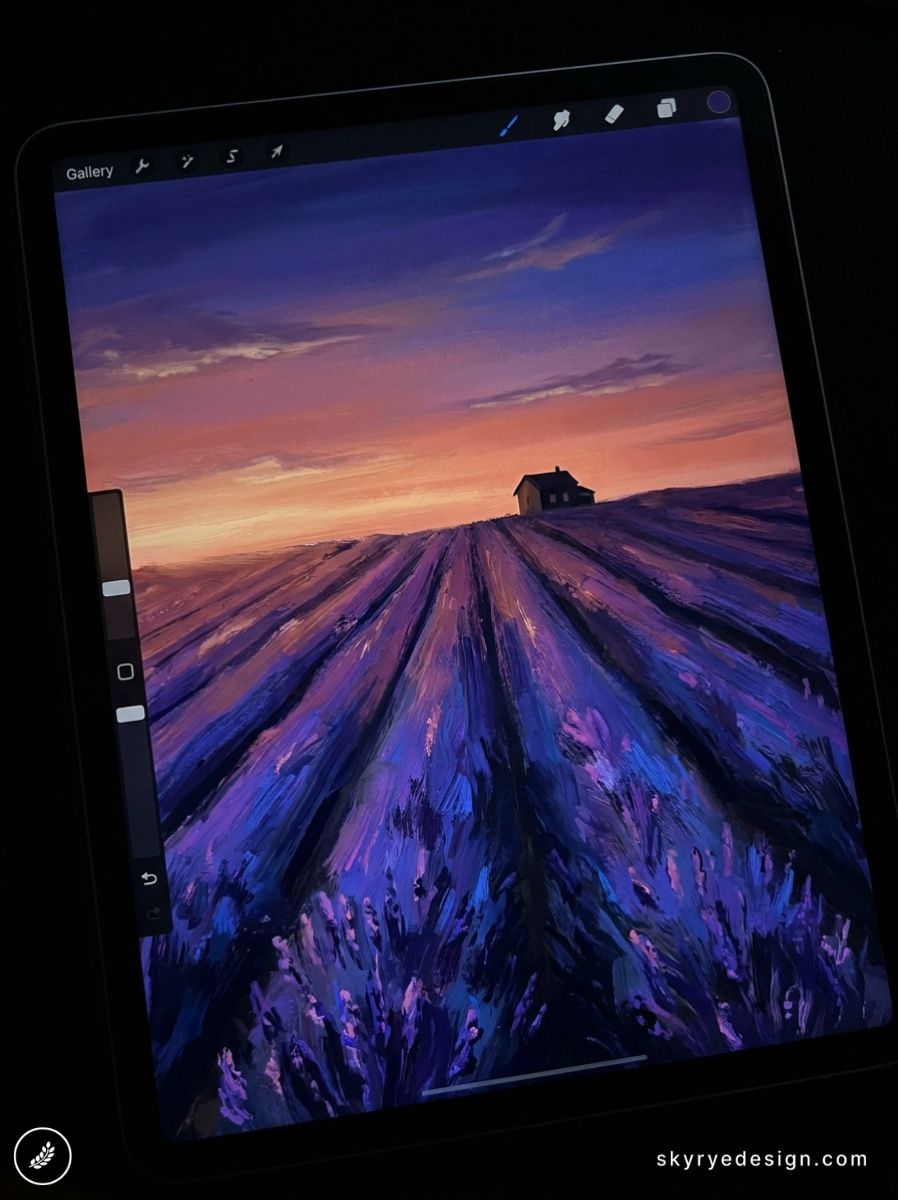
One practical tip before you close this tab: Set a 5-minute timer before you pick an idea. Browse one section, let one idea form a clear mental image, then open Procreate and start that one. The decision happens before you touch the app — or the blank canvas wins every time.
Frequently Asked Questions
What should I draw in Procreate when I have no ideas?
Open any section of this list and pick the first idea that doesn’t bore you. Animals, fantasy creatures, food, cozy interiors, and botanical illustrations all work well for breaking a creative block. Starting matters more than picking the perfect subject. A mediocre start beats a perfect blank canvas every time.
What are the easiest Procreate drawing ideas for beginners?
Succulents, mushrooms, simple food items like a coffee cup or a sliced lemon, and basic fantasy subjects like a glowing jellyfish or a sleeping cat all have forgiving silhouettes that look strong even with minimal detail. Start with subjects that read clearly as thumbnails.
How do I make my Procreate drawings look more interesting?
Add a mood or context to the subject. A candle in a dark room is more interesting than a candle in daylight. A fox in snow is more atmospheric than a fox on a plain background. Setting and lighting transform basic subjects into illustrations worth finishing.
What Procreate drawing ideas are good for skill practice?
Hands in different positions, animal fur texture studies, architectural perspective scenes, and portrait lighting exercises are all high-value practice subjects — hard enough to teach you something new, specific enough to show measurable progress when you revisit them.
How many Procreate drawings should I make per week to improve?
Four to five sessions of 20–45 minutes each builds faster progress than one long weekend session. Consistency beats duration. A specific prompt list removes the decision paralysis that kills daily practice before it starts.
What Procreate ideas work well for building a portfolio?
Character designs in a consistent style, botanical illustration series, environmental concept art, and stylized portrait collections all demonstrate range to potential clients. Aim for 8–12 finished pieces that share a visible visual voice.
Do these drawing ideas work for all skill levels?
Yes. A mushroom takes 5 minutes as a quick sketch or 3 hours as a detailed painting. The idea is the starting point. How far you push the rendering, the lighting, and the composition is entirely up to your current level.
In Procreate, ocean drawing practice is a strong exercise for layering soft gradients, sharp foam edges, and atmospheric depth without overworking the scene.
- 4.3Kshares
- Facebook0
- Pinterest4.3K
- Twitter0
- Reddit0