If you want to know how to set up a home office, start with the quietest spot you can realistically claim, then build around posture, light, storage, and a clean background for calls. Cozy details help, but the room has to support real work first.
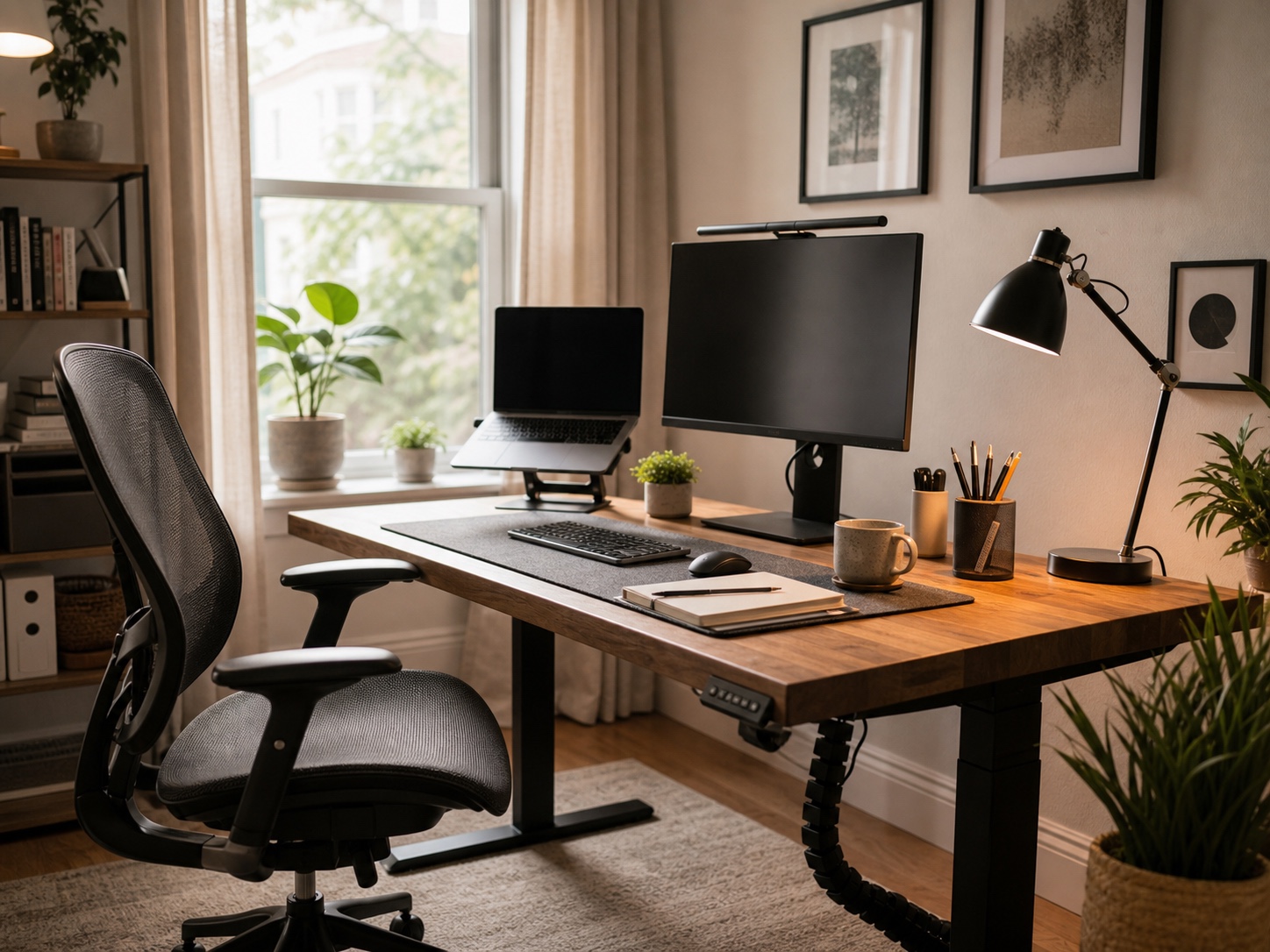
I like to treat a home office like a compact design problem: place the body first, then the screen, light, cables, and storage. Once those bones are right, artwork, plants, textiles, and color can make the space feel personal without turning the desk into clutter.
This guide walks through a cozy home office setup for remote workers, from desk location and ergonomic furniture to lighting, tech, mail boundaries, and end-of-day rituals.
How to set up a home office in 7 simple steps
Pick a spot where you won’t get pulled into household noise every twenty minutes. Desk near a window, but angled so the light hits the work surface, not the screen — I moved mine twice before I got that right.
Chair is the thing most people underspend on. Your back will know within a week.
Keep the stuff you use daily within arm’s reach. Not a styled flat lay — just close enough that you don’t have to stand up for a pen. End-of-day, close the laptop, clear the desk surface, done. That physical reset is what actually separates work from the rest of the apartment.
Tiny room: layout and storage first. Decorative layer comes after, if at all.
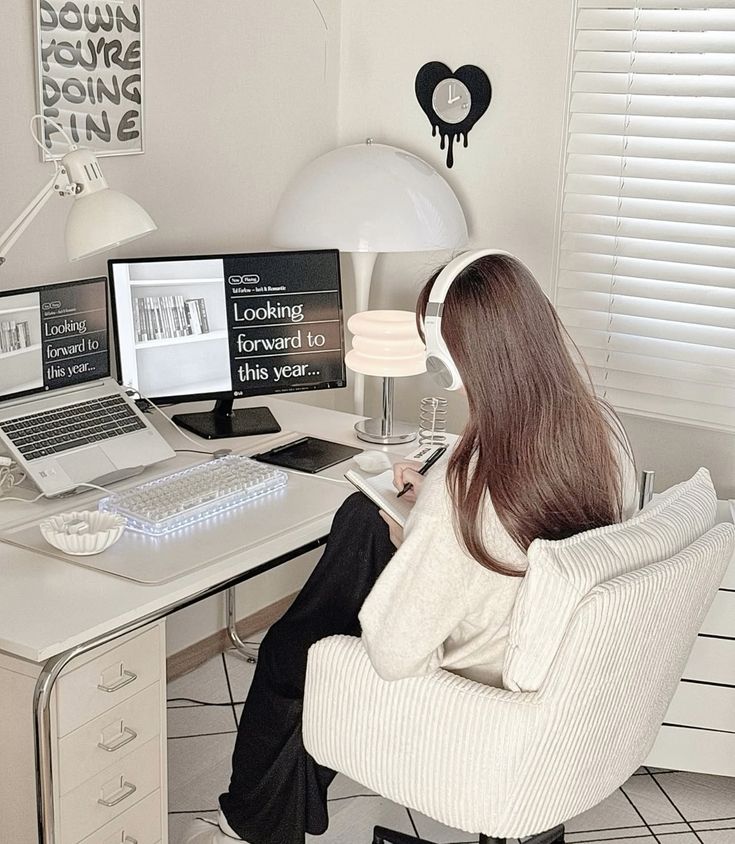
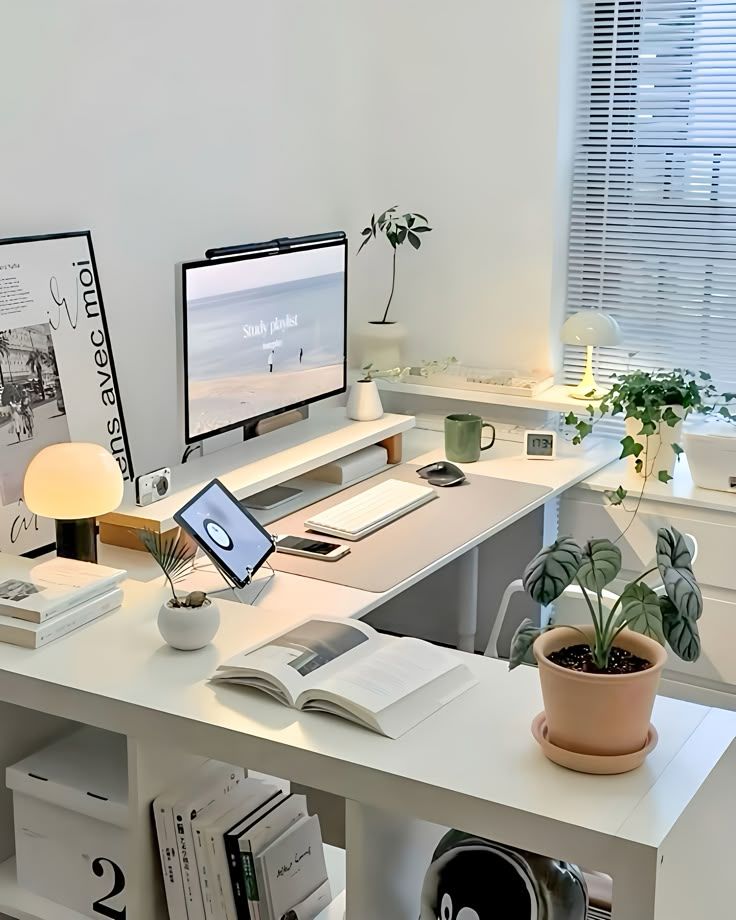
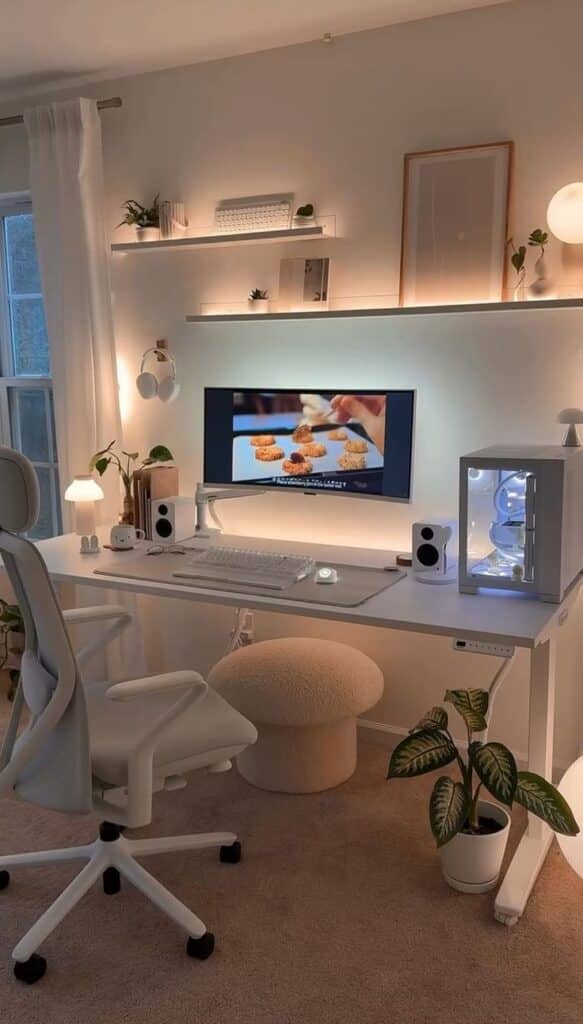
| Step | What to decide | Design note |
|---|---|---|
| 1 | Pick the quietest workable spot | A corner can work if it has a boundary, a power source, and decent light. |
| 2 | Place the desk and screen | Keep the screen away from harsh glare and leave room for your elbows. |
| 3 | Choose the chair before the decor | Comfort is not decoration; it is the base layer of the room. |
| 4 | Plan daily storage | Use vertical shelves, trays, or drawers before small objects start spreading. |
| 5 | Build the tech setup | Good audio, stable internet, and a clean call background matter more than extra gadgets. |
| 6 | Add warmth | Use a plant, artwork, lamp, or textile to make the desk feel lived-in. |
| 7 | Protect the end of the day | Store work materials away so the room can become part of your home again. |
Key takeaways
- A well-designed cozy home office balances comfort and functionality to boost both productivity and job satisfaction
- Essential elements include ergonomic furniture, proper lighting, and organized storage solutions that keep your workspace clutter-free
- Creating clear boundaries between work and personal life through thoughtful design helps maintain better work-life balance at home
Home office setup basics: location, light, and personality
The foundation of an effective home office is simple: a location you can repeat every day, light that does not fight your screen, and a few personal touches that make the room feel intentional. Do these basics first, then refine the style.
Choose the right workspace location
Your workspace location sets the tone for your entire workday. Look for a spot that offers privacy, reliable Wi-Fi, and good natural light whenever possible.
Consider these key factors when selecting your location:
- Distance from high-traffic areas and household noise
- Proximity to windows for natural light exposure
- Available electrical outlets for equipment
- Adequate ventilation and temperature control
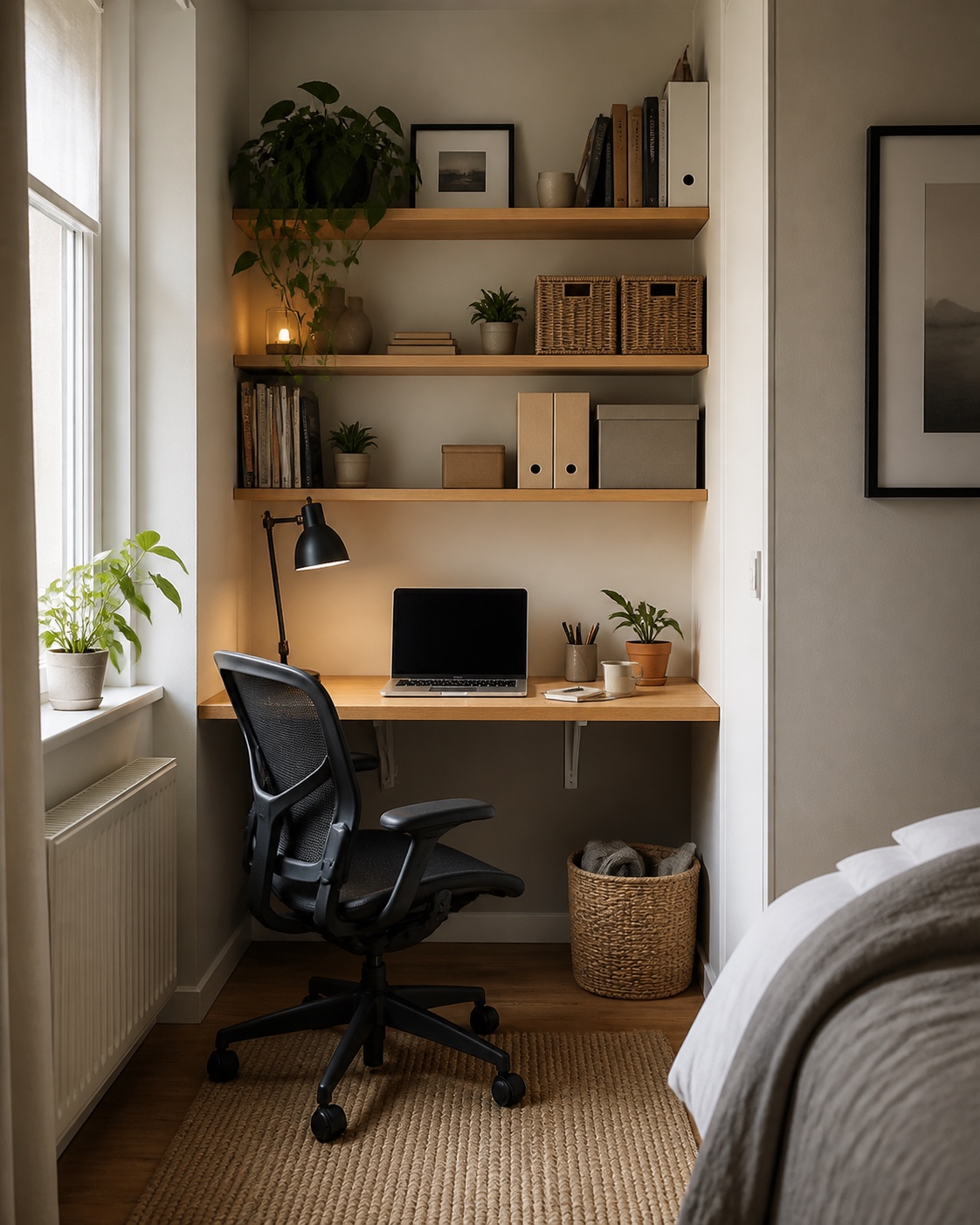
A dedicated room is ideal, but a bedroom corner, landing, or living-room alcove can still work if the setup is deliberate. Use a shelf, curtain, rug, or change in wall color to make the work zone feel visually separate from the rest of the home.
Avoid these common location mistakes:
- Setting up directly facing a bed or couch
- Choosing spots with poor Wi-Fi signal strength
- Placing your desk where you’ll face constant distractions
If you’re working with limited square footage, start with small home office ideas that solve layout first: a wall-mounted desk, a narrow bookshelf, or a rolling cart that disappears after hours. The goal is a repeatable work zone, not a full-size corporate office squeezed into a spare corner.
Use natural light and plants
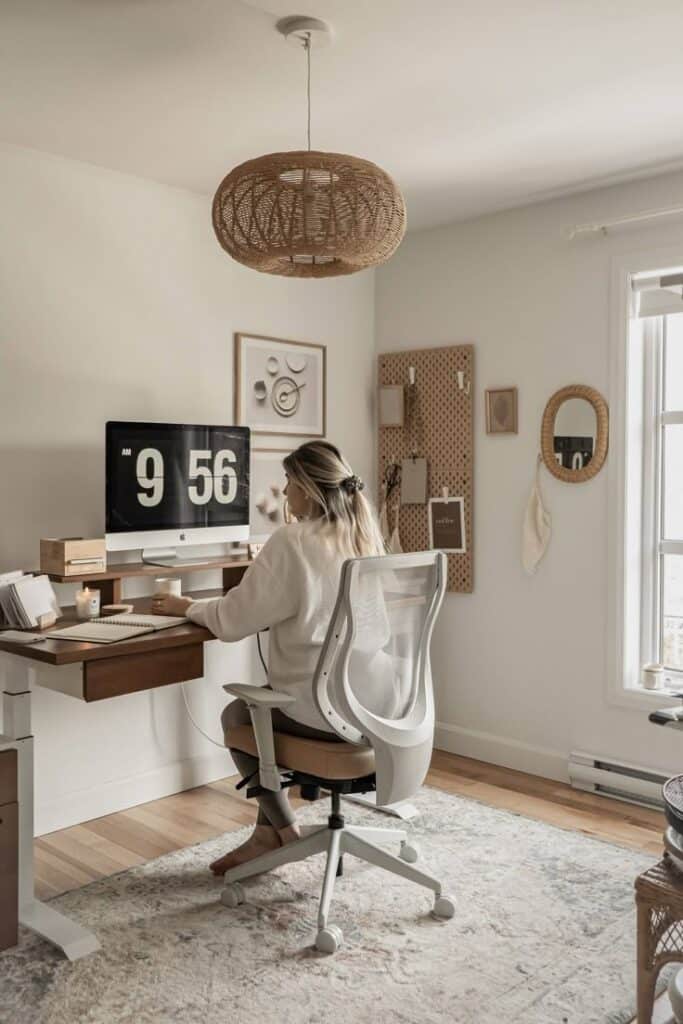
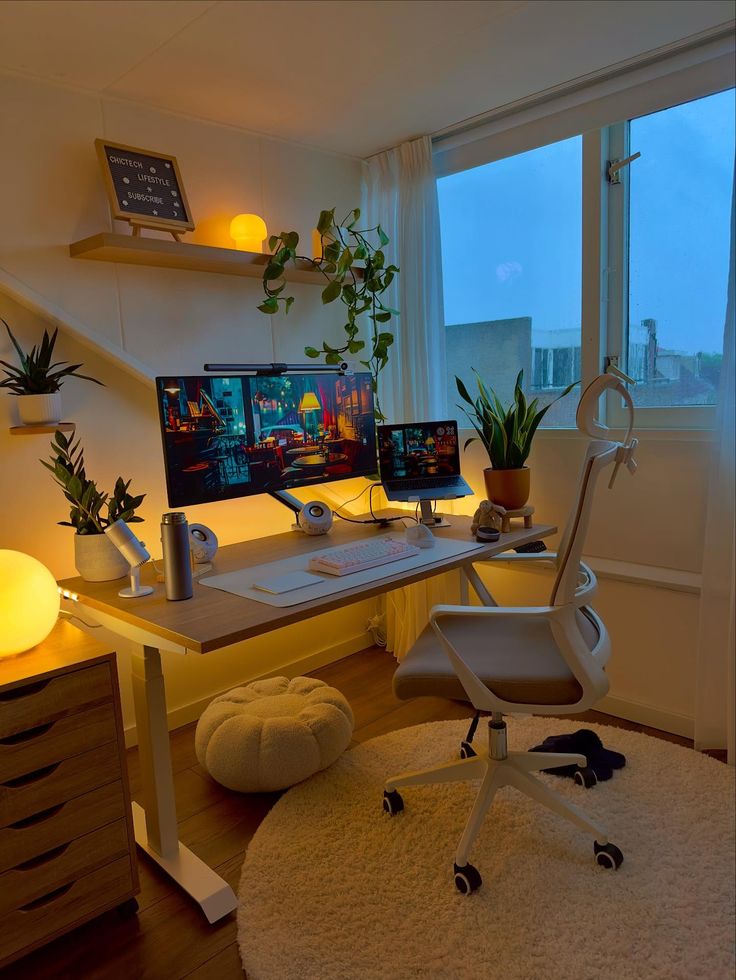
Natural light dramatically improves both your mood and energy levels during remote work hours. Position your desk perpendicular to windows rather than directly facing them to minimize screen glare.
Lighting optimization tips:
- Use sheer curtains to diffuse harsh sunlight
- Add a desk lamp for cloudy days or evening work
- Consider full-spectrum bulbs that mimic natural light
Plants bring life to your home office while improving air quality. Low-maintenance options include:
- Snake plants for corners with minimal light
- Pothos for hanging or shelf placement
- Succulents for desk surfaces
You don’t need a green thumb to benefit from plants. Start with one or two hardy varieties and gradually add more as you gain confidence.
Place larger plants on the floor beside your desk or on nearby shelves. Small plants work perfectly on your desk surface or windowsill.
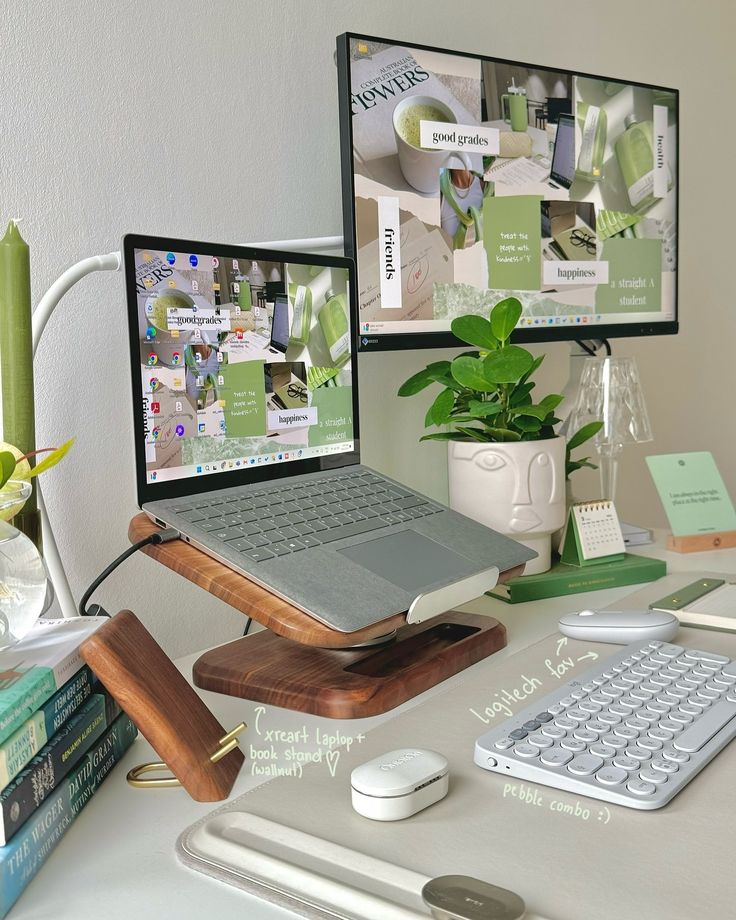
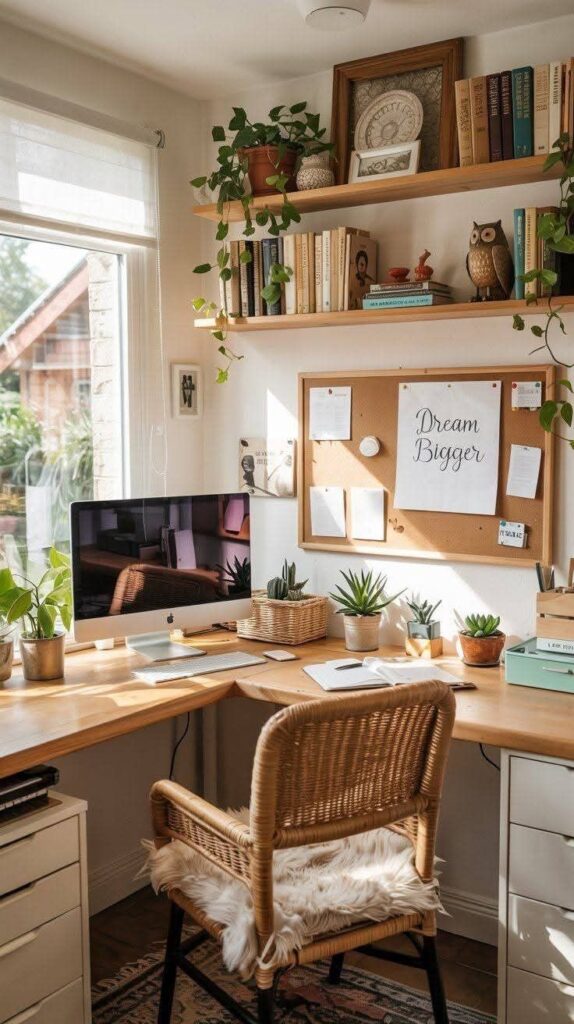
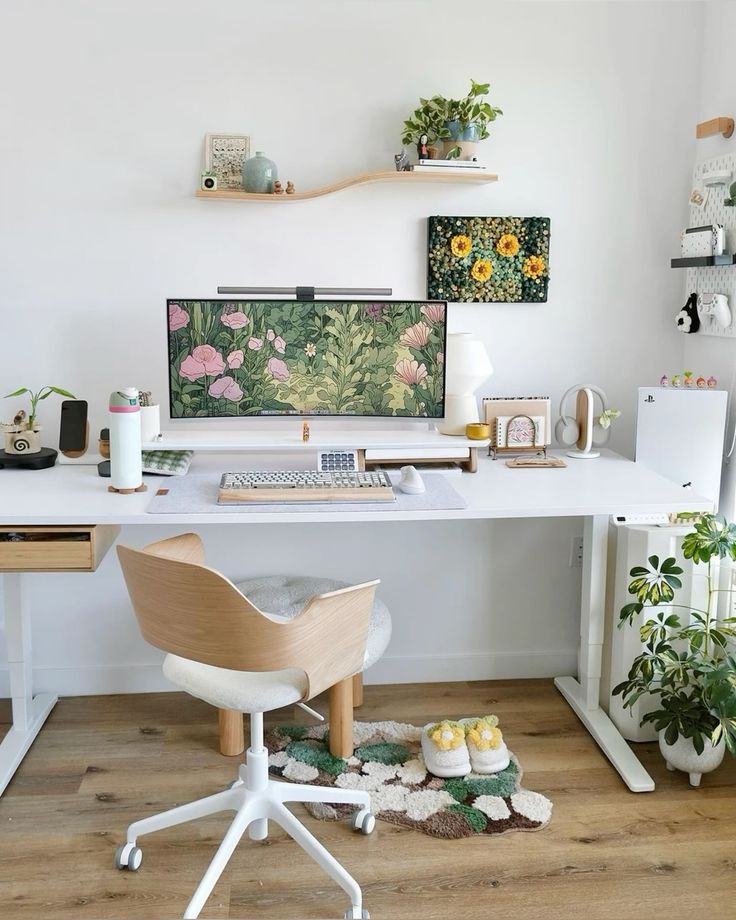
Add artwork and decor without clutter
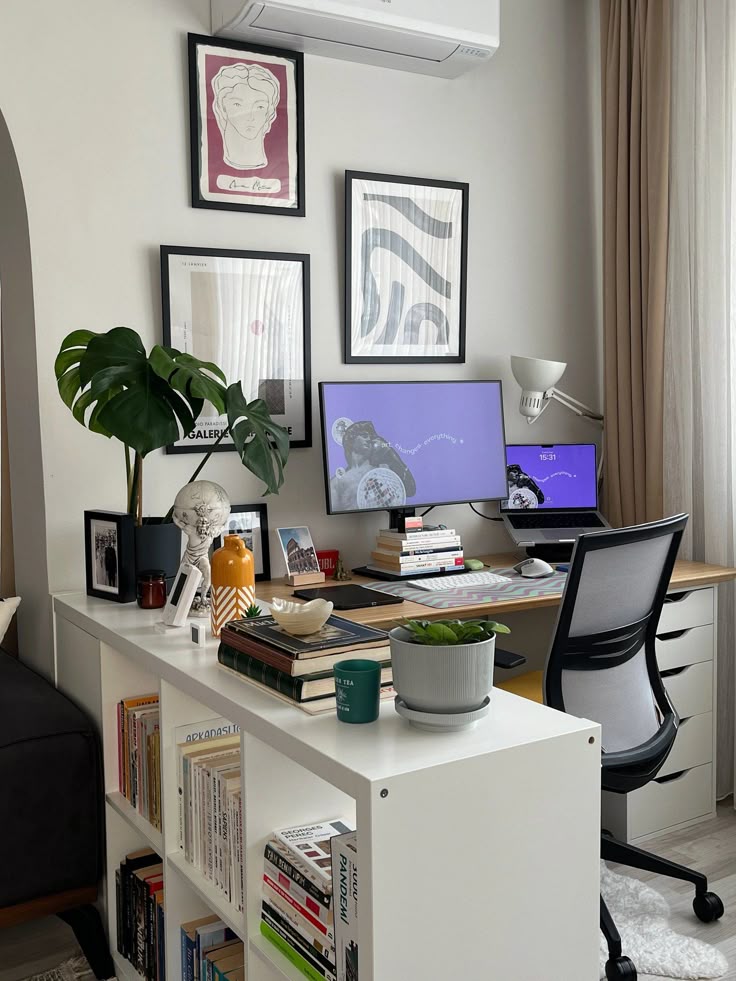
Artwork and personal decor transform a sterile workspace into an inspiring environment that reflects your personality. Choose pieces that motivate you without creating visual clutter.
Effective artwork placement strategies:
- Hang one larger piece directly behind your monitor
- Create a small gallery wall on an adjacent wall
- Use floating shelves to display smaller decorative items
Your artwork should inspire creativity and positive emotions. Consider landscapes, abstract pieces, or motivational prints that align with your work style.
Personal touches that enhance coziness:
- Family photos in simple frames
- A favorite coffee mug or water bottle
- Small decorative objects like candles or figurines
- A cozy throw blanket draped over your chair
Keep decorative elements balanced and purposeful. Too many items can become distracting, while too few leave your space feeling cold and impersonal.
Essential furniture and ergonomics
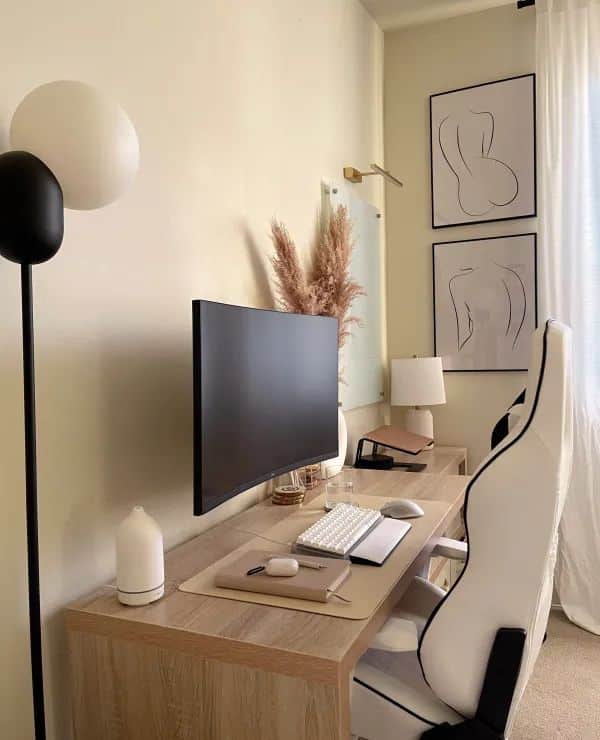
The right ergonomic furniture forms the foundation of a productive home workspace. Choosing supportive chairs and adjustable desks directly impacts your comfort and long-term health during remote work.
Choose an ergonomic chair
Your ergonomic chair serves as the cornerstone of your workspace setup. Look for models with adjustable lumbar support that maintains your spine’s natural curve.
Key Features to Consider:
- Seat height adjustment – Your feet should rest flat on the floor
- Armrest positioning – Adjustable height and width for proper shoulder alignment
- Backrest tilt – Allows slight recline to reduce pressure on your spine
- Seat depth – 2-3 inches of space between the seat edge and your knees
The cushioning material affects daily comfort. Memory foam provides consistent support while mesh backing offers breathability during long work sessions.
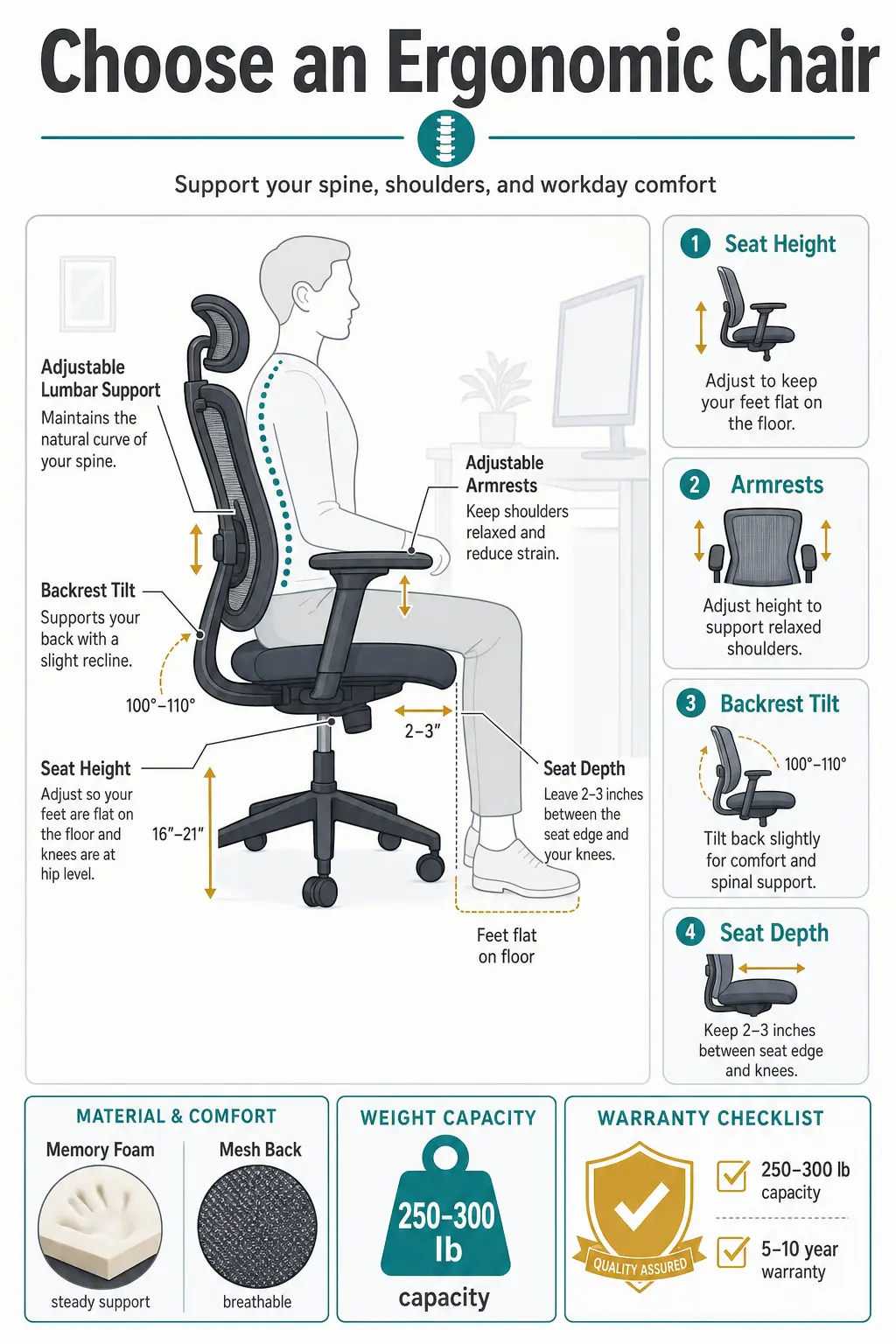
Test the chair’s weight capacity and warranty coverage. Quality ergonomic chairs typically support 250-300 pounds and include warranties of 5-10 years.
Standing desk options
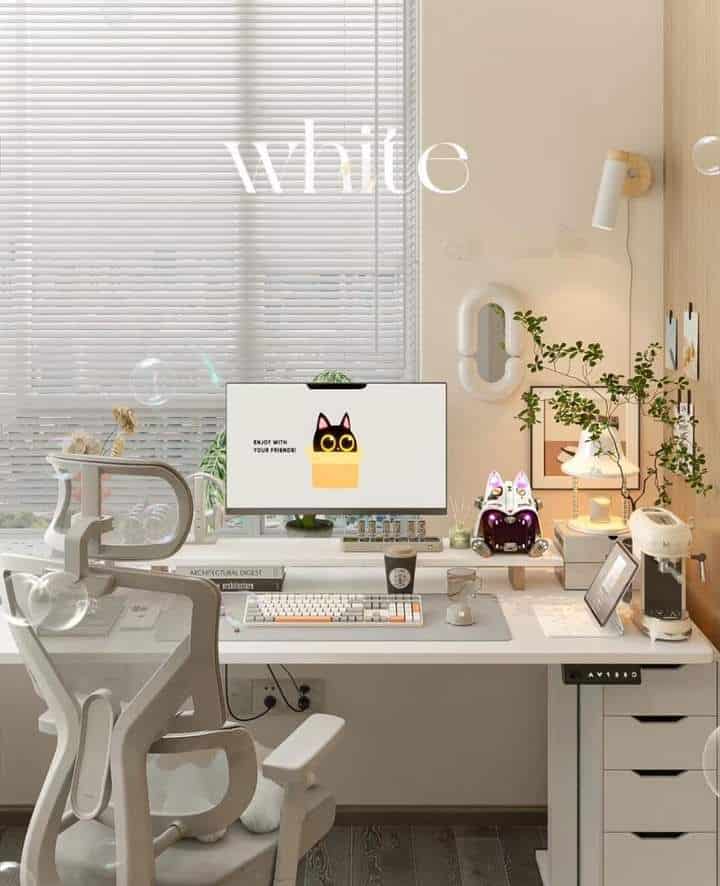
Standing desks combat the negative effects of prolonged sitting. Electric height-adjustable models offer the most convenience for transitioning between sitting and standing positions.
Types of Standing Desks:
- Fixed-height – Budget-friendly but less versatile
- Manual adjustable – Hand-crank mechanism for height changes
- Electric adjustable – Push-button height adjustment with memory presets
Your standing desk should accommodate monitor placement at eye level. The desktop surface needs adequate space for your keyboard, mouse, and essential work materials.
Consider your ceiling height and available floor space. Most electric standing desks adjust from 28-48 inches, requiring proper clearance for full extension.
Why ergonomic furniture pays off
Ergonomic furniture reduces physical strain and prevents workplace injuries. Proper support decreases back pain, neck tension, and repetitive stress injuries common in remote work environments.
Physical Health Benefits:
- Improved posture and spinal alignment
- Reduced muscle fatigue and joint stress
- Better blood circulation throughout the workday
- Lower risk of developing chronic pain conditions
Productivity Advantages:
- Enhanced focus due to increased comfort
- Fewer breaks needed for stretching or position changes
- Sustained energy levels during long work sessions
Investment in quality ergonomic furniture pays dividends through improved work performance and reduced healthcare costs. Your body adapts better to extended computer work when properly supported.

Organize storage before clutter builds
Effective storage transforms cramped home offices into functional workspaces while maintaining visual appeal. Smart shelving and compact solutions create room for essential items without overwhelming your cozy office environment.
Shelves and bookshelves
Wall-mounted shelves maximize vertical space without consuming valuable floor area. You can install floating shelves above your desk to store frequently used supplies and reference materials.
Essential shelf placement:
- Above monitor height – Documents and binders you access weekly
- Arm’s reach from desk – Daily supplies like notebooks and charging cables
- Corner spaces – Decorative items that add personality
A tall bookshelf serves dual purposes as room divider and storage hub. Position it perpendicular to your desk to create a defined workspace boundary.
Adjustable shelving systems adapt to changing storage needs. You can reconfigure shelf heights to accommodate different sized items from small office supplies to large binders.
Built-in shelving around windows or alcoves maximizes awkward spaces. These custom solutions blend seamlessly with your room’s architecture while providing ample storage.
Storage ideas for small spaces
Multi-functional furniture doubles storage capacity in tight quarters. An ottoman with internal storage holds office supplies while serving as extra seating for video calls.
Space-saving storage options:
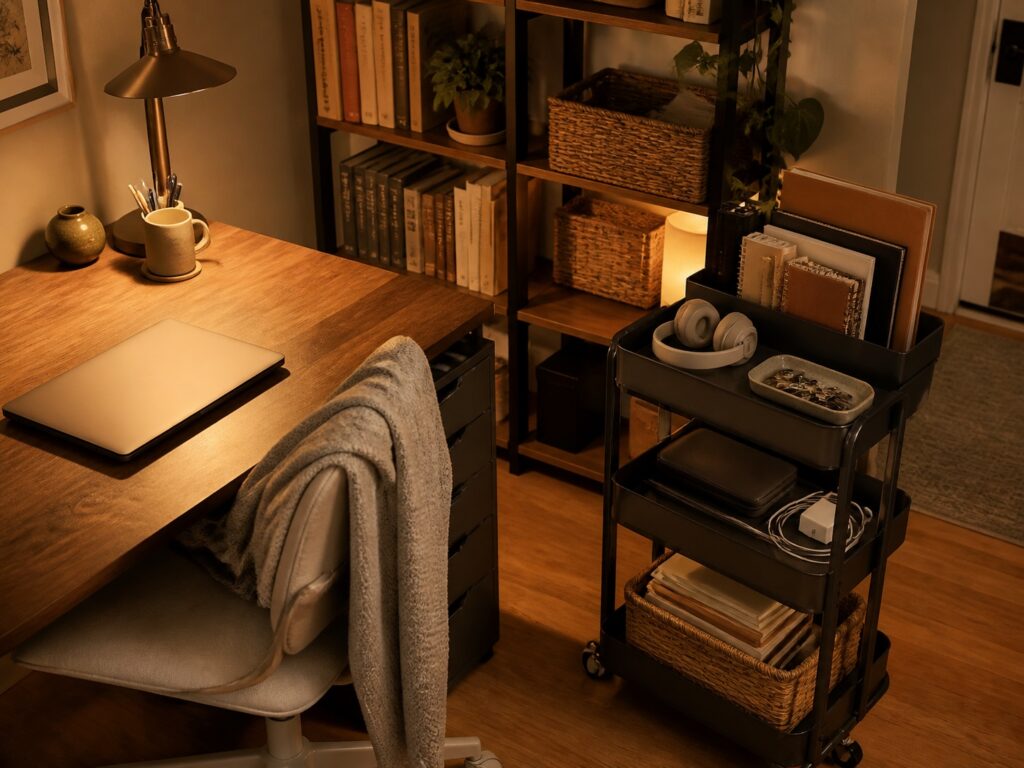
- Rolling carts that slide under desks
- Hanging organizers on door backs
- Stackable drawer units
- Wall pockets for documents
Under-desk storage keeps essentials within reach without cluttering surfaces. Choose drawers on wheels that you can pull out when needed and tuck away during video meetings.
Vertical file organizers mounted on walls free up desk drawer space. You can sort papers by project while keeping them visible and accessible.
Decorative baskets and bins conceal clutter while adding texture to your workspace. Label each container to maintain organization without sacrificing your office’s cozy aesthetic.
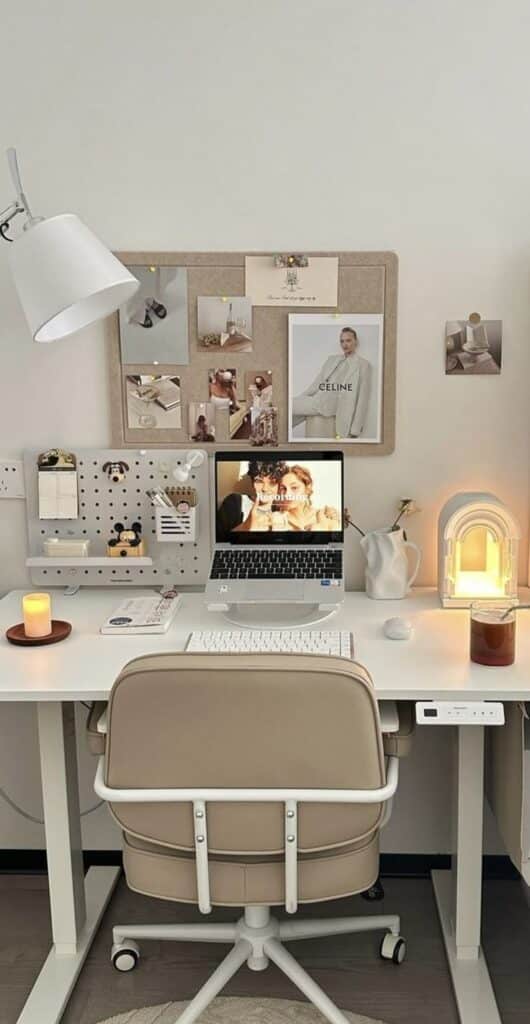
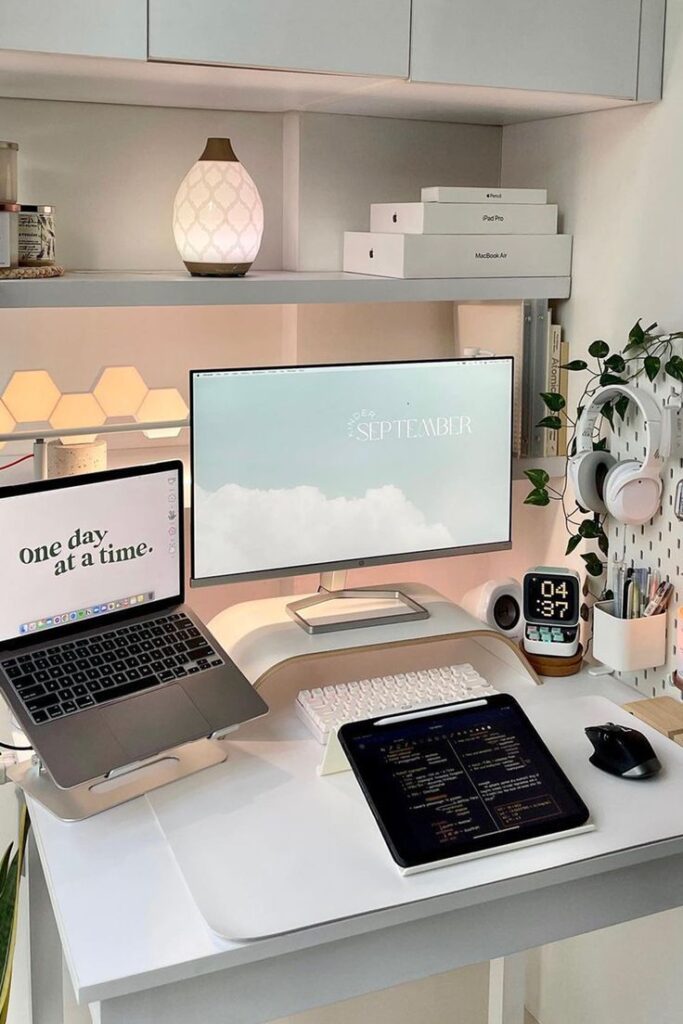
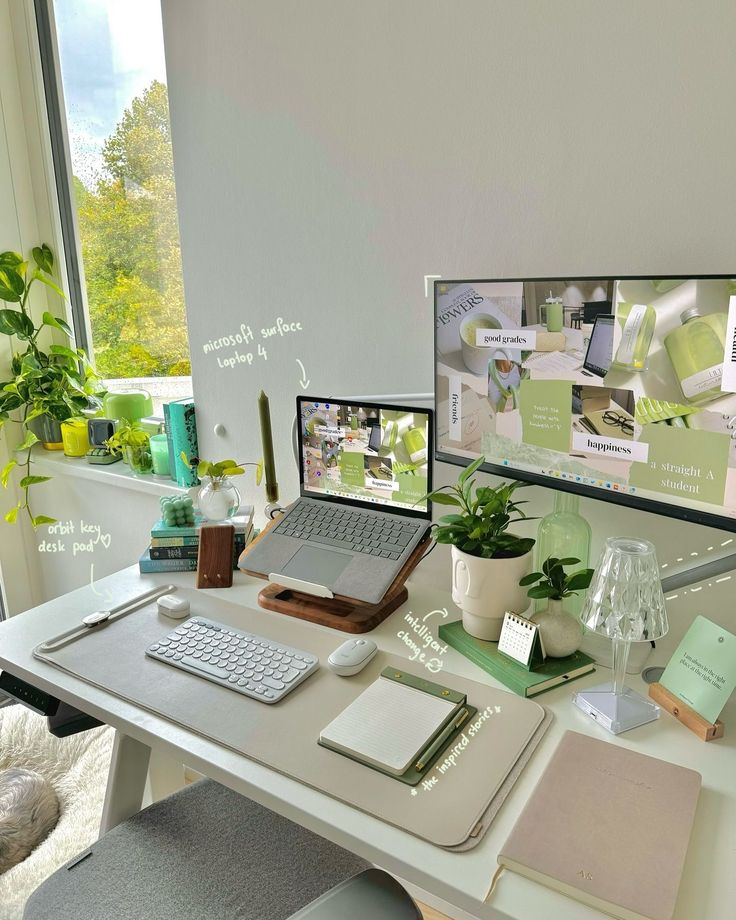
Technology and productivity tools for remote workers
Effective remote work requires reliable technology for seamless communication and optimized accessories that support your daily workflow. The right combination of video conferencing setup and essential tech tools transforms your workspace into a productive environment.
Set up for video conferencing
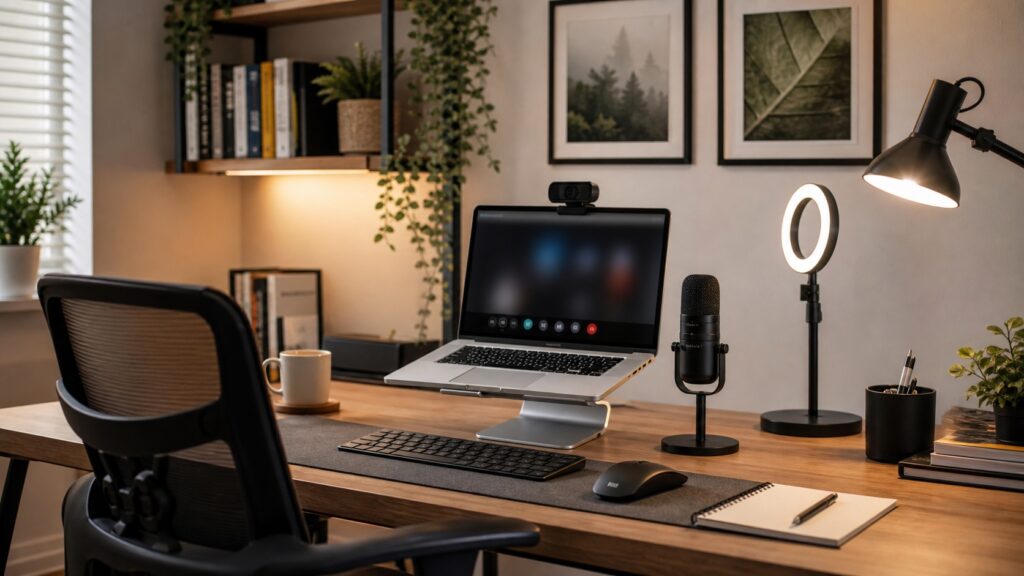
Camera positioning matters more than most remote workers realize. Place your camera at eye level to avoid unflattering angles during meetings. Your laptop’s built-in camera often sits too low, so consider a laptop stand or external webcam.
Lighting quality dramatically impacts your professional appearance. Position yourself facing a window for natural light, or invest in a simple ring light. Avoid backlighting from windows behind you, which creates silhouettes.
Audio clarity prevents meeting frustrations and miscommunications. Use a dedicated headset or external microphone instead of relying on your laptop’s built-in options. Test your audio before important calls.
Background considerations include either a clean, organized space or a professional virtual background. Ensure your internet connection can handle video calls without dropping quality or creating delays.
Essential tech and accessories
Monitor setup significantly boosts productivity compared to working solely on a laptop screen. A second monitor allows you to reference documents while writing or attend video calls while taking notes.
Ergonomic peripherals prevent strain during long work sessions. An external keyboard and mouse provide better positioning than laptop alternatives. Consider a wireless setup to reduce desk clutter.
Reliable connectivity forms the backbone of remote work success. Invest in a quality router and consider ethernet connections for stable internet. Keep a mobile hotspot as backup for important deadlines.
Essential software tools streamline your workflow and team collaboration. Project management platforms help track tasks, while cloud storage ensures file accessibility from any location.
Create comfort and protect work-life balance
Physical comfort and clear boundaries between work and personal time form the foundation of a successful remote work environment. Thoughtful design choices and practical tools help remote workers maintain productivity while protecting their well-being.
Add textiles and cozy touches
Soft textiles transform a sterile workspace into a welcoming environment. Add a plush throw blanket to your office chair for warmth during long work sessions. Layer a soft area rug under your desk to define the workspace and add visual comfort.
Choose cushions and pillows that support both comfort and posture. A lumbar support pillow prevents back strain during extended work periods. Decorative throw pillows on a reading chair create a cozy corner for breaks.
Window treatments play a dual role in comfort and functionality. Soft curtains or blinds control natural light while adding warmth to the space. Blackout options help reduce screen glare during video calls.
Consider textured wall hangings, cork panels, or fabric pinboards to soften hard surfaces. These details can reduce echo a little, but they also make the room feel less temporary. Choose calmer colors near the screen and save louder patterns for side walls or shelves.
Tools that support work-life balance
Physical boundaries help your brain distinguish between work and personal time. Close your office door or use a room divider to create separation when the workday ends. This simple action signals the transition from professional to personal mode.
Establish designated work materials that you can easily store away. Use a rolling cart or desktop organizer to contain work items. When you finish for the day, put everything away to visually clear the space.
If you send client contracts, samples, or business paperwork from home, separate that admin trail from your private address. A simple PO box or virtual mailbox can keep work mail out of your personal living space, which is a small detail that makes the office feel less invasive.
Set specific work hours and communicate them to household members. Use a desk lamp as a work indicator – when it’s on, you’re working. Turn it off to signal availability for family time.
Create transition rituals that help you mentally shift between work and home life. Change clothes, take a short walk, or listen to music to mark the end of your workday.
Final takeaway
The best home office setup is not the one with the most equipment. It is the one you can use every workday without fighting the chair, the light, the clutter, or the room itself. Start with the practical bones, then add the warm details that make the space feel like yours.
Home office setup FAQ
How do I set up a home office at home?
Start with the quietest place you can use consistently, then place your desk, chair, screen, light, and storage before buying decor. A good setup should let you sit comfortably, join calls without visual chaos behind you, and put work materials away at the end of the day.
What should every home office include?
Every home office needs a stable work surface, a supportive chair, task lighting, reliable internet, cable control, and storage for the tools you use daily. After that, add one or two personal details such as artwork, a plant, or a warmer lamp so the workspace feels inviting without becoming cluttered.
Where should I put my desk in a home office?
Place your desk where you can get natural light without glare hitting the screen. Sitting perpendicular to a window usually works better than facing it directly. If you take video calls, check what appears behind you and leave enough room for your chair to move without bumping shelves or walls.
How can I set up a small home office?
For a small home office, use vertical storage, a compact desk, and one mobile organizer instead of spreading supplies across the room. A narrow shelf, wall rail, or rolling cart can hold paperwork and accessories while keeping the floor clear. Keep the color palette calm so the space does not feel visually busy.
How do I make a home office cozy but still productive?
If you’re looking for ways to extend this peaceful vibe beyond your desk, check out our guide on how to make a home cozy for everyday relaxation.
Keep the ergonomic pieces practical, then add softness around them. A warm desk lamp, small rug, plant, framed print, or textured pinboard can make the office feel comfortable without weakening focus. The trick is to decorate the edges of the workspace, not the middle of the desk where your hands and tools need room.
What is the best lighting for a home office?
The best lighting combines indirect natural light with a focused desk lamp. Avoid placing the screen directly in front of a bright window, because glare will tire your eyes. For evening work, use a lamp that lights the desk surface without shining straight into your face or webcam.
A full room plan is helpful, but the desk still has to work at arm level. I would pair this with a cozy desk setup guide if your chair, monitor, lighting, and desktop storage need a tighter pass.
- 269shares
- Facebook0
- Pinterest269
- Twitter0
- Reddit0