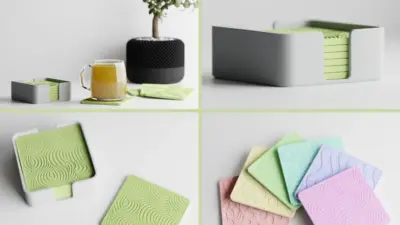
Looking for cool objects to 3D print that are more useful than another tiny boat test? Start with projects that show what your printer can actually do: moving joints, clean tolerances, snap-fit storage, and objects you will keep on your desk instead of tossing into a drawer.
This guide mixes functional objects, playful display pieces, and practical beginner projects. You will find desk organizers, phone stands, puzzle cubes, cable holders, planters, cosplay pieces, and a few prints that are mainly here because they are fun to watch come off the bed.
What are the coolest objects to 3D print first?
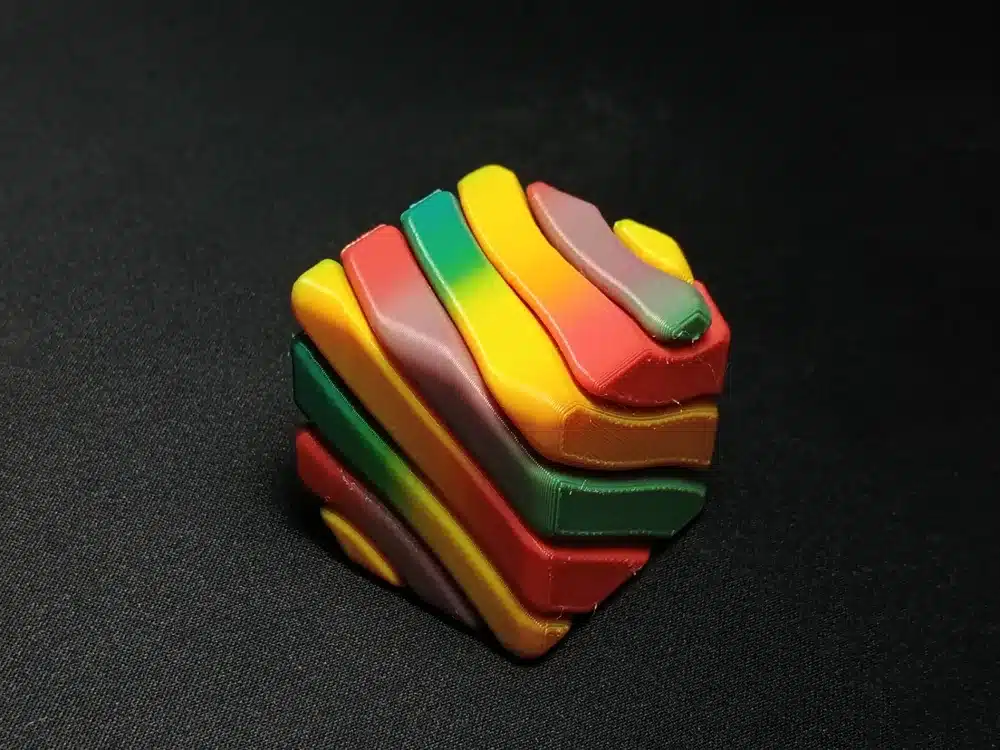
The best things to 3D print are the ones that would be a pain to make any other way. Articulated dragons that come off the bed with joints already moving. Desk organizers sized to your actual shelf, not some generic 12-inch assumption. Phone stands shaped around your specific device. I have a print-in-place puzzle cube that’s been on my desk for two months and I still pick it up when I’m on a call.
For material, start with PLA. 190–220°C, low odor, sticks to most surfaces without drama. I spent a few weeks trying PETG because someone on Reddit convinced me it was better — it is, for some things — but for learning the basics it just introduces problems you don’t need yet. Warping, stringing, bed adhesion. Get your first twenty prints done in PLA and then revisit.
One thing worth saying: STL quality varies a lot. MakerWorld, Printables, and Cults 3D tend to have cleaner files with real print settings attached. Random forum links are a gamble. For your first print, find a desk organizer or cable holder — something with a flat base, minimal supports, and a use you’ll notice immediately. Mine took about an hour and held my charging cables in a way the drawer never did.
| Project | Best for | Difficulty | Good starter material |
|---|---|---|---|
| Cable holder | Desk clutter and quick wins | Easy | PLA |
| Phone stand | Everyday use and dimension checks | Easy | PLA or PETG |
| Puzzle cube | Testing tolerances | Medium | PLA |
| Geometric planter | Decor and shape practice | Medium | PLA or PETG |
| Cosplay helmet | Finishing and painting practice | Advanced | PLA, PETG, or ABS |
Why print an articulated dragon model?
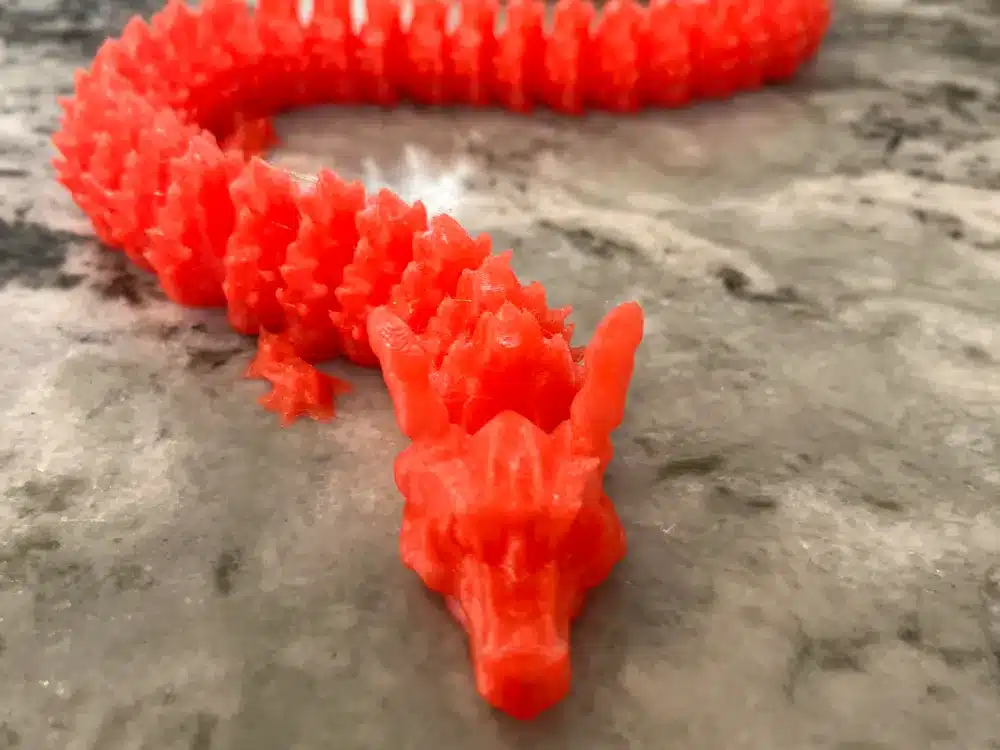
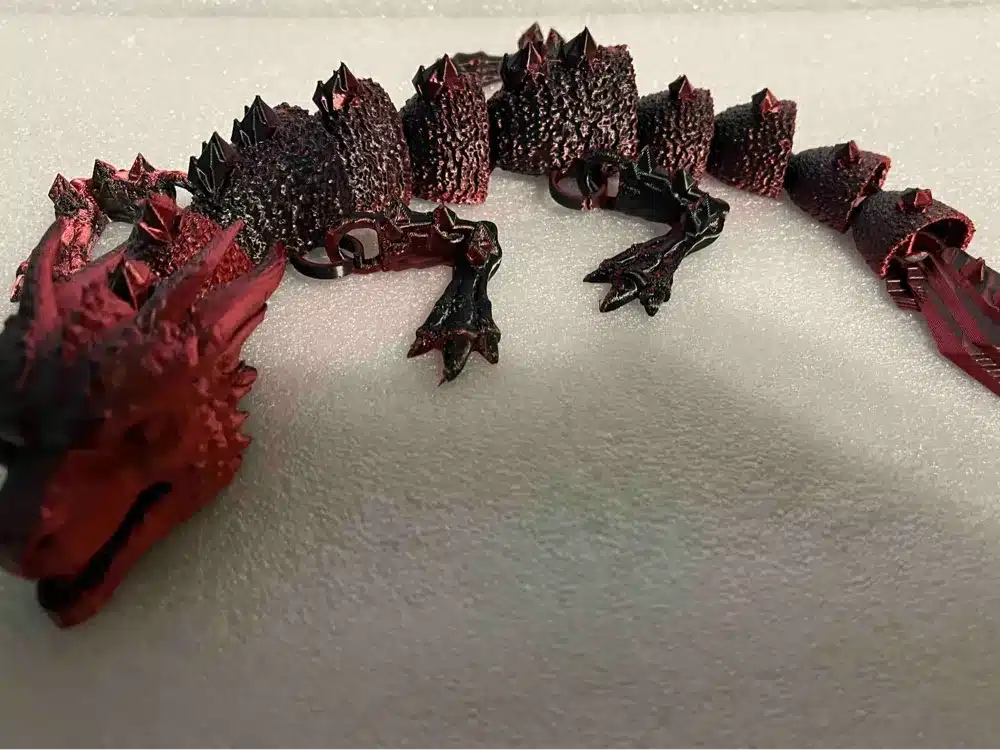
Articulated dragon models rank among the most popular 3D printing projects available today. These designs feature movable joints that allow you to pose and manipulate different body parts after printing.
You can find hundreds of free articulated dragon files on platforms like Cults 3D, Printables, and MakerWorld. Many of these models print in place, meaning the joints work immediately without assembly.
Seven the Articulated Dragon stands out as one of the most downloaded designs. This model offers multiple joint connections and smooth articulation throughout the body, wings, and tail.
The printing process requires no support materials for most articulated dragon designs. You simply load the file and print, then carefully flex the joints to break them free from any bridging material.
These models serve as excellent display pieces and functional toys. You can pose your printed dragon in various positions or use it as a desk ornament that moves and flexes.
Articulated dragons demonstrate the capabilities of 3D printing technology while providing an engaging project for beginners and experienced makers alike.
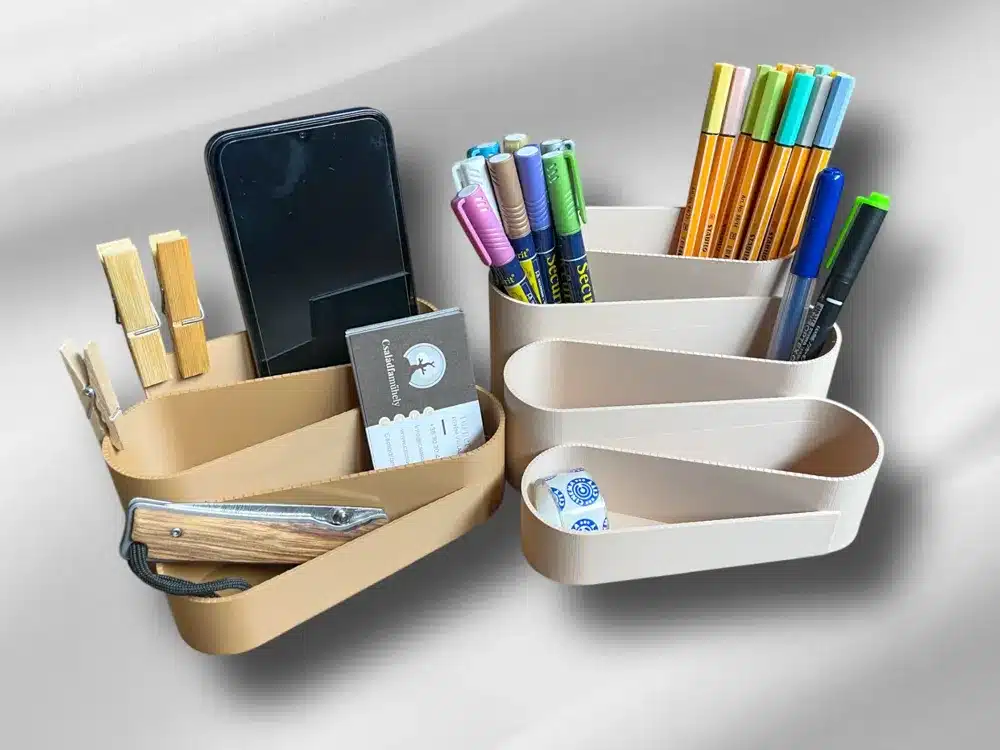
Why print a modular desk organizer?
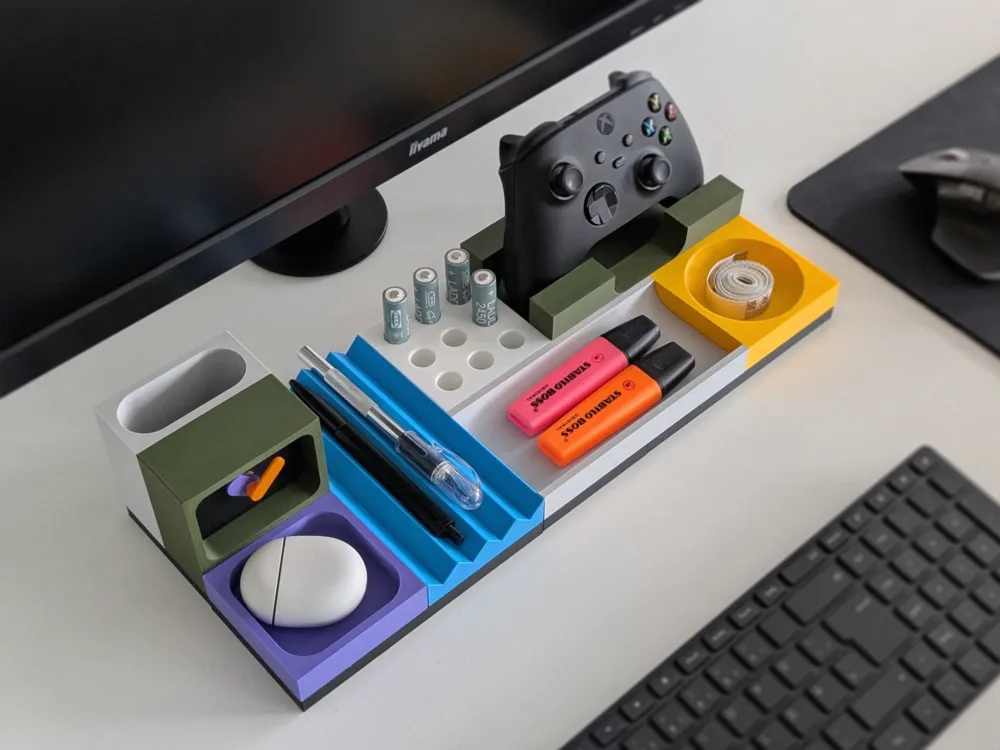
Your workspace deserves better than cluttered drawers and scattered supplies. A 3D printed modular desk organizer transforms any desk into an efficient, customized storage system. For a more practical list, these useful 3D printed items focus on everyday fixes rather than showpiece prints.
These organizers consist of interchangeable components that snap or fit together. You can create different layouts by mixing and matching pieces like pen holders, small bins, and cable management sections.
Standard sizes typically include small (95x95mm), medium (95x190mm), and large (190x190mm) footprints. This sizing system lets you plan your desk layout precisely before printing.
The modular design adapts to your changing needs. Add new components when you acquire different tools or rearrange existing pieces for seasonal projects.
Most designs print without supports using standard PLA settings. Some complex pieces like wavy pen holders may require printing vertically with a small brim for better surface quality.
You can customize compartment sizes for specific items like fountain pens, USB drives, or paper clips. The flexibility eliminates the frustration of buying organizers that almost fit your needs.
Popular modular systems include triangle stands for angled tool storage, rectangular racks for brushes, and square boxes for small parts. Each piece serves a specific organizational purpose while maintaining design consistency.
Why print a customizable phone stand?
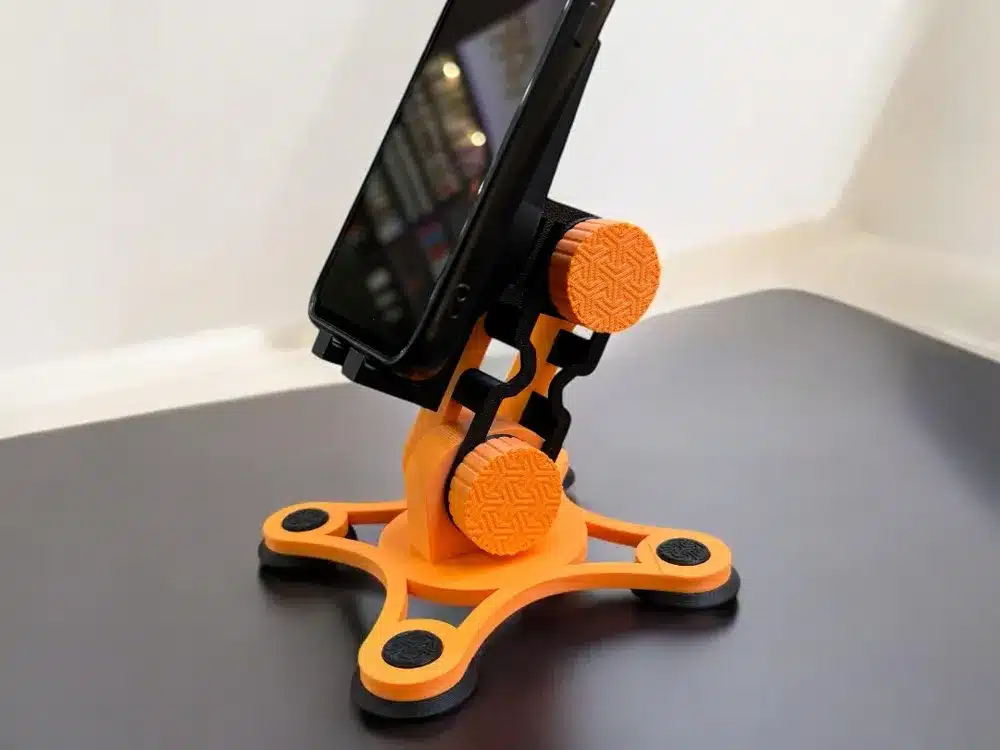
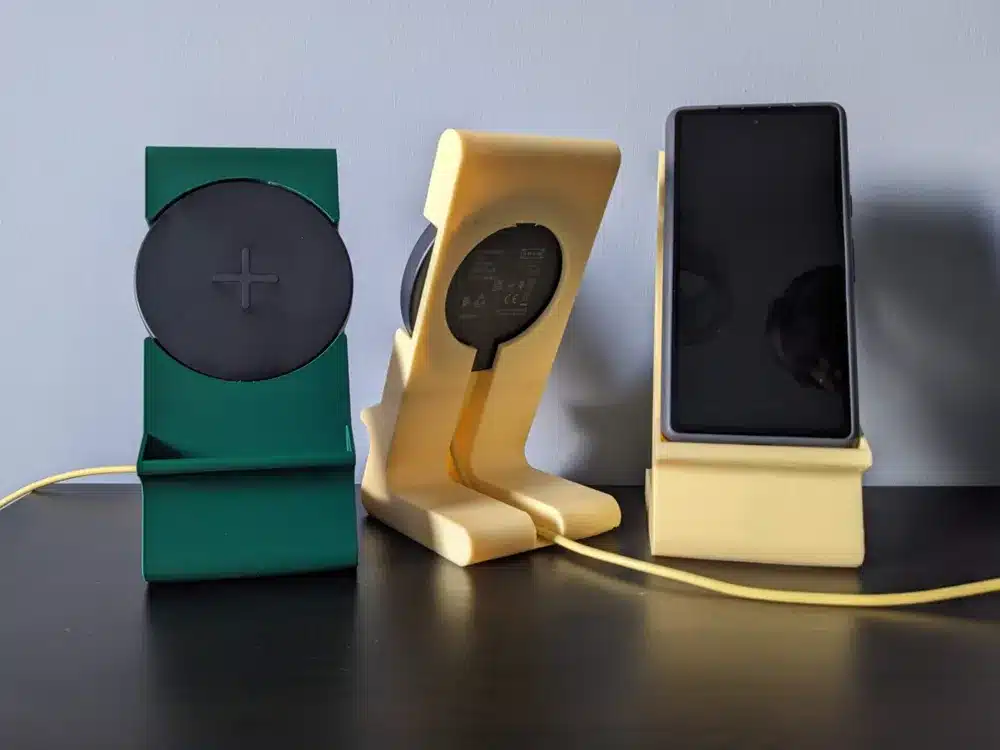
You can create the perfect phone stand tailored specifically to your device and preferences. 3D printing allows you to customize every aspect, from the angle and height to decorative elements that match your style.
Your phone stand can accommodate different phone sizes and cases. You design the exact dimensions needed for your device, ensuring a secure fit that won’t tip over or scratch your screen.
The printing process typically takes 1-3 hours depending on complexity. Most designs use minimal filament, making them cost-effective compared to store-bought alternatives.
You have access to thousands of free STL files online. Popular platforms offer everything from minimalist designs to elaborate artistic stands with cable management features.
Your stand can serve multiple purposes beyond just holding your phone. Many designs incorporate charging cable slots, small storage compartments, or adjustable viewing angles for video calls and media consumption.
The customization extends to materials and colors. You can print in different filaments to match your desk setup or create stands with specific textures and finishes that suit your workspace aesthetic.
Why print a print-in-place puzzle cube?
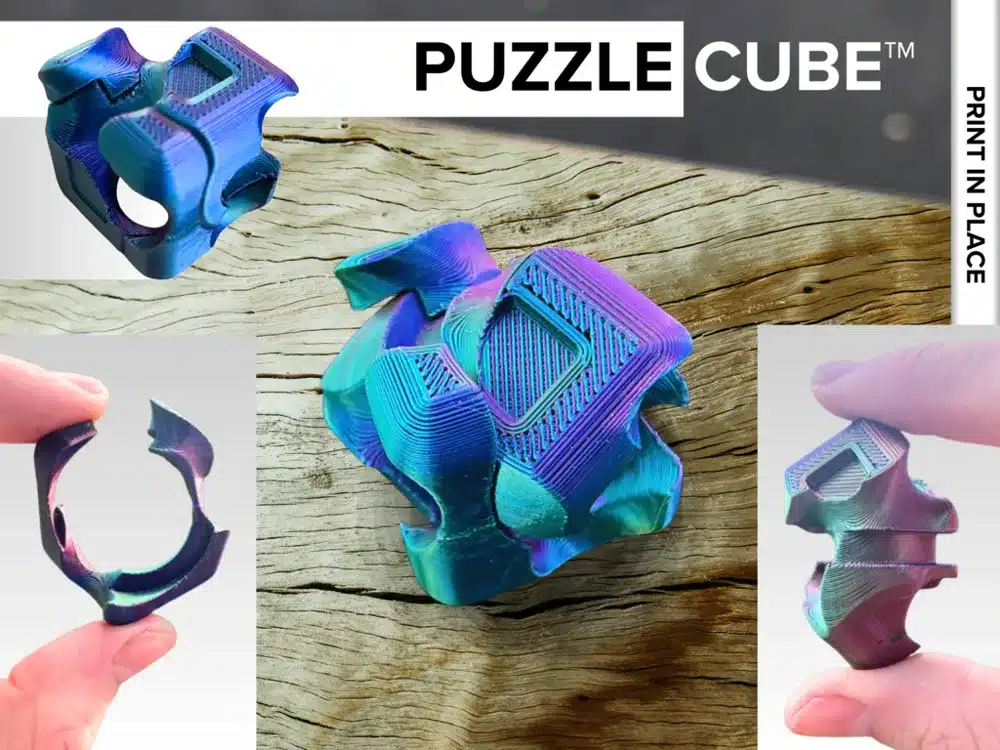
Print-in-place puzzle cubes represent one of 3D printing’s most impressive capabilities. These puzzles emerge from your printer fully assembled and ready to use, with no additional assembly required.
The design eliminates the need for supports or post-processing. You simply remove the completed puzzle from your print bed and start solving immediately.
These cubes typically feature interlocking segments that move independently. The precision required to achieve proper clearances between moving parts showcases advanced 3D modeling skills.
Print temperature matters significantly for functional results. Many designers recommend printing at 215°C or higher to ensure the plastic maintains sufficient flexibility for repeated use.
The puzzles often incorporate spiral cuts or geometric divisions that create multiple pieces within a single cube structure. Each piece must fit precisely with others while maintaining enough clearance to move freely.
Popular variations include three-piece designs and more complex interlocking patterns. Some models feature passthrough mechanisms where objects can be inserted and manipulated within the puzzle structure.
The compact size and relatively quick print times make these puzzles ideal for testing your printer’s precision capabilities. They also serve as excellent demonstration pieces for showcasing 3D printing technology to others.
Why print an adjustable cable holder?
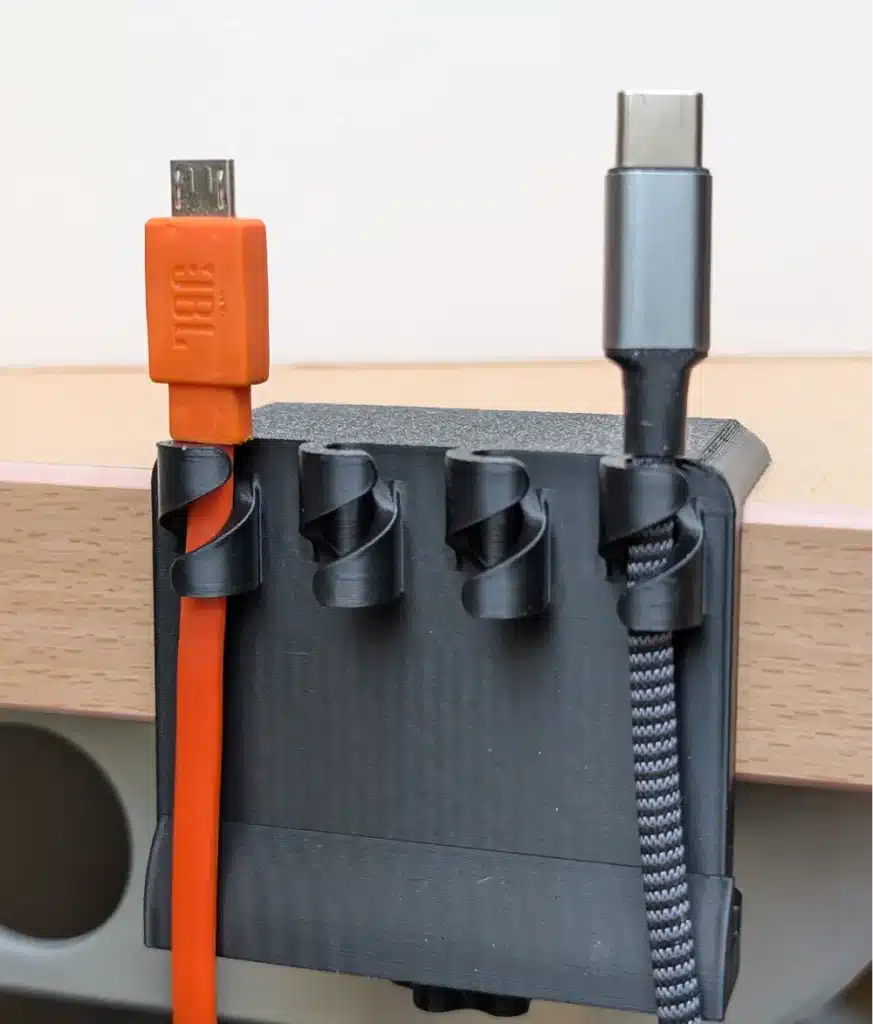
You can transform your workspace organization with a 3D printed adjustable cable holder. These practical accessories keep your charging cables, data cords, and power wires neatly positioned and easily accessible.
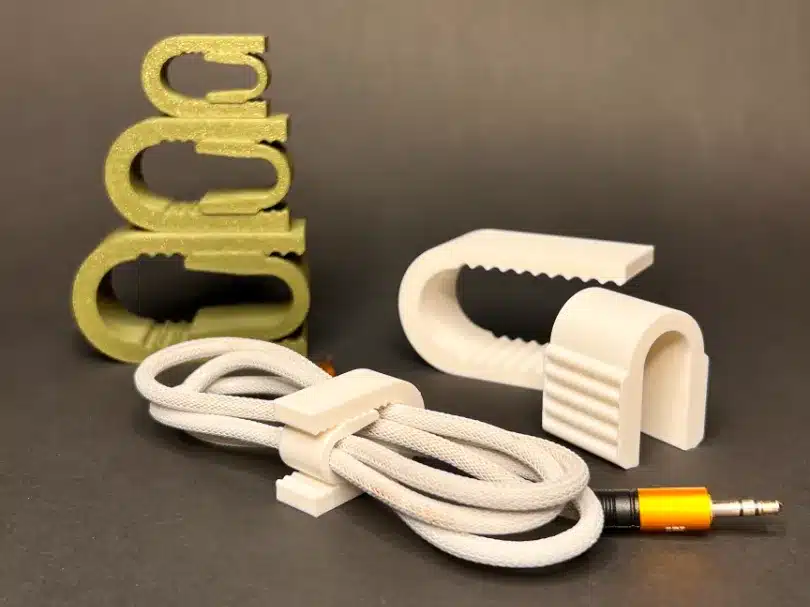
The adjustable design allows you to accommodate different cable thicknesses. You can modify the grip tension to hold thin USB cables or thicker power cords securely in place.
Many adjustable cable holder models feature clips that attach to desk edges or computer monitors. This positioning keeps your cables at the perfect height and prevents them from falling behind your workspace.
You can customize the holder size during printing to match your specific needs. Some designs include multiple cable slots, letting you organize several cords simultaneously.
The printing process typically requires minimal support material and completes within a few hours. Most designs use standard PLA filament and work well on entry-level 3D printers.
Your finished cable holder will provide years of reliable service. The adjustable mechanism maintains its grip strength through repeated use, making it a practical long-term organization solution for any desk setup.
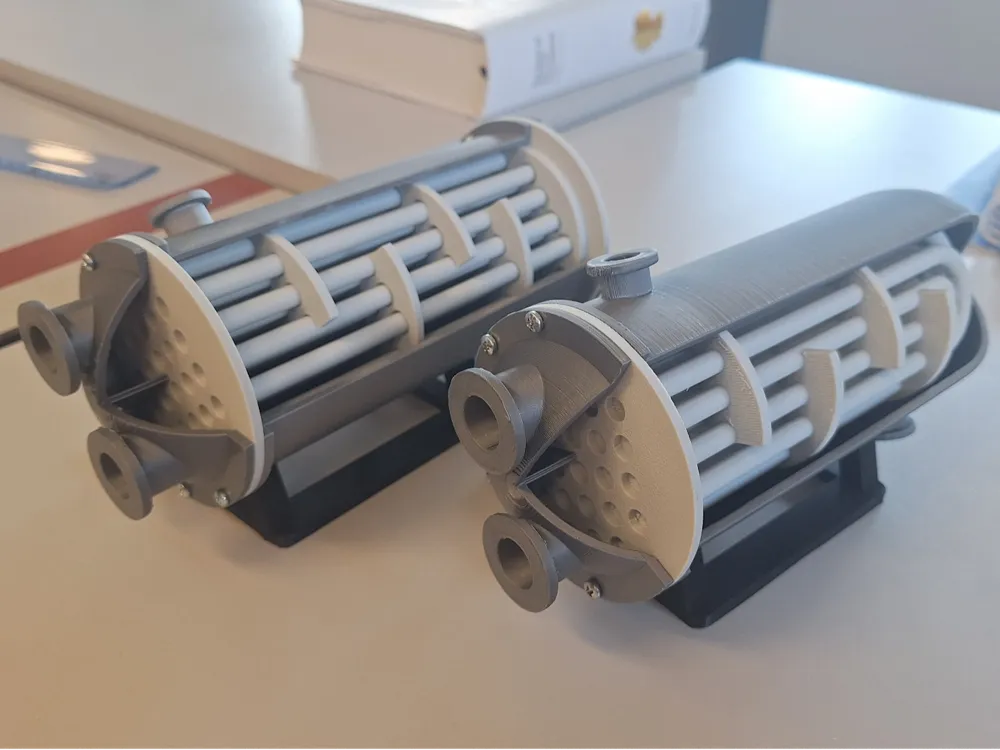
Why print a functional heat exchanger model?
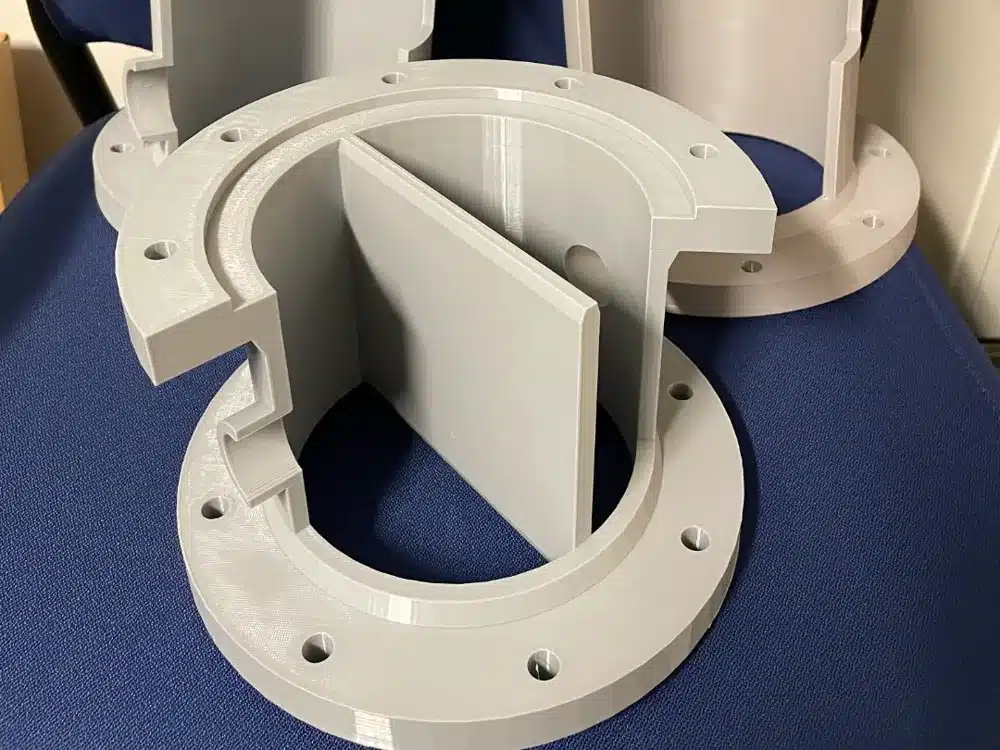
You can 3D print working heat exchanger models that demonstrate real thermal engineering principles. These educational designs help visualize how heat transfer occurs between different fluid streams.
Shell and tube heat exchangers are popular 3D printing projects. They show the basic components of industrial heat exchange systems in a compact format.
You’ll find models designed by engineers that replicate actual refinery equipment. These scaled versions provide detailed cross-sections of complex heat transfer mechanisms.
Some designs use specialized infill patterns like gyroid structures to maximize surface area. This approach improves cooling efficiency within the printed model.
The models typically connect to standard hose fittings for water flow testing. You can actually run fluids through them to observe heat exchange in action.
Many designs fit standard print beds and use common materials like PLA or PETG. The parts often snap together without requiring support structures.
These functional models serve educational purposes in classrooms and training facilities. They make abstract thermal concepts tangible and easier to understand.
You can modify the designs to experiment with different configurations. This allows testing of various heat exchanger geometries and flow patterns.
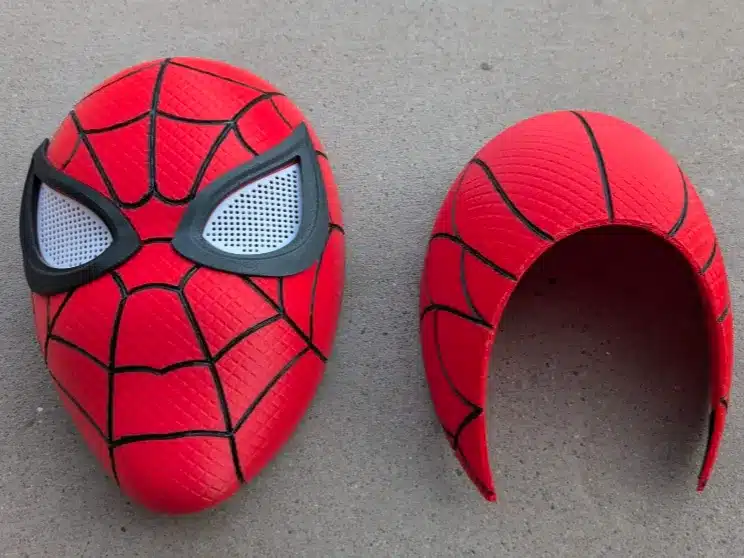
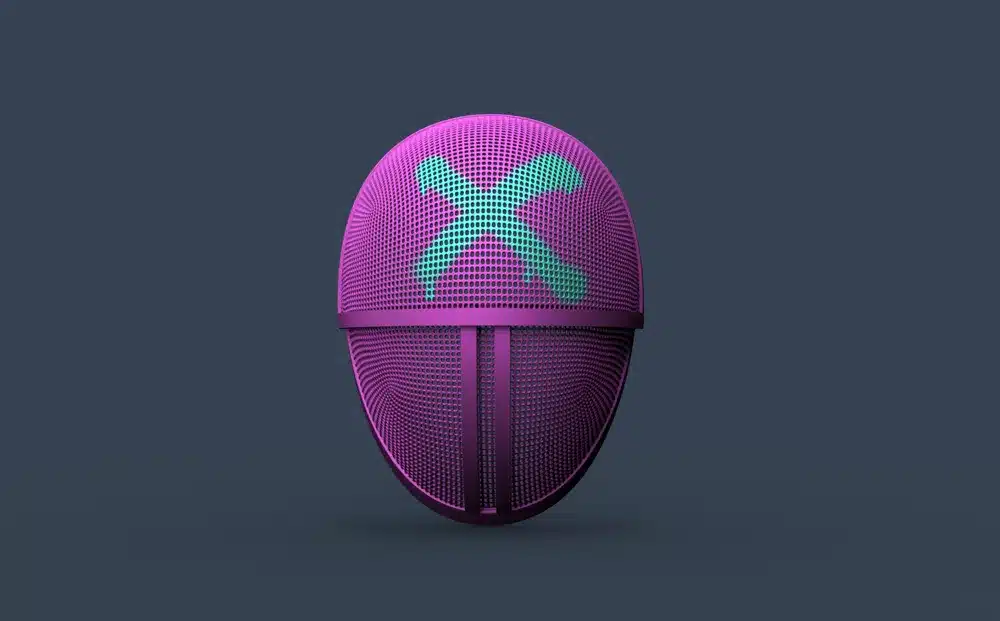
Why print a cosplay helmet replica?
Cosplay helmet replicas offer an impressive way to showcase your 3D printing skills. You can create detailed reproductions of iconic helmets from movies, TV shows, and video games.
Popular options include helmets from Star Wars, Marvel, and DC Comics characters. These models are widely available as STL files on various platforms.
Your 3D printer can produce helmets with intricate details that match professional costume pieces. Many files include multiple parts that you assemble after printing.
You’ll need to consider your printer’s build volume when selecting helmet files. Some designs require splitting into multiple sections for smaller printers.
Post-processing typically involves sanding, filling gaps between parts, and painting. This finishing work transforms raw prints into convincing replicas.
The printing time varies based on helmet complexity and size. Most helmets require 20-40 hours of printing time across all pieces.
Choose helmet designs that match your skill level for finishing work. Simpler designs work better for beginners, while experienced makers can tackle highly detailed models.
These replicas make excellent display pieces even when not used for cosplay. They demonstrate both your 3D printing capabilities and passion for pop culture.
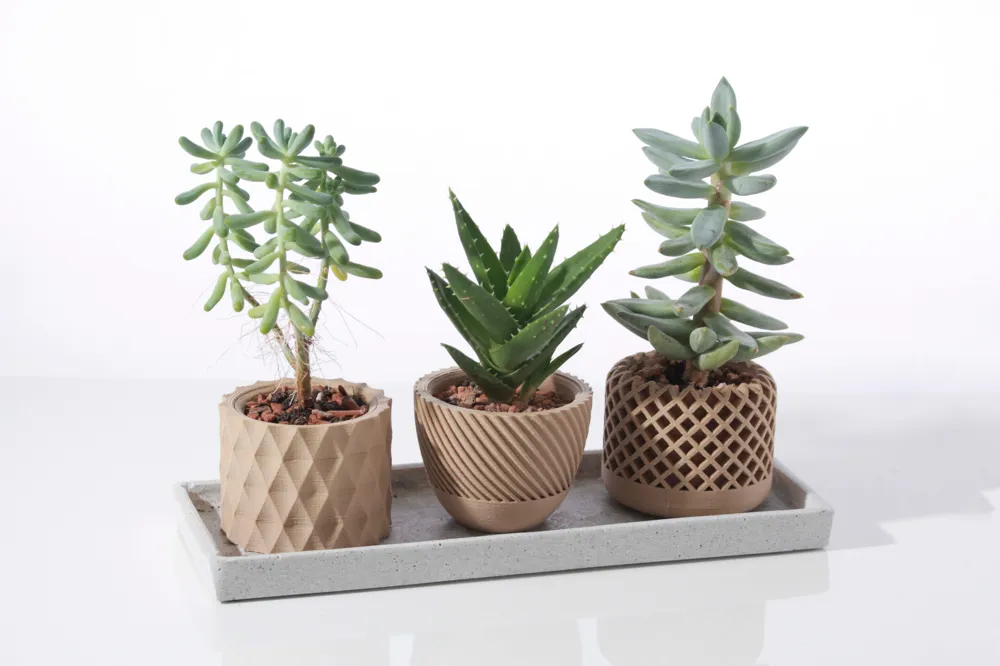
Why print a geometric planter pot?
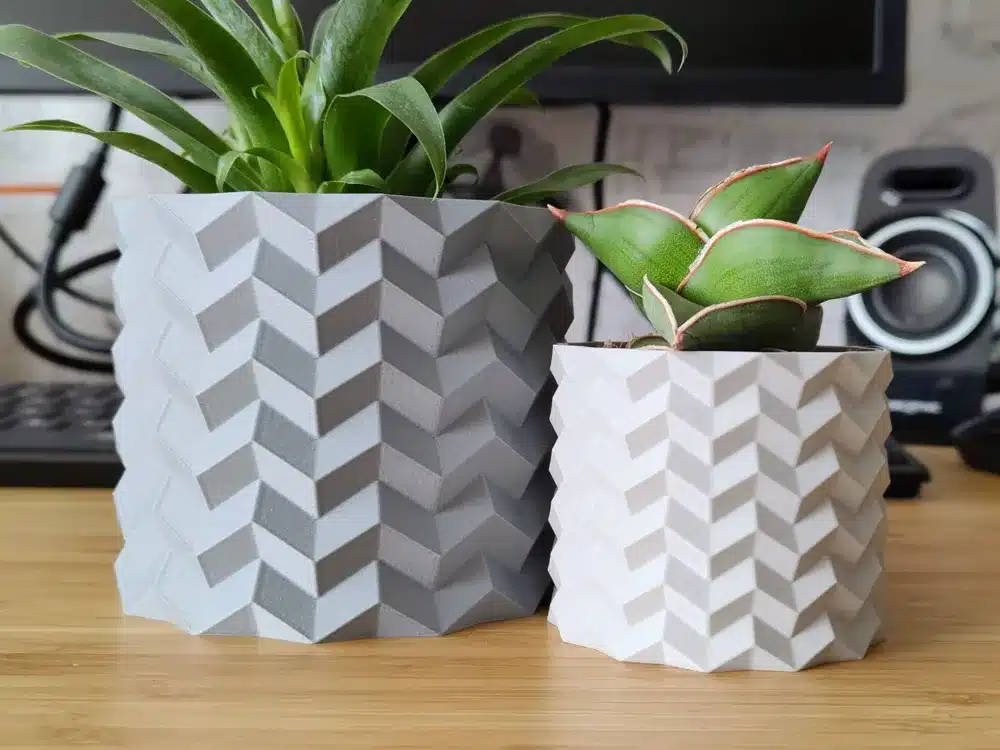
Geometric planter pots offer a modern way to display your plants while showcasing your 3D printing skills. These angular designs create striking visual appeal compared to traditional round planters.
You can find thousands of geometric planter models available for download. Popular designs include triangular faces, hexagonal patterns, and complex geometric shapes that catch light beautifully.
Many models come with built-in drainage holes for proper plant care. Others function as decorative covers that hold standard plastic pots inside.
Gyroid planters represent one popular geometric style. These mathematical patterns create unique organic-looking shapes despite their geometric foundation.
The printing process works well with standard PLA filament. Most designs print without supports due to their angular construction and optimized geometry.
You can scale these planters to fit different plant sizes. Small versions work perfectly for succulents, while larger prints accommodate bigger houseplants.
Geometric planters suit modern home decor styles. They work particularly well on desks, shelves, and windowsills where their angular shapes complement contemporary furniture.
The printing time ranges from two to six hours depending on size and complexity. Most designs use minimal filament while maintaining structural strength for holding soil and plants.
Why print stackable storage bins?
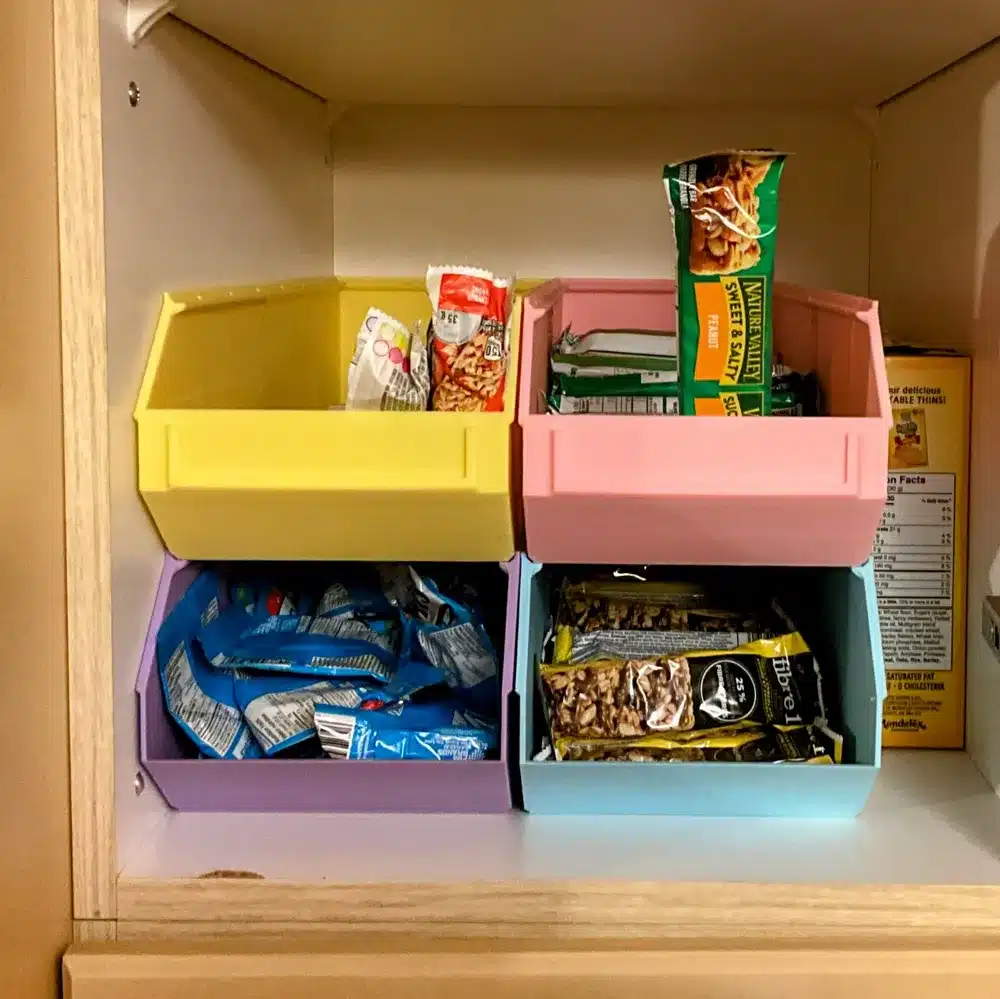
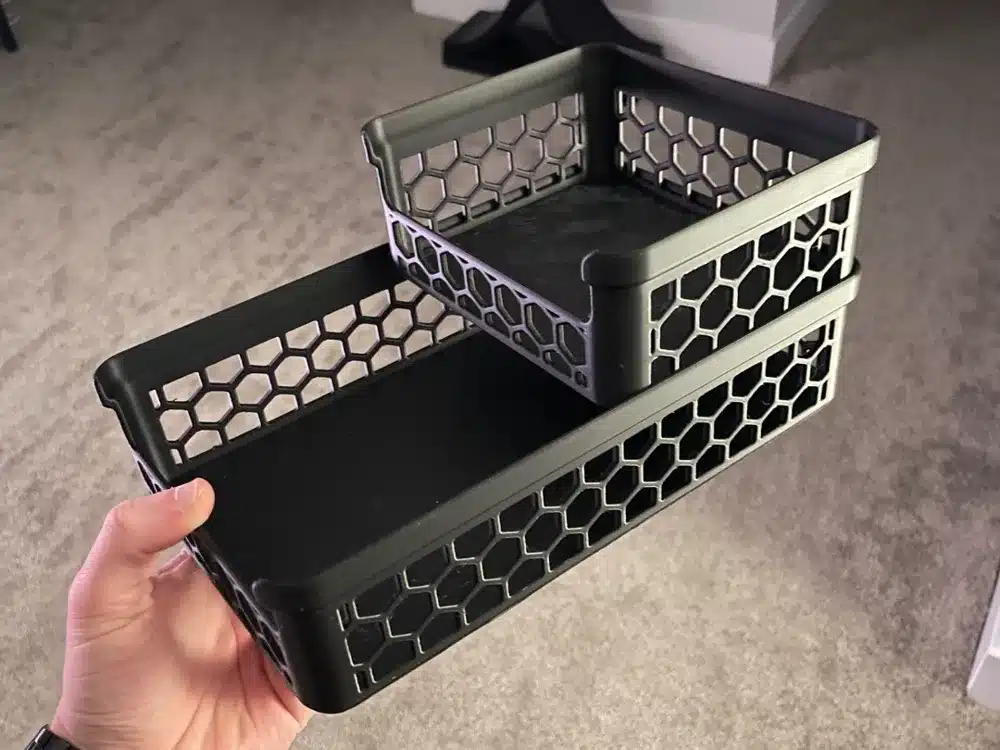
Stackable storage bins offer practical solutions for organizing your workspace, home, or garage. You can print these containers in multiple sizes to fit your specific storage needs.
These bins maximize vertical space while keeping items easily accessible. The interlocking design ensures stable stacking without requiring glue or additional fasteners.
Many designs print as single pieces, making them simple to produce. You can customize dimensions, shapes, and compartments based on your requirements.
Vase mode printing reduces material usage and speeds up production time. This printing method maintains structural strength while using minimal filament.
The bins work well for storing small hardware, craft supplies, electronic components, or tools. You can create matching sets or different sizes for various applications.
Most designs feature smooth surfaces that clean easily and rounded corners for safety. The stackable nature helps maintain organized storage systems that expand as needed.
You can print these bins in different colors to create coding systems for your stored items. This organization method helps you locate specific materials quickly without opening multiple containers.
Why print an interlocking brain teaser?
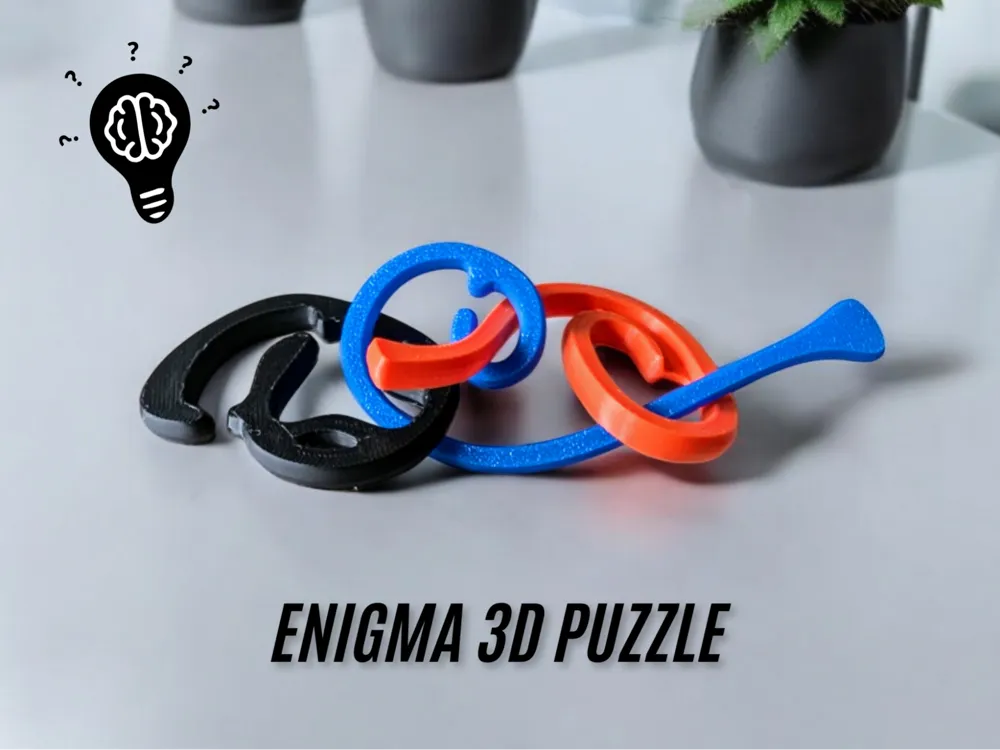
Interlocking brain teasers offer a perfect combination of mental challenge and hands-on puzzle solving. These geometric puzzles feature multiple pieces that fit together in specific ways, requiring spatial reasoning and patience to solve.
You can find numerous STL files for interlocking puzzles on 3D printing platforms. Popular designs include three-piece geometric puzzles that create satisfying interlocking shapes when assembled correctly.
The appeal lies in their difficulty level. These puzzles can leave you stumped for extended periods, making the eventual solution incredibly rewarding.
3D printing allows you to create these puzzles with precise tolerances. The pieces need to fit together smoothly while maintaining the challenge of the puzzle mechanics.
Most interlocking brain teasers print without supports, making them accessible projects for beginners. You can experiment with different materials and colors to create visually appealing versions.
These puzzles serve multiple purposes beyond entertainment. They make excellent desk toys, conversation starters, or gifts for puzzle enthusiasts.
The geometric nature of most designs means they look attractive even when solved. You can display them as decorative objects while keeping the challenge readily available for guests or breaks from work.
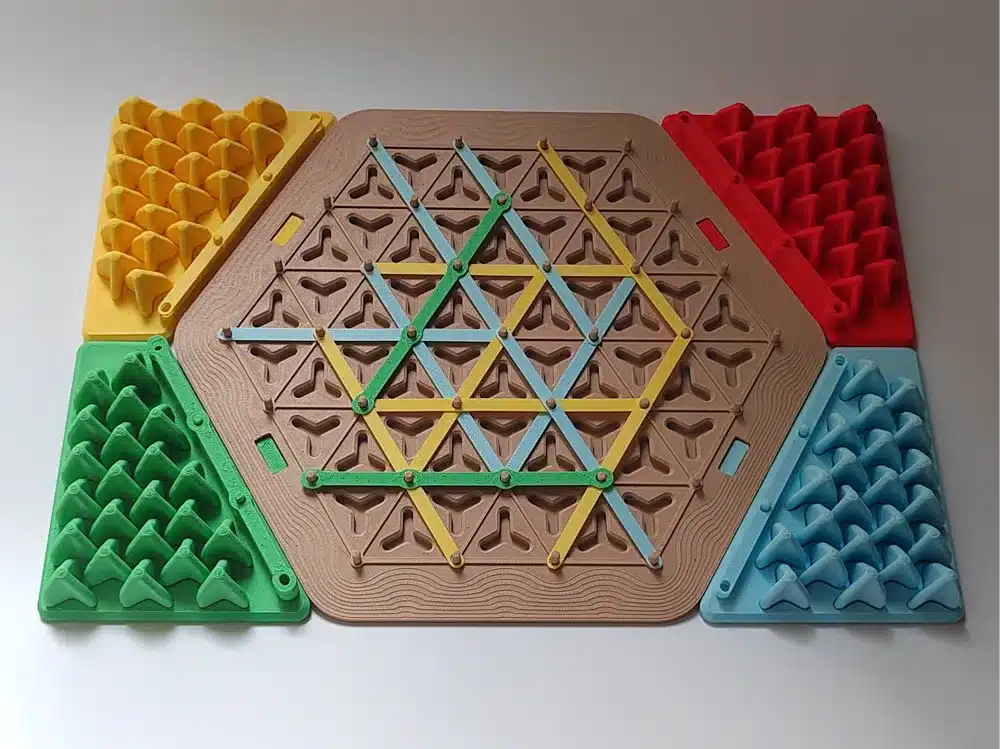
Choosing the right 3D printer materials
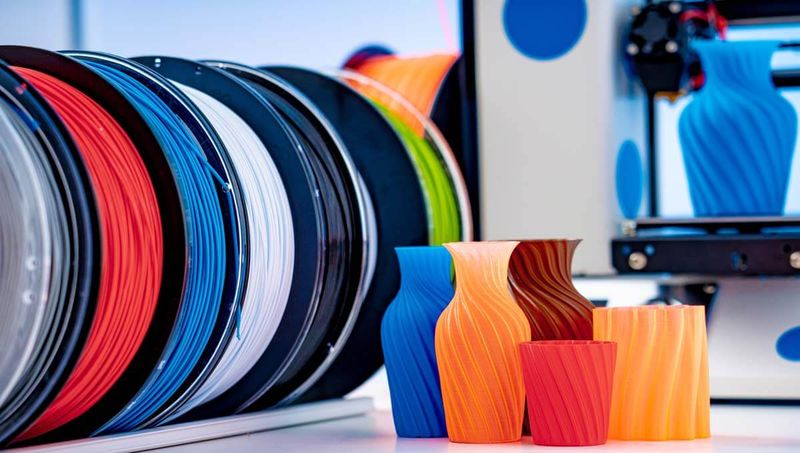
Material choice changes the whole print: surface finish, smell, strength, heat resistance, and how much patience you need. For the ranges below, always check your filament spool first, then compare it with a reliable 3D printing material guide. Small brand differences matter.
PLA vs. ABS: pros and cons
PLA (Polylactic Acid) is the friendliest starting point. It usually prints around 190-220°C, keeps warping low, and gives clean detail on simple home printers. I would use PLA for desk organizers, phone stands, planters, and most display pieces.
The tradeoff is heat. PLA can soften in a hot car, near a sunny window, or anywhere the object is under pressure and warmth for long enough. For a decorative print, that is fine. For a bracket or load-bearing part, think harder.
ABS (Acrylonitrile Butadiene Styrene) is tougher and more heat-resistant, but it is fussier. It needs higher temperatures, a heated bed, better enclosure control, and stronger ventilation. EPA and NIOSH both note that filament printing can release ultrafine particles and VOCs, so ABS is not the material I would casually run in a small bedroom.
| Material | Print Temp | Bed Temp | Flexibility | Heat Resistance |
|---|---|---|---|---|
| PLA | 190-220°C | Optional | Low | Poor (60°C) |
| ABS | 220-250°C | Required | High | Good (80°C) |
Safety considerations for home printing
Ventilation matters, especially with ABS, ASA, nylon, resin-adjacent workflows, or long print sessions. The EPA notes that 3D printing can release VOCs and ultrafine particles, while NIOSH recommends lower-emission materials, enclosures, and ventilation controls when exposure is a concern.
For a normal home setup, keep the printer out of sleeping areas, avoid hovering over the machine while it runs, and open up airflow when printing anything smellier than PLA. An enclosure with exhaust or filtration is a smarter upgrade than pretending fumes do not exist.
Temperature safety is simple but easy to forget. Nozzles and heated beds can burn skin on contact, and a fresh print can stay warm longer than you expect. Keep loose paper, solvents, and filament scraps away from the hot end.
Store filament dry, especially if you care about surface quality. Wet filament pops, strings, and leaves rougher walls, which makes even a good model look messy. A sealed box with desiccant is a cheap fix before buying another 3D printer.
Tips for successful 3D printing
Achieving high-quality 3D prints requires careful attention to print settings and proper finishing techniques. The right combination of temperature, speed, and layer height settings paired with effective post-processing methods will transform your prints from basic objects into professional-looking creations.
Optimizing print settings
Your print settings determine the quality and success rate of every project. Layer height affects both detail and print time.
Use 0.1-0.2mm layer height for anime figure 3D print settings requiring smooth surfaces. Choose 0.3mm layers for quick prototypes where speed matters more than precision.
Print speed impacts quality significantly. Start with 40-60mm/s for most materials. Reduce to 20-30mm/s for intricate details or overhangs.
Temperature settings vary by filament type:
| Material | Nozzle Temp | Bed Temp |
|---|---|---|
| PLA | 190-220°C | 50-60°C |
| ABS | 230-250°C | 80-110°C |
| PETG | 220-250°C | 70-80°C |
Enable supports for overhangs exceeding 45 degrees. Use tree supports instead of linear supports for complex geometries to reduce material waste and cleanup time.
Set infill between 10-20% for decorative items and 40-80% for functional parts requiring strength.

Post-processing for a professional finish
Post-processing transforms rough prints into polished objects. Start with proper support removal using flush cutters or needle-nose pliers.
Sand prints with 220-grit sandpaper first, then progress to 400-grit for smooth surfaces. Always sand in circular motions to avoid visible scratches.
Acetone vapor smoothing works excellently for ABS prints. Place prints in a sealed container with acetone-soaked paper towels for 10-15 minutes.
For PLA prints, use heat gun smoothing on low settings. Keep the gun moving to prevent melting.
Prime prints with spray primer before painting. Use thin, even coats and allow complete drying between applications.
Apply acrylic paints in multiple thin layers rather than single thick coats. This prevents drips and ensures even coverage across detailed surfaces.
Sources and safety notes for home printing
Use the numbers in this guide as starter ranges, not as law. Filament brands vary, printers read temperature differently, and a slicer profile that works on one machine can fail on another.
- Prusa material guide for filament behavior and setup ranges.
- EPA 3D printing research for emissions context around PLA, ABS, particles, and VOCs.
- NIOSH 3D printing health and safety questions for ventilation and exposure-control prompts.
Frequently asked questions
Q: What is the best cool object to 3D print first?
A: A modular desk organizer or cable holder is usually the best first cool 3D print. Both are practical, quick enough to finish in an afternoon, and forgiving in PLA. You also learn useful basics: bed adhesion, clean corners, and whether your dimensions match the real object on your desk.
Q: Which 3D printed objects look impressive without being too hard?
A: Print-in-place puzzle cubes, articulated dragons, phone stands, and geometric planters look more advanced than they usually are. They show movement, precision, or shape design without asking you to sand a giant multi-part model for days. Check the model notes first and choose files marked support-free when possible.
Q: Is PLA or ABS better for home 3D printing projects?
A: PLA is better for most home projects because it prints at lower temperatures, smells less, and works well on entry-level printers. ABS is stronger and handles heat better, but it needs a heated bed, stronger ventilation, and better temperature control. For a first print, I would choose PLA unless the object will sit in heat.
Q: How long do these cool 3D prints usually take?
A: Small cable holders and phone stands can take 1-3 hours. Desk organizers, puzzle cubes, and planters often land around 3-8 hours depending on layer height and size. Cosplay helmets are a different category: expect 20-40 hours across multiple parts, plus sanding, priming, and paint time.
Q: What 3D prints usually do not need supports?
A: Cable holders, simple phone stands, modular bins, many geometric planters, and some articulated models can print without supports. Look for flat bases, gentle overhangs, and designer notes that say print-in-place or support-free. If an overhang is steeper than about 45 degrees, expect supports or redesign the part.
Q: Where should beginners find safe STL files?
A: Start with well-documented files on MakerWorld, Printables, Cults 3D, or a designer’s own site. Read recent comments before downloading. If several people mention tight joints, poor tolerances, or failed prints, choose a simpler version first. A clean model page saves more time than a flashy render.
For a furniture-scale view of the same technology, see the guide to 3D printed furniture, including materials, durability, cost, and design limits.
- 42shares
- Facebook0
- Pinterest39
- Twitter3
- Reddit0