Spend a week illustrating a picture book character and you’ll understand the real problem fast. Drawing the character once, well, is the easy part. Drawing the same character twenty-eight more times — across different poses, angles, and emotional beats, so a four-year-old never doubts for a second that it’s the same friend — that’s where the craft actually lives.
I’ve spent years drawing from life and working with character-based visual systems in design. The consistency problem in picture books is the same one that industrial designers face with product families and automotive designers face with model lineups: how do you maintain identity across every variant? The answer in both fields involves the same discipline — a fixed reference, checked every time, without exception.
- Why consistency is the hardest part of picture book illustration
- How traditional illustration solves the consistency problem
- What AI illustration tools actually do for character consistency
- Direct comparison: speed, cost, consistency, and creative control
- When to draw, when to use AI, and when to combine both
- A practical workflow for generating a consistent character set with AI
- What AI character tools still cannot do
- Frequently asked questions
- Can AI keep a cartoon character consistent across a whole children's book?
- How much does it cost to illustrate a children's book professionally?
- What is a model sheet and why do children's book illustrators use them?
- What is character drift and how do you prevent it?
- Can I use AI to generate a children's book if I cannot draw?
- What is the best AI tool for children's book illustration?
- How long does it take to illustrate a children's book with AI?
- The real question is what your project needs
AI illustration tools have started changing what’s possible for that consistency problem, particularly for writers who have the story but not the drawing years behind them. This article is not a verdict on which approach wins. It’s a working comparison of how each handles the specific challenge of keeping a cartoon character consistent across a full children’s book, and when each is the right call for your project.
Why consistency is the hardest part of picture book illustration
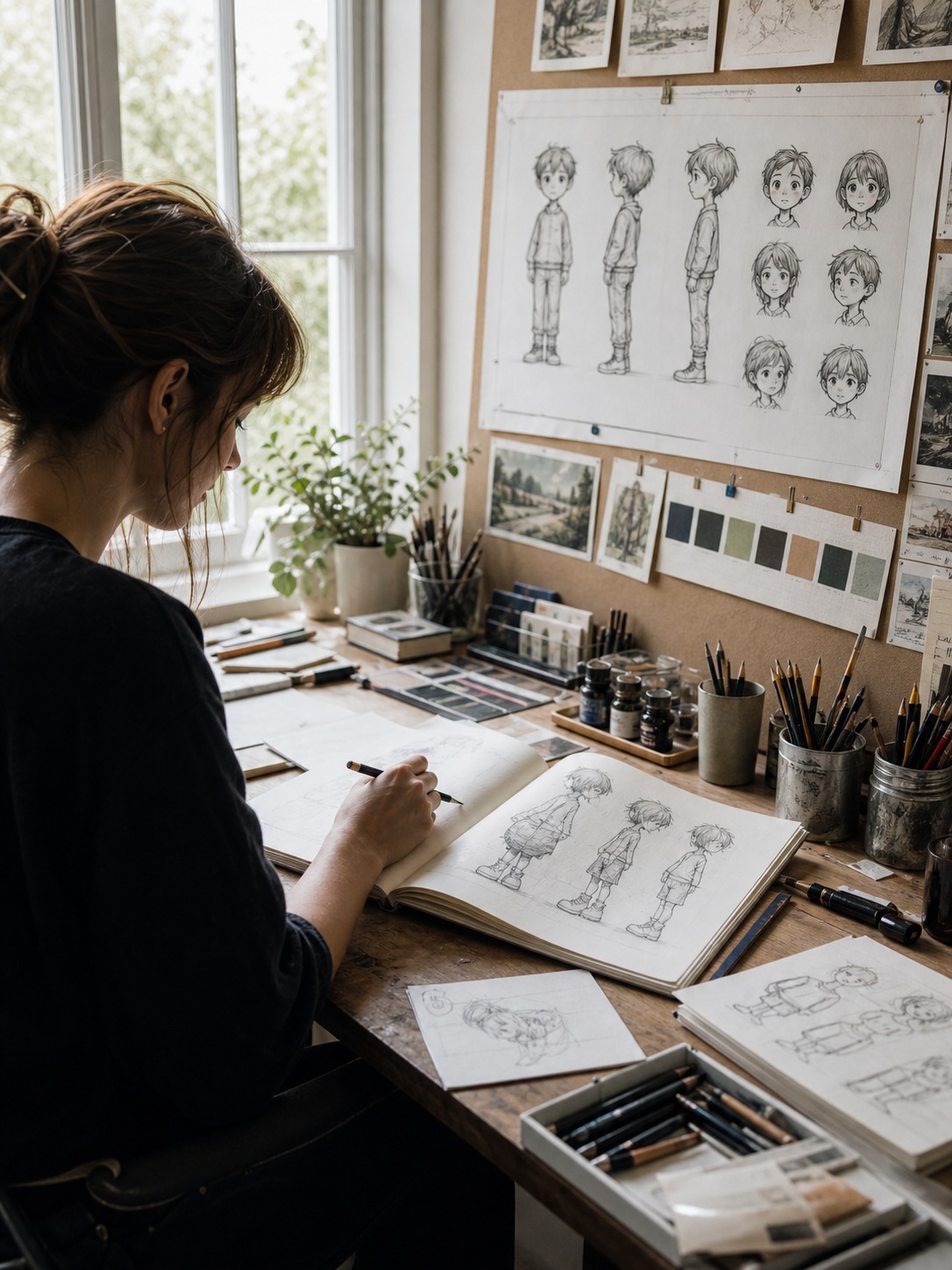
Children’s book readers are unforgiving about character drift — not because they can articulate what’s wrong, but because they feel it immediately. A four-year-old who loves a character knows their face. When that face shifts even slightly between spreads, the spell breaks.
This is not a beginner’s problem. Professional illustrators with publishing credits still build explicit systems to prevent it. The reason is that the human brain doesn’t remember proportions precisely. It remembers impressions. And impressions drift across a book that takes weeks to complete.
What character drift actually looks like
Drift usually starts small: the eyes sit slightly higher than they did on page three, the ears get a bit rounder, the signature hat brim changes angle. By page twenty, a reader who put the book down and picked it back up might not quite feel it consciously, but something feels off. In a picture book, “something feels off” is a catastrophic review from a four-year-old.
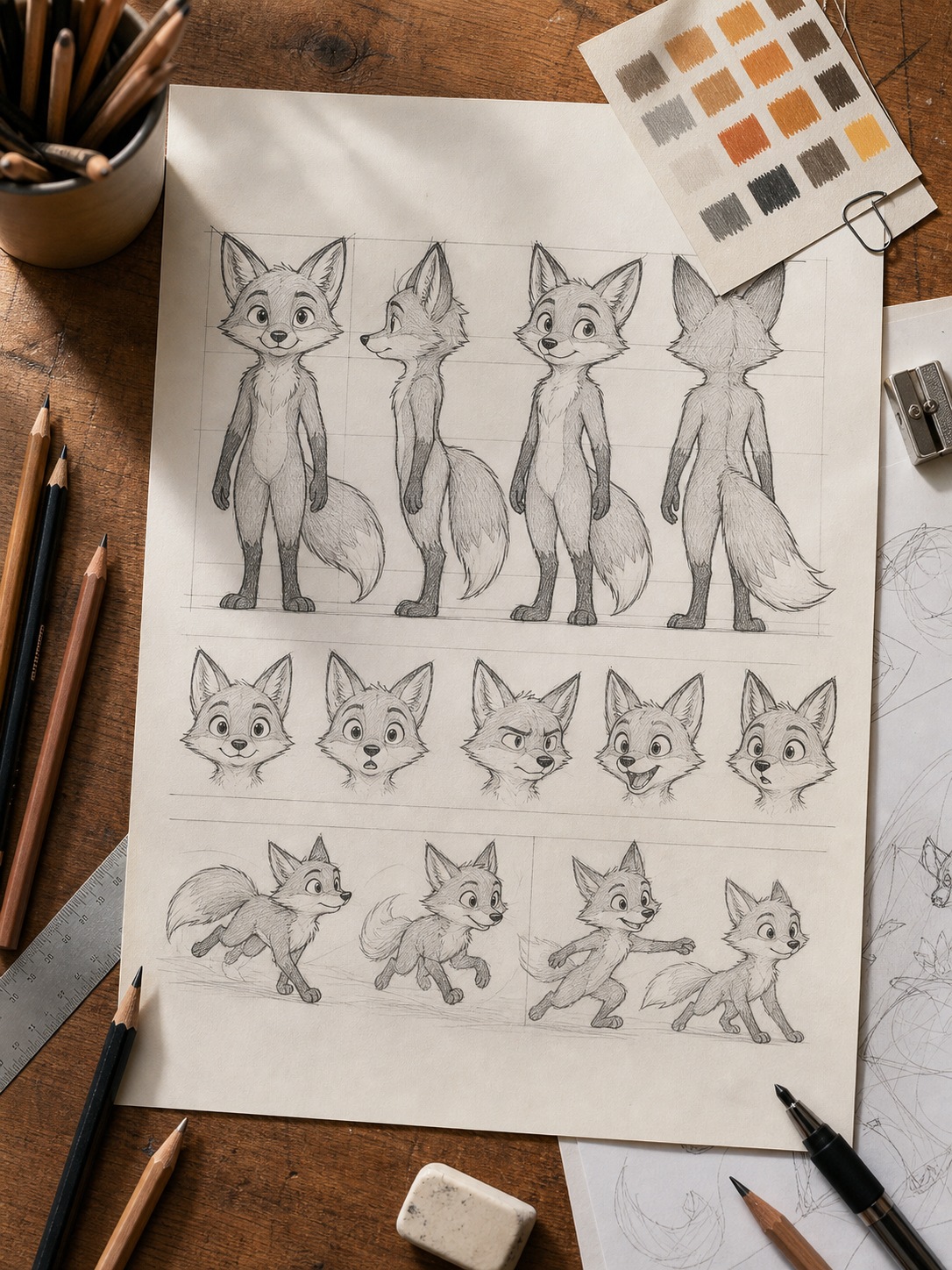
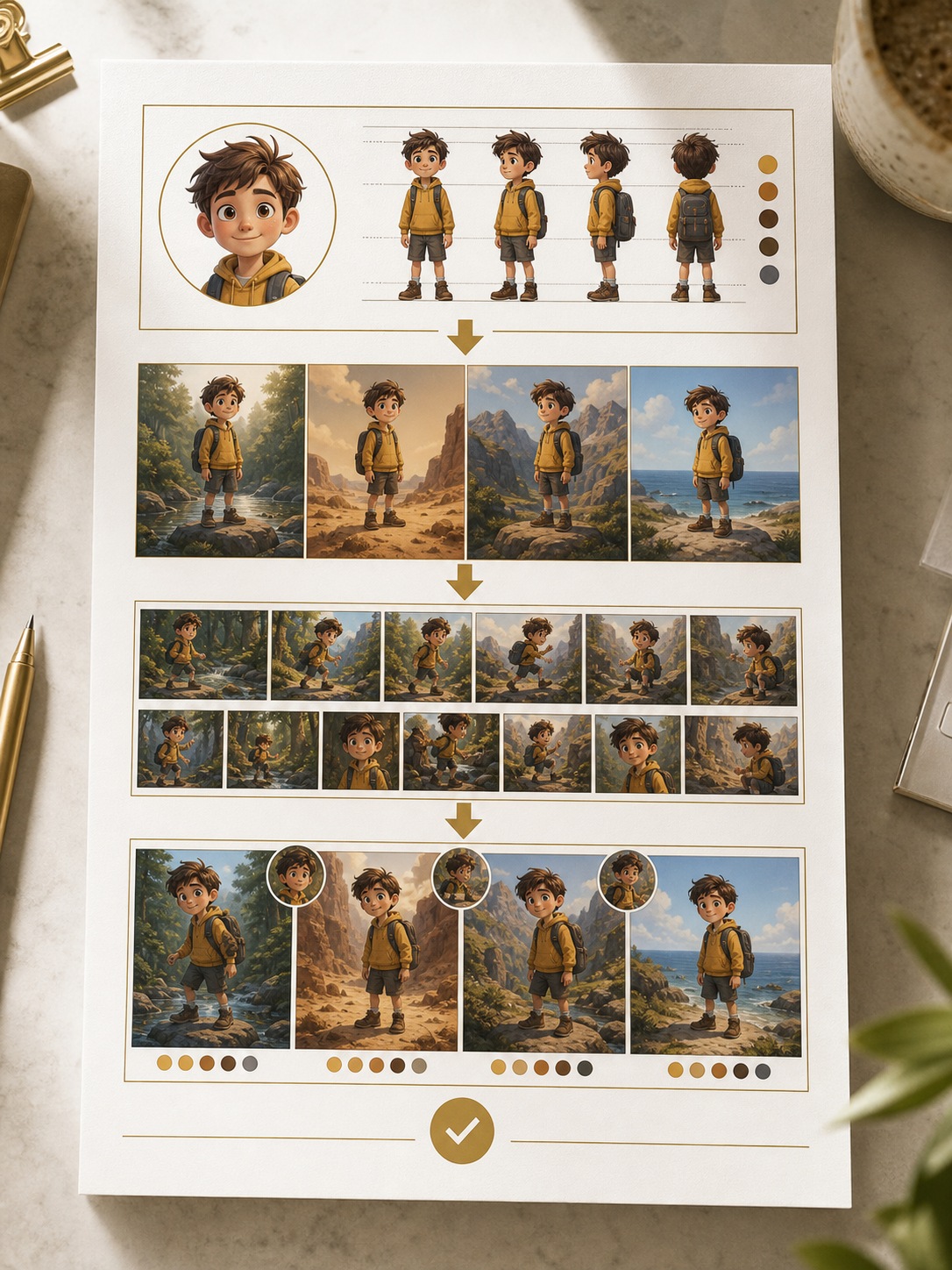
The professional solution is a model sheet: a dedicated reference drawing showing the character from front, side, and three-quarter angles, with expression studies and proportion notes. Disney and Pixar have used this system since the 1930s. For a picture book, the model sheet is what an illustrator checks every spread against before moving on.
Why even skilled illustrators drift
Building the model sheet takes a day. Checking it every spread takes discipline. But the real pressure is time: most picture book illustration schedules run eight to sixteen weeks, and by week ten, the artist is checking fewer details per spread. That’s where drift sneaks in. The revision pass exists specifically to catch it.
Key insight: Consistency is not a talent. It’s a system. The artists who stay most consistent are not the most gifted; they’re the most disciplined about their reference process.
How traditional illustration solves the consistency problem
The traditional workflow has a century of refinement behind it. You build your model sheet, you work from it, and you revise anything that drifted. For a skilled illustrator working full-time on a single project, this produces the strongest and most distinctive results available.
The model sheet method
A proper model sheet for a picture book character covers at minimum: front view, profile, three-quarter view, and four to six expression studies. Some illustrators add a size chart if the character appears alongside other characters of different sizes. The palette is documented with specific color codes. Signature details (the exact shape of a particular ear, the specific curve of a tail) are drawn larger and annotated.
This sheet gets printed at full size and pinned or propped next to the drawing surface. It’s referenced, not just glanced at. Before finishing any spread, the illustrator checks the character’s proportions against the model sheet directly, ideally with a tracing overlay or digital comparison if working digitally.
Where the traditional approach wins outright
Control. Every line is a decision. The micro-expression on a character’s face in a critical emotional moment is exactly what the illustrator intended it to be, down to the angle of the mouth. The style is entirely the artist’s — no tool interpolation, no averaging of someone else’s training data.
For emotionally complex work, experimental styles, and projects where the illustration is the art rather than a vehicle for the story, traditional illustration is still the right answer. When a publisher is specifically commissioning your hand for a distinctive visual voice, that hand is the product.
The real costs
Time and drawing skill. A full picture book illustration set from a professional illustrator costs between $2,500 and $6,000, sometimes more for illustrators with strong publishing credits. The timeline is months, not days. For a writer with a strong story and limited drawing experience, traditional illustration either means a significant financial investment in someone else’s hand, or a long period of skill-building before the book can exist at all.
What AI illustration tools actually do for character consistency
The honest answer about AI and character consistency is that most AI image tools don’t solve the problem at all. If you generate a character in Midjourney on Monday and again on Tuesday from the same text prompt, you get two different characters. Each generation starts from new random noise. A text description cannot pin a specific identity.
This is the source of almost every frustrated “why does my character keep changing” question in illustration communities. General AI image generators are not built for character consistency. They’re built for image quality.
Purpose-built character tools work differently
A newer category of tools addresses this directly. Instead of generating from a text prompt each time, these tools let you define a character once as a visual anchor (an actual image, not a description) and then generate every subsequent scene as a controlled variation of that anchor.
The technical mechanism involves reference-image conditioning and identity-preserving attention: the model is told that the face, proportions, and key details in the anchor image must persist across all outputs. The practical effect is what matters to an illustrator: the same face appears in spread one and spread twenty-seven, even when the character is running, sleeping, or crying.
This is essentially a model sheet that the tool enforces automatically, rather than one you hold in place by hand.
What AI still doesn’t control well
Granular mark-making. The individual line quality, the specific texture of a shadow, the exact weight of a brushstroke — these are harder to specify through AI than through your own hand. Highly stylized or expressive work that depends on distinctive personal mark-making is still better served by traditional methods. The AI averages style across training data; it doesn’t execute your particular style from memory.
Complex emotional nuance is also harder. A subtle expression that sits between sadness and resignation is straightforward for an experienced illustrator who’s drawn from life and understands how muscle tension works in a face. AI tools handle clear expressions well and ambiguous ones less reliably.
Practical note: AI character tools work best when the character has 2 to 3 very distinctive visual features. Trying to preserve 12 subtle details across 30 generations is harder than anchoring a strong silhouette with memorable specifics.
Direct comparison: speed, cost, consistency, and creative control
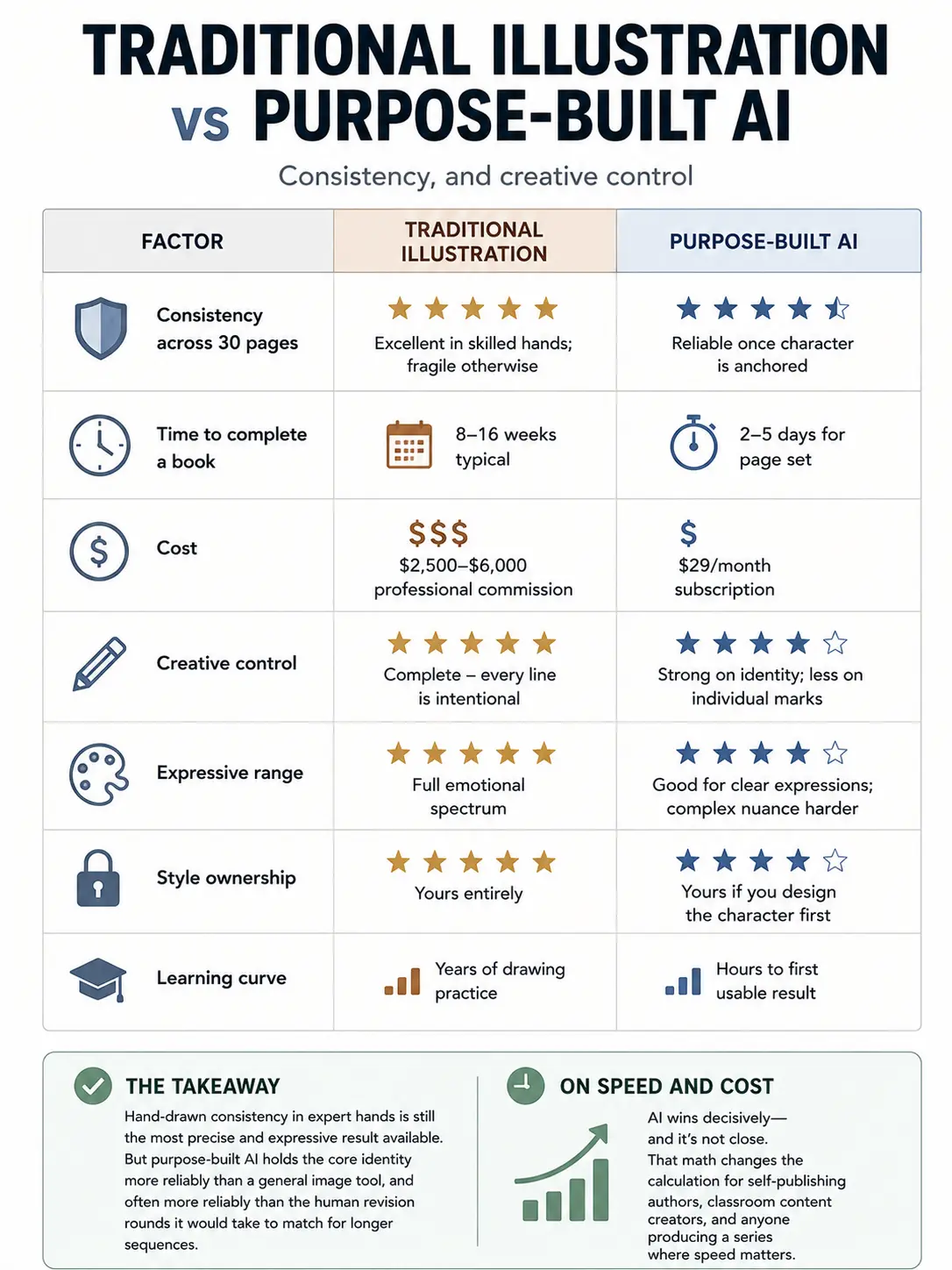
Here’s how the two approaches stack up on the factors that matter most for a picture book project:
| Factor | Traditional illustration | Purpose-built AI |
|---|---|---|
| Consistency across 30 pages | Excellent in skilled hands; fragile otherwise | Reliable once character is anchored |
| Time to complete a book | 8-16 weeks typical | 2-5 days for page set |
| Cost | $2,500-$6,000 professional commission | $29/month subscription |
| Creative control | Complete – every line is intentional | Strong on identity; less on individual marks |
| Expressive range | Full emotional spectrum | Good for clear expressions; complex nuance harder |
| Style ownership | Yours entirely | Yours if you design the character first |
| Learning curve | Years of drawing practice | Hours to first usable result |
The consistency column is the interesting one. Hand-drawn consistency in expert hands is still the most precise and expressive result available. But purpose-built AI holds the core identity more reliably than a general image tool, and often more reliably than the human revision rounds it would take to match for longer sequences.
On speed and cost, AI wins decisively and it’s not close. That math changes the calculation for self-publishing authors, classroom content creators, and anyone producing a series where speed matters.
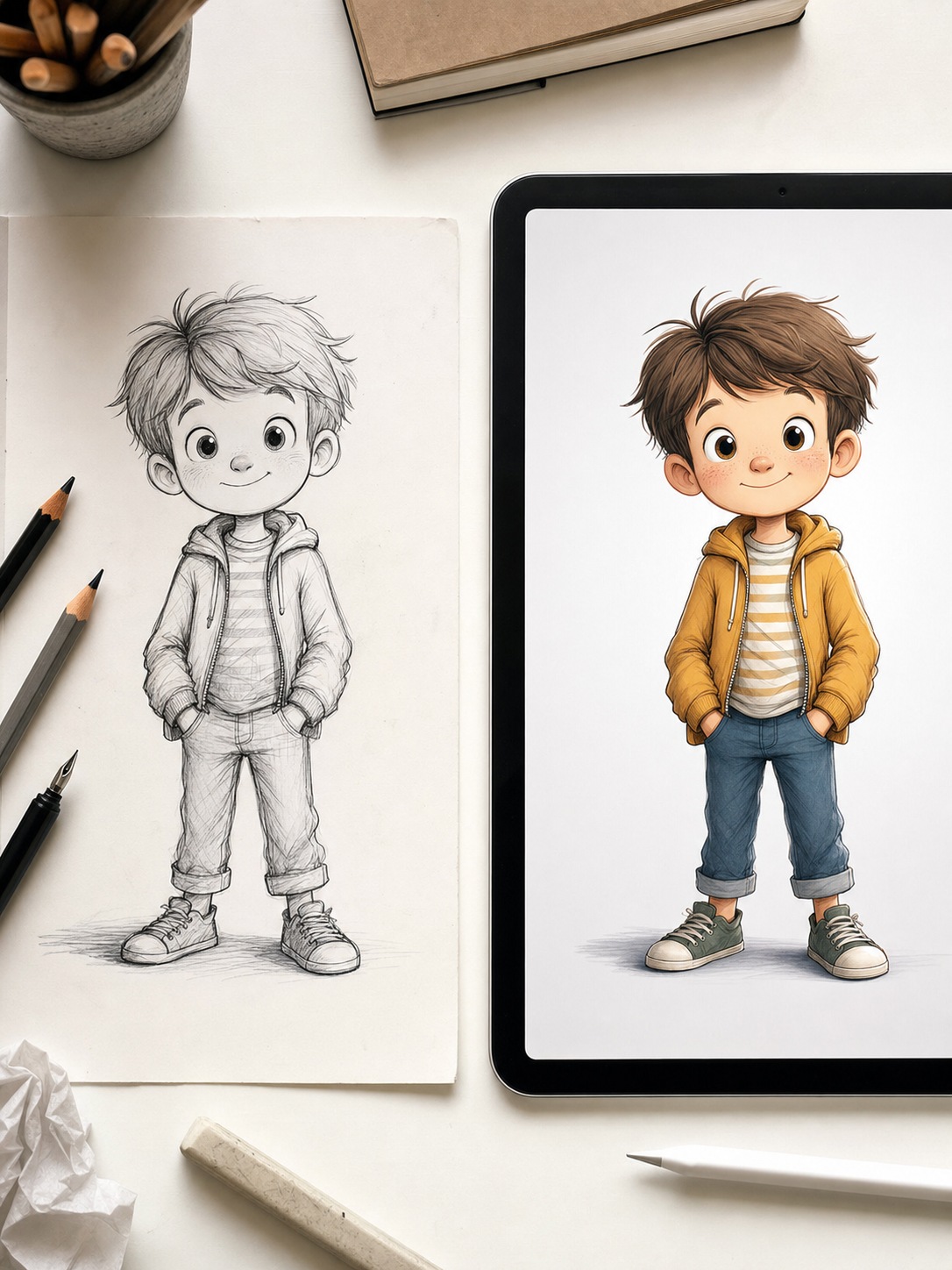
When to draw, when to use AI, and when to combine both
There’s no universal answer, but there are clear patterns.
Use traditional illustration when
The artwork itself is the point. Emotionally complex or experimental picture books, projects with a distinctive personal style that defines you as an artist, work commissioned specifically for your visual voice — these belong in your hand. If your illustration style is your professional signature, keeping it in your hand protects its value.
Also: when you have the time and skill, or the budget to hire someone who does, and the project rewards that investment with a result that’s fully yours.
Use AI character tools when
Consistency across many images is the priority and your budget or timeline is tight. Self-published picture books, classroom materials, series characters who appear across multiple volumes, and rapid concepting all benefit from AI’s speed and cost structure.
AI is also a genuine entry point for writers who have a story worth telling but haven’t put in the drawing years yet. The barrier is lower. The judgment required is not — you still have to direct, select, and correct. But you don’t have to be able to draw the character from scratch.
The hybrid approach most working illustrators are landing on
Design the character by hand to own a distinctive look. Then use a consistency tool to carry that design across the repetitive page work. Come back in with manual corrections on the spreads that matter most — the cover, the key emotional beats, the final page.
The AI handles the twentieth redraw of the same dog in a slightly different setting. The artist spends their hours on the work that actually requires their judgment. This is the pattern I see most among illustrators who are experimenting with these tools seriously rather than reactively.
For working illustrators: The question is not whether AI replaces your hand. It’s whether it can take over the parts of the job that are mechanical rather than creative, so your time goes toward the work that actually needs you.
A practical workflow for generating a consistent character set with AI
If you want to test this yourself, here’s the sequence that produces the most consistent results:
Step 1: Define your character with 2 to 3 memorable features
Specificity beats comprehensiveness. Woody from Toy Story works in two details: the hat and the sheriff badge. Don’t try to specify fifteen characteristics in your anchor image — the tool will weight them unevenly and lose the least-emphasized ones by page ten. Pick the features that make your character instantly recognizable and build around those.
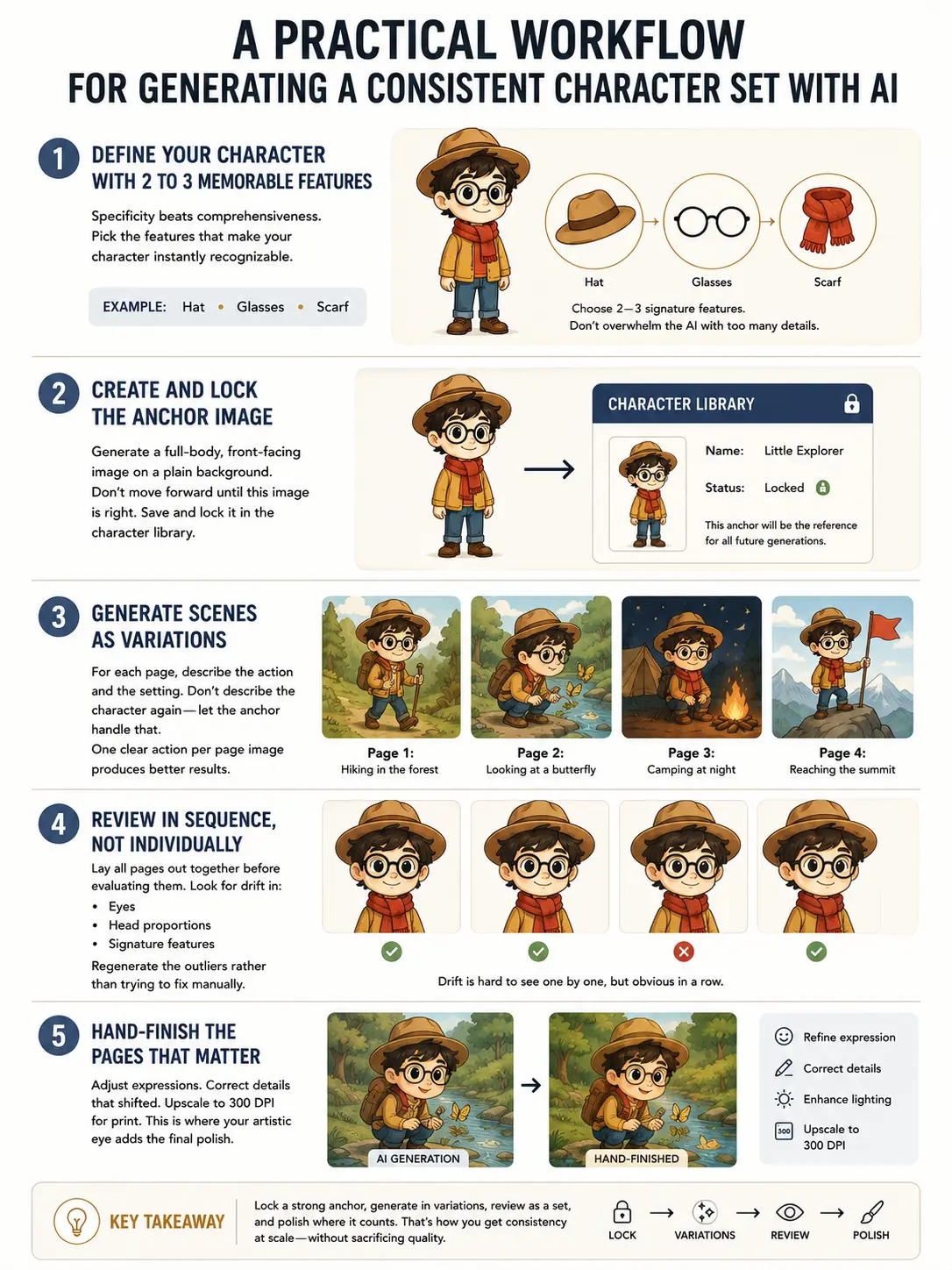
Step 2: Create and lock the anchor image
Generate a full-body, front-facing image on a plain background. This is your equivalent of the model sheet’s key pose. Do not move forward until this image is right. Every subsequent page generates from this anchor, so any errors in the base compound across the whole book.
Once you’re satisfied, save it in the tool’s character library as a named, locked reference. This is the step that prevents drift from re-prompting: you’re generating variations of a specific image, not re-describing a character in words.
Step 3: Generate scenes as variations
For each page, describe the action and the setting. Don’t describe the character again — let the anchor handle that. One clear action per page image produces better results than complex multi-character scenes, at least until you’ve tested how the tool handles your specific character.
Step 4: Review in sequence, not individually
Lay all page images out together before evaluating them. Drift is nearly invisible image by image. In a row, it’s obvious. Look specifically at the eyes, the proportions of the head, and the signature details you identified in Step 1. Regenerate the outliers rather than trying to correct them manually if the drift is significant.
Step 5: Hand-finish the pages that matter
Adjust expressions where the AI’s approximation isn’t quite right. Correct details that shifted. Upscale to 300 DPI for print. This is where your artistic eye does the work the tool cannot — and it’s much less time than drawing the whole book from scratch.
If you’re starting this workflow for the first time, Neolemon offers a free trial that lets you build a character and test the consistency across a few scenes before committing to a subscription. Run your character through five to six scene generations and evaluate the drift against your own standard.
What AI character tools still cannot do
No tool is better served by honest limits than an AI one, because the hype around them tends to run far ahead of the actual results.
Highly stylized work is harder than it looks from demos. Tools trained on broad datasets produce broadly averaged styles. If your character design is distinctive and idiosyncratic (the kind of style that’s immediately recognizable as yours) AI tools will approximate it rather than execute it. The more your style deviates from statistically common visual patterns, the more the tool will normalize it toward the center.
Emotional subtlety is the other consistent limitation. AI handles happy, sad, surprised, and angry well. The expression that sits between wistful and determined (the one that makes a particular page work emotionally) is harder to direct through a prompt and often requires manual correction or full hand redraw.
And the question of authorship is real. An illustrator who designed the character and directed every generation has a legitimate claim to that work. An author who typed a description and accepted whatever the tool produced has a weaker one. Where you fall on that spectrum is a decision worth making consciously, not just letting slide.
Honest limit: AI tools produce pages you would approve. A skilled illustrator produces pages that surprise you. Both have value. They are not the same thing.
Frequently asked questions
Can AI keep a cartoon character consistent across a whole children’s book?
General AI image tools like Midjourney cannot do this reliably. Each new generation starts from scratch, so the character drifts. Purpose-built character consistency tools anchor the character as a persistent reference and generate each scene as a variation of that anchor. The result is much closer consistency than a text prompt alone can achieve, though hand correction is still usually needed on a few pages per book.
How much does it cost to illustrate a children’s book professionally?
A full set of illustrations for a 32-page picture book from a professional illustrator typically costs between $2,500 and $6,000. Illustrators with publishing credits charge more. AI illustration tools with character consistency features cost around $29 per month. The cost difference is significant. The quality and authorship differences are equally significant.
What is a model sheet and why do children’s book illustrators use them?
A model sheet is a reference drawing showing the character from multiple angles and expressions, with notes on proportions and the details that must stay constant across every page. Animation studios have used them since the 1930s. For picture books, it’s what an illustrator checks each spread against to catch drift before it reaches print.
What is character drift and how do you prevent it?
Character drift is when a recurring character’s face, proportions, or details change subtly from page to page until a reader notices the inconsistency. Prevention with traditional illustration: build a detailed model sheet and check every spread against it. With AI tools: anchor the character as a saved image reference rather than re-prompting from a text description each time.
Can I use AI to generate a children’s book if I cannot draw?
Yes, with the right tools. General AI image generators are not reliable for this because character consistency breaks across pages. Purpose-built character tools let you define a character once and generate all pages from that anchor. The drawing skill barrier is lower, but the editorial judgment required is not. You still have to write scene descriptions, review sequences for drift, and make corrections on key images.
What is the best AI tool for children’s book illustration?
For character consistency specifically, tools built around a character-first workflow outperform general image generators. Neolemon is designed for this use case: you define the character once, the tool stores it as a persistent reference, and each scene generation holds that identity rather than reinterpreting it from a text prompt. Other tools like Adobe Firefly and Canva AI offer some consistency features but are less specialized for multi-page character work.
How long does it take to illustrate a children’s book with AI?
A full page set for a 24 to 32 page picture book takes 2 to 5 days with AI character tools, depending on how many regenerations and corrections you need. A professionally hand-illustrated book typically takes 8 to 16 weeks. The time difference is the main reason self-publishing authors are adopting AI illustration workflows, particularly for series books that need multiple volumes quickly.
The real question is what your project needs
Traditional illustration wins on nuance, authorship, and the distinctive hand. AI wins on speed, cost, and reliable consistency across long sequences. For the specific problem of keeping a cartoon character identical across a 20-to-30-page children’s book, purpose-built AI is now a serious answer — particularly when it’s used as a collaborator inside a working artist’s process rather than a substitute for it.
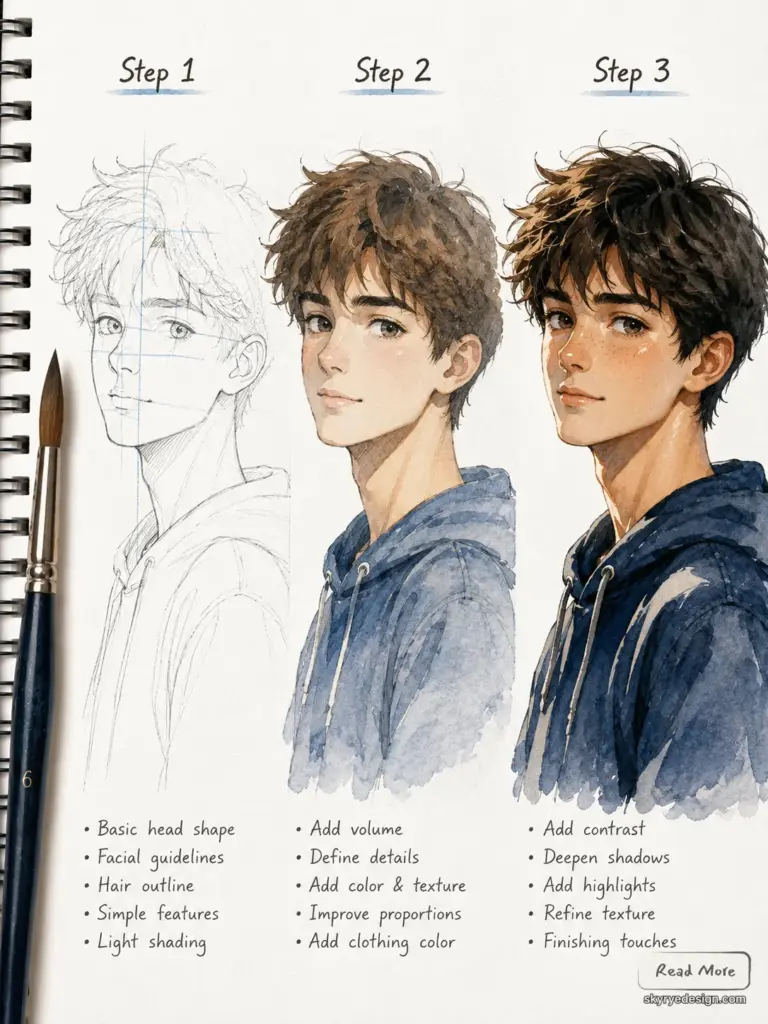
The most honest framing I’ve seen from illustrators experimenting with these tools is this: AI removes the grind, not the craft. The craft is in designing the character, directing the scenes, editing what the tool produces, and knowing when to put it down and pick up a pencil. That judgment doesn’t automate.
If your project is a self-published picture book on a tight timeline, or a series character who needs to stay consistent across twelve volumes, it’s worth testing the AI workflow before defaulting to a process that costs five times more and takes five times longer. If your project is a distinctive artistic statement where the illustration is inseparable from the authorship, keep it in your hand.
Most projects are neither extreme. Figure out where yours sits, then choose the tools accordingly.
- 64shares
- Facebook0
- Pinterest64
- Twitter0
- Reddit0