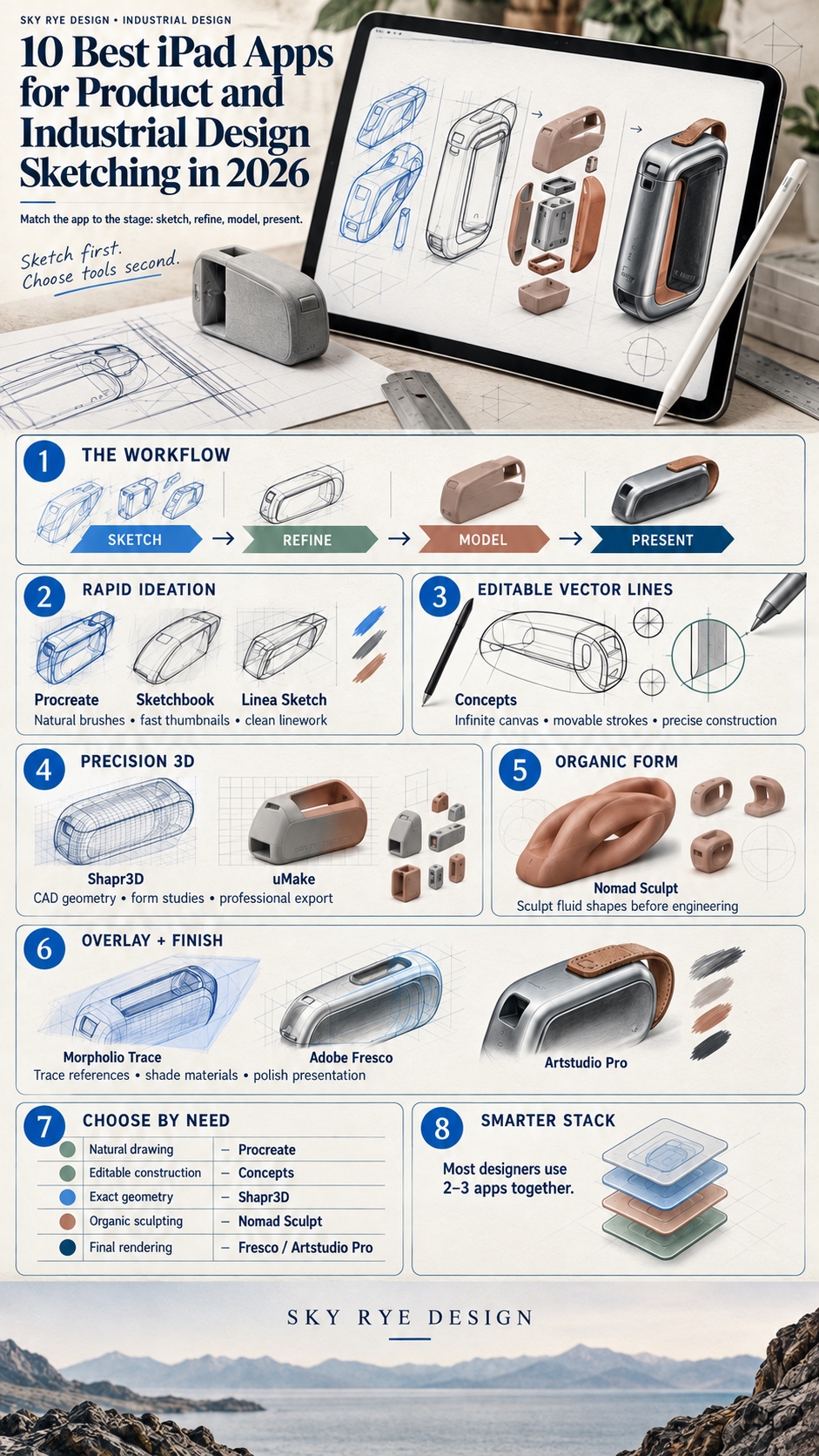
The best iPad apps for product design sketching are not all trying to solve the same problem. Procreate and Concepts are fast at early ideation, Morpholio Trace is built for drawing over references, Shapr3D and uMake move ideas into 3D, and apps such as Artstudio Pro help turn rough sketches into presentation work.
I first felt that difference while sketching a wheel arch on an iPad during the early concept phase of Ukraine’s first electric car project. A paper sketch still has its place, but it cannot hold a perspective grid, place a photo reference underneath the drawing, or undo the forty bad lines that sometimes come before the useful one. Moving from pencil to Apple Pencil changed how quickly I could test form ideas.
- How to choose iPad apps for product design sketching
- 1. Procreate
- 2. Concepts
- 3. Morpholio Trace
- 4. Shapr3D
- 5. uMake
- 6. Nomad Sculpt
- 7. Linea Sketch
- 8. Adobe Fresco
- 9. Artstudio Pro
- 10. Sketchbook
- Build a workflow, not an app collection
- Want to sharpen your sketching fundamentals?
- iPad apps for product design sketching FAQ
- What is the best iPad app for product design sketching?
- Can I do real CAD work on an iPad?
- Do I need an Apple Pencil for these apps?
- Is Procreate enough for professional industrial design?
- How much does a useful iPad sketching setup cost?
- What is the difference between Concepts and Procreate?
- Can iPad apps replace a paper sketchbook?
Most roundups mix product designers with character illustrators, watercolor painters, and comic artists. Their tools overlap, but their workflows do not. A beautiful foliage brush will not help when you need a clean two-point perspective on a kettle handle or a surface model that can move into CAD. Every app here earns its place by solving a specific part of an industrial design workflow: thumbnails, precise line work, sketch overlays, organic form studies, parametric modeling, or final rendering.
How to choose iPad apps for product design sketching
Choose the app by the next decision you need to make. If you are still comparing silhouettes, use a fast 2D sketching tool. If a reference photo or existing part controls the proportions, use an overlay app. When the design has to become a measurable object, move into CAD. Rendering software belongs at the end, after the form already works.
| Design stage | What the app should do | Strong options |
|---|---|---|
| Fast ideation | Capture thumbnails, gesture, silhouette, and proportion without slowing down the thought process | Procreate, Linea Sketch, Sketchbook |
| Editable line work | Keep strokes movable and scalable while you refine construction and compare alternatives | Concepts |
| Sketch over references | Import photos, PDFs, drawings, or model views and test new ideas on transparent layers | Morpholio Trace |
| 3D form exploration | Rotate, sculpt, and adjust volume before committing to exact production geometry | uMake, Nomad Sculpt |
| Parametric CAD | Constrain profiles, create solids, add fillets, and export manufacturing-friendly formats | Shapr3D |
| Final rendering | Control materials, lighting, masks, color, and presentation-board polish | Adobe Fresco, Artstudio Pro |
A common mistake is choosing by feature count. A huge brush library does not help if the real bottleneck is perspective, and a CAD subscription is wasted if you are still searching for the basic silhouette. Start with the cheapest tool that answers the current design question, then add another app only when the handoff between stages becomes a problem.
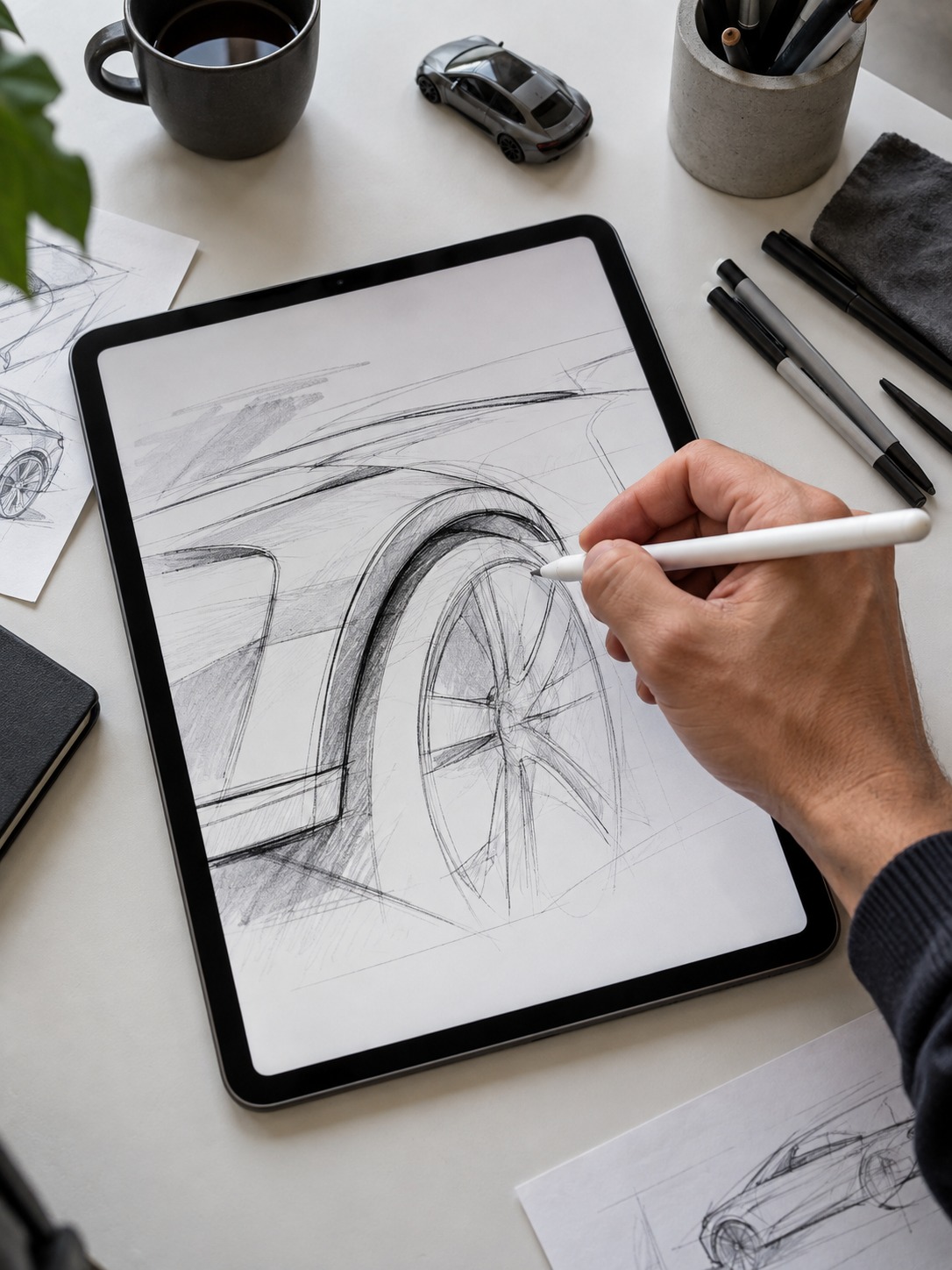
1. Procreate
Product page: Procreate on the App Store
Procreate is the app most designers already know, and for early-stage ideation it remains hard to beat. Its brush engine responds naturally to pressure and tilt, which matters when you are using line weight to explore silhouette, section changes, and surface tension rather than making a polished illustration.
For product work, I use the perspective guides and symmetry tools more than the decorative brushes. Set up a two-point perspective grid once and the whole thumbnail page stays coherent. QuickShape is also useful for industrial design: draw an ellipse, hold the Pencil still, and the line cleans up into a controlled shape for wheels, buttons, dials, and lens elements.
The limit is precision. Procreate is a raster app, not a vector drafting tool or CAD system, so it becomes awkward once exact dimensions or editable construction geometry matter. The current US App Store price is $12.99 as a one-time purchase, which makes it a sensible first paid app for an iPad design workflow.
Tip: Build a small product-design brush set with a hard round brush for line work, a soft airbrush for form shading, and one textured marker for material notes. Fewer choices usually produce faster sketches.
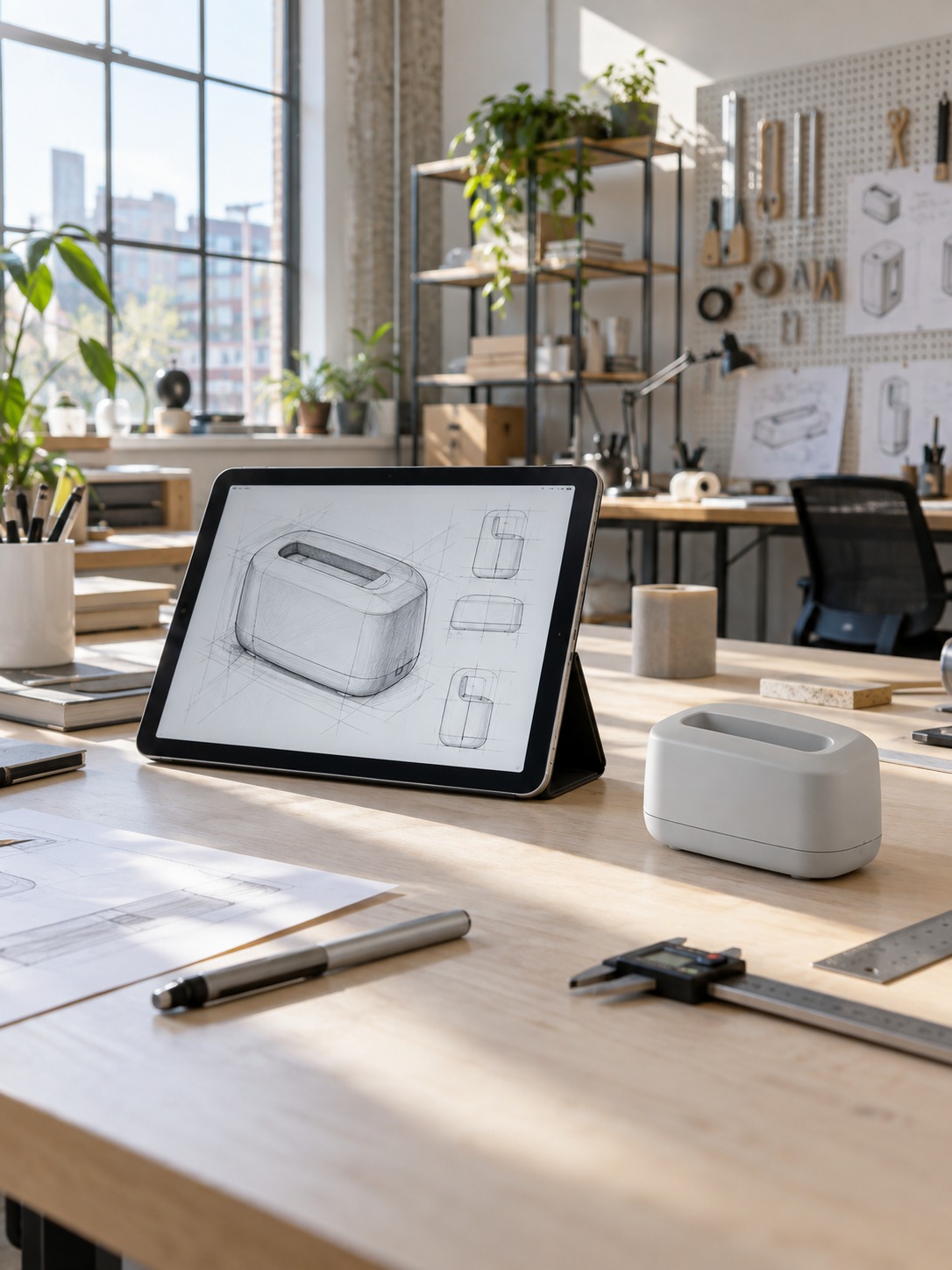
2. Concepts
Product page: Concepts on the App Store
Concepts combines an infinite canvas with vector-based ink. That changes the way a sketch develops because every stroke remains editable. You can rough in a form, select the lines that matter, and adjust them without redrawing the whole object. It feels closer to working with loose drafting overlays than most painting apps do.
I have used Concepts for transportation sketches where a beltline or wheelbase needed a small proportional change after the idea was already working. Moving a few strokes is much faster than rebuilding the sketch. Rulers, measurement tools, shape guides, and COPIC-style colors also make it practical for clean concept sheets.
The free version includes the infinite canvas, five layers, a basic tool set, and JPG export. Current US pricing lists the Everything plan at $4.99 monthly or $29.99 yearly, while the one-time Essentials purchase is $39.99. The paid features matter most when you need unlimited layers, selection tools, or export formats such as PSD, SVG, DXF, and PDF.
Tip: Use the infinite canvas honestly. Put ten variations of the same form beside one another and compare their silhouettes at the same scale before choosing a direction.
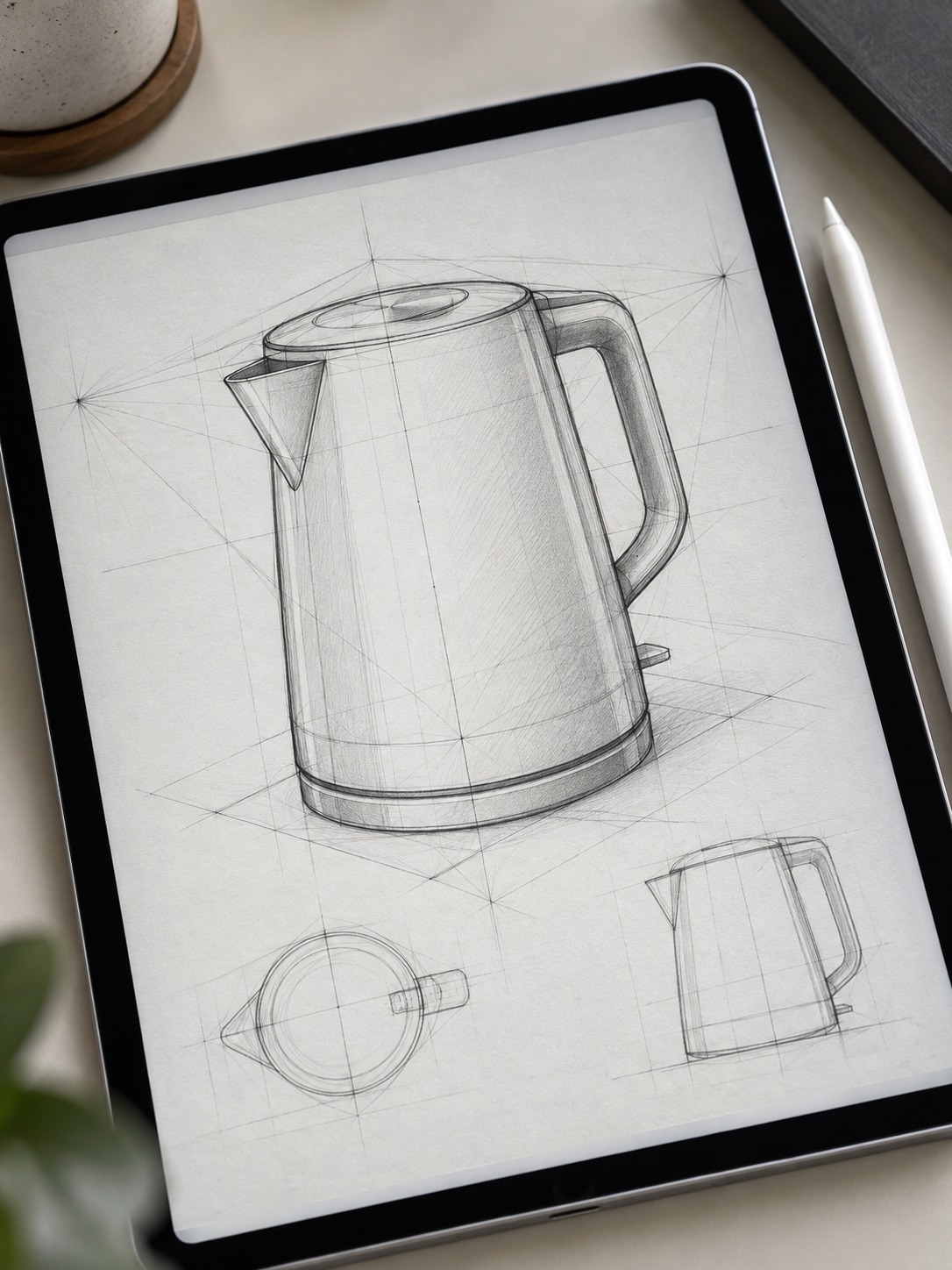
3. Morpholio Trace
Product page: Morpholio Trace on the App Store
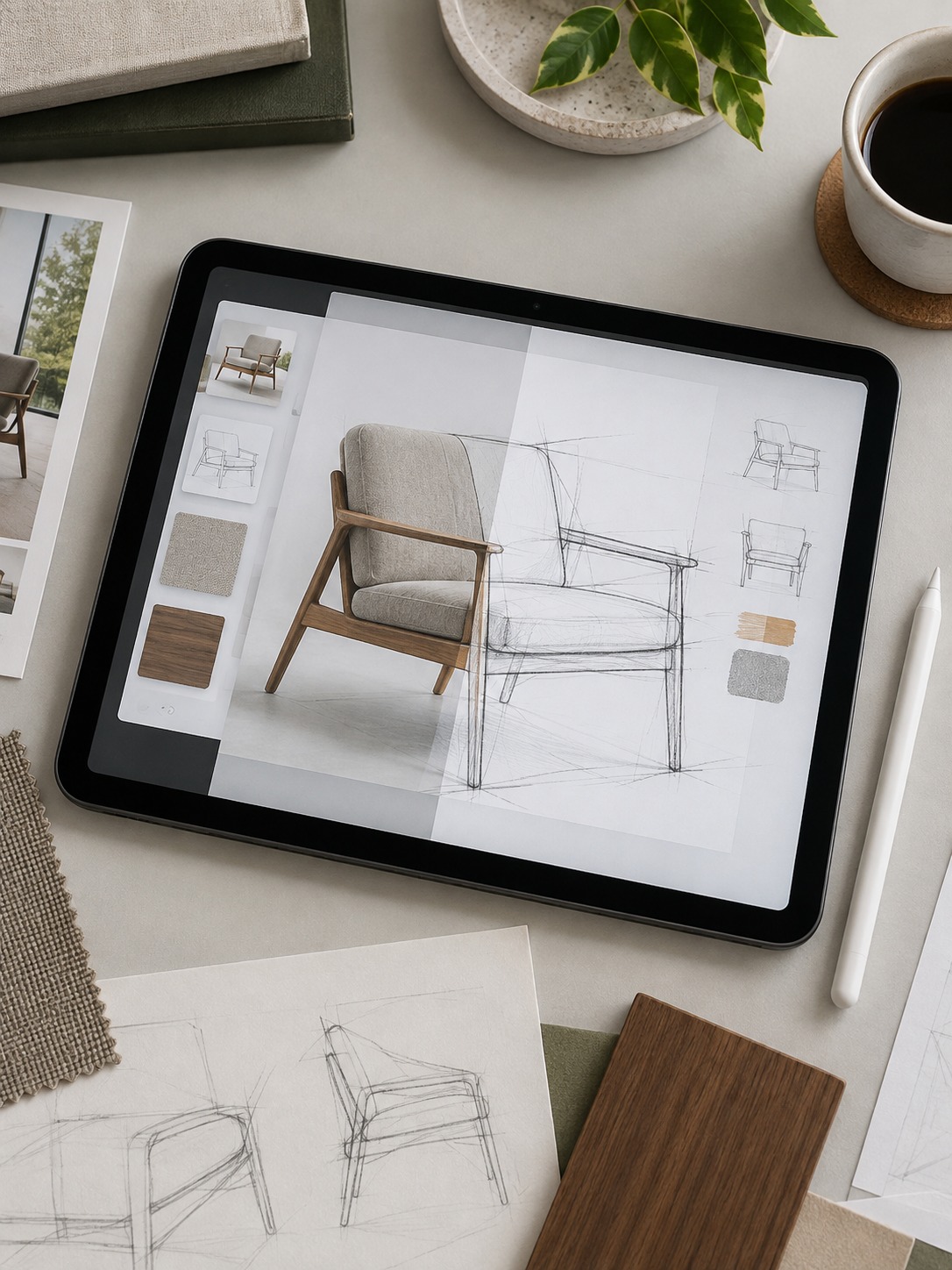
Morpholio Trace is the app I recommend when the job begins with an existing image, PDF, photo, drawing set, or 3D-model view. It started with architecture workflows, but the same overlay logic is useful for product and industrial design. Import the reference, lower its opacity, and test alternatives without damaging the base.
The layer system is the point. A designer can lock a side-view product photo, sketch three new form directions above it, and switch between them in seconds. I use the same method on automotive reference images to compare wheel size, greenhouse height, and overhangs. Ten minutes of tracing over a controlled reference often reveals more than an hour of guessing freehand.
Trace is not the strongest choice for expressive rendering, and its brush engine is simpler than Procreate’s. It works best beside another app. The free tier supports basic projects, layers, scale tools, and export; paid Plus and Pro plans unlock more projects, perspective tools, sketch-over-3D features, and PSD export.
Tip: Keep a small reference library of competitor products, existing parts, ergonomic studies, and standard views. The faster you can begin an overlay, the more likely you are to test several options.
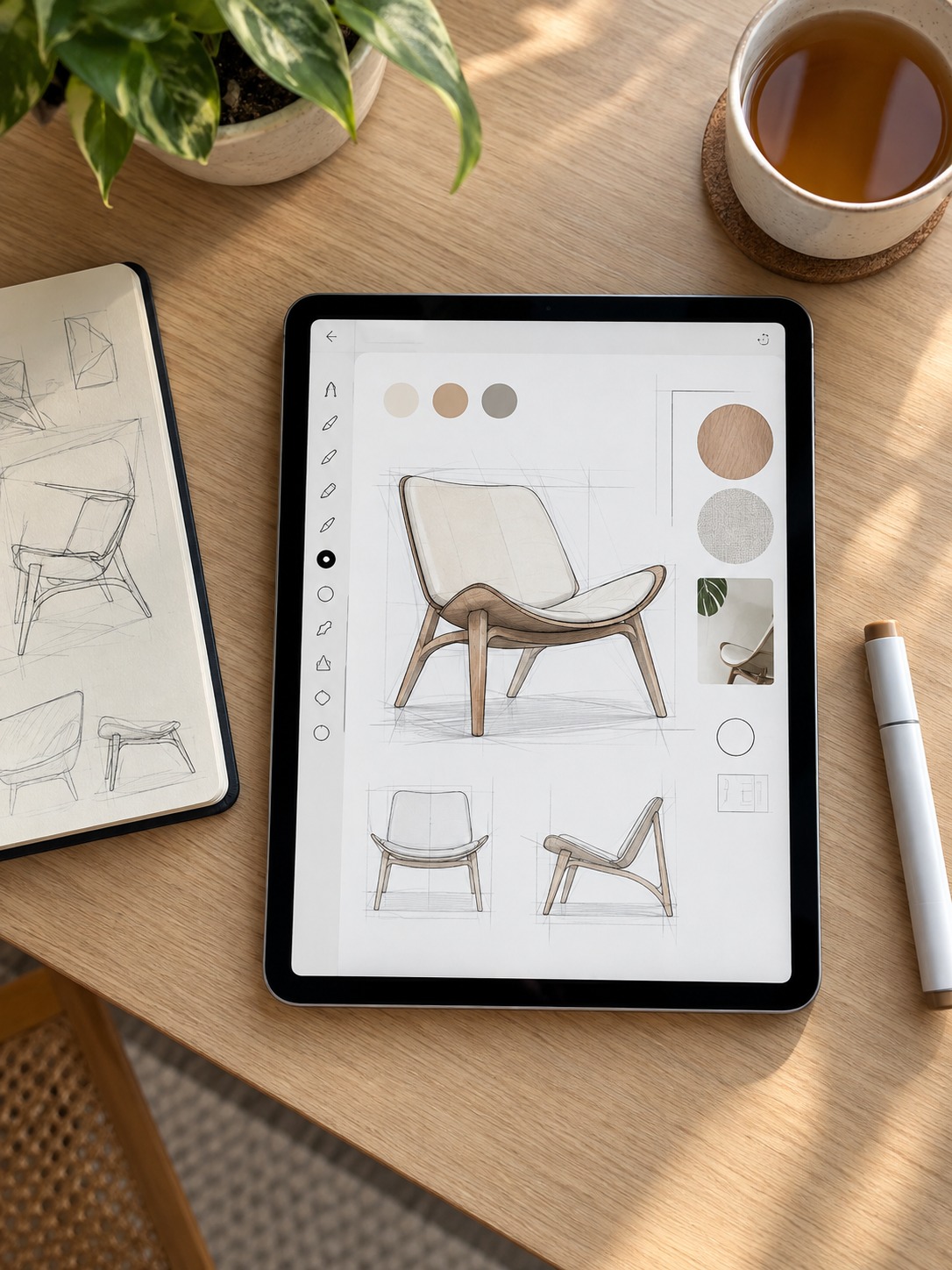
4. Shapr3D
Product page: Shapr3D on the App Store
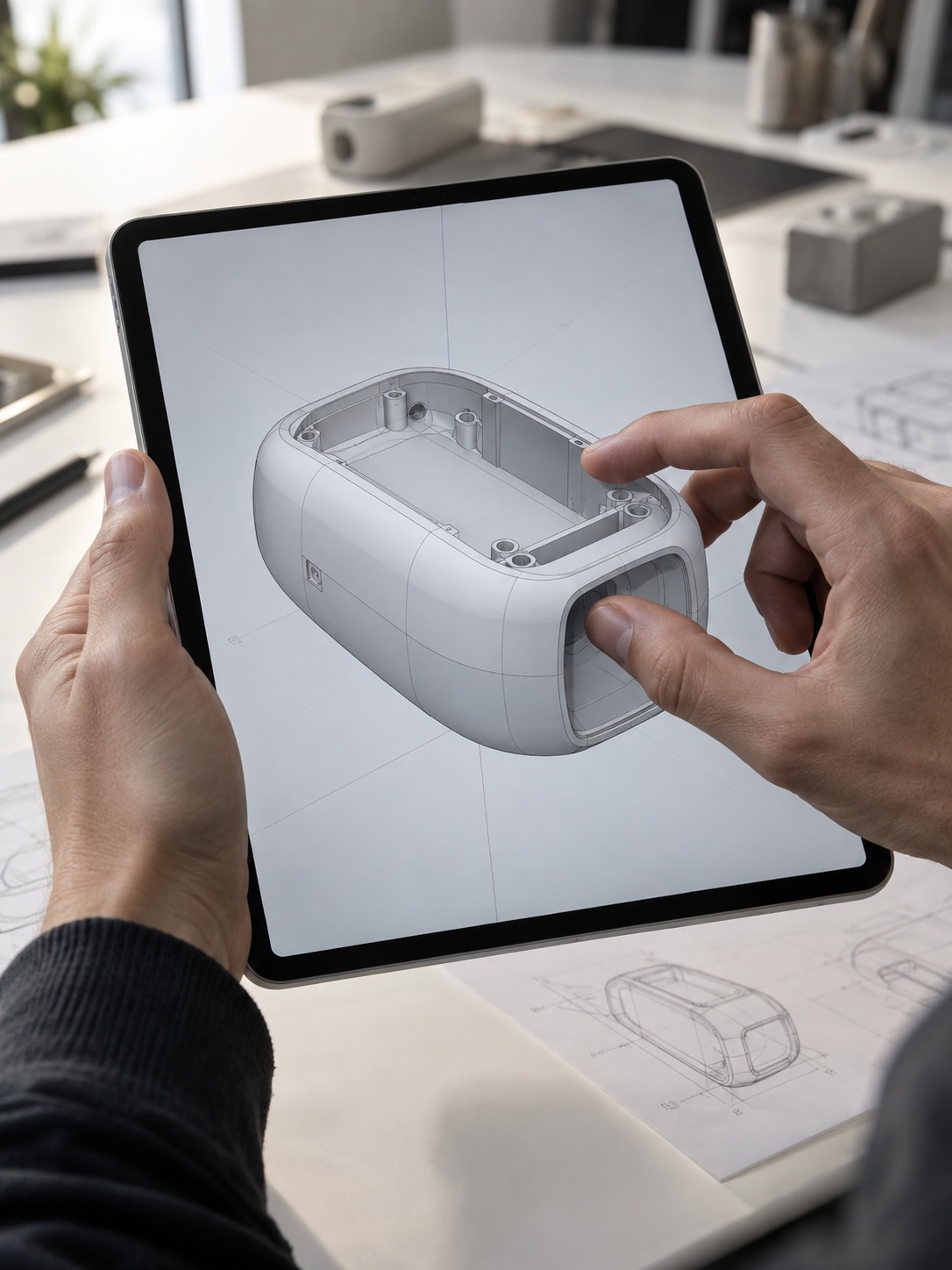
Shapr3D is where sketching becomes real parametric CAD. Draw a 2D profile with Apple Pencil, constrain the geometry, then extrude, revolve, or loft it into a solid. The logic will feel familiar to anyone who has worked in SolidWorks, Fusion, or another history-based CAD environment, but the interface is designed around touch.
It belongs in a sketching roundup because the sketch-to-form loop is unusually fast. I have blocked out product housings with split lines, fillets, and draft angles during a call, then exported a file that could continue into a manufacturing workflow. Shapr3D currently supports formats including STEP, IGES, X_T, STL, OBJ, DXF, DWG, and 3MF.
The learning curve is real if parametric modeling is new to you. The app is free to download, while the current US App Store lists Pro at $37.99 monthly or $299.99 annually. That cost makes sense only when you need editable geometry, manufacturing formats, or drawings rather than a visual concept alone.
Tip: Begin with a loose profile and check the proportion before adding exact dimensions. Early constraints should support the form, not trap a weak idea in perfect measurements.
5. uMake
Product page: uMake on the App Store
uMake approaches 3D more like spatial sketching than strict mechanical drafting. You can draw curves and surfaces, rotate the model, adjust control points, and judge the form from several angles before committing to production geometry. That makes it useful during the fuzzy stage when proportion matters more than a dimensioned feature tree.
I find this especially helpful for organic product forms such as headphones, bottles, seating, and housings with compound curves. A rough surface can answer the question, “Does this volume feel right from every side?” much faster than a set of orthographic sketches. The result can then become a reference for a CAD modeler or 3D artist.
uMake has expanded into a fuller NURBS-based modeling package with extrusion, revolve, arrays, Boolean operations, dimensioning, STEP and IGES support, rendering, and AI-assisted visualization. It is free to download with paid subscriptions; current US pricing varies by plan, so check the App Store before choosing between the full and Basic tiers.
Tip: Use uMake for the 3D gut-check. If the silhouette and transitions still feel awkward after you rotate the form, fix that before spending hours on production CAD.

6. Nomad Sculpt
Product page: Nomad Sculpt on the App Store
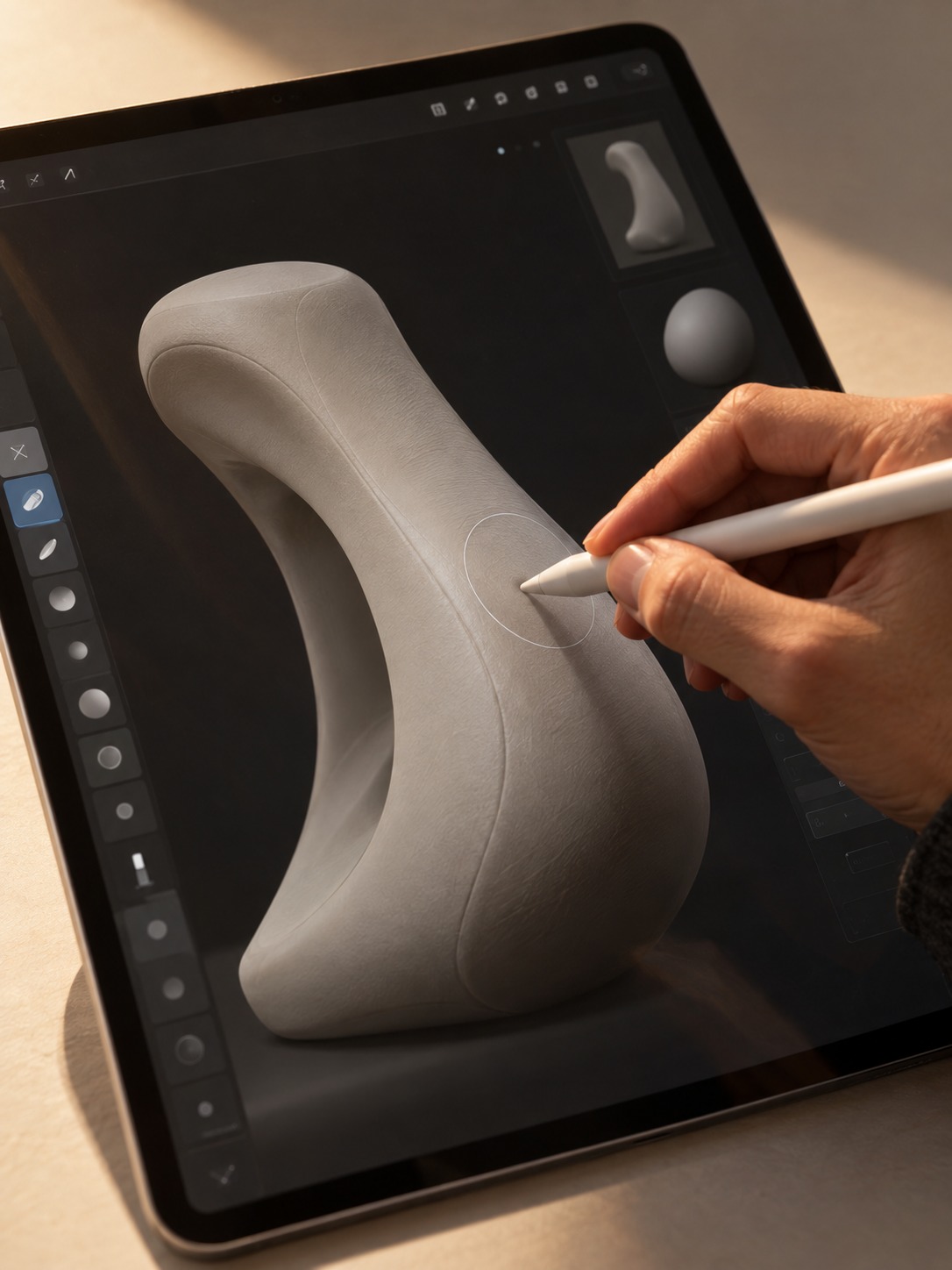
Nomad Sculpt is closer to ZBrush than to a drawing app. It earns a place here because sculpting is one of the fastest ways to study soft product forms: ergonomic grips, footwear, seating, handheld tools, or automotive-clay-style volumes. You can push and pull a simple primitive until the mass begins to read.
This is also a good way to judge light across a surface. Academic drawing and life painting train you to notice whether a transition feels deliberate or accidental; a lit digital sculpt exposes the same problem quickly. Nomad includes layers, multiresolution sculpting, voxel remeshing, dynamic topology, vertex painting, and physically based rendering.
The current US App Store price is $19.99 as a one-time purchase, with Quad Remesher available as a separate add-on. The output is a mesh for visualization and further 3D work, not a dimensioned manufacturing file, so Nomad complements Shapr3D or another CAD tool rather than replacing it.
Tip: Duplicate the sculpt before a major form change. A saved checkpoint is faster than trying to reconstruct the version that worked better two decisions ago.
7. Linea Sketch
Product page: Linea Sketch on the App Store
Linea Sketch suits designers who find Procreate distracting. It keeps the tool set intentionally compact: pencils, markers, layers, shape correction, grids, templates, and annotation tools. That restraint is useful for quick thumbnails because the interface does not keep asking you to make brush decisions.
For daily practice or the first five minutes of a brainstorm, Linea opens quickly and stays out of the way. ZipLines and ZipShapes can clean up construction geometry, while reference-image import and simple layer controls are enough for tracing and proportion studies. It is not built for complex final rendering, and that is part of its appeal.
Linea is now a free download rather than a $4.99 paid app. The current US App Store lists a $1.99 monthly plan, a $19.99 annual plan, and a $59.99 full purchase. A subscription or full purchase removes reminders, banners, and export watermarks.
Tip: Set a two-minute limit for each thumbnail. A small tool set and a hard time limit force you to decide on the big proportion before polishing details.
8. Adobe Fresco
Product page: Adobe Fresco on the App Store
Adobe Fresco combines raster, live, and vector brushes in one app. For product design, that mix is useful when a sketch needs loose form shading and precise construction lines in the same file. Keep the geometry on vector layers, then use raster or live brushes for materials and light.
The live watercolor and oil behavior can sound decorative, but it becomes practical for material studies. A brushed-metal highlight, a warm translucent plastic, and a matte housing should not all be rendered with the same flat fill. Fresco lets you vary edges and texture without losing the clean underlying drawing.
Adobe now describes Fresco as a free professional drawing and painting app, with thousands of brushes and unlimited layers available in the core experience. Optional paid purchases bundle Fresco with Photoshop or other Adobe mobile tools. It still lacks the CAD-style measurement and overlay tools of Concepts or Trace, so use it for drawing and rendering rather than exact geometry.
Tip: Put perspective guides and construction lines on vector layers. If a proportion changes, you can move the geometry without repainting the shaded surface around it.
9. Artstudio Pro
Product page: Artstudio Pro on the App Store
Artstudio Pro feels closer to a desktop image editor than a lightweight sketchbook. It supports layer groups, masks, clipping masks, adjustment layers, layer effects, large canvases, and a deep brush engine. That depth matters when a product sketch has to become a finished presentation image.
A practical workflow is to build the form in Procreate, Concepts, or CAD, then move the image into Artstudio Pro for controlled material rendering, shadows, background work, and color correction. PSD import and export make it easier to fit into a studio that already uses Photoshop templates.
Artstudio Pro is now free to download with limitations on saving, canvas size, layers, and export. Subscriptions and lifetime licenses unlock the full feature set, so the old $9.99 one-time price no longer describes the current model. It is more demanding to learn than Linea or Procreate, but the extra control is valuable for final boards.
Tip: Save a presentation-board template with your usual background, margin system, callout style, and material swatches. Reusing the structure saves more time than rebuilding the same polish on every concept.
10. Sketchbook
Product page: Sketchbook on the App Store
Sketchbook is no longer an Autodesk product, but it is actively maintained by Sketchbook, Inc. The iPad app received updates in 2026, so it should not be treated as abandoned software. It remains a capable free sketching app with a clean interface, customizable brushes, layers, rulers, guides, symmetry, and stroke-smoothing tools.
For product sketching, the useful features are Predictive Stroke, Steady Stroke, perspective guides, and the marker brushes. They make it possible to build clean mechanical edges without turning the page into stiff vector artwork. The free version is enough for serious practice; the current $2.99 Premium Bundle adds masks, layer groups, extra adjustments, custom brushes, and PDF export.
Sketchbook is a strong budget choice for students or anyone testing an iPad workflow before buying several apps. It still does not provide the editable vector ink of Concepts or the CAD path of Shapr3D, so think of it as a flexible 2D sketchbook rather than a full production system.
Tip: Turn on stroke smoothing for straight construction edges, then reduce it for organic curves. Too much smoothing can remove the small irregularities that make a sketch feel alive.
Build a workflow, not an app collection
No single app replaces a full product-design workflow. My own rotation starts with Concepts or Procreate for rough thumbnails, moves to Shapr3D or uMake when a direction needs real volume, and finishes in Artstudio Pro or Fresco when the work has to go in front of a client. Trace sits beside all of them whenever the task begins with an existing reference.
If you are starting from scratch, do not buy four apps in one afternoon. Choose one free or affordable 2D tool and learn perspective guides, layers, selection, and export. Add a 3D or CAD app only when the project demands it. Software cannot repair weak proportion; better observation and faster iteration still matter more than the longest feature list.

Want to sharpen your sketching fundamentals?
No iPad app fixes a shaky sense of perspective or proportion. That is a drawing-fundamentals problem, not a software problem. Skillshare has classes on perspective drawing, industrial design sketching, and digital rendering that pair with the apps above. Use code AFF30D25 for a discount on your first membership.
iPad apps for product design sketching FAQ
What is the best iPad app for product design sketching?
There is no single best app for every stage. Procreate or Concepts are strongest for early ideation, Morpholio Trace is useful for drawing over references, Shapr3D or uMake move an idea into 3D, and Artstudio Pro or Adobe Fresco handle final rendering. Most working designers use two or three apps together.
Can I do real CAD work on an iPad?
Yes. Shapr3D creates parametric solids and exports manufacturing formats such as STEP and IGES. It will not replace every desktop CAD workflow, especially for complex assemblies or specialized engineering tools, but it is capable of professional part design, concept modeling, and drawing production.
Do I need an Apple Pencil for these apps?
Most of these apps work best with an Apple Pencil because pressure, tilt, low latency, and palm rejection affect line quality. A basic capacitive stylus can handle rough notes, but it will not provide the same control over line weight. Check Pencil compatibility with your exact iPad before buying one.
Is Procreate enough for professional industrial design?
Procreate is excellent for thumbnails, form exploration, material rendering, and presentation sketches. It does not provide editable vector strokes, precise dimensioning, or manufacturing-ready 3D export. Professional workflows usually pair it with Concepts, Trace, Shapr3D, or desktop CAD when the design needs exact geometry.
How much does a useful iPad sketching setup cost?
You can start with free versions of Sketchbook, Concepts, Linea, or Fresco. Procreate currently costs $12.99 once, while CAD apps can cost hundreds of dollars per year. Begin with one 2D app and pay for CAD only when you need exact geometry or professional export formats.
What is the difference between Concepts and Procreate?
Concepts uses editable vector-based strokes on an infinite canvas, so you can move and reshape lines after drawing them. Procreate uses raster brushes that feel closer to traditional media and are better for expressive shading and texture. Concepts is stronger for editable construction; Procreate is stronger for natural drawing and rendering.
Can iPad apps replace a paper sketchbook?
They can replace it for many projects, but I still keep a paper sketchbook nearby. Digital tools are faster for iteration, overlays, perspective guides, and correction. Paper adds useful friction and encourages direct observation. Using both keeps the early sketch loose while giving the later workflow more control.
If you are new to layers, brushes, Pencil setup, and export formats, start with the beginner guide to drawing on iPad before building a product-design app stack.
- 6shares
- Facebook0
- Pinterest6
- Twitter0
- Reddit0