Voice User Interface Design: How to Build Interfaces That Listen
The first time I asked a voice assistant to set a timer while I was working on a car model and had paint on both hands, I understood immediately why this technology matters. Not as a product category, not as a market trend, but as a solution to an extremely specific human problem: sometimes your hands are occupied and your eyes are busy, and you still need to interact with a device.
- What voice user interface design actually covers
- The building blocks: intents, utterances, and entities
- Designing conversation flows
- Writing for voice: the rules are different
- Error handling: the part that separates good VUI from bad
- Voice persona: the character behind the interface
- Discoverability: the hardest problem in VUI
- Accessibility and multimodal design
- Testing voice interfaces: what works and what does not
- Voice design is conversation design is empathy for context
- Frequently Asked Questions
- What is voice user interface design?
- What is the difference between VUI and conversational design?
- What are the main challenges in VUI design?
- What tools are used for VUI design?
- How do you write for a voice interface?
- What is a wake word and why does it matter for design?
- How do you handle errors in voice interfaces?
Voice user interface design is the discipline of creating those interactions. It covers everything from how a system understands what you said, to how it decides what to say back, to what happens when it gets it wrong. The design problems are genuinely different from visual interface design, and the learning curve is steeper than most people expect when they first approach it.
I’ve worked on conversational interface components as part of web app and dashboard projects, and I keep coming back to the same observation: most voice interfaces fail not because the speech recognition is bad, but because the conversation design is bad. The engineering works. The design doesn’t. This is where the opportunity is.

What voice user interface design actually covers
VUI design is the practice of designing interactions between a person and a system where the primary input is spoken language and the primary output is audio. No screen required, though many modern voice interfaces include a secondary visual display. The canonical examples are Amazon Alexa, Google Assistant, Apple Siri, and in-car voice systems like BMW’s Intelligent Personal Assistant.
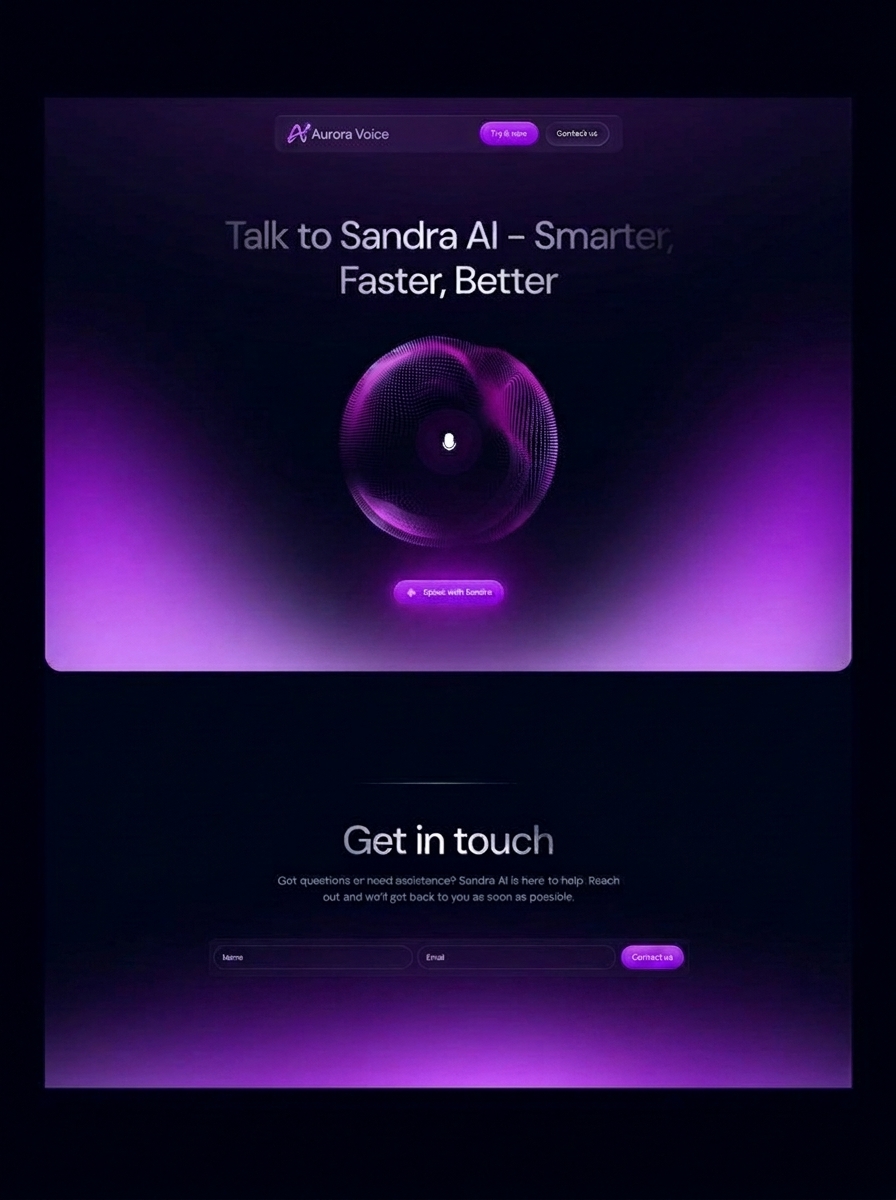
The scope is broader than most people initially assume. It includes how the system wakes up (the trigger mechanism), how it recognizes speech (the ASR layer, or Automatic Speech Recognition), how it interprets meaning from recognized words (NLU, or Natural Language Understanding), and how it constructs a spoken response. Designers work primarily on the NLU layer and the response layer, but they need to understand the full stack to make good decisions.
VUI vs conversational design: where they overlap
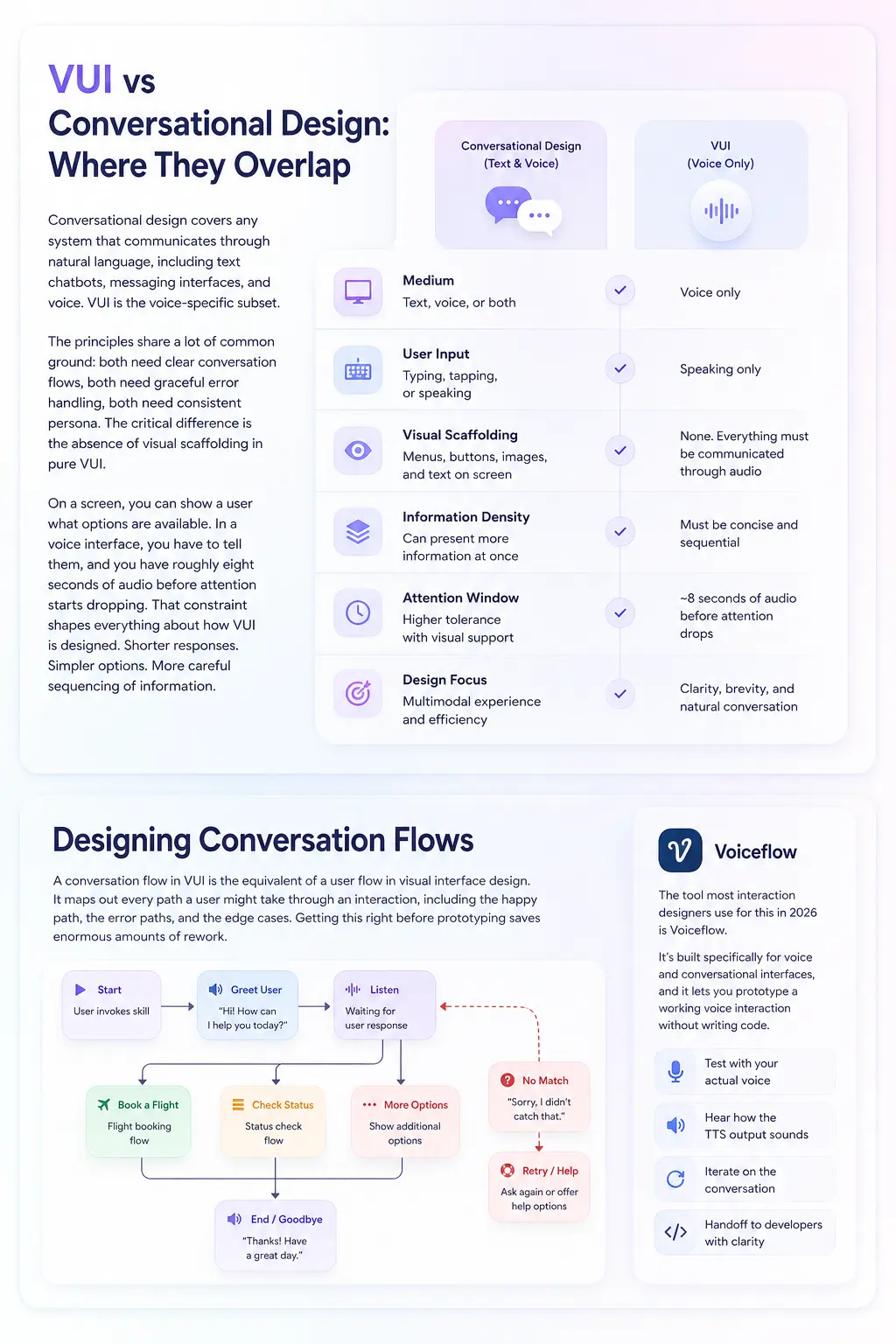
Conversational design covers any system that communicates through natural language, including text chatbots, messaging interfaces, and voice. VUI is the voice-specific subset. The principles share a lot of common ground: both need clear conversation flows, both need graceful error handling, both need consistent persona. The critical difference is the absence of visual scaffolding in pure VUI.
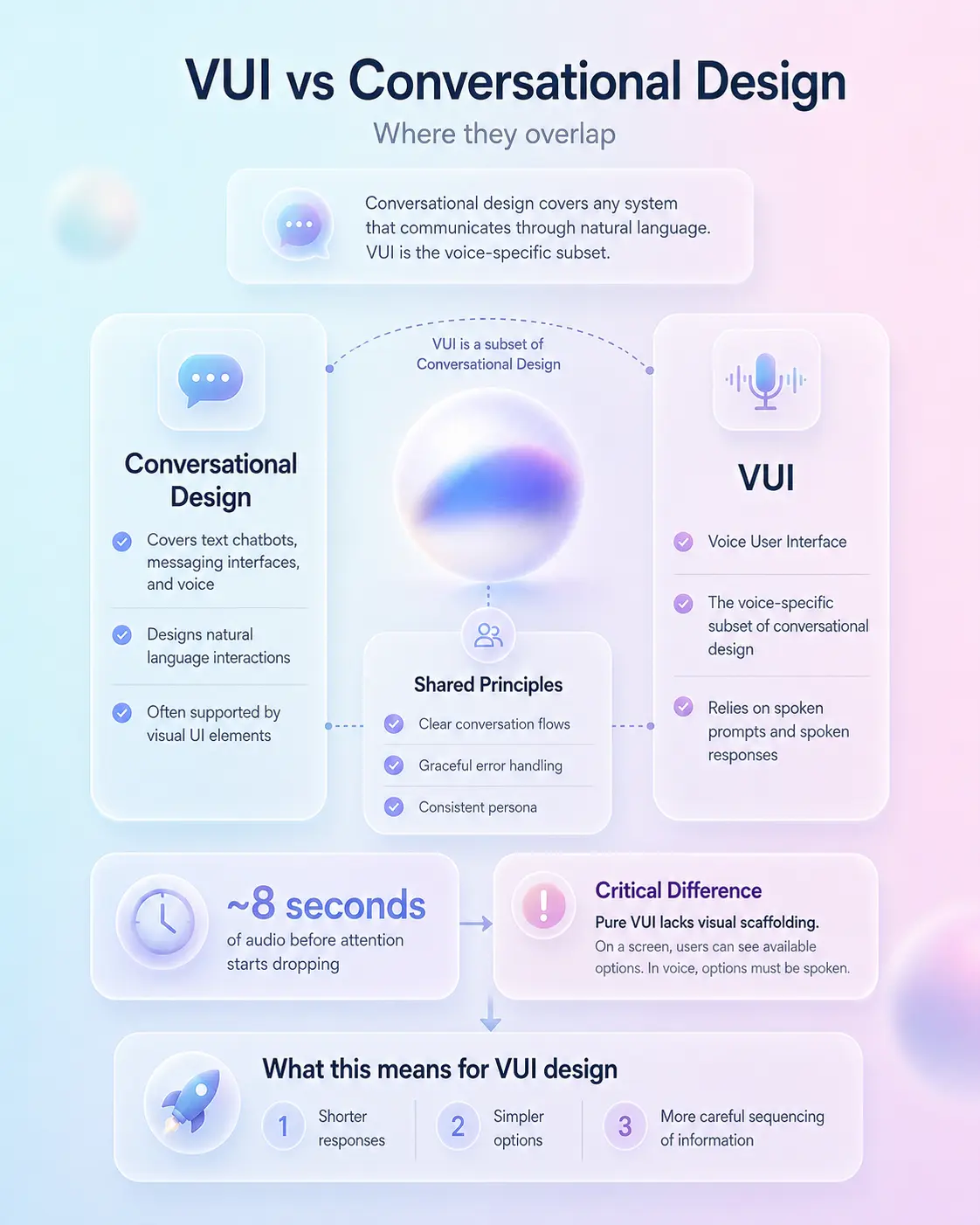
On a screen, you can show a user what options are available. In a voice interface, you have to tell them, and you have roughly eight seconds of audio before attention starts dropping. That constraint shapes everything about how VUI is designed. Shorter responses. Simpler options. More careful sequencing of information.
Where voice interfaces actually live in 2026
Smart speakers are the obvious category, but they’re not the growth story anymore. The more interesting deployments are embedded: voice controls in cars, in kitchen appliances, in hospital call systems, in industrial equipment where workers need hands-free operation.
Hyundai’s 2025 and 2026 model lineup, for example, has voice-controlled HVAC and navigation that responds to natural language rather than command syntax. The interaction quality in these embedded systems is often worse than the major platforms, which means the design opportunity is significant.

The building blocks: intents, utterances, and entities
Before you can design a voice conversation, you need to understand how the underlying systems process speech. The three concepts that matter most for designers are intents, utterances, and entities. These aren’t just developer concerns, they directly shape what you can and can’t ask users to say.
Intents: what the user wants to do
An intent is the goal behind an utterance. When someone says “set a timer for ten minutes,” the intent is SetTimer. When they say “remind me at noon to call the office,” the intent is CreateReminder. Intents are the categories of action your voice interface can respond to, and designing them requires the same thinking as designing navigation categories in a visual app: too many and users can’t remember what’s available, too few and the system feels limited.
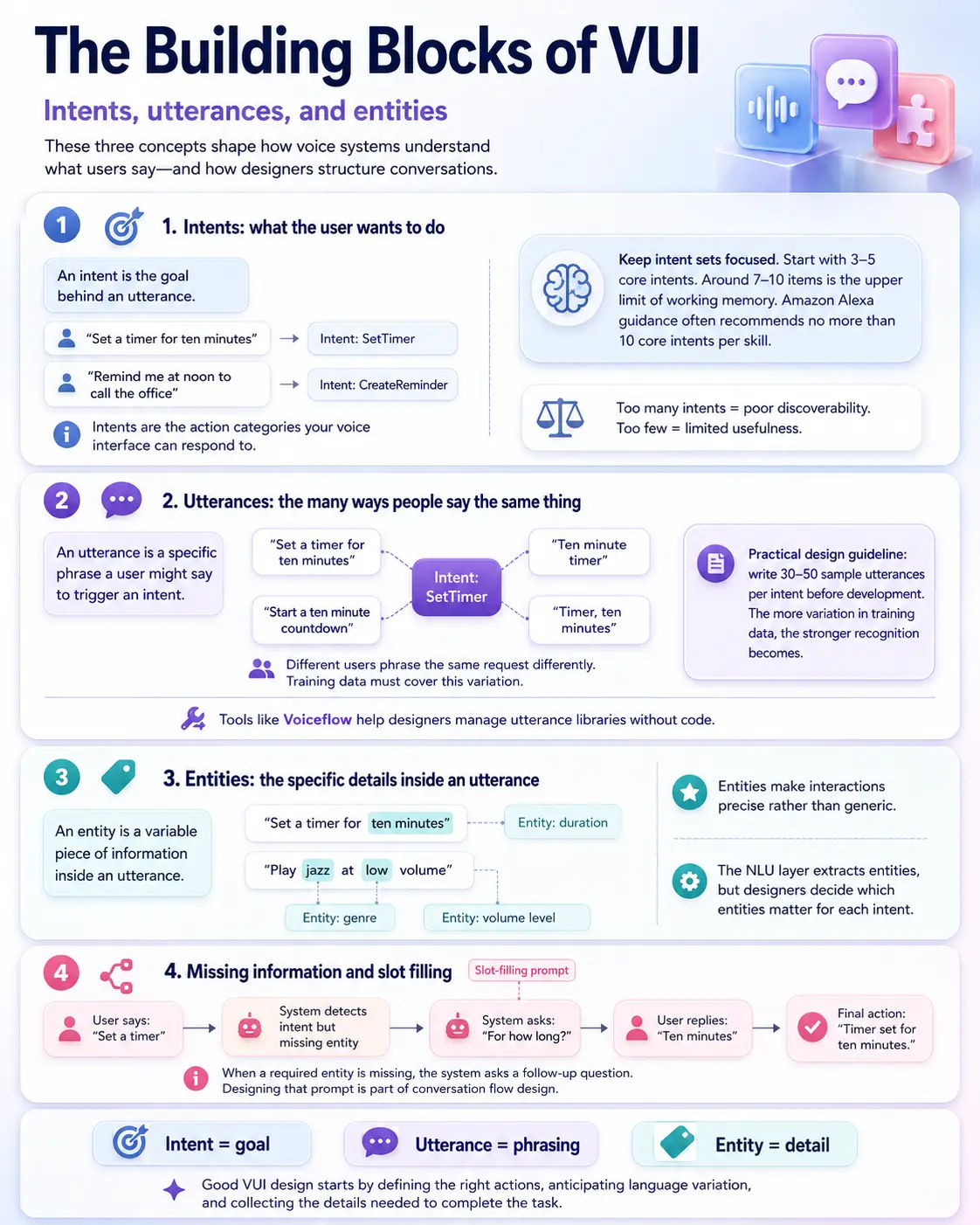
Amazon’s Alexa Skill Kit documentation recommends defining no more than ten core intents per skill, which maps closely to what I see in visual navigation design. Users can hold about seven to ten items in working memory. Beyond that, discoverability collapses. For a custom voice interface, I’d start with three to five intents that cover the primary use cases and add more only when research shows users are asking for things the current set doesn’t handle.
Utterances: the many ways people say the same thing
An utterance is a specific phrase a user might say to trigger an intent. The key insight is that different people phrase the same request very differently. “Set a timer for ten minutes,” “ten minute timer,” “start a ten minute countdown,” and “timer, ten minutes” all express the same intent. Your NLU model needs training data that covers this variation, and your design needs to anticipate it.
Writing utterance variations is one of the most underestimated tasks in VUI design. For each intent, I typically write thirty to fifty sample utterances before development starts. This sounds excessive until the first user test, when someone says something you didn’t predict and the system fails. The more variation in your training data, the stronger the recognition. Tools like Voiceflow let you manage utterance libraries without writing code, which is where most interaction designers work.
Entities: the specific details within an utterance
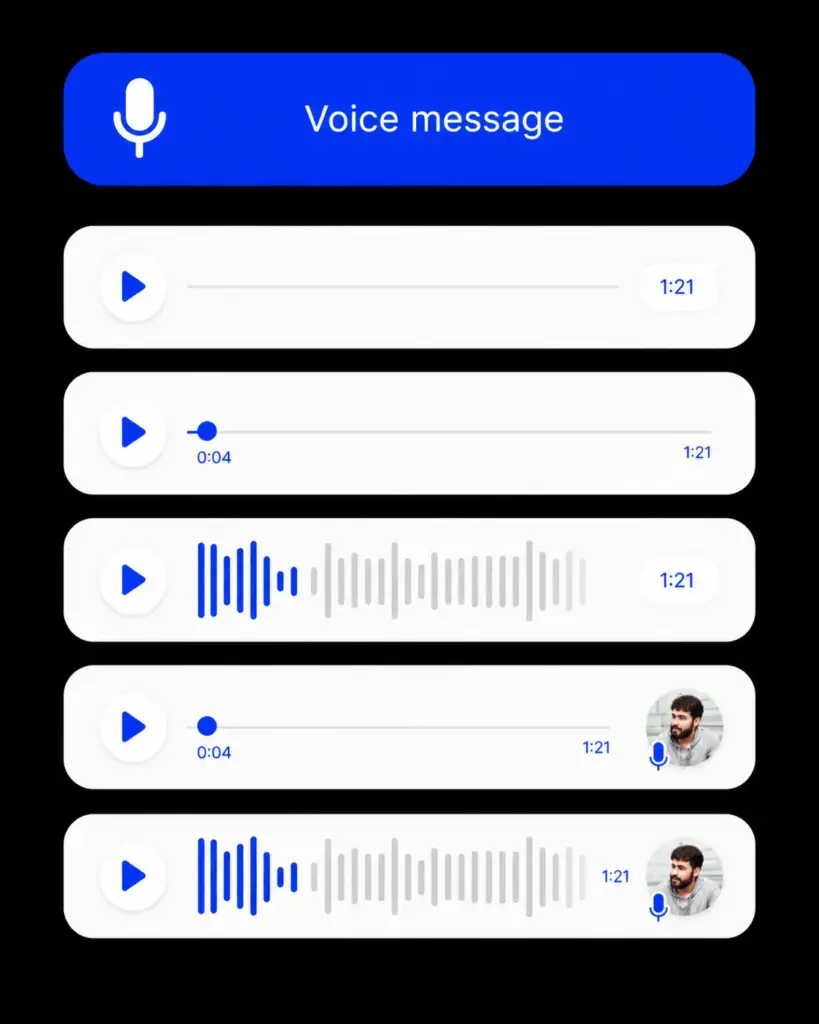
An entity is a variable piece of information within an utterance. In “set a timer for ten minutes,” the entity is the duration (ten minutes). In “play jazz at low volume,” the entities are genre (jazz) and volume level (low). Entities are what make an interaction feel precise rather than generic.
Entity extraction is handled by the NLU layer, but designers decide which entities matter for which intents and what to do when an entity is missing. If someone says “set a timer” without specifying a duration, the system needs to ask. That follow-up question, “for how long?” is called a slot-filling prompt, and designing it well is part of the conversation flow work.

Designing conversation flows
A conversation flow in VUI is the equivalent of a user flow in visual interface design. It maps out every path a user might take through an interaction, including the happy path, the error paths, and the edge cases. Getting this right before prototyping saves enormous amounts of rework.
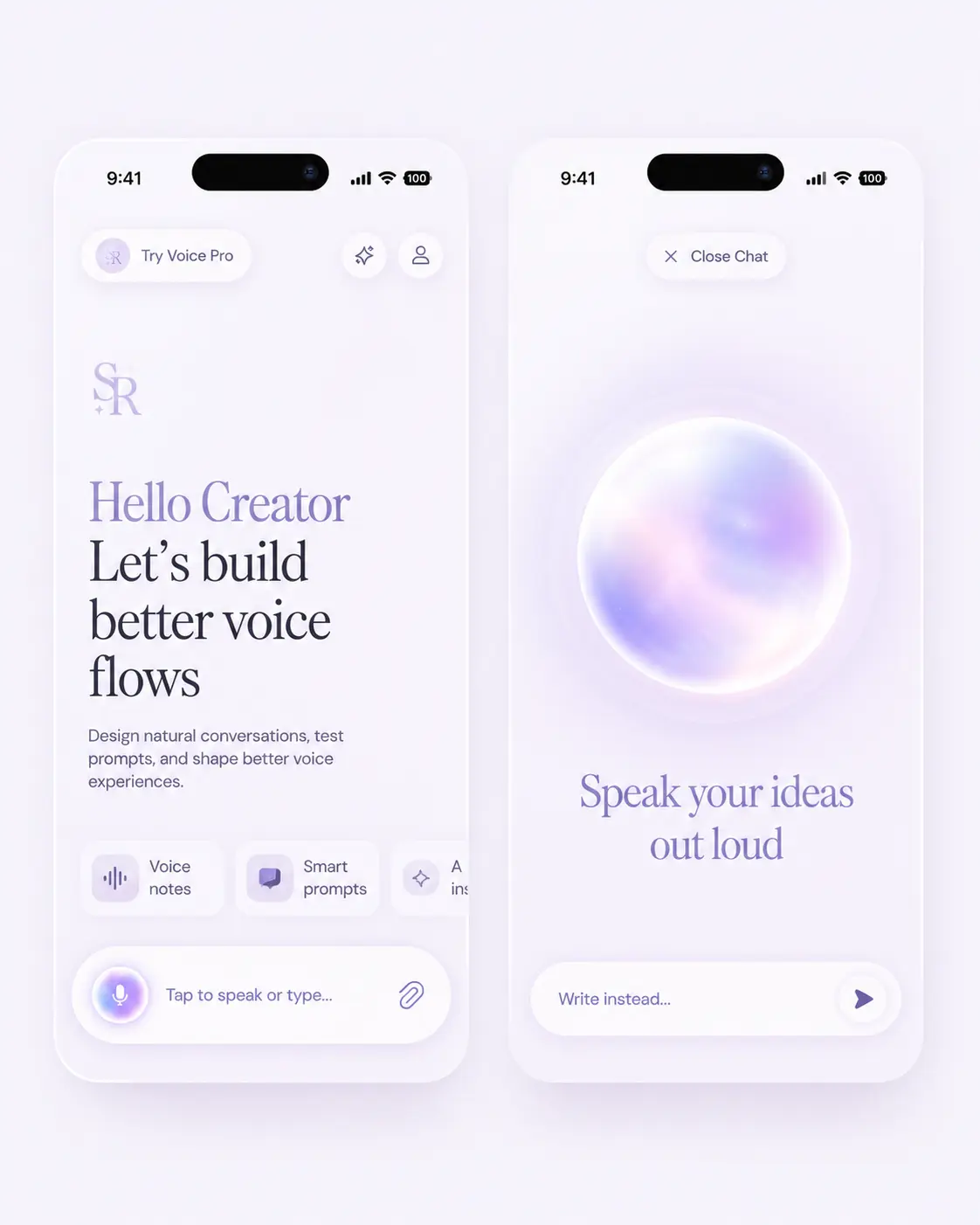
The tool most interaction designers use for this in 2026 is Voiceflow. It’s built specifically for voice and conversational interfaces, and it lets you prototype a working voice interaction without writing code. You can test it with your actual voice, hear how the TTS output sounds, and iterate on the conversation before handing anything to a developer.
The happy path and why it is not enough
The happy path is the sequence of turns where the user says exactly the right thing, the system understands perfectly, and the task completes in the fewest possible steps. Designers spend most of their time here because it’s where the product promise lives. But users don’t stay on the happy path, and a voice interface with only happy-path design is a voice interface that fails constantly in real use.
In my experience designing web app flows, the ratio of edge cases to happy path steps is roughly three to one. You have one successful path and three ways it can deviate. Voice is worse. Speech recognition errors, ambient noise, unexpected phrasings, requests that fall outside the system’s capabilities, users changing their mind mid-sentence. The error paths in VUI need the same level of design attention as the happy path.
Design practice: Map your voice flow on paper first. Write the ideal dialogue in script format, with system lines and user lines alternating. Then mark every point where the user could say something unexpected, and design that branch before touching any tool.
Multi-turn conversations and context
Most interesting voice interactions require more than one exchange. Booking a restaurant, ordering a product, checking a complex account status, all of these require the system to maintain context across multiple turns. This is harder than it sounds.
In a single-turn interaction (“what’s the weather?”), context doesn’t matter. In a multi-turn interaction (“find me a flight to Berlin” followed by “make it business class” followed by “actually, make it economy”), the system needs to hold the Berlin destination through the entire conversation while updating the class preference. Dropping context mid-conversation is one of the most common VUI failures and one of the most frustrating for users.
The design solution is to explicitly plan what state your system holds and for how long. In Voiceflow, you manage this through variables. In Alexa, session attributes. The principle is the same: decide which information persists, which resets, and what triggers each reset.

Writing for voice: the rules are different
Writing copy for a voice interface is not the same as writing for a screen. The reader can skim text. The listener can’t skim audio. Everything you write will be delivered sequentially, at a fixed speed, with no ability to jump back or skip ahead unless you explicitly design for it. This changes almost everything about how you write responses.
Short sentences, active voice, concrete information
The standard guidance from Amazon and Google’s VUI writing teams converges on the same set of principles: sentences under fifteen words, active voice, concrete information first. Not “the information you requested about your account balance has been retrieved” but “your balance is four hundred and twelve euros.”
I test every response I write by reading it aloud at normal speaking pace and timing it. Anything over eight seconds is too long for most contexts. Over twelve seconds is almost always a problem regardless of context. The user is waiting, possibly with both hands busy, and they need the answer, not the preamble.
The confirmation trap
One pattern that sounds safe but creates friction is excessive confirmation. “I heard you say you want to set a timer for ten minutes. Is that right?” For a simple, clear request, this is patronizing. It adds a turn that serves the system’s uncertainty rather than the user’s goal.
The better approach: act on clear, unambiguous requests without confirmation. “Timer set for ten minutes.” Confirm only when the action is irreversible (deleting data, making a purchase) or when the confidence score from the NLU layer is below a threshold you set. Confirmation should be the exception, not the default.
Reprompts and how to use them
A reprompt is what the system says when it doesn’t receive a response. In Amazon Alexa skills, you can set two reprompt messages before the session ends. The first reprompt can restate the question. The second should be shorter and more direct. If there’s still no response after the second reprompt, the session should close gracefully without apology.
Writing good reprompts is easy to overlook and creates a noticeable quality difference. “Sorry, I didn’t catch that” is a generic reprompt that offers no help. “You can say yes to continue, or no to cancel” is a reprompt that tells the user exactly what to do. The second one requires knowing what the system needs at that specific point in the flow, which means reprompts need to be written in context, not as generic fallbacks.

Error handling: the part that separates good VUI from bad
Error handling in voice interfaces is where design quality is most visible. A user who encounters one poorly handled error will tolerate it. Two in a row and trust drops. Three and they stop using the interface. The rate of speech recognition errors in real-world conditions is higher than most designers anticipate when they build in quiet offices with good microphones.
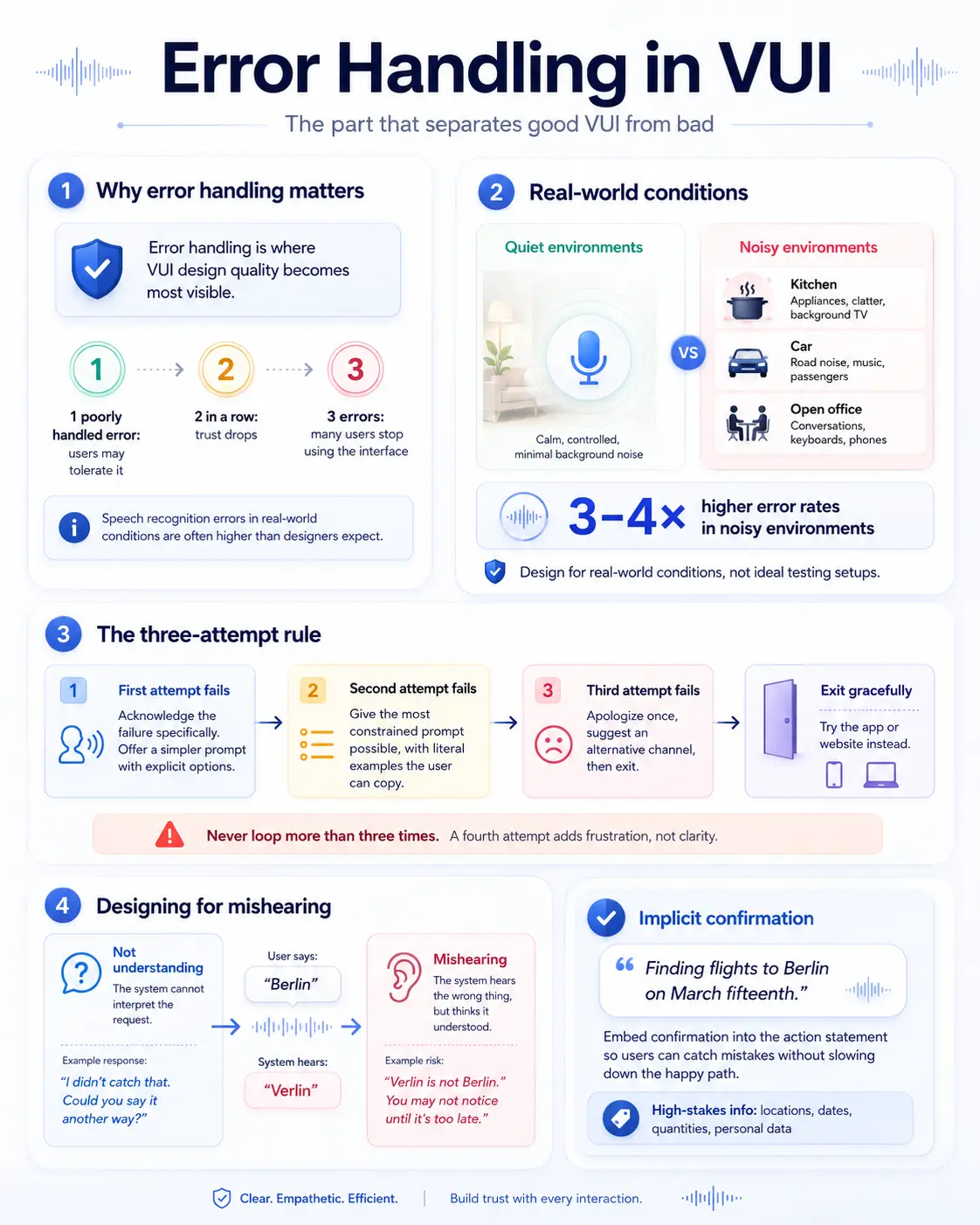
Amazon’s internal data from early Alexa deployments showed that error rates in noisy environments (kitchens, cars, open offices) were three to four times higher than in quiet environments. Your error handling needs to be designed for those conditions, not the ideal conditions of your testing setup.
The three-attempt rule
The standard pattern for VUI error handling is a maximum of three attempts before graceful exit. First attempt fails: acknowledge the failure specifically, offer a simpler version of the prompt with explicit options. Second attempt fails: give the most constrained possible prompt with literal examples the user can copy. Third attempt fails: apologize once, clearly, then suggest an alternative channel and exit.
Never loop more than three times. Users who have failed three times are frustrated. Continuing to ask the same question in the same way adds frustration without adding information. Exiting with a suggestion to use the app or website is more helpful than a fourth attempt.
Designing for mishearing
Mishearing is different from not understanding. If the system mishears “Berlin” as “Verlin,” it might still find a result, just the wrong one. This class of error is harder to handle because the system doesn’t know it made an error, and the user doesn’t immediately know the system misunderstood.
The design response is to build in implicit confirmation for high-stakes information: location names, dates, quantities, personal data. Not “is that right?” but “finding flights to Berlin on March fifteenth.” The confirmation is embedded in the action statement, so the user hears what the system understood and can interrupt if it’s wrong. This pattern adds almost no friction to the happy path while dramatically reducing the cost of mishearing errors.

Voice persona: the character behind the interface
Every voice interface has a persona, whether you design it intentionally or not. The word choices, the sentence length, the tone when things go wrong, all of these communicate a personality. Designing that personality explicitly is one of the most undervalued parts of VUI work.
A voice persona is not about giving the assistant a name and a backstory (though that can be useful for branding). It’s about defining how the interface communicates consistently: formal or casual, brief or expansive, warm or neutral. These decisions need to be made early and documented, because inconsistency across a voice interaction is jarring in a way that inconsistency in visual design is not. Humans are extremely sensitive to tone shifts in spoken language.
Defining tone and vocabulary
The fastest way to define a voice persona is to describe it in human terms. Not “professional and helpful” (every persona is described this way) but something specific: “a knowledgeable colleague who respects your time and doesn’t explain things you already know.” That description immediately rules out certain word choices and sentence structures, which is what you need for writing consistency.
Vocabulary decisions matter more in voice than in visual copy. Technical jargon, colloquialisms, contractions, formality level, all of these are audible in a way that they’re less audible when read. I write a voice persona brief that includes a vocabulary list (words the persona uses and words it avoids) and three to five example dialogues that demonstrate the persona in different situations, including error situations.
Persona under pressure: how the voice responds when things go wrong
The most revealing test of a voice persona is how it handles errors. A persona that’s warm and casual during happy-path interactions but shifts to cold, formal error messages has a broken persona. Users notice this inconsistency even if they can’t articulate it, and it erodes trust.
Define your error messages as part of persona development, not as an afterthought. An error in a warm, casual persona sounds like “Hmm, I didn’t quite catch that. Try saying it a different way.” In a formal, neutral persona: “I did not understand that request. Please rephrase.” Both handle the same error. Neither breaks its own character.

Discoverability: the hardest problem in VUI
In a visual interface, users can see what’s available. They can read the navigation menu, scan the buttons, look at the options. In a voice interface, they can’t see anything. They have to either already know what the system can do, or discover it through conversation. This is the discoverability problem, and it’s the hardest UX challenge specific to voice.
The standard response is the help command: say “help” and the system tells you what it can do. This works for users who know to ask for help. It doesn’t work for users who don’t know they’re missing capabilities, which is most users most of the time. Solving discoverability properly requires building it into the normal flow of interaction, not hiding it behind a help command.
Offering options proactively
The most effective discoverability technique is to mention related capabilities at natural points in the conversation. After completing a task, the system can briefly mention one adjacent capability. “Timer set for ten minutes. You can also ask me to set an alarm for a specific time.” One option, mentioned once, at a moment when the user has just succeeded at something and has positive attention toward the system.
This technique is borrowed from in-context tooltips in visual design and it works for the same reason: exposure at a moment of high engagement. The mistake is to overuse it. If the system mentions a new capability after every interaction, it becomes noise. Once per session, for capabilities directly related to what the user just did, is about right.
Onboarding flows for voice
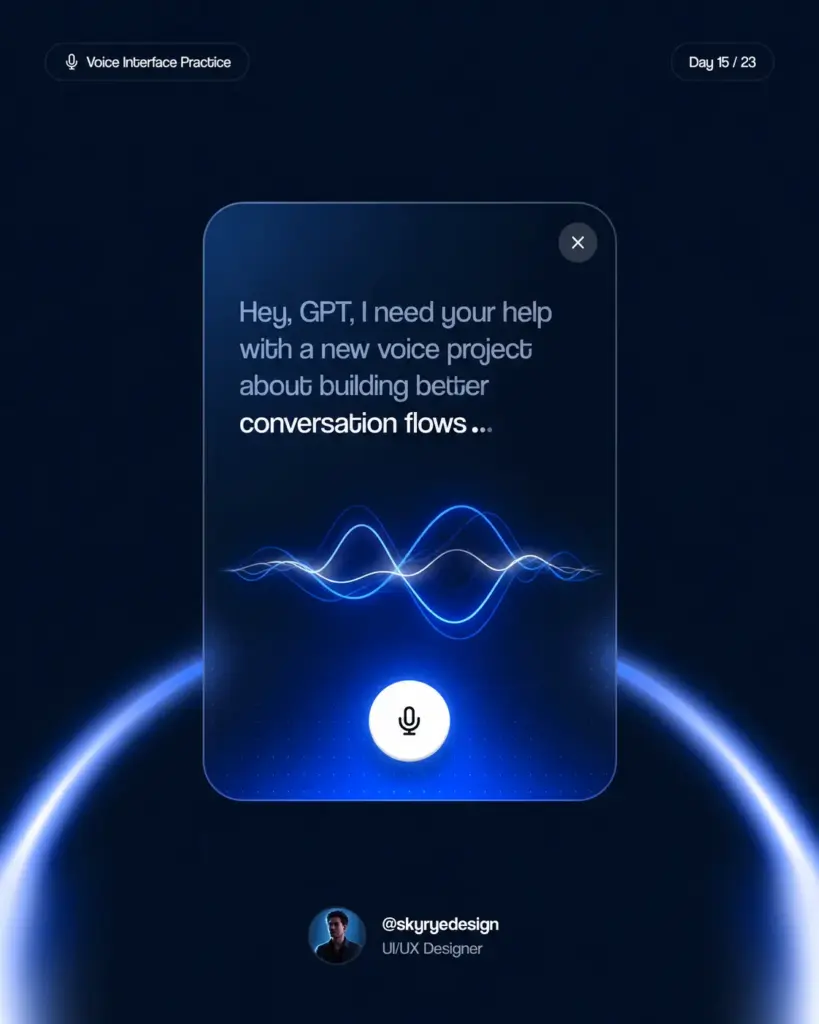
The first time a user activates a custom voice skill or assistant, they have no model of what it can do. This is the highest-risk moment for abandonment. An onboarding flow for voice is typically a short guided dialogue that demonstrates two or three core capabilities interactively, rather than listing features.
Showing beats telling in onboarding. Instead of “you can set timers, check the weather, and control your lights,” have the system walk through one of those interactions: “Let’s start with something simple. Try saying: set a timer for five minutes.” The user experiences a successful interaction in the first sixty seconds, which is the most reliable predictor of continued use.

Accessibility and multimodal design
Voice interfaces are sometimes positioned as inherently accessible because they don’t require visual ability or fine motor control. That’s partly true but incomplete. Voice interfaces create new accessibility barriers: they exclude users with speech impairments, users in noisy environments, users who are non-native speakers of the language the system was trained on, and users who find spoken interaction cognitively demanding.
Voice interfaces now sit inside a wider interface ecosystem, so the voice UI trends are useful context when planning voice, AI, and invisible interaction patterns.
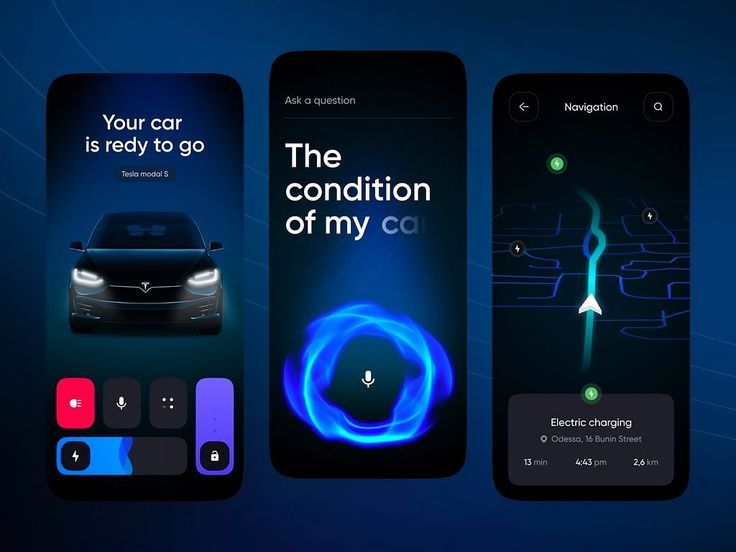
Multimodal design, where a voice interface is paired with a visual display, addresses some of these barriers. Amazon Echo Show and Google Nest Hub are hardware examples. The design challenge is making the visual and audio layers complementary rather than redundant. If the screen just shows a text transcript of what the speaker said, you’ve wasted the screen. If the screen shows a map when the user asks for directions, you’ve genuinely added value.
Designing for non-native speakers
Speech recognition accuracy drops significantly for non-native speakers, particularly for names, technical terms, and words with sounds not present in the speaker’s first language. This is an engineering constraint, but it has design implications. Simpler vocabulary, more confirmation of understood information, and more graceful error handling all become more important when you know a significant portion of your users aren’t native speakers of the interface language.
For international products, testing with non-native speakers is not optional. I’ve seen voice interfaces that performed excellently in controlled testing with native English speakers and failed immediately with French or German users whose English was fluent but accented. The fix is usually more diverse training data for the NLU model, but the problem has to be discovered first.

Testing voice interfaces: what works and what does not
Testing a voice interface is different from testing a visual interface. You can’t hand someone a clickable prototype and watch them use it. The interaction is temporal, not spatial. You need to hear what they say, see when they hesitate, notice when they repeat themselves, and understand when they give up.
The most useful early-stage testing method is Wizard of Oz testing: a designer plays the role of the voice system in real time, typing responses into a text-to-speech tool that speaks them aloud, while the user interacts normally. It sounds crude, but it’s extremely effective for testing conversation flows before anything is built. You learn more from three Wizard of Oz sessions than from a hundred hours of design review.
What to watch for in voice user testing
In visual usability testing, you watch where people click and where they hesitate. In voice testing, you listen for repetition (a sign the system didn’t understand and the user is trying again), rephrasing (the user knows they weren’t understood and is trying a different approach), and silence (the user doesn’t know what to say, which is a discoverability failure).
Repetition is the clearest signal of a recognition problem. Rephrasing signals an intent mismatch: the user’s mental model of what they can say doesn’t match what the system accepts. Silence often means the system’s prompt didn’t give the user enough information to formulate a response. All three are actionable findings with specific design remedies.
Quantitative metrics for voice
Once a voice interface is live, the key metrics are task completion rate, error rate by intent, and session abandonment rate. Task completion rate is the percentage of initiated interactions that end with the user’s goal achieved. Error rate by intent tells you which specific capabilities are underperforming. Session abandonment tells you where in the flow users give up.
Conversation logs are the primary data source. Every voice platform generates transcripts of recognized speech and system responses. Reviewing a random sample of conversation logs weekly, particularly sessions that ended in errors or abandonment, is the most direct path to improvement. The patterns in real conversation logs will show you things no amount of design review would predict.

Voice design is conversation design is empathy for context
The common thread across every VUI design problem, whether it’s writing utterances, designing error flows, or building a persona, is that you’re designing for a person who cannot see the interface. Their hands are probably busy. Their eyes are probably elsewhere. They need the interaction to work the first time, cleanly, without requiring them to remember syntax or read instructions.
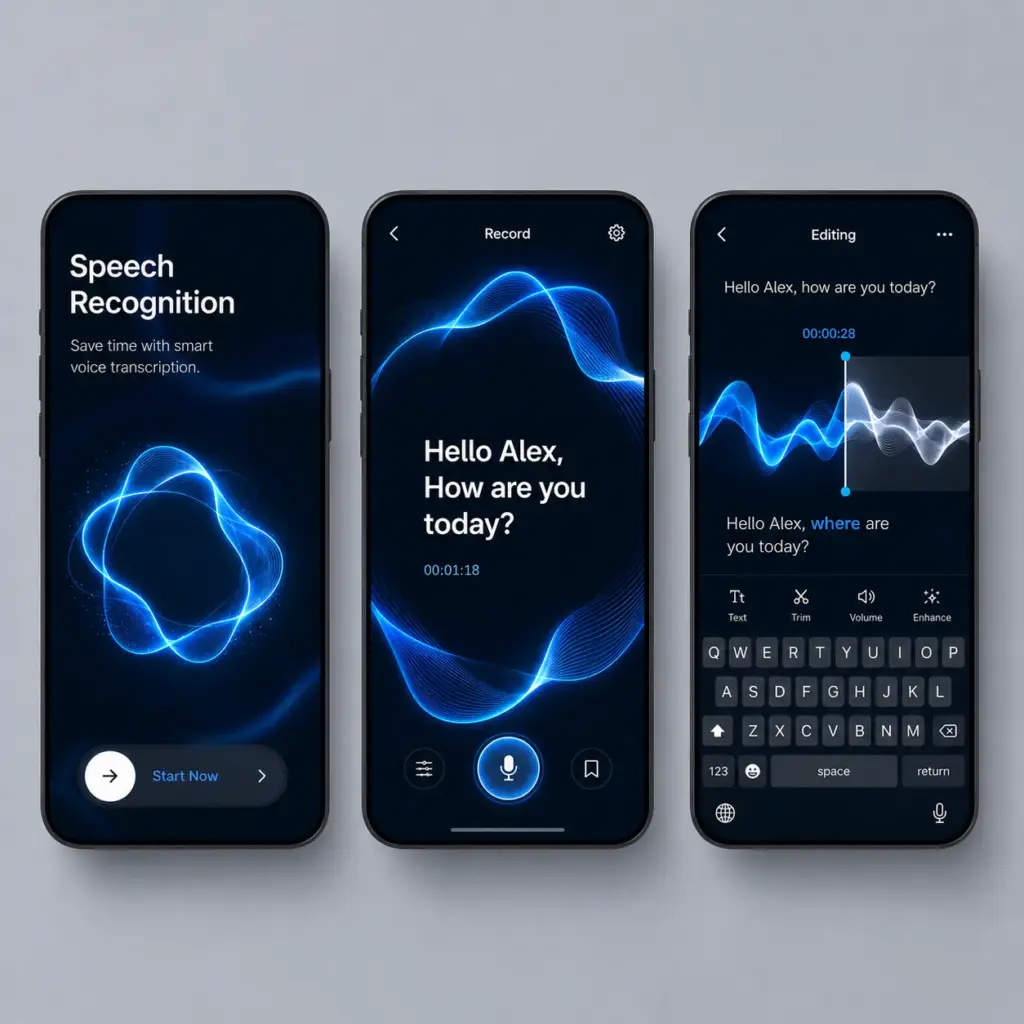
That constraint is severe. It’s also clarifying. Visual interfaces can hide a lot of design debt behind visual polish. Voice interfaces can’t. The clarity of the interaction is the product. There’s nothing to look at.
I find the discipline genuinely useful as a lens even for visual design work. If I can describe an interface interaction clearly in conversation, the interaction is probably well-designed. If I can’t, something in the flow or the information architecture needs work. Voice design makes you think more precisely about what you’re actually asking users to do, and that clarity tends to improve everything.
Frequently Asked Questions
What is voice user interface design?
Voice user interface (VUI) design is the discipline of creating interfaces that users control through spoken language. It covers how a system hears input, interprets intent, and responds in natural language. Unlike visual interfaces, VUIs must work without any screen, which shifts the entire design logic from spatial layout to conversational flow.
What is the difference between VUI and conversational design?
VUI design specifically covers voice-based interaction. Conversational design is broader, covering any system that communicates through natural language, including text-based chatbots and messaging interfaces. All VUI is conversational design, but not all conversational design is VUI. The principles overlap, but voice adds constraints around audio-only delivery and hands-free contexts.
What are the main challenges in VUI design?
The three hardest problems are discoverability (users cannot see what the system can do), error recovery (misrecognized speech creates friction fast), and context handling (maintaining state across a multi-turn conversation). Speech recognition accuracy in noisy environments is also a persistent engineering constraint that shapes how you design fallbacks.
What tools are used for VUI design?
Voiceflow is the industry standard for designing and prototyping voice and conversational interfaces. For Alexa Skills, the Alexa Developer Console provides its own tooling. Google Dialogflow handles intent recognition and entity extraction. For audio output prototyping, designers use text-to-speech tools like Amazon Polly or ElevenLabs to test synthetic voice quality before development.
How do you write for a voice interface?
Write for the ear, not the eye. Sentences should be short and declarative. Avoid lists, since users cannot see them. Read every response aloud at normal speed before finalizing it. If it takes longer than eight seconds to say, it is too long. Lead with the answer, then provide context if needed.
What is a wake word and why does it matter for design?
A wake word is the trigger phrase that activates a voice assistant: Alexa, Hey Google, Hey Siri. For VUI designers, the wake word sets the cognitive frame for the interaction. Your design needs to respect that frame: the persona, the capabilities, and the limitations need to match what the wake word implies to the user.
How do you handle errors in voice interfaces?
The standard error handling pattern is a three-attempt maximum before graceful exit. First attempt: acknowledge the failure, offer a simpler prompt with explicit options. Second attempt: give the most constrained possible prompt with literal examples. Third attempt: apologize once, suggest an alternative channel (app, website), and exit. Never loop more than three times.
Voice interfaces still need structure, and this guide to component-based interface design is useful when you want reusable patterns beyond visual screens.
- 675shares
- Facebook0
- Pinterest675
- Twitter0
- Reddit0