I spent three hours applying a $60 graphics kit to my KTM 250 SX-F. Cleaned the plastics twice, used a heat gun on every curve, and squeegeed out every bubble. Twenty minutes into the first ride, the front fender decal started peeling from the bottom edge. By the end of the day, half the shroud graphic had folded back on itself, caked in mud and permanently creased.
The problem wasn’t the installation. It was that I’d bought a kit made for a different year’s plastics — close enough to look right in the product photo, completely wrong on the actual bike. One millimeter of misalignment at the shroud edge becomes a five-millimeter gap by the time it reaches the number plate.
- Why Dirt Bike Graphics Are a Design Problem, Not a Decoration Problem
- Vinyl Materials: What the Spec Sheet Actually Means
- Designing Your Own Livery: The 3D Workflow
- Installation: Where Good Designs Go Wrong
- Building a Visual System: Gear, Helmet, and Bike
- FAQ: Designing Graphics and Liveries for Dirt Bikes
- Can I design my own dirt bike graphics without 3D software?
- What file format do I need for custom printed vinyl graphics?
- How long does a quality vinyl graphics kit last on a dirt bike?
- What's the difference between cast and calendered vinyl for bike graphics?
- Do I need to remove old graphics before applying new ones?
- Is Blender good enough for professional dirt bike livery design?
- The System Matters More Than the Style
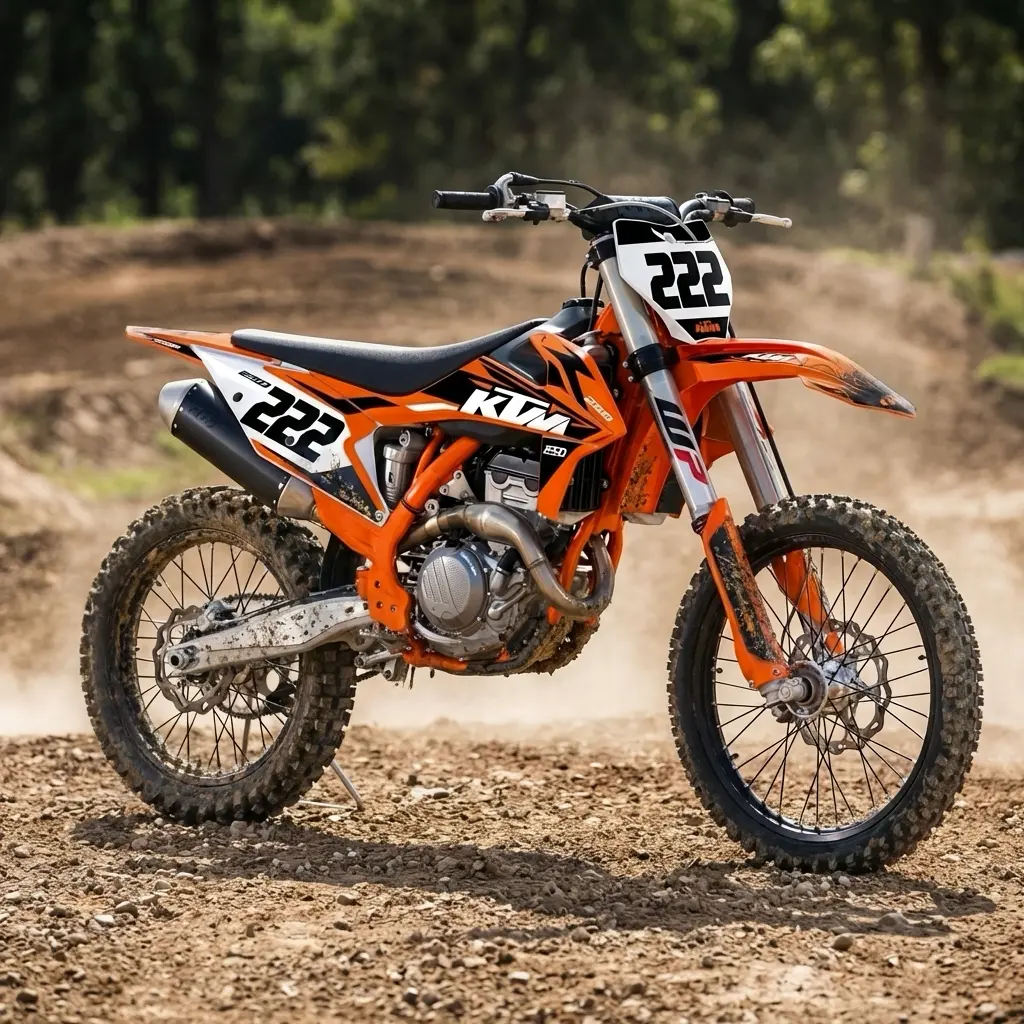
I also had a similar story with my first motorcycle, a 2001 Suzuki Bandit. It was already quite old, but I wanted to make it look great with minimal investment, and the graphics helped give it a new style. Of course, it’s very easy to overdo it with them.
Graphics design for dirt bikes is a real design discipline — with its own material science, 3D modeling workflow, and fit logic. Whether you’re buying a kit or building a full custom livery from scratch, understanding that discipline is the difference between a bike that looks designed and one that looks decorated.
Why Dirt Bike Graphics Are a Design Problem, Not a Decoration Problem
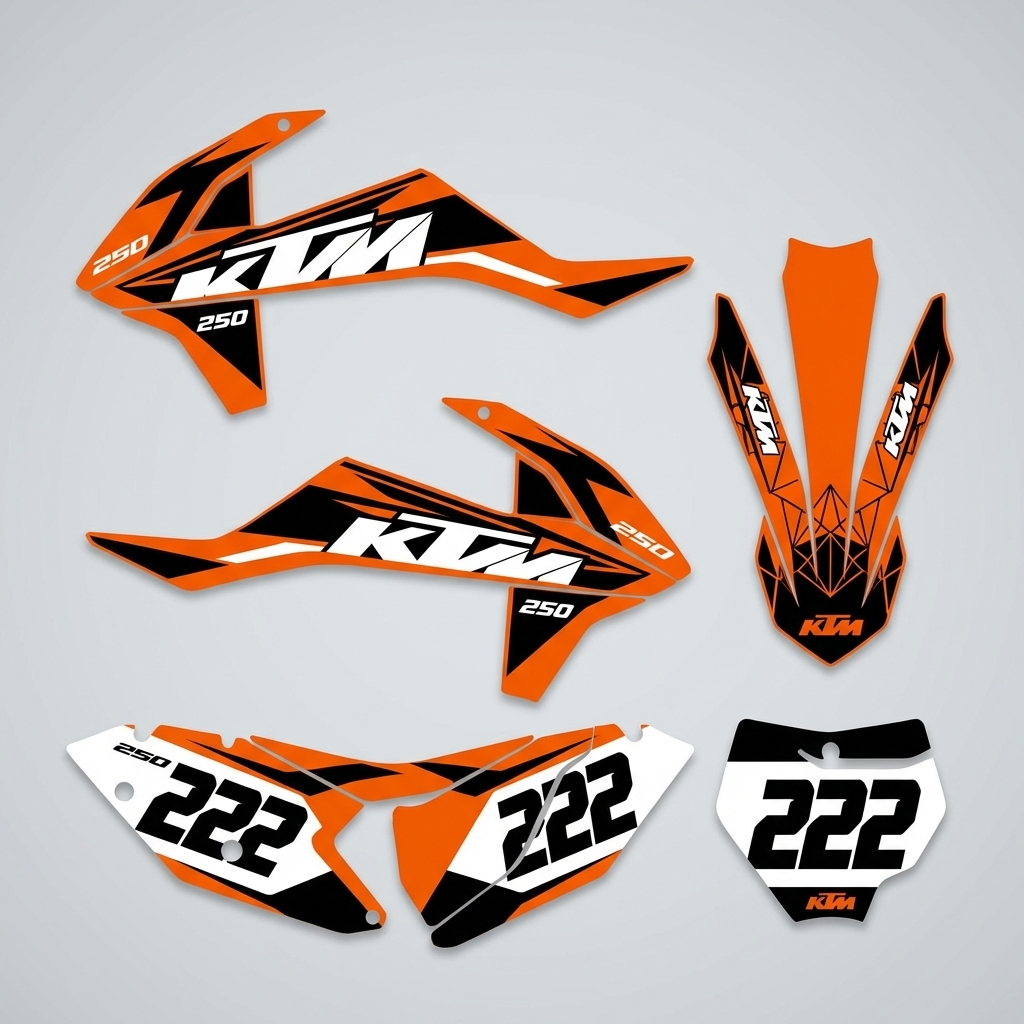
Most riders approach graphics as a finishing touch — something you add after the bike is built. Professional graphic designers and race teams approach it the opposite way: the livery is a system, and every element has to work with the three-dimensional geometry of the plastics, the color of the bike itself, and the visual weight of the number plate layout.
That system thinking is what separates a kit that photographs well from one that actually looks right in motion. A design that reads beautifully as a flat 2D mockup can fall apart completely once it wraps around a shroud with compound curves.
The Fit Problem Nobody Talks About
Dirt bike plastics are model-specific — often year-specific within the same model line. Yamaha changed the YZ250F shroud geometry between the 2022 and 2023 model years. Husqvarna’s FC 450 plastics differ between generations in ways that aren’t visible in product photos but matter enormously for decal alignment.
Before any design discussion, confirm the kit is manufactured for your exact year and model. Reputable suppliers list compatibility by year, make, model, and sometimes regional market variant — for example, Senge Graphics has dedicated pages for specific bikes like their buying graphics for an RM 85 section, where every kit is filtered to that exact model. Generic kits marked “fits most KTM” are a warning sign, not a feature.
Vinyl Materials: What the Spec Sheet Actually Means
| Material | Thickness | Best For | Lifespan | Price Range |
|---|---|---|---|---|
| Standard cast vinyl | 2–3 mil | casual/recreational riding | 1–2 years | $40–$80/kit |
| Heavy-duty laminated vinyl | 4–6 mil | track, enduro, MX | 3–5 years | $90–$160/kit |
| Textured anti-slip vinyl | 5 mil | grip areas, shroud edges | 2–4 years | $20–$40/panel |
| Reflective vinyl | 3–4 mil | trail/night visibility | 2–3 years | $60–$120/kit |
| Custom printed full-wrap | 4–5 mil | fully bespoke designs | 2–4 years | $150–$350+ |
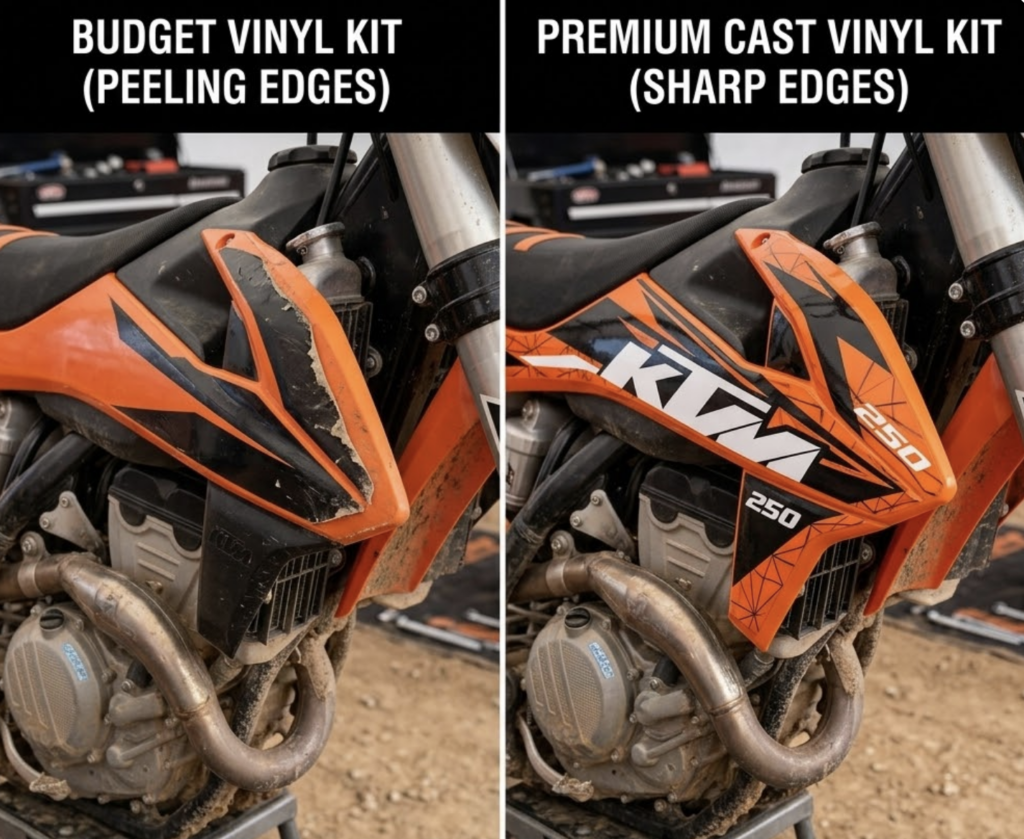
The industry standard for serious MX and enduro riders is 4–6 mil cast vinyl with a UV-protective overlaminate. Cast vinyl — as opposed to calendered vinyl — is manufactured in a way that allows it to conform to compound curves without memory tension. Calendered vinyl has memory: it wants to return to flat, which is why cheaper kits lift at edges and bubble on curved surfaces.
For a bike that sees regular track use, the $90–$160 range for a quality laminated kit pays for itself in longevity. Budget kits can look identical in week one and completely different in month three.
Designing Your Own Livery: The 3D Workflow
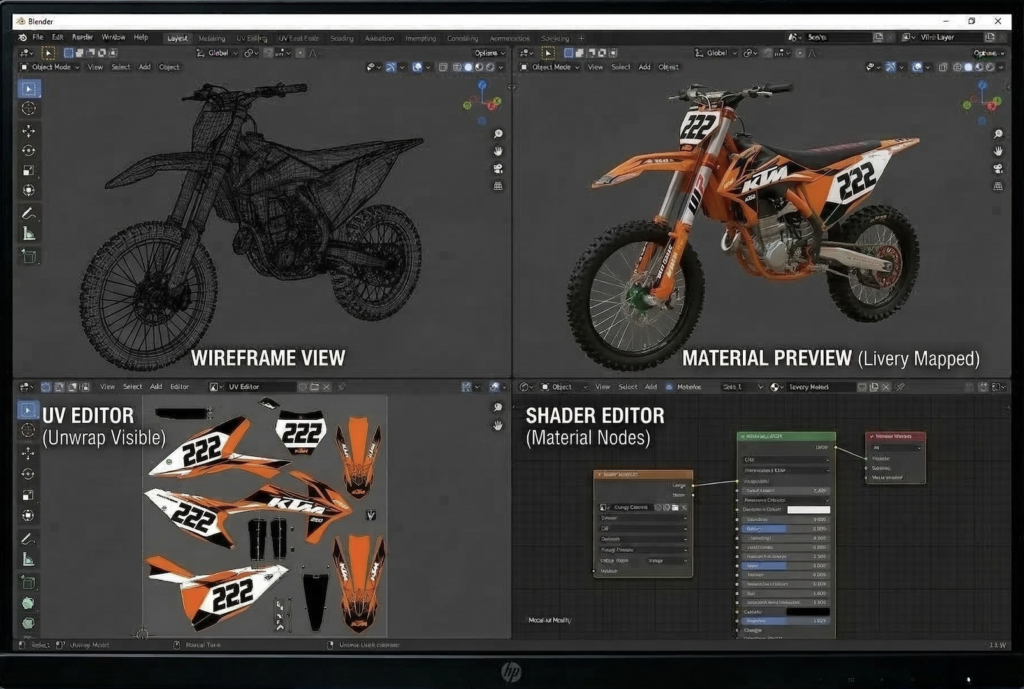
If you’re a designer — or if you want to commission a fully custom livery rather than adapt an existing kit — the 3D workflow opens up possibilities that flat-file design can’t match. Working directly on a 3D model of the bike lets you see exactly how a graphic reads on the actual surface geometry before a single sheet of vinyl gets cut.
Setting Up the 3D Model
Free OBJ and FBX models for popular dirt bike models — KTM, Husqvarna, Yamaha, Honda — are available through GrabCAD, CGTrader, and TurboSquid, with quality ranging from rough concept models to highly detailed renders. For livery design work, you need a model with clean UV mapping on the major plastic panels: shrouds, fenders, front number plate, rear number plate, and airbox cover.
Blender (free) handles the entire workflow. Import the model, isolate the plastic panels, unwrap the UV maps for each panel individually — don’t use a single UV map for the whole bike, or scaling becomes impossible. Export each panel’s UV template as a PNG at 4K minimum (3840×2160px). These templates become your artboards in Illustrator or Affinity Designer.
Designing in 2D, Previewing in 3D
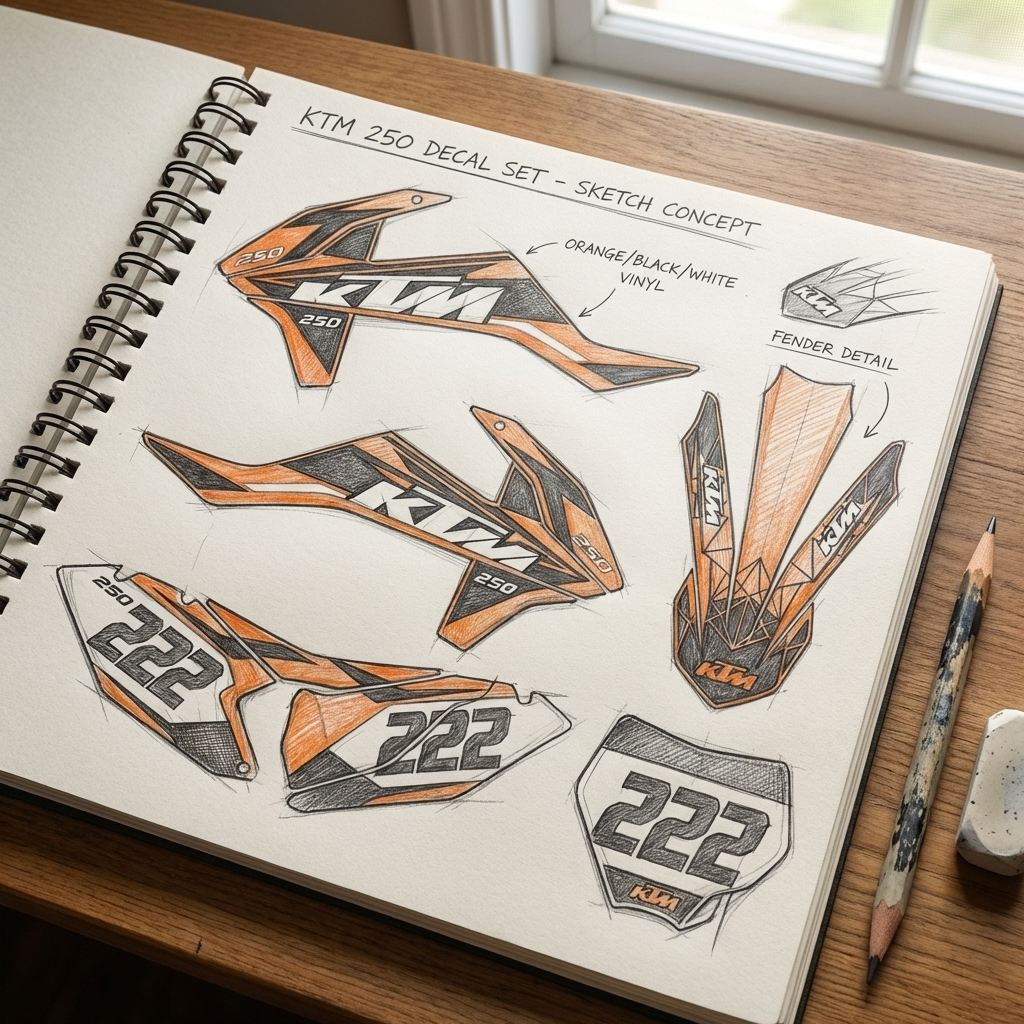
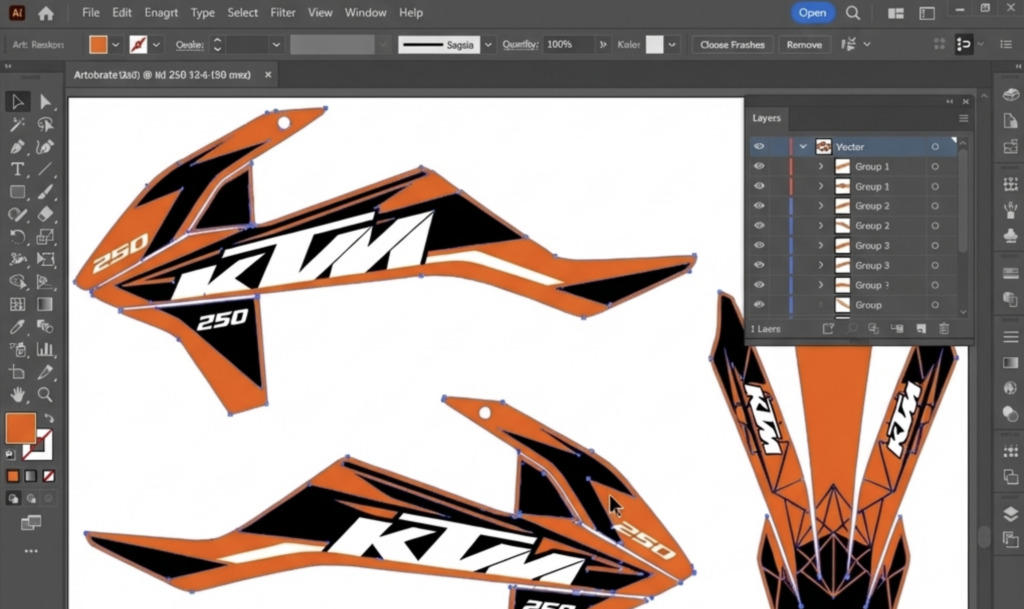
Build your livery in Illustrator or Affinity Designer using the UV templates as the base layer. The critical workflow step that most people skip: after every significant design change, export the texture and reimport it to Blender to preview on the 3D model. What reads as a bold diagonal stripe on a flat UV map can appear as an awkward wedge shape once it wraps around a curved shroud.
Color contrast reads differently in 3D — dark colors recede on curved surfaces, light colors advance. A white-on-black graphic that looks balanced in Illustrator will appear top-heavy once applied to the forward-leaning geometry of a dirt bike shroud. Preview early and often.
From 3D Design to Print-Ready File
Once the design is locked in 3D preview, export each panel’s design as a flat PDF or high-res PNG for print. Professional vinyl printers — many custom graphics shops use Roland or Mimaki wide-format printers — work from CMYK files at 150–300 DPI at full scale. Confirm the color profile (CMYK, not RGB) and bleed specification (typically 3–5mm) with your printer before finalizing files.
If you’re printing through a kit manufacturer that offers custom graphics (Senge Graphics has a custom builder, D’Cor Visuals offers team custom orders), they’ll specify their own file requirements. Follow them exactly — mismatched color profiles are the most common source of color shift between screen and print.
Installation: Where Good Designs Go Wrong
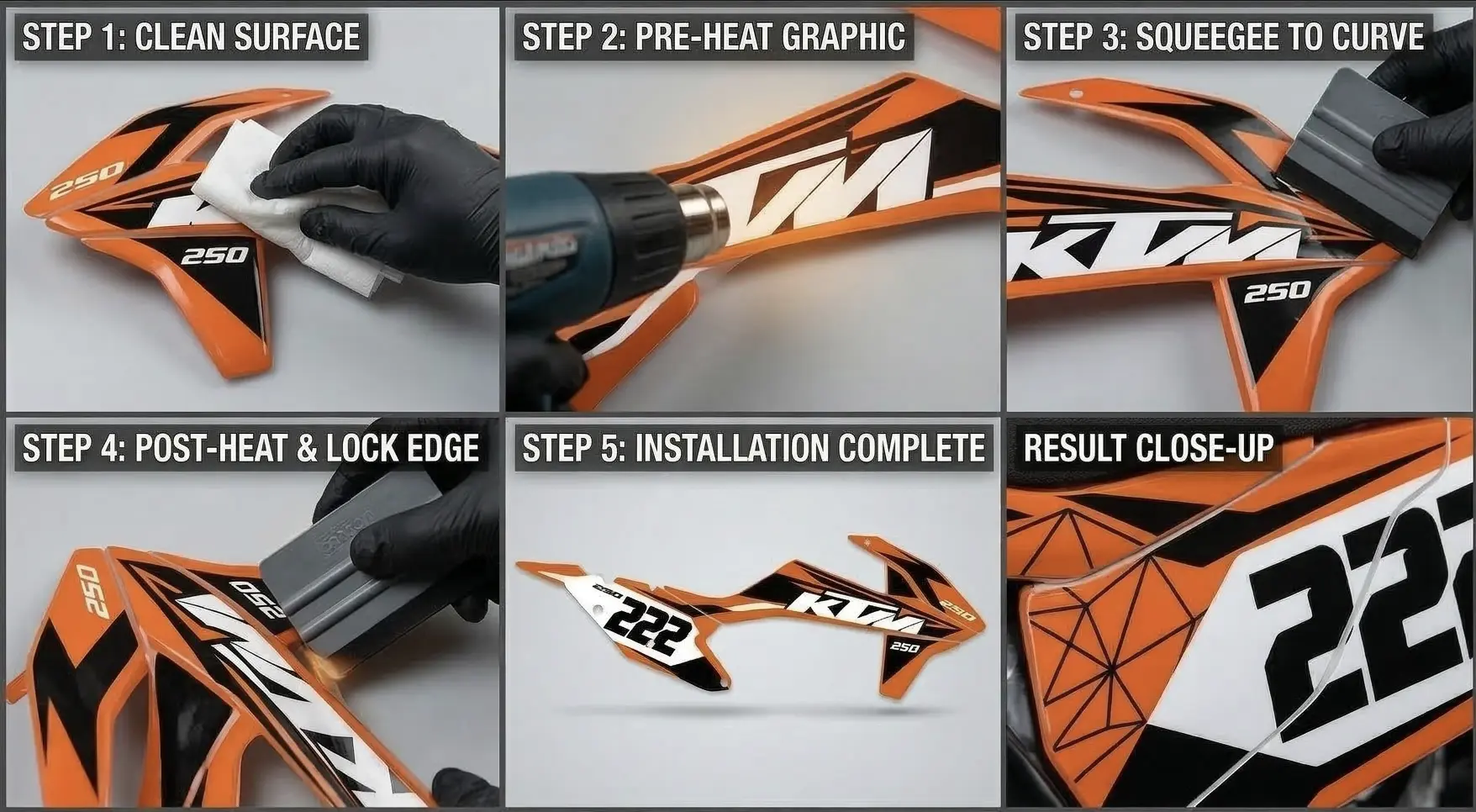
Even a perfect design on perfect materials fails if the installation is rushed. The problems come from the same three mistakes, almost every time.
The Three Installation Mistakes That Ruin Kits
1. Dirty plastics. Silicone-based polish, chain lube overspray, and finger oils all create adhesion failure zones. Clean plastics twice: first with isopropyl alcohol at 70%+, then with a wax and grease remover like 3M General Purpose Adhesive Cleaner ($12 at any auto parts store). Let them dry fully before touching the decal.
2. Cold application. Vinyl adhesive bonds significantly better to warm surfaces. On cool days (below 60°F / 15°C), warm the plastic with a heat gun before application. The vinyl also needs warmth to conform to curves — use the heat gun at 4–6 inches distance to soften the material as you work around compound curves. Don’t overheat: most vinyl starts to distort above 150°F.
3. Starting from the center. For large panels like shroud graphics, start application from the center of the design and work outward toward the edges. Starting from an edge traps air in the middle. On number plates — which are flat — work from the top edge down using a rubber squeegee, maintaining consistent pressure.
Building a Visual System: Gear, Helmet, and Bike
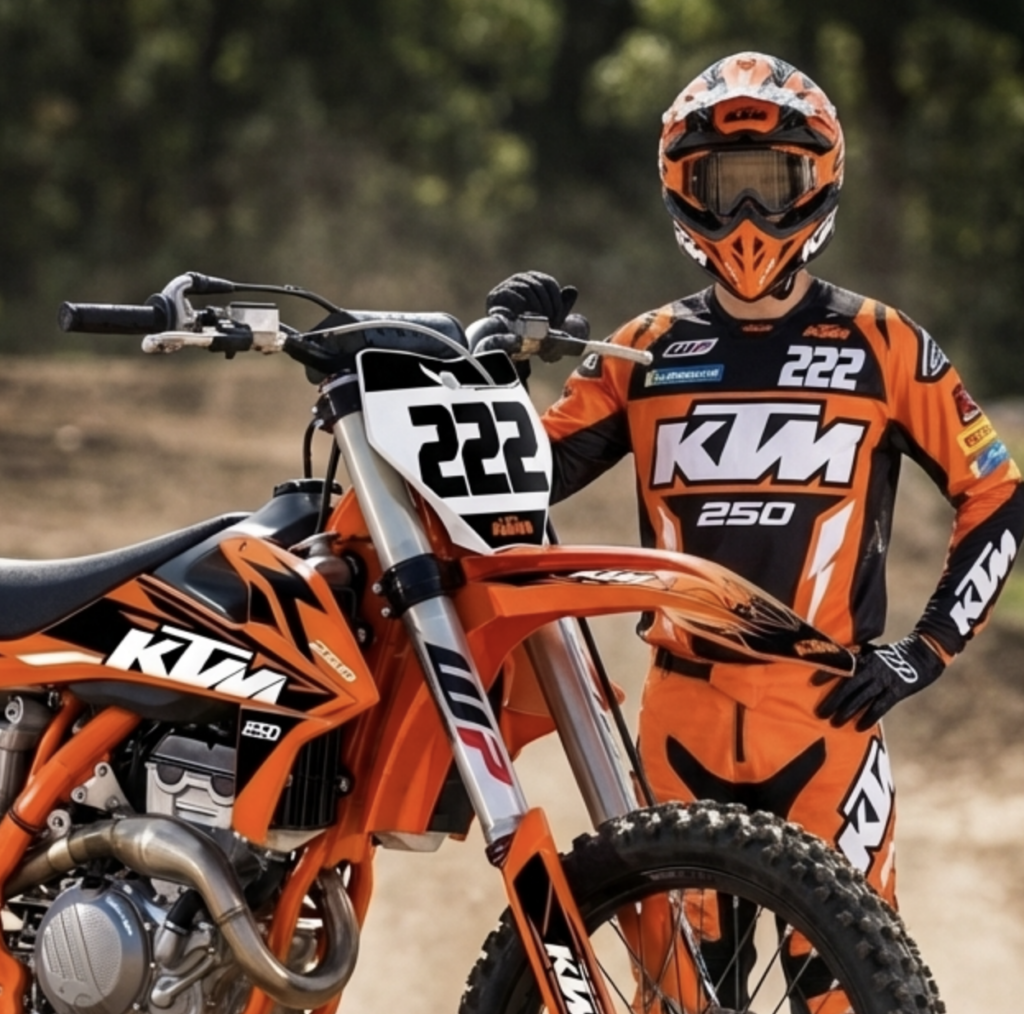
The riders whose bikes look genuinely designed — not just decorated — treat the graphics as part of a broader visual system. The bike’s primary color, secondary graphic color, and number plate background relate to the jersey, pants, and helmet. It doesn’t mean everything matches perfectly; it means nothing clashes.
A practical starting point: identify two colors from your kit as anchor colors, then build your gear choices around those. If your livery runs black and neon yellow on a white base, avoid gear with red or orange accents. The goal isn’t uniformity — it’s coherence.
In my experience, the most visually successful setups use three colors maximum across bike and gear. Anything beyond that reads as noise at speed, in photography, and in video. Factory race teams understand this — look at Red Bull KTM’s orange/blue/white system or Monster Energy Kawasaki’s green/black/white. Every element reinforces the same palette.
FAQ: Designing Graphics and Liveries for Dirt Bikes
Can I design my own dirt bike graphics without 3D software?
Yes — most professional custom kit suppliers provide flat template files (PDF or AI format) for your specific model. Design directly on the template in Illustrator or Affinity Designer. The limitation is that you can’t preview how the design wraps around curves until the kit is printed and applied. For simple designs, flat templates work well. For complex liveries with large graphic elements that span multiple panels, 3D preview is worth the workflow investment.
What file format do I need for custom printed vinyl graphics?
Most print shops require vector files (AI or PDF) or high-resolution raster files (TIFF or PNG at 150–300 DPI at full scale) in CMYK color mode. Confirm with your specific supplier — requirements vary. Always ask about their bleed specification (typically 3–5mm) and whether they need outlines on text. Submitting RGB files to a CMYK printer is the most common cause of color shift between your screen preview and the finished product.
How long does a quality vinyl graphics kit last on a dirt bike?
A 4–6 mil cast vinyl kit with UV overlaminate typically lasts 3–5 years under regular riding conditions. Standard 2–3 mil kits last 1–2 years. Longevity depends heavily on cleaning habits — pressure washing at close range damages both the decal edges and the adhesive bond. Wash with a sponge and low-pressure water, dry the edges, and apply a UV protectant like Armor All to extend life.
What’s the difference between cast and calendered vinyl for bike graphics?
Cast vinyl is manufactured by pouring liquid vinyl onto a casting sheet, creating a material with no internal stress or memory. It conforms to compound curves without lifting or bubbling and has superior dimensional stability over time. Calendered vinyl is pressed through rollers, which introduces memory tension — the material wants to return to flat. For flat or gently curved surfaces, calendered vinyl works fine and costs less. For the compound curves on dirt bike shrouds and fenders, cast vinyl is worth the price difference.
Do I need to remove old graphics before applying new ones?
Ideally, yes. Applying new graphics over old ones creates thickness variations that affect the visual result and the adhesive bond. Remove old graphics by heating them with a heat gun until the adhesive softens (60–90 seconds at 4–6 inches), then peeling slowly from a corner. Remove adhesive residue with isopropyl alcohol or 3M Adhesive Cleaner before applying new decals. If old graphics are bonded so aggressively that removal risks plastic damage, applying over them is the lesser risk — but sand any lifted edges flat first.
Is Blender good enough for professional dirt bike livery design?
Yes — Blender’s UV unwrapping and material preview tools are fully capable for livery design work at any level. The Cycles render engine produces photorealistic previews that are indistinguishable from paid software like KeyShot or Cinema 4D for this application. The main investment is learning the UV workflow, which takes a few days of focused practice. Once that’s in place, the actual design work happens in Illustrator or Affinity Designer, with Blender used only for preview.
The System Matters More Than the Style
Custom bike graphics are one of the most visible expressions of design thinking in motorsport — and one of the most technically unforgiving. A design that doesn’t account for material behavior, surface geometry, and installation reality won’t survive contact with actual riding conditions.
Start with fit verification before design. Invest in material quality before visual complexity. Build the livery as a system — bike, gear, and number plate working together — rather than treating each element in isolation. And if you’re going fully custom, the 3D workflow isn’t optional: it’s the only way to know what your design actually looks like before it’s already printed and peeling off a shroud.
- 11shares
- Facebook0
- Pinterest11
- Twitter0
- Reddit0