A few months ago I was working on a brand campaign that needed twelve visual assets — product shots, lifestyle images, a few editorial compositions — all with the same character, same lighting logic, same colour temperature. The kind of brief that, in a traditional workflow, means a production day, a photographer, a stylist, a retoucher, and several rounds of alignment before anything looks like it belongs to the same family.
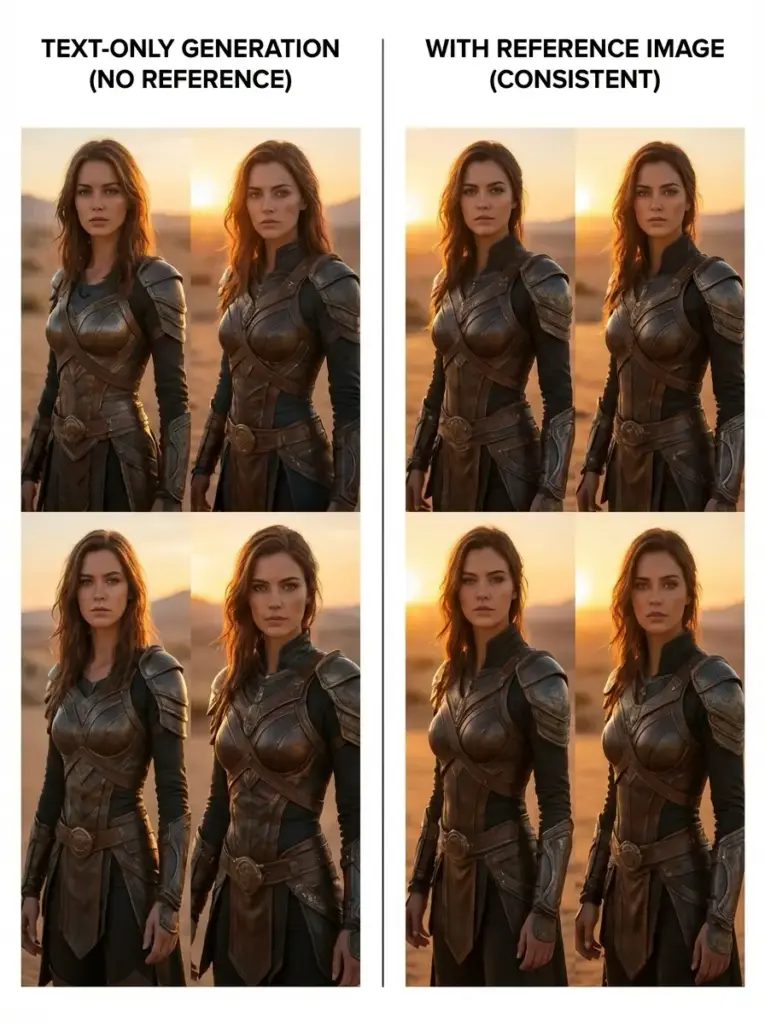
I ran the first attempt with text-only prompts. The character changed subtly between every output — different face shape, different hair texture, slightly different build. The lighting shifted. The colour temperature wandered. After four hours I had twelve images that were individually acceptable and collectively incoherent. The brief had not been met.
- The Problem Text Prompts Alone Can't Solve
- How Image to Image Generation Actually Works
- Three Capabilities That Matter for Design Work
- The Four-Step Workflow in Practice
- Where This Workflow Performs Best for Designers
- Image to Image vs Traditional Editing: The Practical Comparison
- The Limitations Worth Knowing Before You Brief
- What This Means for How Designers Work
- FAQ: Image to Image AI for Designers
The second attempt used reference images alongside the prompts — a portrait for character consistency, a lighting reference from the brand’s existing visual library, and a composition reference from the mood board. The first four outputs were close. By the eighth, I had assets that could sit together in a layout without visual friction. That gap — between twelve individually acceptable images and twelve images that work as a system — is exactly where Image to Image earns its place in a professional design workflow. And understanding why it works the way it does changes how you brief it.
The Problem Text Prompts Alone Can’t Solve
Language is inherently ambiguous. When a designer writes ‘warm afternoon light, editorial composition, confident posture’ — that description exists in a space of thousands of possible interpretations. Two designers writing those exact words would have two different images in their heads. The model generating from those words makes its own interpretation, and it may not match either one.
This is not a failure of the technology. It’s a fundamental property of language. Specificity helps — more detail in the prompt narrows the interpretation space — but it doesn’t eliminate the gap between described intent and generated reality. The gap is structural. Reference images close it. Not completely, but substantially. An image is worth precisely what that cliché says: it communicates visual information that would take a paragraph of text to approximate, and even then the text version would be less precise.
For designers working on brand-consistent outputs — campaigns, editorial sequences, product lines — the practical difference between text-only and reference-based generation is the difference between a workflow that requires extensive post-production correction and one that produces usable assets with two or three iterations. That’s the economic and creative argument for image-to-image generation, stated plainly.
✏ Designer note: The shift in how you brief changes first. Instead of writing prompts that describe everything from scratch, you build a reference library — lighting references, character references, style references, composition references — and let the images do the descriptive work that language can’t reliably do. The prompt then steers the transformation rather than trying to construct the entire visual concept in words.
How Image to Image Generation Actually Works
Understanding the architecture helps calibrate expectations. Image to Image systems are not single models applying a filter to your input. They’re closer to routing systems that analyse the inputs — your reference images, your text prompt, your selected mode — and assign the task to a specialised model suited to that specific type of transformation.
The Input Interpretation Stage
The system first processes three types of input simultaneously: the text prompt, any uploaded reference images, and the selected mode (style transfer, structural transformation, character consistency, and so on). This interpretation stage determines what the transformation actually is — not just what the output should look like, but what kind of operation is being performed. A ‘change the background while keeping the subject’ instruction is a different technical operation from ‘apply this lighting style to this character.’ The model needs to know which one you mean before it can do anything useful.
Model Selection and Task Routing
Different models within the system handle different tasks. Some specialise in stylistic transformation — changing the aesthetic register of an image while preserving its structure. Others handle structural edits — replacing objects, modifying backgrounds, changing specific elements without regenerating the whole composition. Others generate motion from still images. The separation matters because it explains why results from specialised routing feel more controlled than single-model systems — the task and the model are matched rather than the same model attempting everything.
This is the architecture behind Image to Image on platforms that support multi-reference input and multiple model types. The practical implication: choosing the right mode is as important as writing the right prompt. A style transfer mode applied to a character consistency problem will produce a different — and usually worse — result than using the character consistency model correctly. Mode selection is a design decision, not a technical one.
Output Synthesis and Iteration
The generated output is rarely final on the first attempt. The system typically produces multiple variations per request — different interpretations of the same inputs — which you then evaluate, compare, and select from. This iterative loop is where the actual value is created: not in the first output but in the convergence process.
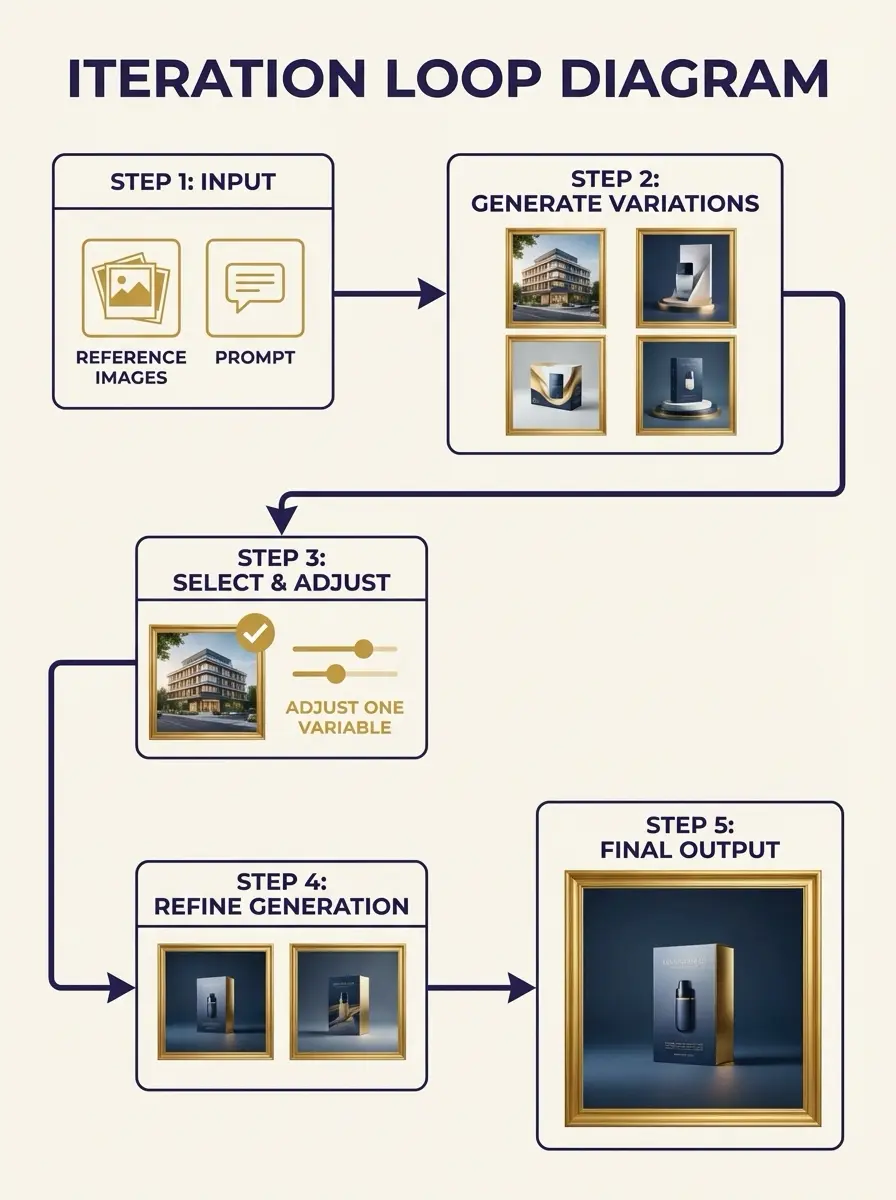
Each iteration adjusts one variable — the prompt wording, the reference image, the mode — and the output moves closer to the intended direction. Two to three well-directed iterations typically produce a usable result from a clear brief.
Three Capabilities That Matter for Design Work
1. Character Consistency Across a Campaign
The most immediately useful capability for brand and campaign work. By using the same portrait reference image across multiple generations, the system preserves facial structure, expression quality, and visual identity across all outputs. This eliminates the manual correction work — retouching, compositing, blending — that makes character-consistent multi-image production expensive in traditional workflows.
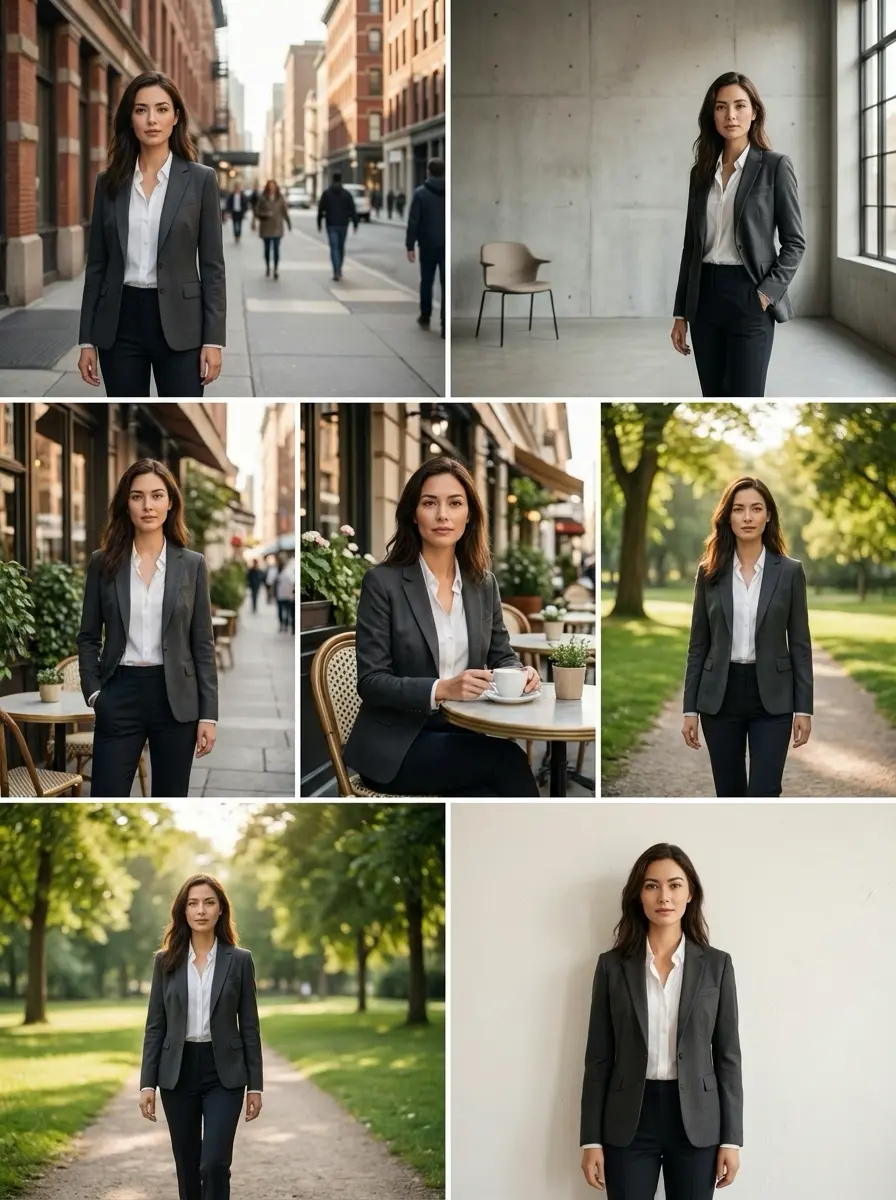
In practice: for a fashion editorial requiring twelve images with the same model across different environments and lighting conditions, this reduces the post-production work from several days to several hours. The reference image acts as a constraint that the model respects throughout the generation — the character doesn’t drift between shots because the reference keeps pulling it back toward the same face.
2. Context-Aware Editing Without Full Regeneration
Some modes within image-to-image systems perform partial edits rather than full regeneration. This is a specific capability worth understanding: instead of regenerating the entire image, the system modifies a specific element — replaces the background while keeping the subject unchanged, changes the text within an existing image, removes or adds an object — while preserving the composition and all unchanged elements. The advantage is compositional: what you didn’t ask to change stays as it was.
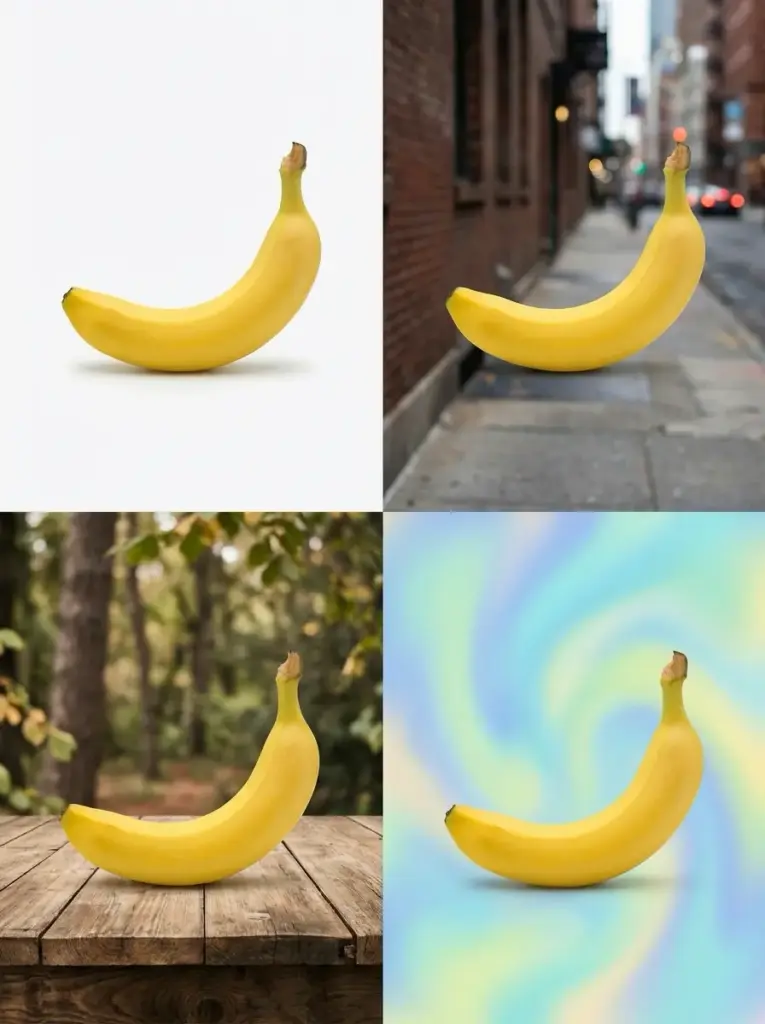
For designers working on product imagery, this is particularly valuable. A product shot with an established composition can have its background changed across multiple variations — different environments, different colour temperatures, different moods — without losing the specific product position, lighting, and shadow work that makes the original shot valuable. The product is the constant; the context is variable.
3. High-Resolution Output for Production-Ready Assets
Modern image-to-image platforms support outputs at 1K, 2K, and up to 4K resolution depending on the selected model and input quality. The practical implication: concept drafts and early iterations don’t need to be low-resolution sketches that require separate upscaling later. An early-stage exploration at 1K resolution can be upscaled within the same platform to production-ready 4K for use in print, large-format digital, or high-resolution editorial contexts.
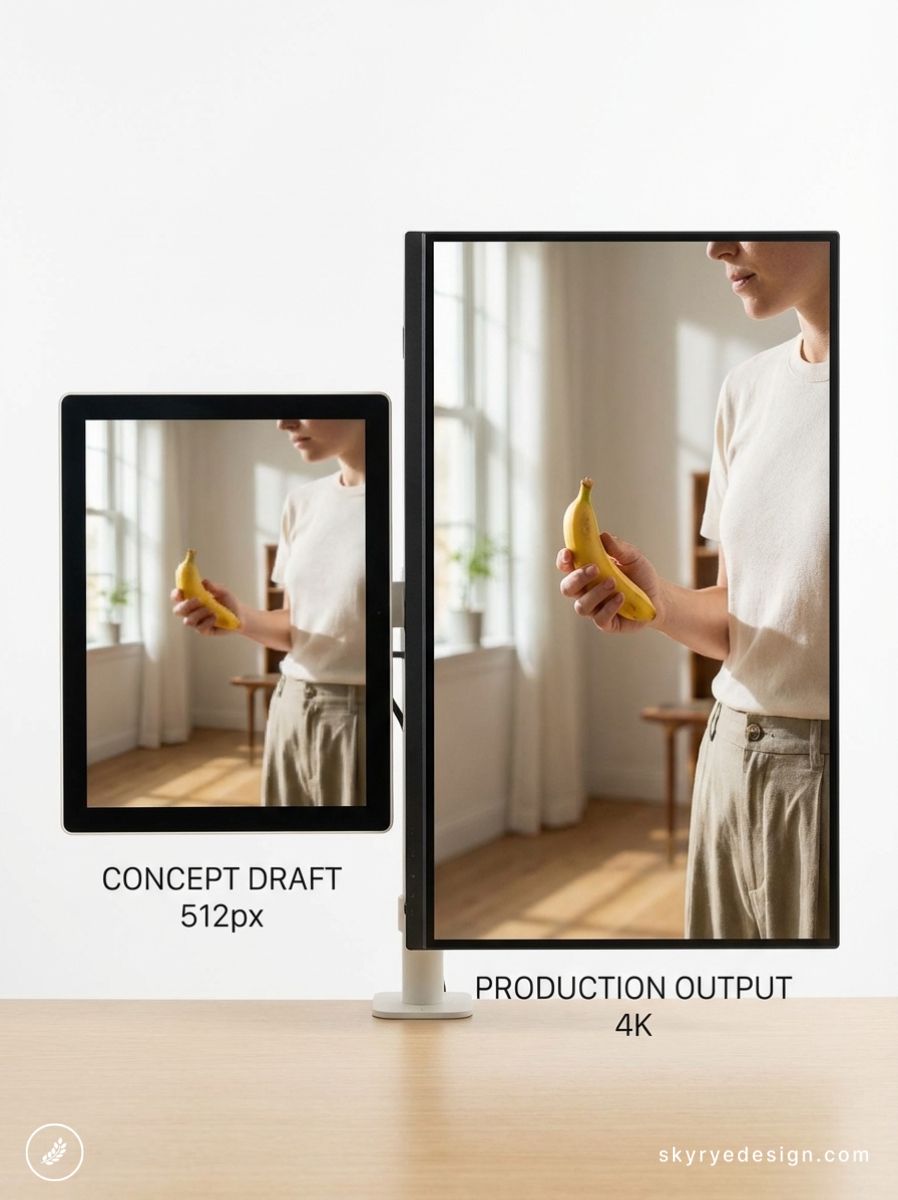
The caveat: output quality at high resolution depends directly on the quality and resolution of the reference images. A low-resolution reference uploaded as a character guide will limit the detail available in the output face, regardless of the upscaling. The principle is consistent with any production workflow: garbage in, garbage out, regardless of how sophisticated the processing in between.
The Four-Step Workflow in Practice
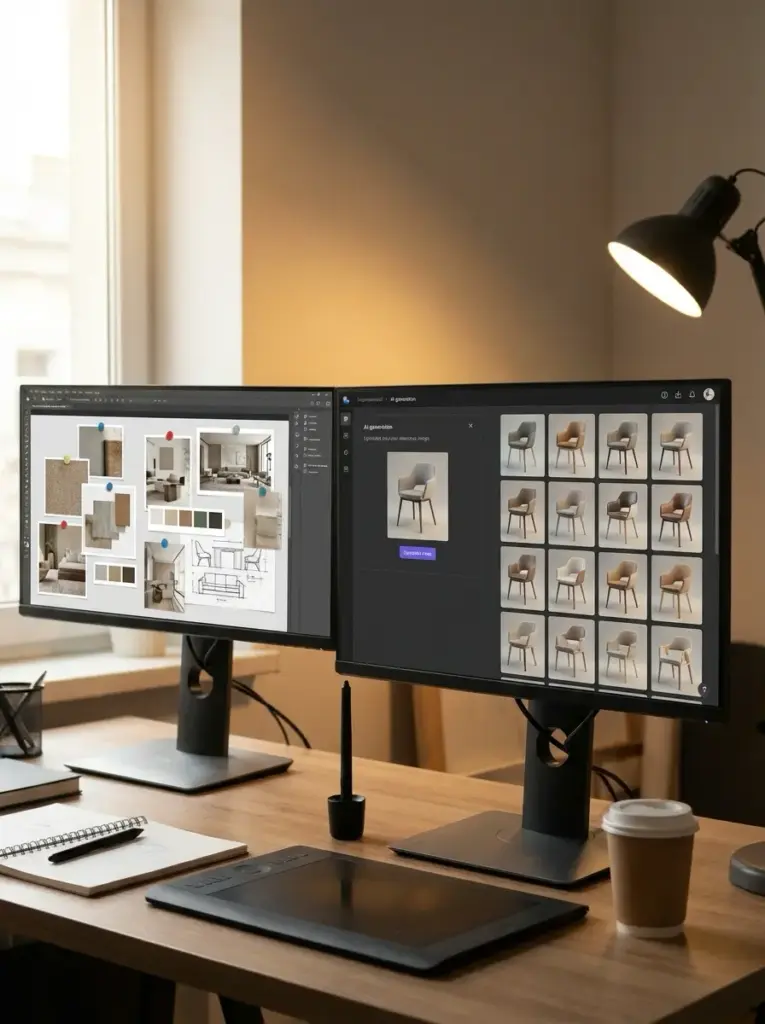
- Build your reference library before opening the tool. Collect a lighting reference, a character or style reference, and a composition reference before writing a single prompt. For brand work, use existing visual assets from the brand library — the AI system will extract the visual logic from what already works for the brand rather than interpreting a text description of it. The quality of your reference images is the primary determinant of output quality.
- Choose the mode before writing the prompt. Decide whether you need style transfer, character consistency, background modification, or another specific transformation type. The mode determines which model handles the request — selecting the wrong mode and then compensating with a more detailed prompt produces worse results than selecting the right mode with a simpler prompt. Mode selection is the most underestimated decision in the workflow.
- Generate multiple variations and evaluate structurally. Don’t evaluate the first output as a pass/fail. Evaluate it as a direction indicator — is the lighting moving the right way? Is the character stable? Is the composition logic correct? These structural questions are more useful than aesthetic judgments at this stage. Select the variation that gets the structural elements right, even if the surface details aren’t there yet.
- Iterate by changing one variable at a time. The most common iteration mistake is changing the prompt and the reference image simultaneously, then not knowing which change produced the different result. Adjust one element per iteration — the prompt wording, one reference image, the mode — and track what changed. Two to three iterations with clear single-variable changes typically produces a usable result from a well-defined brief.
✏ Designer note: The brief changes before the tool does. Designers who get the best results from image-to-image generation treat it like briefing a photographer rather than operating a filter: they arrive with a clear visual direction, specific references, and a defined outcome. The tool rewards design thinking — clarity of intent, organised references, specific direction — more than technical knowledge of the platform.
Where This Workflow Performs Best for Designers
Campaign and Brand Asset Production
The primary use case where Image to Image changes the economics of production work. Generating multiple brand-consistent assets — maintaining the same character, lighting logic, and colour temperature across twelve or twenty images — without a full production day is the clearest value proposition for design studios and in-house teams. The reference-based consistency control handles the continuity work that previously required extensive manual correction.

Concept Exploration Before Production Commitment
Before committing budget to a production shoot or illustration commission, generating multiple visual directions from the same brief provides the client with real visual options rather than mood board approximations. The outputs are not production-ready, but they’re specific enough to make a genuine creative decision — to choose direction A over direction B because the visual evidence supports that choice. This shifts the design approval process from approving descriptions to approving actual visual directions.
Visual Narrative and Sequential Outputs
Producing a visual narrative — a storyboard, a product story, an editorial sequence — requires consistent characters, consistent environments, and consistent lighting logic across multiple images. Image to image generation with character and style reference inputs maintains this continuity automatically in a way that text-only generation cannot. The result reads as a sequence rather than a collection of individually generated images.
Image to Image vs Traditional Editing: The Practical Comparison
WORKFLOW COMPARISON
| ASPECT | TRADITIONAL EDITING | IMAGE TO IMAGE AI |
| Input method | Manual adjustments | Prompt + reference images |
| Workflow structure | Step-by-step operations | Iterative generation |
| Style consistency | Manual replication | Reference-based control |
| Output variability | Limited without effort | Multiple variations per run |
| Learning curve | Tool-specific knowledge | Concept-driven interaction |
| Editing precision | Precise, time-consuming | Flexible, prompt-dependent |
| Character fidelity | Manual compositing | Reference-locked consistency |
| Resolution ceiling | Source file dependent | Up to 4K from concept draft |
The comparison reveals that the shift is not primarily about speed — it’s about how creative decisions are made during production. Traditional editing requires the designer to know what they want before they start and execute toward it precisely. Image to image generation allows the designer to arrive with a direction and discover the specific outcome through iteration. The creative process is less linear and more conversational.
The Limitations Worth Knowing Before You Brief
- Prompt quality is the primary variable. Vague prompts produce unpredictable outputs regardless of reference image quality. The prompt and the reference image work together — the image constrains the visual space, the prompt guides the direction within that space. A strong reference image with a vague prompt narrows the output to a visual style but doesn’t guide it toward a specific outcome.
- Complex scenes require more iterations. Highly specific or compositionally complex scenes — precise object placement, multiple characters in specific spatial relationships, exact lighting setups — require more iterations and may still require manual correction afterward. Image to image generation excels at atmospheric and stylistic consistency; it is less reliable at precise spatial composition.
- First outputs are direction indicators, not deliverables. The expectation that the first output will be usable produces disappointment. The correct expectation is that the first output establishes a direction and subsequent iterations refine it. Designers who treat the first output as a starting point rather than a result get significantly better outcomes from the workflow.
- Reference image quality has a ceiling effect. A low-resolution or visually ambiguous reference image limits output quality regardless of how sophisticated the model is. High-quality, clearly composed, well-lit reference images produce better outputs. Investing in the reference library is as important as learning the prompting technique.
What This Means for How Designers Work
The change image-to-image generation produces in design workflow is not primarily about replacing production steps — though it does that too. It’s about shifting where the creative work happens. Less time is spent in execution and correction; more time is spent in direction and iteration. The designer’s role moves upstream: toward clearer intent, better-organised references, more deliberate visual decisions made earlier in the process.
That shift rewards design thinking specifically. The question is no longer ‘how do I produce this effect technically’ — it’s ‘what do I want this to look like, and what evidence do I have for that direction?’ Arriving at Image to Image with a well-organised reference library, a clear brief, and a specific outcome in mind produces dramatically better results than arriving with an open question and hoping the tool generates inspiration.
The practical upshot: treat the reference library as the primary design artefact. The brief is the references. The prompt is the steering. The model is the execution. When those three things are aligned, two to three iterations produces something usable. When they’re not, no amount of prompt engineering closes the gap. The tool rewards the designer who knows what they want — and has the images to prove it.
FAQ: Image to Image AI for Designers
Q: What is Image to Image AI generation?
Image to Image is an AI generation method where an uploaded image acts as a structural or stylistic reference for the output rather than starting from pure text description. Instead of generating from a blank canvas, the system interprets and transforms what already exists — preserving composition, character identity, or visual style while applying the changes specified in the prompt. This produces more predictable, consistent results than text-only generation, particularly for design work requiring visual continuity across multiple assets.
Q: How is Image to Image different from prompting alone?
A text prompt describes intent in language, which the model interprets. Two designers describing the same concept will use different words and get different results. An image reference removes that ambiguity — it anchors the system to a specific visual reality. The combination of prompt and reference image is more precise than either input alone: the image constrains the visual space, the prompt guides the direction within it.
Q: Can it maintain character consistency across multiple outputs?
Yes — this is one of the primary practical advantages for campaign and brand work. By using the same portrait reference across multiple generations, the system preserves facial structure, clothing style, and visual identity across all outputs. Without reference-based consistency control, achieving this manually requires significant post-production effort — retouching, compositing, blending across images that were generated with slightly different character interpretations.
Q: What resolution outputs are possible?
Modern Image to Image platforms support outputs at 1K, 2K, and 4K depending on the selected model and input quality. This means concept drafts can often be upscaled to production-ready assets within the same workflow, reducing the need for external upscaling tools. Output quality at high resolution depends directly on the resolution and clarity of the reference images provided.
Q: How many iterations does it typically require?
Two to three iterations is a reasonable expectation for reaching a usable result with a clear brief and good reference images. The first output establishes the direction; subsequent iterations refine specific elements. Vague prompts or low-quality reference images increase the iteration count significantly. The tool performs best when the designer arrives with a clear visual intent rather than an open-ended brief.
- 16shares
- Facebook0
- Pinterest16
- Twitter0
- Reddit0