Table of contents
- What is the difference between UI and UX design?
- What UX design covers in practice
- What UI design covers in practice
- UX vs UI roles and responsibilities
- How UX and UI work together
- Choosing between a UX role and a UI role
- UI vs UX salaries and job outlook
- FAQ: UI vs UX design
Understanding the difference between UI and UX design can be confusing. Both are central to digital products. Both influence how users feel when they use an app or website. Yet they focus on different problems and require different skills.
This guide explains UI vs UX design in clear terms. It looks at what each discipline actually does day to day, how they work together, and what someone should consider if they want to build a career in either area.
What is the difference between UI and UX design?
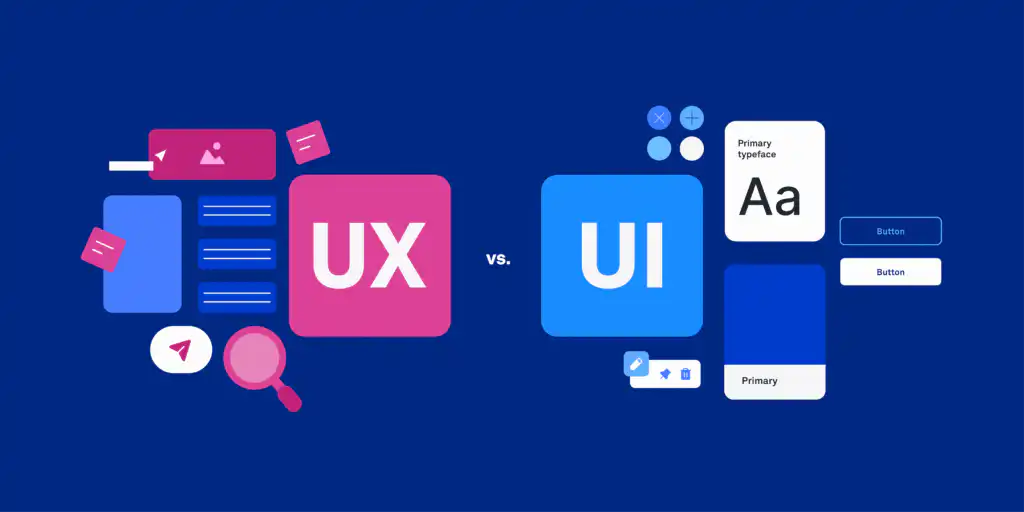
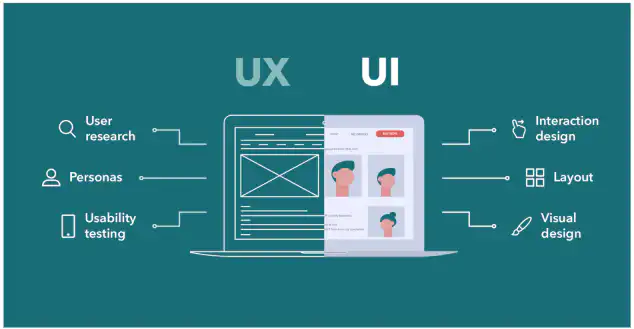
At a high level, UI design is about the surface of a digital product. UX design is about the overall experience someone has with that product or service.
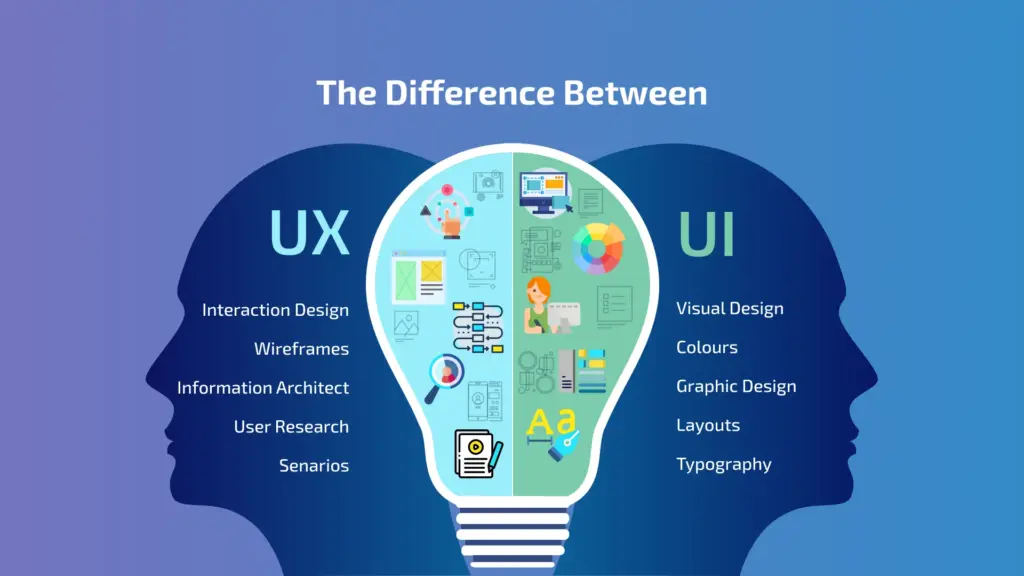
- User Interface (UI) design focuses on the visual and interactive elements a person uses. This includes screens, buttons, toggles, icons, menus and animations. It is concerned with how things look and how they respond when someone interacts with them (Interaction Design Foundation, Coursera).
- User Experience (UX) design covers the entire experience of using a product or service. It includes how easy it is to complete tasks, whether it feels intuitive, and how satisfied the user is overall. It looks at the journey from first discovering a product through to using it repeatedly over time (Interaction Design Foundation, Figma).
Several organizations describe this relationship using analogies:
- The UX Design Institute compares UX designers to architects who plan the structure and flow of a building, and UI designers to interior designers who choose the finishes and furniture that fit that blueprint (UX Design Institute).
- The Interaction Design Foundation explains UX as the whole car and UI as the driving console that a person touches and sees (Interaction Design Foundation).
Both descriptions highlight the same idea. UX sets the structure and journey. UI provides the visual and interactive layer that brings that journey to life.
What UX design covers in practice

User Experience design covers everything that shapes how someone feels when they interact with a product or service.
According to the Interaction Design Foundation, UX design is multidisciplinary and looks at branding, usability, design and function together, not just the interface itself (Interaction Design Foundation).
Core focus of UX design

UX design typically focuses on:
User needs and motivations
UX designers start with the why behind a product. They look at what problems users are trying to solve, what frustrates them today, and what would make their experience easier or more enjoyable (Interaction Design Foundation).Overall user journey
UX covers the steps a user takes to complete tasks such as logging in, booking an appointment or receiving follow up messages. It focuses on ease, efficiency and user friendliness across the whole end to end journey (UX Design Institute).Usability and accessibility
UX aims to reduce friction and ensure people can complete tasks successfully, including those with different abilities, device types or levels of digital confidence.Consistency across channels
UX considers how the experience works across mobile, tablet and desktop, and sometimes across non digital touchpoints as well. The goal is to keep the journey consistent and predictable across platforms (iCreatives).
Typical UX activities
UX responsibilities often include:
User researc
Interviews, surveys and contextual inquir
Persona creation and empathy mapping
Analysis of needs, motivations and pain points
Information architecture
Structuring content and features
Designing navigation and labeling systems
User flows and wireframes
Mapping how users move through a product
Low fidelity wireframes that outline content and functionality without detailed visuals
Prototyping and testing
Interactive prototypes to test early ideas
Usability testing to see where users struggle
Iterating based on feedback and analytics
Sources such as Figma and Coursera note that UX designers usually handle research, journey mapping, wireframing, prototyping, testing and continuous improvement based on user feedback (Figma, Coursera).
UX beyond digital interfaces
One important element of the difference between UI and UX design is scope. UX design can apply to both digital and non digital products, such as transportation systems or everyday objects like coffee pots. It considers the broader environment and context of use, not just the screen someone taps or clicks (Coursera).
What UI design covers in practice
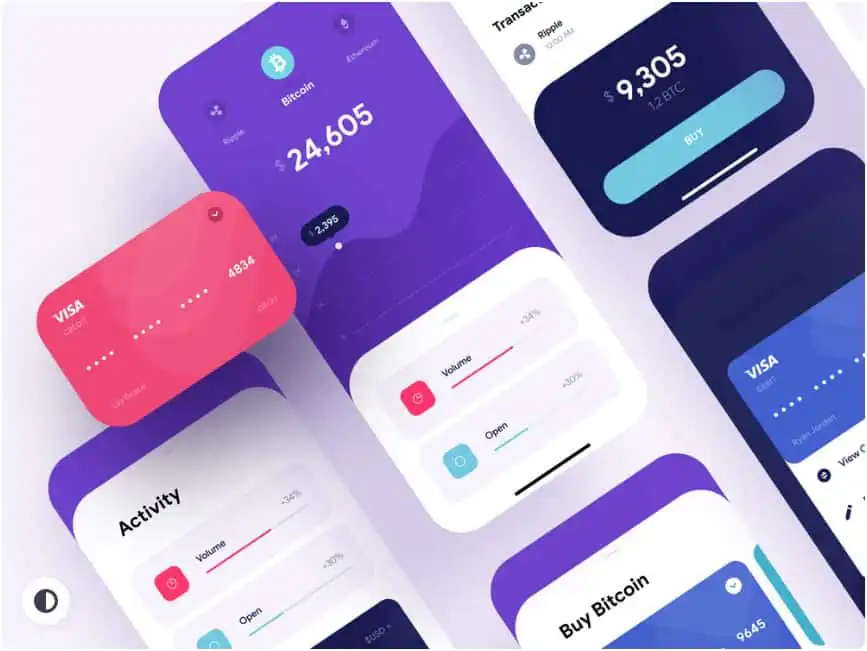
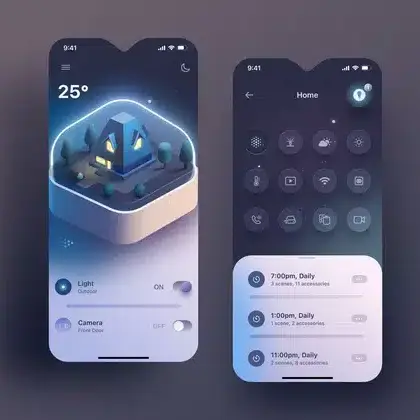
User Interface design is a subset of UX that concentrates on the visual and interactive layer of digital products.
Figma describes UI as the space where humans interact with technology. UI uses elements such as buttons, icons, menus, navigation and even voice or gesture commands to enable communication between the user and the system (Figma).
Core focus of UI design

UI design typically focuses on:
Visual look and feel
Color schemes
Typography
Layout and spacing
Iconography and imagery
Interactive behavior
Hover states and pressed states
Page transitions and micro interactions
Animations that give feedback or guide attention
Brand and emotional impact
UI design aims to align screens with the product brand and to create an interface that feels engaging, trustworthy and consistent with the company identity (Interaction Design Foundation).Responsiveness and accessibility
UI designers adjust layout and elements across devices and resolutions, and consider accessibility needs in color contrast, font sizes and interactive targets (iCreatives, Figma).
Typical UI activities
Common UI tasks include:
Design systems and style guides
Defining reusable components such as buttons and form fields
Setting visual rules for color, typography and spacing
High fidelity mockups and prototypes
Turning UX wireframes into detailed screens
Adding visuals, interactions and animations
Interaction design
Deciding how elements respond to user actions
Designing flows that feel clear and smooth
Asset preparation and documentation
Exporting icons and images
Documenting how components should behave
The Interaction Design Foundation notes that UI design aims to make interfaces intuitive, aesthetically pleasing and satisfying to use by applying principles of visual hierarchy and brand consistency (Interaction Design Foundation).
UX vs UI roles and responsibilities

Understanding the difference between UI and UX design is easier when roles are compared side by side.
UX vs UI responsibilities at a glance
| Area | UX designer focus | UI designer focus |
|---|---|---|
| Main goal | Make the product useful, usable and enjoyable overall | Make the interface attractive, consistent and easy to interact with |
| Scope | Entire user journey and experience, digital and sometimes non digital | Individual screens and components in digital products only (Coursera) |
| Research | User interviews, surveys, usability tests, analytics | May participate in research, but more often uses UX research outcomes |
| Structure and flows | Information architecture, user flows, wireframes | Page level layout guided by UX structure |
| Visual design | Basic layout decisions, sometimes low fidelity visuals | Color, typography, icons, imagery, detailed layouts |
| Interaction behaviour | High level journey and system feedback | Micro interactions, animations, component states |
| Outputs | Personas, journey maps, flows, wireframes, low to mid fidelity prototypes | Design systems, style guides, high fidelity mockups, interactive prototypes |
Sources such as the UX Design Institute and iCreatives highlight that UX designers concentrate on understanding users, solving functional problems and shaping overall flows. UI designers then build high fidelity visual and interactive interfaces based on that blueprint (UX Design Institute, iCreatives).
Why titles can be confusing
In practice, job titles are not always consistent.
- The Interaction Design Foundation notes that UX and UI are distinct but interdependent, and many roles blend tasks from both disciplines (Interaction Design Foundation).
- Figma explains that people with titles like product designer or UX designer may often take on UI responsibilities as well, depending on skills and team size (Figma).
For someone evaluating job descriptions, it is helpful to look at the specific tasks listed rather than relying only on the title.
How UX and UI work together
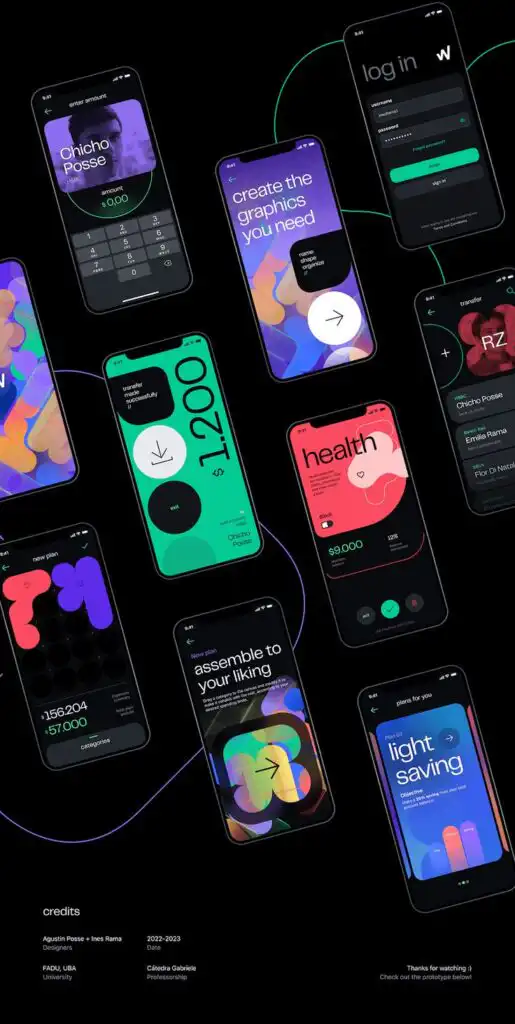

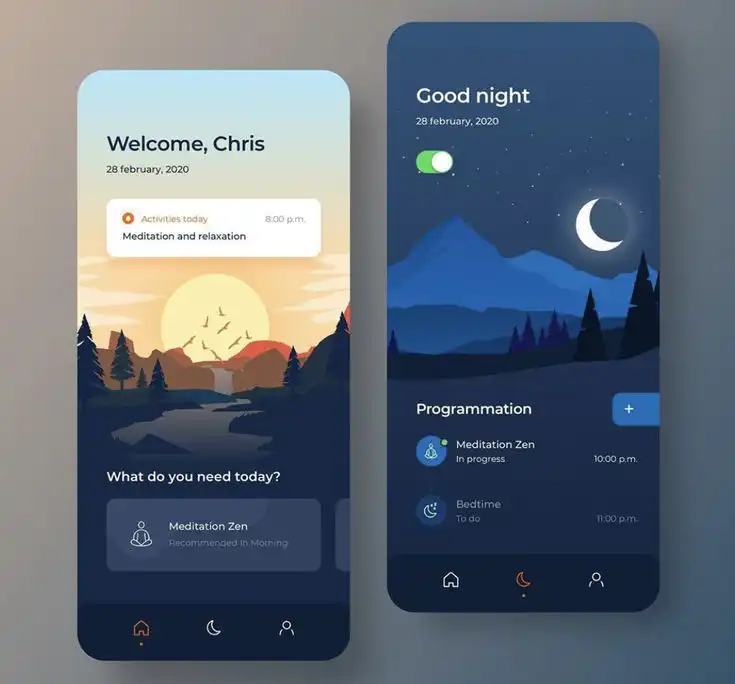
UX and UI are separate specialisms, but effective products rely on both working in tandem.
Interdependence of UX and UI
Several sources emphasize that UI cannot exist in isolation from UX:
- Figma describes UI as the discipline that brings the user experience to life, since it makes functions usable and visible to users. UX sets the flows and information architecture that underpin those interfaces (Figma).
- The Interaction Design Foundation notes that UX defines the strategy, structure and navigation, while UI focuses on visual touchpoints such as color and typography. Both are needed to produce a cohesive product (Interaction Design Foundation).
The UX Design Institute compares this collaboration to architects and interior designers working together so that a building is both structurally sound and pleasant to inhabit (UX Design Institute).
How collaboration usually works
In many teams, UX and UI designers collaborate throughout the design process:
- Discovery and research
- UX designers lead research on users and competitors.
- UI designers may join to understand user context and brand expectations.
- Concept and structure
- UX designers define user journeys, architecture and low fidelity wireframes.
- UI designers provide early input on feasibility and potential interaction patterns.
- Visual and interaction design
- UI designers create high fidelity mockups and prototypes that apply branding and interaction design.
- UX designers check that the visuals still support usability and flow.
- Testing and refinement
- Both disciplines participate in usability testing.
- UX focuses on whether tasks are completed successfully.
- UI looks at clarity of visual cues and whether interactions feel intuitive.
- Launch and iteration
- Analytics and user feedback inform further updates.
- UX may adjust flows and features.
- UI may refine visuals, spacing and component behavior.
Sources like iCreatives and Coursera highlight that close communication, shared tools such as wireframes and prototypes and joint user research help keep UX and UI aligned from early stages through to release (iCreatives, Coursera).
Choosing between a UX role and a UI role
For someone who is considering a career in design, understanding the difference between UI and UX design helps them judge which path suits their interests and strengths.
When UX design may be a better fit
A UX focused path may appeal to someone who:
- Enjoys talking to users and understanding their behavior
- Likes solving complex problems and structuring information
- Wants to improve processes and make tasks simpler and more efficient
- Is comfortable with iteration, testing and refining designs based on data
UX design uses skills from psychology, research and interaction design. UX roles typically involve more time spent on research, journeys and low fidelity prototypes compared with detailed visuals (Interaction Design Foundation).
When UI design may be a better fit
A UI focused path may appeal to someone who:
- Has a strong eye for visual design and detail
- Enjoys creating layouts, picking fonts and working with color
- Likes shaping how interfaces respond to clicks, taps and gestures
- Wants to focus on digital products rather than broader service design
Figma points out that UI designers bring skills in accessibility and responsive design and that they aim to create simple, clean and intuitive interfaces that give people a sense of control without needing tutorials (Figma).
UI design is more similar to graphic design than UX, but it adds layers of interaction, usability and platform specific constraints that go beyond print or static visual work (Figma).
Considering hybrid roles
Because many companies blend responsibilities, some designers build a hybrid skill set.
The Interaction Design Foundation notes that while UX and UI can be separated conceptually, in practice there is often overlap and designers may benefit from understanding both areas, even if they choose to specialize (Interaction Design Foundation).
For someone entering the field, it can be useful to:
- Learn foundational UX concepts such as user research, accessibility and information architecture.
- Learn core UI concepts such as layout, color, typography and component design.
- Build sample projects that cover both journeys and interfaces, then decide where to specialize.
UI vs UX salaries and job outlook



For many people, the difference between UI and UX design is not only about daily tasks but also about compensation and career prospects.
Coursera reports median salaries in the United States of:
- $109,000 for UX designers
- $114,000 for UI designers
These figures vary by location, industry, experience and education level (Coursera).
Across sources, UI and UX roles are both described as in demand, given the growth of digital products and services. Collaboration with other roles, such as business analysts or developers, is common, and many organizations are still formalizing how they structure design teams (Figma).
FAQ: UI vs UX design



1. What is the main difference between UI and UX design?
The main difference between UI and UX design is scope.
- UX design covers the entire user experience, from first contact to repeated use. It focuses on how well a product solves problems, how easy it is to use and how it makes users feel overall.
- UI design focuses on the specific visual and interactive elements people use inside a digital product, such as buttons, menus and icons. It controls how the product looks and responds to user actions (Interaction Design Foundation).
2. Can someone be both a UX and UI designer?
Yes. In many teams a single person may handle both UX and UI tasks, especially in smaller companies.
Figma notes that job titles like product designer or UX designer can involve both UX and UI responsibilities, depending on the needs of the organization and the skills of the individual designer (Figma). However, larger teams often hire separate specialists so that each area receives focused attention.
3. Does UX design always include UI design?
UX design does not always include full UI design. UX can apply to physical services, offline experiences and systems that have limited or no digital interfaces, such as transportation or service environments (Coursera).
In digital products, UX and UI are closely connected. UX often defines flows and wireframes, and UI builds on top of that work to create detailed visual and interactive designs. In some roles the same person handles both, in others there is a dedicated UI designer.
4. Which is easier to learn, UI or UX?
Neither UI nor UX is universally easier. They simply focus on different skills.
- People with strong visual instincts and an interest in graphic design may find UI more intuitive to begin with, because it deals directly with colors, typography and layouts.
- People who enjoy research, psychology and systems thinking may find UX more natural, because it focuses on understanding behavior and designing flows.
Most introductory programs recommend learning the basics of both UI and UX first, then choosing a direction based on interest and strengths (Interaction Design Foundation, Figma).
5. Is UI design only about making things look good?
No. UI design is about more than appearance.
The Interaction Design Foundation emphasizes that UI design focuses on making interfaces intuitive, aesthetically pleasing and satisfying to use. This includes visual hierarchy, brand consistency and clear interaction states (Interaction Design Foundation).
Figma also notes that UI design applies usability and interaction design principles to all product functions in order to build an emotional connection with users and enable them to navigate without needing instructions (Figma).
Appearance is part of UI, but usability and clarity are just as important.
Understanding the difference between UI and UX design helps clarify what each discipline offers and how they work together. For anyone evaluating roles, training options or design work itself, this distinction makes it easier to judge which skills are needed and what kind of contribution each designer is expected to make.
- 0shares
- Facebook0
- Pinterest0
- Twitter0
- Reddit0