Want to learn how to draw a vector that makes your projects pop? You’re in the right place! Vectors might seem intimidating at first, but by breaking the process into simple, easy-to-follow steps, you can create precise and striking illustrations. Whether it’s for math, engineering, or digital art, mastering how to draw a vector will help your work stand out with clarity and style. Below, you’ll find some friendly guidance to help you get started.
Brush up on vector basics
Understanding the definition and purpose of a vector is the first step to drawing one well. In math and physics, a vector is a directed line segment whose length indicates magnitude and whose arrow shows direction (Wikipedia). By focusing on the key components — magnitude and direction — you’ll create a clear, accurate representation.
What sets vectors apart
- They have both size (magnitude) and direction.
- They’re drawn as arrows to illustrate their point of application.
- They can be shifted anywhere in a plane or space as long as the length and orientation stay the same (Math Insight).
Draw a 2D vector
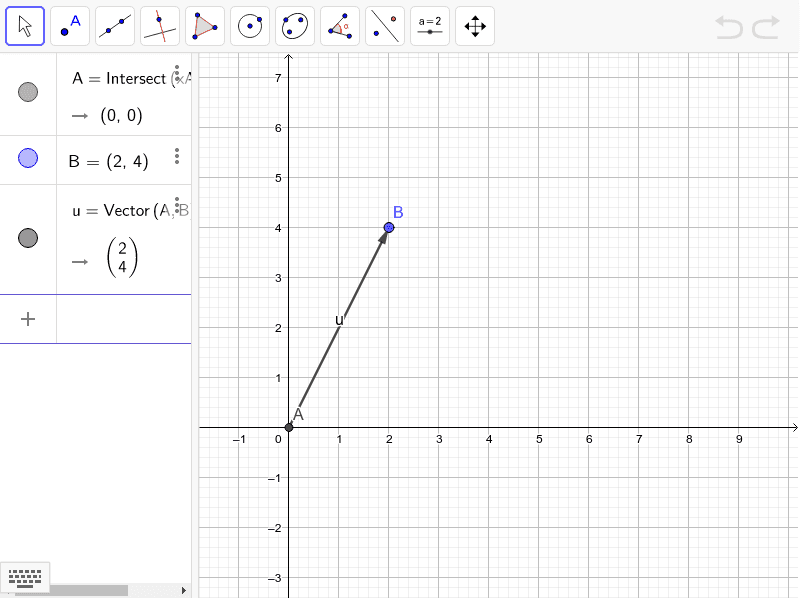
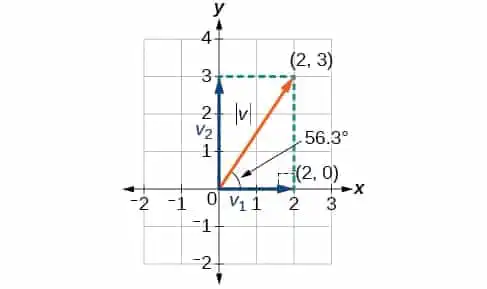
Most people start by drawing vectors in two dimensions. The classic approach involves placing the vector’s tail at the origin (0,0) and marking its head at the coordinates (x, y).
Plot your vector components
- Identify the horizontal (x) and vertical (y) components of your vector.
- On a coordinate grid, move x units along the x-axis and y units along the y-axis.
- Mark this point to show where the vector will end.
Mark the arrow
- Draw a straight line from (0,0) to (x,y).
- Add an arrowhead at (x,y) to indicate direction.
- Label your vector, for example, (\vec{v}).
By labeling the arrow, you’ll keep your diagram clear and prevent confusion when referencing multiple vectors.
Draw a 3D vector
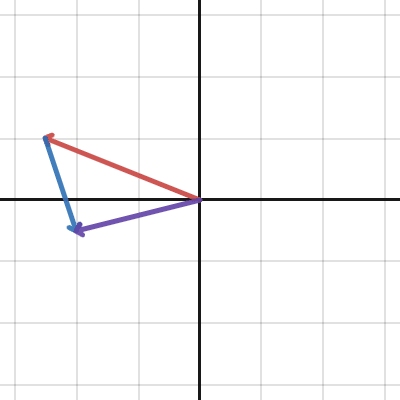
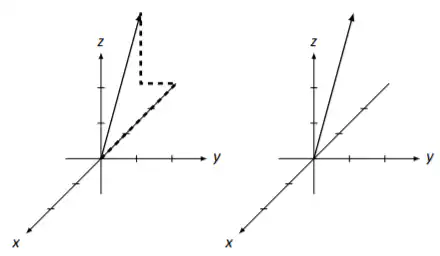
Three-dimensional vectors add a new layer of complexity. You’re still dealing with a head and tail, but now there’s an extra z-axis.
Focus on each axis
- Start by moving along the x-axis from (0,0,0).
- From that point, move parallel to the y-axis.
- Finally, shift up or down along the z-axis based on your vector’s third component (LibreTexts).
Use dashed lines for clarity
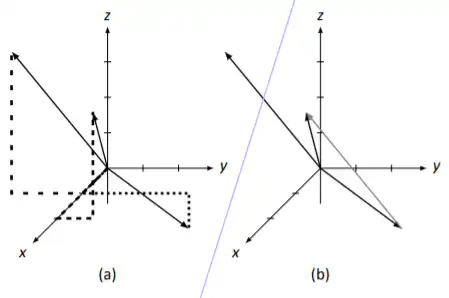
- Use dotted or dashed lines on each axis so you can see exactly where the endpoint lands.
- Clearly label the final point (x, y, z) and draw an arrow back to the origin.
This method helps you visualize where your vector extends in 3D space.
Best practices for crisp results
If you’re drawing vectors as part of a graphic design or technical illustration, a few professional tips can keep your work sharp and consistent.
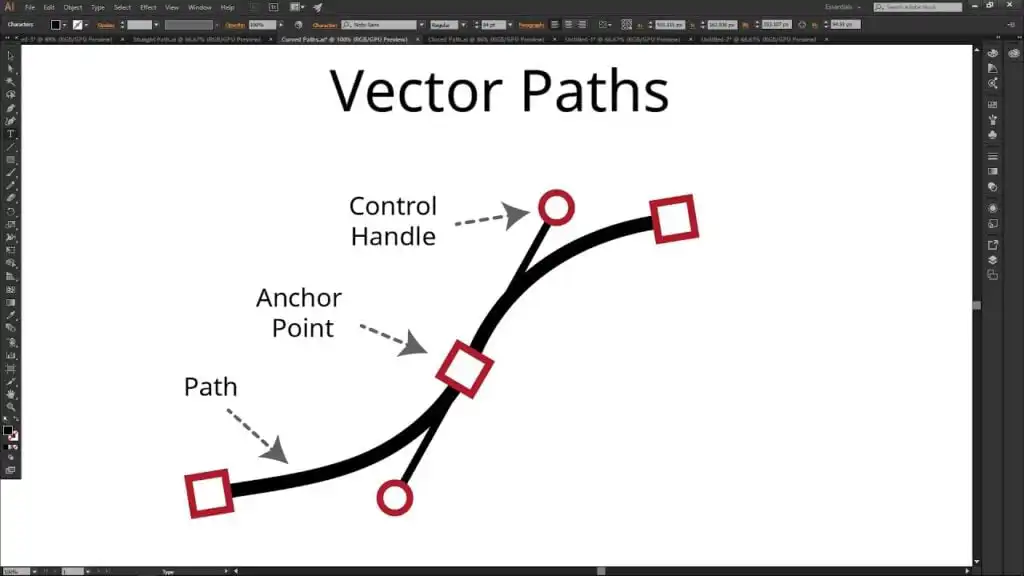
Mind your anchor points and text
- Keep anchor points to a minimum so your lines remain smooth and easy to edit (DigitEMB).
- Convert text into vector paths to avoid font compatibility issues.
Choose the right color mode
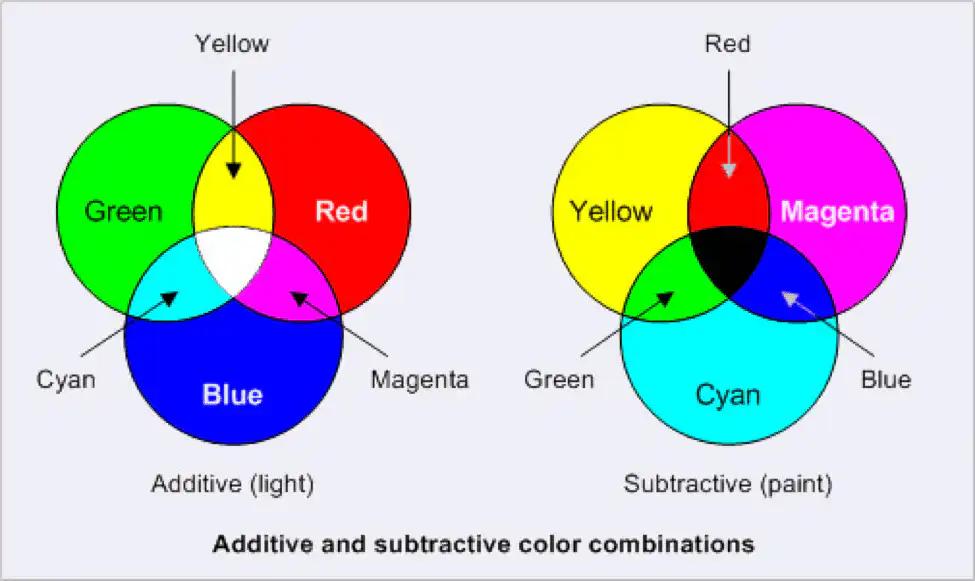
- Use RGB if your final image is for digital displays.
- Go with CMYK if you plan on printing your design (DigitEMB).
- Maintain a resolution of 300 dpi for detailed prints.
Key takeaways
- A vector’s magnitude and direction are its defining features.
- In 2D, simply plot your (x, y) components on a coordinate plane, then draw an arrow.
- In 3D, account for x, y, and z by moving along each axis in sequence.
- Label your vectors clearly to avoid confusion, especially when working with multiple vectors.
- For professional vector artwork, keep design considerations like anchor points, text conversion, and color modes in mind.
Faqs about vector drawing
Why would I draw a vector at the origin?
Placing a vector at (0,0) makes plotting and measuring simpler. You can easily read off the coordinates and show the direction without cluttering your diagram.Can I move a vector around without changing it?
Yes. A “free vector” can be placed anywhere as long as its magnitude and direction remain the same.How do I draw a negative component?
Move in the opposite direction along the axis. For instance, negative x goes left instead of right, and negative y goes down instead of up.Is it necessary to label every vector?
Labeling vectors is a good habit, especially when you have several arrows on the same plane. This ensures you can reference each one quickly.Do I need special tools to draw 3D vectors?
You can do it by hand, but tools like graphing calculators or 3D design software can help you plot points accurately and create clearer diagrams.
Feel free to experiment with different placements, scales, and angles. The more you practice how to draw a vector, the more comfortable you’ll become at showing magnitude and direction in any setting.
- 14shares
- Facebook0
- Pinterest14
- Twitter0
- Reddit0