I spent three weeks specifying a smart home automation system for a client — the lighting scenes, the HVAC schedules, the security cameras, the motorised blinds, the multi-room audio. Every device was specified, every integration tested in a lab environment, every scene programmed and verified. Then the client moved in, and on day one the system was unreliable in ways that had nothing to do with the automation design.
The problem was the internet connection. The house had a cable service with 300 Mbps download and 15 Mbps upload. With thirty-two connected devices — security cameras sending continuous streams, sensors reporting every thirty seconds, voice assistants waiting for commands — the upload pipe was the bottleneck.
Every camera stream consumed 3-4 Mbps of upload bandwidth. Eight cameras meant 24-32 Mbps continuously, which left almost nothing for everything else. Commands felt slow. Automations fired with a perceptible lag. The system that had worked perfectly in testing was unreliable in practice — because the broadband specification had been treated as a utility decision rather than a design one.
That experience changed how I approach smart home projects. Broadband is not the utility that powers the design — it is part of the design. The connection type, the upload speed, the latency, and the router architecture are as much a specification decision as the switching system or the lighting protocol.
This guide covers what those decisions actually involve: what smart homes need from a broadband connection, how fiber, cable, and fixed wireless compare for connected home use, and which providers are currently delivering the performance that smart home design demands.
What a Smart Home Actually Needs from a Broadband Connection
The instinct when planning a smart home network is to think about speed — to ask ‘how many Mbps do we need?’ The more useful questions are about simultaneity, symmetry, and latency. A smart home doesn’t usually need a fast internet connection. It needs a consistent, low-latency connection that can handle many small conversations happening at once — which is a different requirement from what most households optimise for.
The Bandwidth Calculation
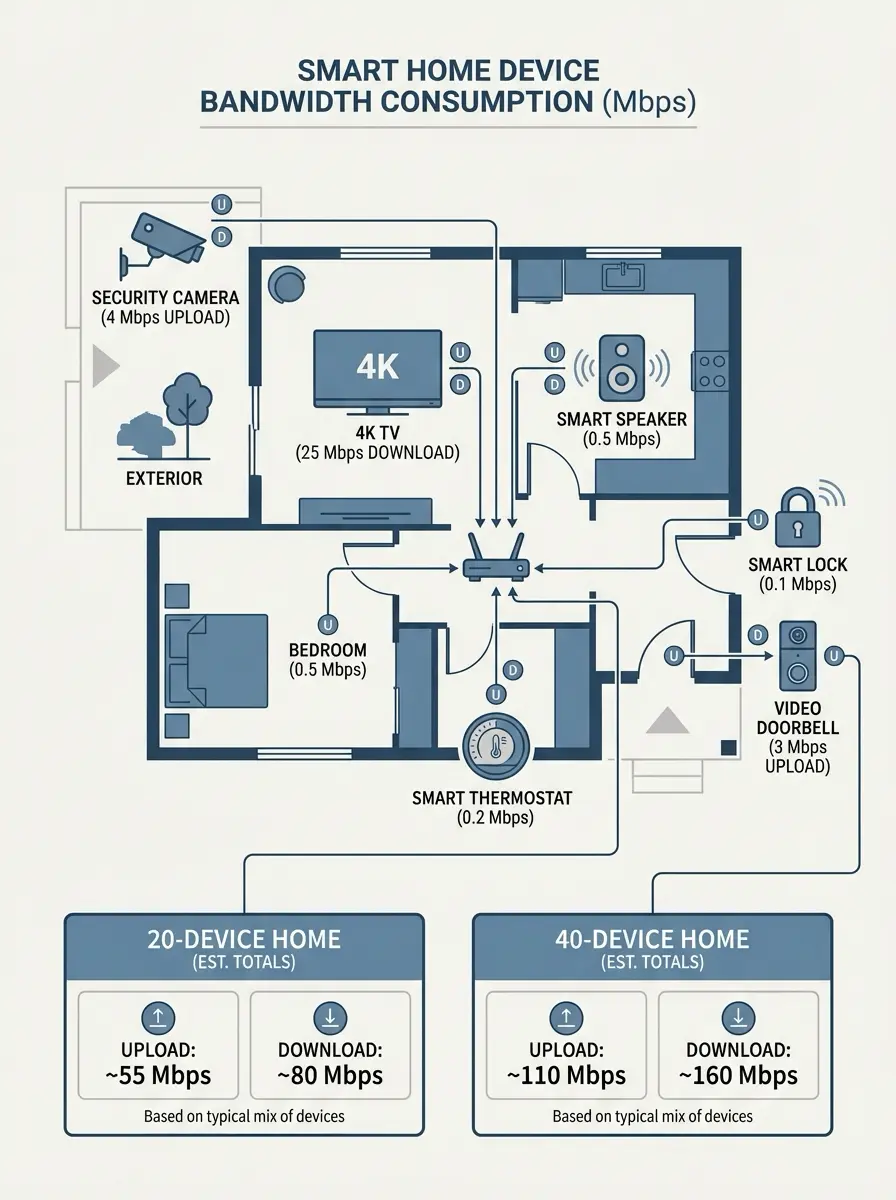
A well-equipped smart home with 20-30 connected devices typically needs 100-200 Mbps of sustained bandwidth — not the 1 Gbps marketed by most fiber providers. The actual consumption: each 4K streaming screen uses approximately 25 Mbps; an actively recording video doorbell uses 2-4 Mbps; a security camera on continuous cloud recording uses 3-5 Mbps; smart speakers and sensors collectively use under 1 Mbps each. Eight cameras plus two streaming screens plus background device traffic sits comfortably within 200 Mbps total.
The critical number is upload bandwidth, not download — and this is where cable connections fail smart homes despite marketing impressive download figures. A security system with eight cameras recording continuously to cloud storage may need 25-40 Mbps of upload capacity. A standard cable plan offering 300 Mbps down / 15 Mbps up is almost fully saturated on the upload side by the camera system alone, leaving little room for voice assistant responses, smart lock communication, and HVAC sensor data.
Latency and Automation Responsiveness
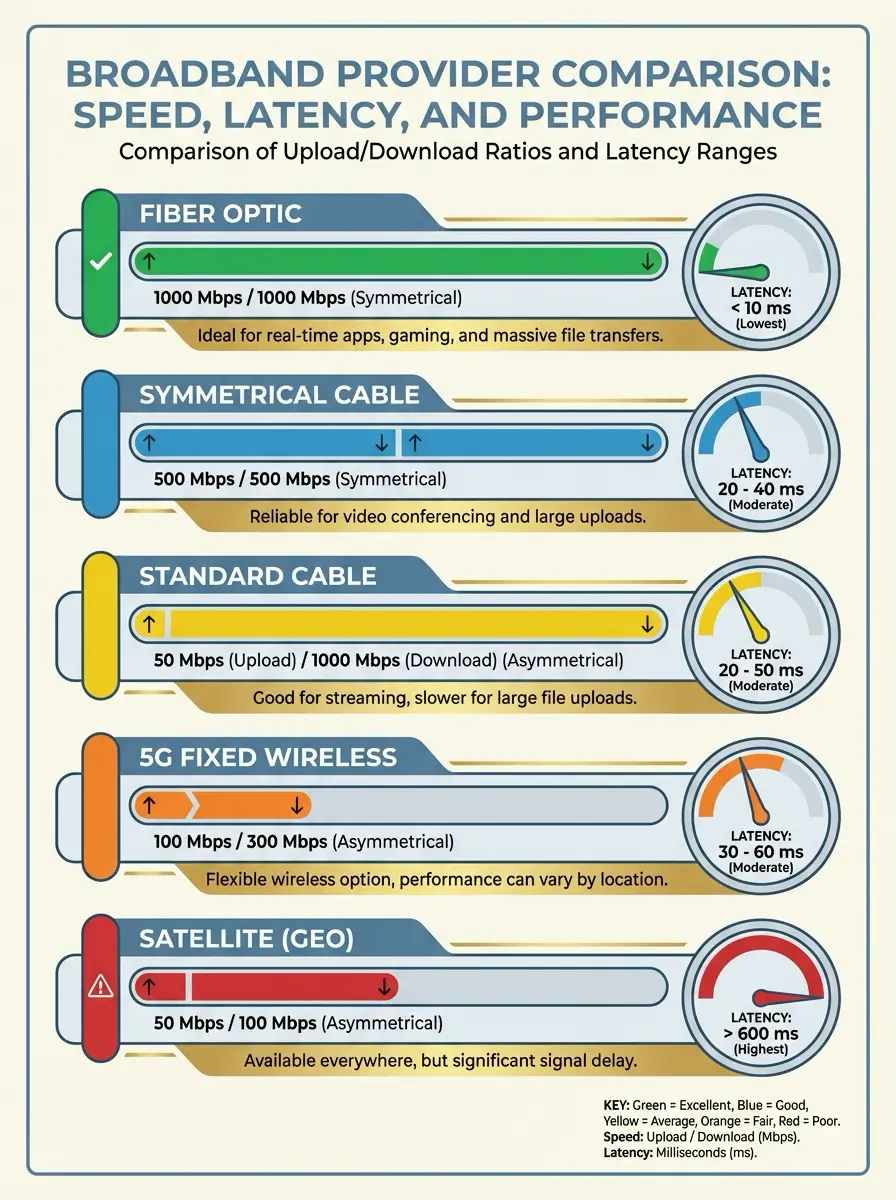
Latency — the round-trip time for a signal to travel from the device to the server and back — determines how responsive smart home automations feel. A fiber connection typically achieves 5-10 milliseconds of latency. Cable sits at 15-30ms. Fixed wireless (5G home internet) runs 20-40ms. The human perception threshold for lag in command response is approximately 100ms, so all of these are technically acceptable — but for security-critical functions like door lock commands or alarm triggers, the lower the latency the better, because faster command execution reduces the window for timing-based attacks.
Device Density and Router Architecture
The broadband connection is only half the equation. A standard ISP-provided gateway router typically supports 20-30 simultaneous device connections comfortably — below the device count of a well-specified smart home. A 40-device smart home on an ISP gateway often experiences dropped connections and slow automations not because of the broadband speed but because the router is overwhelmed. The specification decision: a Wi-Fi 6 mesh router system (Eero Pro 6E, Google Nest WiFi Pro, or Ubiquiti UniFi for high-performance installations) with OFDMA technology — which allows the router to communicate with multiple devices simultaneously rather than sequentially — is as important as the broadband contract itself.
✏ Design note: Before specifying broadband for a smart home project, count every device that will require a persistent internet connection: cameras, doorbells, locks, thermostats, voice assistants, streaming devices, smart TVs, media players, lighting bridges, and sensors. Multiply cameras by 4 Mbps for upload budget, everything else by 0.5 Mbps. The total upload requirement determines whether cable is viable or whether fiber is necessary. Most smart homes with more than 12 cameras require fiber’s symmetrical upload to operate without congestion.
Fiber vs Cable vs 5G: The Smart Home Comparison
Fiber: The Right Infrastructure Choice
Fiber transmits data as pulses of light through glass strands. The result: symmetrical speeds (equal upload and download, which is critical for smart homes), latency below 10ms, no electrical interference, and no performance degradation during peak neighbourhood usage. A fiber connection is the only broadband technology that offers the combination of high upload speeds and low latency that a well-specified smart home requires.
The practical difference for a smart home: on a 500 Mbps fiber plan with symmetrical speeds, a security system with twelve cameras recording to cloud has ample upload headroom for camera streams, voice assistant communication, lock commands, and sensor data simultaneously. The same household on a 500 Mbps cable plan with 20 Mbps upload is running the cameras at the edge of the connection’s capacity — any additional upload traffic degrades all of it
Cable: Fast Downloads, Asymmetric Constraint
Cable internet uses coaxial copper infrastructure and delivers fast download speeds at competitive prices. The limitation for smart homes is structural: cable is inherently asymmetric, with upload speeds capped at 35-50 Mbps on most plans regardless of the download tier. This is a technology constraint, not a pricing decision — the DOCSIS cable standard allocates much more spectrum to download than upload, reflecting a design assumption from an era when homes consumed far more data than they sent.
For light smart home setups — under 10 devices, no continuous cloud recording cameras — cable is adequate. For medium to heavy smart home configurations, the upload constraint becomes a daily operational reality. The emerging DOCSIS 3.1 and 4.0 cable standards improve upload performance significantly, and providers like Xfinity are rolling out multi-gigabit symmetric cable in select areas — but mainstream availability remains limited as of 2026.
Fixed Wireless (5G): The Modern Alternative
5G fixed wireless home internet — T-Mobile and Verizon are the primary providers — has matured into a genuinely viable option for smart homes where fiber hasn’t reached. Typical speeds of 100-300 Mbps down with 10-40 Mbps up, unlimited data, no contract, and plug-and-play installation make it an attractive primary connection for light to medium smart home setups. The limitation is performance variability: 5G speeds depend on cell tower distance and neighbourhood traffic, and heavy rain or building materials can attenuate the signal.
For smart home design, 5G fixed wireless works well as a primary connection for smaller setups or as a reliable failover when the primary fiber or cable connection drops. A T-Mobile gateway set as the backup connection on a second-WAN router costs $50/month with no contract — less than most insurance riders — and provides instant failover when the primary line fails. For remote workers with smart home security systems, this redundancy is the most practical insurance available.
The Providers: Rated for Smart Home Performance
The following provider assessments draw on 2026 coverage data and independent speed testing. For households in Huntsville, Alabama — where fibre competition has reached unusual density — a 2026 BroadbandNow analysis found that 92 percent of local households can choose from at least two high-speed providers, and many see three or more. This level of competition is instructive: it demonstrates what a well-served broadband market looks like for smart home design, and the provider landscape there reflects the choices increasingly available in other competitive metros.
01 — AT&T Fiber
Connection type: Fiber — symmetrical upload and download
Best for: Security-heavy smart homes with 8+ cameras, remote workers, multi-zone HVAC and lighting automation
Top speed / Starting price: Up to 5 Gbps symmetrical / From $55/month, no contract, no data cap
Smart home design note: Single-digit millisecond latency means voice assistant commands, lock activations, and automation triggers execute without perceptible lag. The symmetrical upload is the critical specification for camera-heavy installations. Wi-Fi 6 gateway included — supplement with a mesh system for large floor plans.
02 — Google Fiber
Connection type: Fiber — symmetrical upload and download
Best for: Power users, content creators working from home, future-proofed installations expecting 8K and VR workloads
Top speed / Starting price: Up to 8 Gbps symmetrical / From $70/month, no contract, no data cap
Smart home design note: The 8 Gbps tier is the fastest residential plan in most markets where Google Fiber operates — more than any current smart home requires, but provides a decade of headroom for technology that doesn’t exist yet. J.D. Power ISP study ranked Google Fiber first in customer satisfaction in the South region in 2025. Included mesh equipment is above average quality.
03 — WOW! Internet
Connection type: Cable / limited fibre hybrid
Best for: Value-conscious households wanting no-contract flexibility, moderate smart home setups under 15 devices
Top speed / Starting price: Up to 1 Gbps download / 50 Mbps upload / From $50/month, no contract, no data cap
Smart home design note: No data cap and no contract are the key smart home advantages — a heavy camera system recording continuously won’t trigger overage charges, and the plan can be upgraded as the smart home scales. The 50 Mbps upload is adequate for 10-12 cameras. The local service model of providers like WOW!, described in detail by this Huntsville, AL Home Internet provider comparison, demonstrates the value of regional operators who understand local infrastructure conditions better than national averages suggest.
04 — Xfinity
Connection type: Cable — asymmetric download-heavy
Best for: Large households needing the widest coverage footprint; bundle seekers combining broadband with mobile and streaming
Top speed / Starting price: Up to 1.2 Gbps download / 35 Mbps upload / From $30/month, optional contract, unlimited on new plans
Smart home design note: Xfinity’s 84% city coverage makes it the fallback when fiber hasn’t reached an address. The 5-year price guarantee on new plans resolves the historical pain point of year-two rate increases. Upload is the limitation for smart homes — 35 Mbps constrains camera-heavy systems. Confirm unlimited data inclusion before signing; legacy plans still carry the 1.2 TB cap.
05 — T-Mobile 5G Home
Connection type: Fixed wireless — 5G signal to in-home gateway
Best for: Renters, homes where fiber is unavailable, smart home backup connection, fringe suburban locations
Top speed / Starting price: 100-300 Mbps typical, unlimited data / $50/month, no contract — $30 for qualifying mobile customers
Smart home design note: The plug-and-play installation (no technician, no trenching, 15-minute setup) makes T-Mobile ideal as a smart home backup connection. Set up on a dual-WAN router alongside a primary fiber line — the gateway stays idle until the primary fails, then activates instantly. Unlimited data at $50/month with no contract means the backup line costs less than most insurance riders.
| Provider | Connection | City coverage | Top advertised speeds | Starter price* | Data cap | Contract |
| AT&T Fiber | Fiber | ≈ 80 percent | 5 Gbps down / up | $55 | None | No |
| Google Fiber | Fiber | ≈ 73 percent | 8 Gbps down / up | $70 | None | No |
| WOW! Internet | Cable / limited fiber | ≈ 77 percent | 1 Gbps / 50 Mbps up | $50 | None | No |
| Xfinity | Cable | ≈ 84 percent | 1.2 Gbps / 35 Mbps up | $30 | None | Optional |
| T-Mobile 5G Home | Fixed wireless | ≈ 88 percent | 100–300 Mbps typical | $50 | None | No |
| Verizon 5G Home | Fixed wireless | ~60 percent† | 85–300 Mbps typical | $50 | None | No |
| Mediacom | Cable | 17 percent | 1 Gbps / 50 Mbps up | $30 | 200 GB–6 TB | 1 year |
| Starlink | Low-orbit satellite | 100 percent | 50–200 Mbps | $50 | ~1 TB soft | No |
| Viasat | GEO satellite | 100 percent | 150 Mbps | $70 | 150 GB–Unlimited | 1 year / No |
Designing the Smart Home Network: Beyond the Broadband Contract
The broadband connection determines the ceiling of smart home performance. The router and network architecture determine whether you reach that ceiling. A fiber connection feeding an ISP gateway router into a 40-device smart home is underperforming its potential. The same connection feeding a properly configured Wi-Fi 6 mesh system with VLANs and quality-of-service rules realises the full specification.
The Case for Network Segmentation
A professional smart home network separates devices into Virtual Local Area Networks (VLANs) — isolated network segments that communicate with the internet but not directly with each other. Practical segmentation: an IoT VLAN containing all smart home devices (cameras, locks, sensors, bulbs), a trusted VLAN containing computers and phones, and a guest VLAN for visitor devices. This segmentation means that a compromised smart device — a camera or smart plug with a security vulnerability — cannot access the trusted network where personal data lives.
VLAN configuration requires a router that supports it — ISP gateways typically don’t. Ubiquiti UniFi is the professional standard for segmented smart home networks; the Dream Machine Pro handles VLANs, firewall rules, and quality-of-service prioritisation with a level of control unavailable in consumer-grade hardware. For less technically demanding installations, the Eero Pro 6E with its Eero Secure subscription provides network-level ad blocking, content filtering, and activity monitoring across the full device fleet — a consumer-accessible approximation of professional network management.
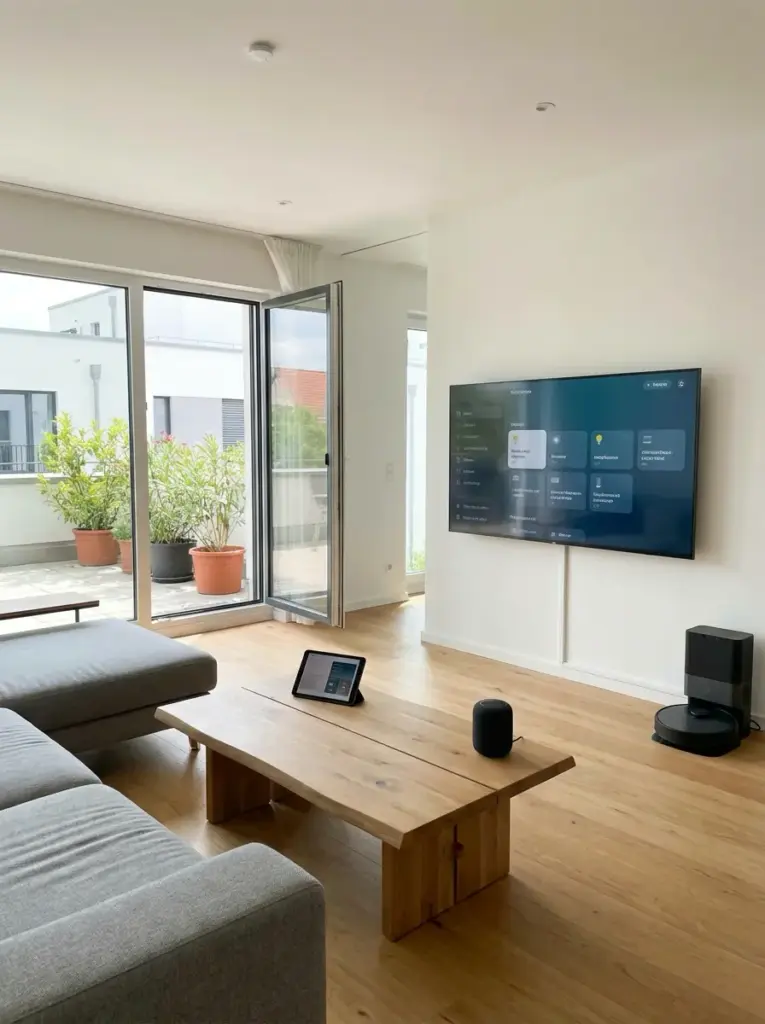
Quality of Service: Prioritising What Matters
Quality of Service (QoS) rules tell the router which traffic to prioritise when the connection is congested. For a smart home: security device traffic (cameras, locks, alarms) should be highest priority — never delayed by a Netflix stream consuming bandwidth. Voice assistant traffic is second priority — the 200ms response window for voice commands is perceptible to humans. Streaming and general browsing are lowest priority, because a momentary quality dip is acceptable but a delayed security response is not.
Most Wi-Fi 6 mesh systems include simplified QoS controls. Ubiquiti UniFi provides granular per-device prioritisation. The combination of fiber’s symmetrical upload and proper QoS configuration is the specification that separates a smart home that performs reliably under load from one that feels intermittently sluggish — a distinction that’s often attributed to the broadband connection but actually reflects the network architecture.
The Local Processing Option
Every cloud-dependent smart home is vulnerable to two failure modes: the broadband connection fails, or the cloud service fails. A smart home built on local processing — Home Assistant on a local server, or a Hubitat hub for Z-Wave and Zigbee devices — removes both dependencies for the core automation functions. Lights still turn on at sunset, the security alarm still arms, the HVAC schedule still runs — all without internet connectivity. Cloud services are optional additions for remote access and external integrations, not required for basic operation.
Local processing also reduces the latency of automation responses from the 100-300ms of a cloud round-trip to the 5-20ms of a local network operation — a perceptible difference in lighting responses and lock activations. The specification tradeoff: local processing requires more setup effort and maintenance than cloud-dependent systems. For smart homes where reliability and privacy are priorities, the investment is warranted.
✏ Design note: Specify the router system before specifying the smart home devices. The router architecture — single gateway vs mesh system, consumer vs professional grade, cloud-dependent vs locally managed — determines what device protocols are viable, how many simultaneous connections can be supported, and what network security model is achievable. A smart home designed around a Ubiquiti UniFi network can use any device protocol; one designed around an ISP gateway is constrained to what the gateway can handle. Router first, devices second.
The Broadband Specification Is the Foundation
A smart home is a networked system. Like every networked system, its performance is determined by its infrastructure — and the broadband connection is the most fundamental piece of that infrastructure. Specifying it as an afterthought, or leaving it to the client to sort out independently, is equivalent to designing a building without specifying the structural system and hoping the contractor makes reasonable choices.
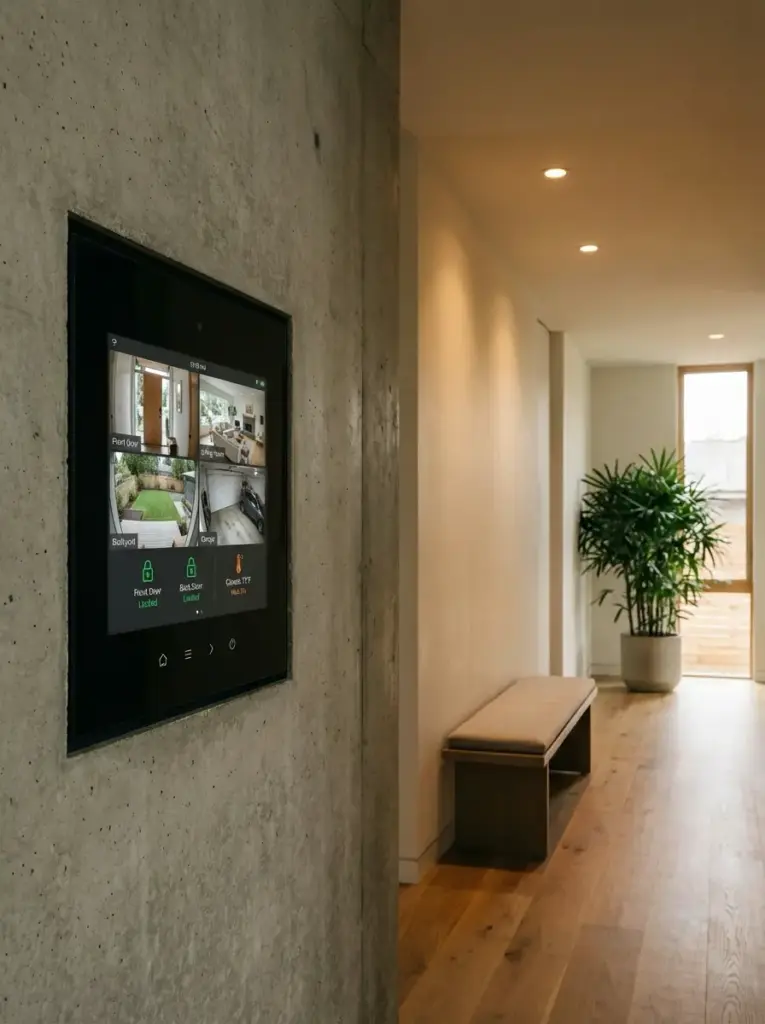
The practical specification framework: count the devices and calculate the upload requirement first. If the upload requirement exceeds 40 Mbps, fiber is the required specification. If fiber isn’t available at the address, 5G fixed wireless is the next best option. Cable is appropriate only for light smart home setups with limited cloud recording. Add a secondary 5G connection as backup for any smart home where security or remote work continuity is a priority.
Then specify the router architecture. A Wi-Fi 6 mesh system with VLAN support is the minimum for a smart home with more than 20 devices. Add QoS configuration to prioritise security and automation traffic over entertainment. Consider local processing for core automations to remove cloud and internet dependency from the critical path. With the right broadband and network foundation, the smart home design can perform exactly as specified — because the infrastructure underneath it is designed to the same standard as everything above it.
FAQ: Smart Home Broadband
Q: How much bandwidth does a smart home actually need?
A 20-30 device smart home typically needs 100-200 Mbps sustained bandwidth, with the upload figure being the critical constraint. Calculate: number of cameras × 4 Mbps upload + streaming screens × 25 Mbps download + background device traffic. Most smart homes with 8+ security cameras need fiber’s symmetrical upload to avoid congestion.
Q: What is the difference between fiber and cable for smart homes?
Fiber offers symmetrical speeds, 5-10ms latency, and no performance degradation during peak hours. Cable offers fast downloads but asymmetric upload (typically 15-50 Mbps regardless of download tier) and 15-30ms latency. For camera-heavy smart homes, the upload difference is the deciding factor — cable upload is often insufficient for continuous cloud recording at scale.
Q: Does internet speed affect smart home automation reliability?
Latency matters more than speed for automation responsiveness. Fiber at 5ms latency executes smart lock and lighting commands faster than cable at 25ms. For security-critical devices, lower latency also reduces the window for timing-based attacks. Local processing hubs (Home Assistant, Hubitat) remove cloud dependency entirely and improve reliability regardless of broadband type.
Q: Should I choose fiber or 5G for a smart home?
Fiber is the better choice when available — lower latency, more consistent performance, higher upload. 5G home internet is an excellent alternative and primary connection backup when fiber is unavailable. For redundancy: pair primary fiber with a T-Mobile 5G gateway as failover on a dual-WAN router. Cost: $50/month for unlimited 5G backup, no contract.
Q: What router should I use for a smart home network?
Wi-Fi 6 mesh system minimum for 20+ devices — Eero Pro 6E, Google Nest WiFi Pro, or Ubiquiti UniFi for professional installations. Avoid ISP-provided gateways for smart homes — they support fewer simultaneous connections and lack VLAN and QoS controls. VLAN segmentation separates IoT devices from personal devices, protecting the trusted network from compromised smart home hardware.
- 0shares
- Facebook0
- Pinterest0
- Twitter0
- Reddit0