Ever felt like your 3D printer, while awesome, could be just a little bit better? Maybe a bit faster, quieter, more reliable, or capable of printing that tricky flexible filament you’ve been eyeing? You’re in luck! Diving into 3d printer upgrades isn’t just for tech gurus; it’s a fantastic way to supercharge your machine, improve print quality, and unlock a whole new world of creative possibilities. The best part? Many of these modifications are surprisingly simple, fun to do, and can be tackled by anyone with a screwdriver and a willingness to learn.
This guide is all about helping you transform your trusty FDM printer from a good machine into a great one. We’ll explore everything from quick, impactful tweaks to more involved modifications that deliver serious performance boosts. Get ready to turn your printer into a lean, mean, 3D-printing machine!

Why Bother with Upgrades? Unlocking Your Printer’s True Potential
You might be thinking, “My printer works fine, why mess with it?” And that’s fair! But like any hobby or tool, there’s always room for improvement. Upgrades aren’t just about fixing problems; they’re about enhancing your entire 3D printing experience.
Think about it:
- Boosted Print Quality: Imagine smoother surfaces, fewer errors, and more accurate dimensions. Many upgrades directly address common print issues like stringing, warping, and layer shifts.
- Increased Speed & Efficiency: Who doesn’t want faster prints without sacrificing quality? Certain modifications can significantly reduce print times.
- Expanded Material Compatibility: Want to print with exotic filaments like flexible TPUs, high-temp ABS, or abrasive carbon fiber composites? Many stock printers struggle with these, but upgrades can open up new material horizons.
- Enhanced Reliability & Ease of Use: Spending less time troubleshooting and more time printing is the dream, right? Upgrades like auto-bed leveling or better build surfaces make printing a breeze.
- Noise Reduction: If your printer sounds like a jet engine, silent stepper drivers can be a game-changer for your sanity.
- Learning & Customization: Tinkering with your printer is a fantastic way to understand how it works. Plus, you can personalize it to your heart’s content, making it uniquely yours.
Upgrading your 3D printer is much like optimizing other aspects of your home. Just as understanding the lifespan of your home appliances helps you plan for replacements or maintenance, knowing the weak points or potential improvements in your 3D printer allows for targeted enhancements that extend its life and capabilities.
The Entry-Level: Simple, High-Impact Upgrades for Everyone
Let’s start with upgrades that are relatively easy to install, often inexpensive, and deliver noticeable improvements almost immediately. These are fantastic for beginners or anyone looking for a quick win.
Firmware Updates: The Brain Transplant Your Printer Needs
Often overlooked, updating your printer’s firmware (like Marlin or Klipper) is a powerful, often free, upgrade. Firmware is the software that controls every aspect of your printer.
- Marlin: A hugely popular open-source firmware that offers incredible control and customization. Newer versions bring features like linear advance, input shaping (on some boards), thermal runaway protection, and improved bed leveling algorithms.
- Klipper: A newer, more advanced firmware that runs on a separate microcomputer (like a Raspberry Pi). Klipper offloads complex calculations from your printer’s mainboard, allowing for significantly faster print speeds with better quality, especially when paired with features like Input Shaper. It does have a steeper learning curve but the results are often astounding.
Why update? You get access to the latest features, bug fixes, and performance enhancements. It’s like giving your printer a brand new brain!


Auto-Bed Leveling Sensor: Say Goodbye to Manual Leveling Headaches
If you’re tired of constantly adjusting your print bed, an auto-bed leveling sensor like the BLTouch or CRTouch is a lifesaver. These sensors probe multiple points on your print bed before each print, creating a mesh that compensates for any imperfections or tilts.
- Benefits: Dramatically improves first layer adhesion, reduces failed prints, and saves you time and frustration. It’s one of the most beloved 3D printer upgrades for a reason.
- Installation: Involves mounting the sensor, wiring it to your mainboard (often with a small adapter board), and updating your firmware to enable its functionality. There are tons of online guides specific to almost every printer model.
Upgraded Nozzles: Precision and Durability
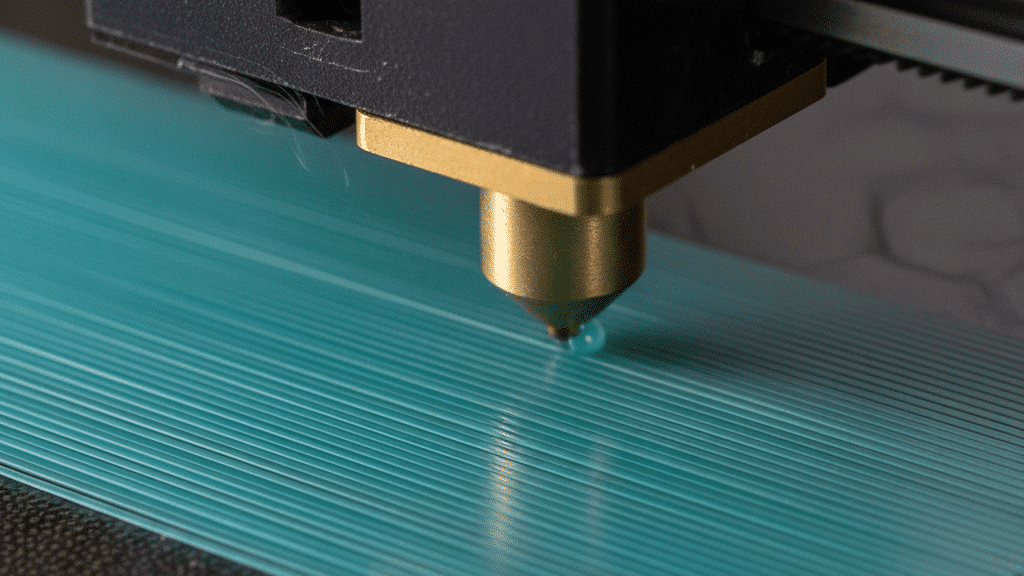
Your nozzle is where all the magic happens, and upgrading it can have a big impact.
- Hardened Steel Nozzles: If you plan to print with abrasive filaments like carbon fiber-filled PETG, glow-in-the-dark PLA, or wood composites, a hardened steel nozzle is essential. Brass nozzles wear down quickly with these materials, leading to inconsistent extrusion and print quality degradation.
- Larger/Smaller Diameter Nozzles: A 0.6mm or 0.8mm nozzle can drastically speed up print times for less detailed objects, while a 0.2mm nozzle offers incredibly fine detail for miniature work (at a much slower speed).
- Plated Copper/High-Flow Nozzles: These can improve thermal conductivity, allowing for faster printing at higher temperatures with better control, especially for engineering filaments.
Better Build Surface: Adhesion & Easy Removal
The surface your print sticks to is crucial. Many stock build surfaces can be finicky.
- PEI (Polyetherimide) Sheets: These are incredibly popular for good reason. They offer excellent adhesion for a wide range of filaments when heated, and most prints pop off easily once the bed cools. They come in smooth and textured (powder-coated) varieties.
- Glass Beds: Provide a perfectly flat surface and can give the bottom of your print a beautiful, smooth, mirror-like finish. They require adhesive (like hairspray or glue stick) for consistent adhesion.
- Magnetic Flexible Build Plates: A PEI sheet on a flexible magnetic base is a dream. You print, let it cool, then simply flex the plate to release your print – no scraping needed!
Enhanced Part Cooling Fan & Ducts: For Cleaner Overhangs
Effective part cooling is vital for good print quality, especially for overhangs, bridges, and small details. The stock fans and ducts on many printers are often mediocre.
- Upgraded Fan Ducts (3D Printed): This is a popular DIY upgrade! Many designs are available online that direct airflow much more effectively around the nozzle, leading to cleaner prints. Look for designs like “Hero Me” or “Petsfang.”
- Dual Fan Setups: Some designs allow for mounting two smaller fans (e.g., 5015 blower fans) to provide significantly more airflow than a single stock fan.
- Better Fans: Replacing stock fans with higher-quality, higher-airflow alternatives can make a big difference, especially if you’re upgrading the ducts.


Stiffer Bed Springs or Silicone Spacers: Bed Stability is Key
The springs under your print bed keep it level and stable. Stock springs can sometimes be soft, leading to the bed slowly losing its level over time.
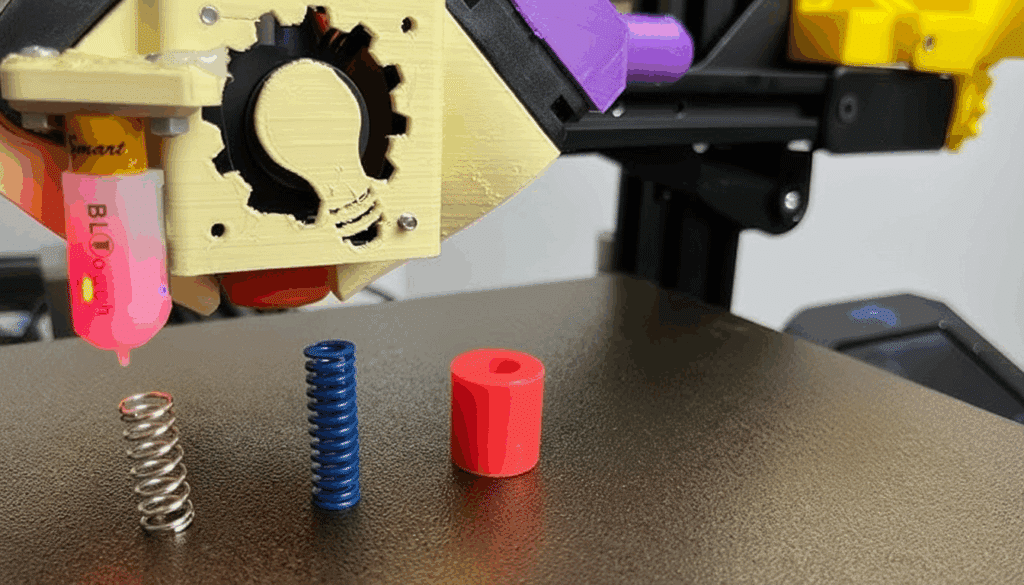
- Yellow/Red Springs: These are stiffer than the typical silver springs and hold their adjustment better.
- Silicone Spacers: A more permanent solution, silicone spacers replace the springs entirely. They offer excellent stability and absorb vibrations, though they make manual adjustment slightly less forgiving (but with an auto-bed leveling sensor, this isn’t an issue).
Mid-Tier Transformations: Diving Deeper for Serious Gains
Ready to roll up your sleeves a bit more? These upgrades involve a bit more technical know-how but offer substantial improvements in performance, material compatibility, and print reliability.
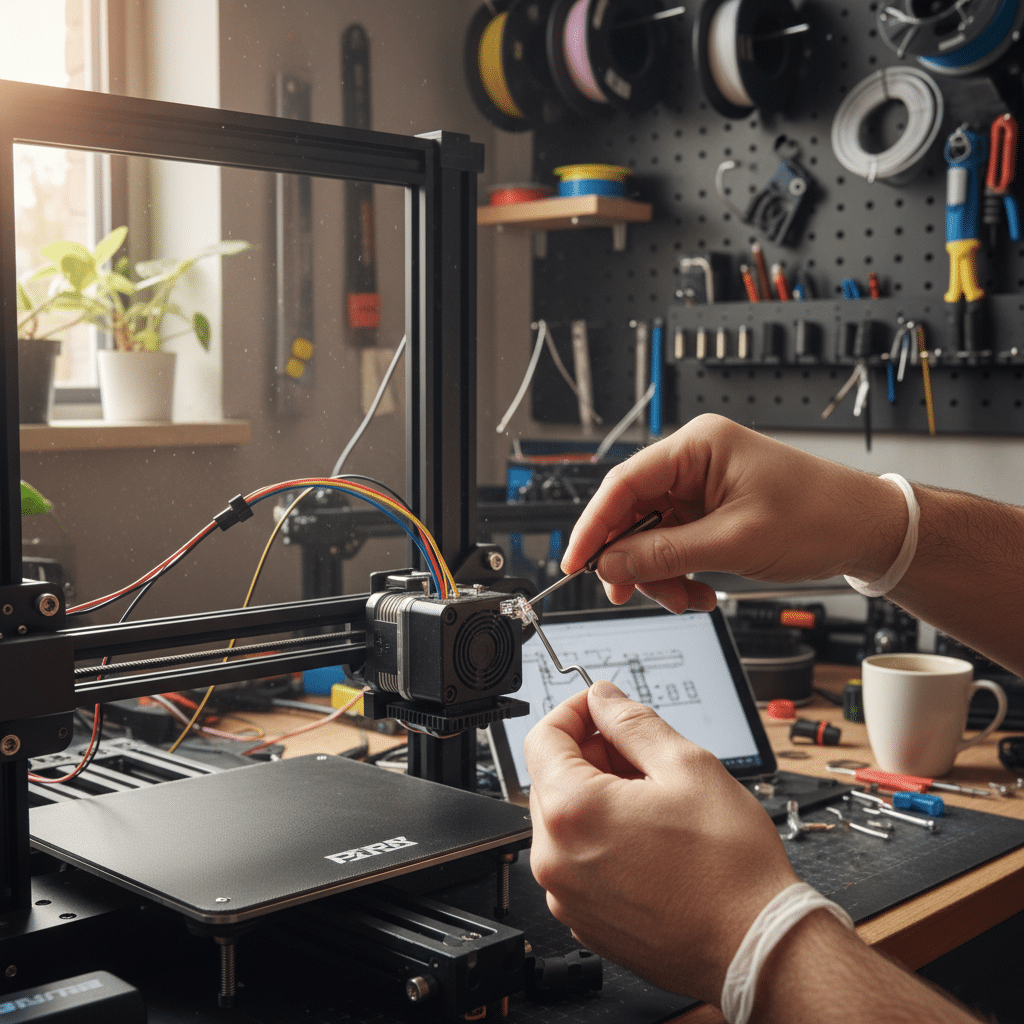
Direct Drive Extruder: Taming Tricky Filaments
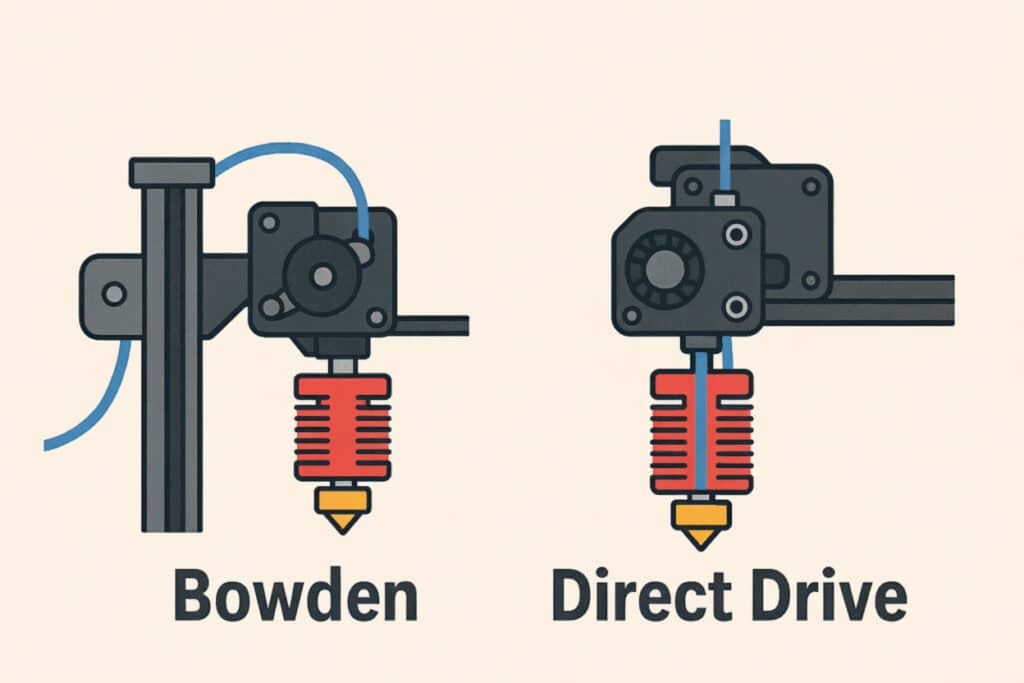
Most entry-level printers use a Bowden setup, where the extruder motor pushes filament through a long PTFE tube to the hotend. A direct drive extruder mounts the extruder motor directly above the hotend.
- Benefits: Dramatically improves printing with flexible filaments (TPU, TPE) because the short filament path prevents buckling. It also reduces stringing, improves retraction performance, and offers better control over extrusion.
- Considerations: Adds weight to the print head, which can potentially introduce ghosting or ringing at very high speeds, though this is often offset by better control.
- Installation: Can be an aftermarket kit or a 3D-printed adapter to convert your existing Bowden extruder.
All-Metal Hotend: Unlock High-Temperature Printing
The hotend is where your filament melts. Many stock hotends have a PTFE tube that runs all the way through to the nozzle. While fine for PLA and PETG, this PTFE tube degrades at higher temperatures (above 240°C), releasing toxic fumes and causing clogs.
- Benefits: An all-metal hotend replaces the PTFE liner with a metal heat break, allowing you to safely print at much higher temperatures (up to 300°C+). This opens the door to advanced engineering filaments like ABS, Nylon, Polycarbonate, and other high-strength materials.
- Popular Choices: E3D V6, Micro Swiss All-Metal Hotend, and various clones.
- Considerations: Requires more precise retraction settings and can be more prone to heat creep if cooling isn’t adequate.
Silent Stepper Drivers: Because Your Ears Deserve a Break
Is your 3D printer the loudest thing in your house? The whining and buzzing sounds typically come from the stepper motors moving the print head and bed. Silent stepper drivers, like TMC2208 or TMC2209, smooth out the electrical signals sent to the motors.
- Benefits: Drastically reduces motor noise, making your printer much quieter and more pleasant to be around. This is a huge quality-of-life upgrade, especially if your printer is in a shared living space or home office.
- Installation: Involves swapping out the stock stepper drivers on your printer’s mainboard. Some newer mainboards come with silent drivers pre-installed.

Belts and Pulleys: Precision in Motion
The belts and pulleys on your X and Y axes are responsible for accurate movement.
- GT2 Belts: Upgrading to genuine Gates GT2 belts (or good quality alternatives) ensures less stretch and more consistent motion compared to cheaper belts.
- Metal Pulleys: Replacing plastic pulleys with metal ones improves durability and reduces slippage, leading to more accurate prints and fewer issues like ghosting or layer shifts.
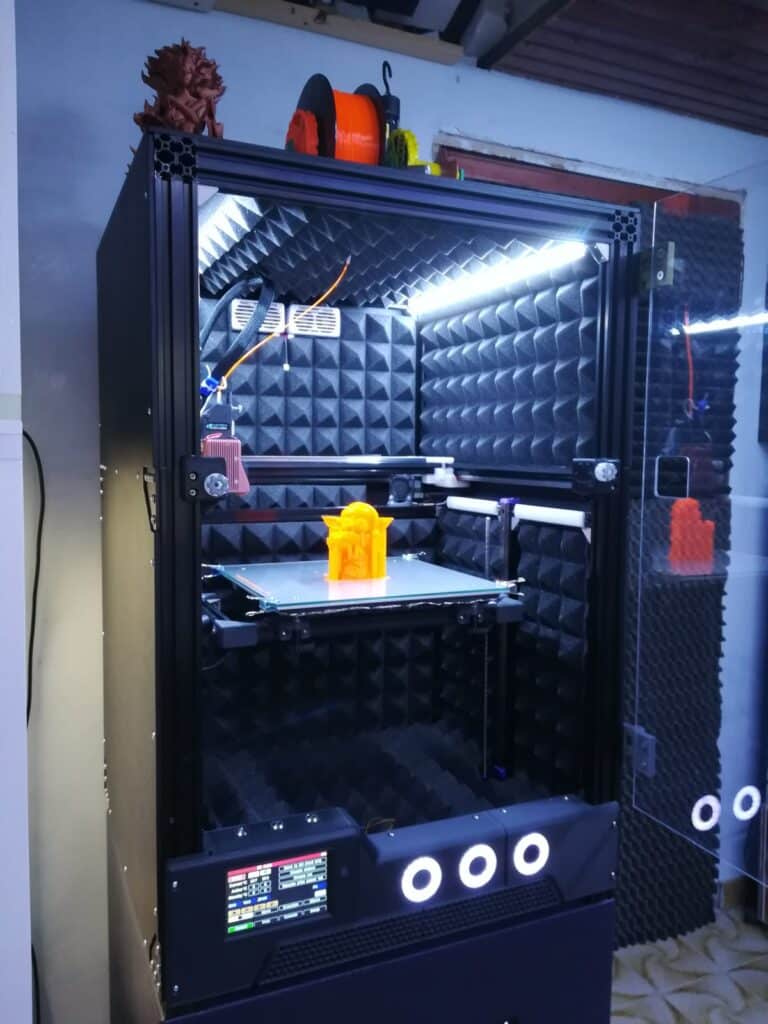
Enclosure: Temperature Control and Safety
An enclosure is like a small chamber for your 3D printer.
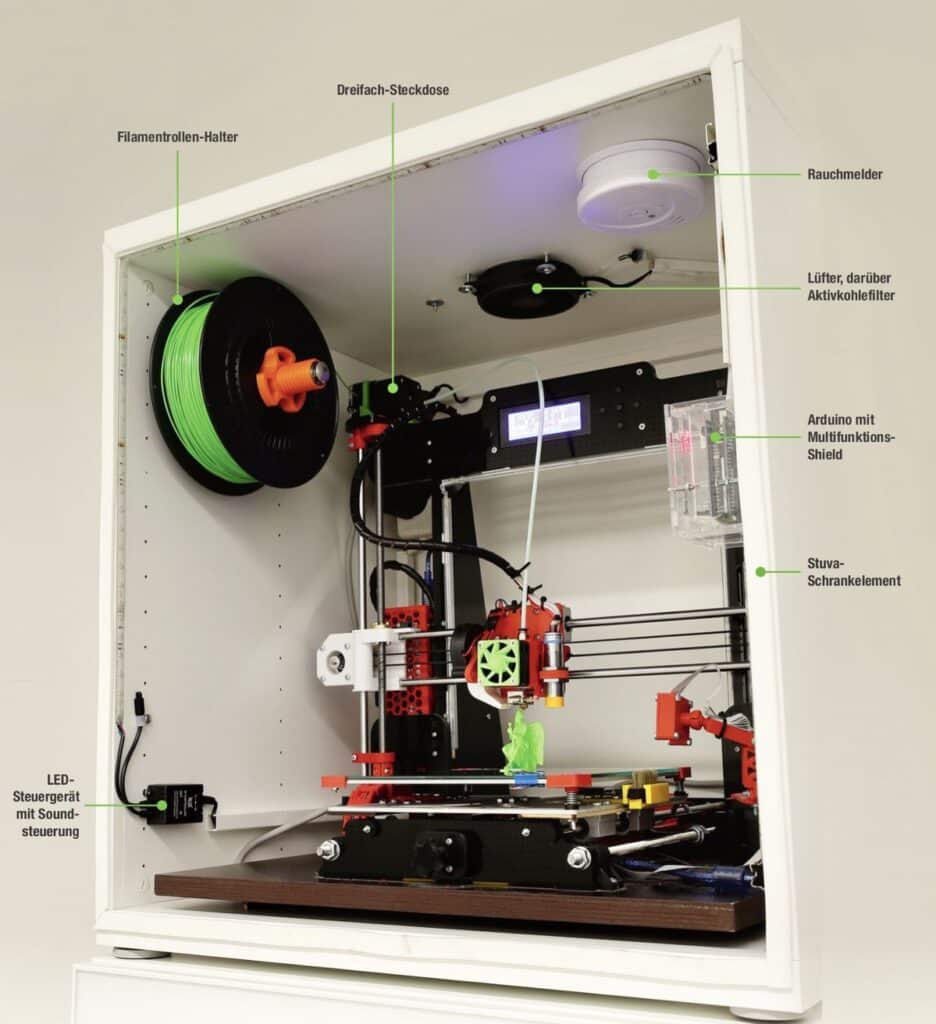
- Benefits: Crucial for printing temperature-sensitive filaments like ABS, ASA, and Nylon, as it maintains a consistent ambient temperature, preventing warping and cracking. It also helps contain fumes, reduces noise, and keeps dust away from your printer.
- Options: You can buy pre-made enclosures, build one yourself from IKEA tables (Prusa Lack Enclosure), or even 3D print parts for a custom enclosure.
- Bonus: For those looking to set up a dedicated crafting space, a well-designed 3D printing area, much like a functional home office, can enhance both productivity and enjoyment.


Raspberry Pi with OctoPrint/Klipper: The Ultimate Control Center
A Raspberry Pi mini-computer is a game-changer for printer control.
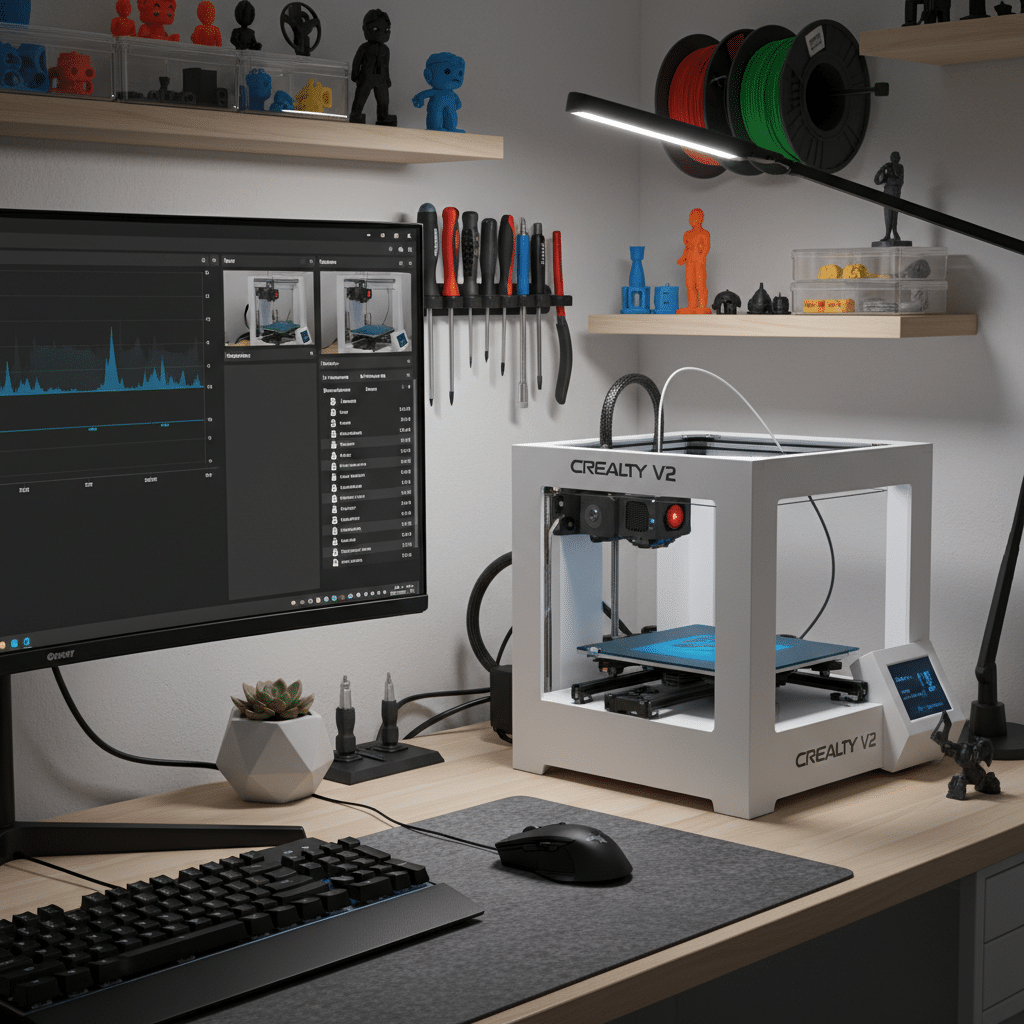
- OctoPrint: This software runs on the Pi and gives you a web interface to control your printer remotely, upload files, monitor prints with a webcam, create time-lapses, and much more. It’s incredibly powerful for print management.
- Klipper: As mentioned earlier, Klipper uses the Pi to offload processing, enabling higher print speeds and advanced features like Input Shaping (resonance compensation) which significantly reduces ghosting and ringing.
- Benefits: Remote control, enhanced monitoring, advanced print capabilities, and a host of plugins for OctoPrint that add even more functionality.
Advanced Upgrades: For the Dedicated Enthusiast
These upgrades are for those who want to push their printer to its absolute limits, seeking maximum precision, speed, and durability. They typically require more technical skill and a larger investment.
Linear Rails: Precision, Durability, and Smoothness
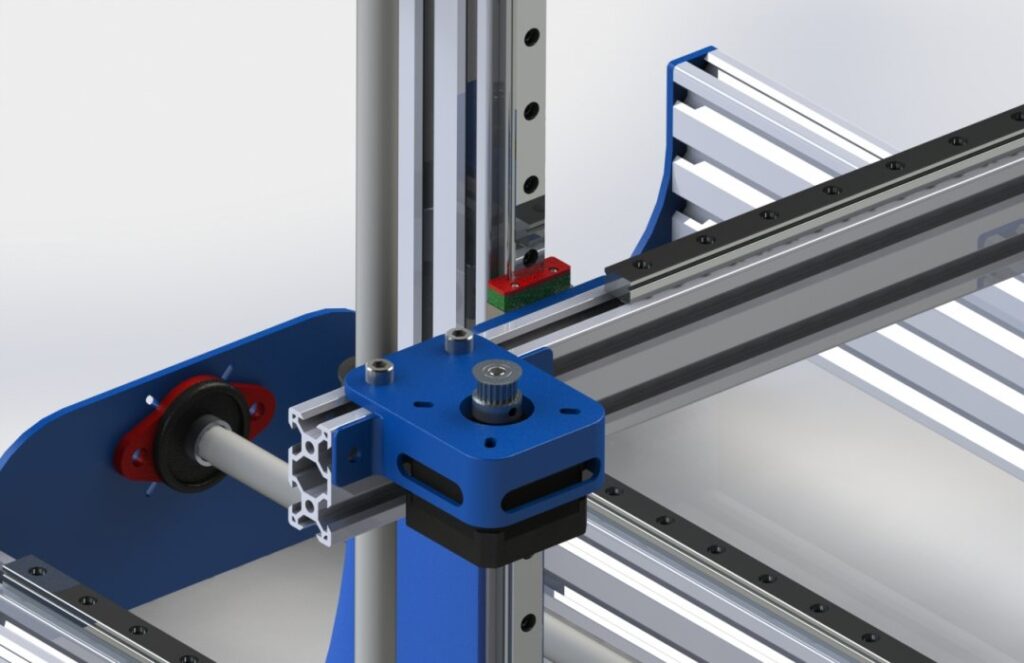
Traditional 3D printers often use V-slot wheels or smooth rods on their axes. Linear rails, typically made from hardened steel, replace these with precision-machined guides and bearings.
- Benefits: Significantly improved precision, reduced backlash, less friction, and much higher durability. They offer smoother motion and can virtually eliminate wobbles or vibrations, leading to exceptional print quality.
- Considerations: Can be challenging to install correctly, requiring careful alignment to prevent binding.
- Impact: A noticeable upgrade for the most critical print accuracy.

Dual Z-Axis Upgrade: Gantry Stability for Larger Printers
Many single Z-axis printers, especially those with larger build volumes, can experience “gantry sag” or uneven movement on the X-axis.
- Benefits: Adding a second Z-axis lead screw and motor (or connecting a second screw to the existing motor with a belt) stabilizes the X-gantry, ensuring it moves up and down perfectly level. This leads to more consistent layers and prevents issues like elephant’s foot or inconsistent layer height on taller prints.
- Installation: Requires mounting a second motor/screw, and often firmware adjustments.
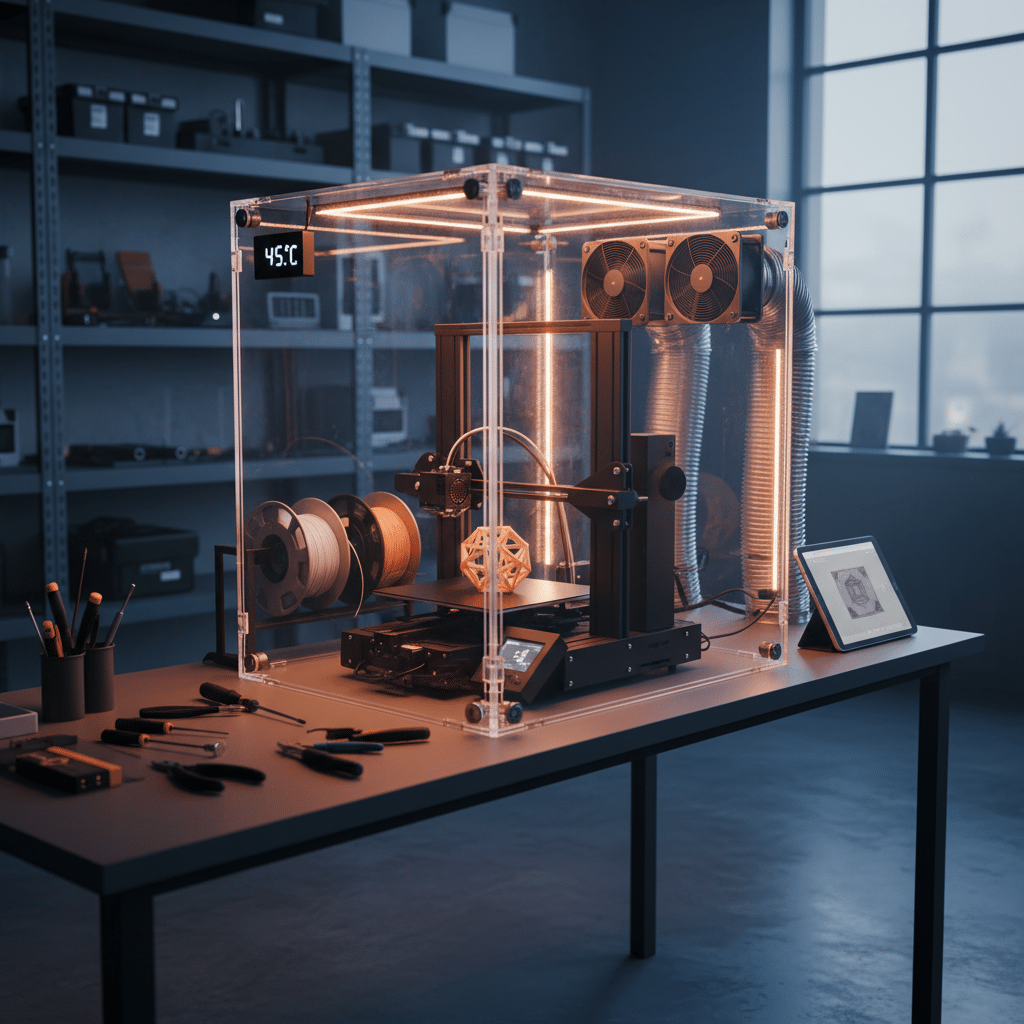
Heated Enclosure: The Ultimate for High-Performance Materials
Beyond a basic enclosure, a heated enclosure actively maintains a high internal temperature (e.g., 50-70°C).
- Benefits: Absolutely essential for successfully printing highly demanding, high-warp materials like PEEK, PEI, and some nylons, which require very stable high temperatures throughout the print process to prevent internal stresses and delamination.
- Considerations: Requires careful design to ensure safety and thermal regulation, often involving active heating elements and temperature sensors.

High-Flow Hotend (e.g., Volcano, Rapido): Printing Faster, Bigger
If you want to print extremely quickly with larger nozzles, a high-flow hotend is the answer.
- Benefits: These hotends have an extended melt zone, allowing them to melt filament at a much faster rate than standard hotends. This means you can push more plastic through the nozzle per second, enabling faster print speeds with larger nozzle diameters (e.g., 1.0mm, 1.2mm) for big, structural parts.
- Applications: Ideal for rapid prototyping, large-scale prints, or when sheer speed is more important than ultra-fine detail.


The DIYer’s Delight: 3D Printed Upgrades for Your 3D Printer
One of the coolest things about owning a 3D printer is that you can print upgrades for itself! This is where the community aspect of 3D printing truly shines.
- Functional Prints: Print new fan ducts, cable chains to manage wiring, spool holders, tool holders, camera mounts for OctoPrint, or even parts for a direct drive conversion. Sites like Thingiverse, Printables, and Cults3D are treasure troves of free, printable upgrade designs.
- Aesthetic Prints: Design and print custom color accents, branded logos, or organizational bins to make your printer area look neat and professional. Much like choosing unique home decor for your living space, these custom prints personalize your machine.
- Learning Experience: Printing and installing these parts teaches you about your printer’s mechanics and gives you a deeper appreciation for its capabilities. It’s a fantastic example of the benefits of DIY projects, applying hands-on skills to improve your tools.
The Most Important “Upgrade”: Maintenance
Before you even think about buying a fancy new part, remember that good maintenance is often the most effective “upgrade” you can give your printer. A well-maintained stock printer will almost always outperform a poorly maintained upgraded one.
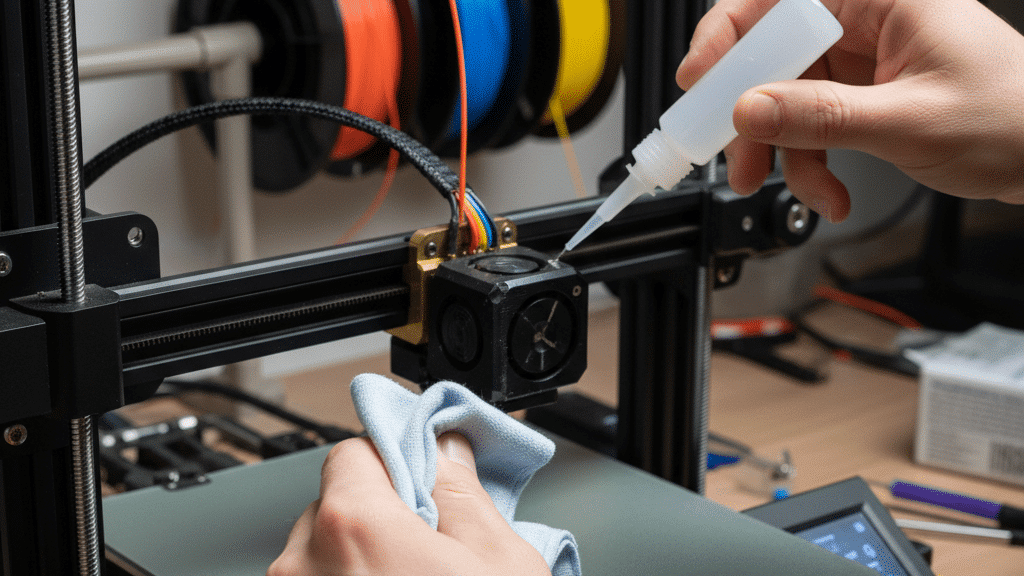
- Cleanliness: Regularly clean your build plate, nozzle, hotend, and the moving parts of your printer. Dust and debris can cause countless issues.
- Lubrication: Lubricate lead screws and smooth rods periodically to ensure smooth, low-friction movement.
- Tightening: Check all screws, belts, and eccentric nuts regularly. Loose components are a common cause of poor print quality.
- Belt Tension: Ensure your X and Y belts are properly tensioned – not too loose (causes ghosting) and not too tight (causes motor wear).
- Nozzle Inspection: Keep an eye on your nozzle for wear or damage. A worn nozzle is a common culprit for declining print quality.
Think of it like taking care of your car; everyday driving habits that may be damaging your car over time have their equivalent in 3D printing. Neglecting basic maintenance can lead to bigger problems down the line, regardless of how many shiny new parts you install.
Choosing Your Next Upgrade: A Strategic Approach
With so many exciting 3D printer upgrades available, how do you decide where to start? 1. Identify Your Pain Points: What frustrates you most about your current prints? Is it warping, stringing, noise, slow speed, or limited material options? Address these specific issues first. 2. Set a Budget: Upgrades can range from free (firmware) to hundreds of dollars (linear rails). Determine how much you’re willing to invest. 3. Research Compatibility: Not all upgrades work with all printers. Always double-check compatibility for your specific model. Look for online communities and forums for advice. 4. Start Small and Build Confidence: Begin with simpler, high-impact upgrades to gain experience and see immediate results. Once you’re comfortable, you can tackle more complex modifications. 5. Watch Tutorials: YouTube is an invaluable resource for installation guides. Seeing someone else do it step-by-step makes the process much less intimidating.
Conclusion: Embrace the Journey of Improvement
Upgrading your 3D printer is more than just buying new parts; it’s a journey of learning, experimentation, and continuous improvement. Each modification you make not only enhances your machine’s capabilities but also deepens your understanding of 3D printing technology. From simple firmware tweaks that unlock hidden potential to advanced mechanical overhauls that redefine performance, there’s an upgrade path for every enthusiast.
So, whether you’re battling inconsistent first layers, craving faster print speeds, or eager to explore new exotic filaments, remember that the power to supercharge your 3D printer is in your hands. Don’t be afraid to tinker, explore, and customize. The world of 3D printer upgrades is vast and rewarding, promising not just better prints, but a more engaging and satisfying creative experience. What’s the first upgrade on your list? Go ahead, pick up that screwdriver, and get ready to transform your 3D printing world!
Why should I consider upgrading my 3D printer?
Upgrading your 3D printer can improve print quality, increase speed and efficiency, expand material compatibility, enhance reliability, reduce noise, and allow for more customization, unlocking its full potential.
What are some simple upgrades I can do as a beginner?
Beginners can start with firmware updates, installing auto-bed leveling sensors, upgrading nozzles, improving build surfaces, and replacing part cooling fans for immediate noticeable improvements.
How do firmware updates enhance my 3D printer?
Updating firmware like Marlin or Klipper provides access to newer features, bug fixes, better performance, and can significantly improve control and customization of your printer.
- 6shares
- Facebook0
- Pinterest6
- Twitter0
- Reddit0